As we have updated the theme of our
MultiVendor Marketplace app for Shopify,
So please head over to the provided link to get the updated blog of this feature:
Multi vendor Marketplace for Shopify: Label Translations (New Theme)
Shopify Multi vendor Marketplace | Label Translations Feature is Here!
You can now rename labels across various sections of the app to match your business requirements.
Let’s explore how it works. We’ve introduced two dedicated sections for this feature:
Label Configuration
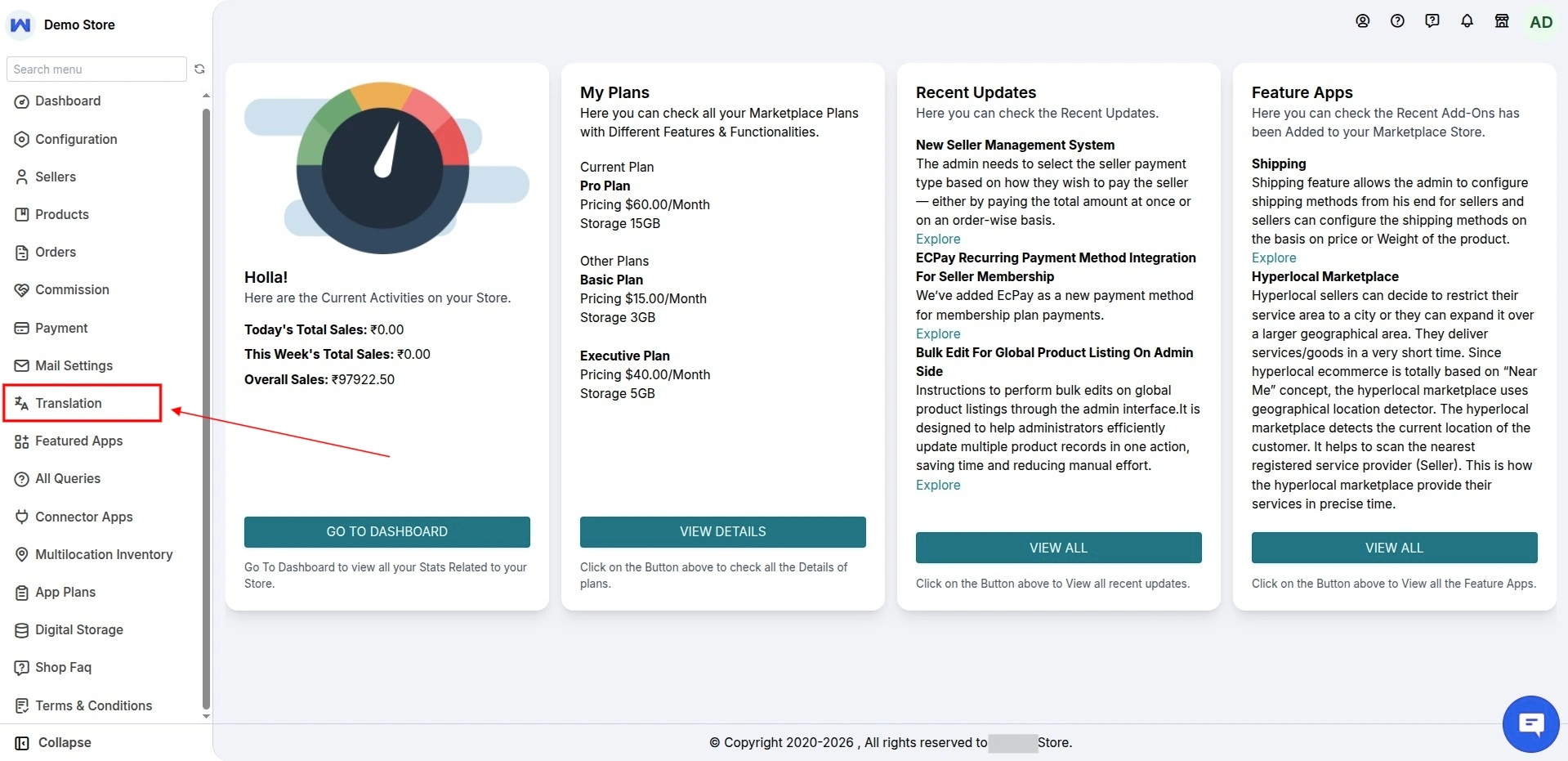
Label Configuration
In the MultiVendor Marketplace app, Label Configuration section, you can edit all the labels for the Add Product Form and Payment Details directly from this page.
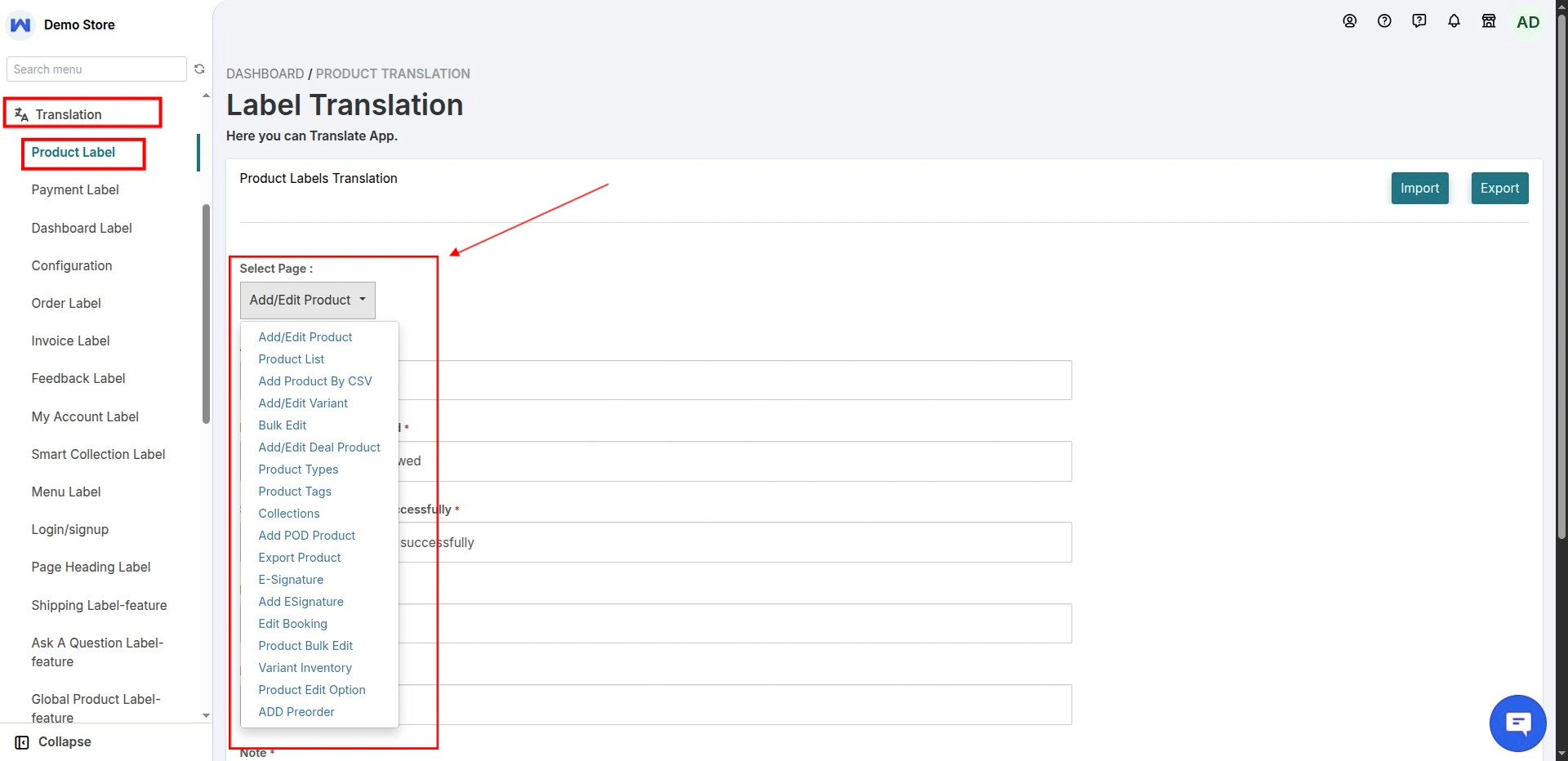
Label Translations
Moreover, various sections’ labels can now be translated from these sections in the Multi Vendor Marketplace app.
Listing down the sections whose labels can be translated now:
-Product
**Product List
**Product Description
**Add product by CSV
-Payment
-Dashboard
-Invoice
-Order
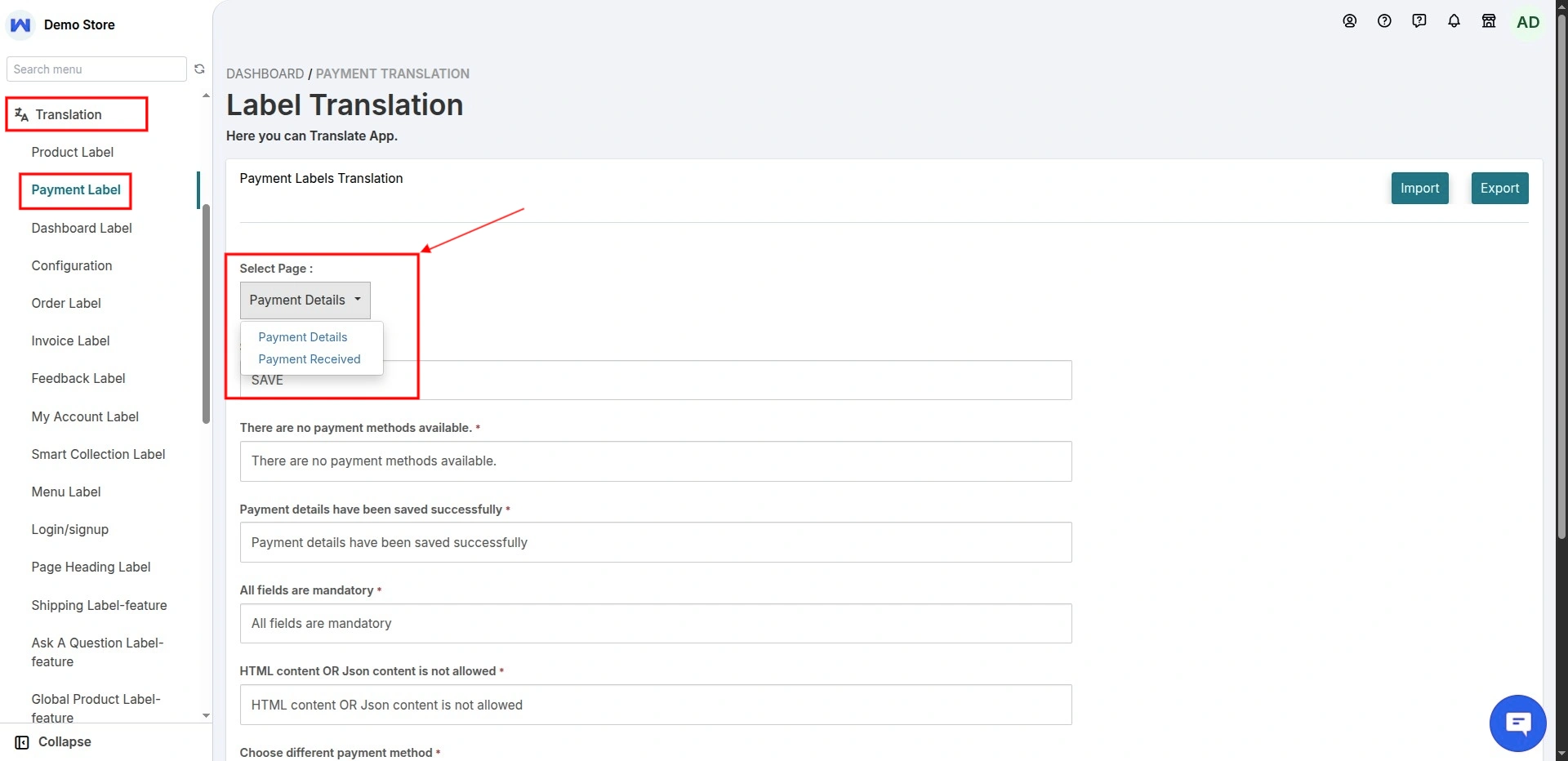
You can also click the three-dot menu on the right to select additional sections for which you want to translate the labels.
The screenshot below shows all the sections available for label translation.
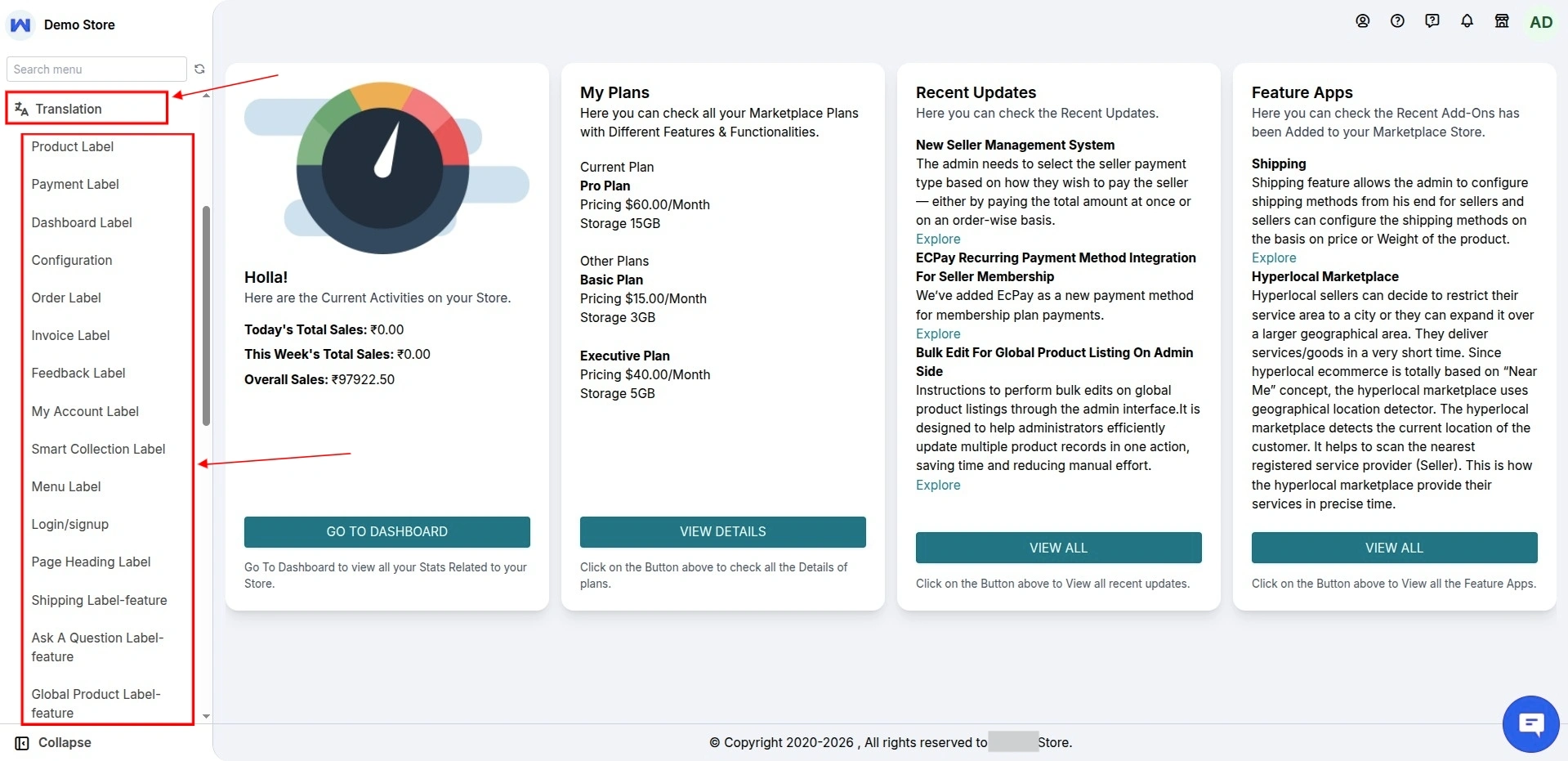
Demo of the Multivendor Marketplace for Shopify | Label Translations
Moreover, find the below link and credentials to use the demo of the Multivendor Marketplace App for Shopify:
https://multivendor-marketplace-5.myshopify.com/pages/demo
Besides this, for any kind of technical assistance:
just raise a ticket at http://webkul.uvdesk.com/ and for any further assistance/query/doubt, contact us at [email protected]

Be the first to comment.