PrestaShop Country Wise Shipping facilitates you to add impact prices on shipping methods of your PrestaShop store based on zone, country, and state.
When you are selling various types of products ranging from small, big, light, or fragile, shipping charges may differ depending on delivery locations.
This module enables you to provide your customers with optimal shipping rates based on their location. Thus, helping you offer a more precise and personalized shipping experience.
Features of PrestaShop Country Wise Shipping
- Add impact prices on shipping methods.
- Set impact price based on zone, country, and state.
- Choose to include or exclude tax in impact price.
- Select impact types as increase or decrease.
- Choose countries of a selected zone for which carrier (on which impact price is set) will not display.
- View a list of impact price added country wise.
- Edit or delete impact price.
- Shipping price will display as per the selected address on the checkout page.
Note: Cart.php file has been overridden, for the proper working of the module.
How to Install PrestaShop Country Wise Shipping
- Firstly, go to the module manager in the back office and click on ‘upload a module’.
- After that, drag and drop the module file or select the file from the system.
- In this way, the module installation will be successful.


PrestaShop Country Wise Shipping Workflow
After the successful installation of the module, a new tab “country wise shipping” gets added under shipping section in the back office.
From here, the admin can add impact price for the shipping methods.
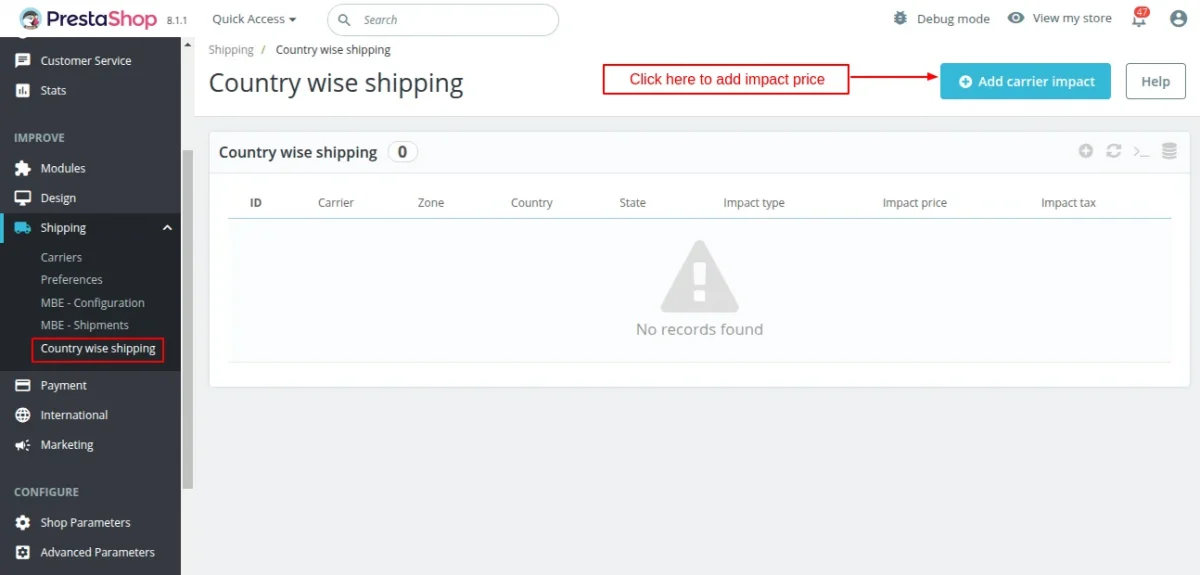
To add impact price on shipping method, click on ‘Add carrier impact’ button.
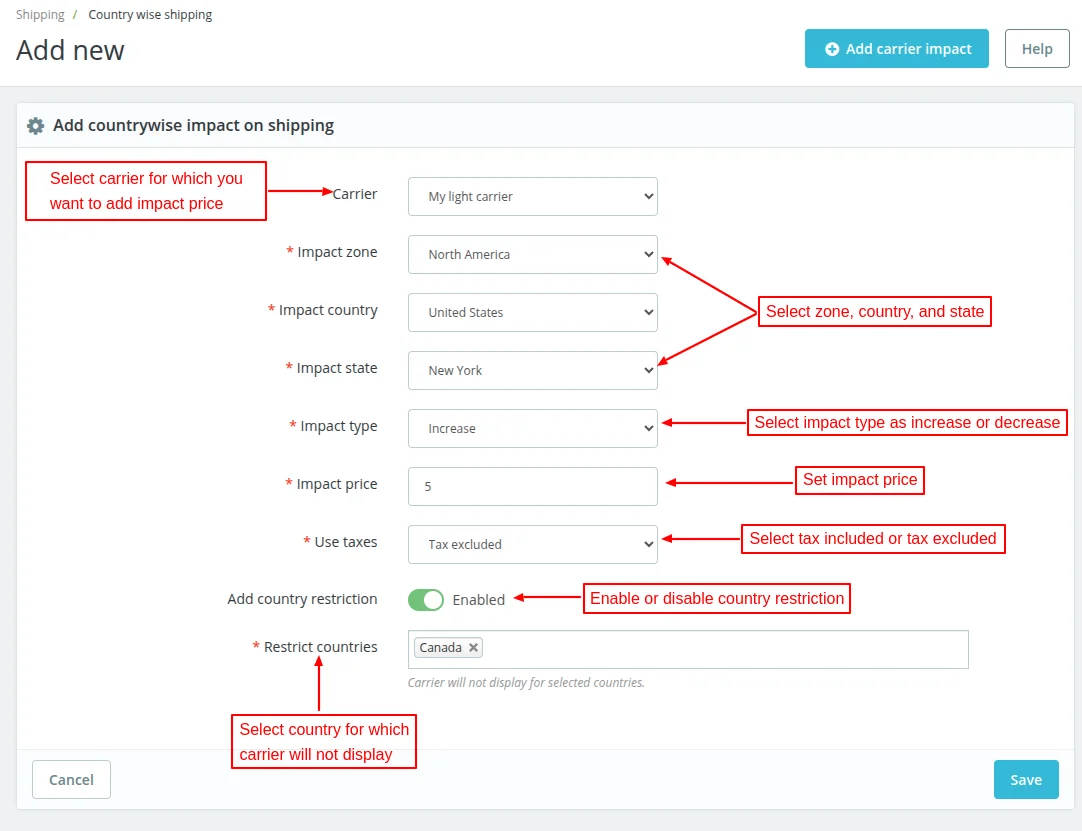
On clicking the button, a form appears on the page where the admin can:
- Select carrier for which he wants to add impact price.
- Choose zone, country, and state for which impact price will be applicable.
- Select impact price as increase or decrease.
- Set impact price.
- Choose to include or exclude tax in impact price.
- Choose countries of the selected zone for which he do not want to display carrier.
Once added, the admin can view it under “Country wise shipping” tab.
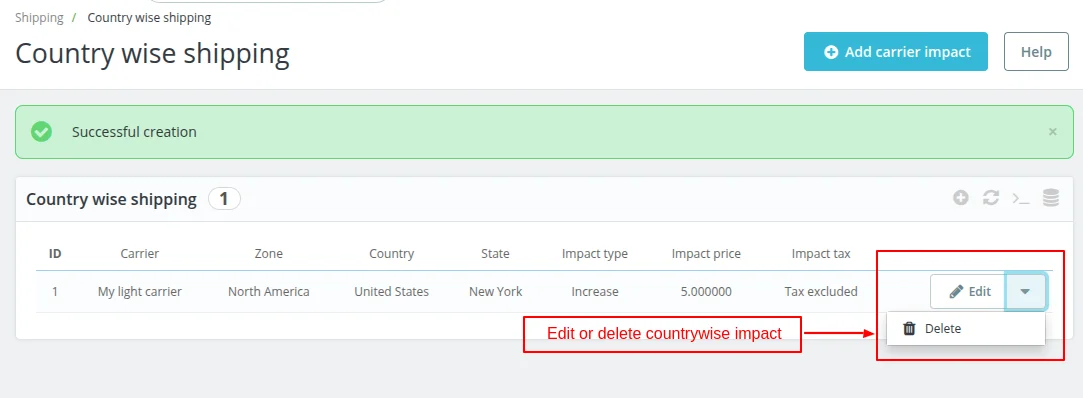
Similarly, the admin can add impact price on shipping methods for various zones, countries, and states.
Note:
- If the admin has set the shipping as free shipping, then the impact price set by the admin will not be applicable to the shipping method.
- Now, if the admin selects the “Impact Type” as “increase”, then the impact price will add to the shipping amount.
- If the admin selects the “Impact Type” as “decrease”, then the impact price will deduct from the shipping amount.
Customer End Flow
Suppose you have set $5 as the impact price for “My light carrier” shipping option for New York state. The shipping cost for this carrier is $10. Also, you have added the handling cost $2 on carrier.
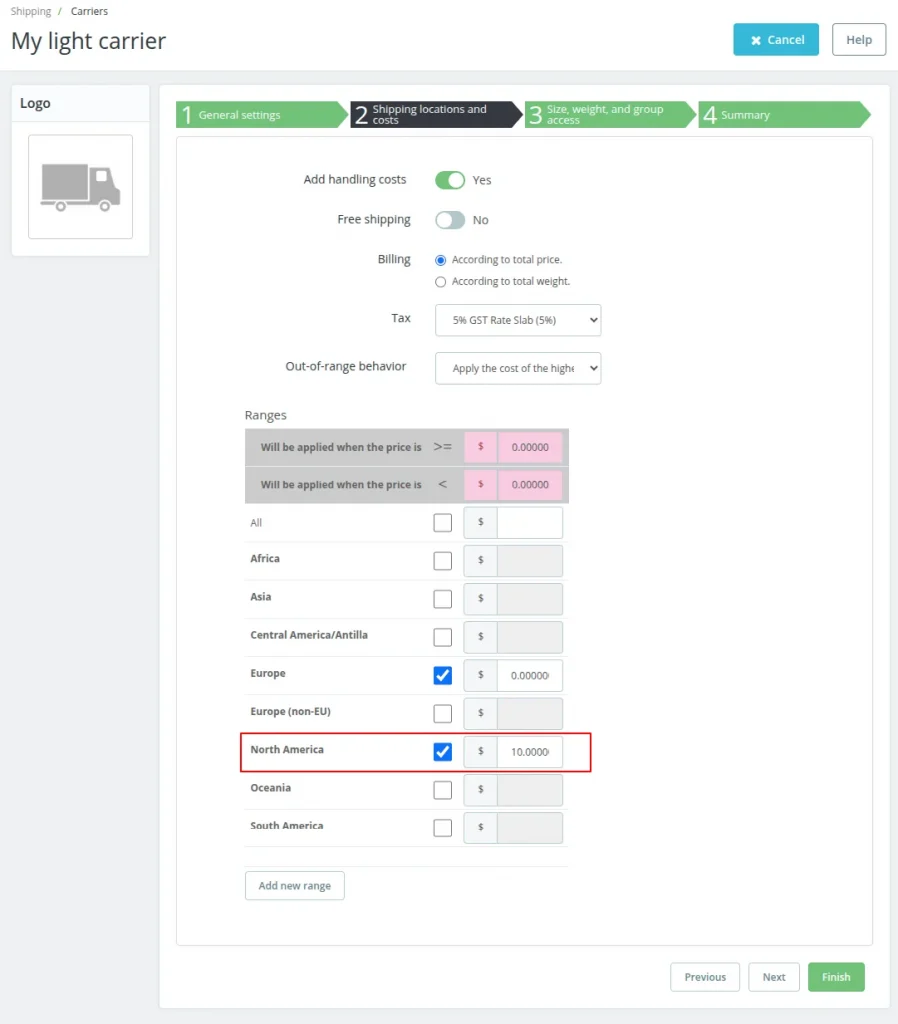
Now, if the customer’s address is other than New York in United States, then the shipping amount applicable on the shopping cart will be $12.
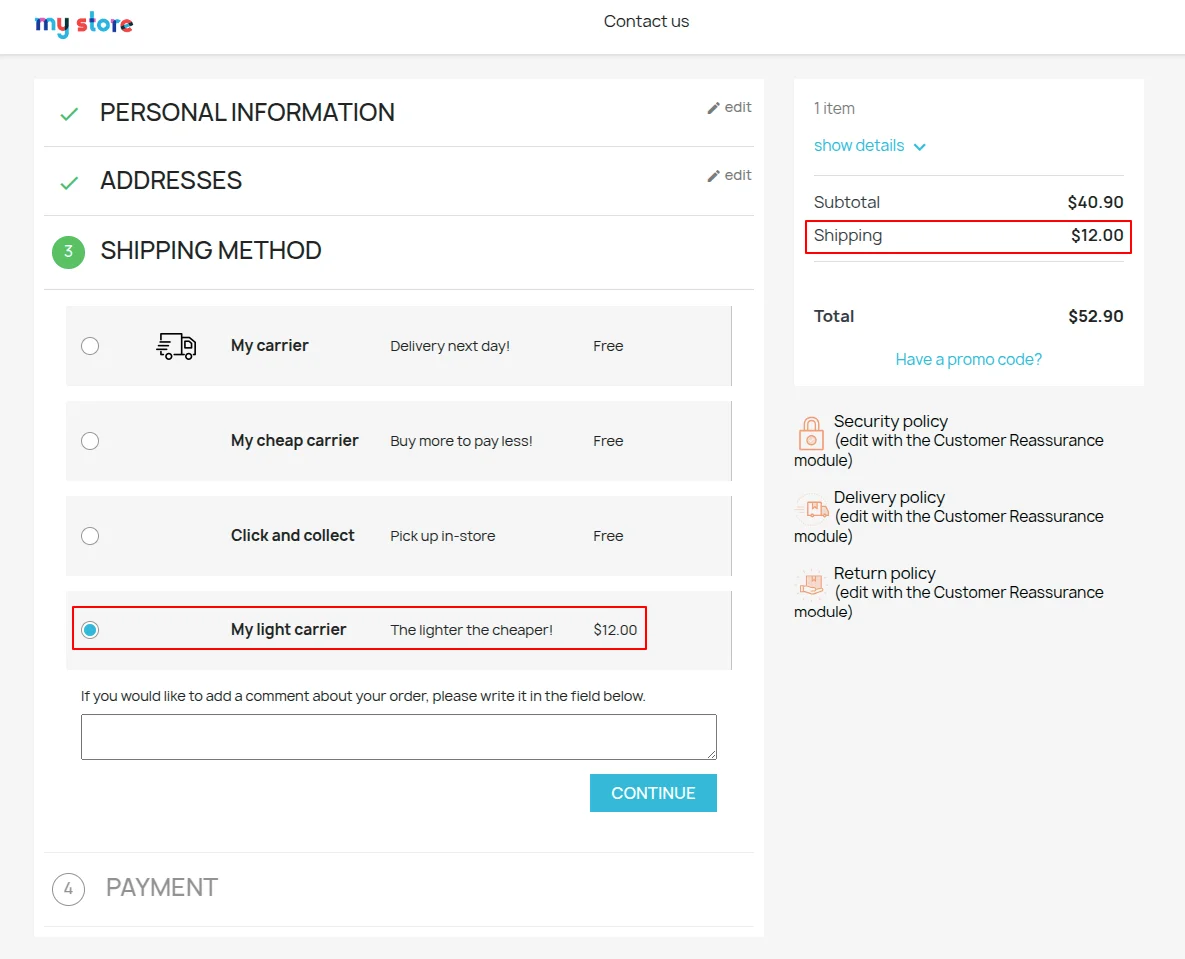
If the address selected is of New York, then the impact price i.e $5 will be added to shipping cost and handling cost.
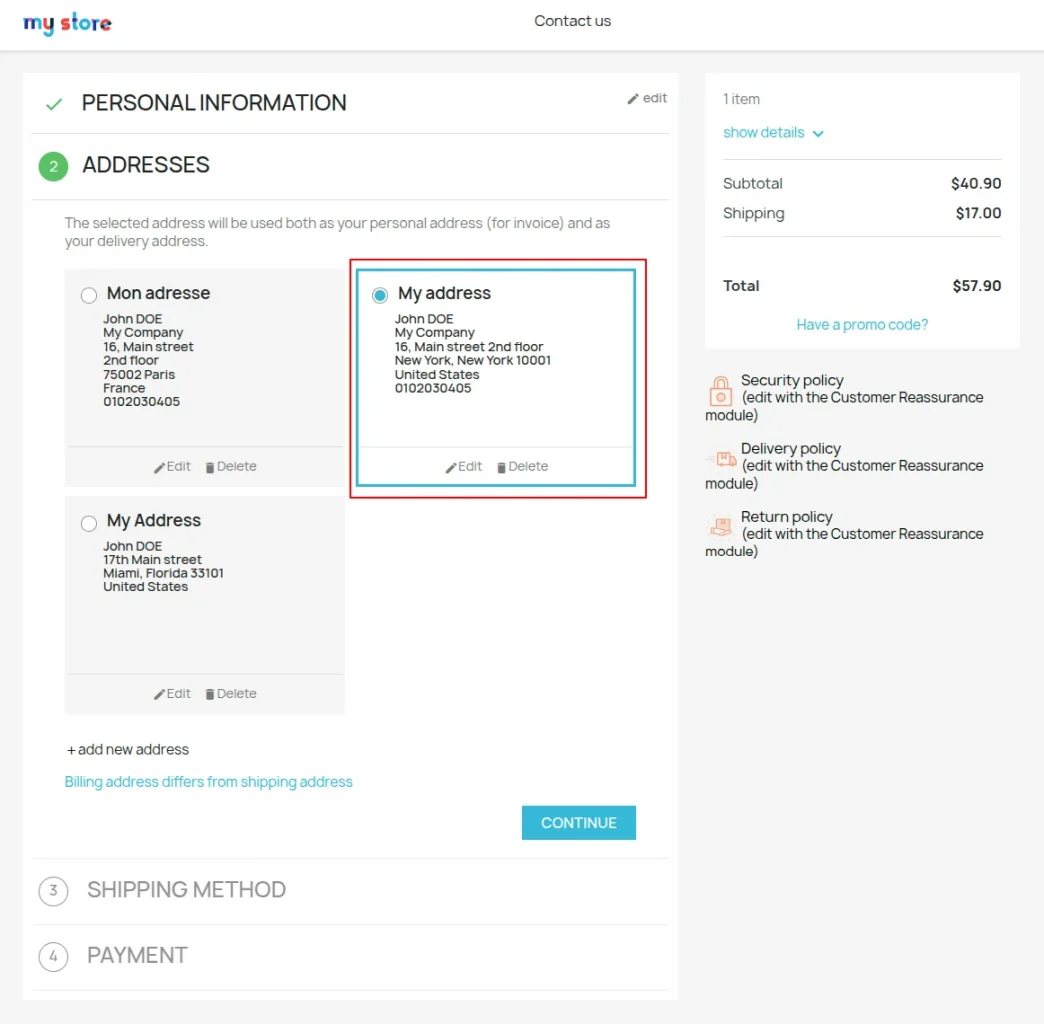
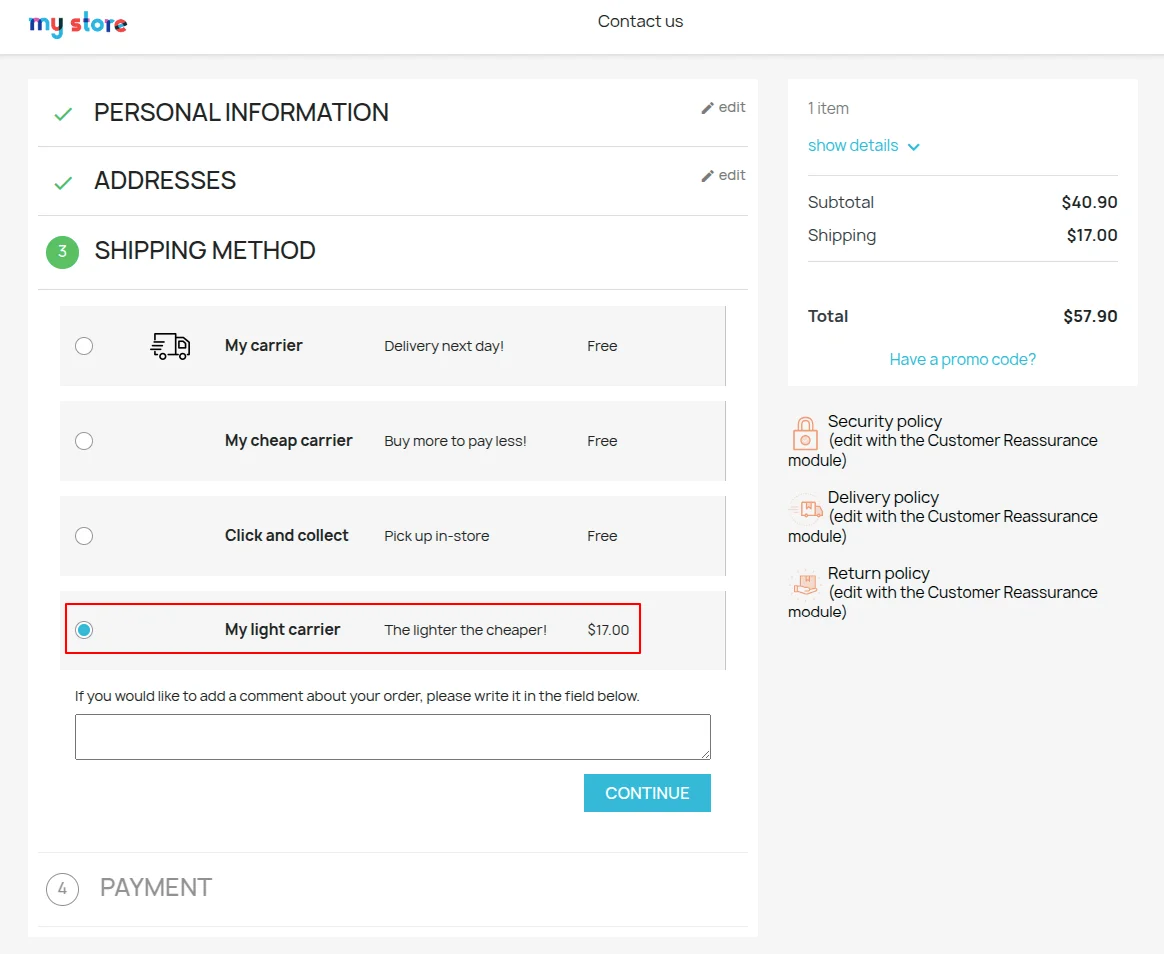
In the above screenshot, it can be seen that $17 shipping has been applied on the cart.
So, this was all about the PrestaShop Country Wise Shipping module. I hope this document will help you in checking the functionality of the module in a better way.
Also, do let us know about your views in the comments.
Support
For any kind of technical assistance or query, please raise a ticket at http://webkul.uvdesk.com or send us a mail at [email protected]
Also, please explore our PrestaShop development services & vast range of featureful PrestaShop Addons.
Current Product Version - 4.3.1
Supported Framework Version - 9.x.x, 8.x.x, 1.7.x.x

Be the first to comment.