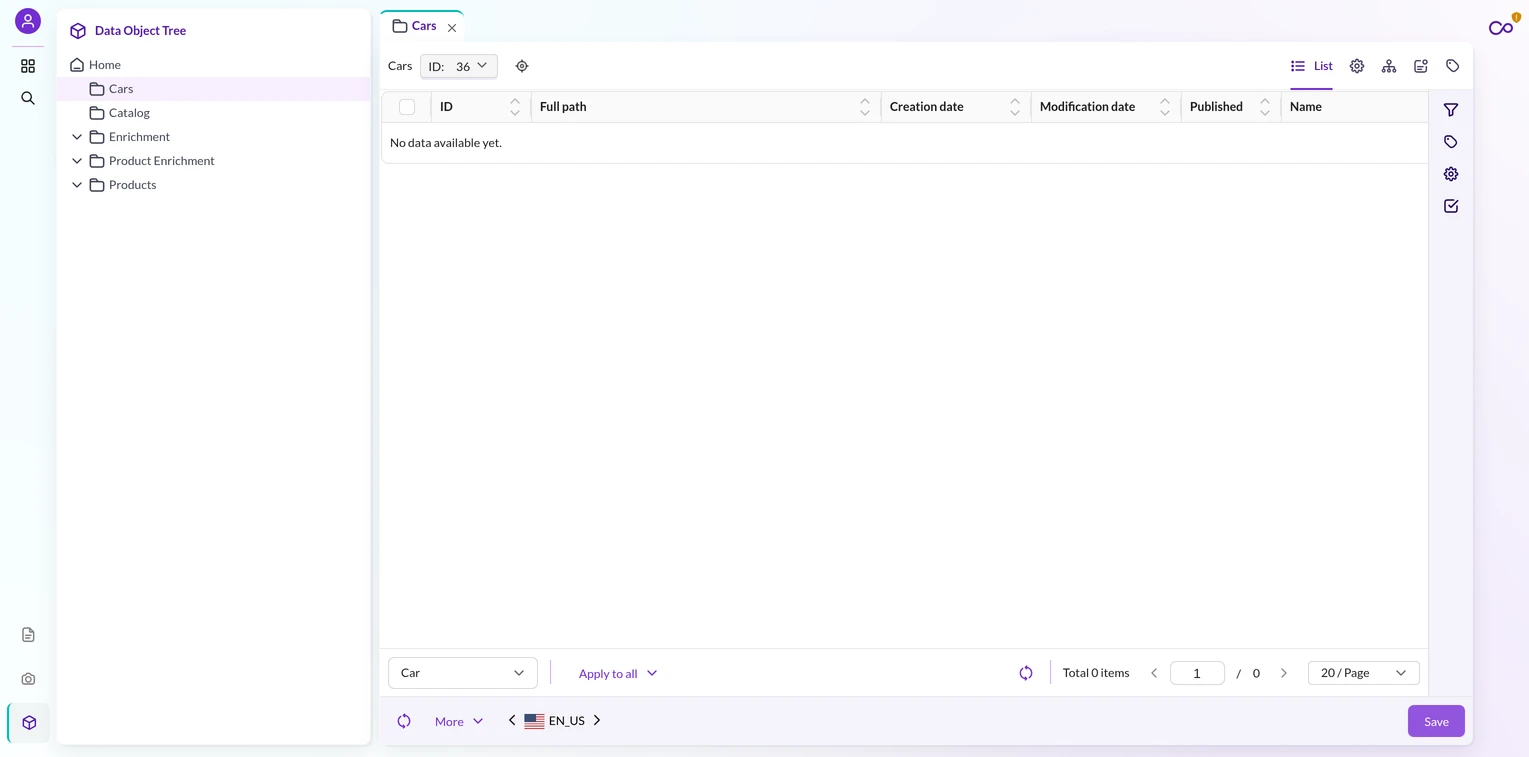
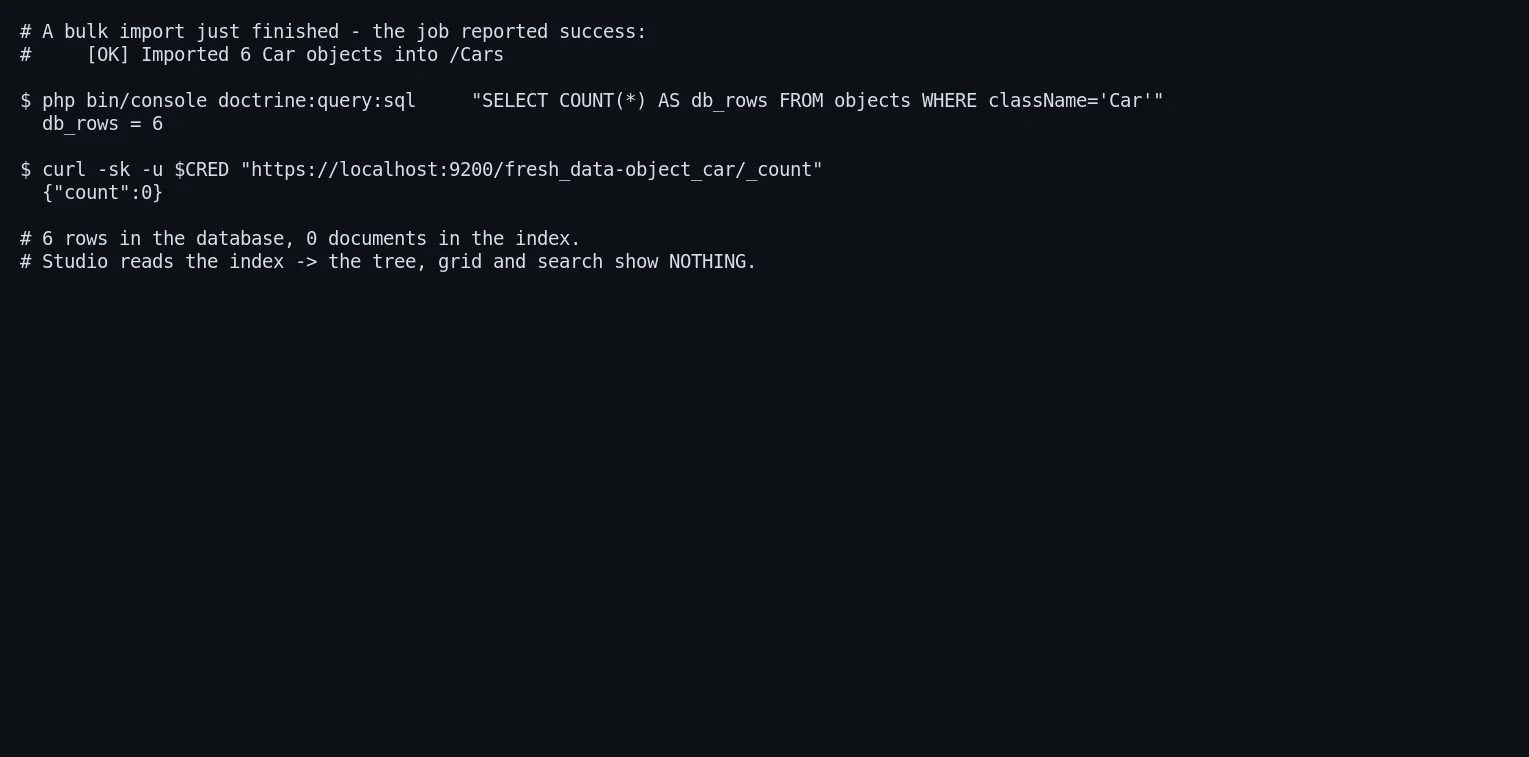
You ran an import. The rows landed in the database. But your Pimcore imported objects are not visible in Studio, and a Pimcore reindex is what you actually need.
The tree is empty, the grid is empty, and search returns nothing.
This guide targets Pimcore 12 with Studio and the PimcoreGenericDataIndexBundle. If you run the classic Pimcore 10 or 11 backend admin, the index model differs and this fix does not apply.
This guide explains why it happens and how a Pimcore reindex plus a queue drain brings every object back into view.
What’s happening: Studio reads the index, not the DB
Pimcore 12 Studio does not read your MySQL tables to build the tree, grid, and search. It reads the OpenSearch generic data index instead.
The PimcoreGenericDataIndexBundle maintains that index. When you save an object, a subscriber enqueues an index update, a consumer processes it, and OpenSearch gets the new document.
So “pimcore objects in database but not in tree” is not a corruption bug. Your data is fine. The Pimcore OpenSearch index simply never received those documents.
That is why a Pimcore reindex fixes it: the command re-reads the DB and pushes the missing objects back into the index. Studio then sees them.
If you are new to how these records are stored, our primer on data objects in Pimcore explains the DB side well.
Why imported data specifically goes invisible
Normal saves in the UI enqueue an index update reliably. Imports are different, and that difference is why “pimcore imported objects not visible in studio” is such a common search.
Most imports run inside a Messenger worker. The save listener DataObjectIndexUpdateSubscriber fires within that worker thread, not in the main request context.
Inside that worker, indexing is not enqueued consistently.
The result: a “successful” import leaves rows in the DB that never reach OpenSearch. Parent folders can go missing too, because tree nodes are index-driven.
This affects the custom XLSX import, the API path, and connectors alike. Any writer that creates objects inside a worker can hit it.
A well-built connector closes this gap with a reindex-after-import step. But when it does not, you fix it by hand with a Pimcore reindex.
The Pimcore Reindex Fix: Reindex and Drain the Consumer
The fix has two parts. First you re-enqueue the DB objects into the index queue. Then you drain the consumer so those updates reach OpenSearch.
The -c flag takes a class id, not a class name. The Studio class list shows each id next to its name, or you can query it directly:
php bin/console doctrine:query:sql "SELECT id, name FROM classes"
Reindex a single class by its class id. For example, class id 1 for a “Car” class:
php bin/console generic-data-index:update:index -c 1
To reindex every DataObject non-destructively, drop the flag:
php bin/console generic-data-index:update:index
Now drain the consumer so the queued updates actually land in the index:
php bin/console messenger:consume pimcore_generic_data_index_queue --limit=500 --time-limit=40
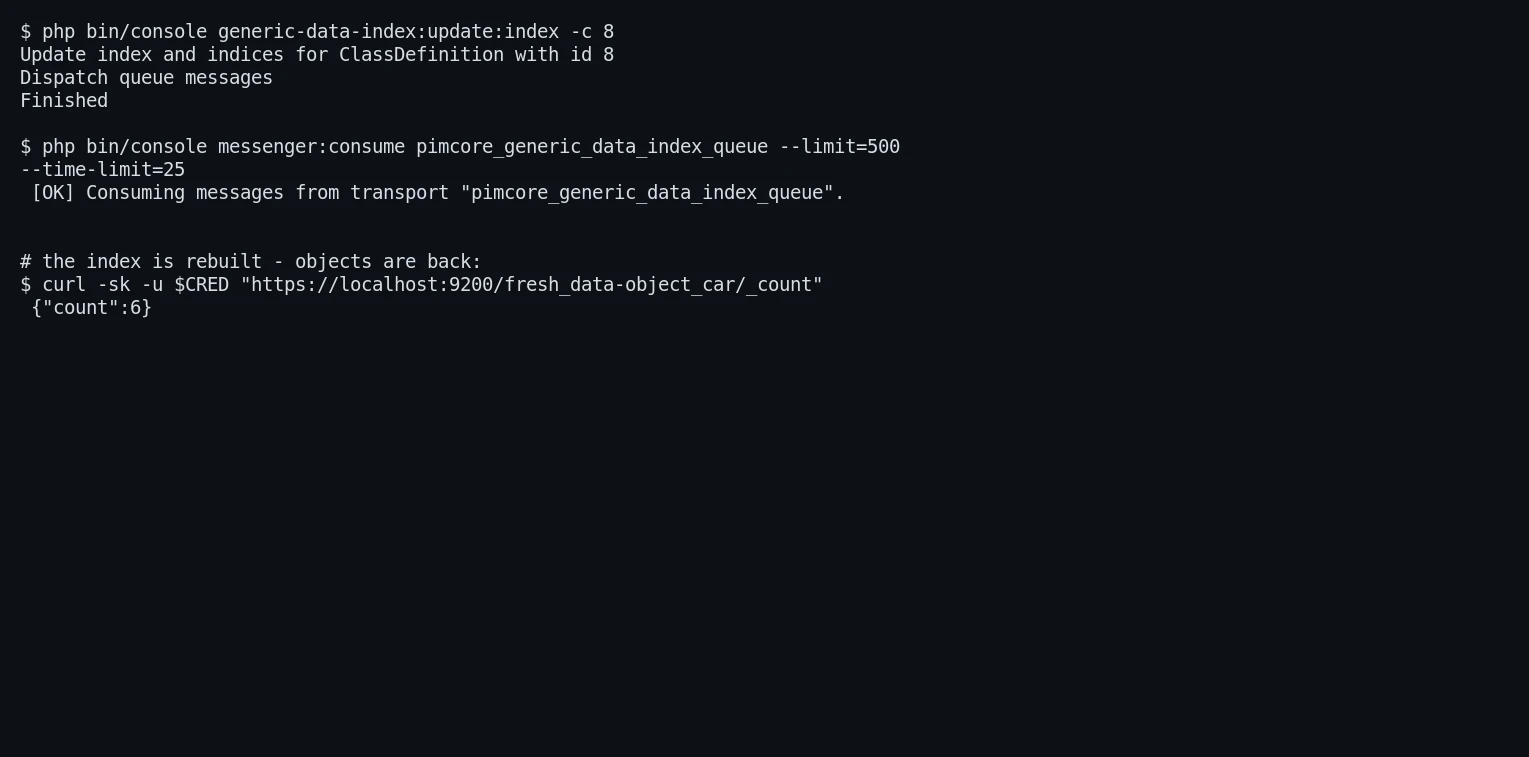
The reindex command only enqueues. Without a running consumer on the pimcore_generic_data_index_queue transport, the messages sit undrained and Studio stays stale.
The --limit=500 caps one run at 500 messages. On a large import, re-run the consumer until the queue empties, or raise --time-limit and loop. Confirm it drained:
php bin/console doctrine:query:sql "SELECT COUNT(*) FROM generic_data_index_queue"
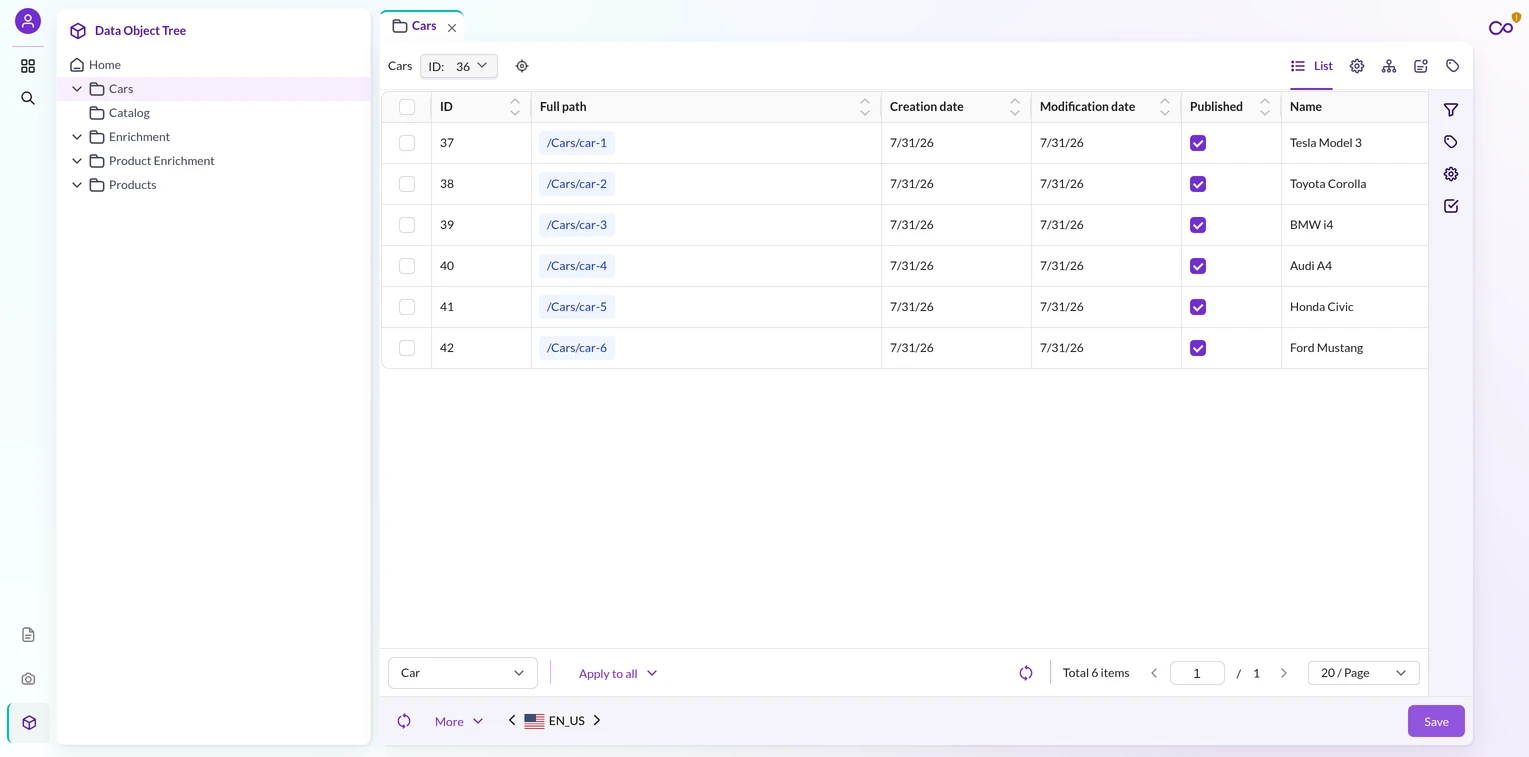
That count should reach 0. After both commands finish, refresh Studio. The tree, grid, and search should show your imported objects.
How a Pimcore Reindex Flows: Enqueue vs Dispatch vs Consume
The pipeline has three distinct stages, and knowing them helps you debug why a Pimcore reindex sometimes “does nothing”.
First, enqueue. The reindex command writes rows into the DB table generic_data_index_queue. Think of it as the to-do list.
Second, dispatch. Those rows become Messenger messages in messenger_messages on the pimcore_generic_data_index_queue transport. Now they are active jobs.
Third, consume. The Messenger consumer pulls those messages and calls IndexUpdateQueueHandler, which bulk-indexes elements into OpenSearch.
Skip the consume step and nothing reaches OpenSearch. That single missing worker is the most common reason a Pimcore reindex appears to fail.
Verify it worked: index _count vs DB count
Do not trust a refresh alone. Compare the index document count against the database row count. Any mismatch means drift remains.
First, pull your OpenSearch credentials from the project .env.local:
CRED="$(grep -oE 'opensearch://[^@]+' .env.local | sed 's#opensearch://##')"
Now get the index document count for one class. The index name pattern is pimcore_data-object_<classlower>, so “Car” maps to pimcore_data-object_car:
curl -sk -u "$CRED" "https://localhost:9200/pimcore_data-object_car/_count"
Then read the matching DB row count:
php bin/console doctrine:query:sql "SELECT COUNT(*) FROM objects WHERE className='Car' AND type='object'"
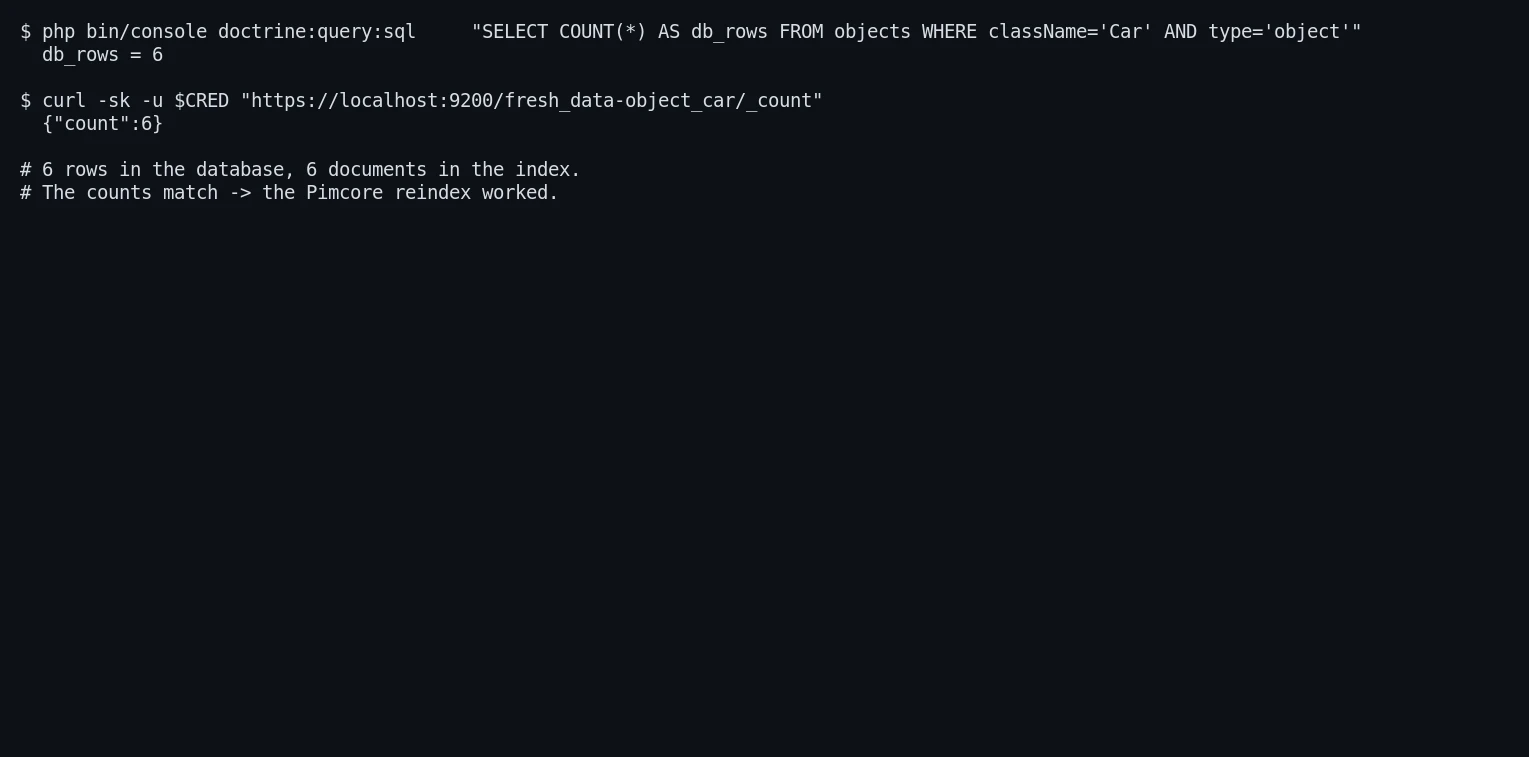
When the two numbers match, the Pimcore reindex worked. When they differ, keep reading. The direction of the mismatch tells you what to do next.
Diagnosing drift and orphan docs
Drift comes in two flavors, and each needs a different fix. Read the counts before you act.
DB count greater than index count means missing documents. Objects exist but were never indexed. Run the targeted reindex:
php bin/console generic-data-index:update:index -c <classId>
Index count greater than DB count means orphan documents. Someone deleted the object from the DB, but its index doc lingered. The reindex command only adds DB objects, so it never removes orphans.
A ghost tree node that throws “Element not found” on click is the classic orphan. This is the “pimcore element not found studio tree” symptom.
For orphans, remove the stale docs surgically. First find the orphan ids by diffing the index against the DB. Read the id from _source, since a default _search returns _source and not a fields block:
curl -sk -u "$CRED" "https://localhost:9200/pimcore_data-object_car/_search?size=10000&_source=system_fields.id" | jq -r '.hits.hits[]._source.system_fields.id' | sort > index_ids.txt
php bin/console doctrine:query:sql "SELECT id FROM objects WHERE className='Car'" | grep -oE '[0-9]+' | sort > db_ids.txt
comm -23 index_ids.txt db_ids.txt > orphan_ids.txt
Then delete only those docs by exact id match:
curl -sk -u "$CRED" -X POST "https://localhost:9200/pimcore_data-object_car/_delete_by_query?refresh=true&conflicts=proceed" \
  -H "Content-Type: application/json" \
  -d '{"query":{"terms":{"system_fields.id":[<orphan ids from orphan_ids.txt>]}}}'
One trap: pimcore_element-search is a composite alias over every per-class index plus assets. Objects and assets have separate id sequences, so match _index and key, not id alone.
Pimcore Reindex Flags: The update:index Options You Should Know
The reindex command takes a few flags. Three are safe for routine use; one is a search blackout. Pick deliberately.
Plain generic-data-index:update:index re-enqueues all DataObjects, non-destructively. Use it for routine healing or after a deploy.
Add -a to also re-enqueue assets:
php bin/console generic-data-index:update:index -a
Add -c <classId> to re-enqueue every object of one class. Note that -c takes the class id, not the class name. This is the most common single-class fix and the one you will reach for most.
The -r flag is different. It deletes and recreates the indices from scratch, then reindexes:
php bin/console generic-data-index:update:index -r
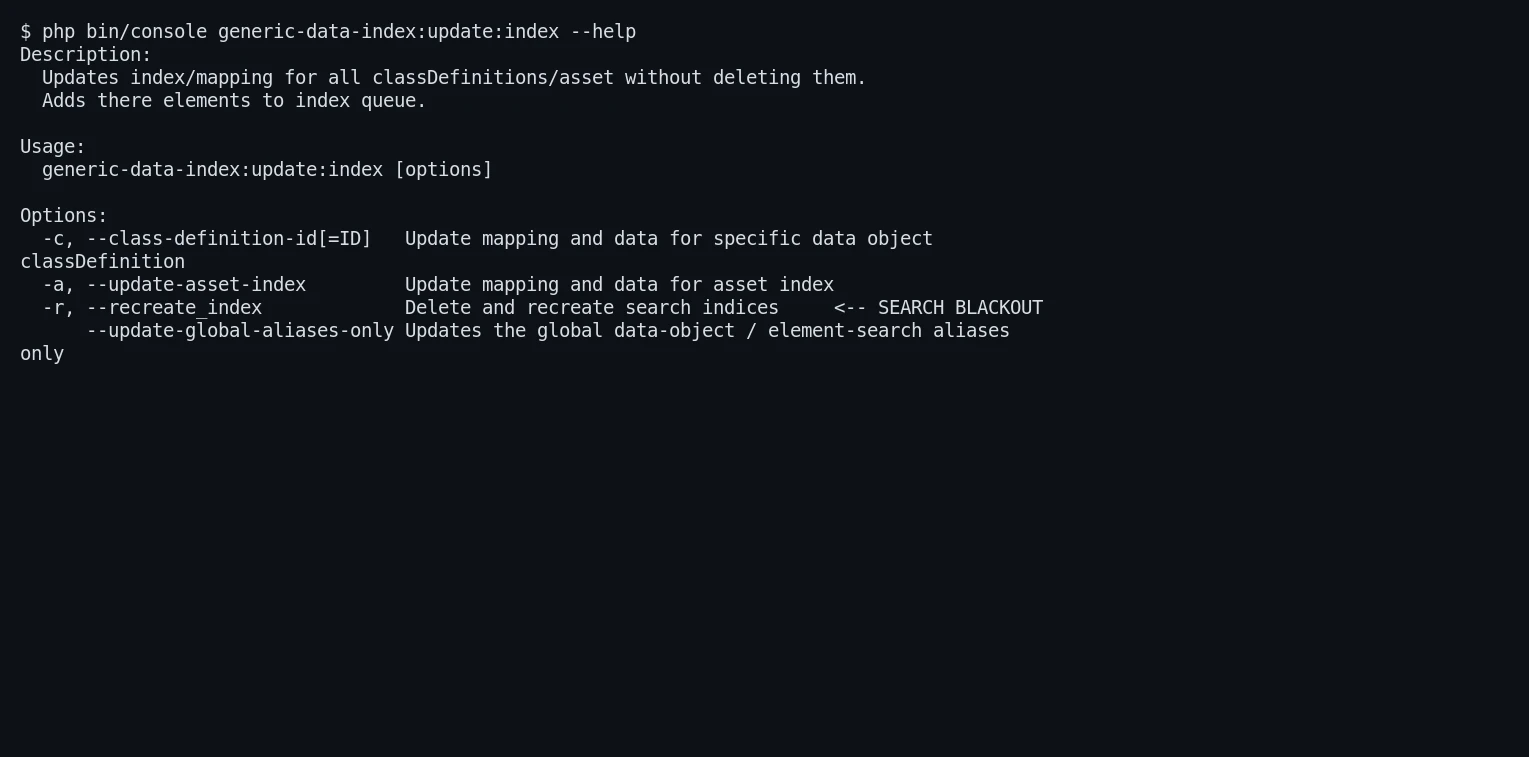
Use -r only deliberately. Studio’s tree and search stay empty until the full reindex completes, so it is a live search blackout. Recreating mappings can also re-expose class-id-collision bugs.
Reach for -r only when you changed an indexed field’s mapping or the index is corrupted, and do it in a quiet window. For routine post-deploy work, plain update:index plus update:index -a is enough.
One legitimate routine -r exists: a connector installer may run it as the final install step to seed mappings for brand-new classes.
There is no data to black out on a fresh install. Do not copy that line into a populated production deploy.
The bundle must be Installed, not just enabled
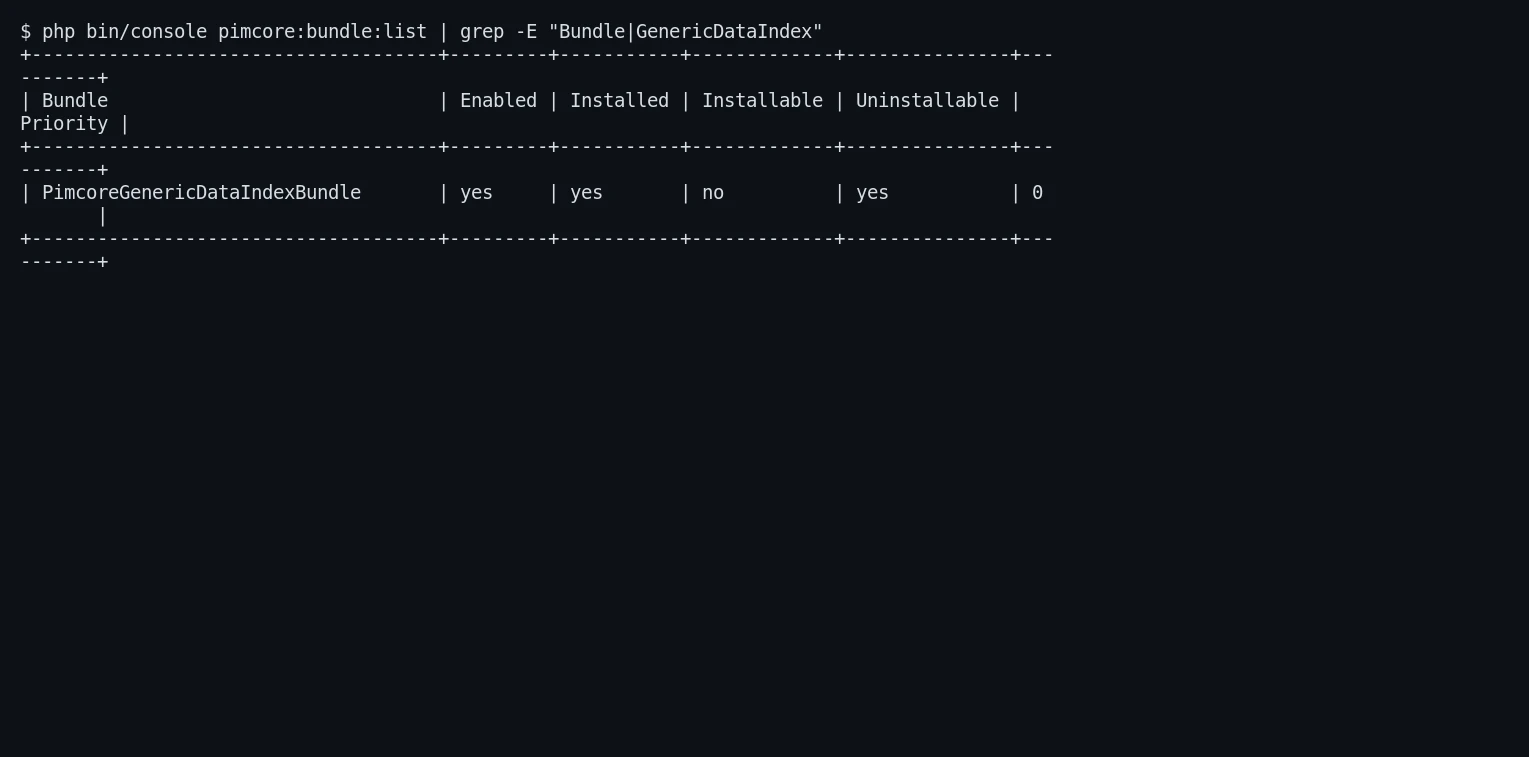
Here is the trap that makes drift “keep coming back”. Enabling PimcoreGenericDataIndexBundle in config/bundles.php is not enough. The bundle must be Installed.
Check its state:
php bin/console pimcore:bundle:list | grep GenericDataIndex
You want Installed: yes. If it is enabled but not installed, the save and delete subscribers early-return on if (!$this->installer->isInstalled()) return;.
That early return means nothing auto-indexes on save, so imports stay invisible and fields save NULL. Nothing auto-de-indexes on delete either, so live deletions leave orphan ghost docs.
Manual update:index works regardless of install state. That is exactly why a Pimcore reindex temporarily fixes things, then drift returns until you install the bundle properly.
There is a long-lived worker trap here too. The consumer caches isInstalled() for its whole lifetime. After installing the bundle, restart the workers or they keep skipping indexing:
php bin/console messenger:stop-workers
Prevent it: keep the consumer alive and reindex after import
The best fix is not needing the fix. Three habits keep the Pimcore OpenSearch index in sync on its own.
First, keep the index consumer alive. Run it under Supervisor with numprocs of at least one, typically two to four workers on the pimcore_generic_data_index_queue transport.
If the consumer dies, the queue table grows and nothing reaches the index.
Second, honor the reindex-after-import contract. Every import job should reindex what it wrote before returning. Never ship an import that depends on an operator running the reindex command afterward.
This applies to every connector, including the Magento 2 connector, the Shopify connector, the BigCommerce connector, and the PrestaShop connector.
Each writes objects inside a worker and must reindex on completion.
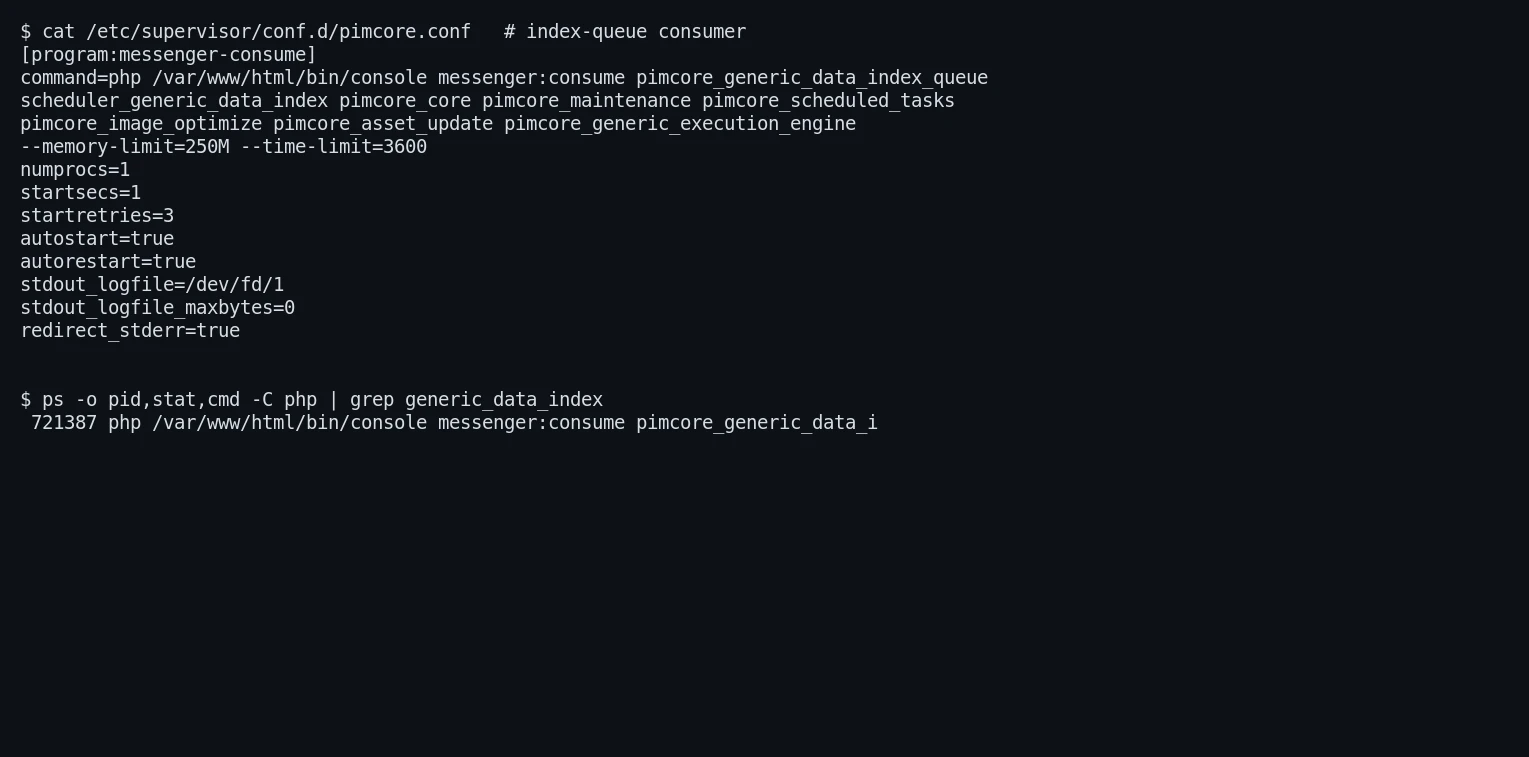
Third, do not cache:clear while a live index consumer runs. It deletes the compiled-container directory the worker references, and the worker silently stops draining.
After any cache:clear, run messenger:stop-workers so managed daemons respawn fresh.
On a shared OpenSearch cluster, set PIMCORE_OPENSEARCH_INDEX_PREFIX to isolate instances.
Verify it took effect with _cat/indices, since a misconfigured prefix silently drops everyone onto the same unprefixed indices.
Pimcore Reindex After an OpenSearch Outage
If everything broke at once, open, create, list, and search alike, then OpenSearch itself likely went down or ran out of memory. Recover in order.
First, confirm the cluster is healthy. yellow or green is fine:
curl -sk -u "$CRED" https://localhost:9200/_cluster/health
Next, restart the index consumer so managed daemons respawn:
php bin/console messenger:stop-workers
Then retry any failed batches from the dedicated failed transport:
php bin/console messenger:failed:retry --transport=pimcore_generic_data_index_failed --force
Finally, run a non-destructive reindex, plain then -a, and never -r here. Monitor SELECT COUNT(*) FROM generic_data_index_queue trending to zero while each per-class _count climbs toward its DB count.
Conclusion
Missing objects after import are almost never a data-loss bug. Studio reads the OpenSearch generic data index, and your import simply never fed it.
A Pimcore reindex plus a queue drain restores the tree, grid, and search.
Keep the consumer alive, install the bundle properly, and make every import reindex what it wrote. Do that and you will rarely run the fix by hand again.
Building a data pipeline into Pimcore? Start with the fundamentals in our guide on how to create a class and data object in Pimcore.
Then talk to Webkul about a connector that reindexes for you out of the box.

Be the first to comment.