Want to present a strong online presence on your viewers!! Then CS-Cart Vertigo: Fashion Responsive Theme will be the ideal solution for your business in the professional world.
CS-Cart Vertigo Fashion Responsive Theme: This theme brings up an elegant and intriguing appearance to your Cs-Cart and Cs-Cart Multivendor stores.
You can enhance the texture and look of your Cs-Cart store with CS-Cart Vertigo: Fashion Responsive theme.
By using the complete recoloring power of this theme you can simply create your own fashion style and recolor various things on your storefront.
Its responsive nature gives a pleasant look to your storefront which looks appreciable on any device.
Use of Cs-Cart Vertigo Fashion Responsive Theme: You can use this theme to sell you all fashion products like dresses, attires, garb, outfits etc and provide your viewers a contrast.
If you want to ask any question before buying or you unexpectedly be faced with a bug in the theme you can get fast and reliable assistance by clicking here.
Features
- Well integrated with CS-Cart and Multi-Vendor.
- Fully responsive fashion design.
- Easy to install and customize.
- Multilingual support.
- Improvised navigation tabs to display product information on the product page.
- An enhanced testimonial section on the Homepages.
- Well designed star rating view in comments and review section.
- An enhanced blog page.
- An intensify testimonial section on the homepage.
- Annex option to show the Products in form.
- Easy to use built-in social sharing buttons.
- High website readability with any search engine.
- The designed theme makes your site load fast.
Installation and configuration: CS-Cart Vertigo: Fashion Responsive Theme
When you download the add-on, you get one zip file and the install.txt file.
Firstly, click on the icon and select Manual installation to upload the zip file as per the screenshot below.

Now, click on “Local” to browse the zip file and then click on “Upload & Install”.

After installation of the add-on, you will find the “CS-Cart Vertigo: Fashion Responsive Theme” in the list of available add-ons.
Theme Settings
Go to Design -> Themes and look for the installed Vertigo Fashion theme here as shown below.
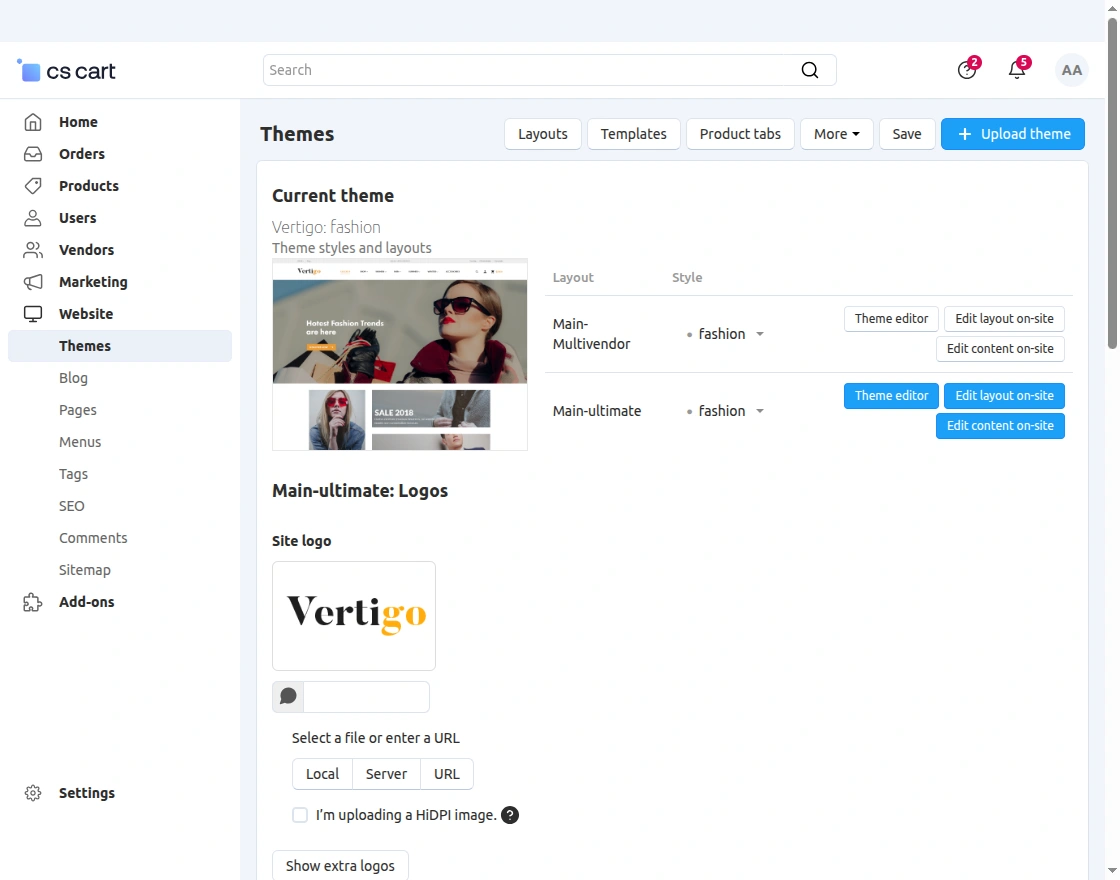
Now, on activation, you will get the option to overwrite the store settings. Check all the available settings and click on the Overwrite selected settings.
This is how you can install and activate the theme easily.
Front End
Let’s now take a look at the theme at the Front-end.
Home Page:
On the website homepage, the fashion items will be displayed according to the layout added by the admin in the back end.

Mega Menu Dropdown:

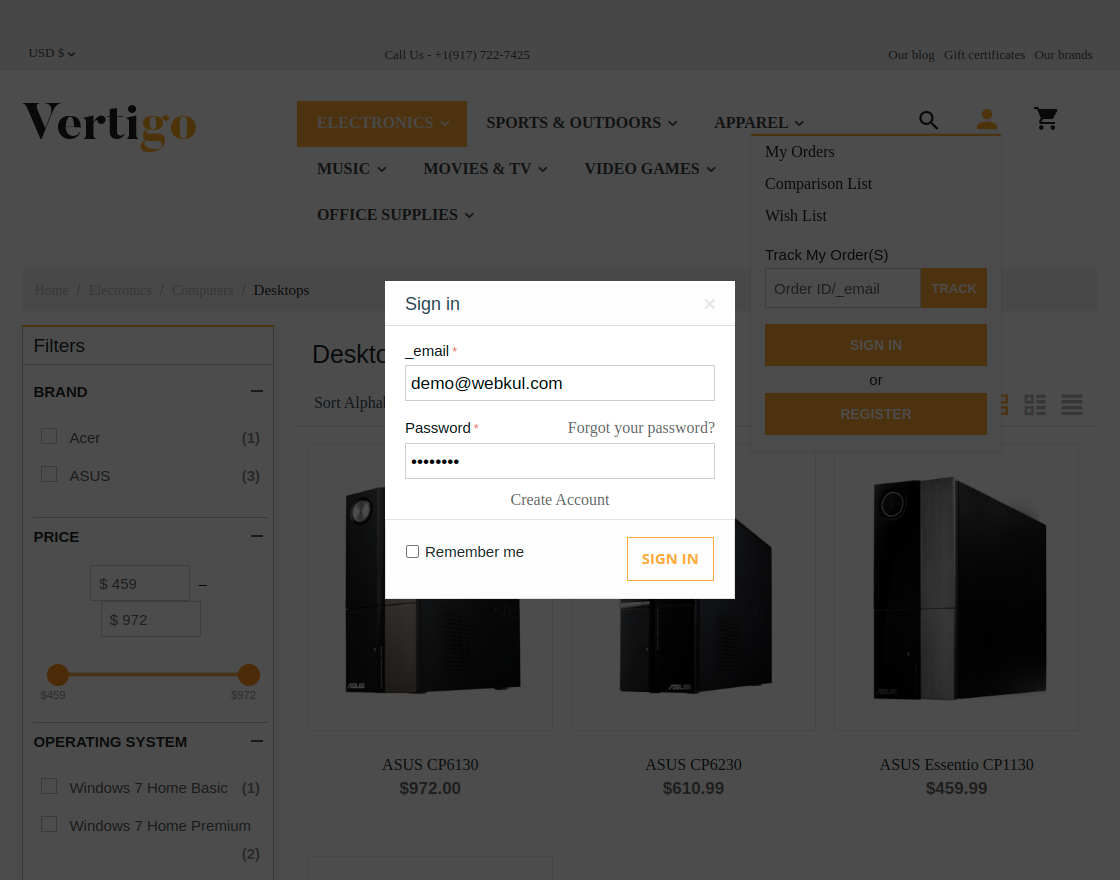
Sign in pop up:
Visitors can directly sign in into their fashion store account from here.
Category Page:
An improvised navigation scheme with a home icon is provided in the breadcrumb trail.
1. Category Page – Grid View:

2. Category Page – Table View:

3. Category Page – List View:

Product Detail Page:
Apart from the layout, enhanced navigation tabs view has been added to display the product information.
 Cart View:
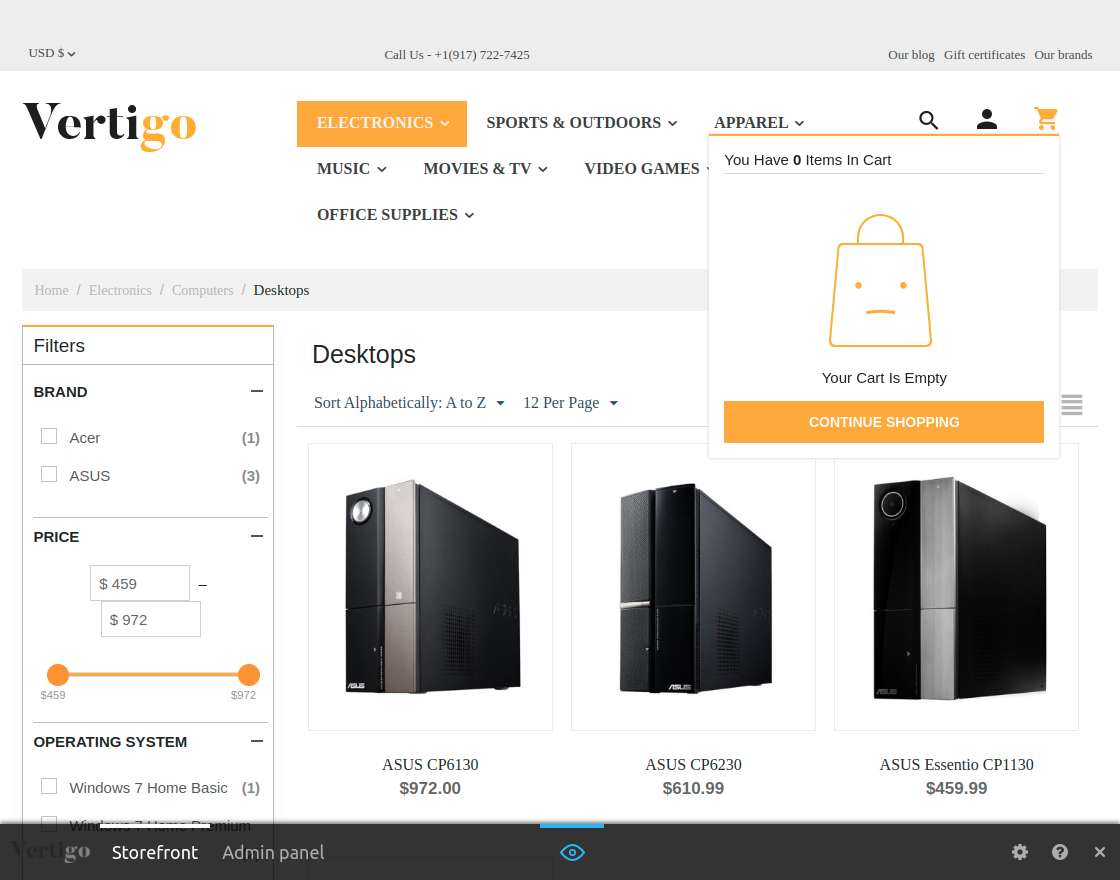
Empty Cart Dropdown-
Products in Cart (Drop down):

“View Cart” Page:
 Checkout Page View:

Congrats Page:

“Search results not found” pageview:

404 Error Page:
 Blog Page:
 Blog View Page:
 Brand Page View:

Wishlist Page :
 Comparison List Page :
 Gift Certificate :

Support
Current Product Version - 1.0
Supported Framework Version - 4.18.x - 4.20.x

Be the first to comment.