Prestashop Marketplace Hyperlocal System- This is an awesome module which is used to connect the customers with local stores.
The Seller can easily add the location where they can ship their products that’s why this is very beneficial for the seller and also for their customers.
Customers can enter their location and check the available products and sellers in that location.
Sellers and admin can add their location according to which their products will display to the customer. The seller and admin can also add shipping rate according to the location range.
NOTE
- Prestashop Marketplace Hyperlocal System Version 5.0.0 or above is compatible with Prestashop Advanced Multi Vendor Marketplace Version 5.1.6 or above.
- Prestashop Marketplace Hyperlocal System Version 5.0.0 or above is compatible with the Prestashop Faceted Search module version 2.2.1 or below. If you are using Prestashop Faceted Search module version 3.0.0 or above, then please contact us.
Note:- Prestashop Marketplace Hyperlocal System module is Multi-Shop Compatible with PrestaShop Advanced Multi-Vendor Marketplace version 5.4.0/3.4.0 and above.
Features
- Admin can approve/disapprove sellers ship area requests.
- Edit/delete sellers ship areas.
- Admin can also add multiple locations.
- Add shipping area on behalf of sellers.
- Admin can also create own ship rates.
- Create ship rates on behalf of sellers.
- Admin can also add multiple ship rates by using CSV file.
- Admin can add radius unit range which will be used to search the seller from customer’s location.
- Seller can also add multiple ship areas.
- Seller can edit/delete ship areas.
- Add multiple ship rates using CSV file.
- Seller can set default price.
- Seller can update default price.
- Provide an additional Hyperlocal shipping method.
- Customer can enter their location and buy products from nearest seller’s store.
- The customer can also change their location.
- Customer can check seller’s availability in their location.
- The customer can also check product’s availability in their location.
- The existing cart will empty in case of new location.
- Customer can enter their location and buy products from the nearest seller’s store.
Installation
For installing the Marketplace Hyperlocal System module, you need to install the Prestashop Advanced Multi-Vendor Marketplace module first.

After installing marketplace module you can start the installation of Marketplace Seller Buyer Chat module.
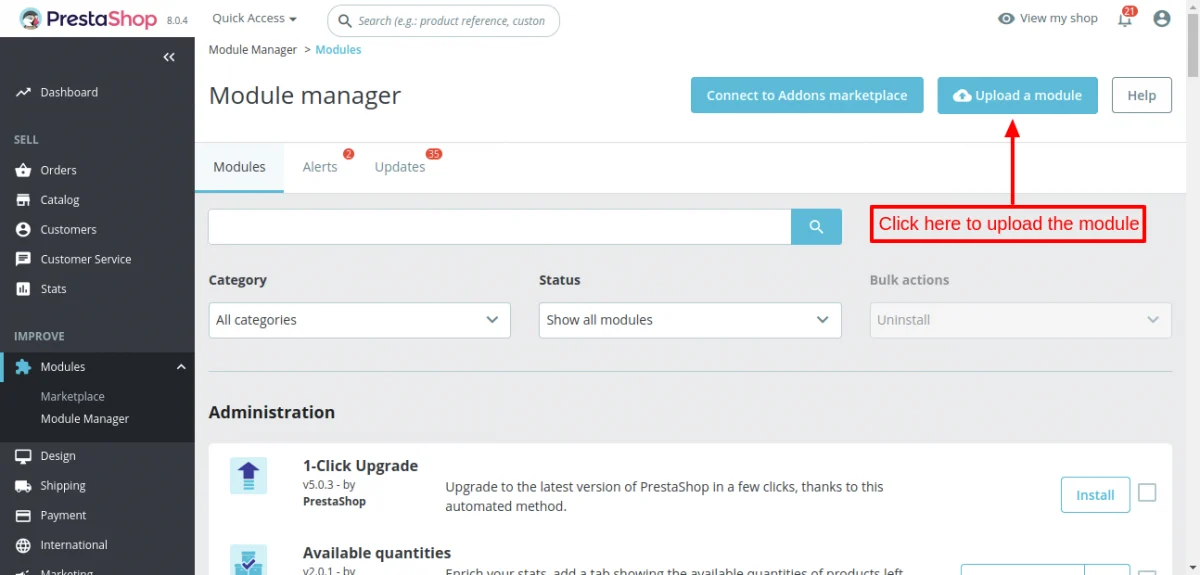
- Firstly, go to the module manager in back office and click on ‘upload a module’.
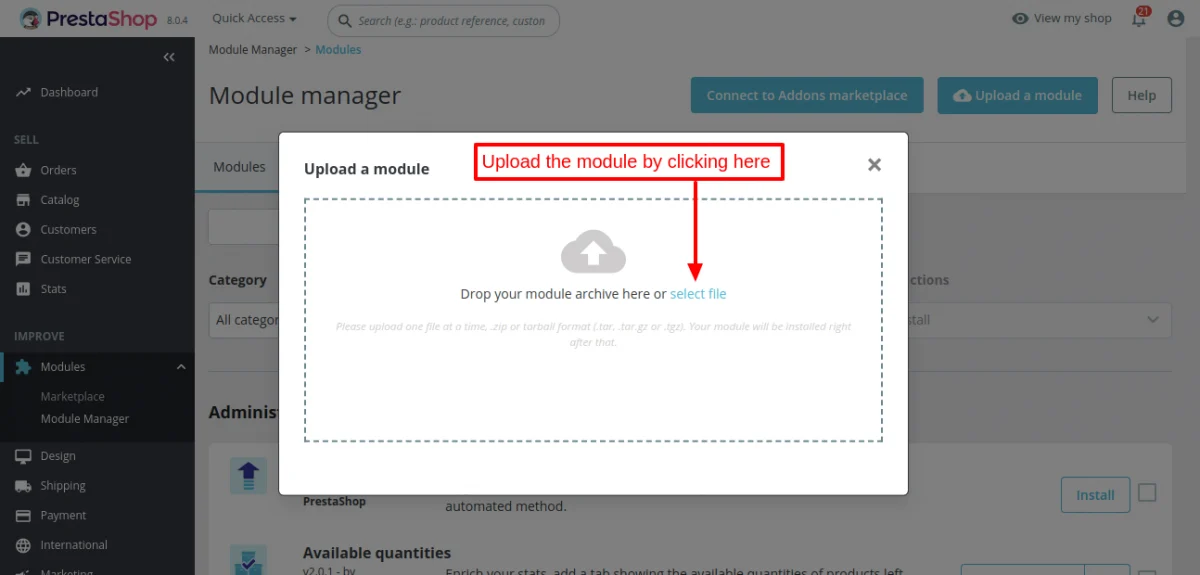
- After that, drag and drop the module file or select the file from the system.
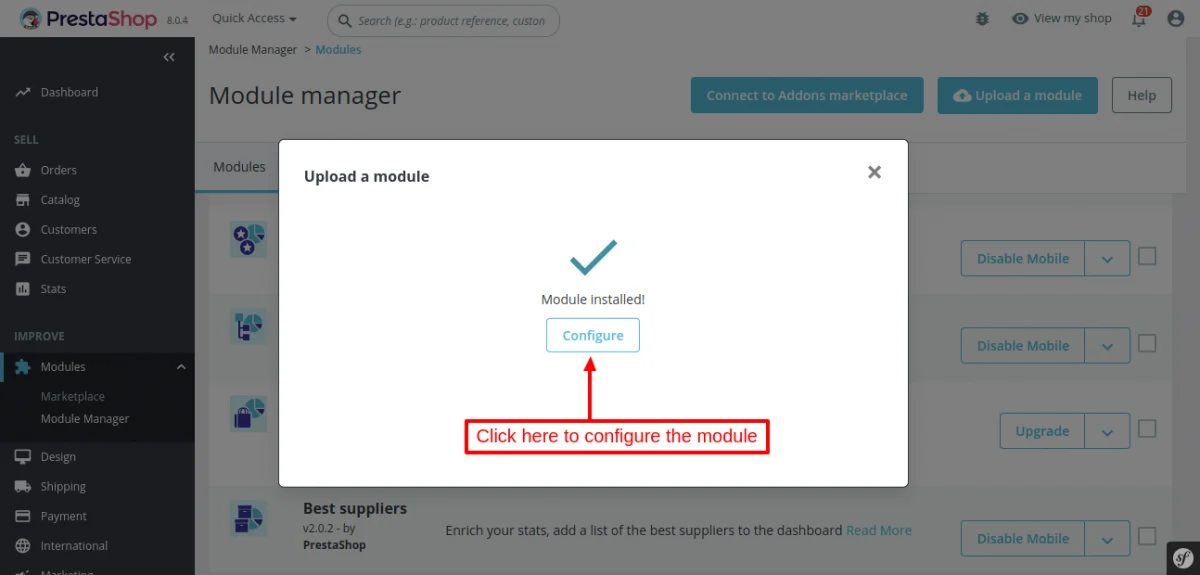
- In this way, the module installation will be successful.
Obtaining Geolocation Key
To configure this module, you will need a geolocation API key.
You can get this API using the following steps :
- Go to: https://console.cloud.google.com
- Login in and go to API’s and Services > Credentials.

3.Create a project here


4.Select API key from the option and Click on create credentials.

5.Credentials will be created

Module Configuration
After the successful installation of the module, admin can configure the module as per the need.
Here, Radius Unit can be set on the basis of Distance then Radius will be the area for visibility to the customer and in Radius unit the admin can enter kilometer and mile.

Note:-
- Admin can set the out of range behavior on the basis of distance and weight.
- If defined range does not match the customer cart,carrier will be disabled or default price will be added accordingly set by the admin.
- If seller do not create any default price then deafult price created by admin will be applied.
Workflow
Back-end
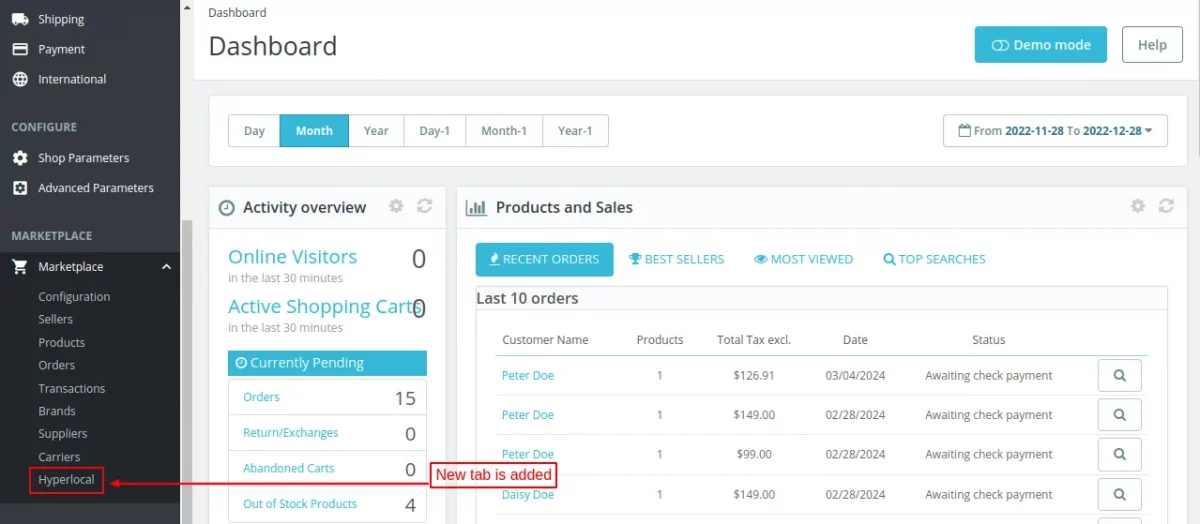
After successful installation of module, a new tab “Manage Hyperlocal” gets available in the back office.
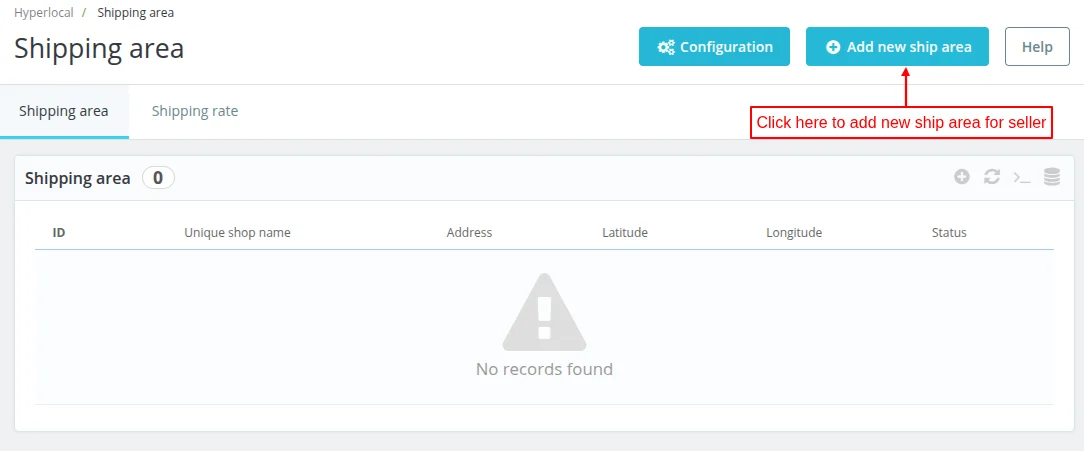
Admin can add a shipping area by clicking on Add New Ship Area button. Admin can also see the list of ship areas added by the admin and the seller on this page.
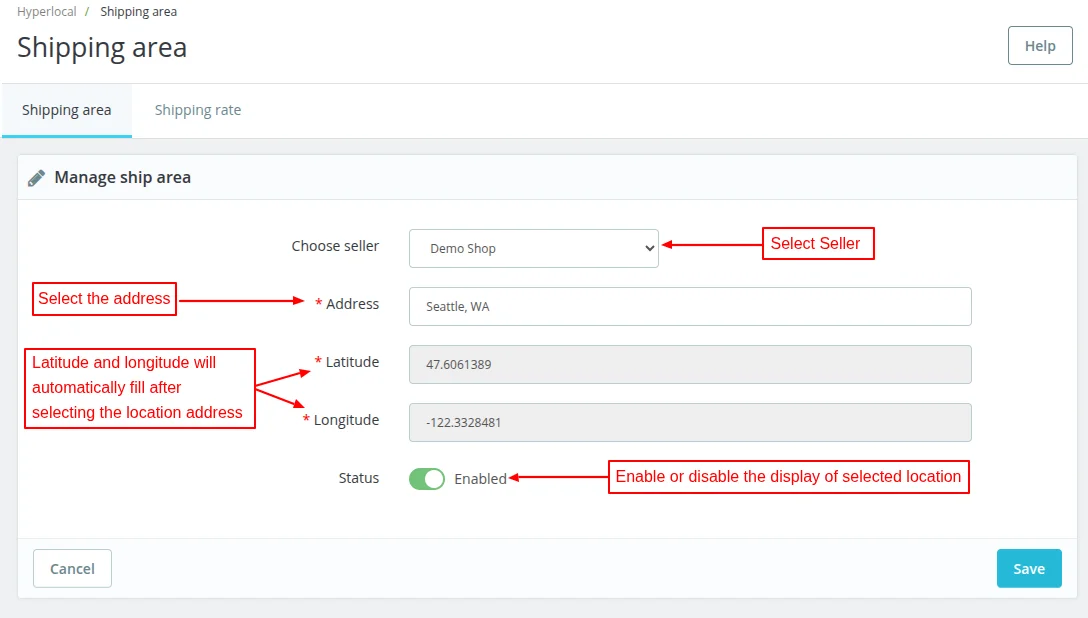
After clicking on ‘Add New Ship Area’ button a form will open, admin will fill all the details in the form regarding seller/admin ship area.
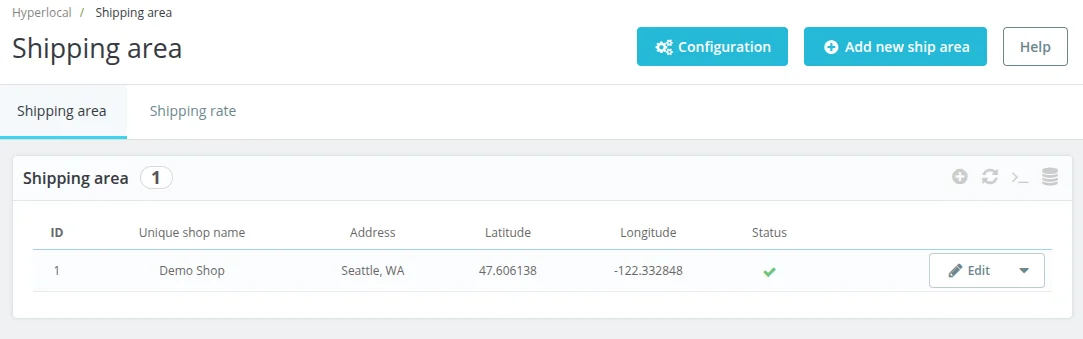
Admin can also create ship rates for seller.
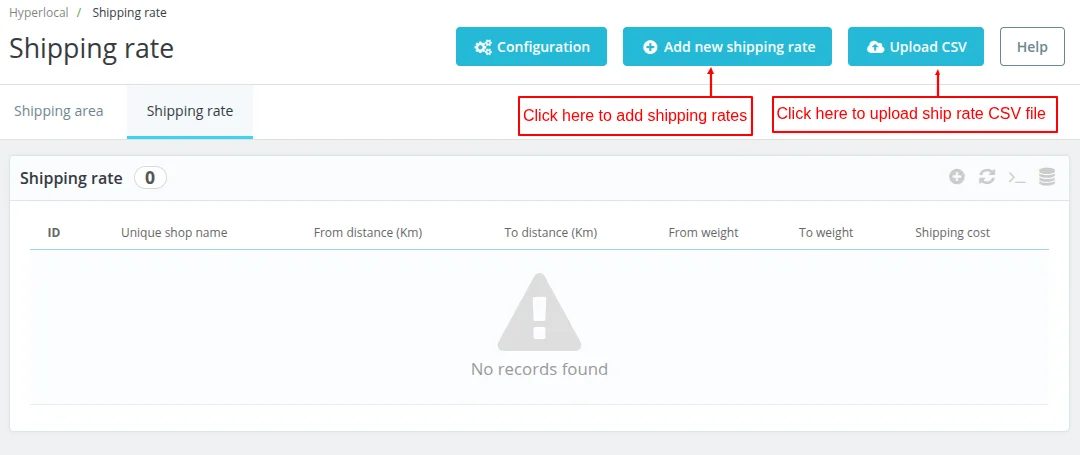
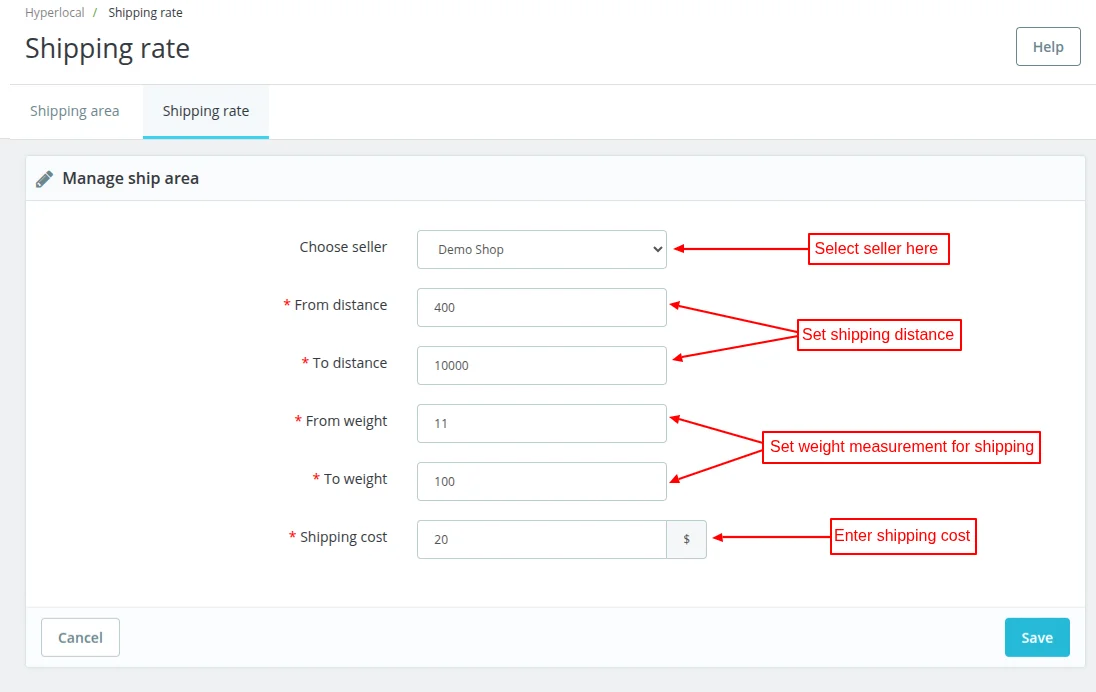
If admin wants to create multiple ship rates then he can download the sample CSV file and then upload the CSV file containing the new ship rates.

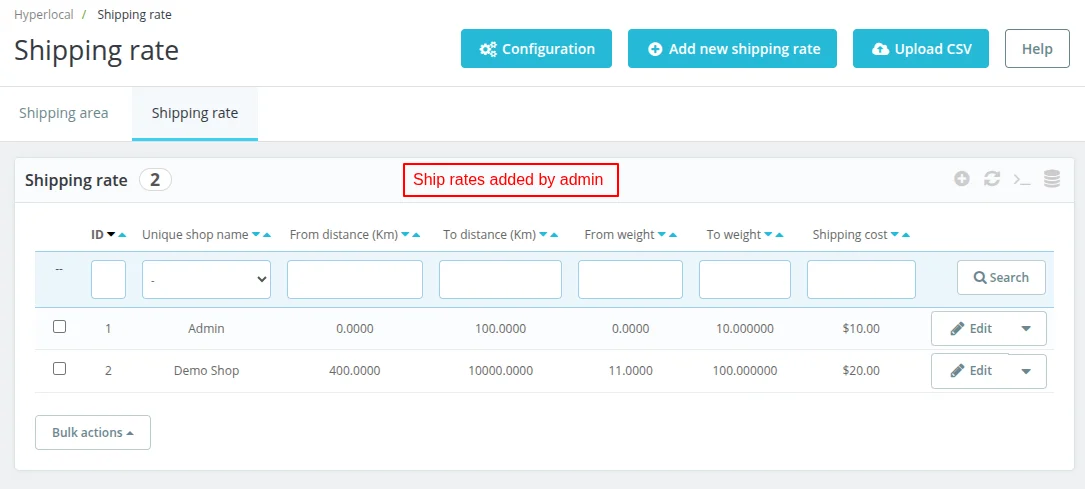
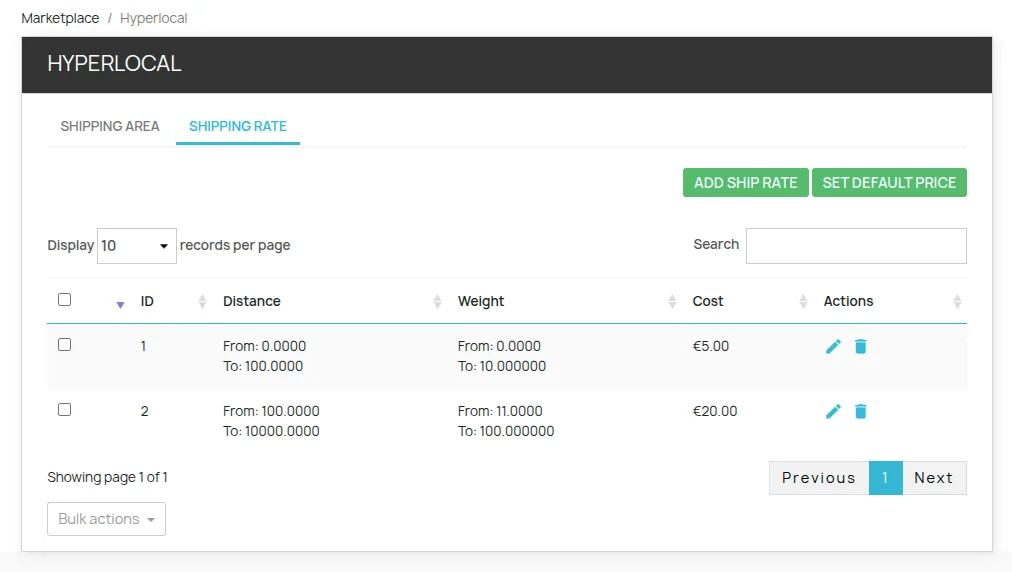
The admin can see and manage the Shipping Rates from here. It can also delete any shipping rate from here and can also add new ship rates.
Front-End Workflow
After the installation of the module, sellers can see the “HyperLocal” option in marketplace menu.

After clicking on the ‘Hyper-Local’ seller will find two options “Add Ship Area“, and, “Ship Rate“.

Sellers can click on ‘Add Shipping Area’ to add the locations where they can ship their products.
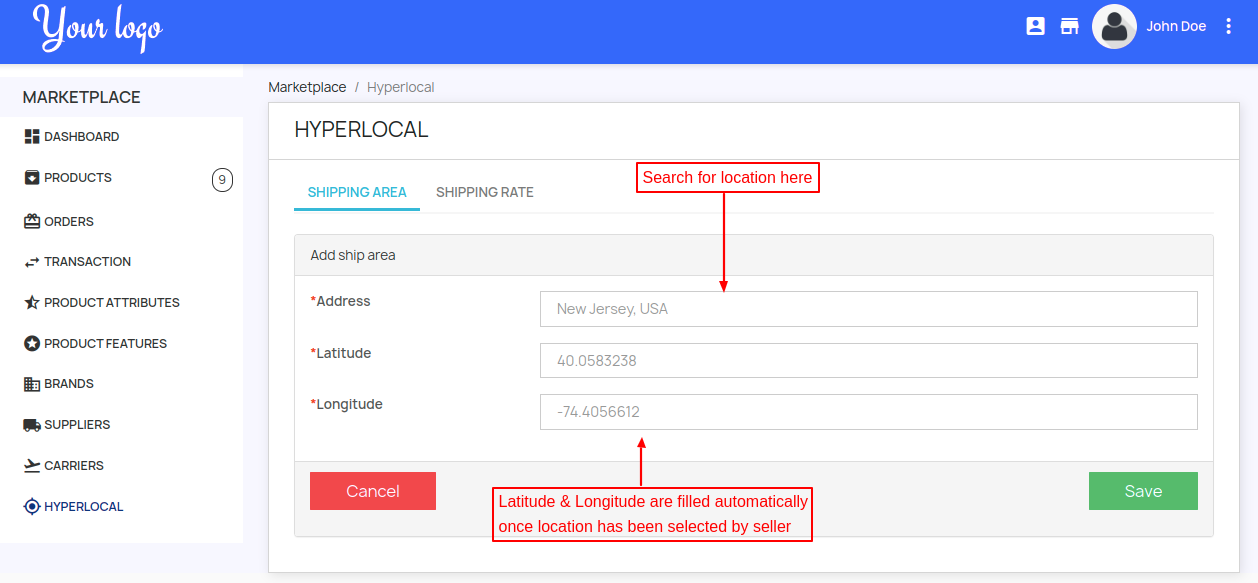
Here seller can add locations and see the list of locations which is already added.

The seller can add shipping rates by clicking on “Ship Rate” and from here seller can upload the CSV file of new Shipping Rates. The seller can also update any previously added rate.

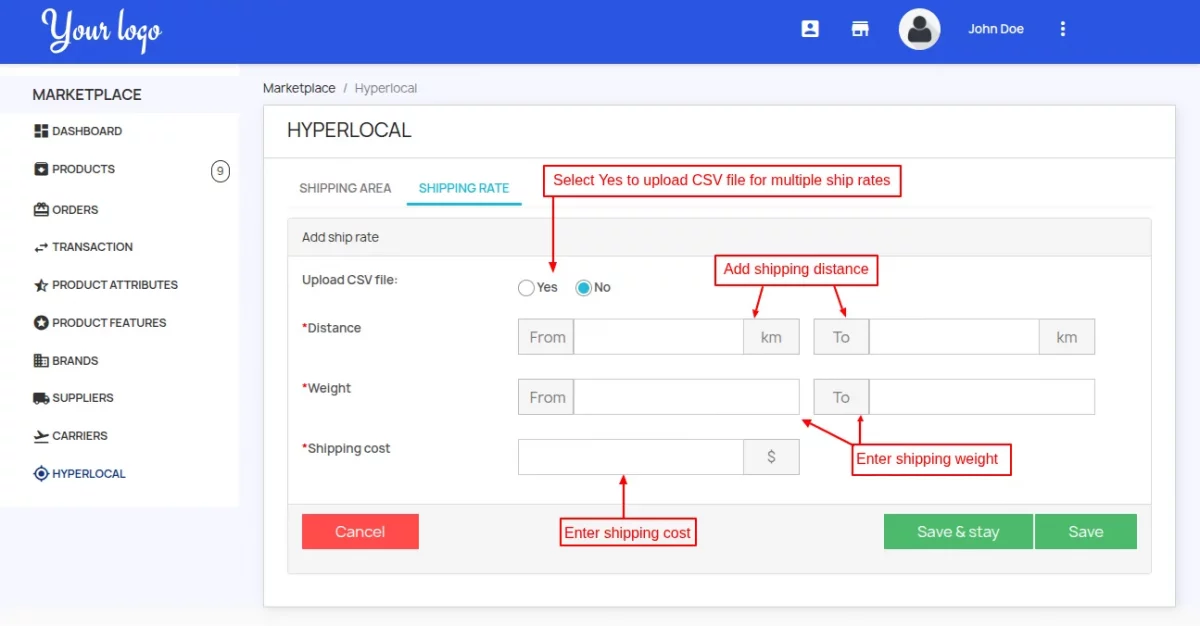

Seller can set default price if his defined range for the shipping does not match with the customer cart.


Add Shipping Rates via CSV
The seller can add shipping rates for multiple distance and weight ranges by uploading a CSV file.
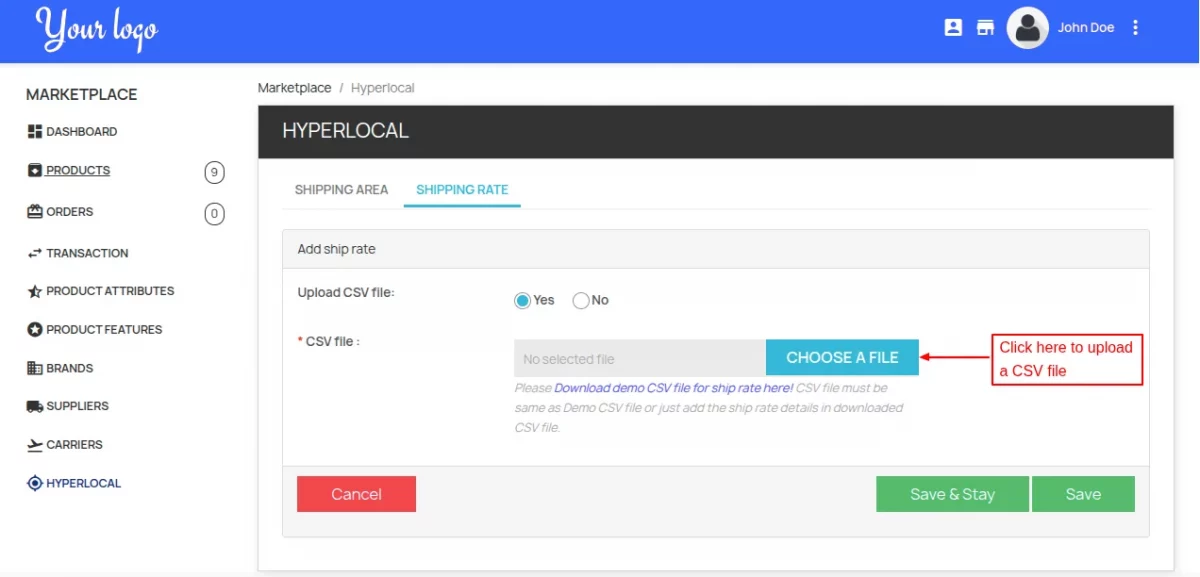
In the CSV file, the seller needs to specify distance range, weight range, and price.
Once uploaded and saved, the cost will display under shipping rate tab.
Customer-End
When a customer will visit the website then a pop-up will open asking to enter the location. The customers can enter their location in the pop-up and click on the go to shop button.

If the customer location matches the seller ship location.
Afterward, the customers will find the products. From the screenshot, you can see that the customer location set as “Los Angles and he can see multiple products.

If the products are available for the select location in the select category then the customer can see and purchase them.

If customer adds some products to the cart, and changes the location the customer will see a pop-up notification stating “On location change cart will empty”.
By doing so, if there is any product in the cart then it will remove from the cart and cart will become empty on location change.

If the customer location does not match the seller ship location, no products are visible on the seller collection page.

This was all about Prestashop Marketplace Hyperlocal System Module. I hope this document will help you in checking the functionality of the module in a better way.
Also, do let us know about your views in the comments.
Support
For any kind of technical assistance or query, please raise a ticket or send us a mail at [email protected]
Also, please explore our Prestashop development services and vast range of quality Prestashop addons.
Current Product Version - 5.0.7
Supported Framework Version - 9.x.x, 8.x.x, 1.7.x.x

Be the first to comment.