Laravel Custom Ring Builder enables jewellery store admins to provide tailored ring customization options.
This functionality allows buyers to seamlessly choose their desired ring style and diamond type before finalizing their order.
Store admins can efficiently add various product attributes, aligning with the wide-ranging selections typically available in a physical jewellery shop.
This adaptability connects the online platform with the in-store customization experience, offering a tailored and engaging shopping journey.
Features
- Admin can add configurable products organized by attribute steps.
- Laravel Custom Ring Builder enables the admin to include multiple product attributes.
- Buyers can personalize rings to their preferences with a real-time preview feature.
- A dynamic top navigation bar guides users through each step of the customization process.
- Users can review and modify their selected ring design or diamond at any stage.
- Offers ring style options like Antique, Halo, Pave, Solitaire, Three Stone, and Twisted.
- Includes metal choices such as 14K, 18K, PA, PL, and so on.
- Provides stone shapes including Asscher, Cushion, Emerald, Heart, Marquise, Oval, Pear, Princess, Radiant, and Round.
- Admin can define ring size options along with an additional price for each size.
- Buyers can filter settings by style, metal, and price, and diamonds by shape, cut, clarity, color, carat, and price.
- The ring setting and the diamond stay linked as a single build in the cart, so removing or updating one keeps the other in sync.
- The chosen style, metal, size, cut, color, clarity, and carat are recorded in the cart and in the admin order view.
- Ring, Necklace, and Earrings storefront categories are created automatically at installation.
- Fully translatable, with the ring builder available in all 21 locales supported by Bagisto.
Requirements
- This module works with Bagisto v2.4.11
- Jewellery Adornments Theme v2.4.11
Installation
Download and unzip the extension, then merge the “packages” folder into the project’s root directory.
- Open the composer.json file and add the following line under the ‘psr-4’ section:
"Webkul\\RingBuilder\\": "packages/Webkul/RingBuilder/src",
"Webkul\\Adornments\\": "packages/Webkul/Adornments/src"
- Run the following command:
composer dump-autoload
- Add the following imports and classes to the bootstrap/providers.php file:
use Webkul\Adornments\Providers\AdornmentsServiceProvider;
use Webkul\RingBuilder\Providers\RingBuilderServiceProvider;
AdornmentsServiceProvider::class,
RingBuilderServiceProvider::class,
- Run Install commands
php artisan adornments-theme:install
php artisan ring-builder:install
Congratulations! The Bagisto project now has both the Ring Builder and Jewellery Adornments Theme fully installed and ready to use.
Configuration of Laravel Custom Ring Builder
After successfully installing the Bagisto Custom Ring Builder, the admin can navigate to the backend panel option Configure -> Ring Builder Configuration Settings
Now, the admin is required to simply enable the status to use the extension on his Laravel store.

Once the status is enabled, the Laravel Custom Ring Builder extension is ready to use on your Bagisto store.
Manage Product Attributes
Admin will get some product attributes provided automatically by the Custom Ring Builder module.
These attributes can be utilized and edited, or new attributes can be created by the admin as per the requirement.
The attributes seeded by the module are Style, Metal, and Ring Size for the setting, and Shape, Cut, Color, Clarity, Carat, and Report for the stone.
By navigating to Bagisto admin backend panel Catalog > Attributes

New Product Creation
In order to create a new ring or diamond product, the admin must select the attribute family as “Ring Attribute” and “Stone Attribute.”
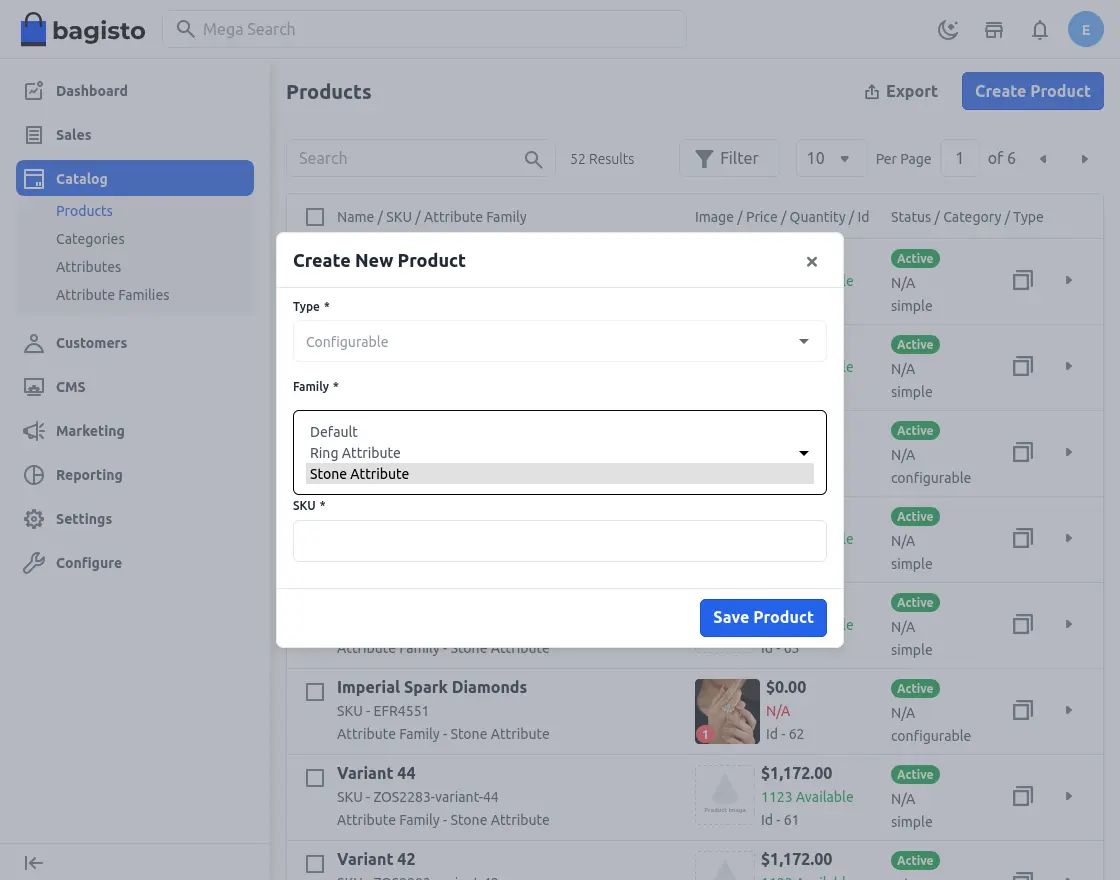
Choose Ring Attributes Family
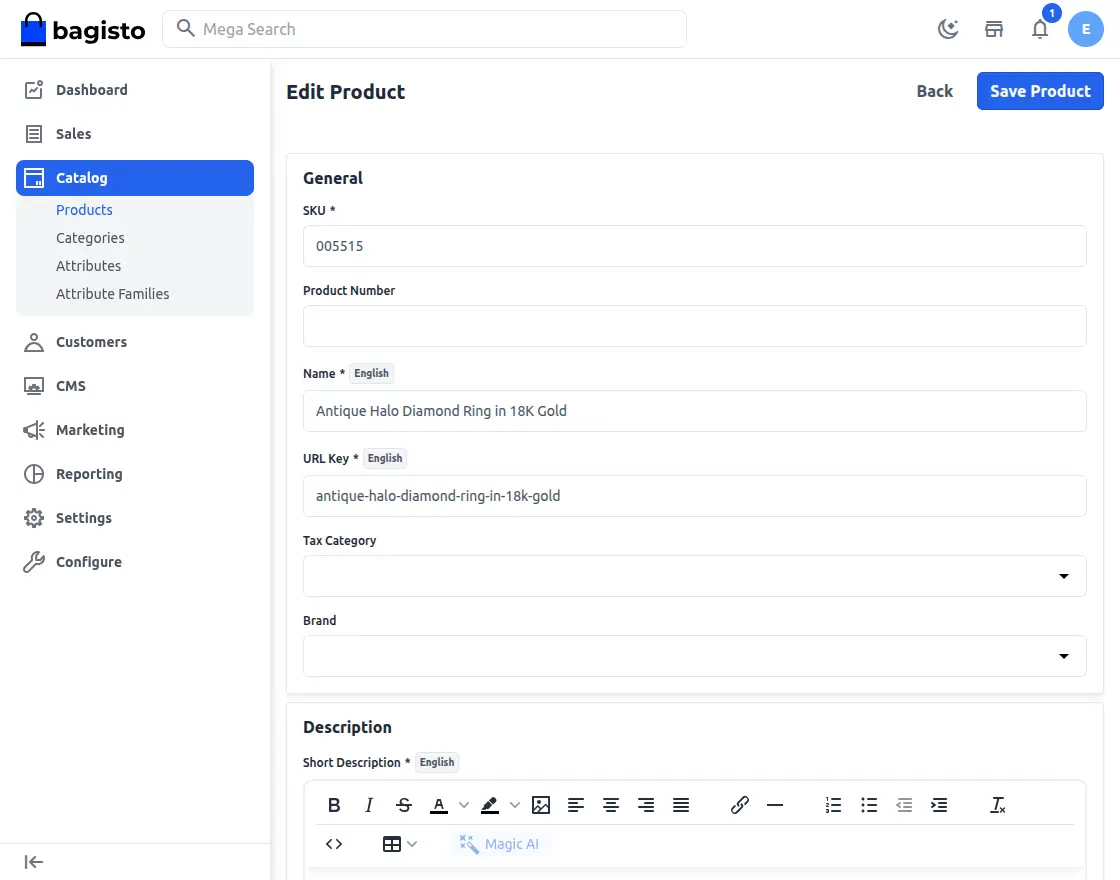
When creating a product, the admin must define the attributes that will be available for customer customization in the custom ring builder.
These attributes include Style variations such as Antique, Halo, Pave, Solitaire, Three Stone, and Twisted.
They also include Metal choices such as 14K, 18K, Palladium, and Platinum, allowing customers to personalize their ring as per their needs.
On the same product edit page, a Ring Size section lets the admin add each size that will be offered along with an extra price for it. The size surcharge is applied to the ring in the cart, so the tax and order totals stay accurate in both tax-inclusive and tax-exclusive setups.
Choose Stone Attributes Family
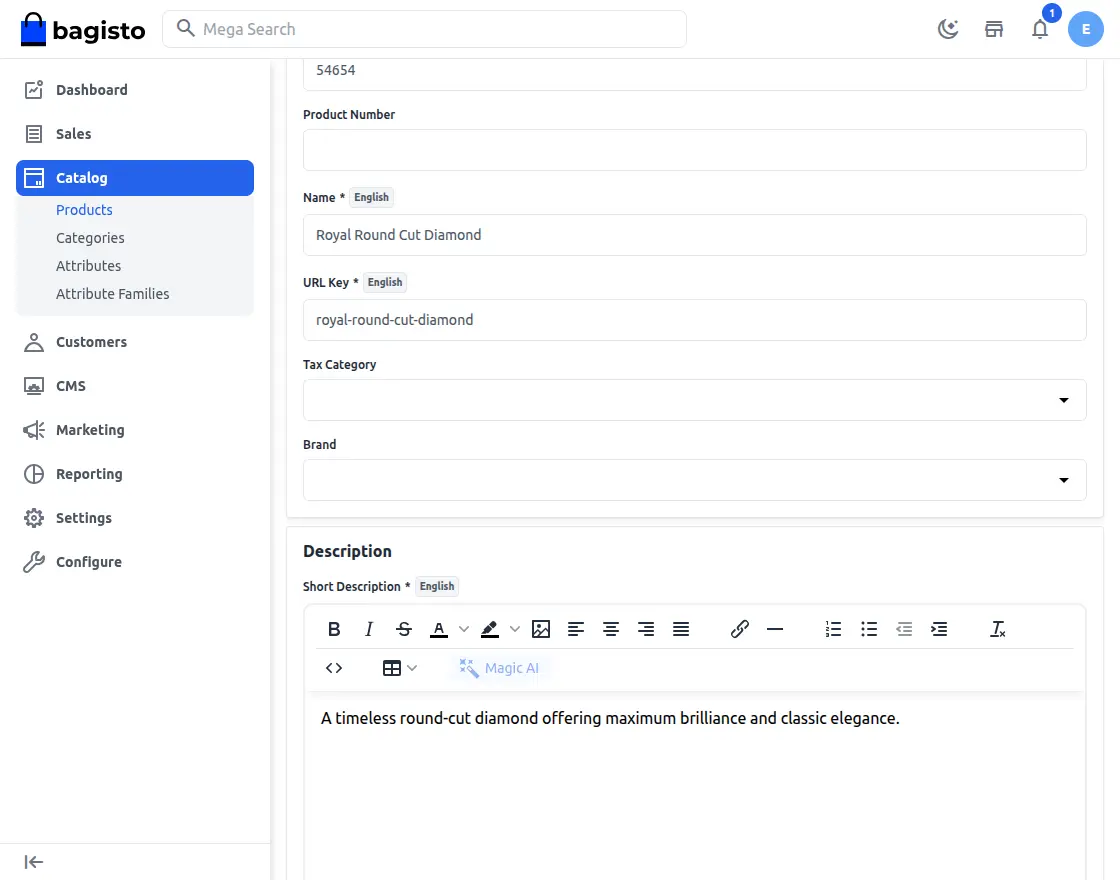
When creating a product, the admin must configure the Shape attributes that will be available for customer customization in the custom ring builder.
These attributes include common stone shapes such as Asscher, Cushion, Emerald, Heart, Marquise, Oval, Pear, Princess, Radiant, and Round.
By defining these options, the admin ensures that customers can select the stone shape that best matches their design preference when building their ring.
Frontend
Once product attributes are configured in the admin backend, customers can easily use the ring builder to customize their rings.
Customers reach the builder from the Build Your Ring link in the storefront header, which walks them through three steps: design the ring, choose the diamond, and complete the ring.
The header also carries the Ring, Necklace, and Earrings.
Categories created during installation, so shoppers can browse the jewellery catalogue with the regular category filters.
Ring Page
On the first step, the listing can be narrowed down with the style, metal, and price filters before picking a setting.
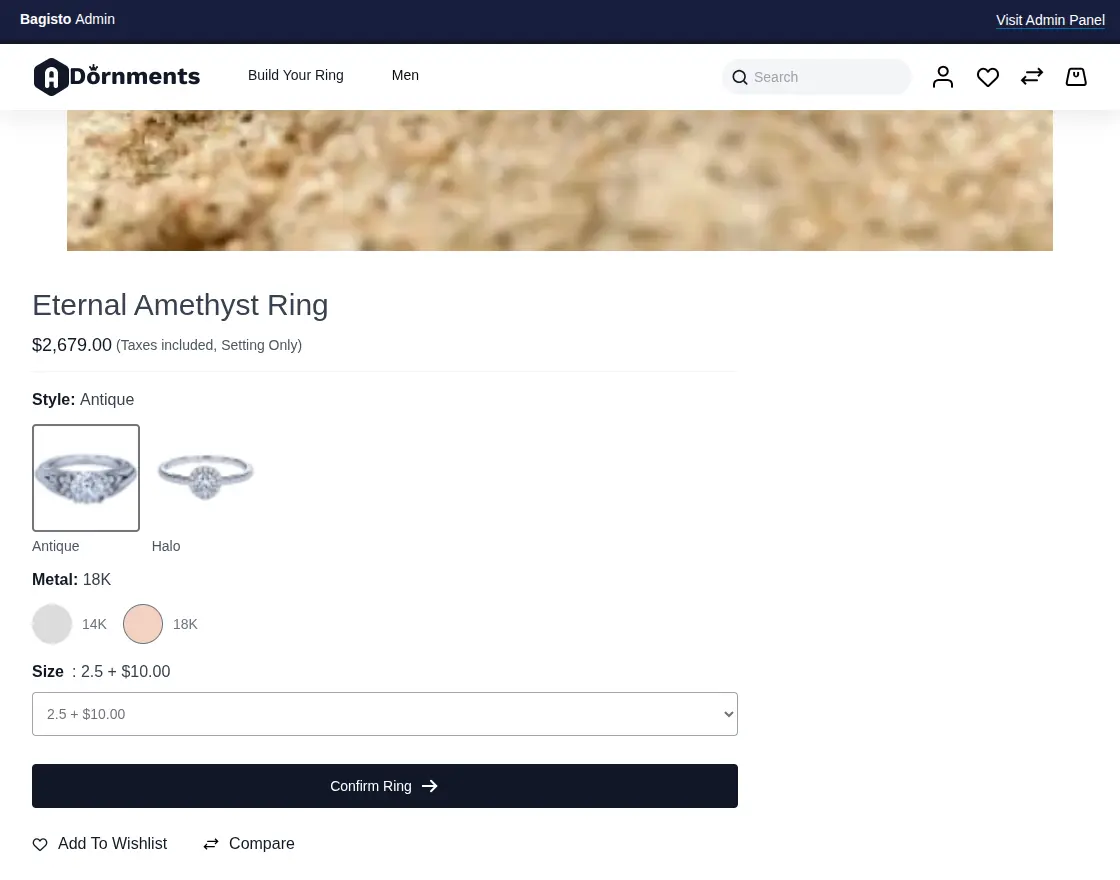
Customer needs to select the ring product by clicking on it from below, then he will be redirected to the product page.
Here, he can choose the metal, style, and ring size before clicking on the ‘Add to Ring’ option.
Choose the Diamond
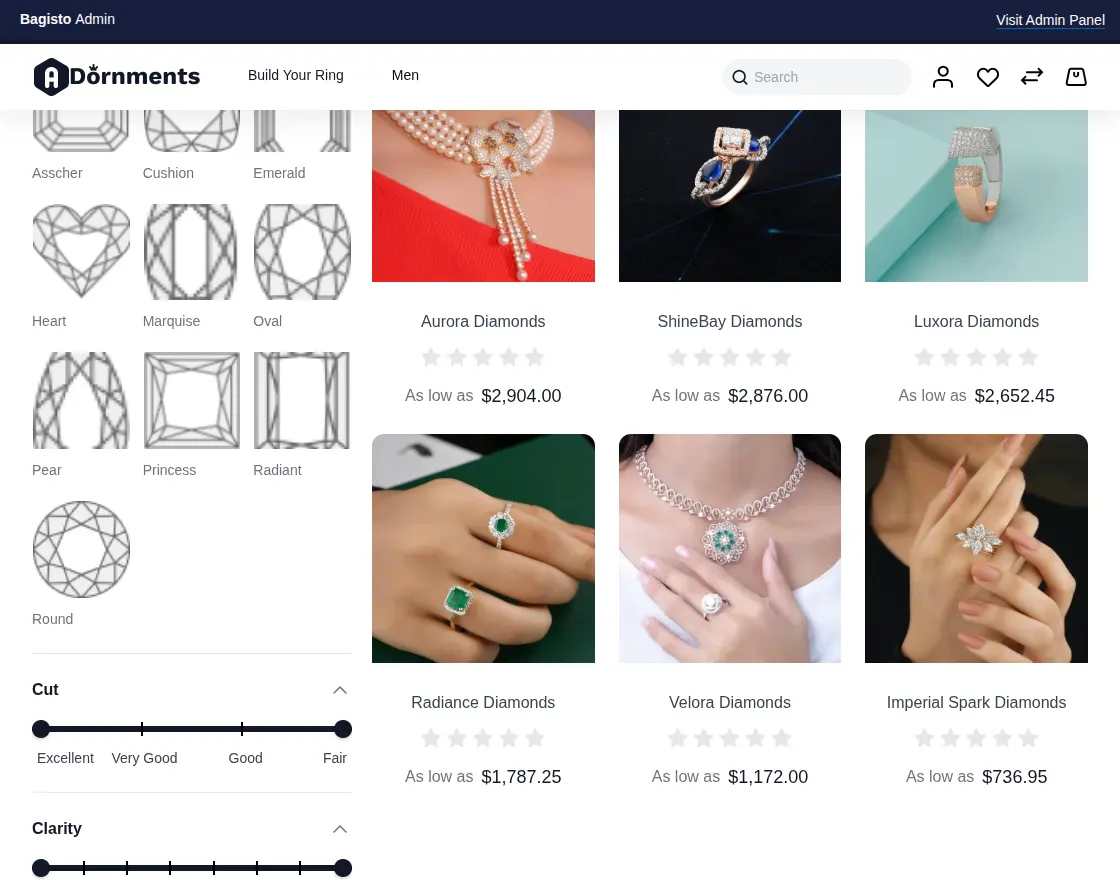
The next step for the customer is to finalize their diamond selection by choosing the shape, cut, clarity, color, carat, and price.
Each of these is available as a filter on the diamond listing
The customer can narrow the stones down to the exact specification they are looking for.
Diamond Page
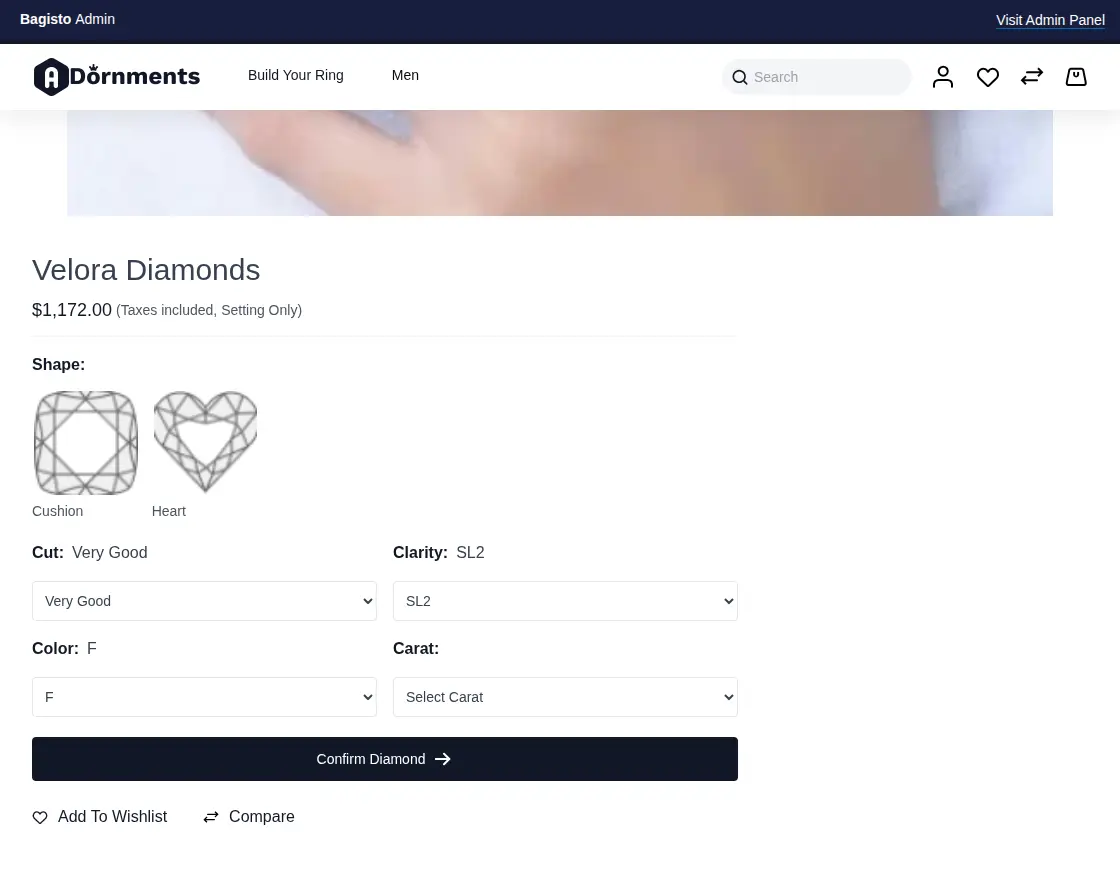
Customers select the diamond product by clicking on it, after which they are redirected to the product page.
Here, they can choose the diamond’s shape, cut, clarity, color and carat before clicking on the ‘Confirm Diamond’ option.
Complete Your Ring
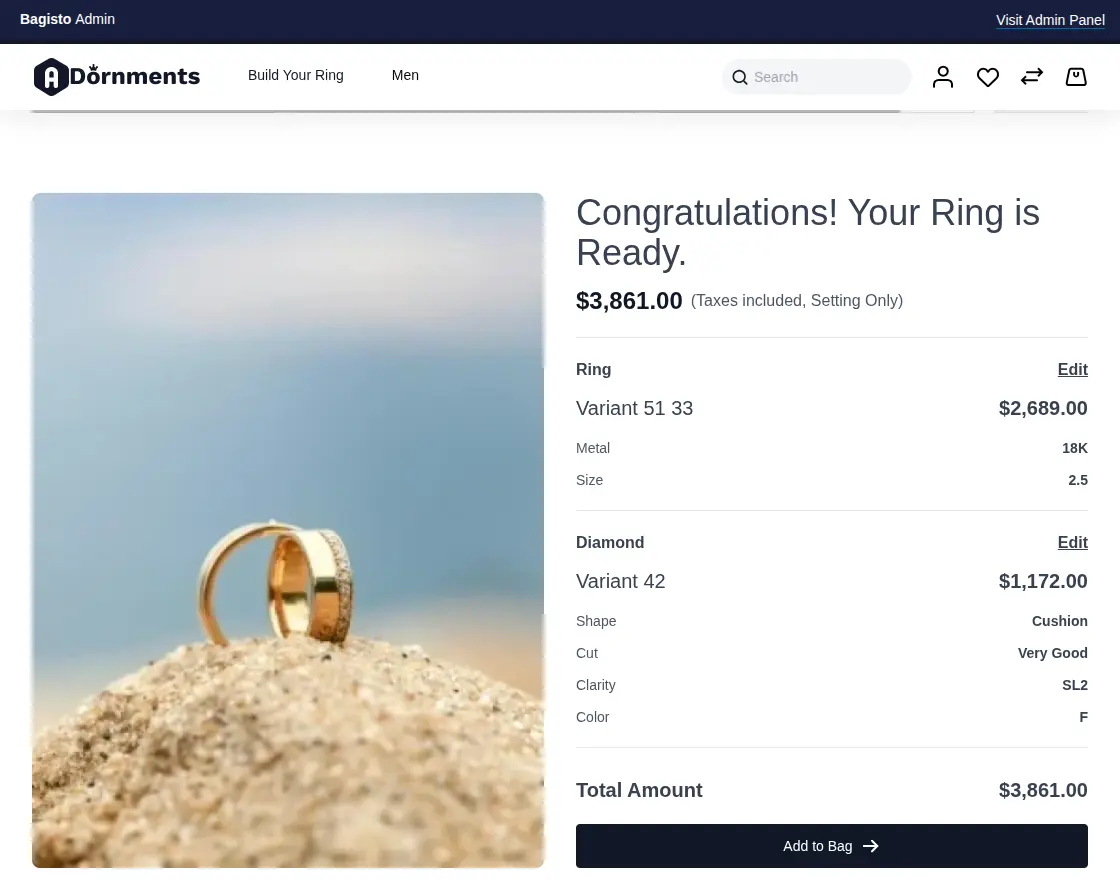
Here, customers can review the details of their customized ring before finalizing to order.
If they wish to make changes, such as selecting a different ring or diamond, they can click “Change”, “Delete” or “Rebuild Ring”
The summary lists the ring’s style, metal, and size together with the diamond’s cut, color, clarity, and carat, so the exact build is visible before it is ordered.
Once it seems fine, they can proceed by clicking “Add to Bag” to finalize their selection.
Both the setting and the diamond are validated before either is added, so a half-built ring never reaches the cart.
Checkout Final Custom Ring
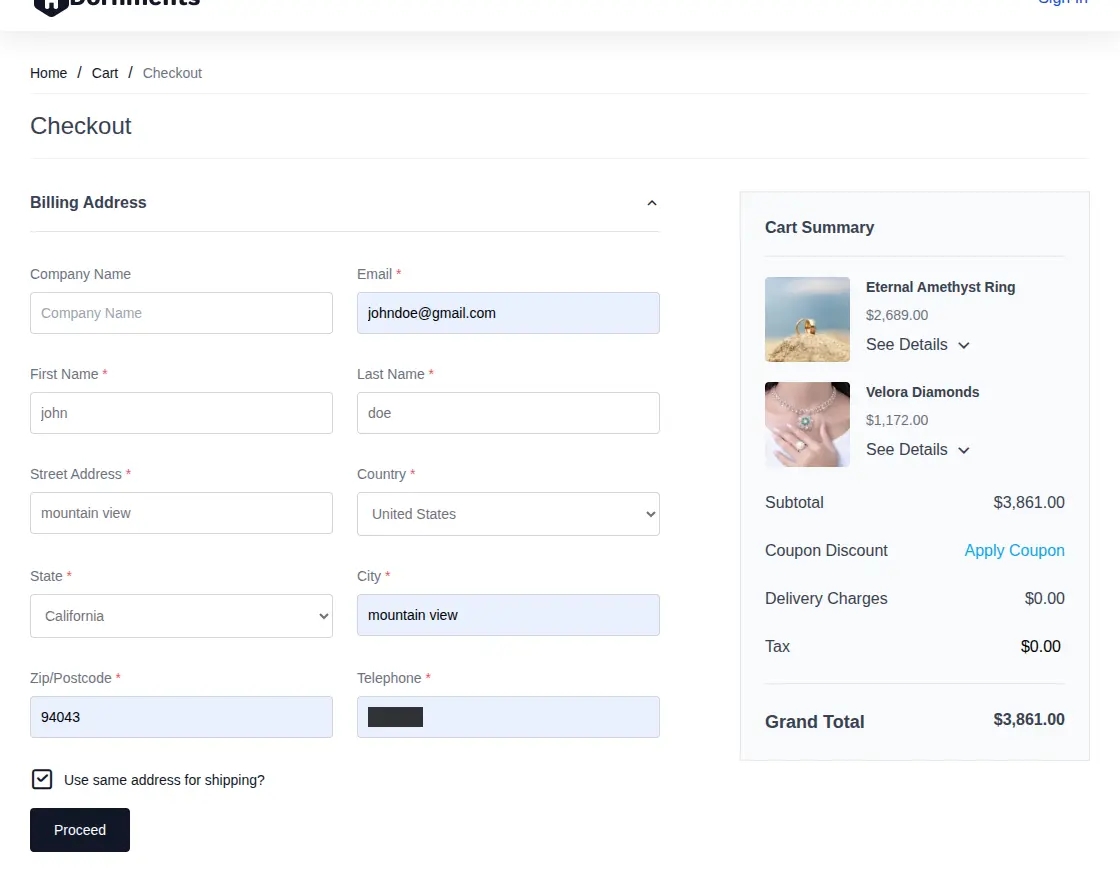
After adding the item to the cart, the customer can review their custom ring details and proceed to checkout.
The setting and the diamond are held together as one build in the cart. Removing either one removes both, and changing the quantity of one updates the other, so an orphaned or half-priced ring can never be checked out.
The same pairing carries through to the admin order view, where each line is labelled as the Ring or the Stone and shows which item it belongs with, along with all the selected ring and diamond attributes.
Support
So, that is all about the Laravel Custom Ring Builder extension for the Bagisto Open Source eCommerce platform.
If you have any queries regarding the plugin, please contact us at Webkul Support System.
Current Product Version - v2.4.11
Supported Framework Version - Bagisto v2.4.11

Be the first to comment.