CS-Cart Ordered Product History magnificent add-on displays ordered product details in a sleek tabular form on one page at user end.
This allows individual user to view and purchase products directly from the page rather than going through any search process at store end.
Check a brief overview of the plugin –
CS-Cart Ordered Product History Features
- Fully integrated with CS-Cart/Multi-Vendor for smooth functionality.
- Displays previously ordered products in a clean tabular format on one page.
- Provides advanced search by product name, code, and time duration.
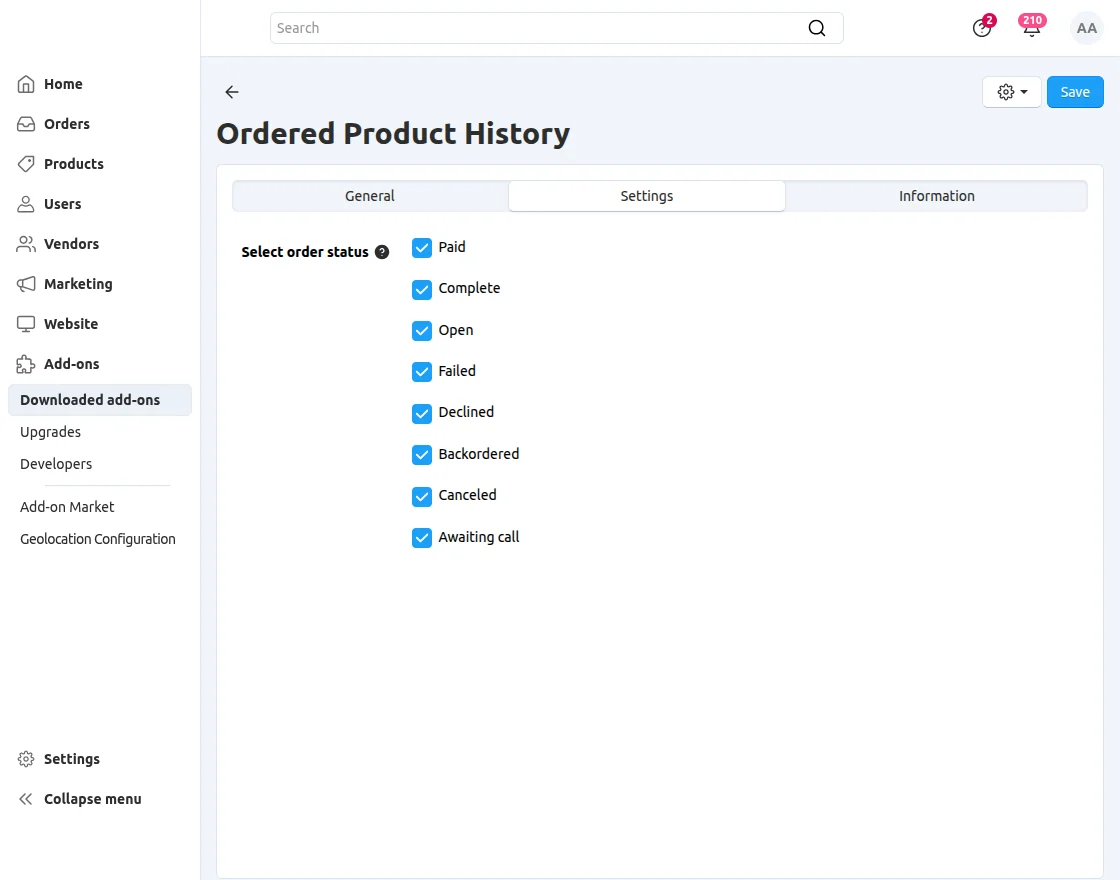
- Admin can select order statuses to control displayed products.
- Allows users to directly add selected ordered products to cart.
- Enables quick re-ordering or combining of previously purchased products.
- Auto-fills last ordered quantity in cart, which can be edited before checkout.
Note: Before installing the add-on, extract the downloaded package.
- Install the License Manager add-on first.
- Then install the required add-on.
- Follow the license activation steps to generate your license key.
Installation
To install CS-Cart Ordered Product History, follow these steps:
- Go to Manage Add-ons, click on the gear drop-down, and select Manual Installation.
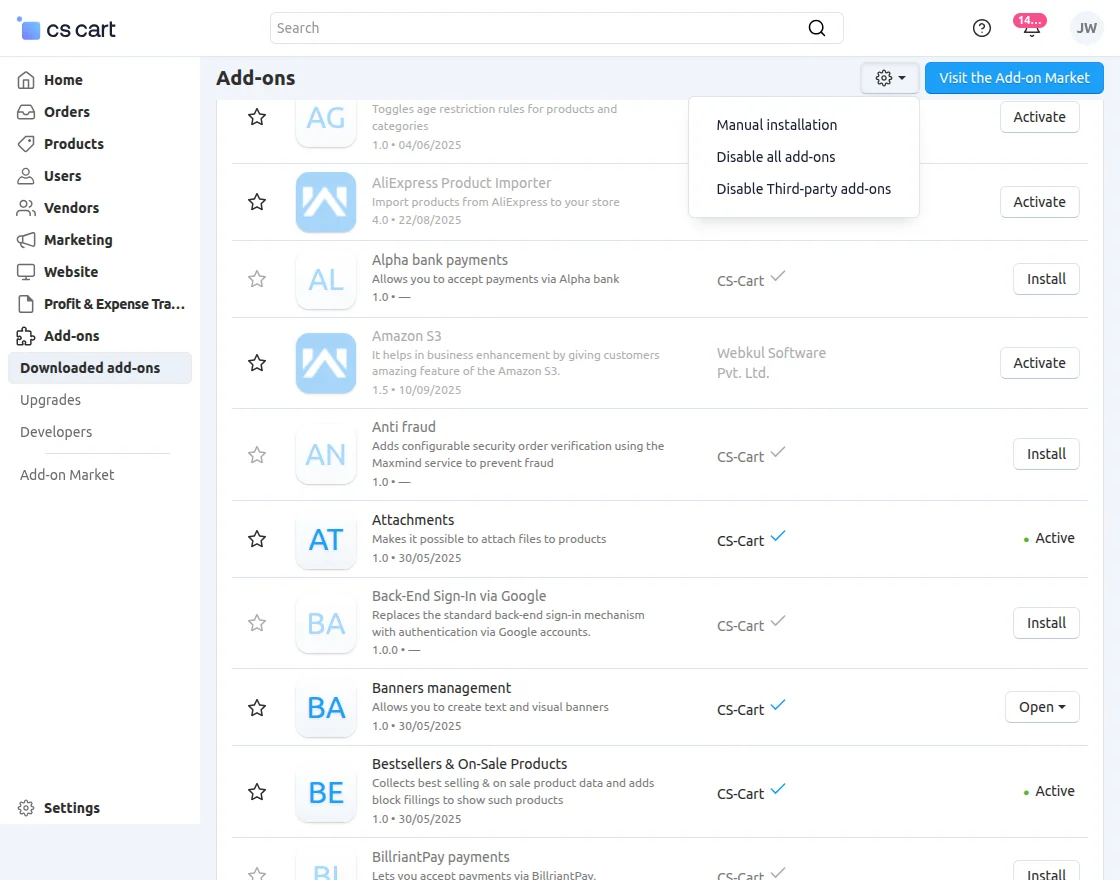
2. Select the zip File and click on Upload&install.

Add-on Configuration
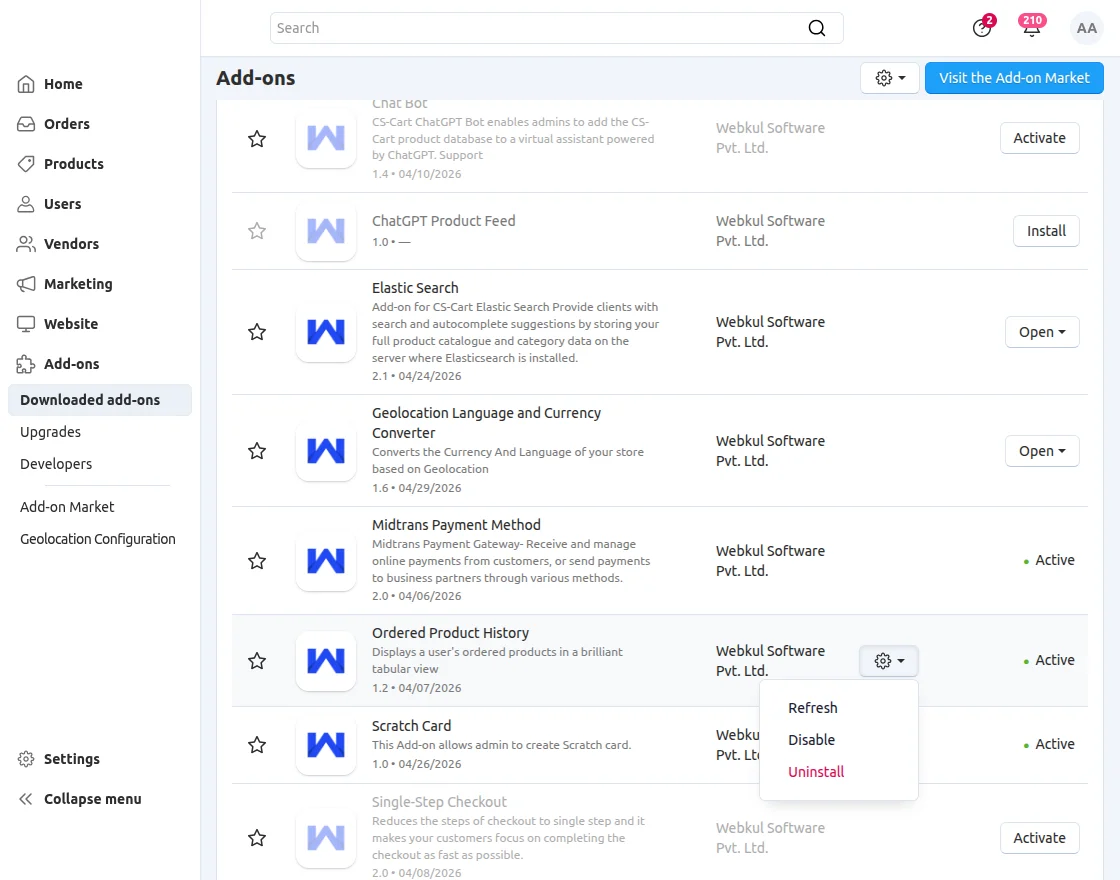
After installation of the add-on, you will find Ordered Product History in the list of the available add-ons.
Click on “settings” to enable, disable, install, or refresh.
Order Status Types
- Paid – Payment received successfully, order is being processed.
- Complete – Order fully fulfilled and finished.
- Open – Order created but still in progress.
- Failed – Payment or processing was unsuccessful.
- Declined – Payment rejected by bank or gateway.
- Backordered – Item out of stock, will be shipped later.
- Canceled – Order has been canceled and will not be processed.
- Awaiting call – Order needs confirmation via customer contact.
Frontend
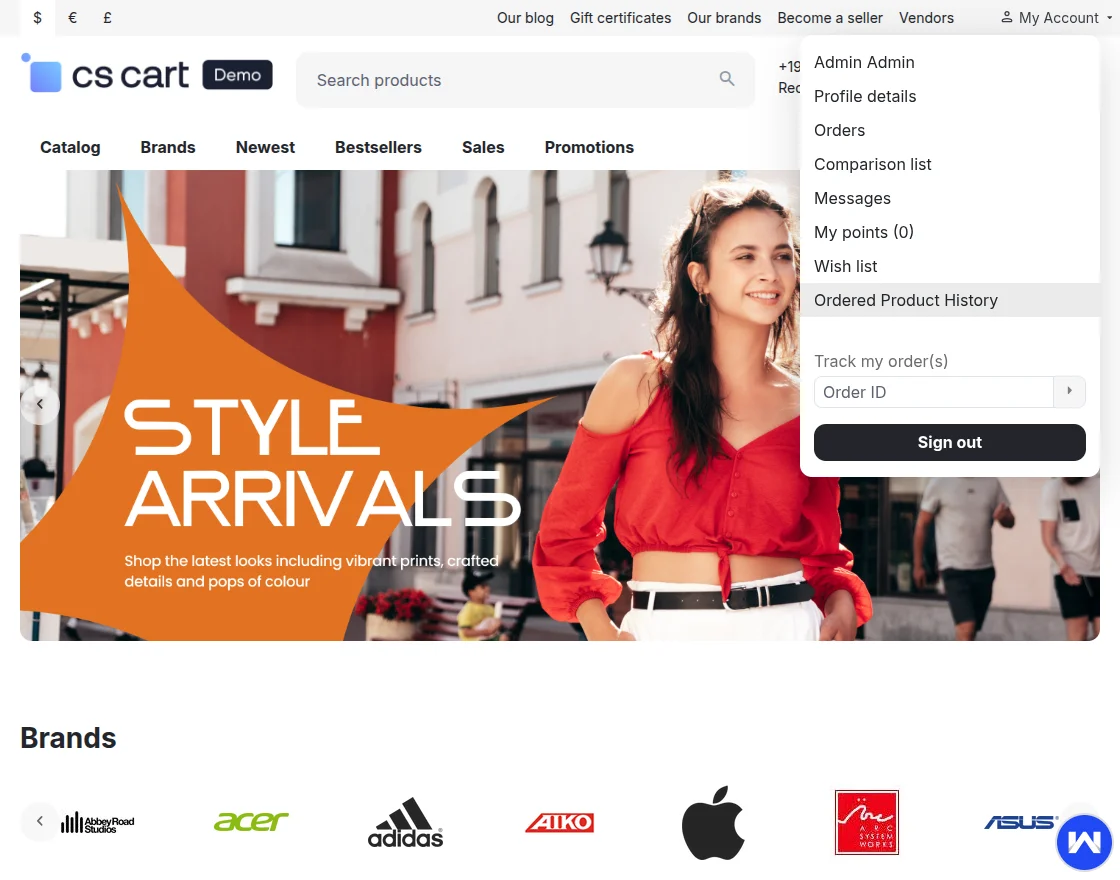
Click on “ordered product history” tab on the customer panel as shown below in the snapshot.
 Advanced search functionality is available for users to easily find products.
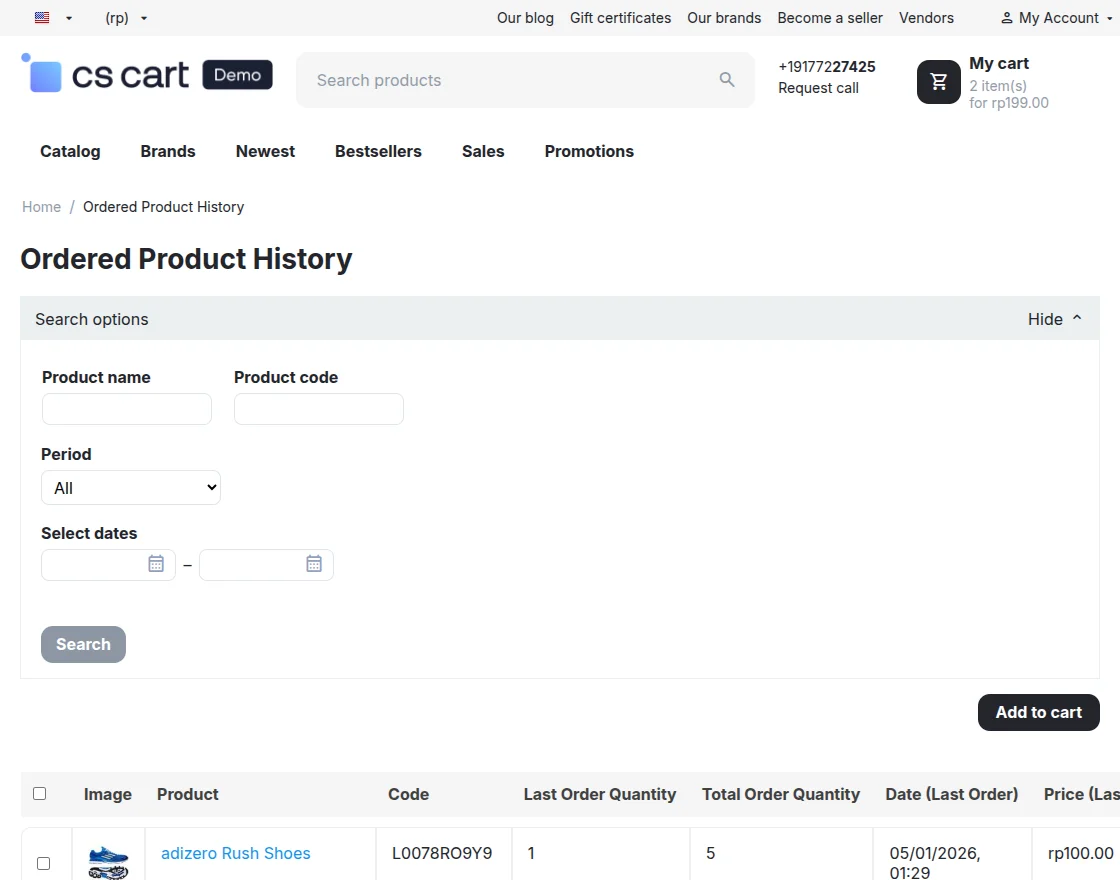
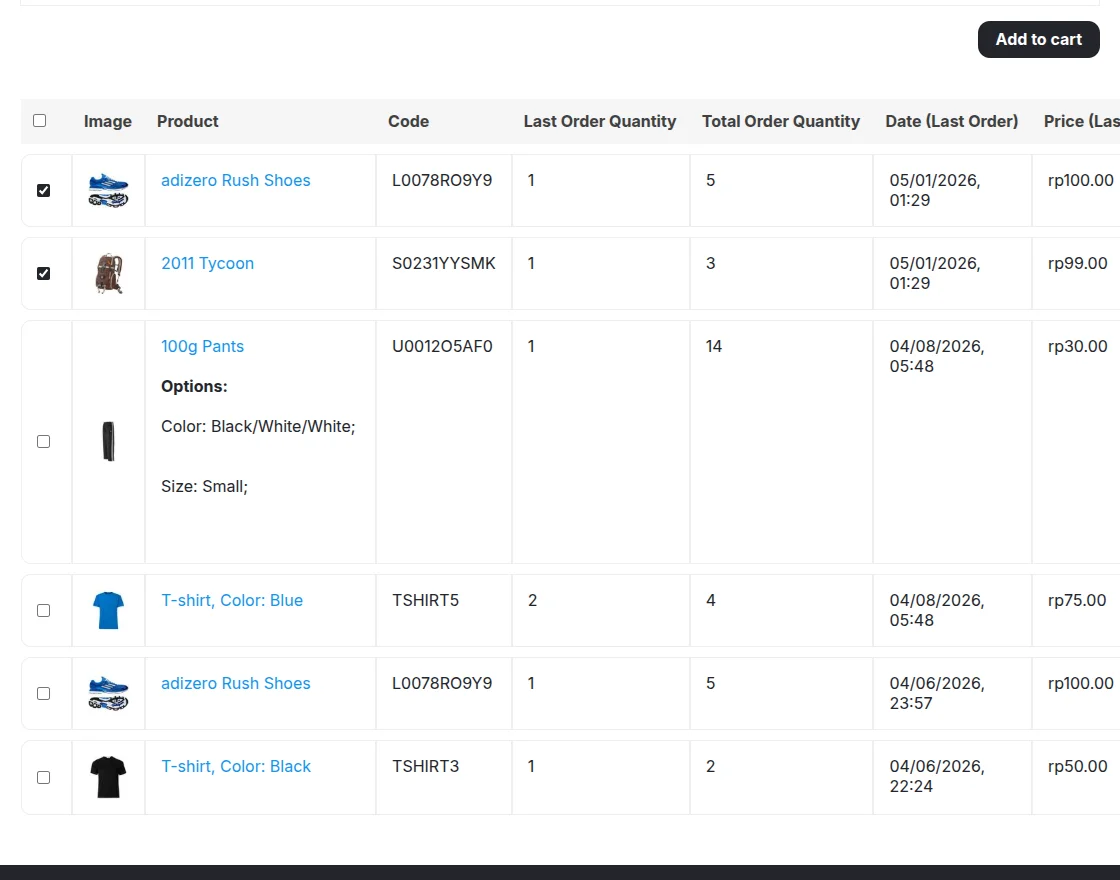
The system displays ordered products in a clean tabular format with an “Add to Cart” option. Users can select desired orders and add them directly to the cart for quick purchase.
Support
Besides this you can explore our cs-cart Development Services and Quality cs-cart add-ons.
Current Product Version - 1.2
Supported Framework Version - 4.18.x, 4.19.x, 4.20.x,

Be the first to comment.