CS-Cart Order Cancellation add-on gives customers the privilege of cancelling their orders.
The eligibility of order cancellation is based on the product, price of the order, time period and status of the order.
So, admin just needs to assign simple conditions based on these scenarios to avail this feature to his/her customers.
You can also explore our cs-cart Development Services and Quality cs-cart add-ons.
Check a brief overview of the plugin –
CS-Cart Order Cancellation Features:
- Well integrated with CS-Cart Multivendor.
- The functionality to create conditions for order cancellation is provided to admin.
- Conditions of cancellation are based on four conditions. Firstly on order price where an admin needs to set a minimum amount for the order to be cancelled.
- The next condition that has been given for cancellation is the time duration which is customisable up to day, hour and minutes of the order.
- Third most condition that has been provided is according to the status of the order.
- Last condition is on the basis of products.
- Easy to configure and handle at admin end.
CS-Cart Order Cancellation
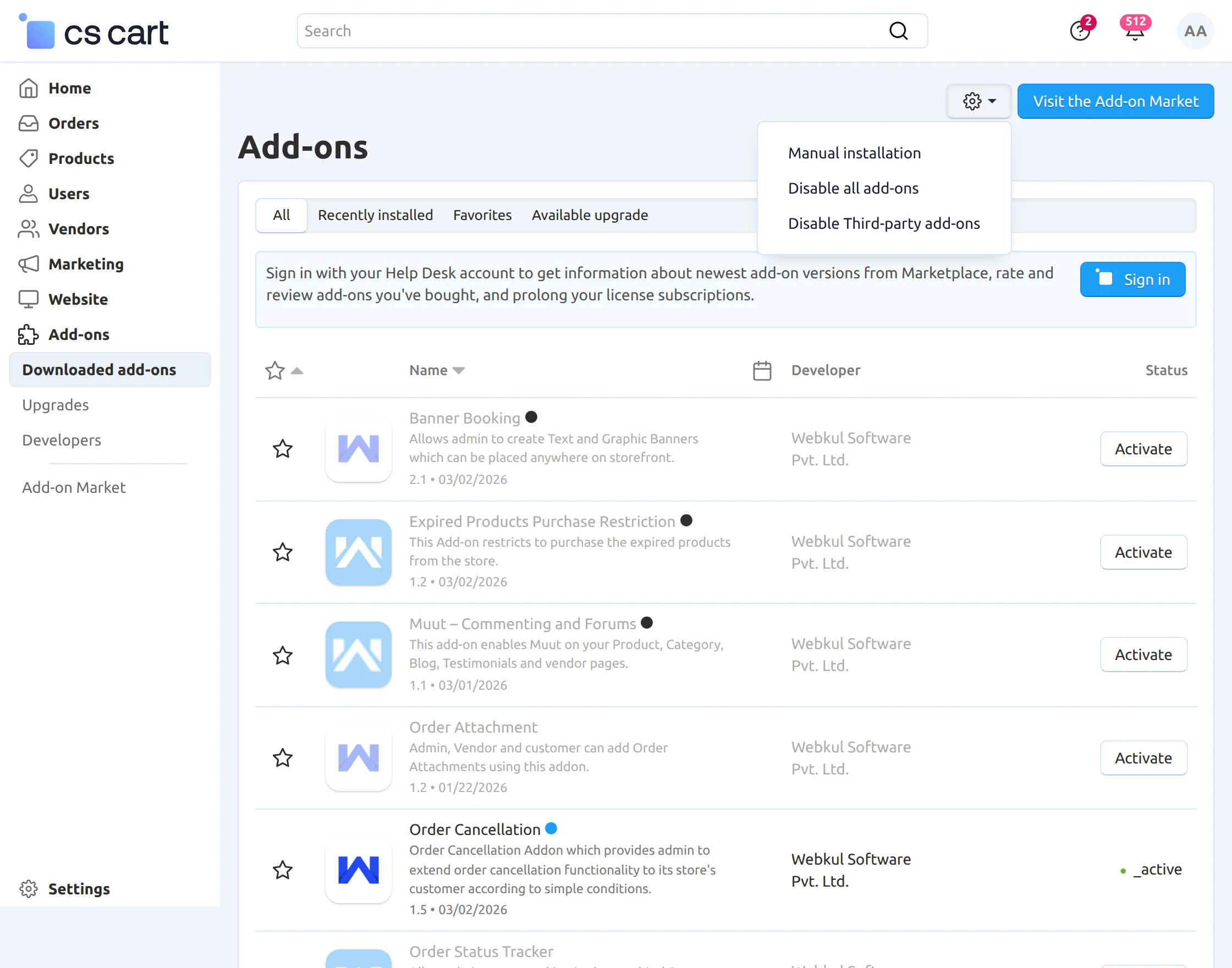
Click on “Local” to browse the zip file, and then click on “Upload & Install” as shown below in the snapshot.
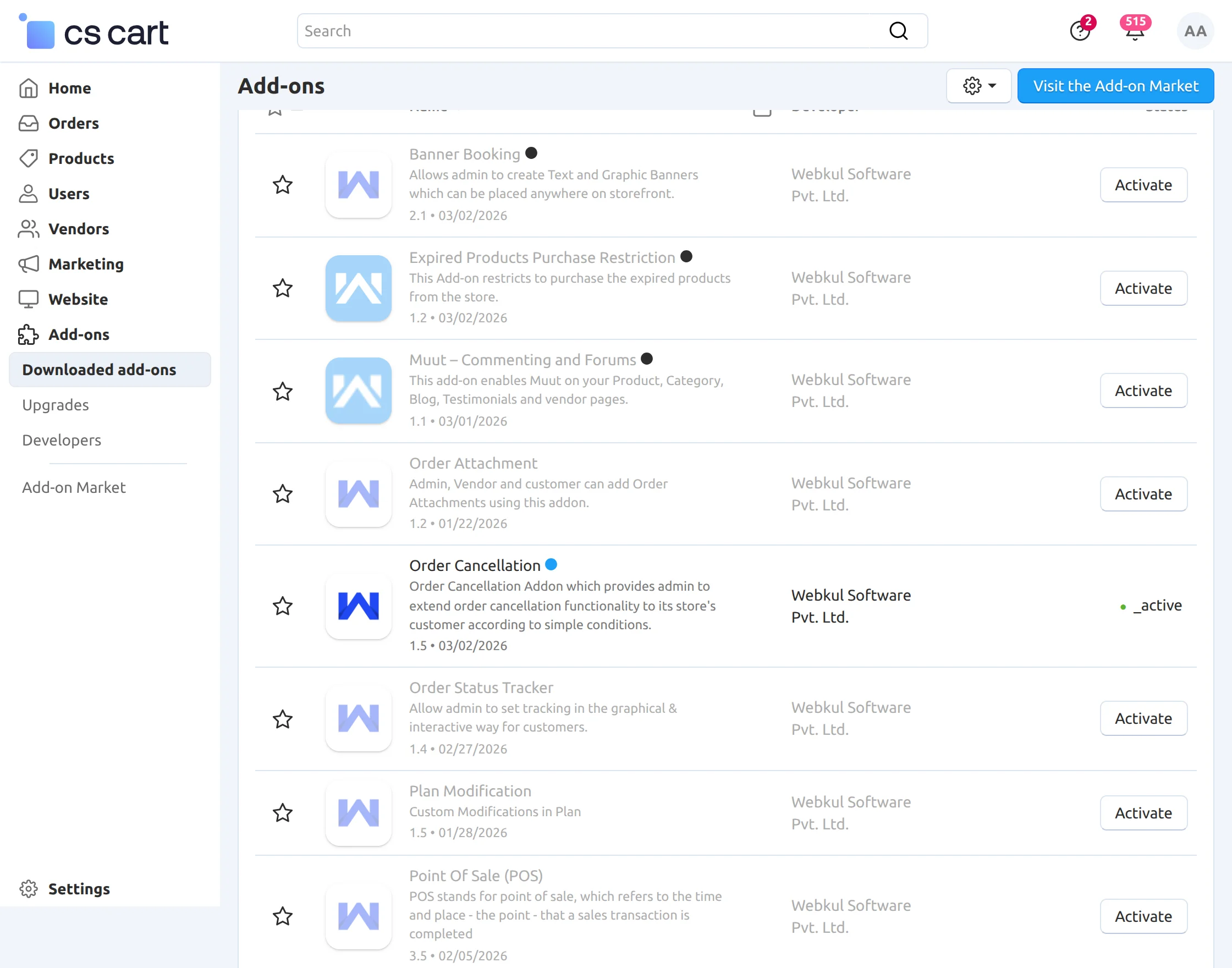
Configuration:
Further, after uploading the zip file, click on “Manage” to manage the settings of the add-on as shown in below screenshot.
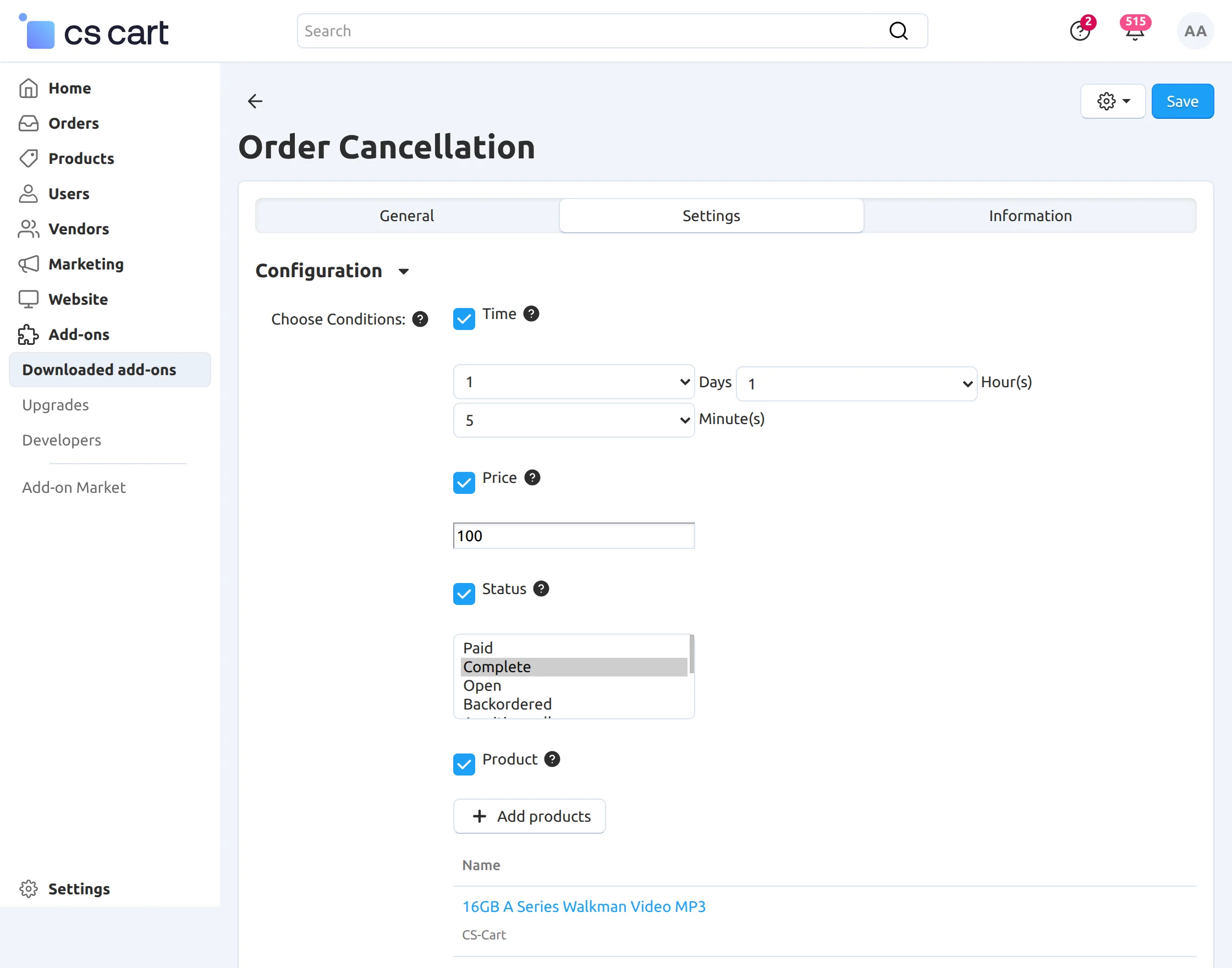
After that, admin can set conditions for cancellation of order base.
- Time frame
- Minimum amount to avail the order cancellation at user’s end.
- Select the status of an order for which admin does not want to show cancel button option for customer.
- Add products for which cancellation of order will be restricted.
Frontend:
Firstly, click on “Order” to view the list of orders as shown in the snapshot.
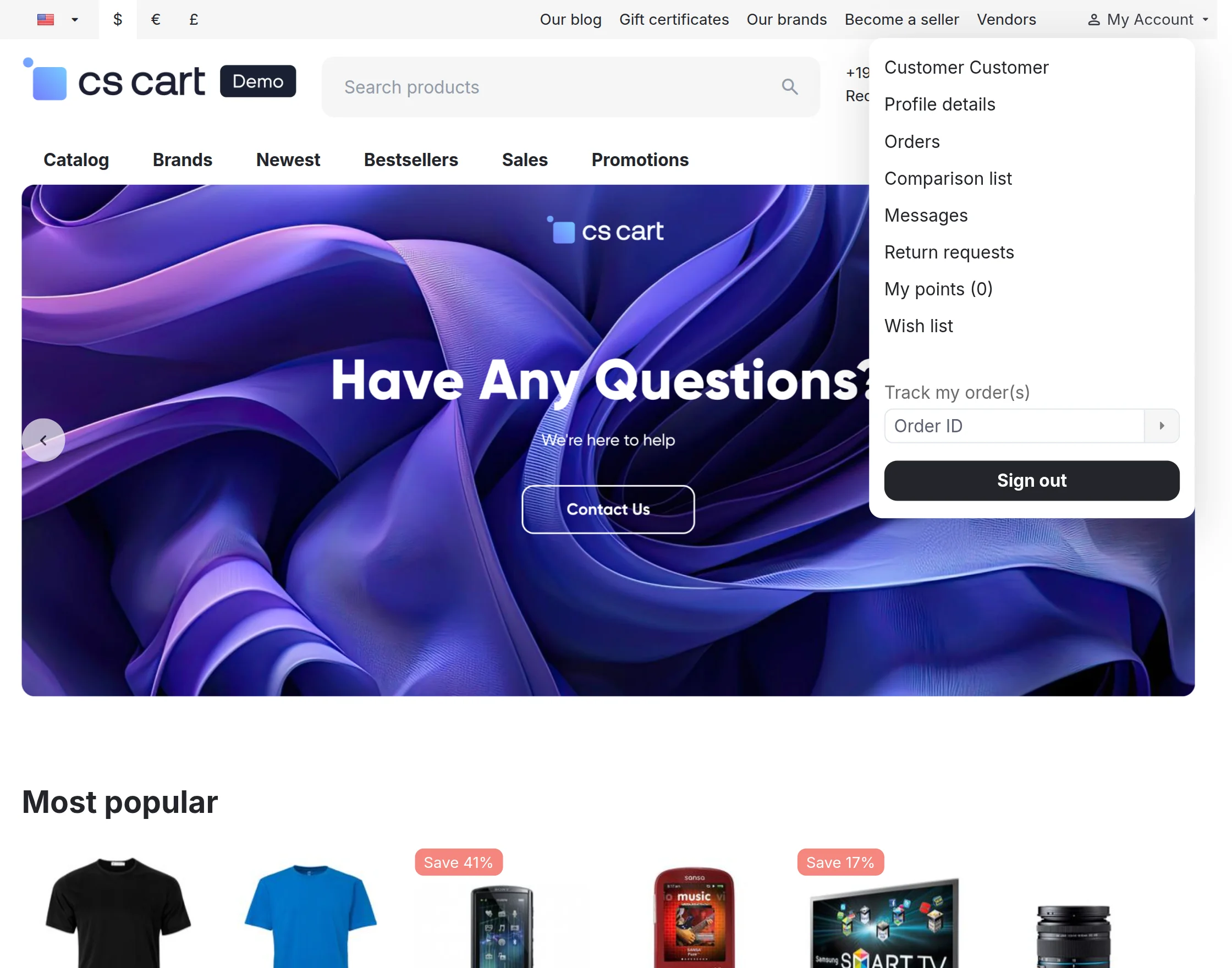
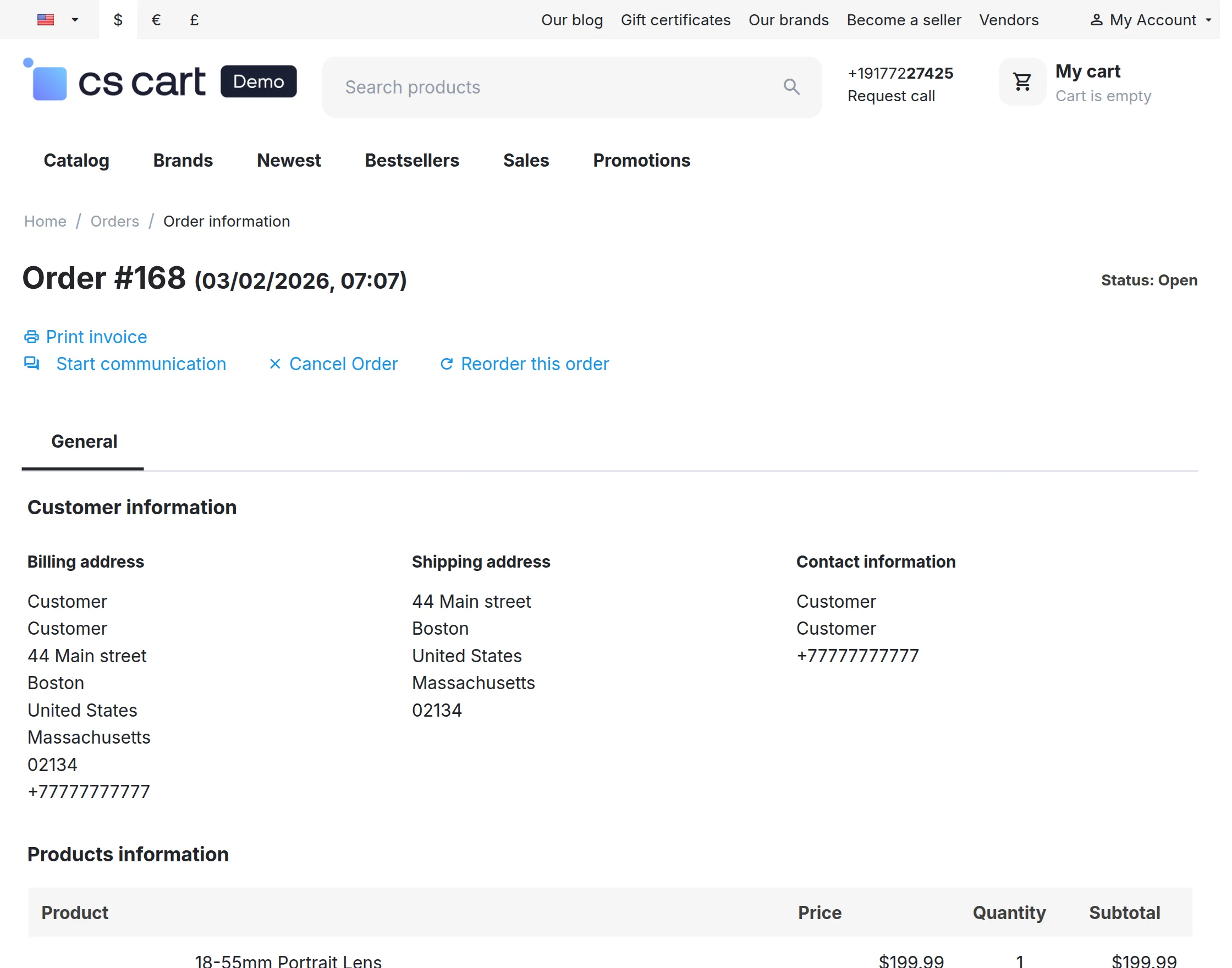
After that, click on “Order ID” to view the “Cancel Order” option.
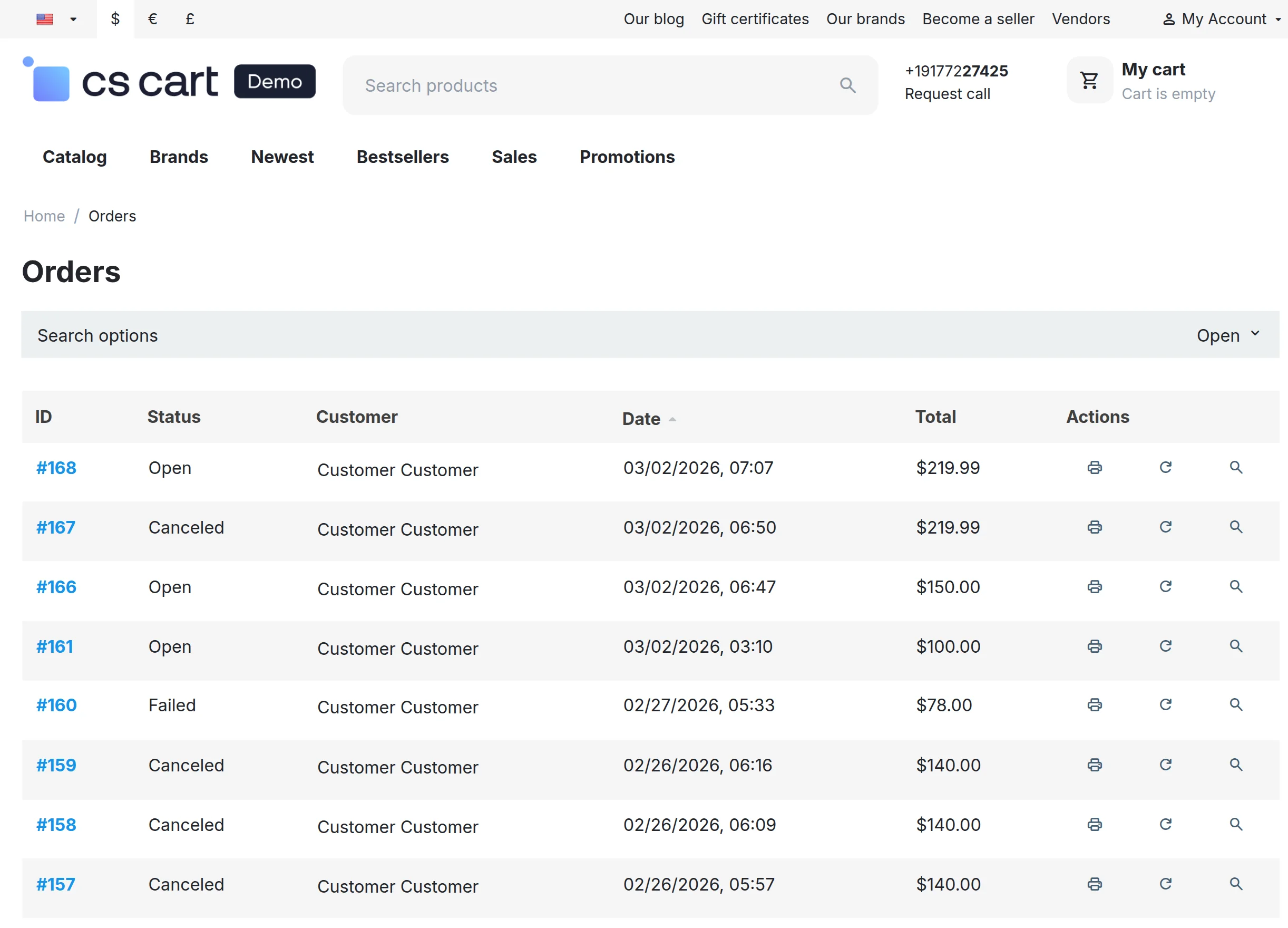
Further, click on “Cancel Order” for cancellation of order as shown below in the snapshot.
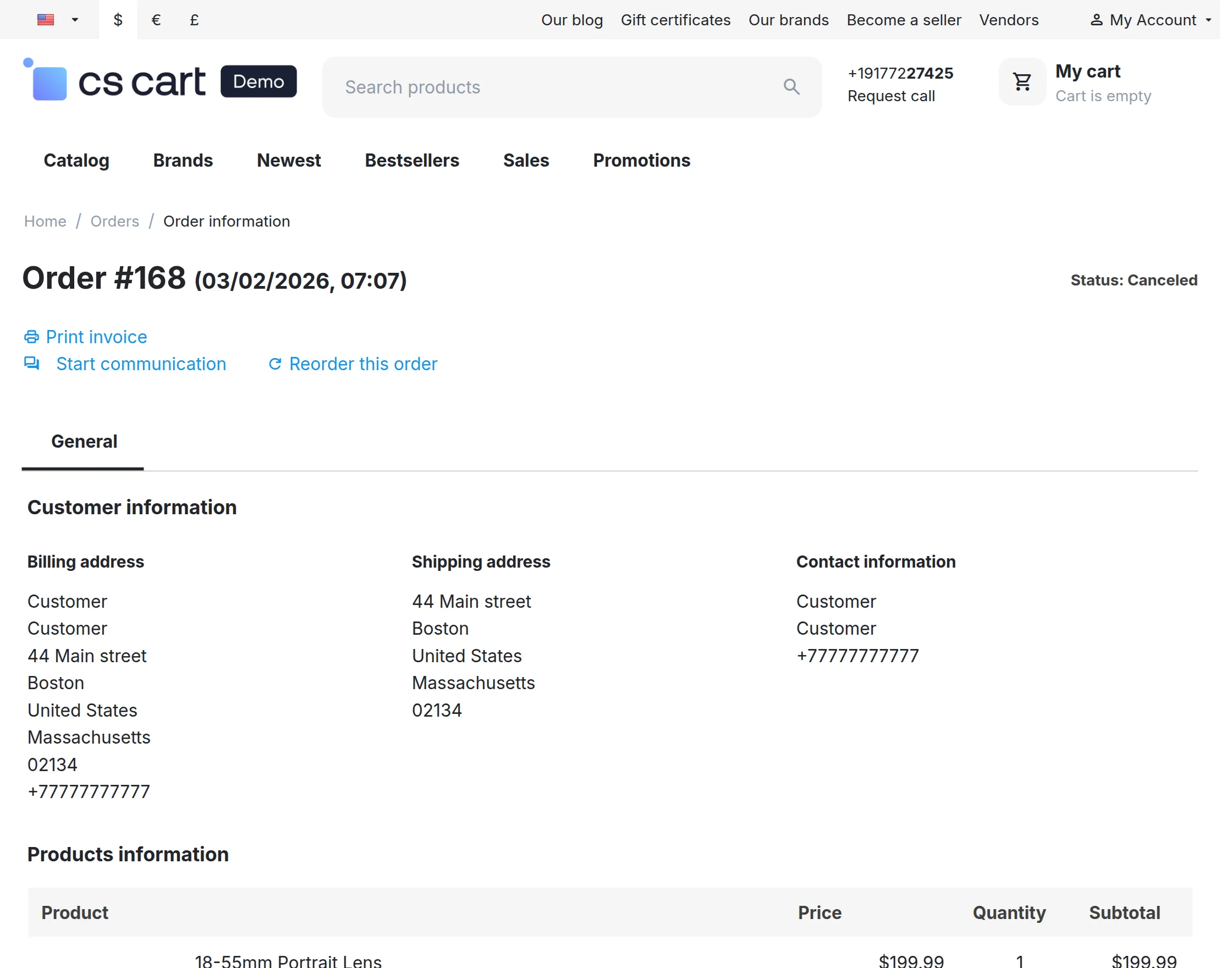
So, once an order is cancelled, the status of the order will be displayed as “Cancelled”. And, to view the invoice click on “Print invoice” as shown below in the snapshot.
Support
That’s all for the CS-Cart Order Cancellation, still, have any issue feel free to add a ticket.
Current Product Version - 1.5
Supported Framework Version - 4.19

Be the first to comment.