


















Selling to buyers in other countries sounds simple until the first foreign order lands. The price shows in dollars, the tax looks wrong, and your vendor gets the wrong payout. The best WooCommerce marketplace plugins fix all three problems at once.
This guide compares the tools that handle multi currency and tax for a multi vendor store. You will see the top pick first, then the other options, and a table to help you decide.
Here are the main points before we go deeper:
- Webkul WooCommerce Marketplace is the strongest base for an international multi vendor store.
- Its multi currency add-on converts price, tax, and commission into the buyer’s currency.
- Its tax manager add-on lets each vendor set and collect their own tax.
- Tools like Aelia and FOX work well for single stores, but not per vendor.
- Pick a tax engine such as Quaderno or Avalara if you sell across the EU.
What to look for in WooCommerce marketplace plugins
A marketplace has many sellers, so one price rule rarely fits everyone. The right plugin must work at the vendor level, not just at the store level.
So run each option against these five needs:
- Multi currency display that also converts tax and commission, not just the sticker price.
- Per vendor tax rules, so each seller stays compliant in their own region.
- HPOS support, so orders stay fast as the store grows.
- Automatic exchange rates from a live API, so prices track the market.
- A currency that settles at checkout, not one that only shows on the page.
Most currency switchers miss that vendor layer. So that gap is where a real marketplace tool earns its place.
Webkul WooCommerce Marketplace, the top pick
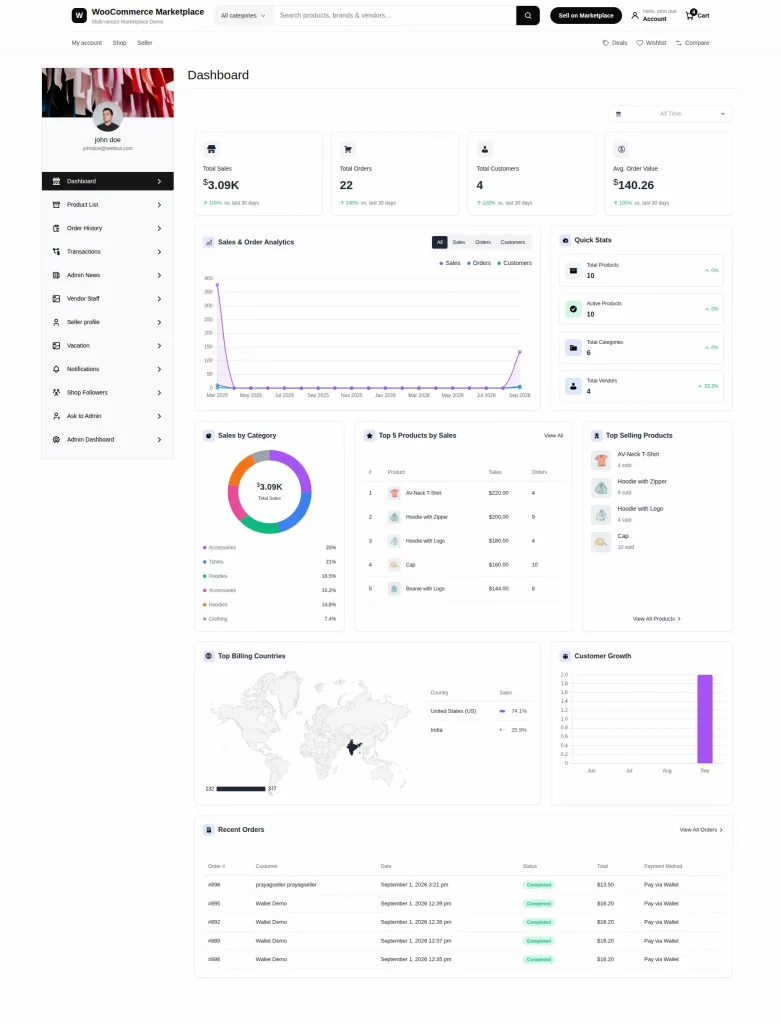
Webkul makes a full multi vendor plugin for WooCommerce. It turns one store into a market like Amazon or Etsy, with separate seller profiles and commissions.
The core plugin is only the start. Two add-ons then turn it into a true international marketplace, one for currency and one for tax. You can find the base tool on the Webkul WooCommerce Multi Vendor Marketplace page.
Multi currency for every vendor
The Marketplace Multi Currency add-on shows prices in the buyer’s own currency. First it detects the country by GeoIP, then it picks the matching currency at once.
Rates can also update on their own. Version 1.3.0 added a live exchange rate API through CurrencyAPI, so prices track the market every day.
Here is the part most tools miss. The add-on converts the tax amount and the vendor commission into the same currency, so the seller earns the right amount. See the Marketplace Multi Currency add-on for the full list.
Tax rules for each vendor
The Marketplace Tax Manager add-on gives every seller their own tax setup. A seller can set a rate, and the store then applies it to their orders only.
Tax can go to the seller or to you. When a customer buys, it credits the seller if you allow that, or it credits the admin instead.
Sellers can also import tax zones in bulk. They upload a CSV of postal or zip codes, so regional rates load in one step. The Marketplace Tax Manager add-on page shows how the rules stack.
Real stores already selling this way
Brands on four continents run this exact stack today. Each one started as a plain WooCommerce shop, then grew into a marketplace with many vendors.
Take DopeBoo in Canada. It moved from a single headshop store to a multi vendor market, so shoppers now pick from many sellers in one place.
Homemart in South Africa did the same for homeware. Pasar Maya in Indonesia then went wider, onboarding sellers for fashion, electronics, and tools across the country.
Over in the United States, EbuyerBaker connects home bakers with local buyers. So that is four countries, four currencies, and one plugin stack behind them all.
Other WooCommerce plugins worth a look
Plenty of good tools exist for global selling. Most of them target a single store, so keep that limit in mind for a marketplace.
For currency, three names come up often. FOX, once called WOOCS, is the largest free currency switcher, with about 50,000 active installs. It shows prices in many currencies and suits a simple store well.
Aelia Currency Switcher is the premium favorite. It detects location, sets a price per currency, and pairs with Aelia Prices by Country for true market pricing. YayCurrency is the easy path for beginners, since its drag and drop setup gets a switcher live in minutes.
For tax alone, three engines lead in 2026. Quaderno handles EU e-invoicing rules such as Peppol and Verifactu, while Avalara covers VAT, GST, and customs worldwide. Taxamo focuses on EU VAT and DAC7 rules, so it fits stores that sell mostly to Europe.
Each one of these calculates tax well. Still, none of them splits that tax per vendor, which a marketplace needs.
How the plugins compare
The table below lines up the popular options against the marketplace needs from earlier.
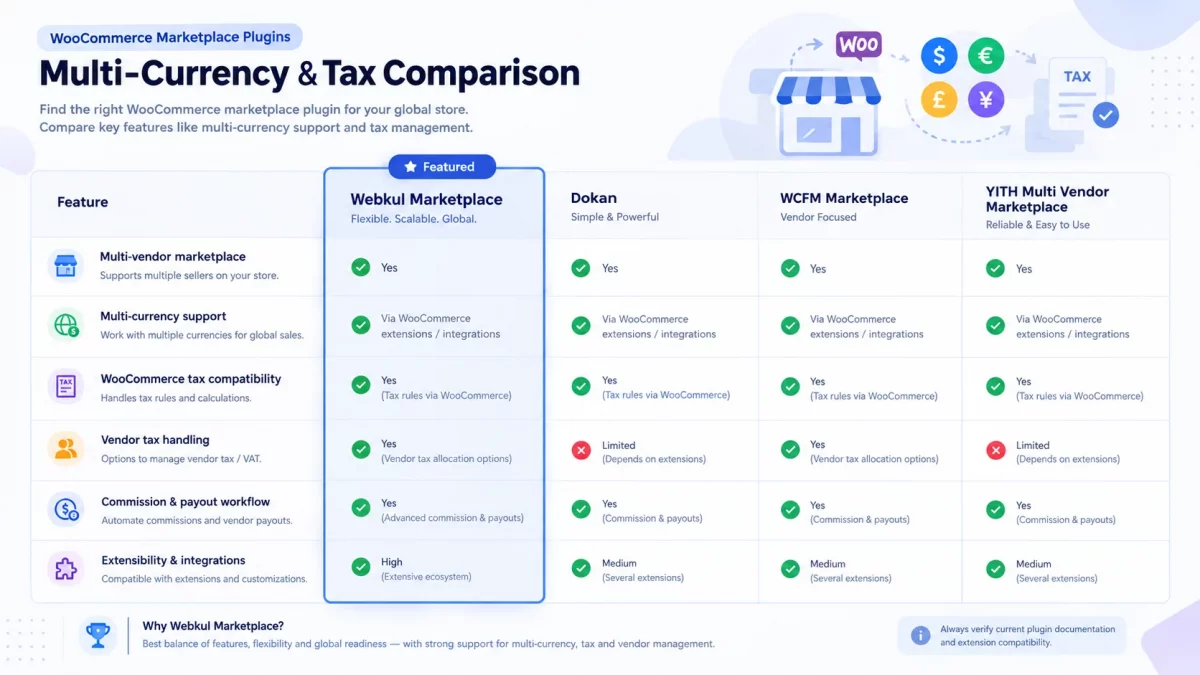
| Plugin | Multi vendor | Multi currency | Per vendor tax | Best for |
|---|---|---|---|---|
| Webkul WooCommerce Marketplace | Yes | Yes | Yes | International and All type marketplaces |
| Dokan | Yes | Via Integration | Verify add-on support | Marketplaces |
| YITH Multi Vendor | Yes | Via Integration | Verify add-on support | Marketplaces |
| WCFM Marketplace | Yes | Yes | Verify add-on support | Vendor-focused marketplaces |
The pattern is clear. Only the marketplace plugin handles vendors, currency, and tax together, while the rest cover one layer each.
Which setup fits your marketplace
Your choice depends on the model, not the price tag. A single brand store can run FOX or Aelia with a tax engine and stay happy.
A true marketplace needs more. If many sellers ship from many countries, the Webkul stack keeps currency, tax, and commission in sync for each of them.
So start with the core marketplace plugin. Then add multi currency and tax once your first vendors join, which means you only pay for what you use.
Final word before you launch
International selling breaks the moment currency and tax stop matching the order. The best WooCommerce marketplace plugins keep both correct for every vendor, in every country.
For a multi vendor store, Webkul gives you the base plugin plus a currency and a tax add-on that talk to each other. You can read more setup tips on the Webkul blog as your store grows.
For the technical side, the WooCommerce HPOS guide explains why order storage now matters at scale. Test one real order in a foreign currency before launch, then check the vendor payout down to the last cent.

Be the first to comment.