Laravel Marketplace Reward Points module allows marketplace sellers to reward customers with points.
Sellers can allocate reward points based on customer purchases, either product-wise or cart amount-wise.
Additionally, the admin can allocate reward points based on purchases and activities such as registration and product reviews.
Installation of the module
Unzip the extension zip file and merge the “packages” folder into the project root directory.
Goto bootstrap/providers.php file and add following line under ‘providers’:
use WebkulMpRewardsProvidersRewardsServiceProvider;
return [ RewardsServiceProvider::class, ]
Goto composer.json file and add following line under ‘psr-4’:
"Webkul\MpRewards\": "packages/Webkul/MpRewards/src"
Run the following commands to complete the setup:
composer dump-autoload
php artisan mp-rewards:install
Features
- The admin can add and manage attribute-based rewards for customers.
- The admin can configure category-based rewards for different product categories.
- The admin can create and manage product-specific rewards.
- The admin can define cart-based rewards based on cart conditions.
- Sellers can also create product-based rewards for their products.
- Sellers can configure cart-based rewards for customer purchases.
- Rewards are calculated automatically based on attribute, category, product, or cart conditions.
- The admin can view all users and track rewards generated from their orders.
Laravel Marketplace Reward Points – Module Configuration
After the successful installation of Marketplace Reward Points, the admin can easily configure the module from the admin panel.
The admin can find the Marketplace Reward Points option under Configure → Marketplace.
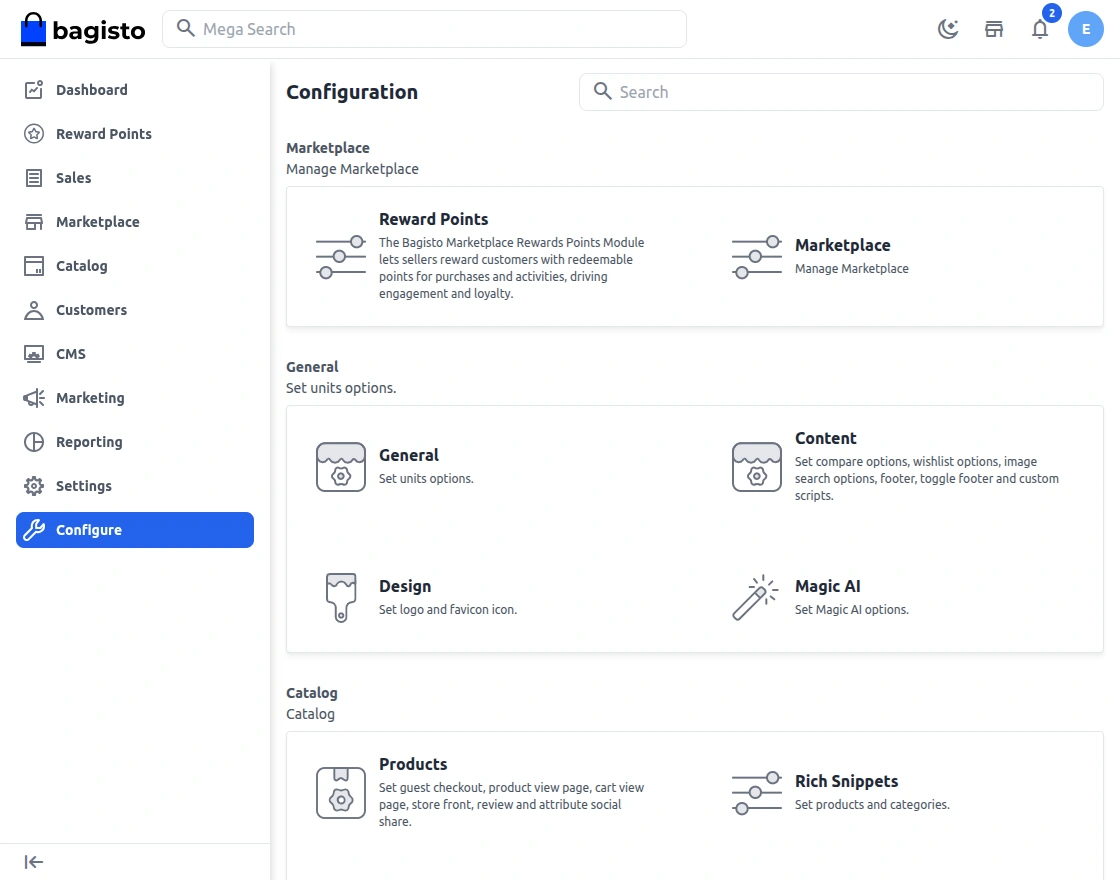
After clicking the Reward Points option, the admin can enable the module and configure the required settings.
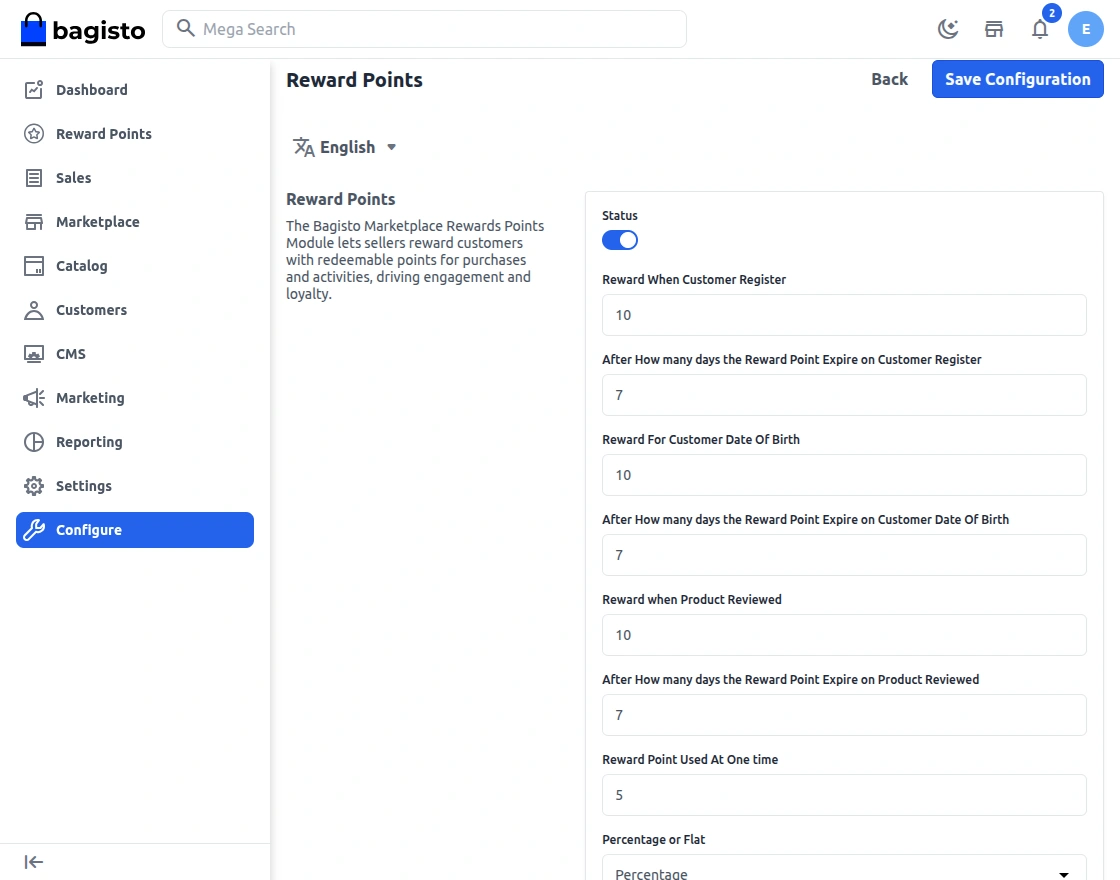
Status: Admin can enable or disable the Reward Points module for the store.
Reward When Customer Register: Admin can set the number of reward points given to customers when they register an account.
Reward Point Expiry After Customer Register: Admin can define the number of days after which the registration reward points will expire.
Reward For Customer Date Of Birth: Admin can set reward points that will be given to customers on their birthday.
Reward Point Expiry After Date of Birth: Admin can specify the number of days after which the birthday reward points will expire.
Reward When Product Reviewed: Admin can define reward points for customers when they submit a product review.
Reward Point Expiry After Product Review: Admin can set the validity period for reward points earned through product reviews.
Reward Point Used At One Time: Admin can set the maximum number of reward points a customer can use in a single order.
Percentage or Flat: Admin can choose whether rewards are calculated as a percentage of the order value or as a fixed number of points.
Rewards Applied Product’s Quantity Wise: Admin can enable this option to calculate rewards based on the quantity of products purchased.
Email Notifications: Admin can enable or disable email notifications related to reward point activities.
Reward Point on Product
Reward points on products allow the admin or seller to assign specific reward points to individual products.
Customers earn the defined reward points when purchasing these products.
As a result, customer engagement and loyalty increase while promoting selected products.
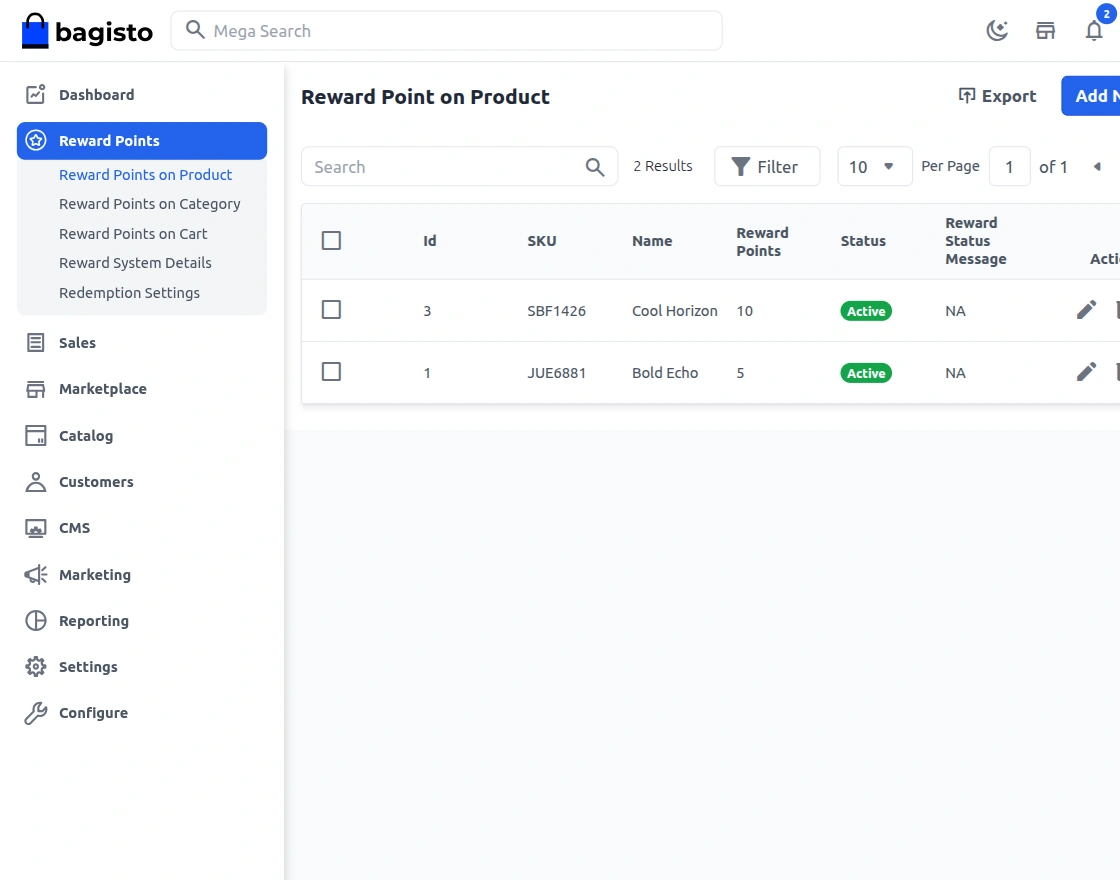
Now, after clicking on the Reward Points option, the admin needs to enable the module and fill in the required details.
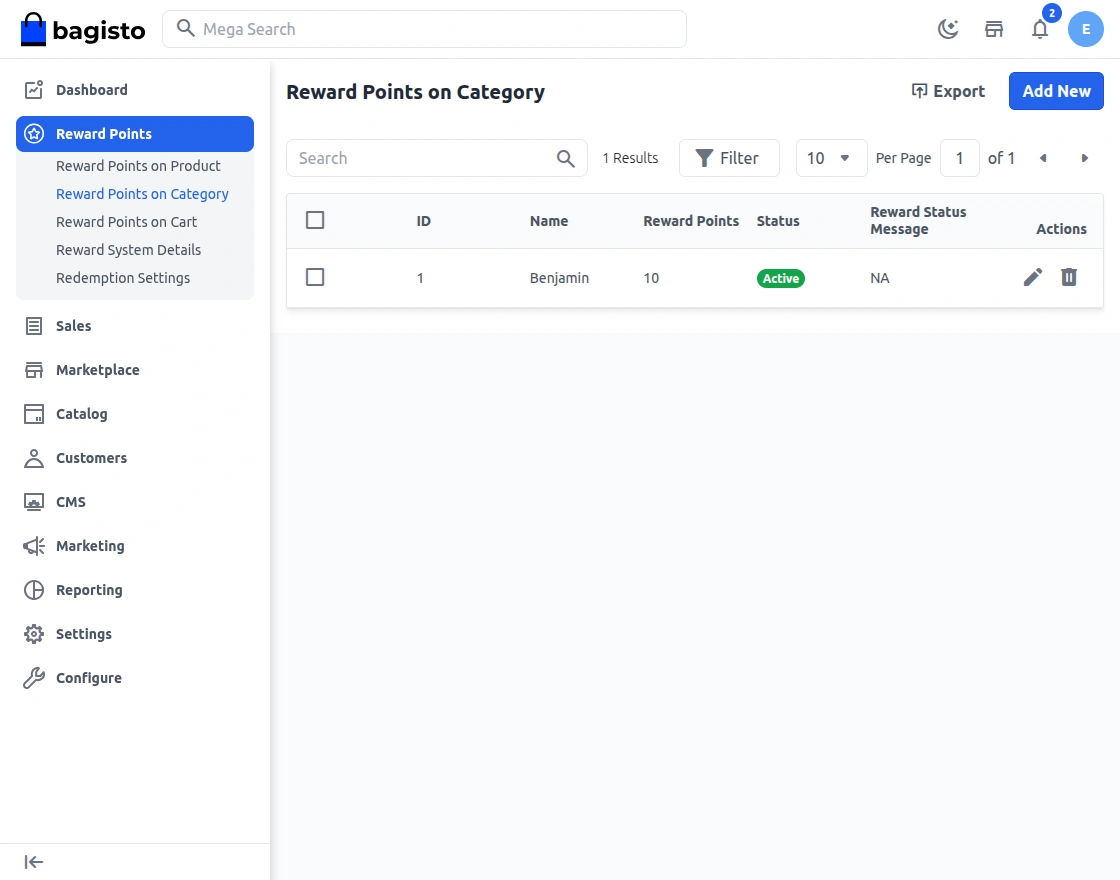
Reward Points on Category
Reward points on categories allow the admin to assign reward points to specific product categories.
Customers automatically earn the defined reward points when purchasing products from these categories.
Furthermore, this feature promotes selected categories and encourages additional purchases.
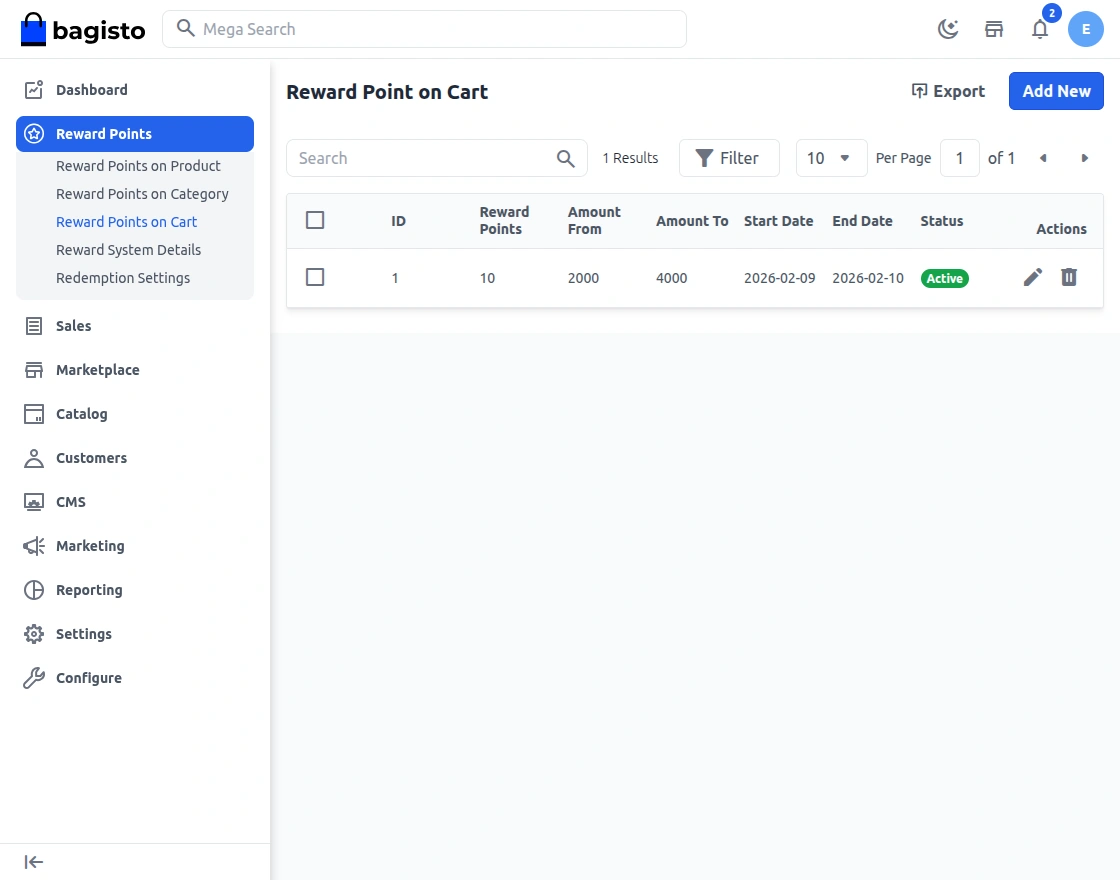
Reward Point on Cart
Reward points on cart allow the admin or seller to define reward points based on the cart value or cart conditions.
Customers receive the configured reward points when their cart meets the defined criteria.
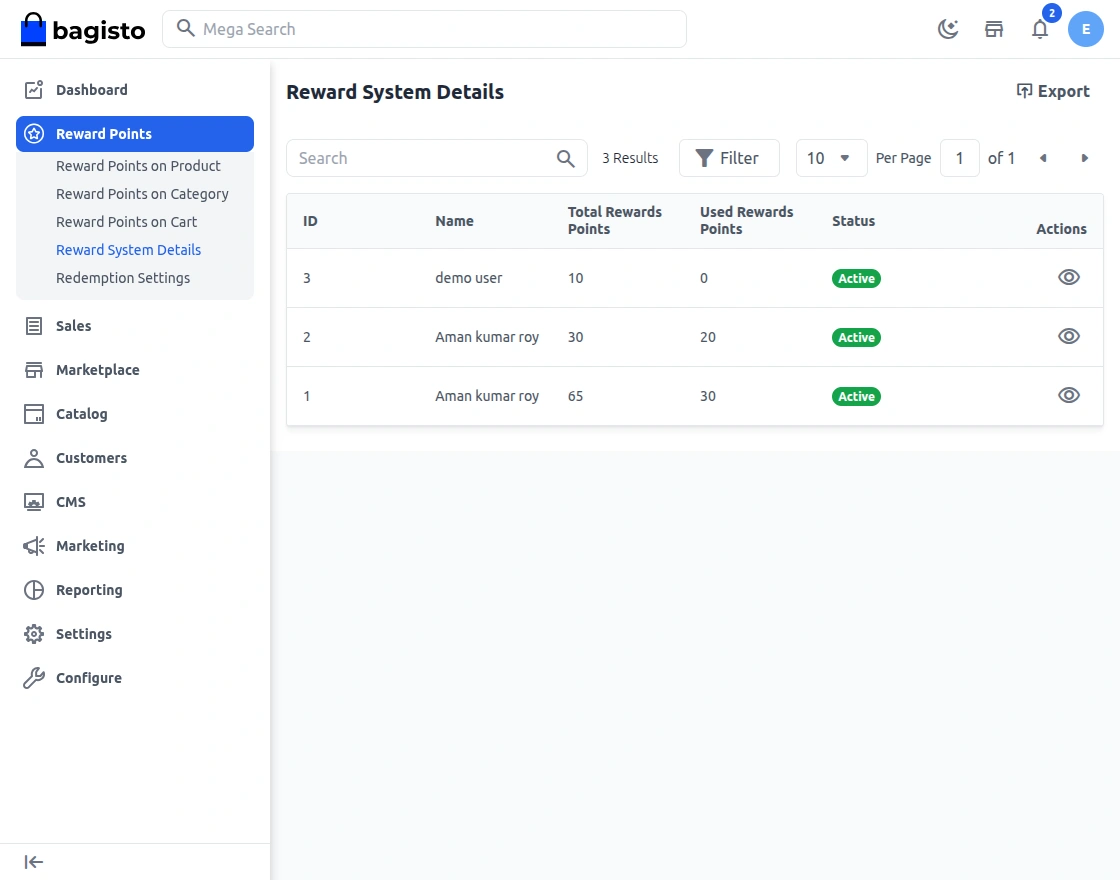
Laravel Marketplace Reward Points System Details
Reward System Details displays the list of all users and their reward point information.
The admin can view the user name, total reward points earned, reward points used, and the current status of the reward account.
This section helps the admin easily track and manage reward points for all customers.
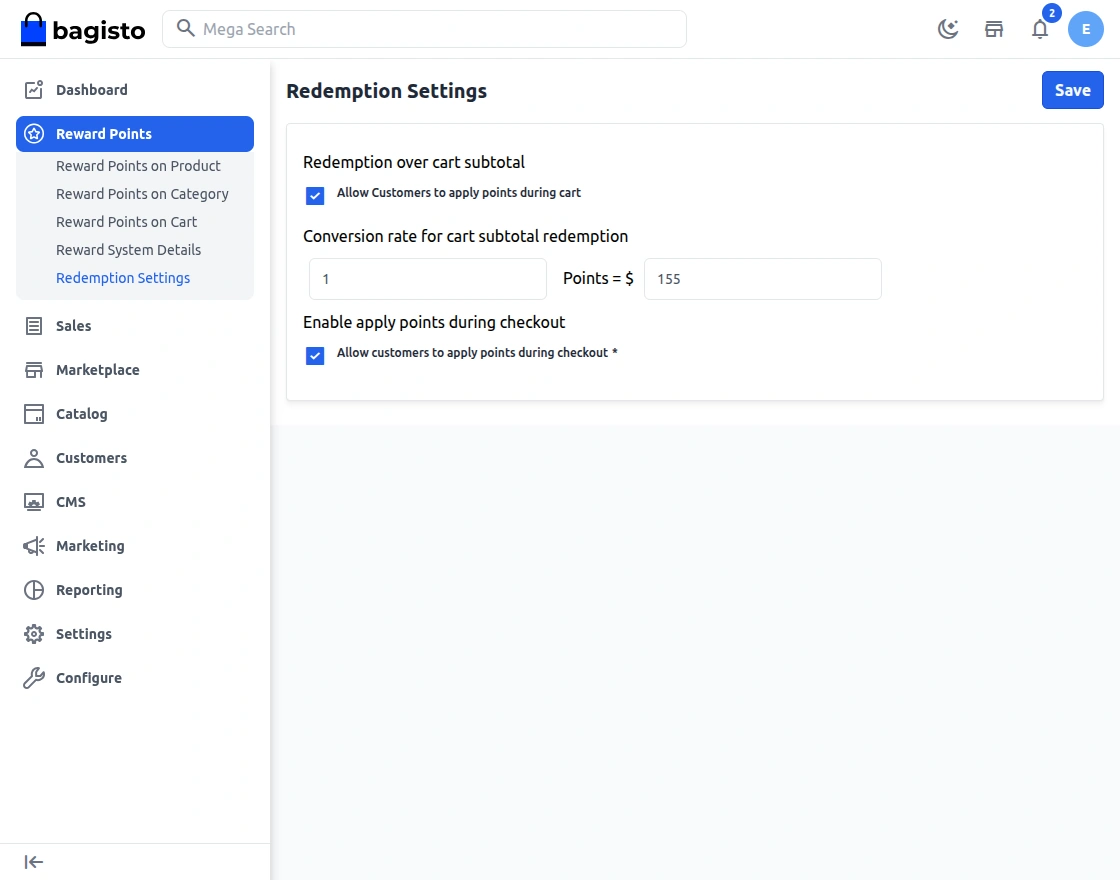
Redemption Settings
Redemption Settings allow the admin to configure how customers can use their reward points during the purchase process.
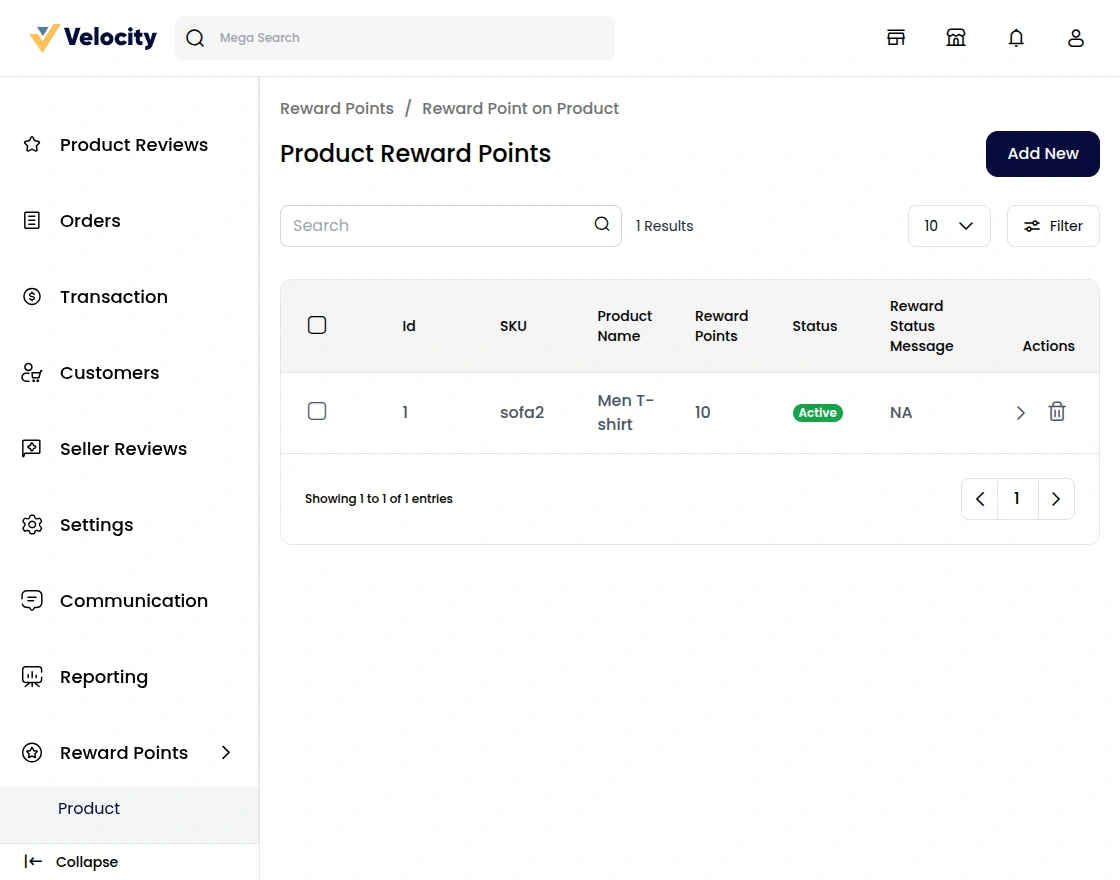
Laravel Marketplace Reward Points on Seller Product
Reward points on products allow the seller to assign specific reward points to their individual products.
When customers purchase these products from the seller’s store, they earn the defined reward points.
This feature helps sellers promote selected products and attract more customers by offering additional benefits through reward points.
Reward Points on Seller Category
Reward points on categories allow the seller to assign reward points to specific product categories available in their store.
When customers purchase products from these categories, they automatically receive the defined reward points.
This helps sellers highlight important categories and encourage customers to buy more products from those categories.
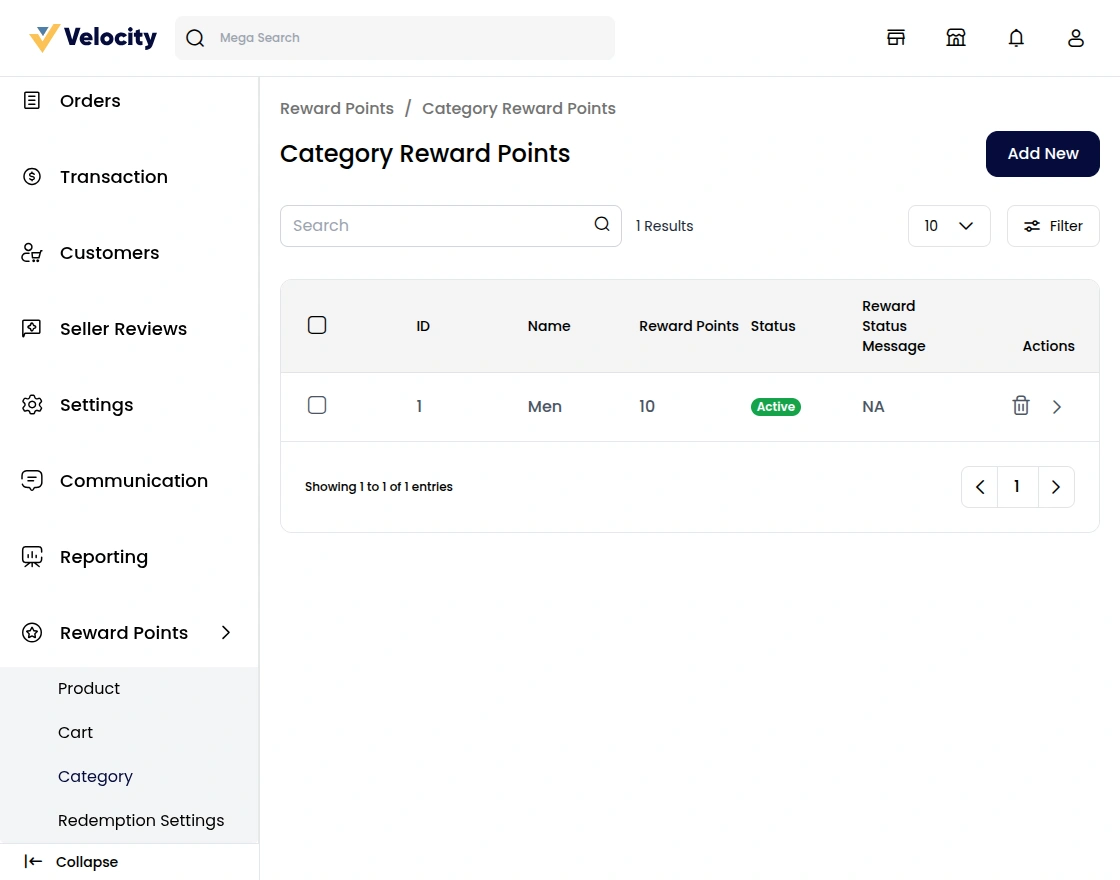
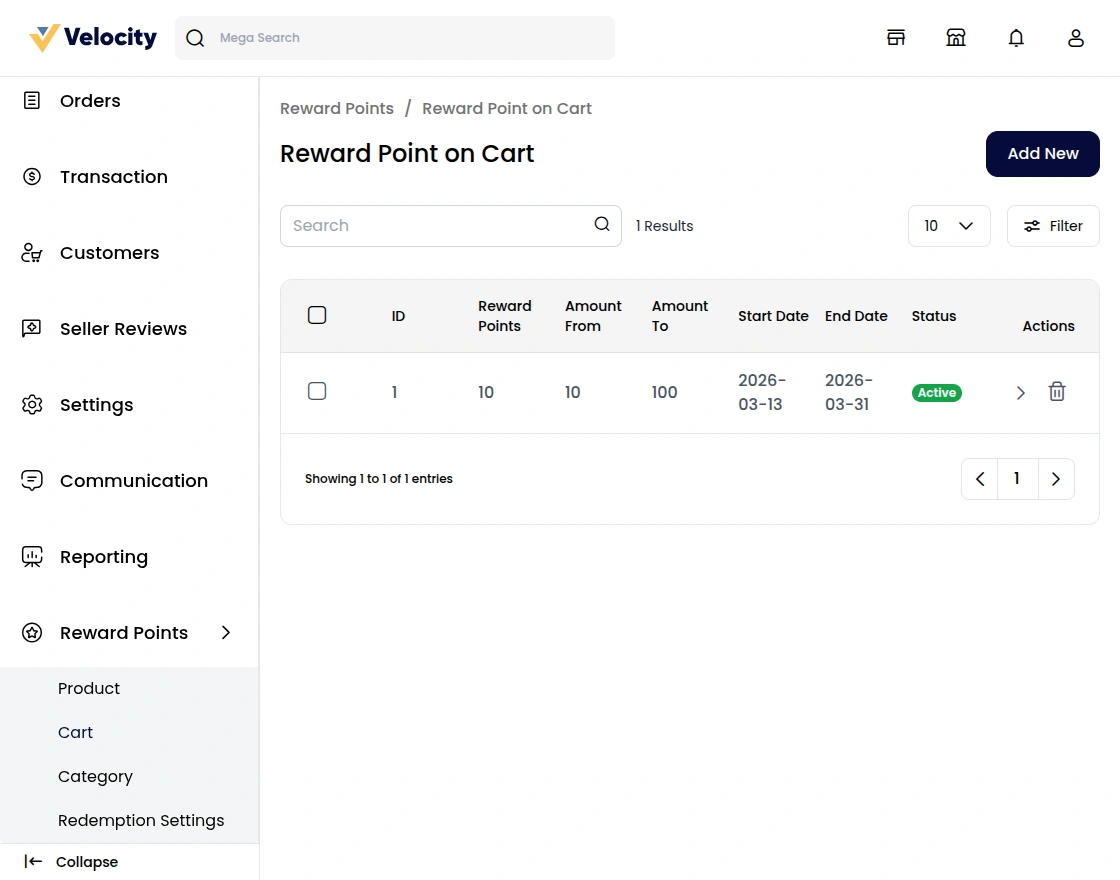
Reward Point on Seller product Cart
Reward points on cart allow the seller to define reward points based on the total cart value or specific cart conditions.
When customers place an order that meets the seller’s defined criteria, they receive the configured reward points.
Consequently, customers are encouraged to increase their cart value and complete more purchases.
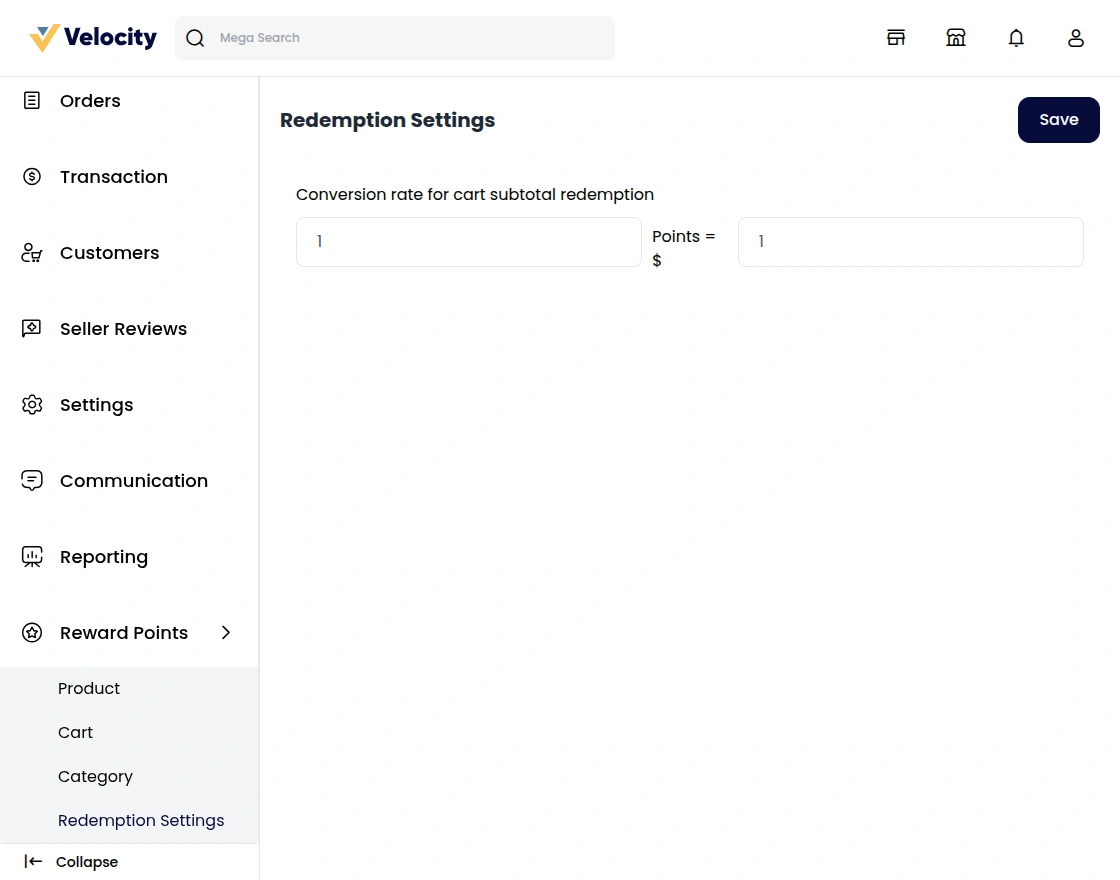
Seller Redemption Settings
Redemption Settings allow the seller to configure how customers can redeem reward points while purchasing products from their store.
The seller can define the rules and limits for using reward points during checkout. This helps sellers control how reward points are applied and ensures a better purchasing experience for customers.
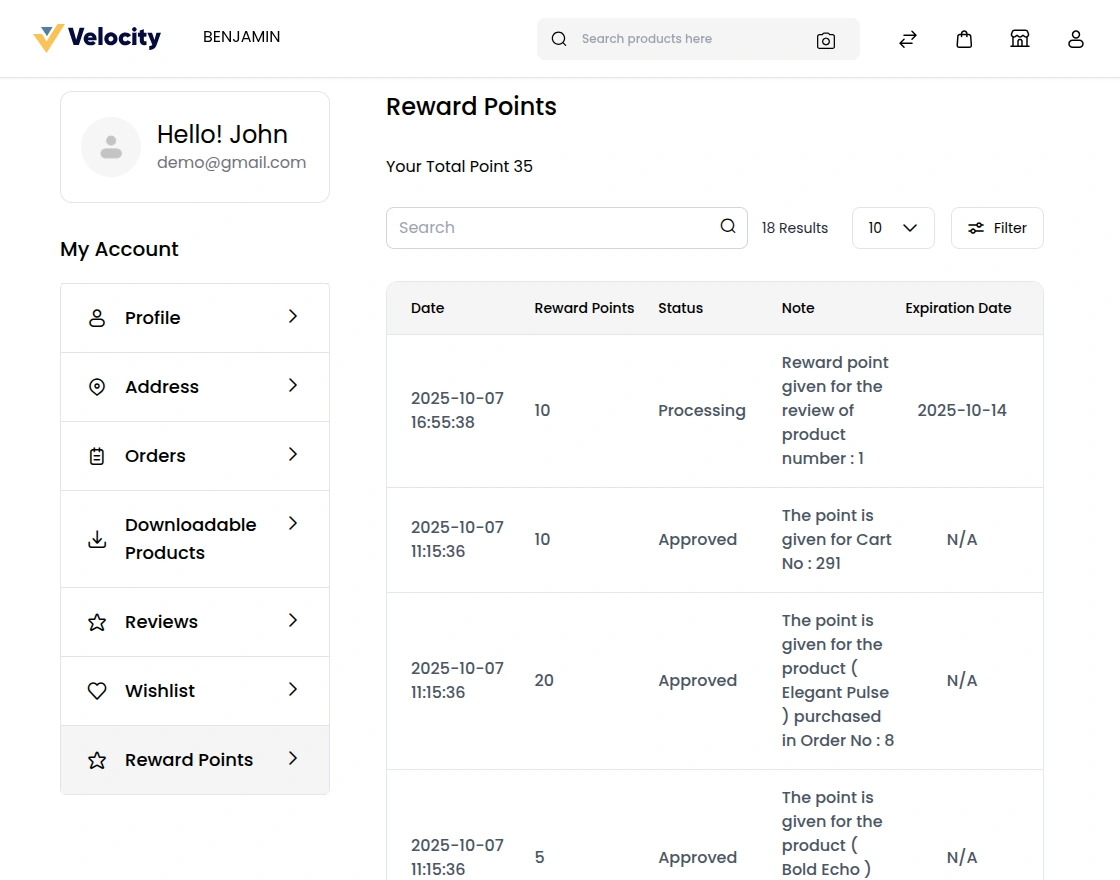
Laravel Marketplace Reward Points – Customer Rewards
Customers can view their reward points in the Reward Points section of their profile.
Support
That’s all for the Laravel Marketplace Reward Points. Still, have any issue feel free to add a ticket and let us know your views to make the module better at [email protected].
Current Product Version - v2.4.10
Supported Framework Version - Bagisto v2.4.10

Be the first to comment.