


















CS-Cart Telegram Order Notification allows store administrators, customers, and vendors to receive real-time store updates through Telegram.
The add-on connects Telegram accounts with the CS-Cart store and sends notifications for important events such as new orders, payment updates, order status changes, returns, and product approvals.
Administrators can configure notification events, create custom notification templates, and manage multiple admin Telegram accounts.
The add-on also supports promotional notifications, and storefront-specific configurations to help businesses keep users informed through Telegram.
Note:
- Install the add-on.
- Enter the license key.
- Follow the license activation steps.
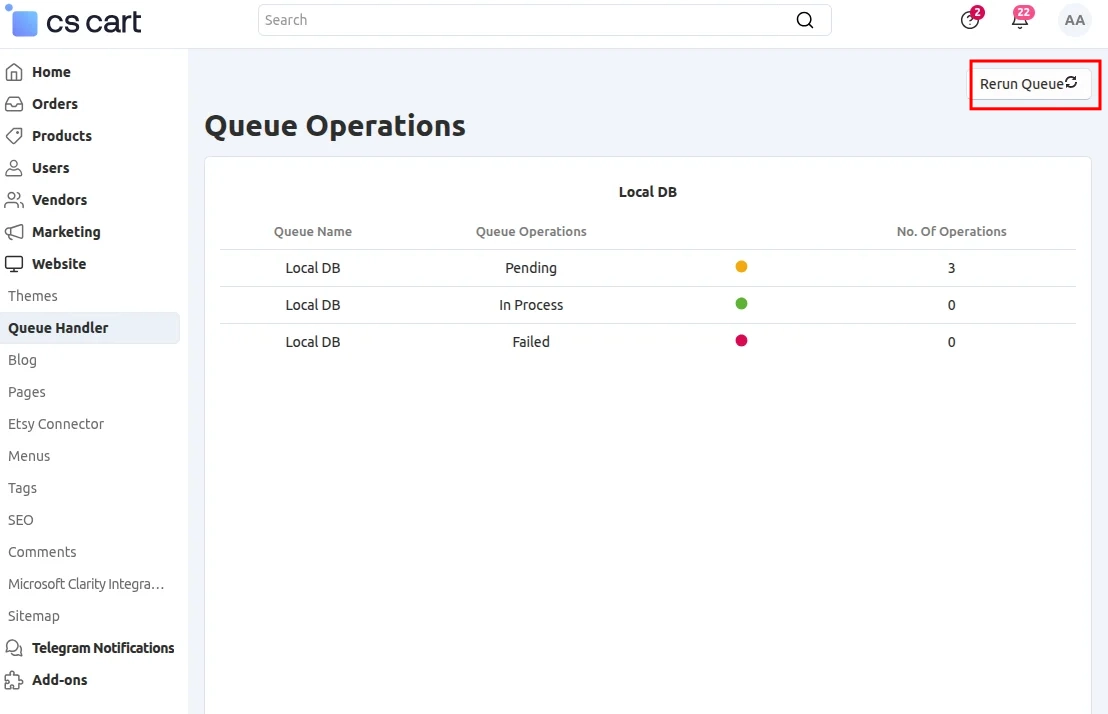
The Queue Handler add-on is required to send Telegram notifications to admins and vendors.
You can also check the CS-Cart Shopify Connector for Shopify integration and synchronization features.
Features
- Send Telegram notifications for new orders, received payments, order status changes, and invoice details.
- Send promotional messages to connected Telegram users.
- Notify customers and admins about important order status changes.
- Notify vendors about product orders, approvals, and disapprovals.
- Send notifications for new return requests and return status changes.
- Notify customers when their profile information is updated.
- Connect multiple admin Telegram accounts to receive store notifications.
- Create custom notification templates using predefined event variables.
- Send relevant notifications to customers, vendors, and admins.
- Allow users to connect their Telegram accounts with the store’s Telegram bot.
- Enable or disable individual notifications according to store requirements.
Installation
After downloading the CS-Cart Telegram Order Notification add-on, you’ll get one zip file, one install.txt file, and a relevant User Guide manual doc.
Please read it carefully for proper configuration.
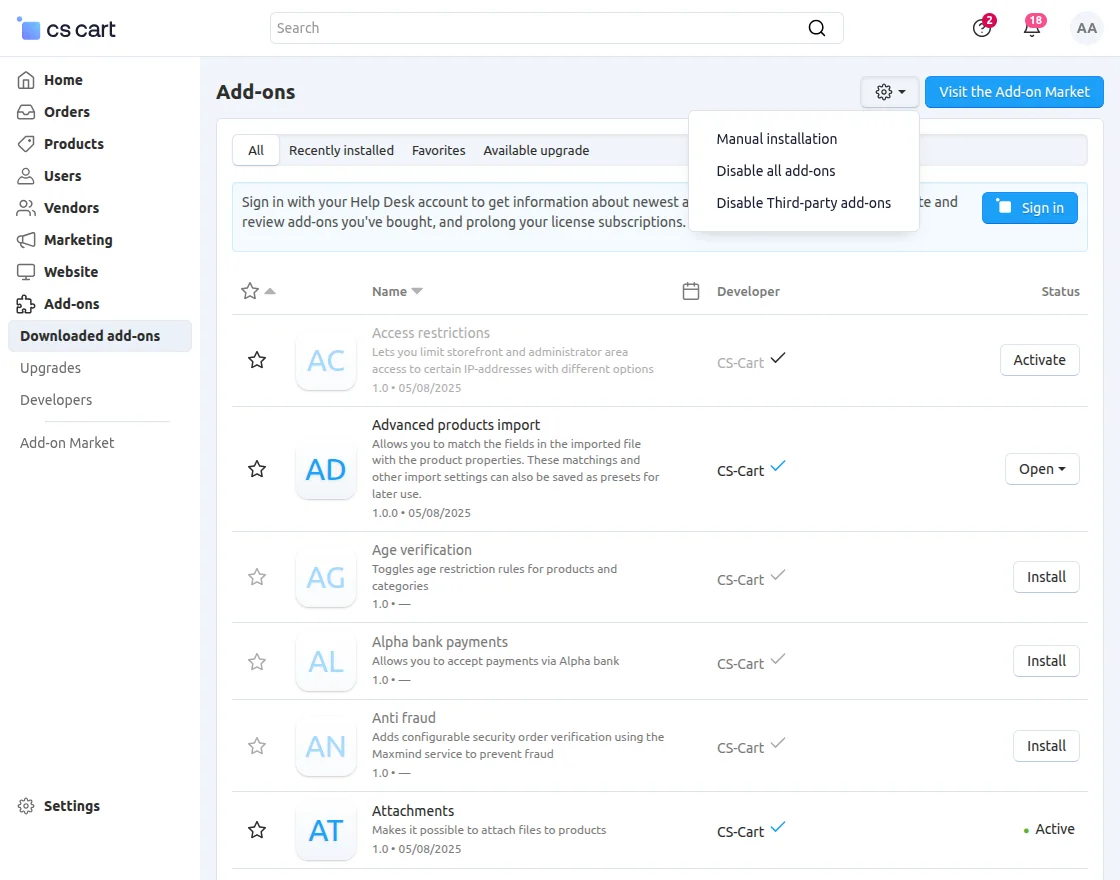
Go to Manage Add-ons and click on “Manual Installation” as shown below in the snapshot.
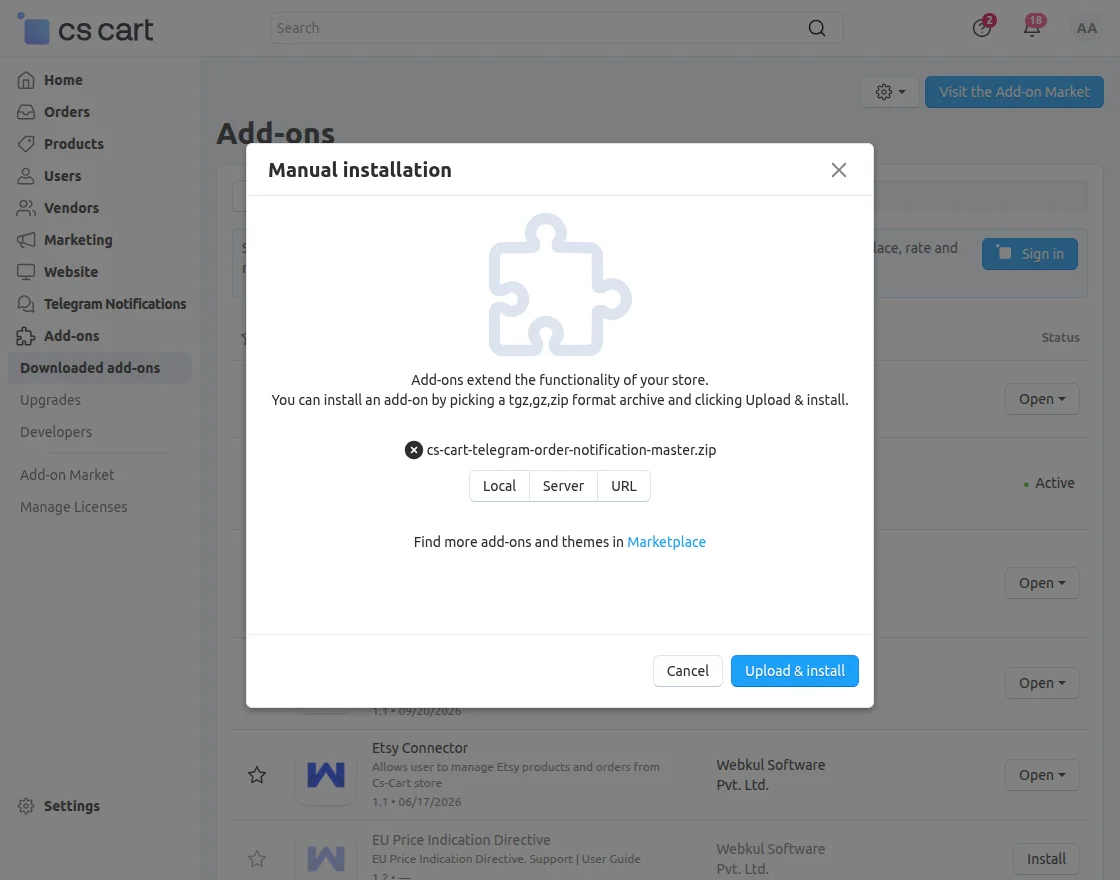
Click on “Local” to browse the zip file, and then click on “Upload & Install” as shown below in the snapshot.
Module Configuration | Admin
To configure the module, go to Add-Ons >> Developers >> Webkul Software Pvt Ltd. >> Telegram Notifications >> Settings.
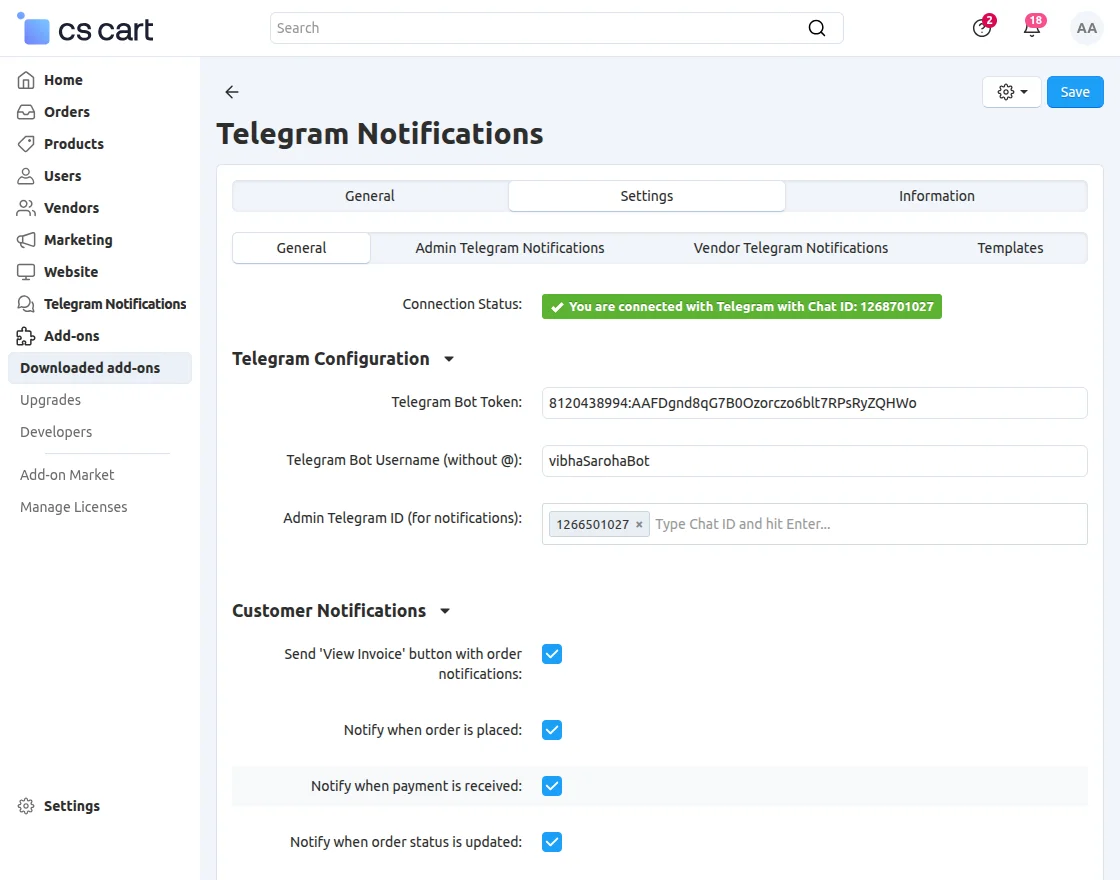
Telegram Configuration
- Connection Status: View the Telegram connection status and connected Chat ID.
- Telegram Bot Token: Enter the Telegram Bot Token generated for your store bot.
- Telegram Bot Username: Enter the Telegram Bot Username without the
@symbol. - Admin Telegram ID: Enter the Admin Telegram ID to receive store notifications.
Customer Notifications
- View Invoice Button: Enable the View Invoice button with order notifications.
- Order Placement Notification: Notify customers when they place an order.
- Payment Notification: Notify customers when payment is received for their order.
- Order Status Notification: Notify customers when their order status is updated.
- Profile Update Notification: Notify customers when their profile information is updated.
- Return Request Notification: Notify customers when they submit a return request.
- Return Status Notification: Notify customers when their return request status changes.
Admin Telegram Notifications
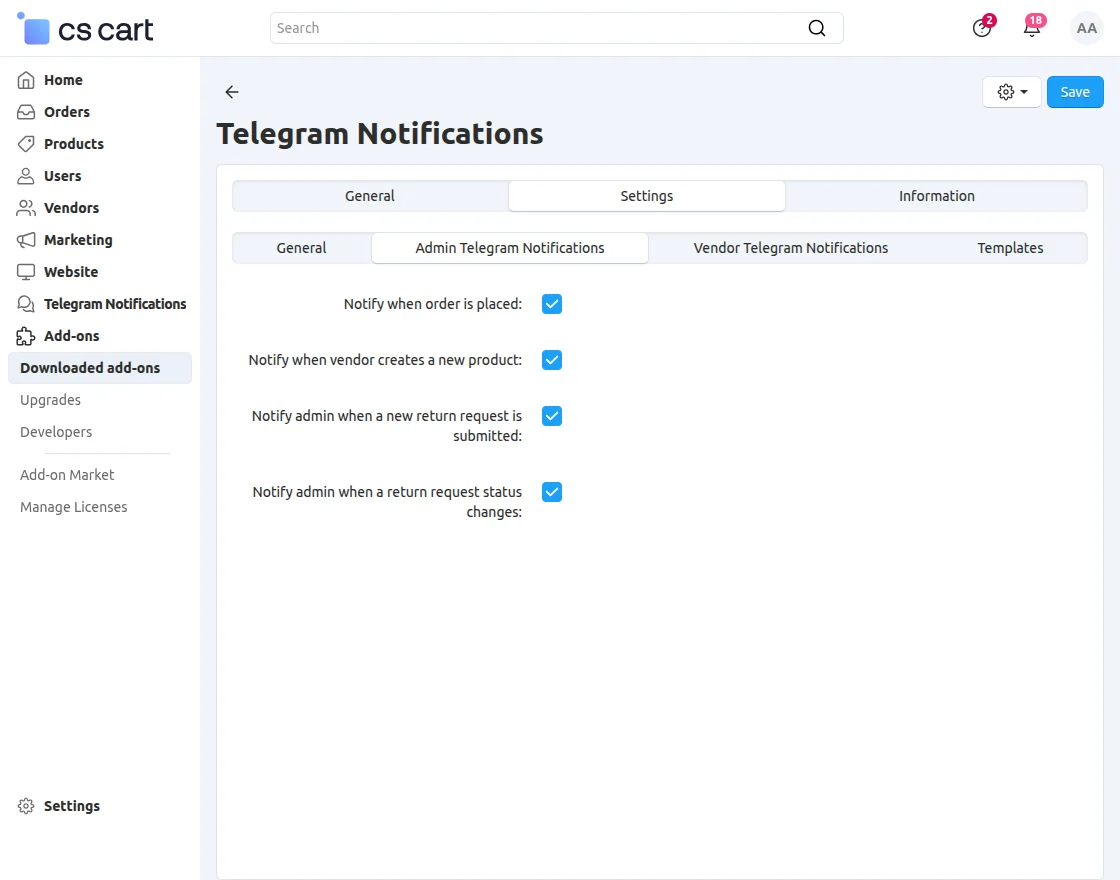
- Order Placement Notification: Notify the admin when a new order is placed.
- New Product Notification: Notify the admin when a vendor creates a new product.
- Return Request Notification: Notify the admin when a new return request is submitted.
- Return Status Notification: Notify the admin when a return request status changes.
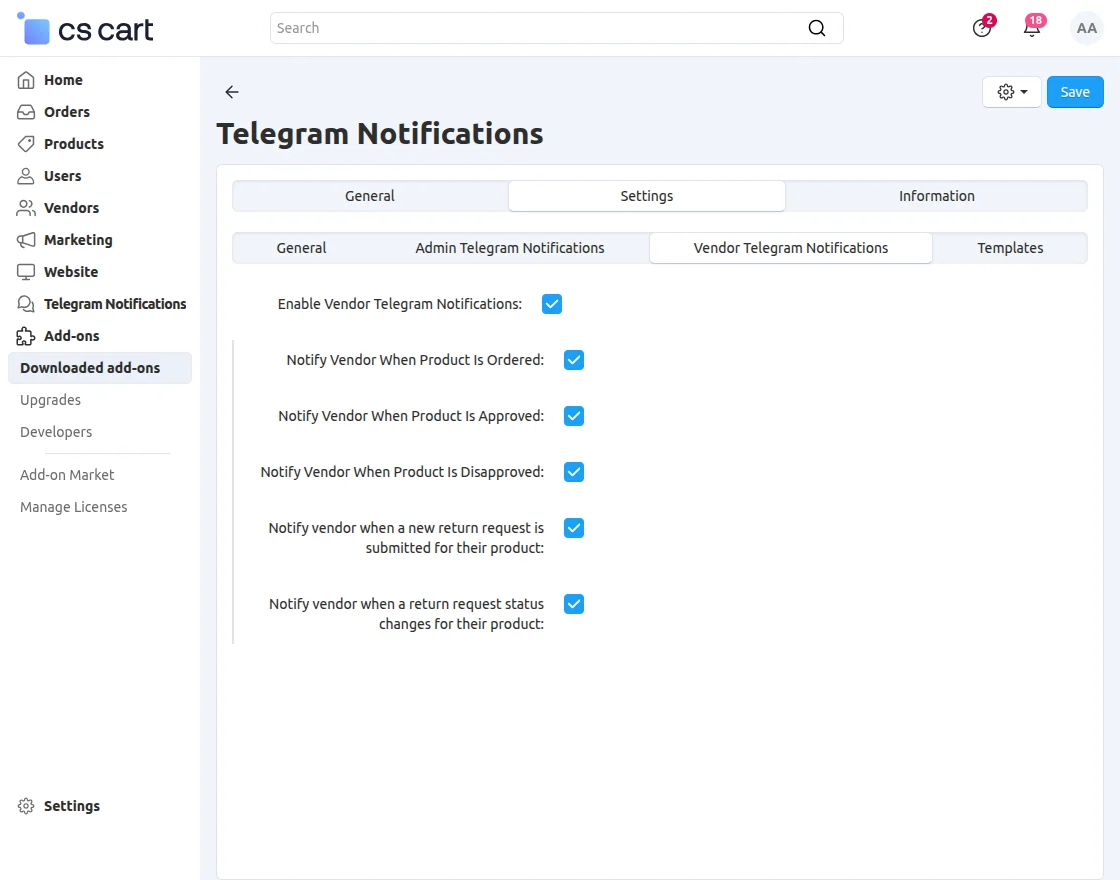
Vendor Notifications
- Enable Vendor Telegram Notifications: Enable Telegram notifications for vendors.
- New Product Order: Inform vendors when a customer places an order for their product.
- Product Approval Alert: Keep vendors updated when the admin approves a product.
- Product Disapproval Alert: Inform vendors when the admin disapproves a product.
- Return Request Notification: Notify vendors when a return request is submitted for their product.
- Return Status Notification: Notify vendors when the return request status changes for their product.
Manage Connection
To manage your Telegram account, navigate to Telegram Notification >> Manage Notification.
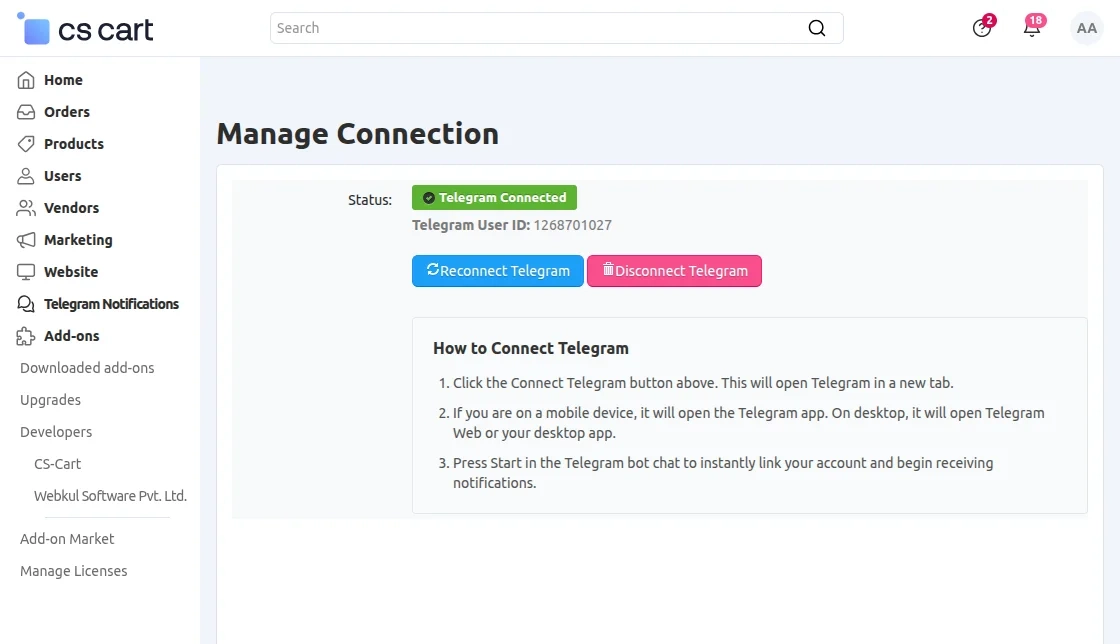
From here, you can disconnect, connect, or reconnect your Telegram account.
Telegram Customers
To manage connected Telegram users, navigate to Telegram Notification >> Telegram Customer.
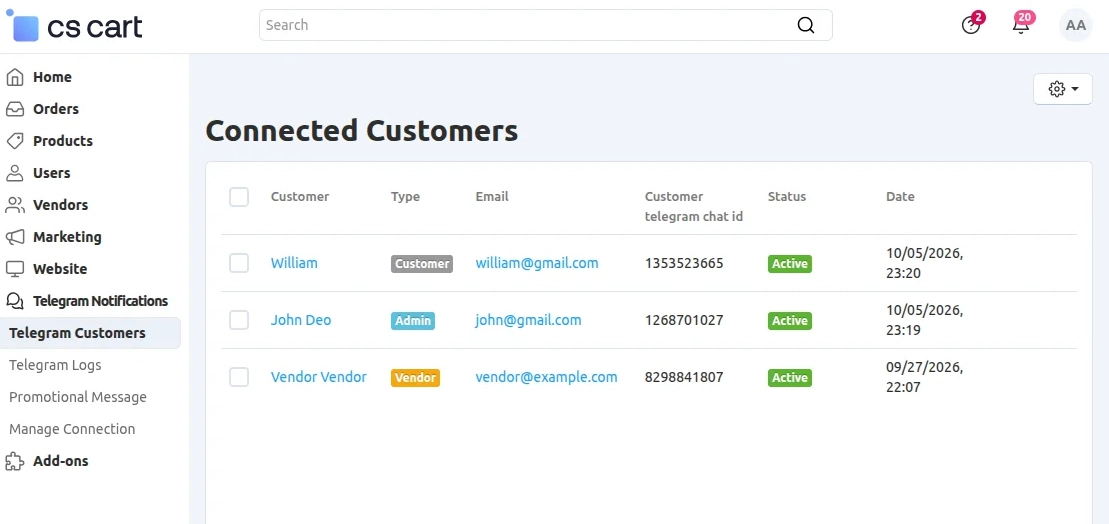
To manage connected Telegram users, navigate to Telegram Notification >> Telegram Customer.
Promotional Message
To add and send a promotional message, navigate to Telegram Notification >> Promotional Message.
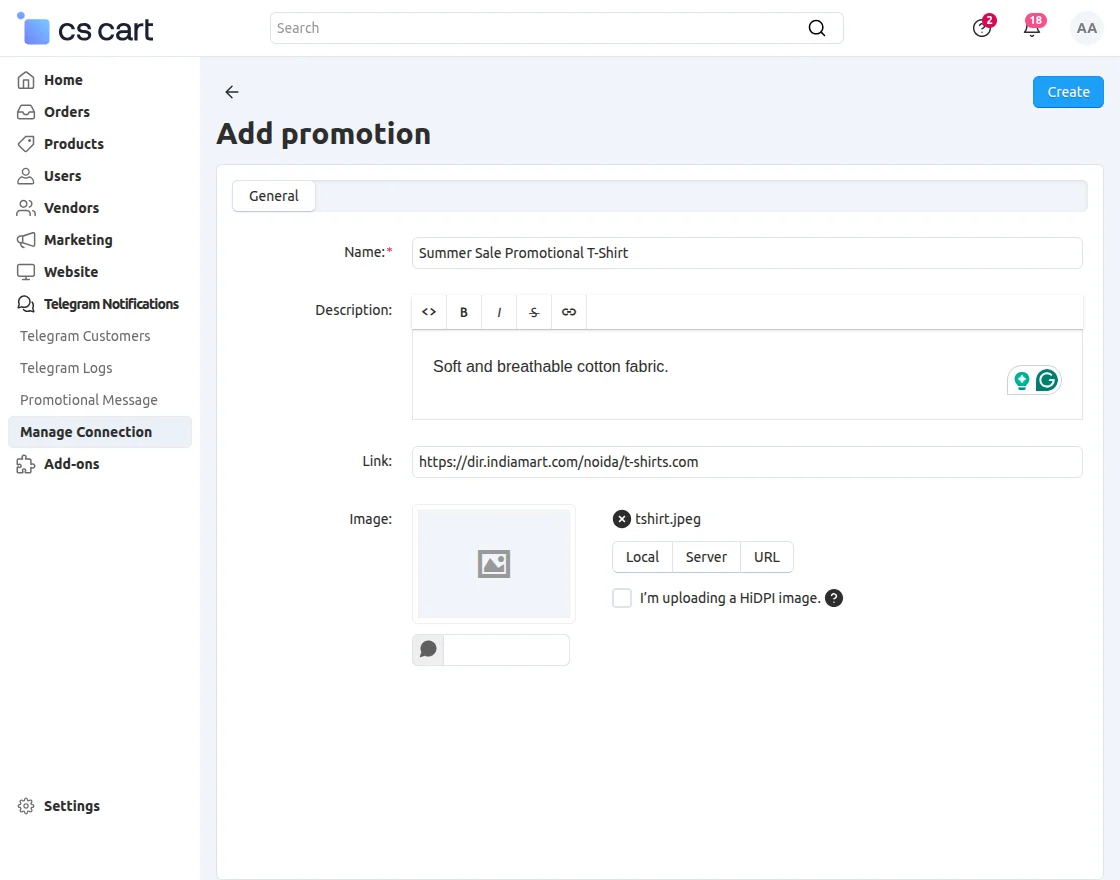
- Name: Enter the name of the promotion.
- Description: Enter a brief description of the promotion.
- Link: Enter the promotional link.
- Image: Upload an image for the promotion.
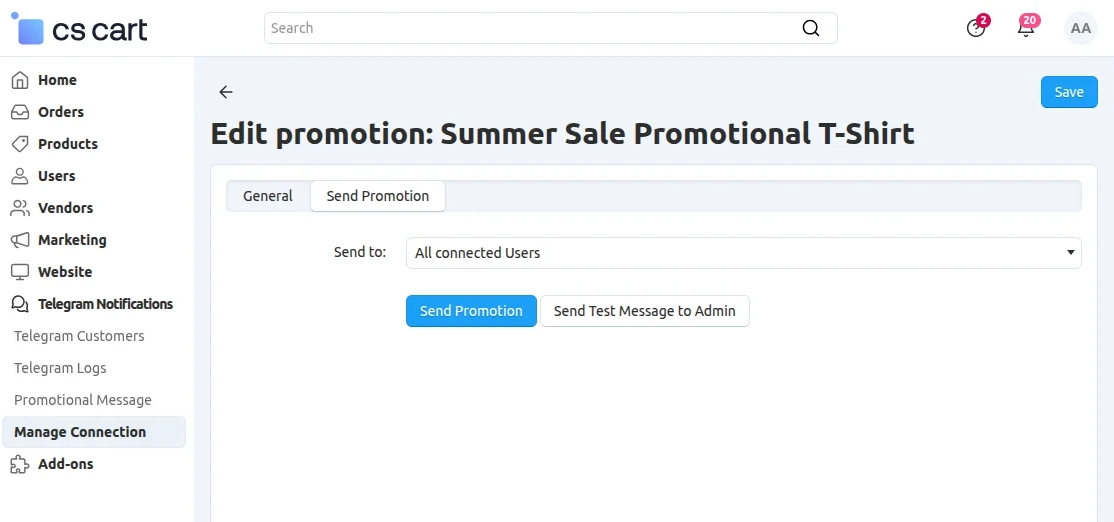
From here, admins can select the user group to which they want to send promotional notifications.
Telegram Logs
To check Telegram notification logs, navigate to Telegram Notification >> Telegram Logs.
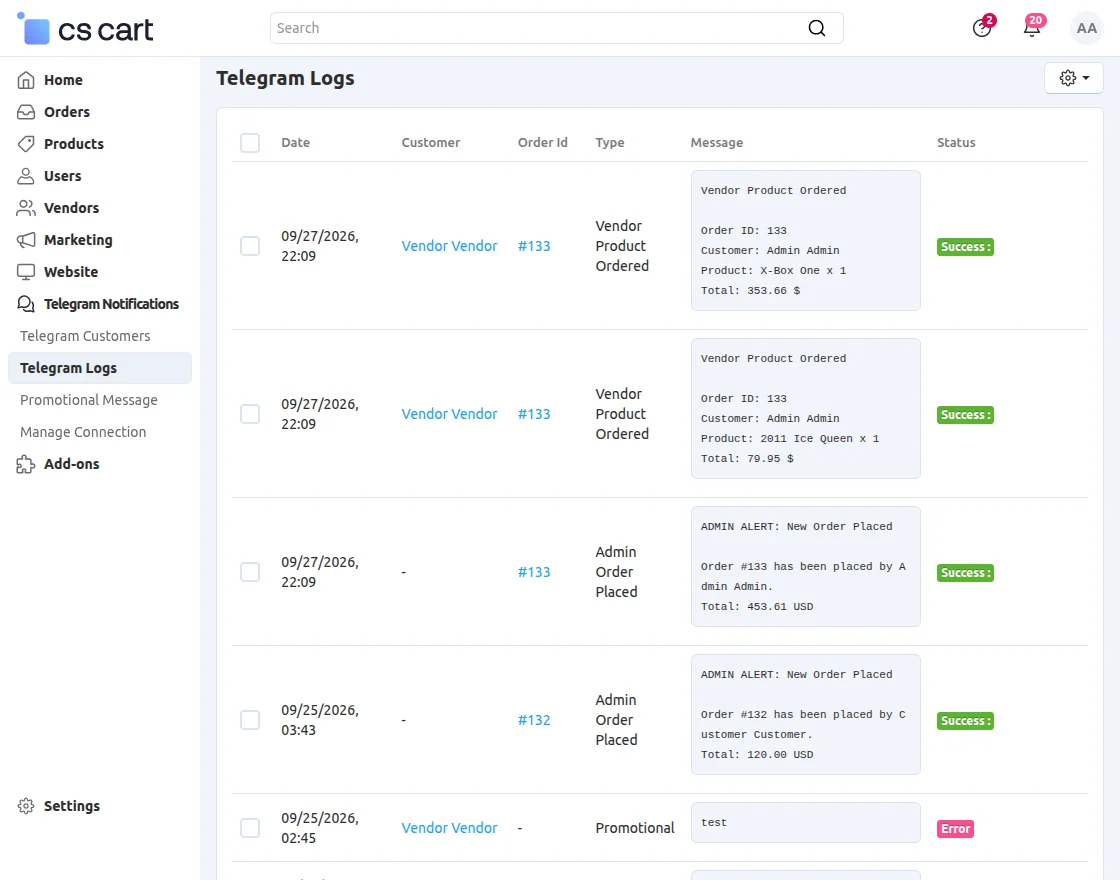
Run Queue for Admin and Vendor Notifications
To run the queue, navigate to Website >> Queue Handler and run the pending queue.
Vendor Telegram Account Connection
To connect their Telegram account, vendors need to navigate to Seller Information from the Vendor Panel.
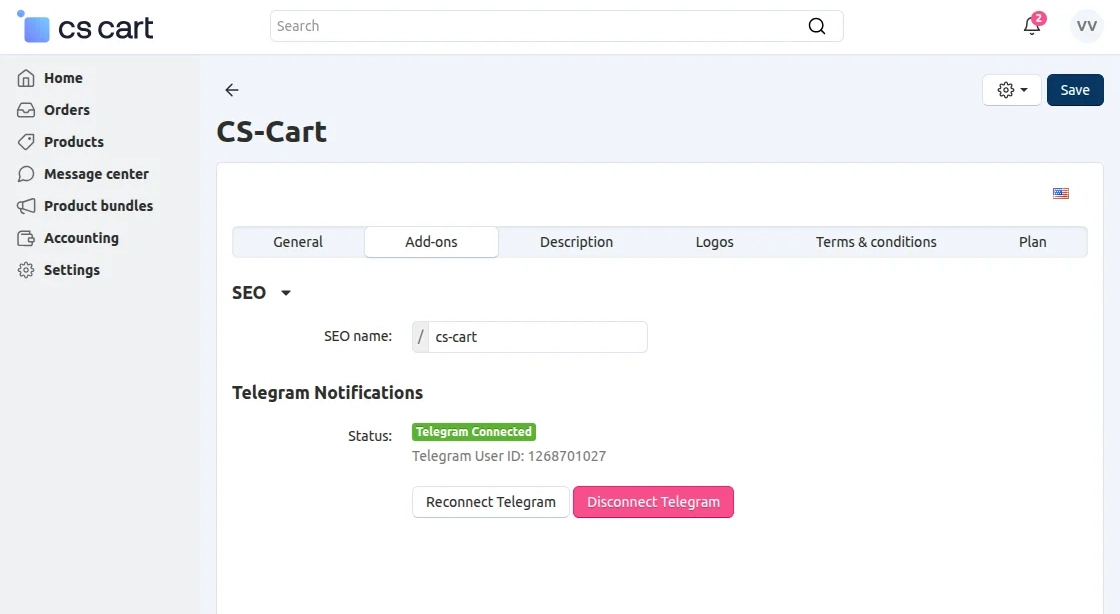
From here, vendors can connect, disconnect, or reconnect their Telegram account.
Customer Telegram Account Connection
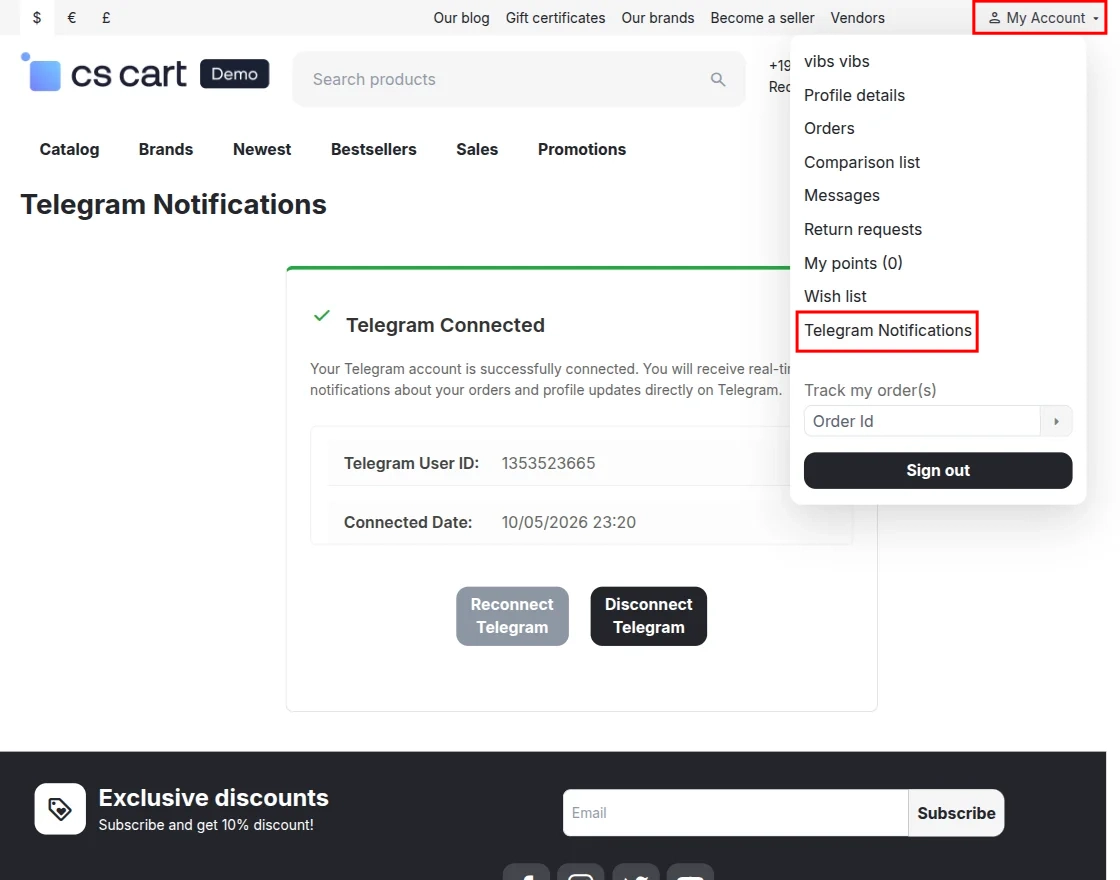
After logging in to their account, customers need to navigate to My Account >> Telegram Notification.
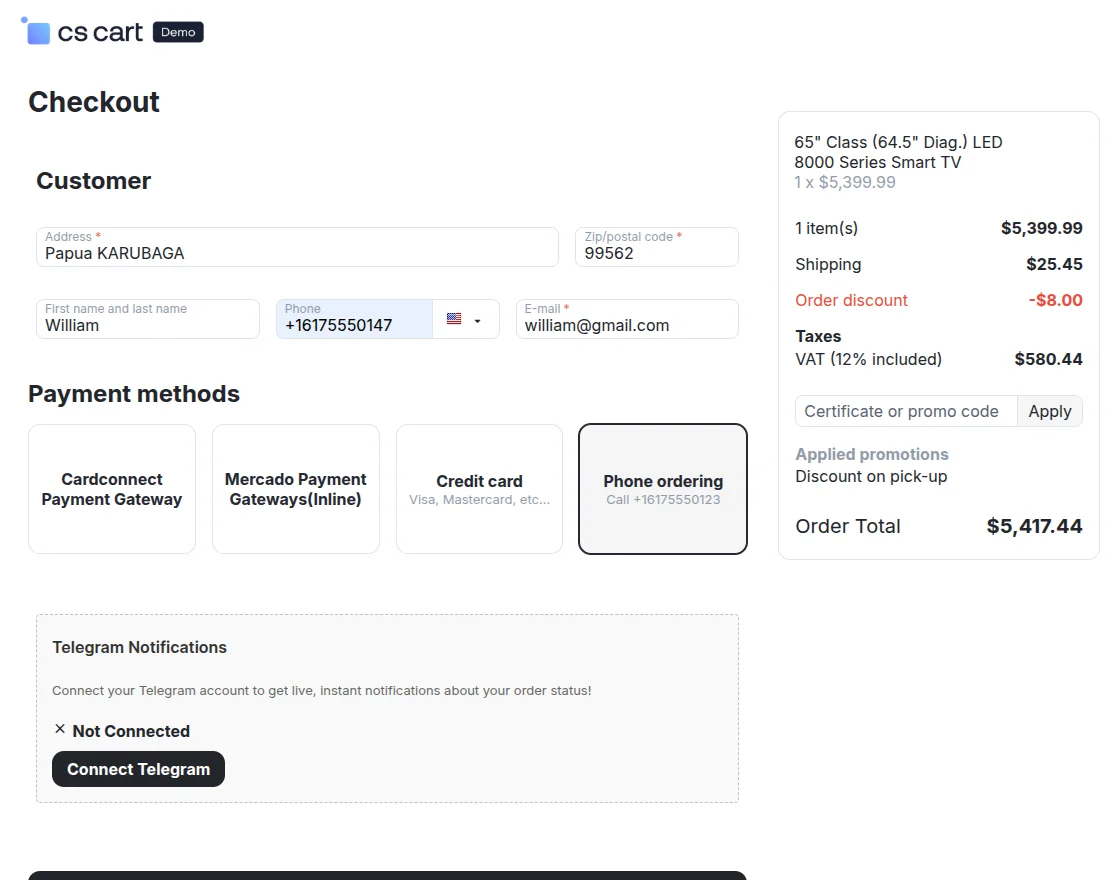
Customers can also connect their Telegram account directly from the checkout page.
Telegram Notification
Admins, vendors, and customers will receive real-time notifications directly in Telegram.
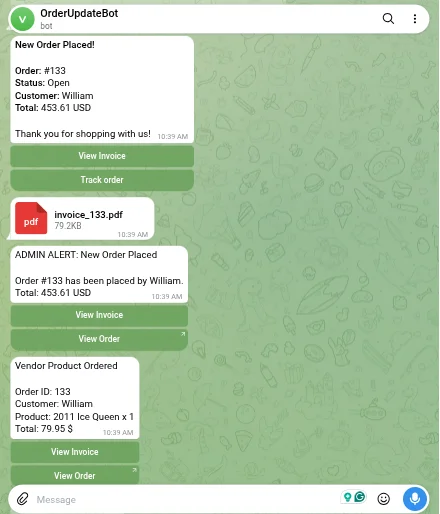
Customers, vendors and admin can track their orders and view their invoices directly through Telegram notifications.
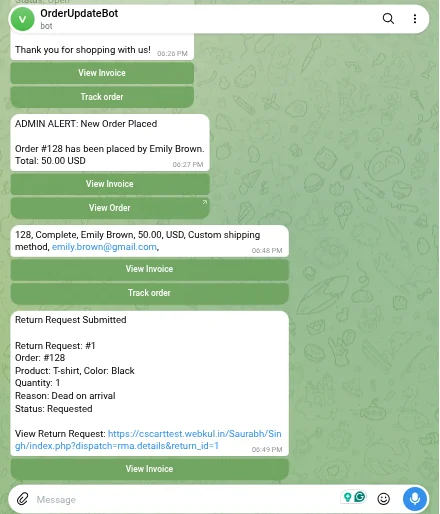
Customers also receive Telegram notifications when they submit a return request.
Support
If you have any questions, suggestions, or customization requests, feel free to contact us at [email protected] or submit a ticket at webkul.uvdesk.com.
Explore our premium-quality CS Cart Extensions to enhance your store functionality.
You can also explore our CS-Cart Development Services and Quality CS-Cart add-ons.

Be the first to comment.