


















Laravel Custom Ring Builder lets jewellery store admins offer tailored ring customization.
Buyers choose a ring style and a diamond before they place the order.
The admin adds product attributes that match the choices of a physical jewellery shop. So the online store gives the same tailored experience as the shop.
Requirements
- Bagisto: v2.5.0
- Jewellery Adornments Theme: v2.5.0
Features of Laravel Custom Ring Builder
- The admin adds configurable products organized by attribute steps.
- The admin adds multiple product attributes.
- Buyers personalize rings to their preferences.
- A top navigation bar guides buyers through each step of the customization.
- Buyers review and change the selected ring or diamond at any stage.
- Ring styles include Antique, Halo, Pave, Solitaire, Three Stone, and Twisted.
- Metal choices include 14K, 18K, PA, and PL.
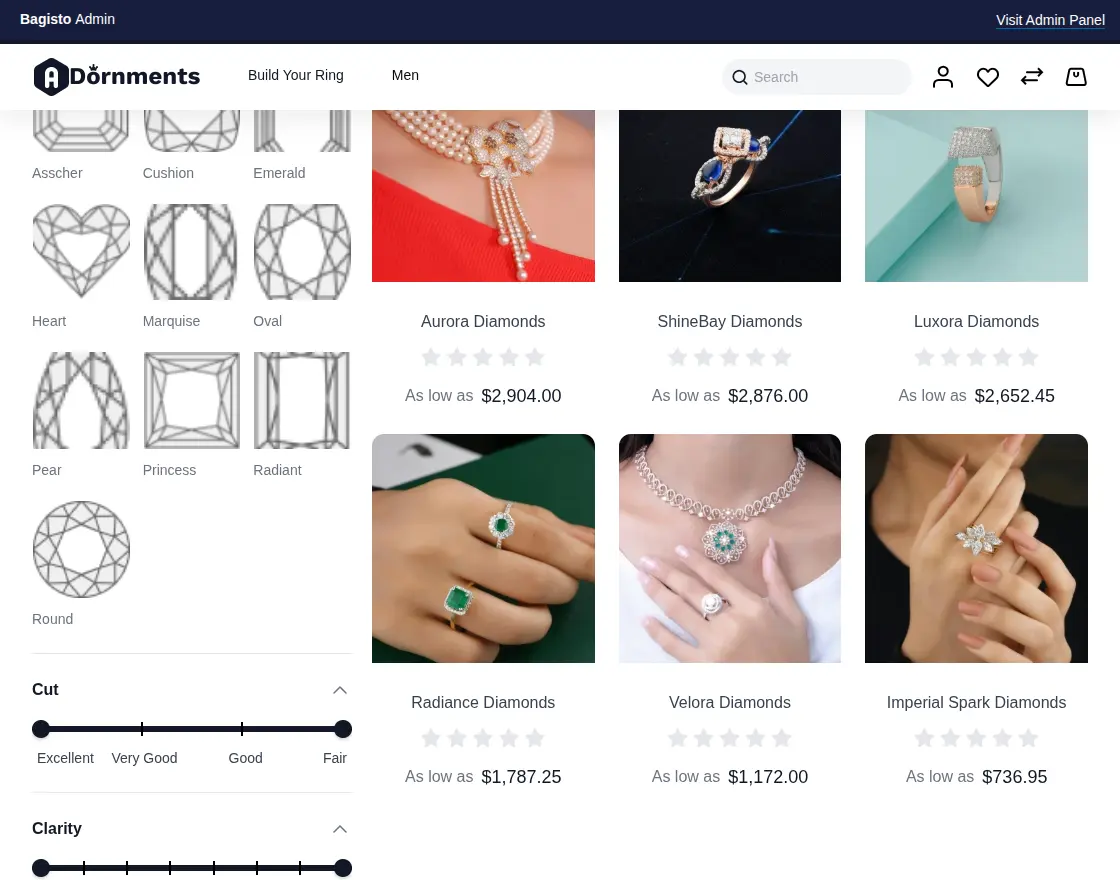
- Stone shapes include Asscher, Cushion, Emerald, Heart, Marquise, Oval, Pear, Princess, Radiant, and Round.
- The admin defines ring sizes with an extra price for each size.
- Buyers filter settings by style, metal, and price, and diamonds by shape, cut, clarity, color, carat, and price.
- The ring and the diamond stay linked as one build in the cart, so removing or updating one keeps the other in sync.
- The cart and the admin order view record the style, metal, size, cut, color, clarity, and carat.
- Installation creates the Ring, Necklace, and Earrings storefront categories.
- The build page shows loading placeholders that match the loaded content, so the layout does not jump.
- All 21 locales that Bagisto supports are available.
Installation of Laravel Custom Ring Builder
First, download and unzip the extension. Then merge the packages folder into the root directory of the project.
Update composer.json
Open the composer.json file and add the following lines under the ‘psr-4’ section.
"Webkul\\RingBuilder\\": "packages/Webkul/RingBuilder/src",
"Webkul\\Adornments\\": "packages/Webkul/Adornments/src"
Next, run the following command.
composer dump-autoload
Register the providers
Add the following imports to the bootstrap/providers.php file.
use Webkul\Adornments\Providers\AdornmentsServiceProvider;
use Webkul\RingBuilder\Providers\RingBuilderServiceProvider;
Then add the following lines under Provider. List the Adornments provider first.
AdornmentsServiceProvider::class,
RingBuilderServiceProvider::class,
Run the install commands
Run the following commands from the root directory.
php artisan adornments-theme:install
php artisan ring-builder:install
Activate the Adornments theme
Open Settings>Channels and edit the default channel. Then select the Adornments theme and save.
The ring builder pages use the Adornments layout, so the store needs this theme to show them.
Congratulations! The store now has the Ring Builder and the Jewellery Adornments Theme.
Admin Management
Configure the module
After the installation, the admin opens Configure>Ring Builder>Settings. Then the admin enables the status to turn the module on.

Once the status is on, the module is ready to use.
Manage product attributes
The module adds the product attributes. The admin edits them or creates new ones.
Style, Metal, and Ring Size belong to the setting. Shape, Cut, Color, Clarity, Carat, and Report belong to the stone.
The admin finds them under Catalog>Attributes.

Create a new product
To create a ring or a diamond, the admin selects the attribute family Ring Attribute or Stone Attribute.
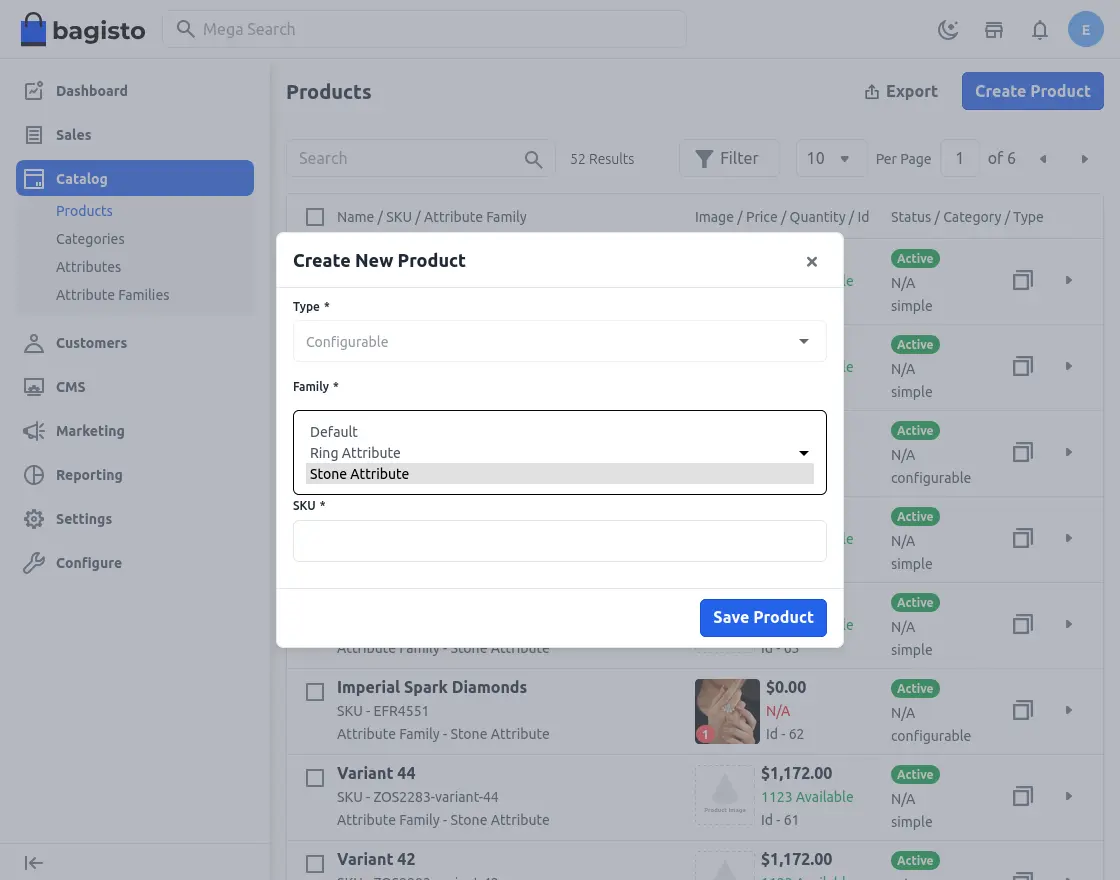
Choose the ring attributes family
The admin defines the attributes that buyers customize. These include the style variations Antique, Halo, Pave, Solitaire, Three Stone, and Twisted.
They also include the metal choices 14K, 18K, Palladium, and Platinum.
The product edit page has a Ring Size section. There the admin adds each size with an extra price. The cart applies this price to the ring, so tax and totals stay correct.
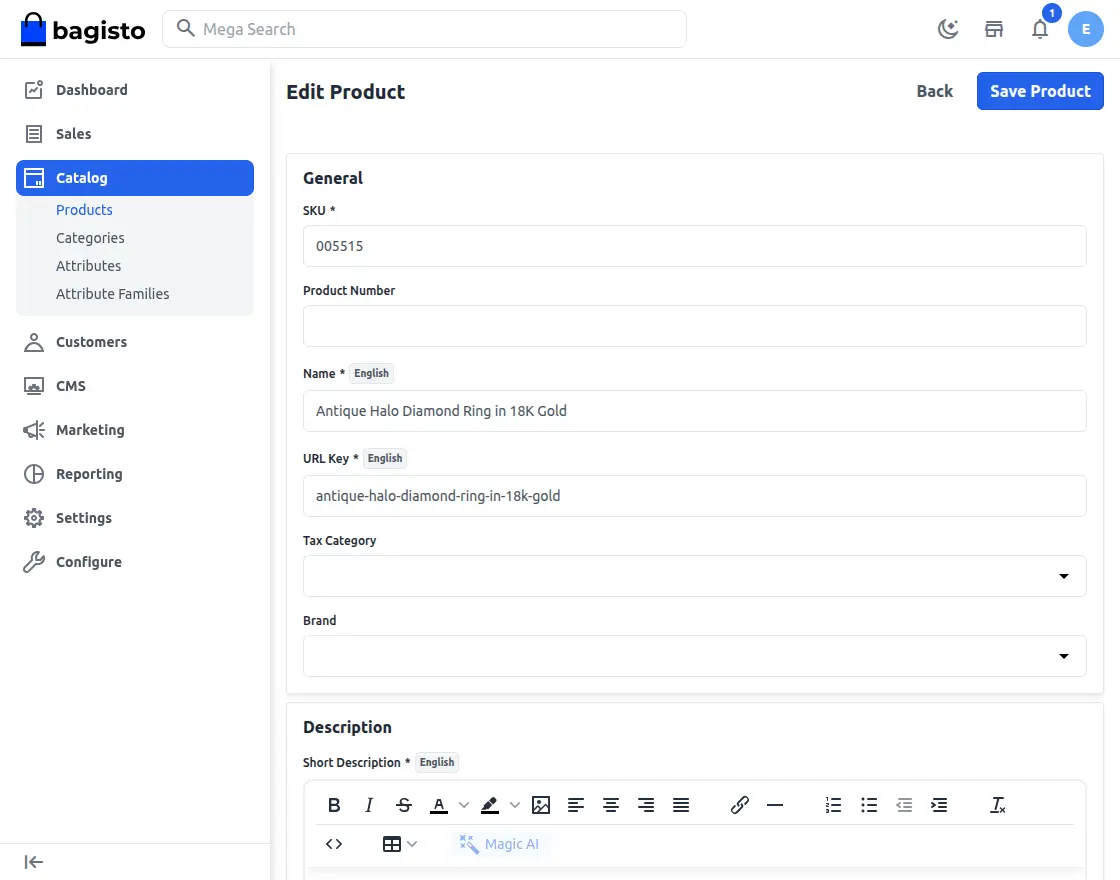
Choose the stone attributes family
For a stone, the admin sets the Shape attribute. The shapes are Asscher, Cushion, Emerald, Heart, Marquise, Oval, Pear, Princess, Radiant, and Round.
So buyers pick the shape that matches their design.
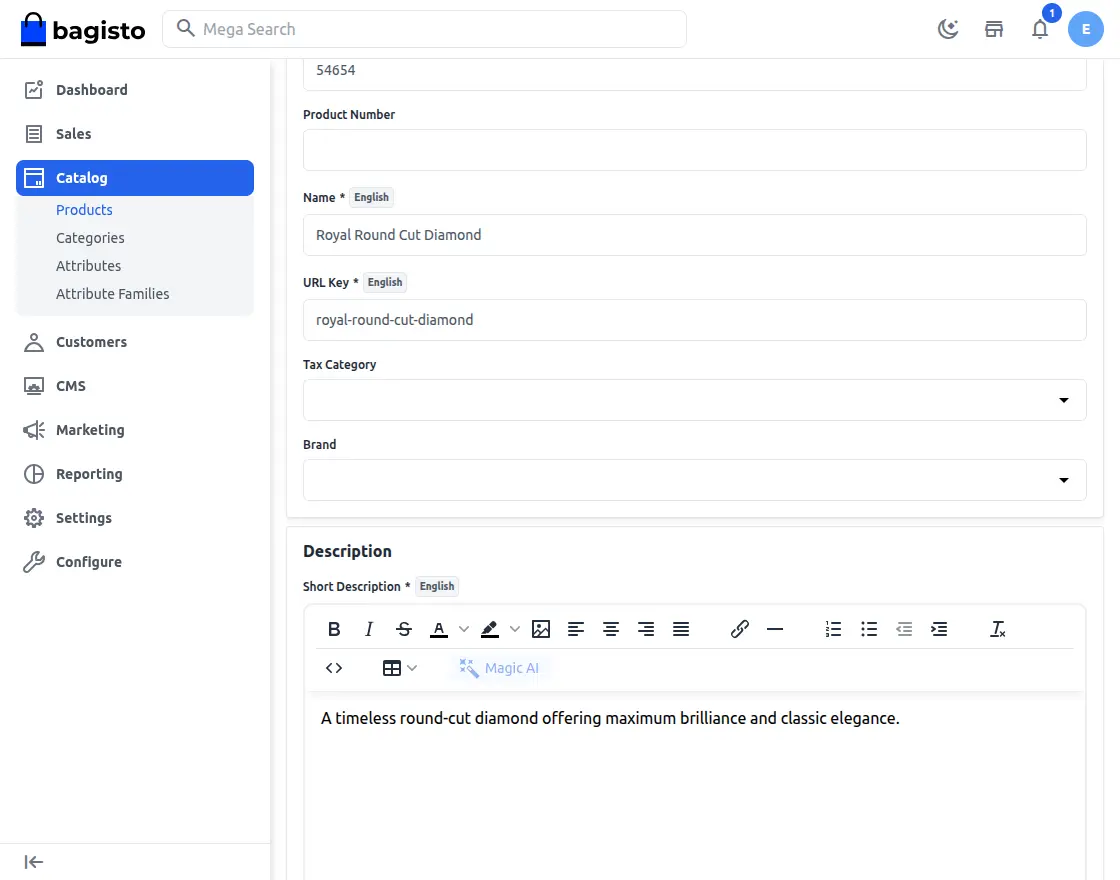
Customer View
Open the ring builder
Buyers reach the builder from the Build Your Ring link in the header. It has three steps: design the ring, choose the diamond, and complete the ring.
The header also links to the Ring, Necklace, and Earrings categories. Buyers browse them with the regular category filters.
Ring page
On the first step, buyers narrow the list with the style, metal, and price filters.
Then they select a ring and open its product page. There they choose the metal, style, and ring size, and click Add to Ring.
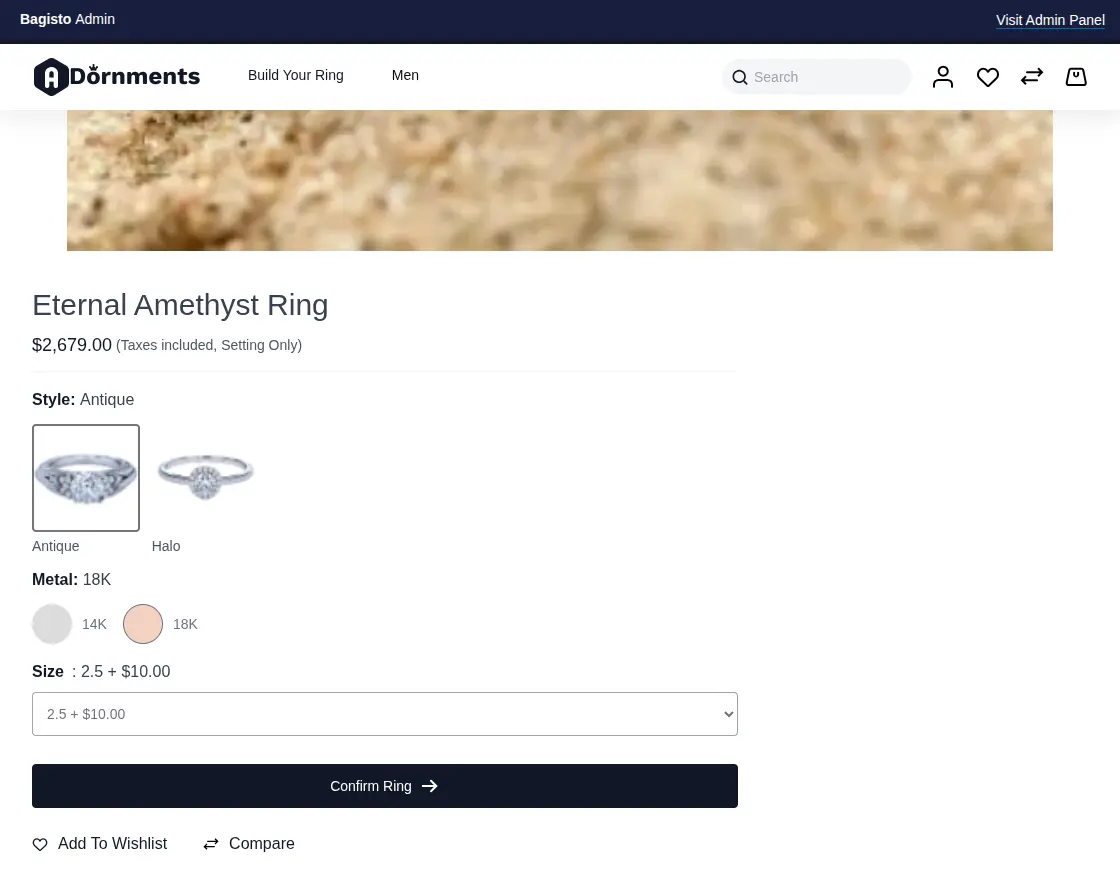
Choose the diamond
Next, buyers filter the diamonds by shape, cut, clarity, color, carat, and price.
So they find the exact stone they want.
Diamond page
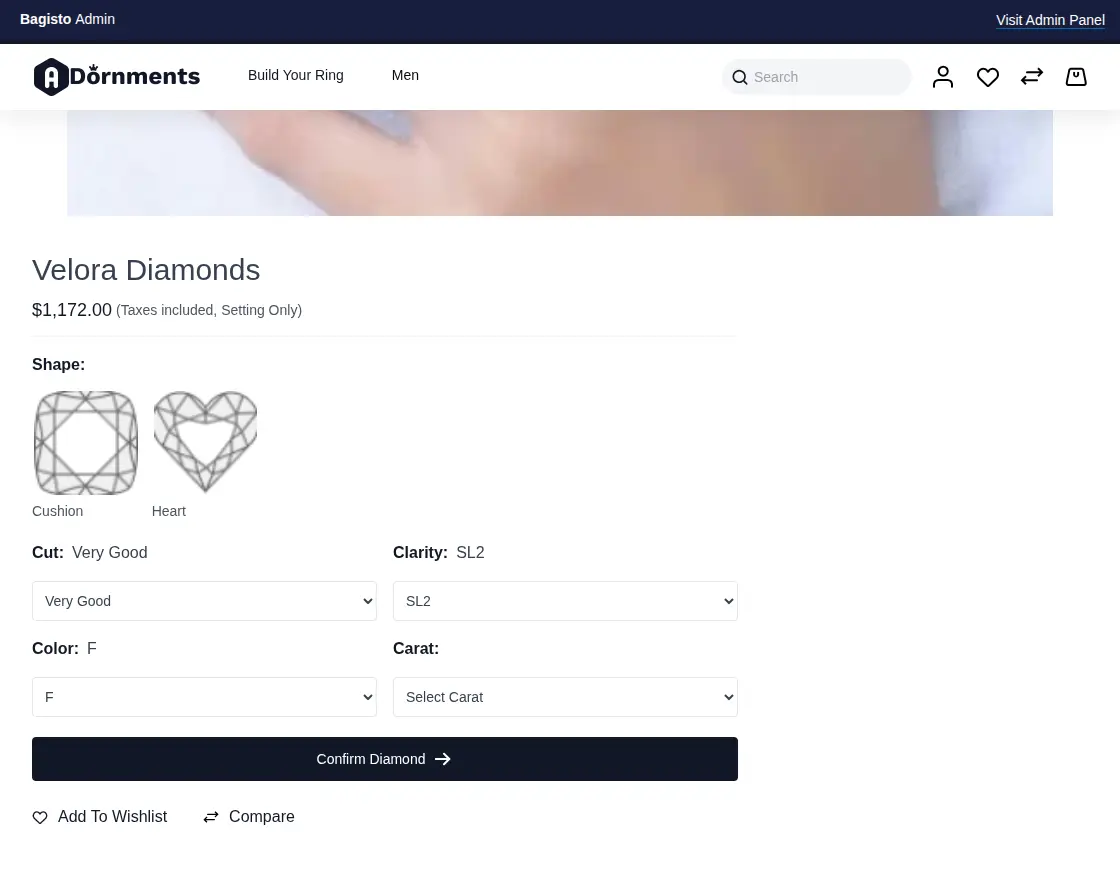
Buyers select a diamond and open its product page. There they choose the shape, cut, clarity, color, and carat. Then they click Confirm Diamond.
Complete your ring
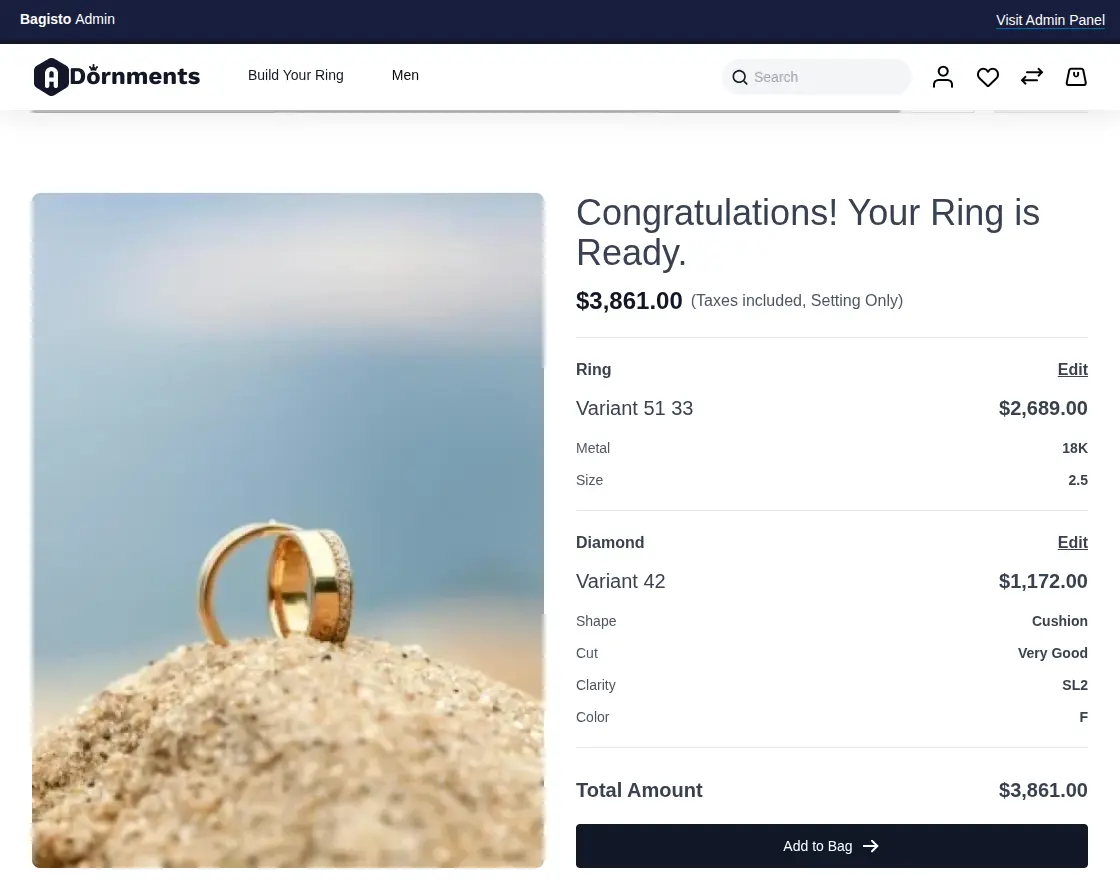
Buyers review the ring before they order. The summary lists the style, metal, and size of the ring, and the cut, color, clarity, and carat of the diamond.
They can click Change, Delete, or Rebuild Ring to adjust the build.
Finally, they click Add to Bag. The module checks both items first, so a half-built ring never reaches the cart.
Checkout the custom ring
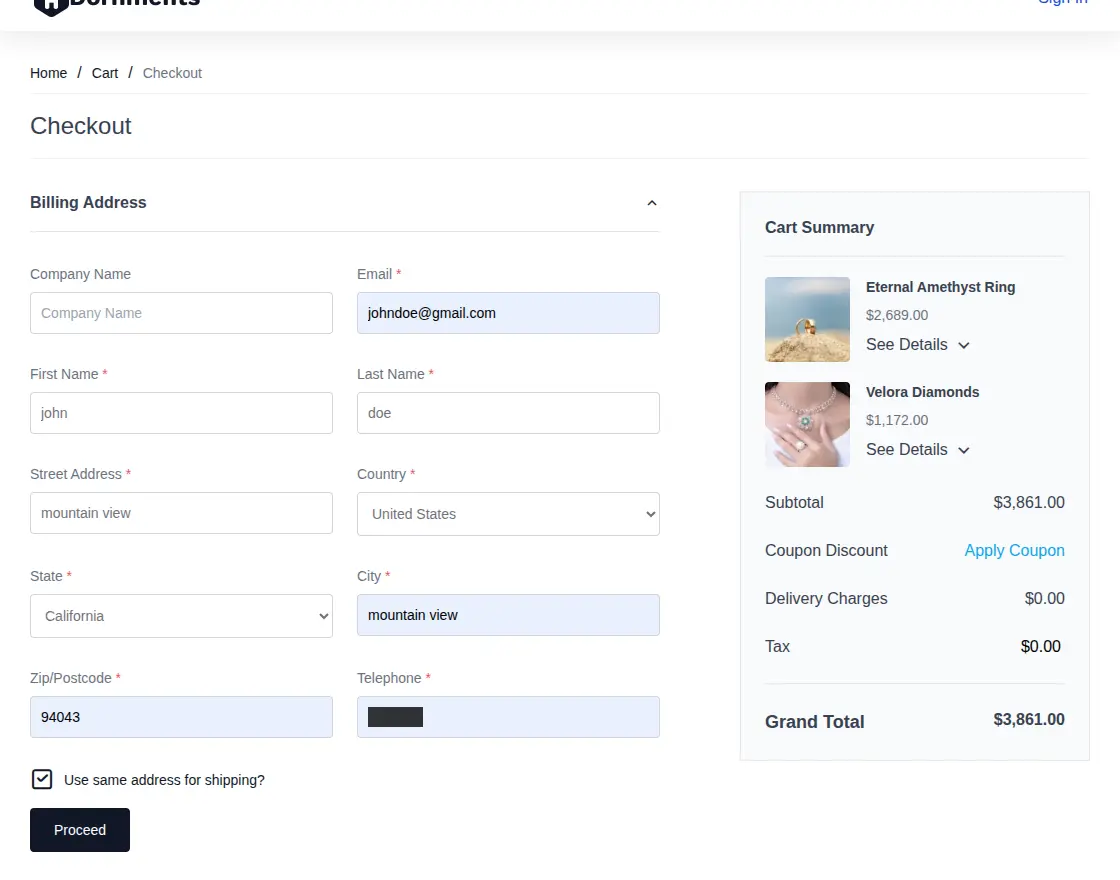
The cart holds the ring and the diamond as one build. Removing one removes both, and a quantity change updates both.
The admin order view shows each line as the Ring or the Stone. It also shows the selected attributes of both.
That is all about the Laravel Custom Ring Builder extension for Bagisto. For any query, please create a ticket at the Webkul Support System.
Current Product Version - v2.5.0
Supported Framework Version - Bagisto v2.5.0

Be the first to comment.