


















Laravel eCommerce Per Product Shipping Module allows the admin to add different shipping prices for every product.
This module helps the admin to manage the delivery of their products from a common shipping method.
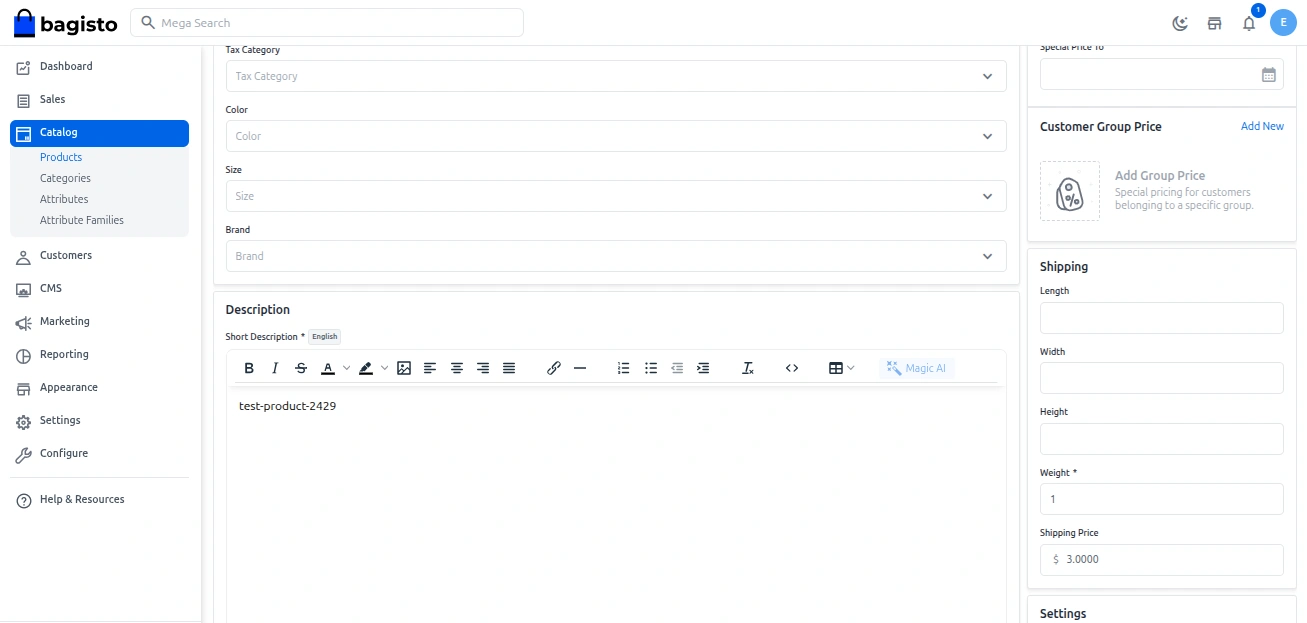
The admin can edit the product from the admin panel and under the shipping option can set the shipping price for that product.
The total price for the shipment will be calculated based on the per-product shipping price.
Complete Features List
- The admin can set the shipping price for each product individually.
- Total shipping cost will be calculated based on Per Product shipping price.
- A default rate applies to products that have no shipping price.
- The module charges the shipping price for each unit, so it multiplies the price by the quantity in the cart.
- Configurable products use the shipping price of the selected variant.
- Grouped products use the shipping price of the grouped product for every product in the group.
- The admin can set a different shipping price for each channel.
Installation of Module
This version of the module is compatible with Bagisto v2.5.0 and therefore needs PHP 8.4 or later.
- Unzip the respective extension zip and then merge “packages” folder into project root directory.
Go to the composer.json file and add the following line under ‘psr-4’
"Webkul\\PerProductShipping\\": "packages/Webkul/PerProductShipping/src"
Run composer dump-autoload command
composer dump-autoload
Go to bootstrap/providers.php file and add following lines under ‘providers’
use Webkul\PerProductShipping\Providers\PerProductShippingServiceProvider;

Add inside return [...];

PerProductShippingServiceProvider::class,
Run the command to install Per Product Shipping module
php artisan per-product-shipping:install
This command creates the Shipping Price product attribute and adds it to the Shipping group of every attribute family.
That’s it, now just execute the project on your specified domain.
Admin configuration of the Laravel e-commerce per product shipping
Once you have successfully executed the module, you will see the Per Product Shipping under the Configure->Sales->Shipping Methods.
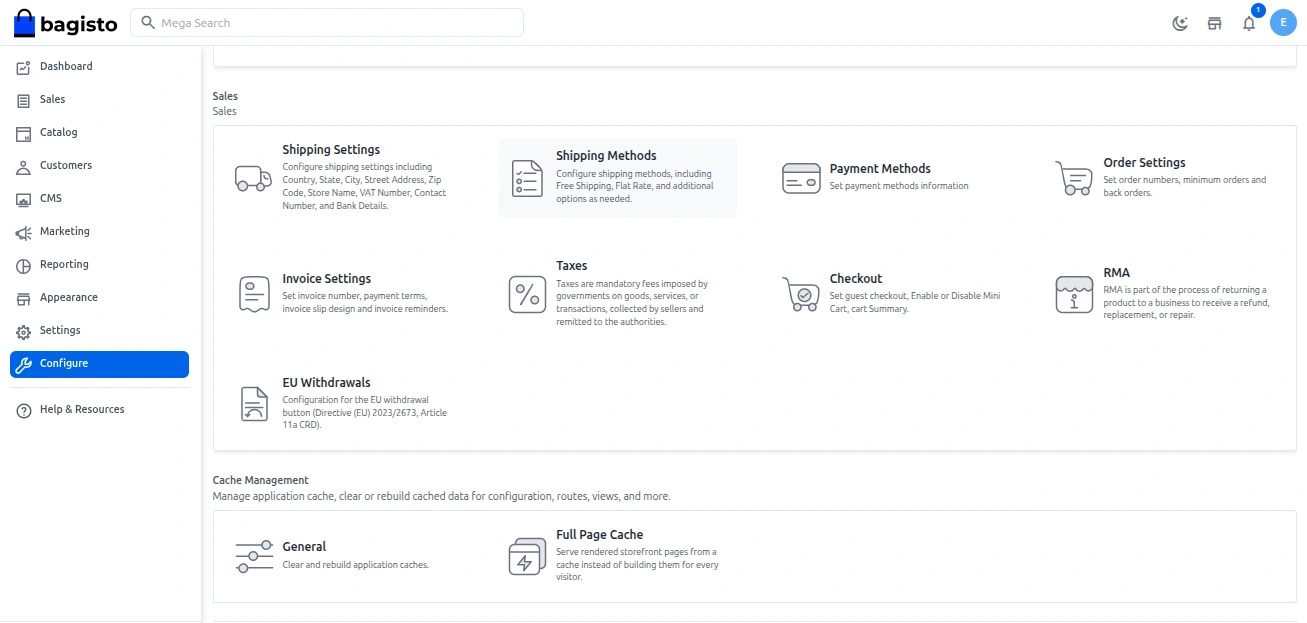
Admin can easily configure the Per Product Shipping by navigating to Shipping Methods->Per Product Shipping.
However, there are a few options such as title, description, rate and status.
- Admin can “Active” or “Inactive” this module by clicking on status toggle.
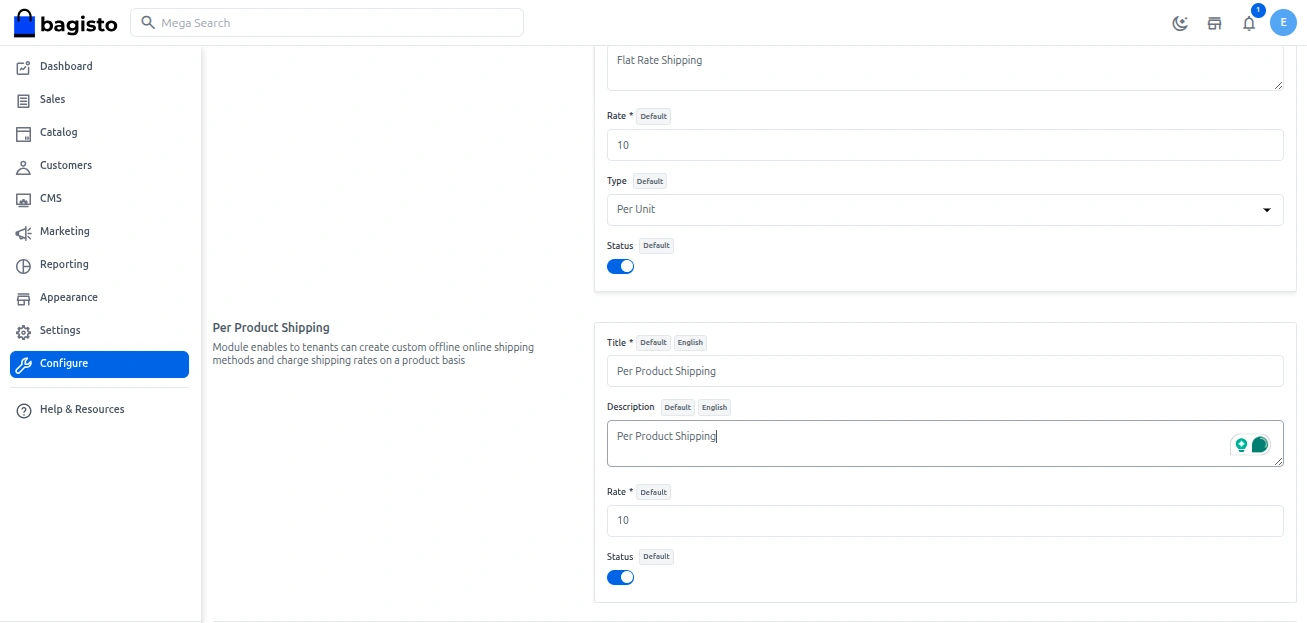
Rate: This is a default rate whenever the admin does not mention any shipping rate to their product, then this “Default Rate” will be applicable.
Like the product shipping price, the module charges this rate for each unit of the product in the cart.
How to Use
On the completion of the above flow, Admin will find a shipping price field under Catalog->Product->Add Product->Shipping. Here admin will set the shipping price of the product.
For a configurable product, the admin can set a shipping price on each variant. When a variant has no shipping price, the module uses the price of the configurable product, and then the default rate.
For a grouped product, the admin sets the shipping price on the grouped product itself. Virtual, downloadable and booking products do not show the shipping price field, because the store does not ship them.
Customer panel/Front end option
The customers can be able to see the features in the front-end panel. When customers purchase the product and do the add-to-cart function then there will be an option for shipping.
However, pricing of the shipping depends on the shipping option customer is choosing for the delivery of the product as shown below:
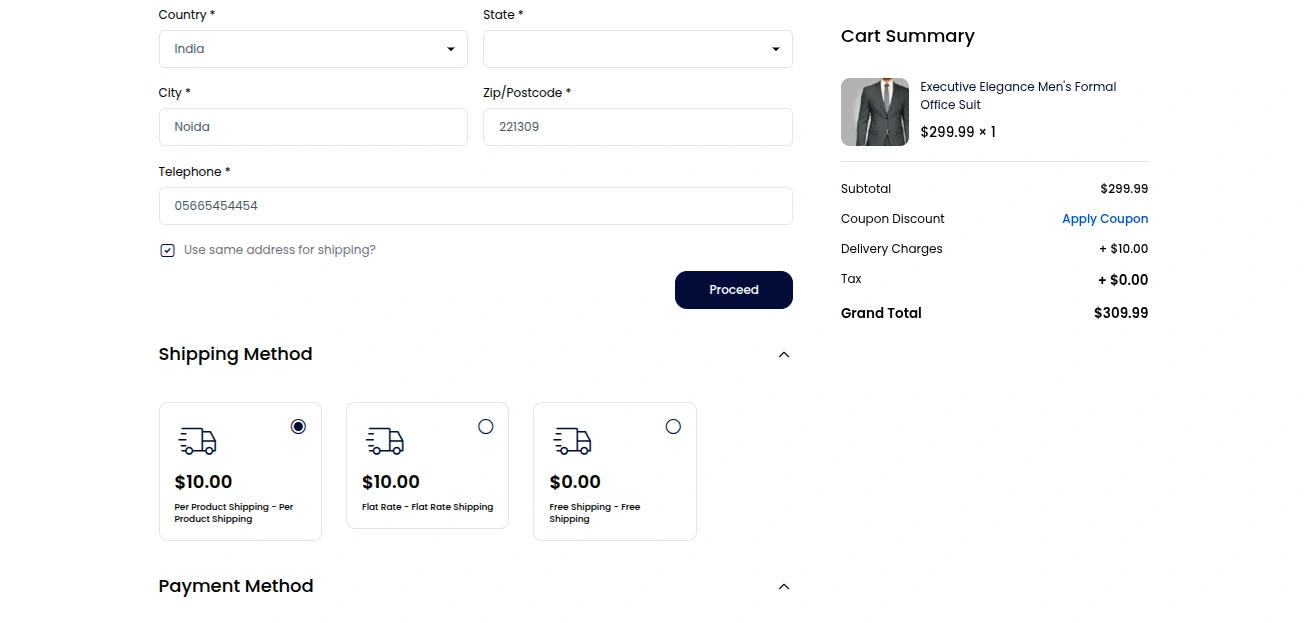
At checkout, the module adds up the shipping price of every product in the cart, multiplied by its quantity, and shows the total as the Per Product Shipping rate.
That’s all for Laravel eCommerce Per Product Shipping module.
If you have any issue please feel free to add a ticket then let us know your views to make the module better https://bagisto.uvdesk.com/en/
Current Product Version - v2.5.0
Supported Framework Version - Bagisto v2.5.0

Be the first to comment.