Laravel Marketplace FedEx Shipping module provides FedEx Shipping method for shipping the product.
By using this, you can provide FedEx (Federal Express) shipping. FedEx is widely acknowledged as a world-class company and now it is with the Marketplace.
Features of Laravel Marketplace FedEx shipping
- The admin can enable or disable the FedEx Shipping method.
- The admin can set the FedEx shipping method name that will be shown from the front side.
- Admin can allow sellers to save their credentials.
- The admin can define the allowed methods and weight units.
- The admin can set packaging type and drop off type.
- The seller can add Invoice.
- The dynamic shipping method for freight calculation.
- Ability to download Invoice.
How to install the module Laravel Marketplace FedEx shipping?
Customers will get a zip folder after purchasing the extension and Unzip the extension zip and then merge the “packages” folders into the project root directory.
Goto bootstrap/providers.php file and add the following line under ‘providers’.
use Webkul\MarketplaceFedExShipping\Providers\MarketplaceFedExShippingServiceProvider;
return [
   MarketplaceFedExShippingServiceProvider::class,
];
Then go to the composer.json file and add the following line under ‘psr-4’
"Webkul\\MarketplaceFedExShipping\\": "packages/Webkul/MarketplaceFedExShipping/src"
Run these commands below to complete the setup
composer dump-autoload
php artisan marketplacefedex:install
Admin Configuration
After the installation of the module, the admin needs to configure the module. Click on Configure>>Sales>>Shipping methods.
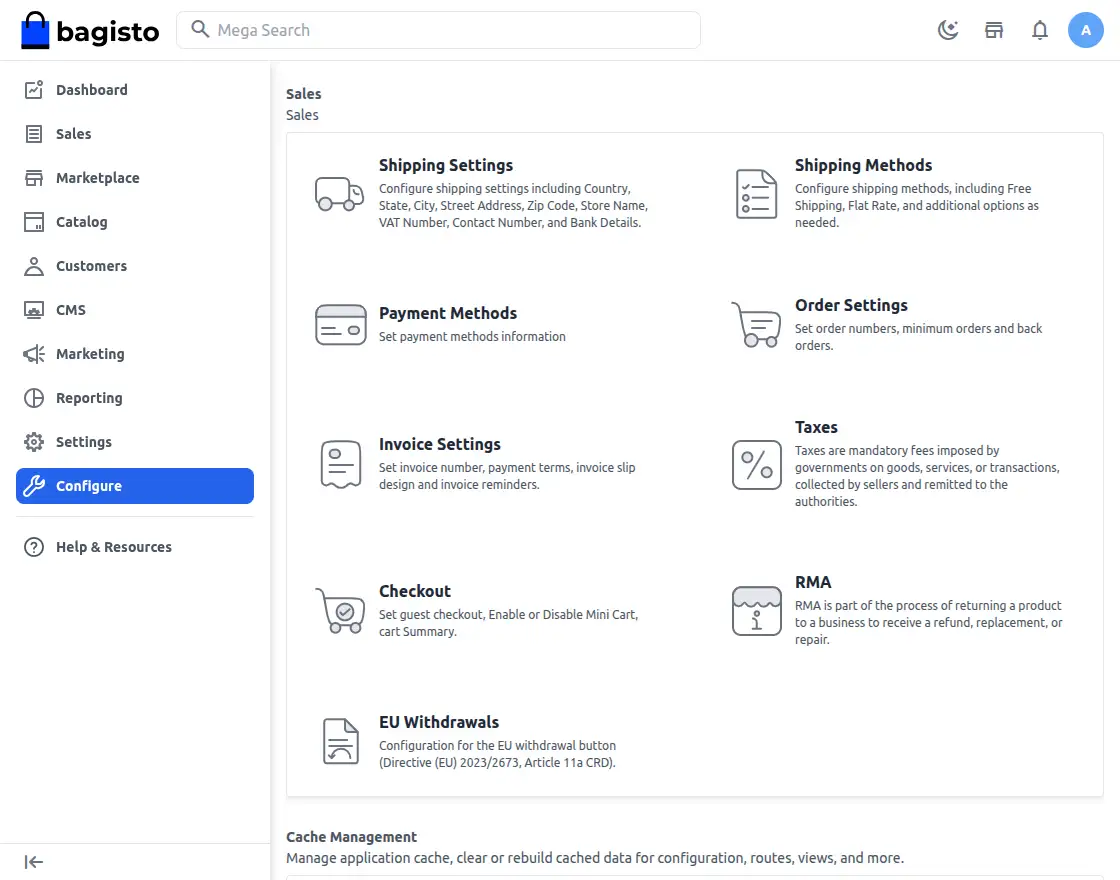
Under the Shipping methods, all the shipping methods are visible in the admin panel.
Under the Marketplace FedEx there are several fields:-
Title
The admin can input the title for the shipping method in this field.
Description
The admin can describe the shipping method in this field.
Status
The admin can active or inactive the module from this field.
Account ID
The admin needs to enter the Account ID for the FedEx account.
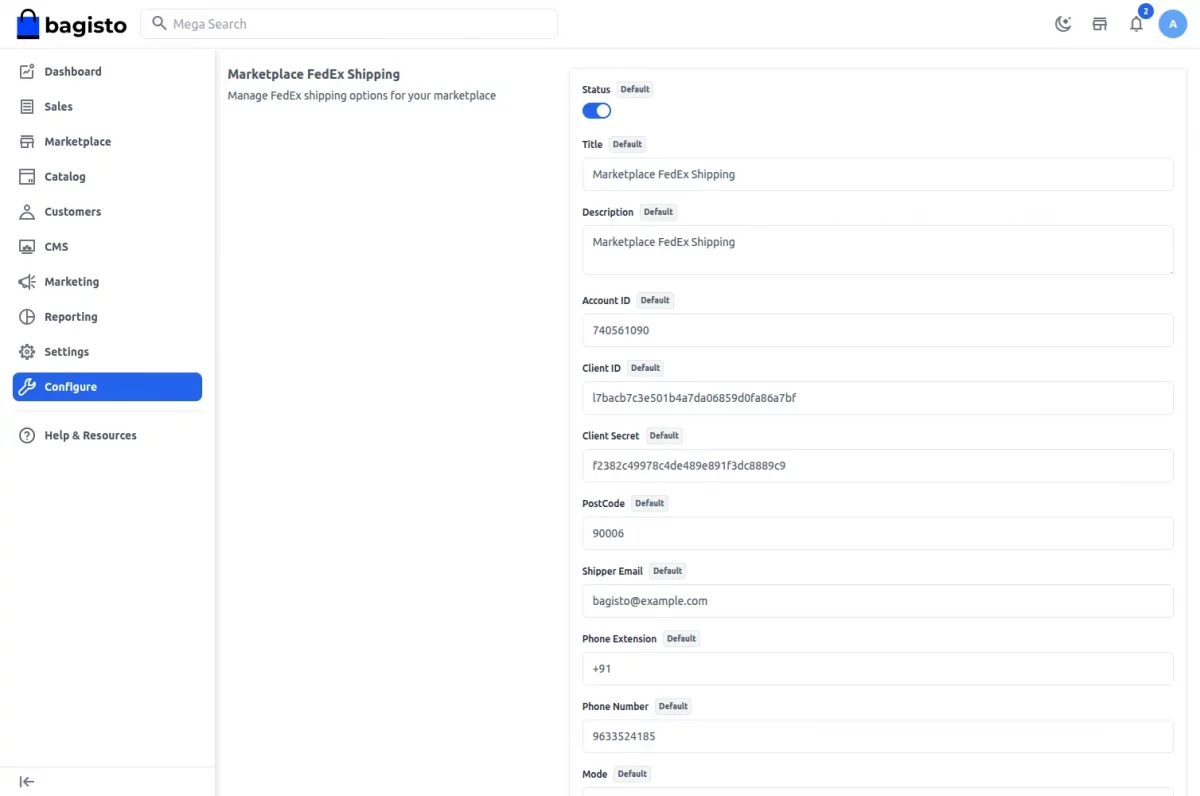
Post Code
The admin needs to enter the postcode here to determine that the shipment is available.
Client Id
The admin needs to enter the client Id in this field after creating an account in FedEx.
Client Secret
The admin needs to provide the client secrey in this field after creating an account in FedEx.
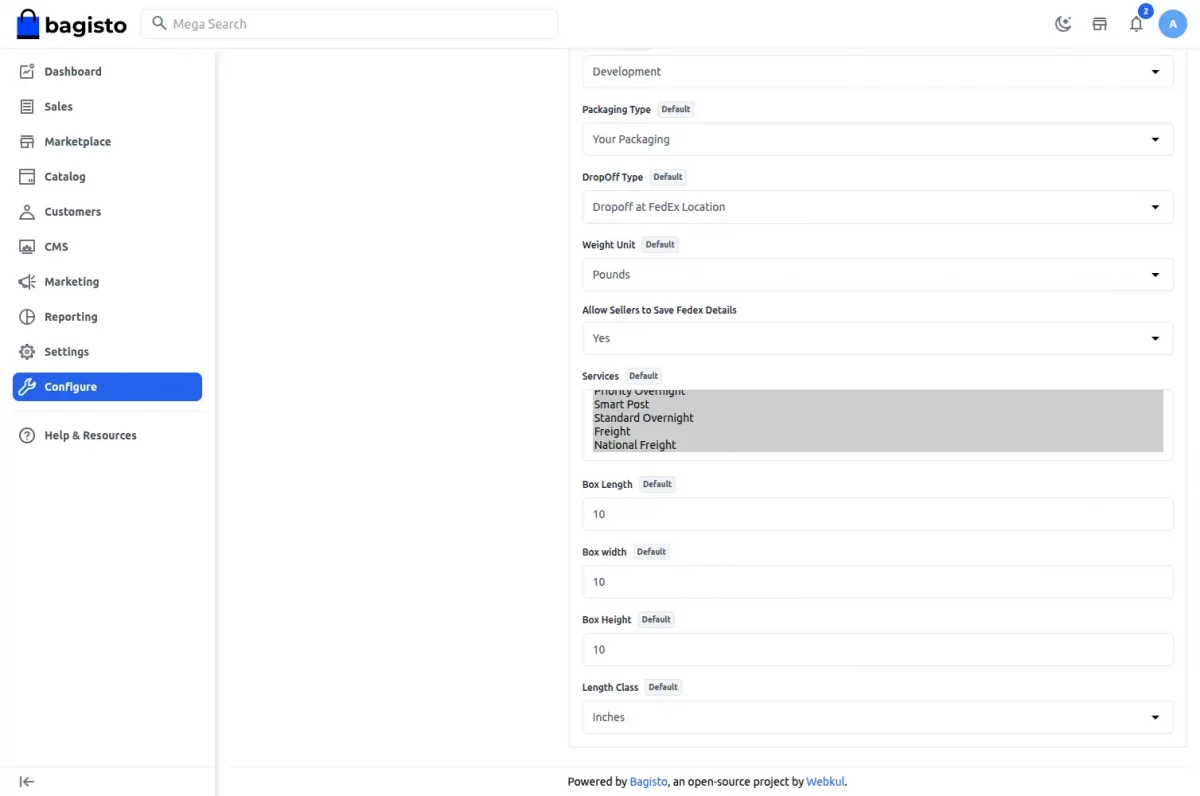
Mode
The admin can set it as yes or no for the Mode (Testing mode).
Packaging type
Under this field, the admin can select from various packaging type from the dropdown menu.
DropOff type
The admin can select the dropoff type for the package in this field.
Weight unit
The admin can select the weight unit between Pounds and Kilogram in this field.
Allow Sellers to Save FedEx Details
The admin can select Yes or No in this field.
Services
The admin can select the services according to the requirement in this field.
Box Length
The admin needs to enter the length of the box in this field.
Box Width
The admin needs to enter the width of the box in this field.
Box Height
The admin needs to enter the height of the box in this field.
Length Class
The admin needs to select the length unit in this field between inches and Centimeter from the dropdown.
Seller’s Profile
After all the configuration have been saved by the admin regarding the shipping method.
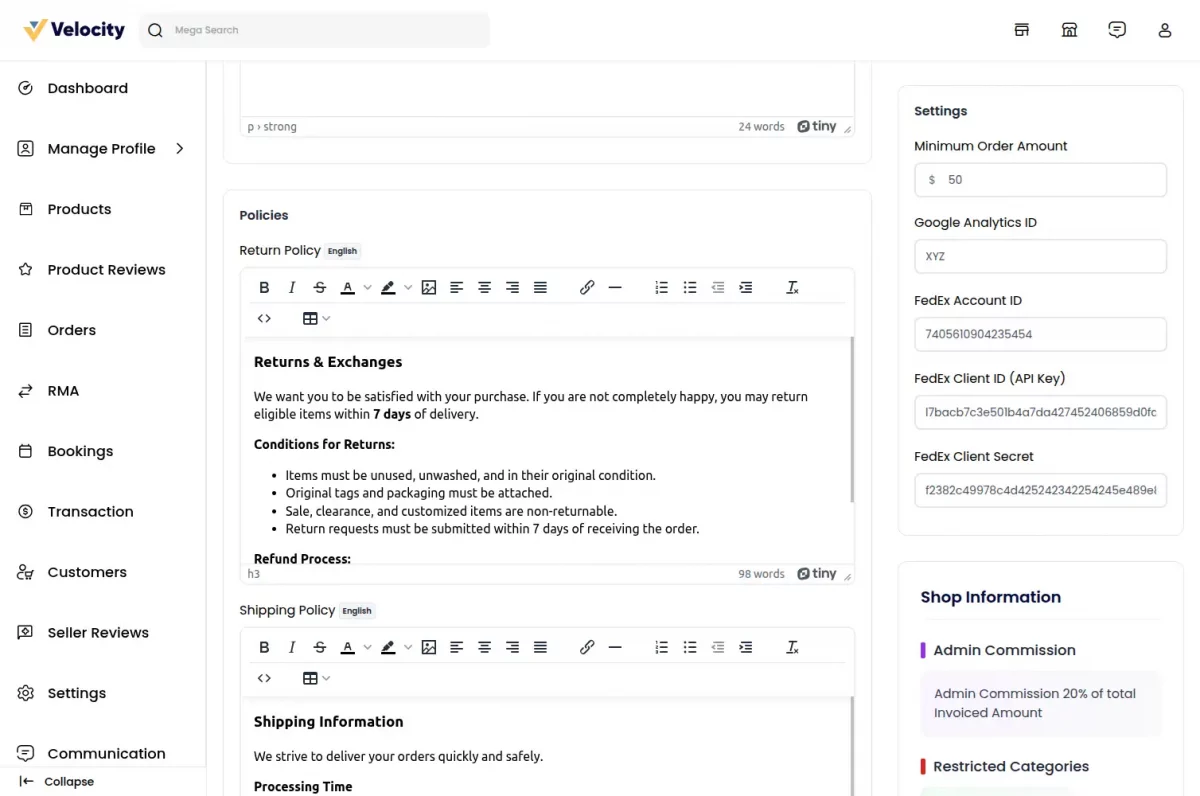
The seller can see the option of the FedEx shipping under the marketplace section, where the seller can manage the FedEx configurations.
The Sellers needs to enter several fields regarding the configurations of the FedEx shipping method such as:-
- Fedex Account Id:-The seller needs to input the FedEx account Id in this field.
- Fedex Client Id :-The seller needs to input the client Id in this field.
- Fedex Client Secret :- The seller needs to enter the Fedex Client Secret key in this field.
Customers End
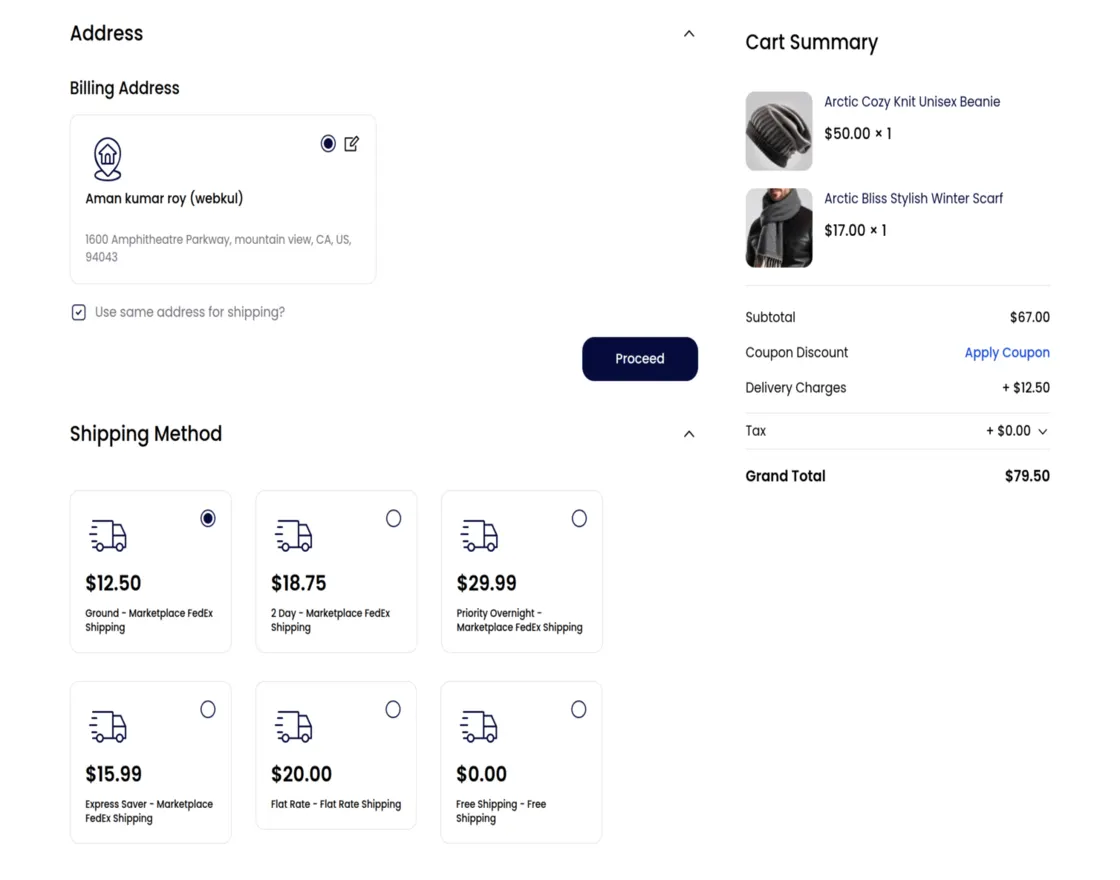
After the successfully configuring the FedEx shipping, the customers can use the FedEx shipping method for the delivery of their products.
Support
That’s all for Laravel Marketplace Fedex Shipping. If you still have any issues feel free to add a ticket and also let us know your views to make the module better https://bagisto.uvdesk.com/en/
Current Product Version - v2.4.4
Supported Framework Version - Bagisto v2.4

Be the first to comment.