Laravel SaaS SMS Notification extension lets tenant admins send automatic SMS alerts for order updates, account activities, and other important events.
Since timely customer communication is essential for key store events, SMS alerts help keep customers informed at every step.
With this Laravel SaaS extension, you can send automatic SMS alerts for order updates, customer registration, and other important store events.
Laravel SaaS SMS Notification Features
- The tenant admin can send SMS notifications to customers for various store events.
- Additionally, admins can configure SMS notifications for different order statuses from the admin panel.
- You can enable or disable SMS notifications as needed.
- Once configured, the module automatically sends SMS notifications to customers for the selected events.
- Furthermore, the tenant admin can customize SMS message templates for different notifications.
- As a result, customers receive real-time SMS updates for order placement, order status changes, account registration, and other important store activities.
- Overall, the extension supports automated SMS delivery without any manual intervention.
- Finally, each tenant can manage their own SMS notification settings independently.
How to install the module?
First, extract the extension package and merge its packages folder into the project root directory.
Next, go to the bootstrap/providers.php file and add the following line under providers.
Webkul\SmsNotifications\Providers\SmsNotificationsServiceProvider::class,
Webkul\SmsNotificationsSaas\Providers\SmsNotificationsSaasServiceProvider::class
Then, go to the composer.json file and add the following line under psr-4.
"Webkul\\SmsNotifications\\": "packages/Webkul/SmsNotifications/src",
"Webkul\\SmsNotificationsSaas\\": "packages/Webkul/SmsNotificationsSaas/src"
After that, go to the config/concord.php file and add the following line under providers.
Webkul\SmsNotifications\Providers\ModuleServiceProvider::class
Finally, run the commands below to complete the setup.
composer dump-autoload
php artisan sms-notifications-saas:install
Laravel SaaS SMS Notification Super Admin
The Super Admin can easily manage and control which tenants have access to the SMS Notification module from a single dashboard.
Additionally, each tenant gets an isolated SMS notification configuration, which keeps messages, settings, and logs secure and company-specific.
As a result, the Super Admin manages module access centrally, while each tenant configures and sends SMS notifications for their own store.
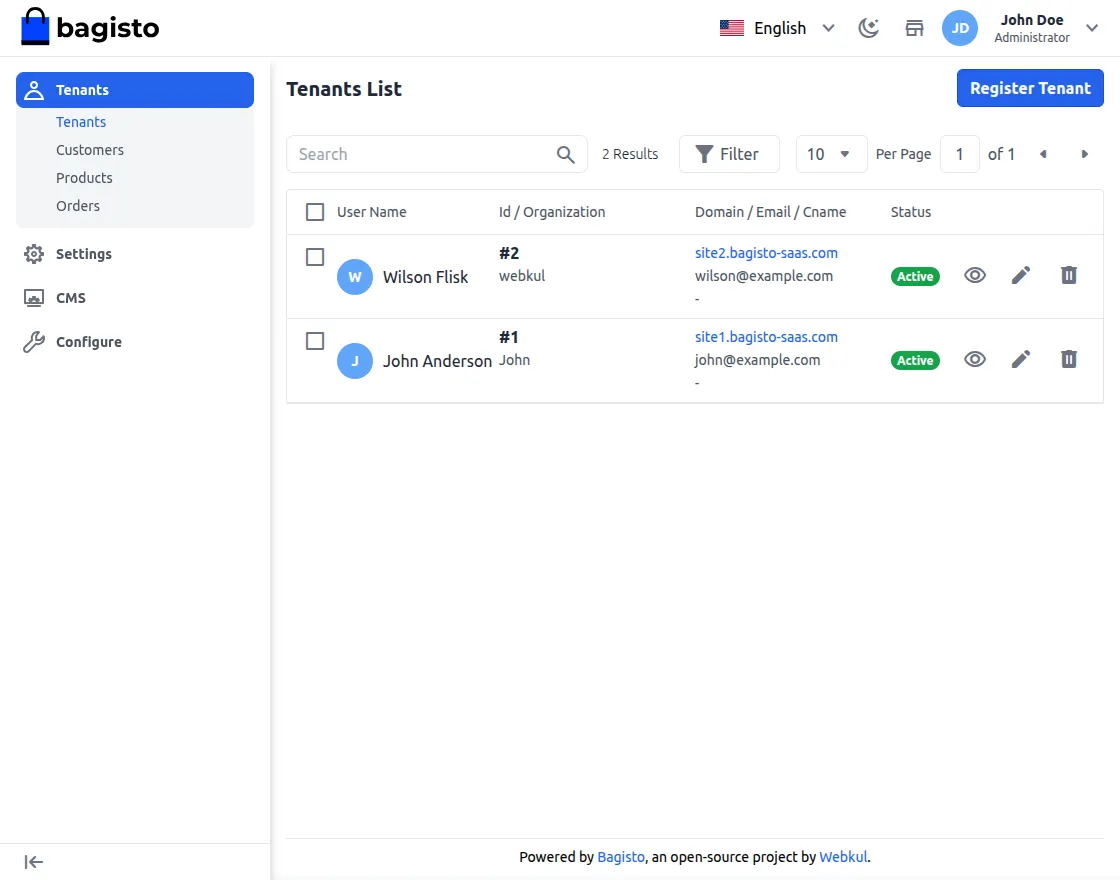
Laravel SaaS SMS Notification Tenant Admin Panel
To get started, tenants can access the SMS Notifications module by navigating to Admin Panel → Configuration → SMS Notifications, as shown in the image below.
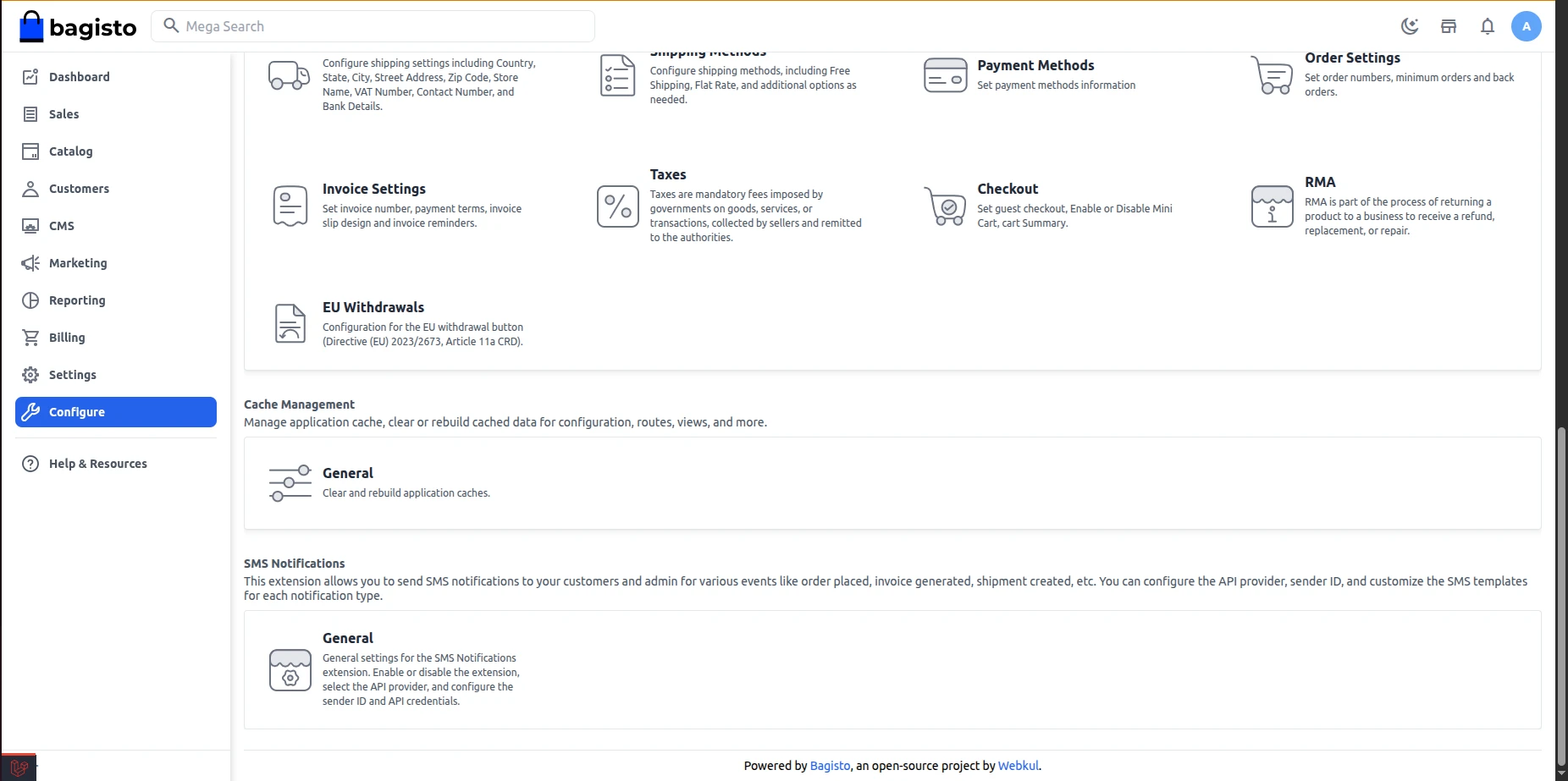
Above, you will find the Webkul SMS Notifications general settings, as described below:-
Laravel SaaS SMS Notification General Settings
Here, you can set up the SMS Notification module by configuring provider details and default SMS options.
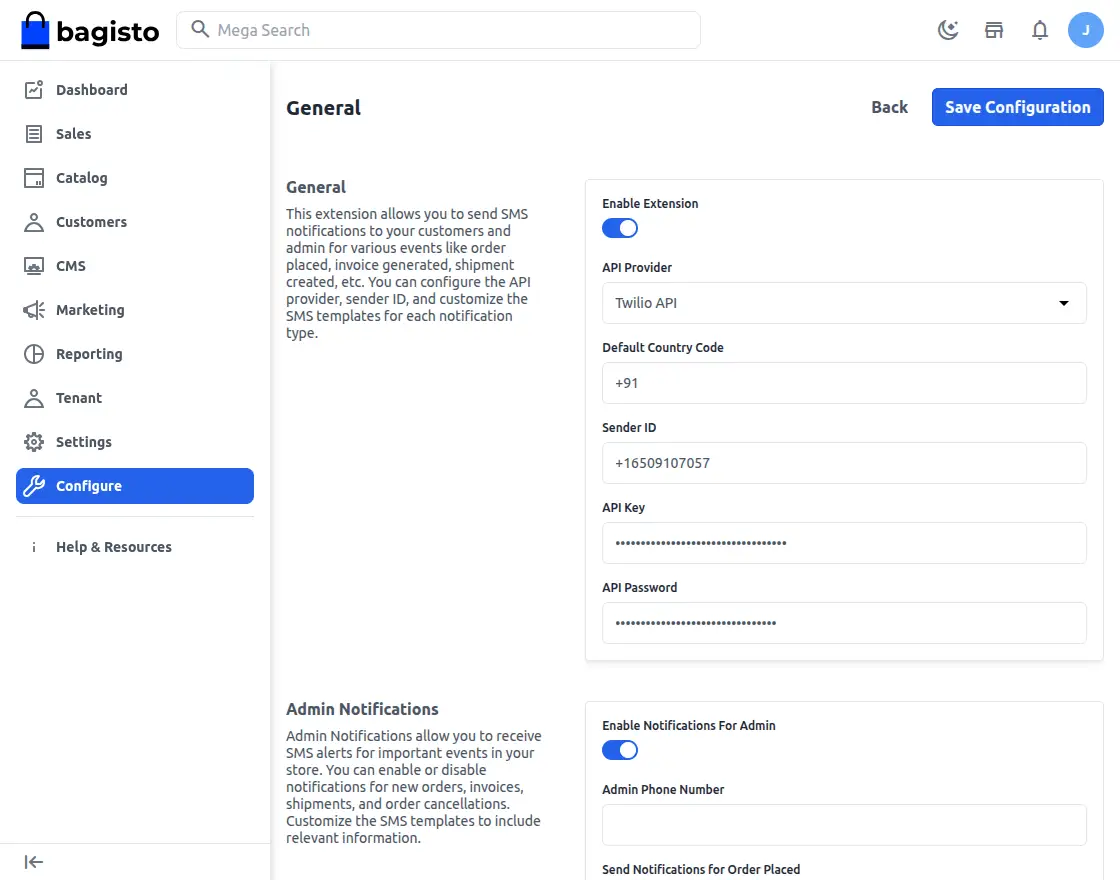
Enable Extension – Using the toggle button, the admin can activate or deactivate this module.
Api Provider – Here, select the API provider used for sending SMS notifications.
Default Country Code – Next, enter the default country code to use for SMS notifications.
Sender ID — Then, specify the sender ID to use for SMS notifications.
API Key — After that, enter the API key provided by your SMS service provider.
API Password — Finally, enter the API password provided by your SMS service provider.
Laravel SaaS SMS Notification Admin Notifications
In this section, you can configure admin SMS notifications for important store events and updates.
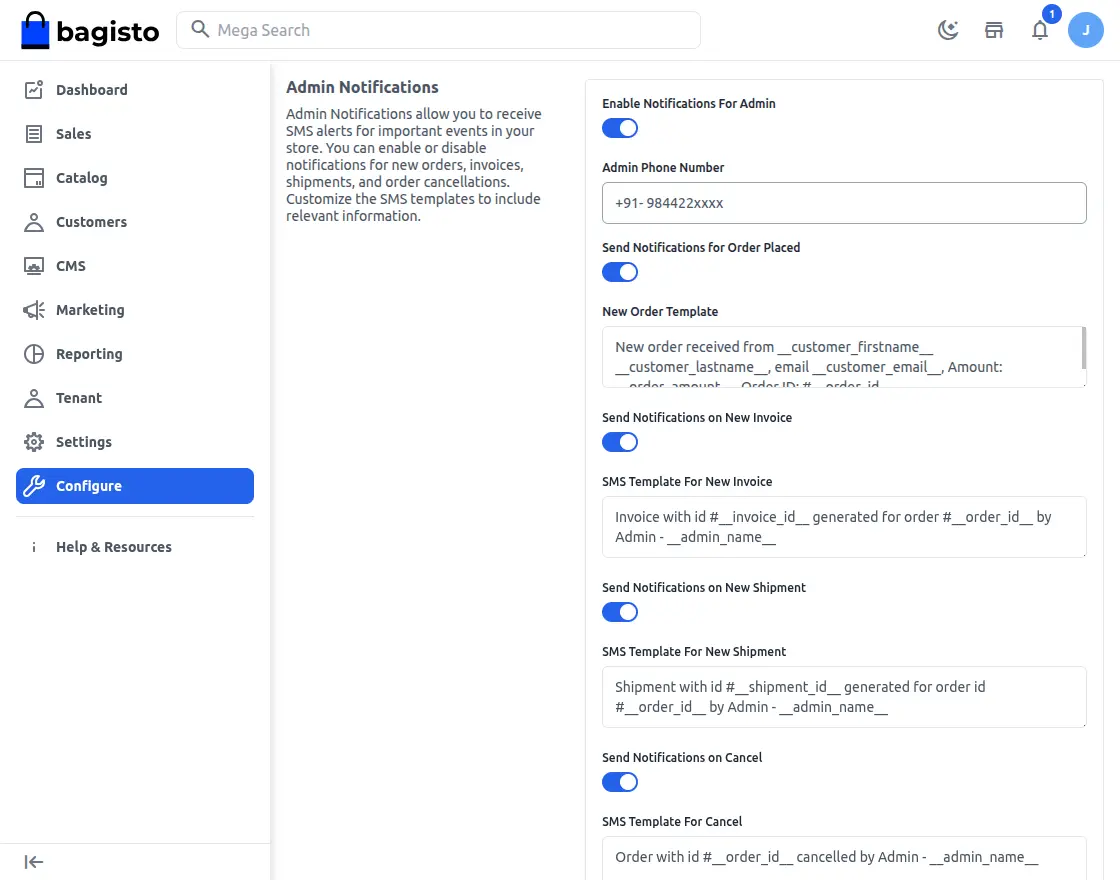
- Enable Notifications for Admin – Activates admin SMS alerts for selected store events.
- Admin Phone Number – Specifies the mobile number used for admin SMS notifications.
- Order Placed notify – As soon as a customer places a new order, this triggers an SMS alert.
- New Order Template – Defines the SMS template for new order updates.
- New Invoice sms – Whenever a new invoice is generated, this alerts the admin instantly.
- SMS Template for New Invoice – Defines the SMS content for invoice updates.
- Shipment sms – Once a shipment is created for an order, this notifies the admin right away.
- SMS Template for New Shipment – Defines the SMS template for shipment updates.
- Cancel sms – If an order is canceled, this alerts the admin without delay.
- SMS Template for Cancel – Defines the SMS content for order cancellation updates.
- Customer Registration Notification – As soon as a new customer registers on the store, this notifies the admin.
Customer Registration Template – Defines the SMS template used for customer registration notifications.
Laravel SaaS SMS Notification Customer Notifications
Similarly, you can configure customer SMS notifications for order updates, account activities, and other important store events.
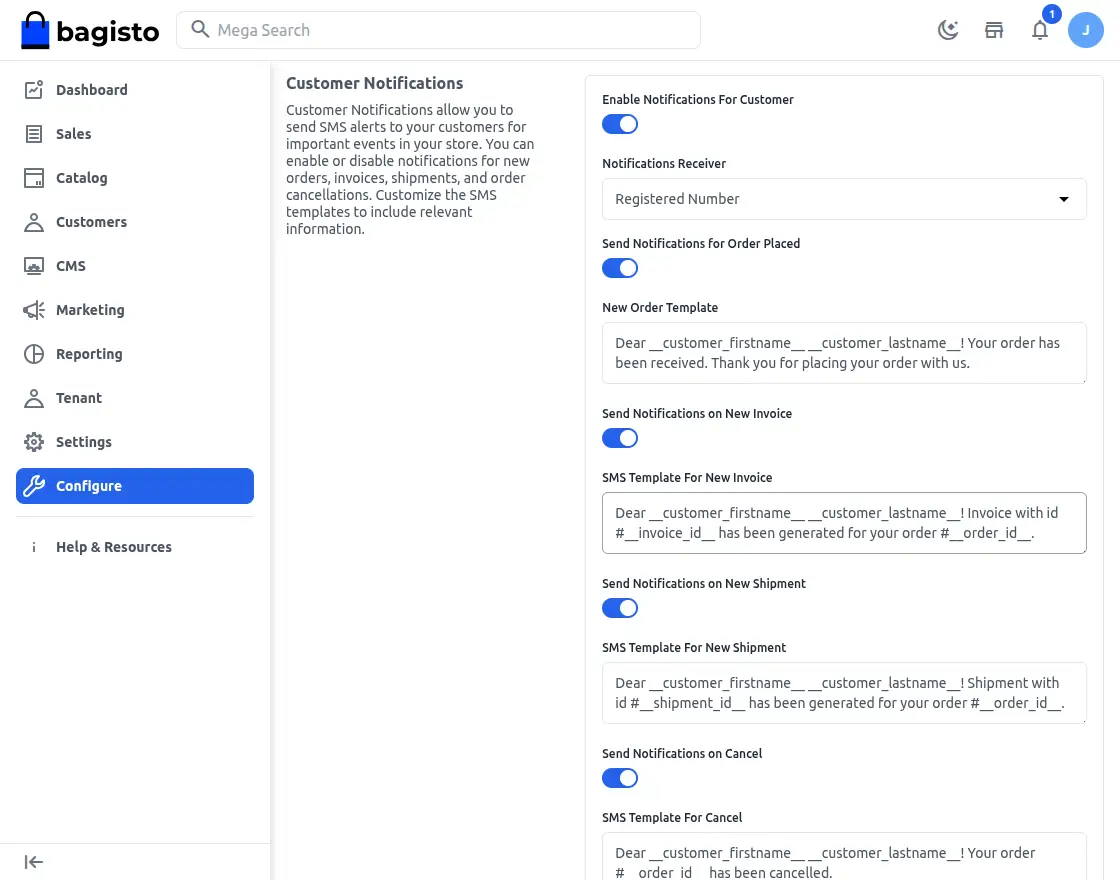
Enable Notifications for Customer – Turns on SMS notifications for customers for selected account and order-related events.
Notifications Receiver – Lets you select the customer phone number source for sending SMS notifications.
Send Notifications for Order Placed – Once a new order is placed successfully, this sends an SMS to the customer.
New Order Template – Defines the SMS template used to notify customers about successful order placement.
Invoice Notifications – Whenever a new invoice is generated for the order, this notifies the customer by SMS.
SMS Template for New Invoice – Lets the admin customize the SMS content sent for invoice generation notifications.
New Shipment Notifications – As soon as the order shipment is created, this sends an SMS to the customer.
SMS Template for New Shipment – Defines the SMS template used for shipment-related customer notifications.
Order Cancelled SMS – Whenever a purchase is canceled, this triggers an SMS alert to notify the customer.
SMS Template for Cancel – Lets the admin define the SMS message sent for order cancellation updates.
Login Successful – After a successful account login, this sends an SMS notification to the customer.
SMS Template for Login Success – Defines the SMS content sent to customers after a successful login.
Registration Successful – Once account registration is complete, this sends an SMS to the customer.
SMS Template for Registration Success – Lets the admin configure the SMS message sent after customer registration.
Reset Password – After the account password is reset, this sends an SMS notification to the customer.
SMS Template for Password Reset – Defines the SMS content used for password reset notifications
Sms Alerts for Store Events
Overall, the SMS Notification module automatically sends SMS alerts for order, account, and other important store events.
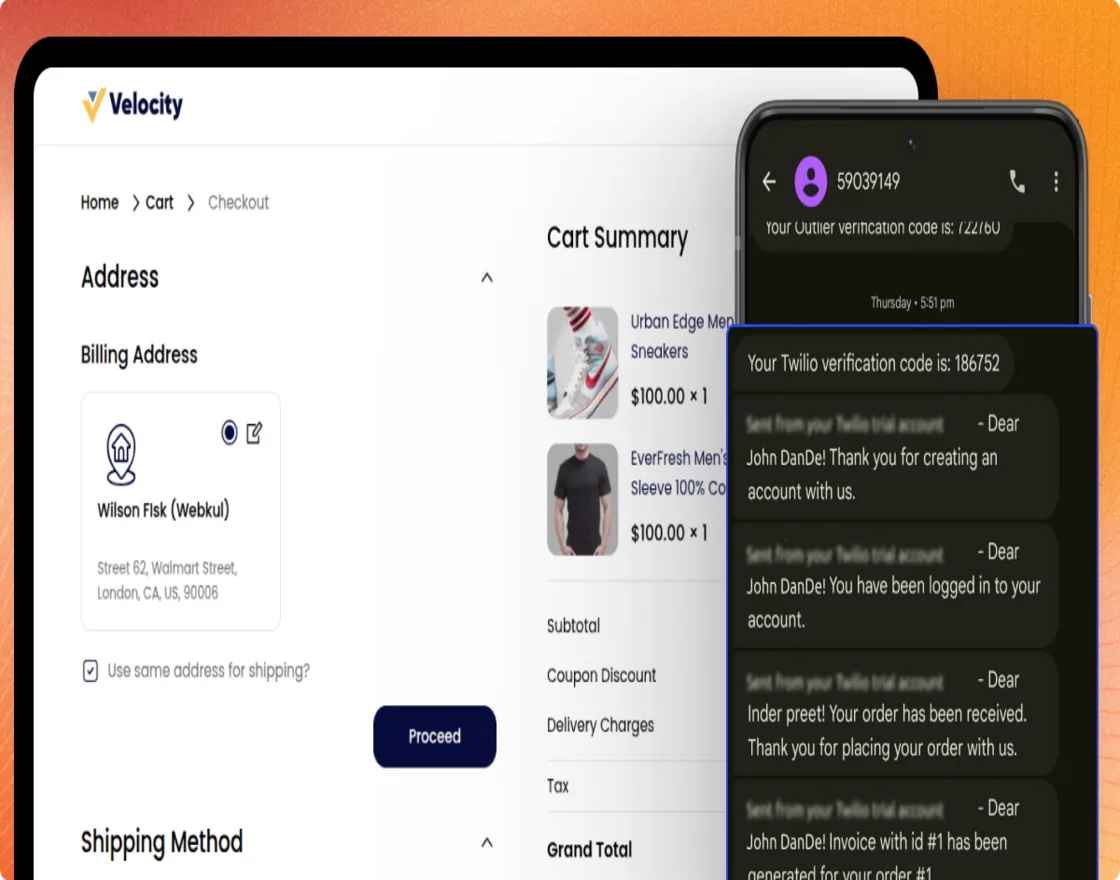
Additionally, you can enable each event individually and assign separate SMS templates for admin and customer notifications.
Support and Contact Information
That’s all for the User Guide of Laravel SaaS SMS Notification. For any queries or doubts, feel free to reach out to us at [email protected].
You can visit the Laravel SaaS SMS Notification extension and Store.
Alternatively, you can raise a ticket through our HelpDesk system.
Also, please explore our Laravel Development Services and Quality Bagisto Extensions .
Current Product Version - v2.4.9
Supported Framework Version - v2.4.9

Be the first to comment.