CS-Cart Product Custom Fields are additional fields that can be added to a product in the eCommerce platform.
These fields allow store owners to collect and display more detailed information about their products, such as size, color, price, and many more.
Custom fields can create and customized to fit the specific needs of a store, and can use to filter products, sort them in search results, or provide more detailed product descriptions to customers.
Note: Before installing the add-on, extract the downloaded package.
- Install the License Manager add-on first.
- Then install the required add-on.
- Follow the license activation steps to generate your license key.
Check the video mentioned below for an overview of the extension:
Features
- This add-on supports Multi-Vendor/CS-Cart.
- The admin can easily add, edit, delete, enable, or disable the custom fields.
- The admin can add as many product custom fields as required and show them on product pages(Frontend and backend).
- The admin can enter the custom field according to the product description.
- Create custom fields for products with various types such as text, date, time, checkbox, phone, email, radio and select.
- The admin can set custom field values for individual products.
- The customer can view the custom fields on product pages and in the shopping cart.
- Use custom fields to filter and search for products in the storefront.
How To Upload And Install The Add-on
After downloading the Cs-Cart Product Custom Field add-on you’ll get the zip file, one install.txt file, and a relevant User Guide manual doc.
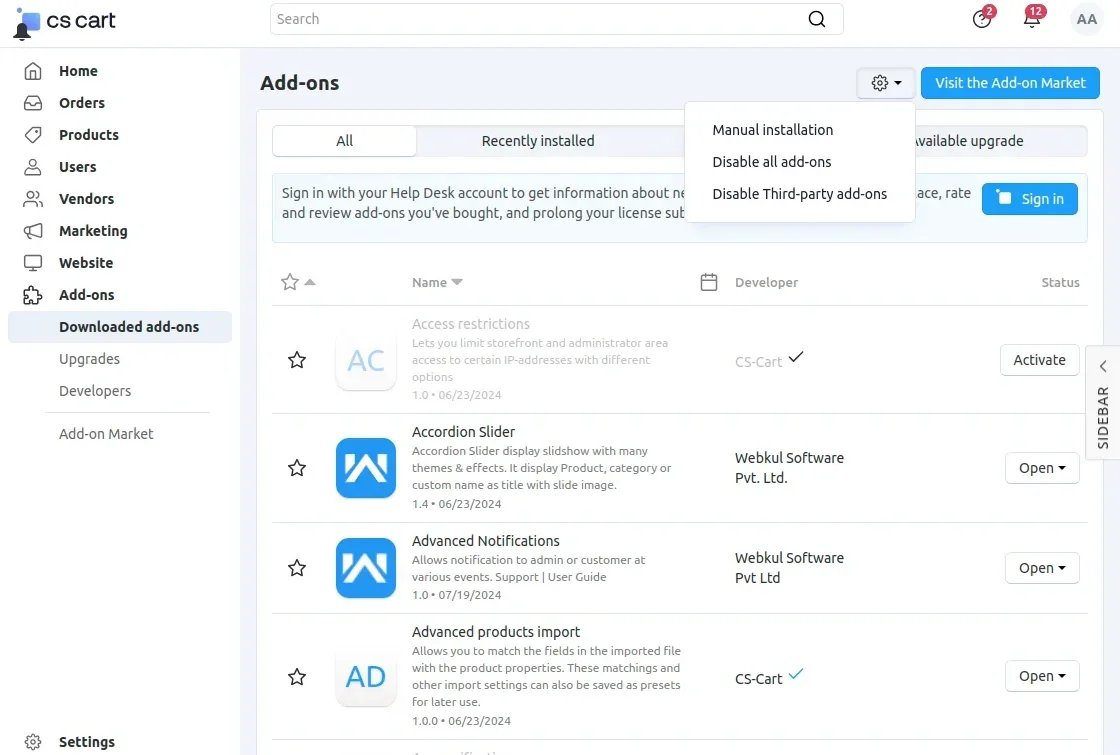
Read it carefully for proper configuration. Go to Manage Add-ons, and click on “+” as shown below in the snapshot.
Click on “Local” to browse the zip file and then click on “Upload & Install” as shown below in the snapshot.
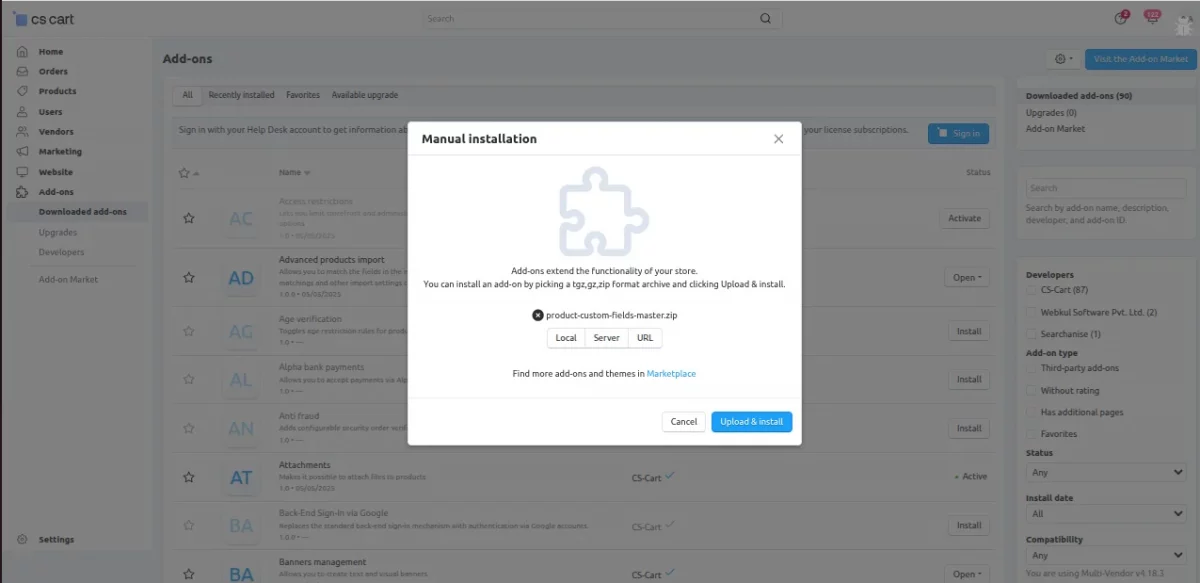
Add-on Configuration
After the add-on installation, we need to configure the settings. For that admin needs to click on the Cs-Cart Product Custom Field and then a new tab will open for configuration.

Product Custom Fields
In the Add-on configuration, the admin can go to the Product Custom Fields(Administration) where they can Manage the custom field.
They will navigate to it by going to Settings > Product Custom Field and then they can open it.

Add Product Custom Fields
Here the admin can add the product custom field according to the requirement of the product.
Here are some options that use to fill by the admin to add a product custom field:
Name: Admin can set the name of the custom field.
Code: The admin has to enter a unique code for custom field.
Class: The Admin can enter any class name so the product can add to that group.
Type: The admin can select any type of field from the dropdown menu.
Required: The admin can select the checkbox whether the custom product field requires or not in the Frontend and Backend.
Show On FrontEnd: The admin can select the checkbox to show or hide the field on the frontend.

Manage Custom Product Field
The admin can manage the custom product field where they can check the Id, Name, Code, Class, Type, Show On FronEnd, Required, Date, Time, Action, and status.
Here admin can manage the given options:
Date/Time: It will automatically set the date/time on which day the custom field will add.
Action: The product custom field can be edited/deleted by the admin.
Status: The status of the field can be active or disabled by the admin.

After that, the admin can also edit any product custom field and can make changes.

Now, the admin can select any product to add the custom field to add the specific features for a particular product.
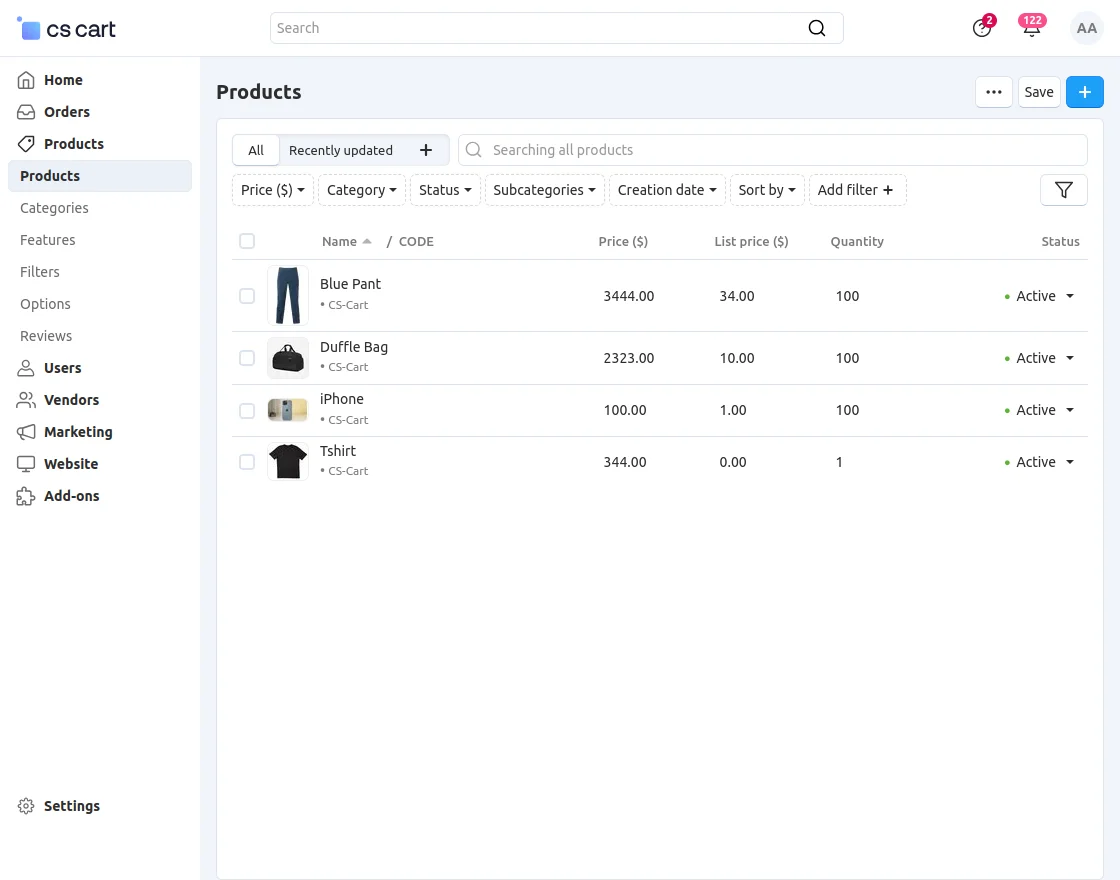
Now you can check that only two “Custom Fields” are mandatory to fill. Because while adding the custom field “Required” checkbox was not marked for the remaining fields

FrontEnd View
Here customers can only view the Custom Fields which fill by the admin.
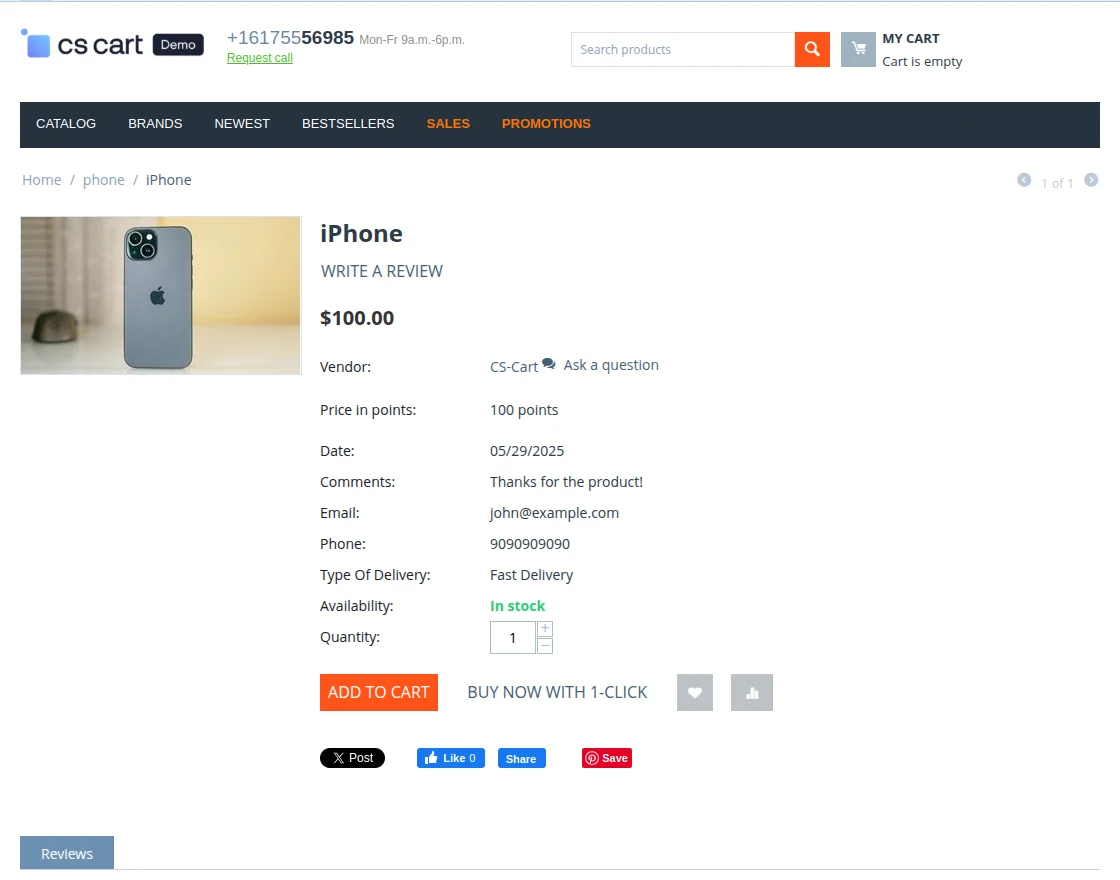
Support
This is all about CS-Cart Product Custom Field. Still, have any issues, feel free to contact us at http://webkul.uvdesk.com and let us know your views to make the module better.
Besides this, you can hire CS-Cart developers for custom services and explore our quality CS-Cart add-ons.
Current Product Version - 1.2
Supported Framework Version - 4.18

Be the first to comment.