Laravel eCommerce SaaS Marketplace Per Product Shipping allows tenants to create custom offline online shipping methods and charge shipping rates on a product basis.
For each product, the merchant or seller can mention its shipping cost.
Please Note – To use this extension, you must install the Laravel e-Commerce Multi-Company SaaS Module first.
Features
- Tenant can activate or deactivate the plugin.
- The Tenant can add different shipping prices for each product.
- Each tenant can have multiple sellers, and sellers can also add shipping prices for their own products.
- It supports simple, Configured, and grouped product types.
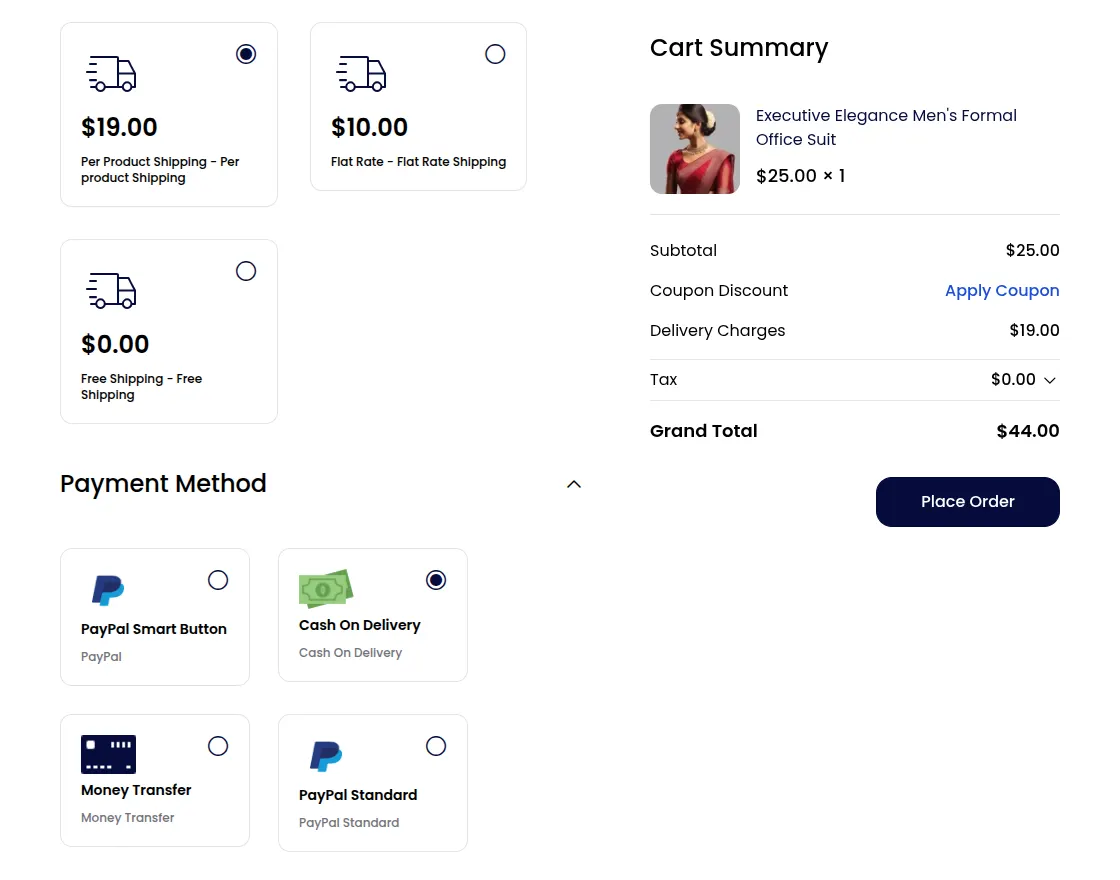
- On the checkout page, the shipping price displays the total shipping charges for each product.
- The customer can choose the Saas Per product shipping method at the checkout page.
- Each tenant can enter a Shipping Title which is visible to customers at the checkout process.
- With this module, the delivery price will also be calculated for each product separately.
- The Tenant can also set the default shipping rate from his panel.
How to install the module?
Note– Please follow the Bagisto Saas Per Product Shipping README for the installation process exclusively.
How to install the module?
Unzip the respective extension zip and then merge the “packages” folders into the project root directory.
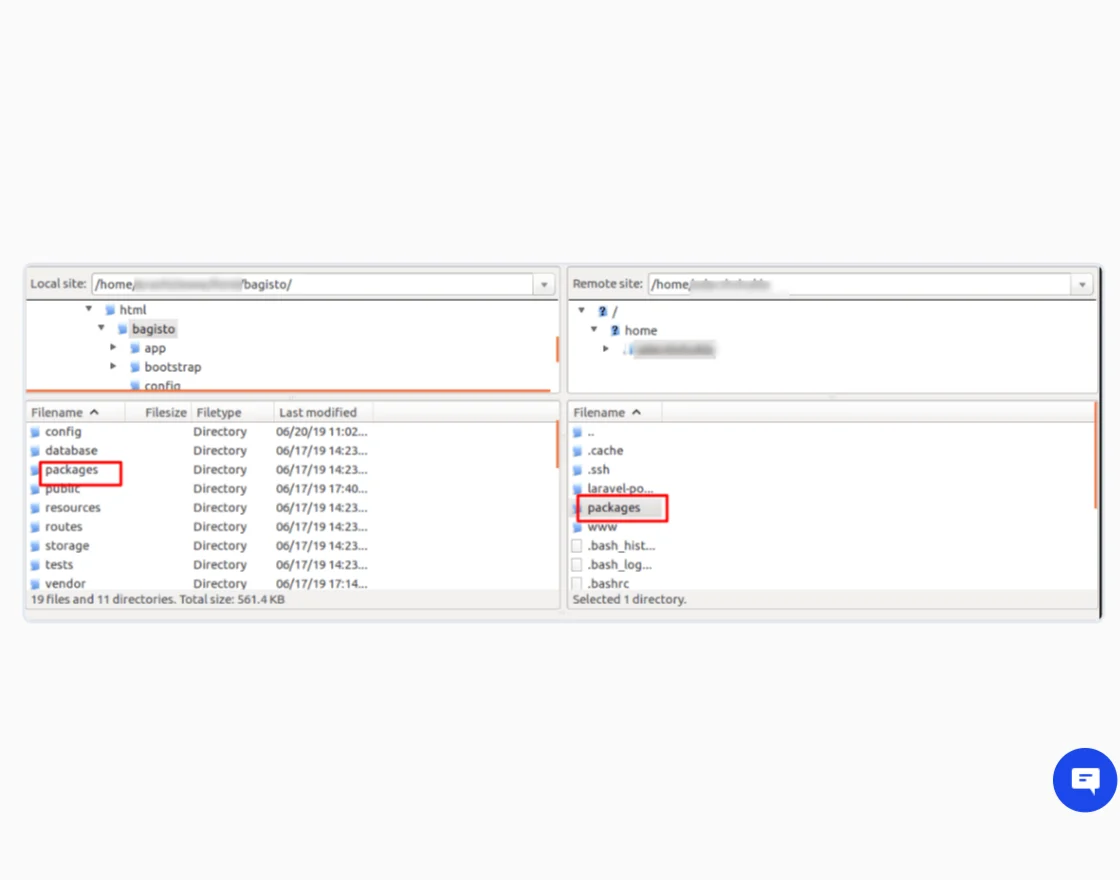
Goto config/app.php file and add following line under ‘providers’
Webkul\MarketplacePerProductShipping\Providers\MarketplacePerProductShippingServiceProvider::class,
Webkul\MarketplacePerProductShippingSaaS\Providers\MarketplacePerProductShippingSaaSServiceProvider::class,
Goto composer.json file and add following line under ‘psr-4’
"Webkul\\MarketplacePerProductShipping\\": "packages/Webkul/MarketplacePerProductShipping/src",
"Webkul\\MarketplacePerProductShippingSaaS\\": "packages/Webkul/MarketplacePerProductShippingSaaS/src"
Run these commands below to complete the setup.
composer dump-autoload
php artisan mp-per-product-shipping:install
Tenant configuration of the Laravel e-commerce per product shipping
Once you successfully execute the module, you will see the Per Product Shipping under the Configuration>>Sales>>Shipping Methods.
Tenants can easily configure the Per Product Shipping by navigating to Shipping Methods>Per Product Shipping.
However, there are a few options such as title, description and rate, status, and tax.
- Tenants can “Active” or “Inactive” this module by clicking on status.
- Tenants can provide a title for the shipping.
- Tenants can provide a complete description of the shipping rates.
- Tenants can set the shipping tax rate.
- Tenants can enable or disable the Tax by clicking on ‘Calculate Tax.’
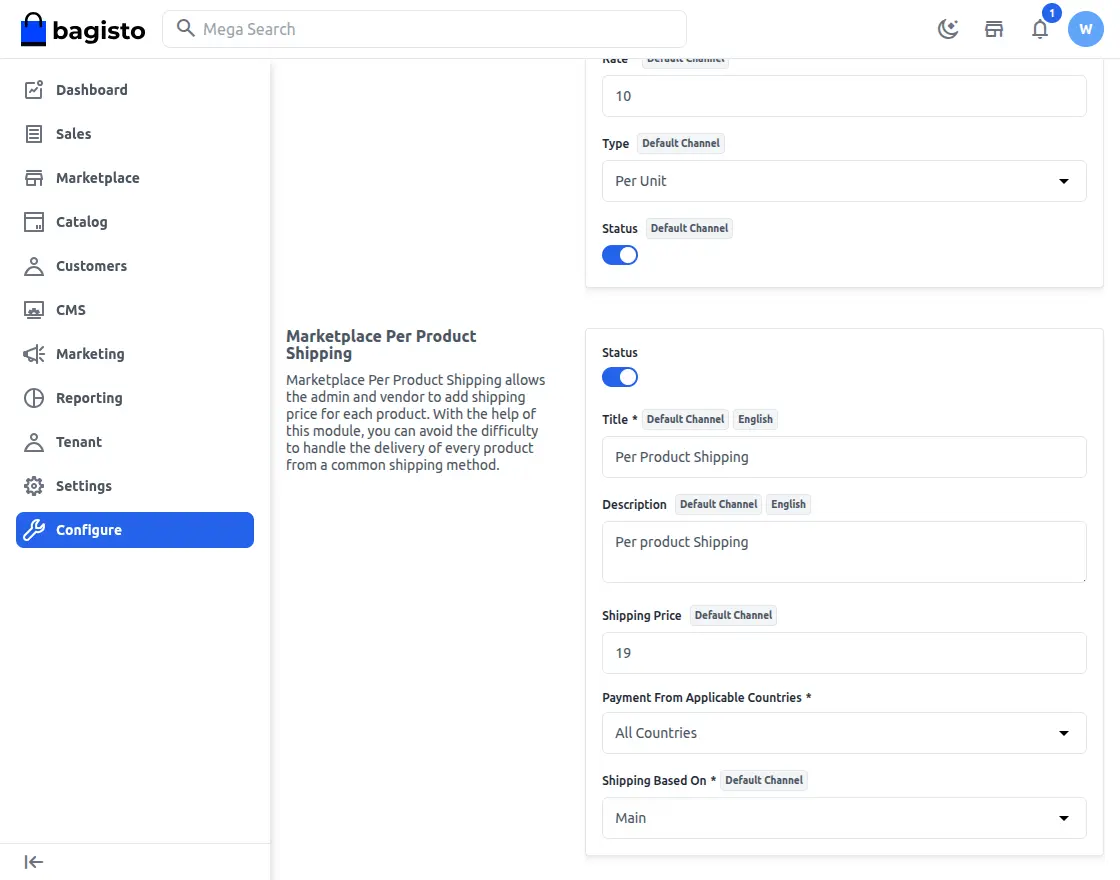
Default shipping rate: This is a rate whenever the tenant or seller does not mention any shipping rate for their product, then this “Default Rate” will be applicable.
Per Product Shipping Application
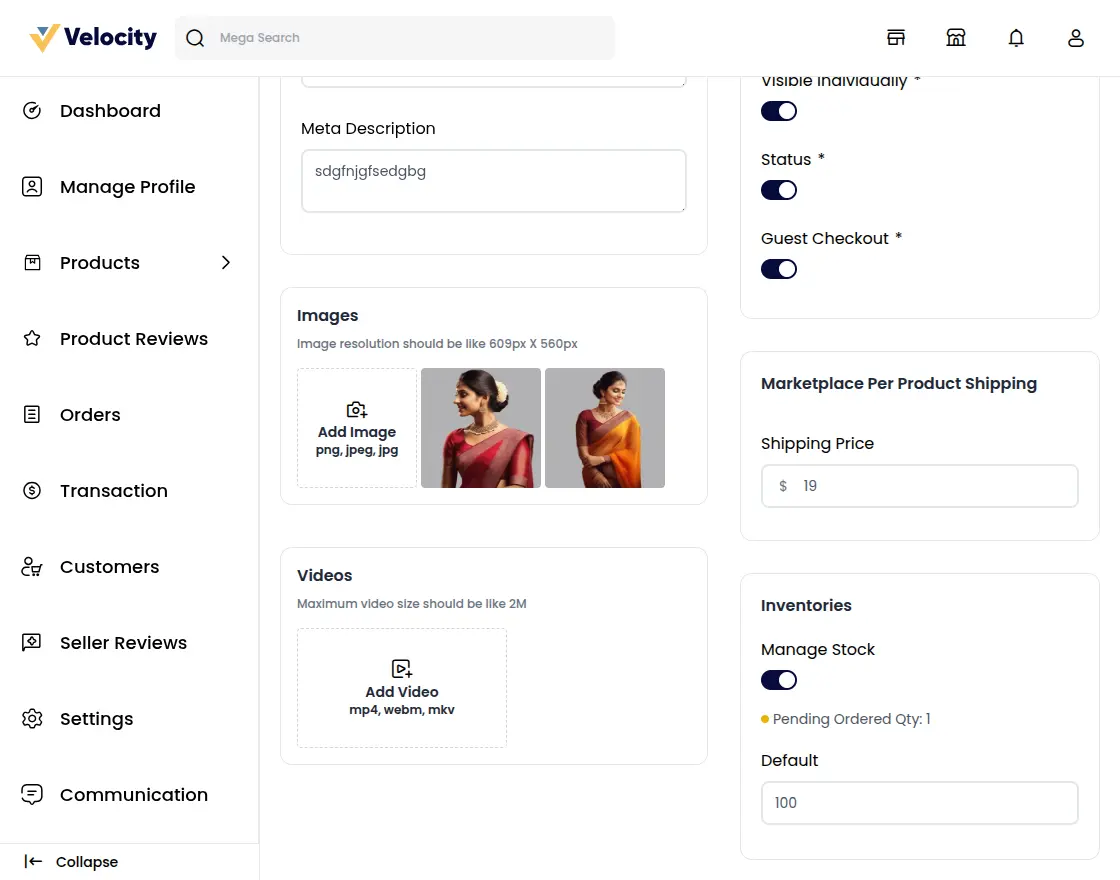
After the completion of the above steps, the tenant or seller will find a shipping price option under Catalog>Product>Create Product>Shipping .
Here, the tenant will set the shipping price of the product.
Customer – Store Workflow
When customers add a product to a cart they can choose from available shipping methods during the checkout process.
However, the shipping price depends on the customer’s shipping option during the checkout process.
Order History
In the order history, click on the “My Orders” section, and see the complete history of the past purchases.
Order Details: In the order history, customers will be able to see:
- Total amount paid
- Order status (Processing, Shipped, Delivered, etc.)
- Products ordered (name, price, and quantity)
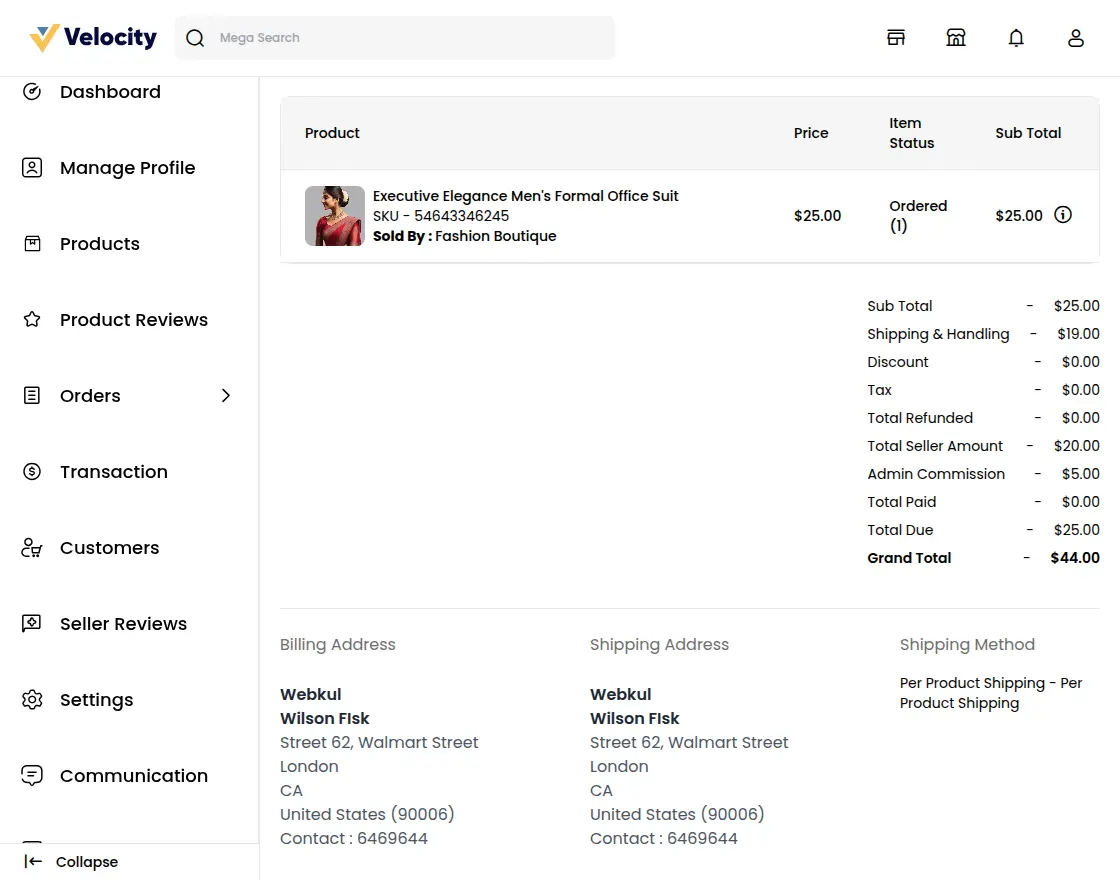
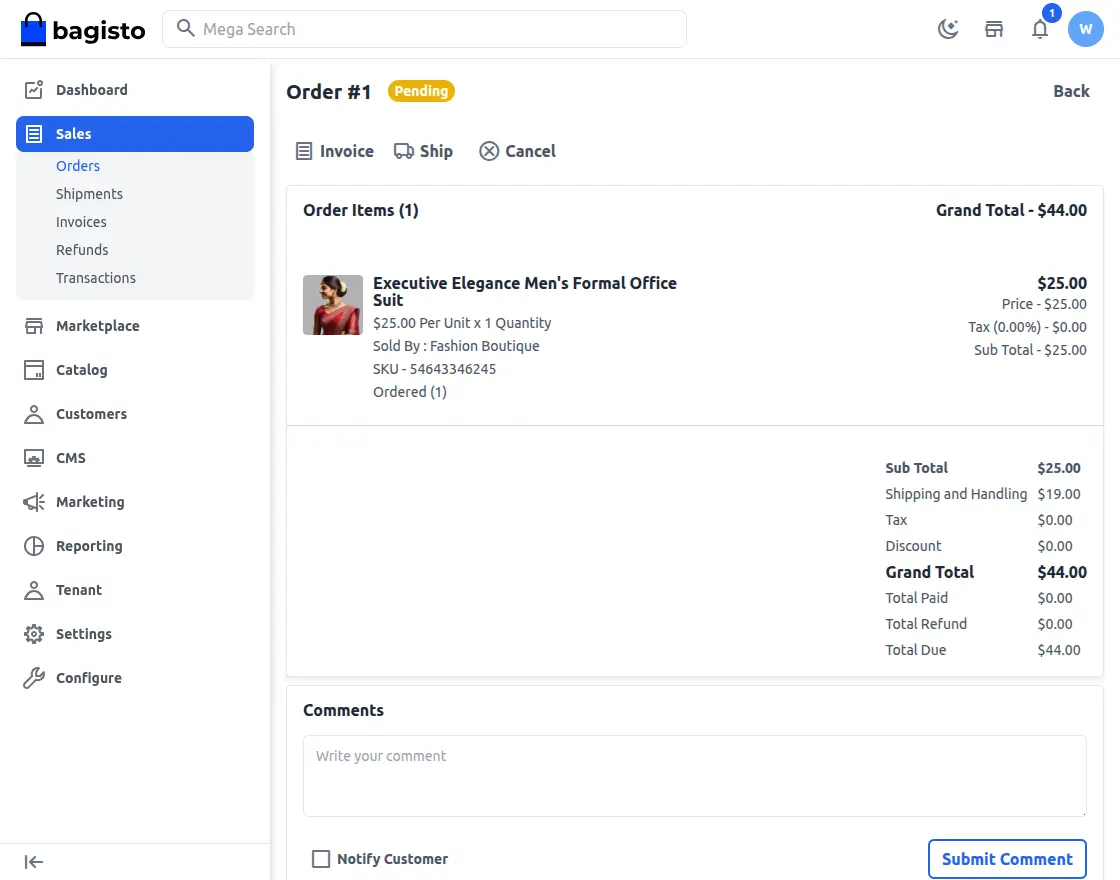
Tenant Admin
Tenants can configure the various options, providing complete control over the order management process.
Support
That’s all for Laravel eCommerce SaaS Marketplace Per Product Shipping . If you still have any issues feel free to add a ticket and also let us know your views to make the module better https://bagisto.uvdesk.com/en/
Current Product Version - v2.2.2
Supported Framework Version - v2.2.2

Be the first to comment.