PrestaShop Return Opt-Out Discount allows your customers to give up their right to return a product in exchange for an instant discount on that product.
Set discounts globally, per product, or through custom rules. The module applies the customer’s choice consistently throughout the shopping and ordering process.
The return opt-out choice is carried from the product page to the cart, checkout, order confirmation, and order details, ensuring the selected items cannot be returned.
This User Guide explains installation, all available settings, management screens, and the complete customer experience, helping you configure and use the module effectively.
NOTE: PrestaShop Return Opt-Out Discount is compatible with the PrestaShop Multi-store feature.
Features of PrestaShop Return Opt-Out Discount
- Offer customers an instant discount in exchange for giving up their right to return the product.
- Set discounts at three levels, with priority Product › Rule › Global.
- Group products by category, brand, supplier or customer group and apply one discount to all of them.
- Exclude individual products from a rule when they should not take part.
- Offer a fixed amount discount or a percentage discount.
- Cap a percentage discount with a maximum amount, so low-priced products keep their margin.
- Restrict the offer to the customer groups you select.
- Show the offer box on the product page, either under the price or in the extra information section.
- Show a grouped opt-out checkbox for every eligible product in the cart.
- Update cart prices and totals right away when a customer accepts or removes the offer.
- Show the original price and a no-return savings badge on product listing pages once a product has been accepted.
- Require a consent checkbox at checkout with your own wording, and block the order until it is ticked.
- Display the original price, discount, final price, and consent on the order confirmation page, in the customer’s account, and on the back-office order details.
- Show a return opt-out summary on the order confirmation page, in the customer account, and on the order screen in your back office.
- Block return requests on opted-out items and show the customer a clear reason. Other products in the same order stay returnable.
- Show a plain return message when returns are not allowed for a product, with a separate message for each shop language.
- Show fixed discounts in the currency the customer is shopping in.
- Shows a status message in the product settings, Global settings, and Rule forms — when RMA is on and returns allowed, when RMA is off or returns restricted, and when returns are fully blocked.
How to Install PrestaShop Return Opt-Out Discount
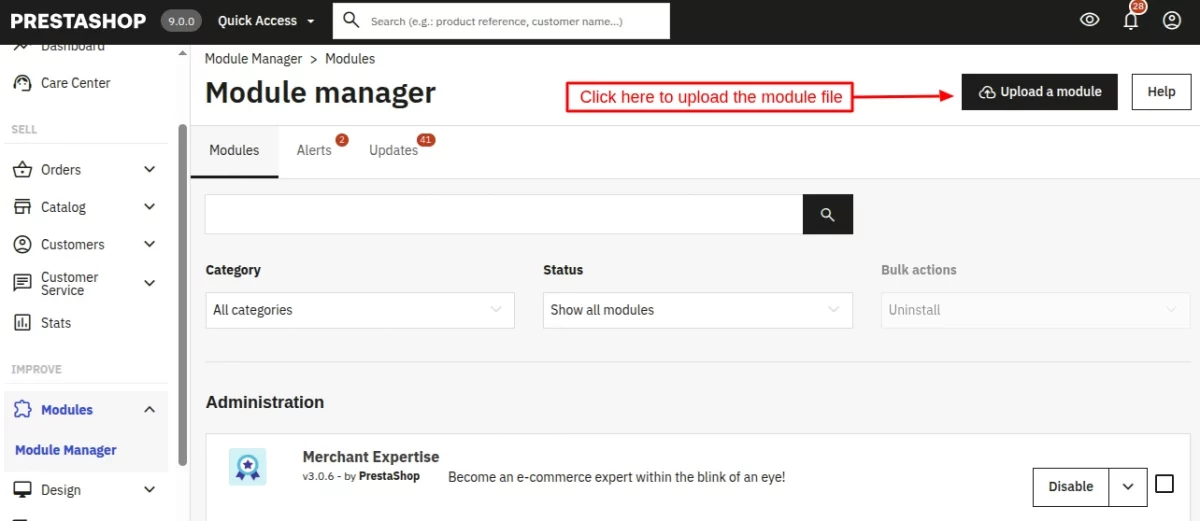
- Firstly, go to the module manager in the back office and click on ‘upload a module’.
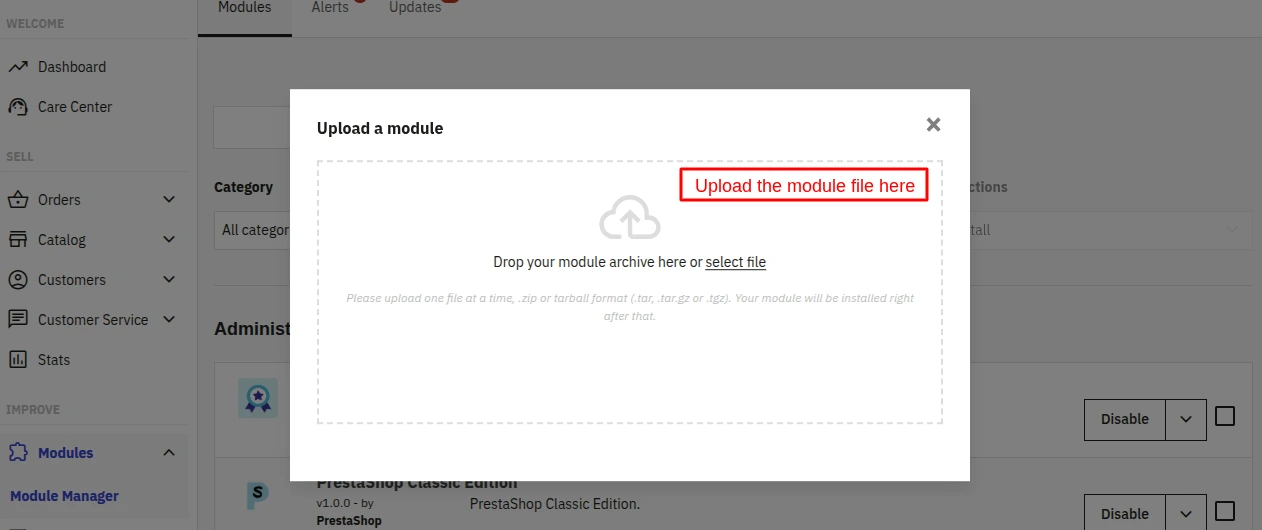
- After that, drag and drop the module file or select the file from the system.
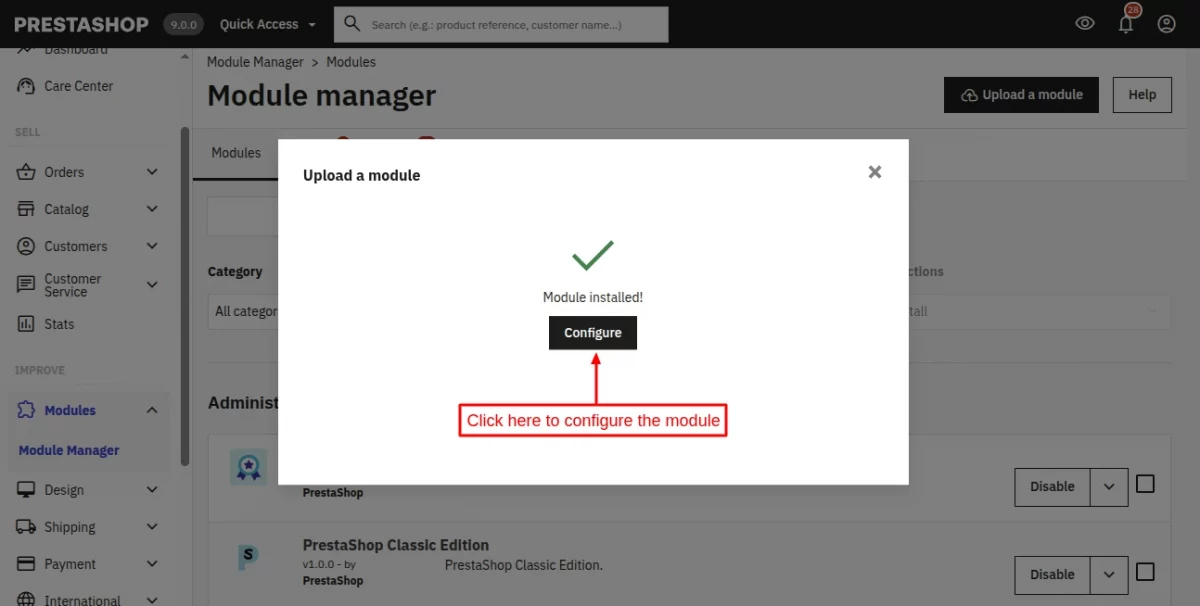
- In this way, the module installation will be successful.
PrestaShop Return Opt-Out Discount Module Configuration
After the successful installation, the admin will have to configure the module.
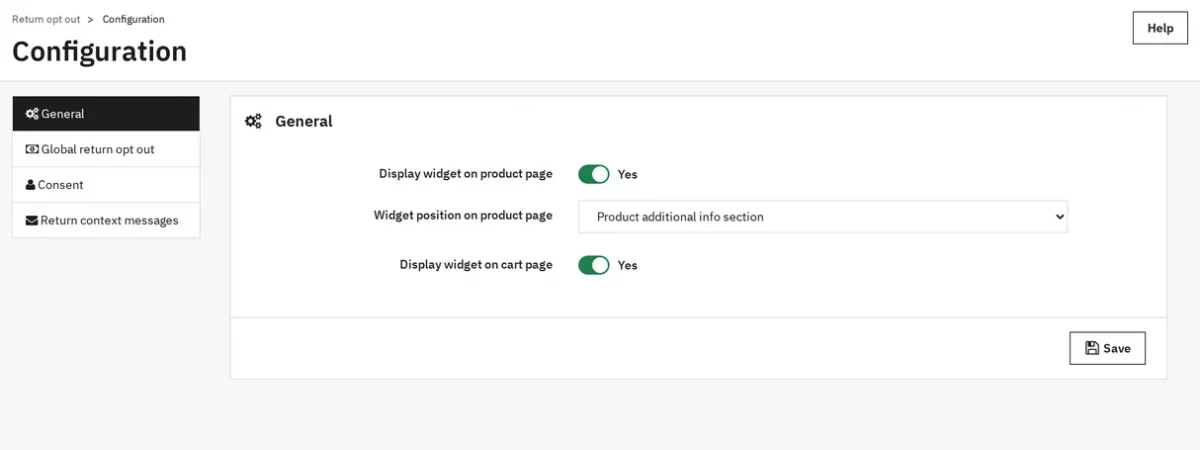
The module configuration page contains four tabs — General, Global return opt out, Consent, and Return context messages.
General Settings
This tab controls where customers see the offer.
- Display widget on product page — shows the opt-out box on the product page.
- Widget position on product page — Product additional info section places the box below the add-to-cart button. After the product price places it under the price.
- Display widget on cart page — shows the list of eligible products in the cart, so customers can opt in or out after adding products.
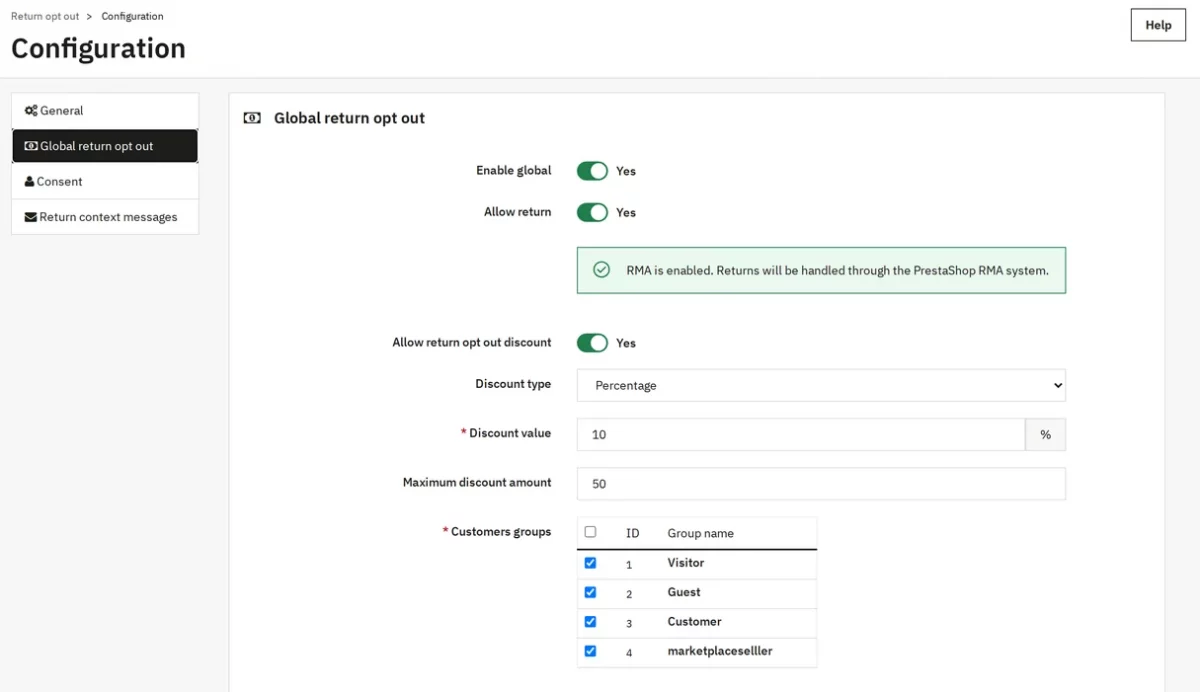
Global Return Opt Out Settings
The global setting applies to every product that has no product setting and matches no rule.
- Enable global — turns the global setting on.
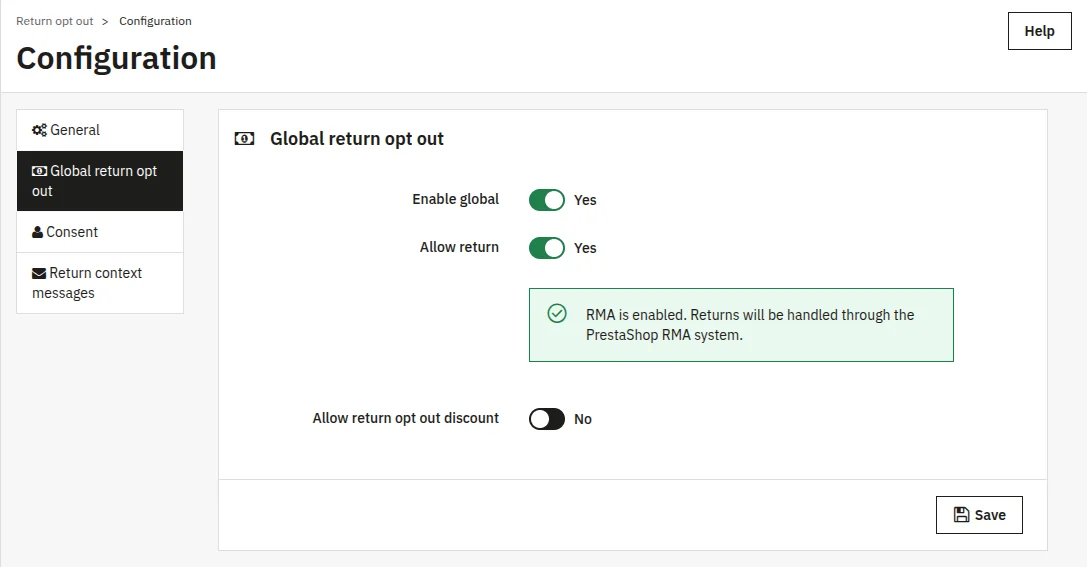
- Allow return — marks products as returnable. A notice below the switch tells you whether PrestaShop merchandise returns (RMA) are on or off in your shop.
- Allow return opt out discount — offers the discount for giving up returns.
- Discount type — Amount or Percentage.
- Discount value — the discount in your default currency, or the percentage.
- Maximum discount amount — the highest discount a percentage can give. Leave it at 0 for no cap.
- Customers groups — the groups that see the offer. Customers outside these groups do not see it.
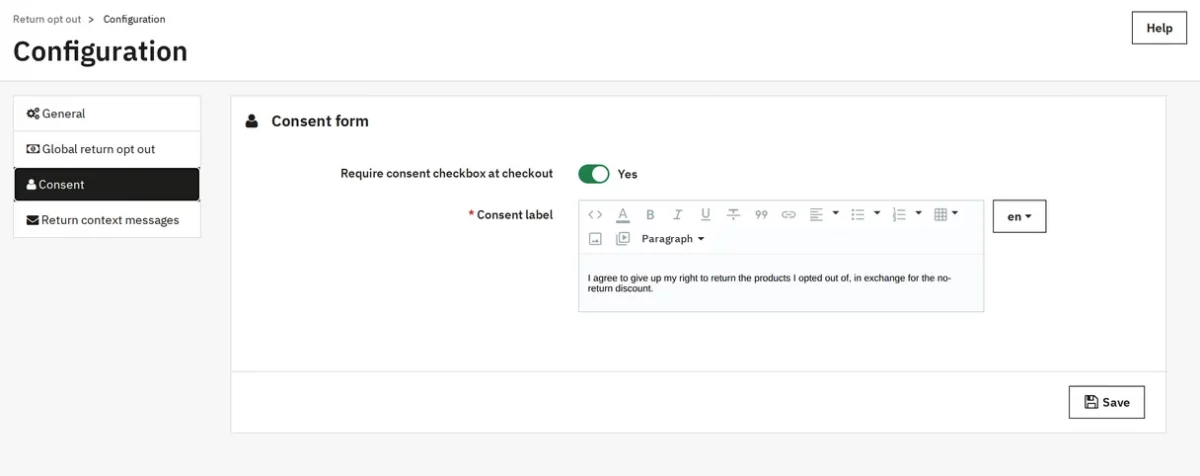
Consent Form Settings
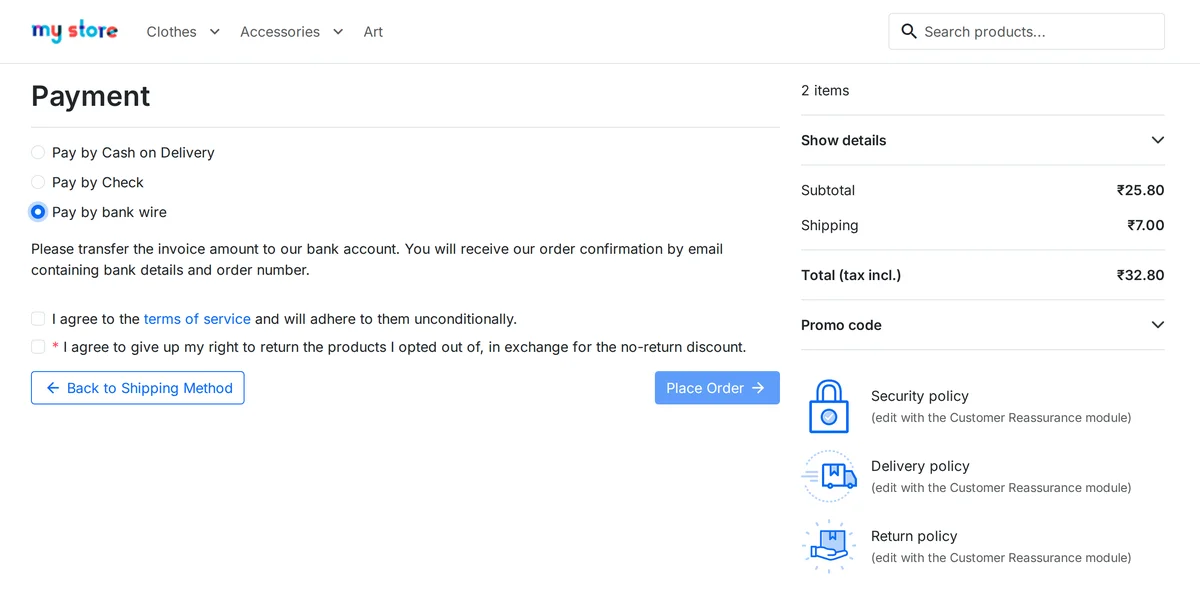
- Require consent checkbox at checkout — adds a required checkbox to the payment step when the cart holds opted-out products.
- Consent label — the text next to the checkbox, per language.
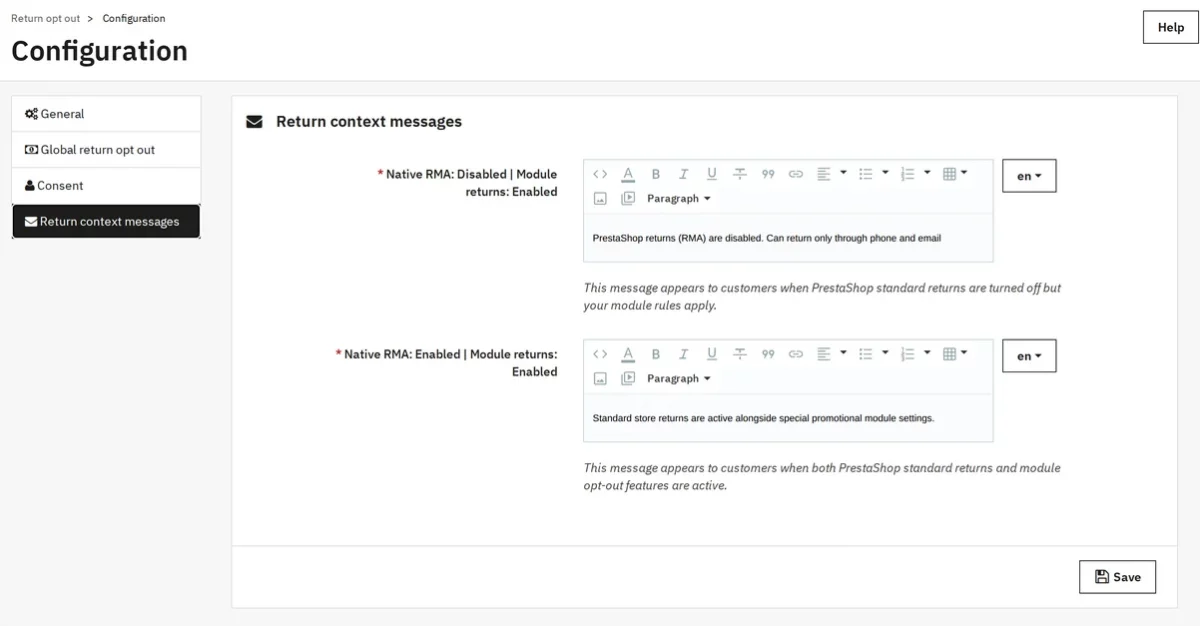
Return context messages
These messages appear on the product page based on PrestaShop’s RMA setting and whether returns are allowed for the product.
- Native RMA: Disabled | Module returns: Enabled — shown when PrestaShop merchandise returns are off.
- Native RMA: Enabled | Module returns: Enabled — shown when PrestaShop merchandise returns are on.
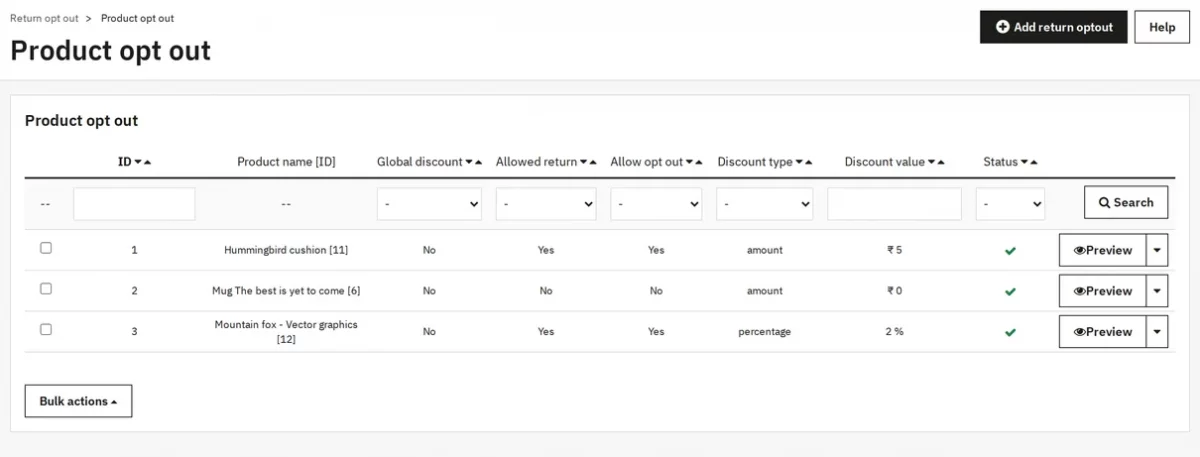
Managing Return Opt-Out Discount from the Admin Panel
Go to the Product opt-out tab. The list shows each configured product with its return, opt-out, and discount settings. The Preview option opens the product page in your store.
Set a discount for a product
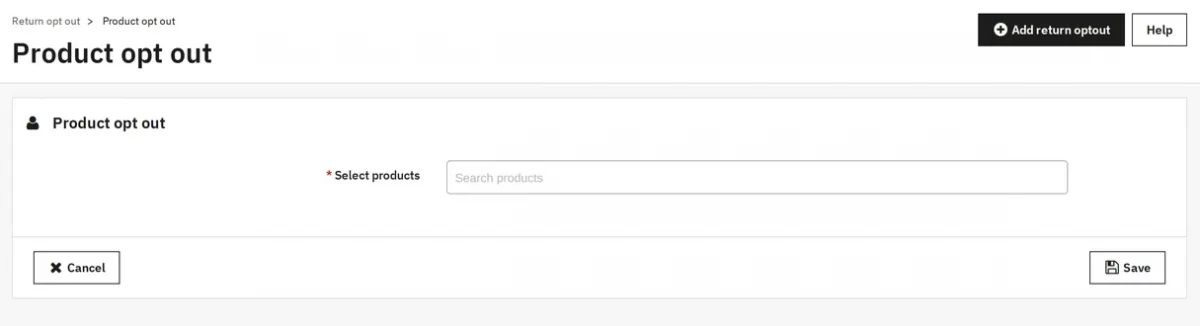
A product setting overrides rules and the global setting. Click Add return opt-out and pick one or more products in Select products.
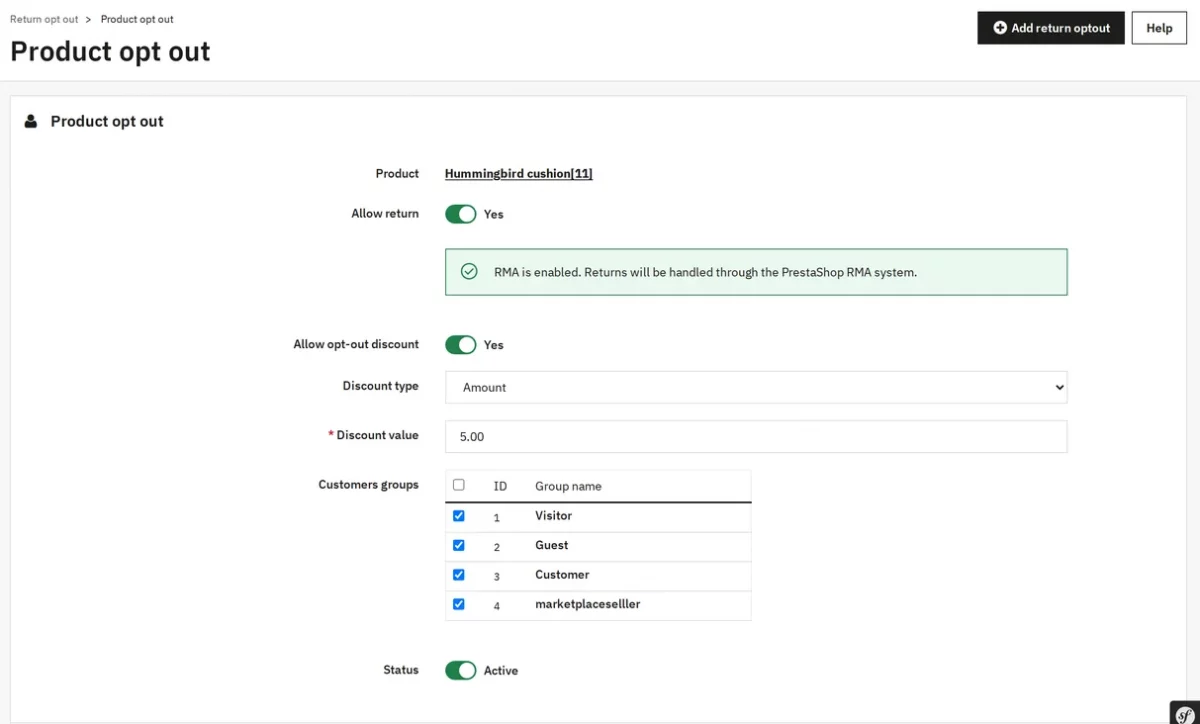
Set Allow return, Allow opt-out discount, Discount type, Discount value, Maximum discount amount, Customers groups, and Status.
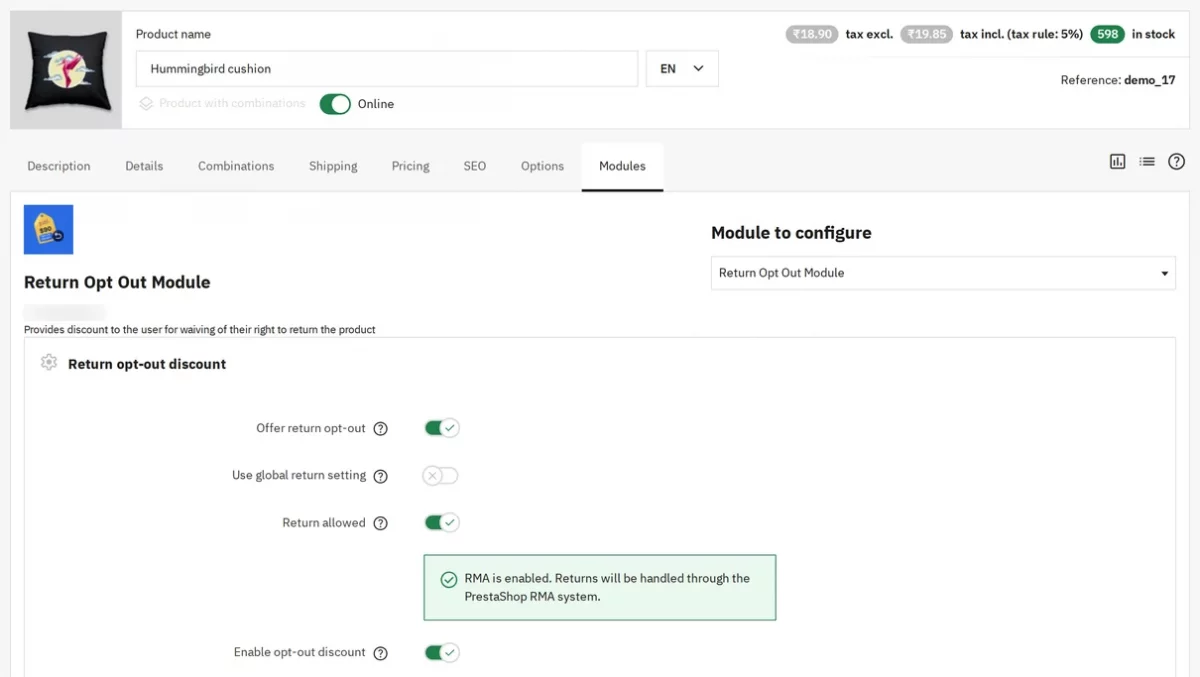
The admin can also set the same values from the product settings tab. To do this, firstly navigate to the product listing tab and open a product.
Then navigate to the Modules tab and click Configure next to Return Opt Out Module. Then turn on Offer return opt-out, or turn on Use global return setting to follow the global tab.
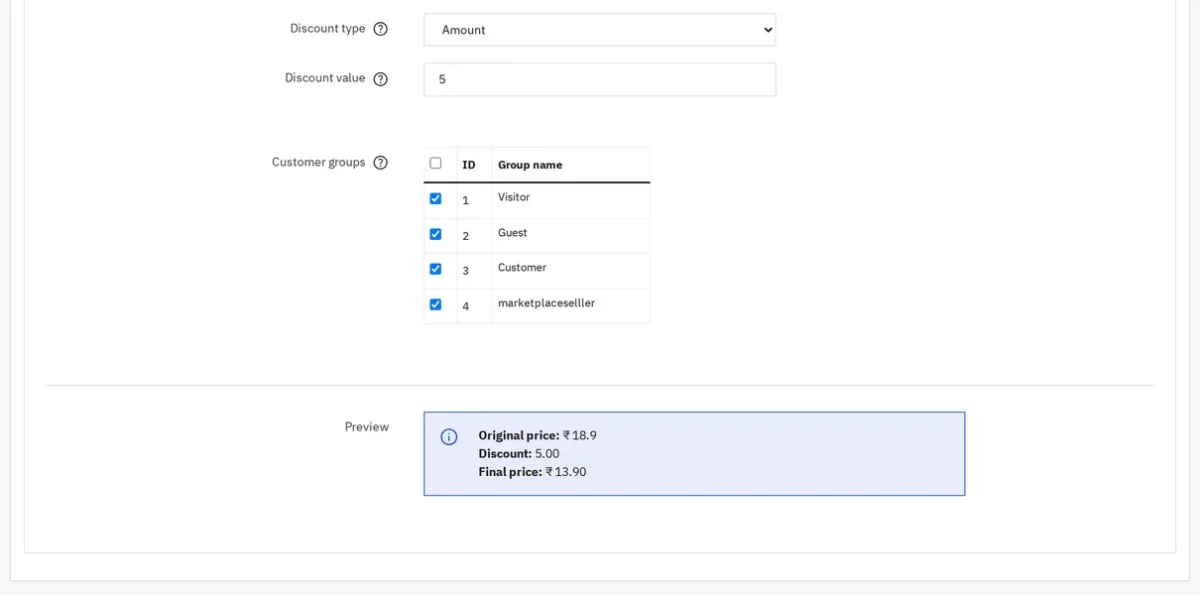
The Preview box at the bottom shows the original price, the discount, and the final price for that product.
Create opt-out rules
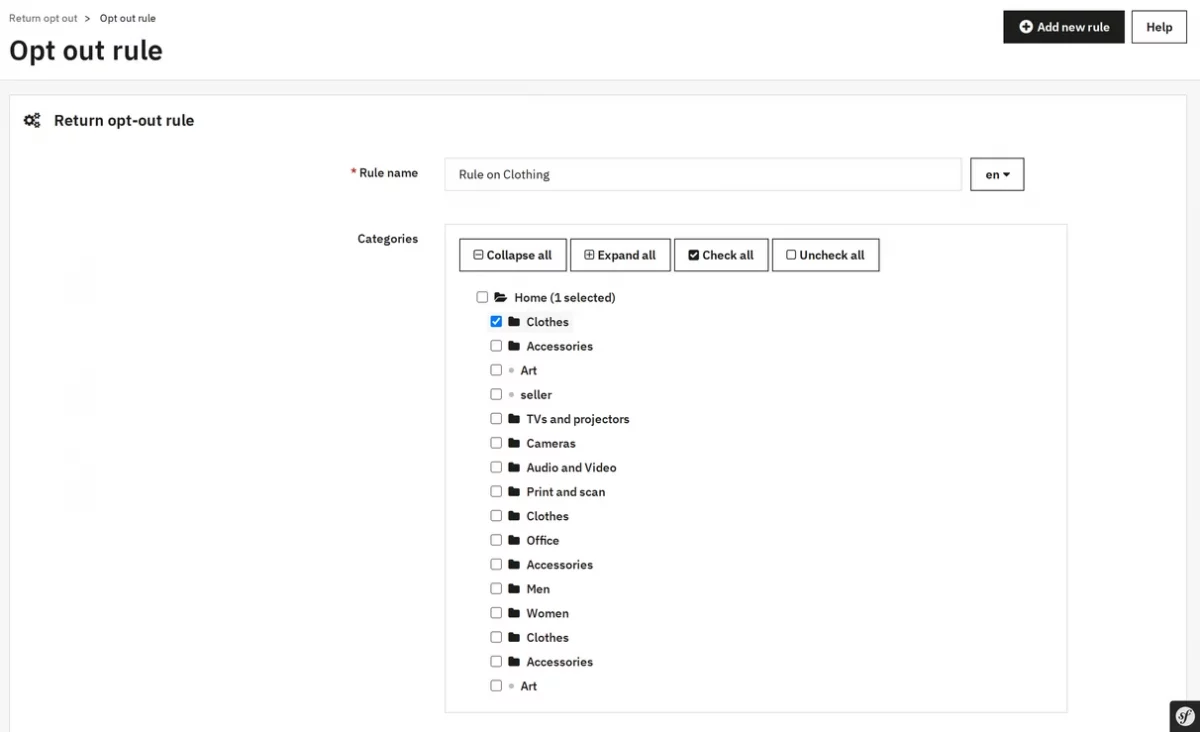
Rules set a discount for a group of products. Go to Return opt out › Opt out rule and click Add new rule.
- Rule name — a name for your own reference, per language.
- Categories, Brand(s), Supplier(s) — the products the rule covers. Leave a field empty to skip that condition.
- Customers groups — the groups the rule applies to.
- Excluded products — products the rule never covers.
Allow returns, Allow return opt-out discount, Discount type (Fixed amount or Percentage), Discount value, Maximum discount, and Active work as in the global tab.
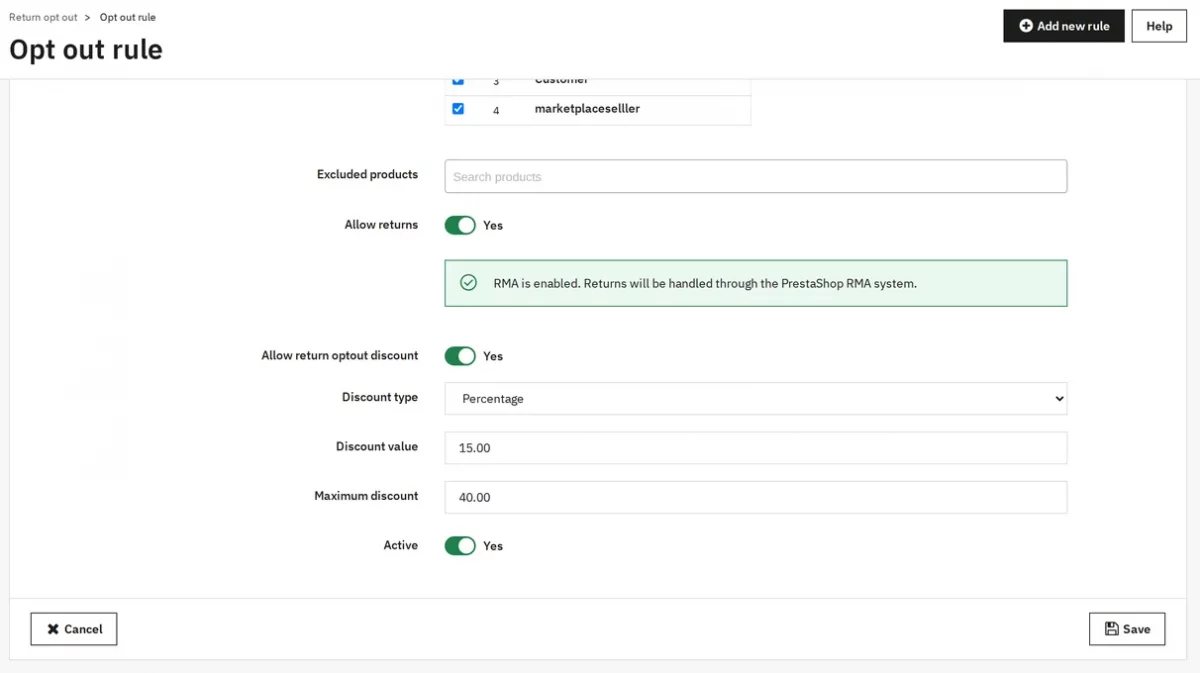
A product must meet every condition you fill in. When several active rules match, the rule with the lowest ID applies.
What customers see
What the customer sees on the product page depends on PrestaShop’s native Merchandise Returns (RMA) setting.
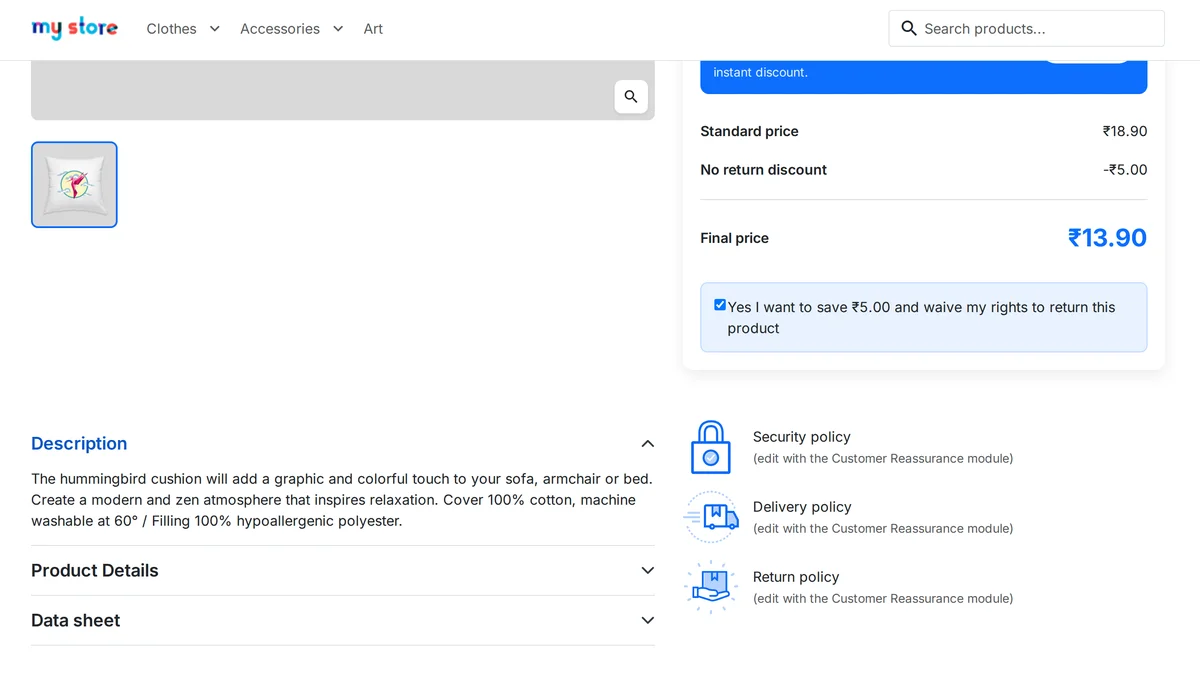
- RMA enabled — eligible products show the full discount widget (standard price, discount, final price, SAVE badge, checkbox).
- RMA disabled — eligible products show only the “Native RMA: Disabled | Module returns: Enabled” message you configure on the Return context messages tab.
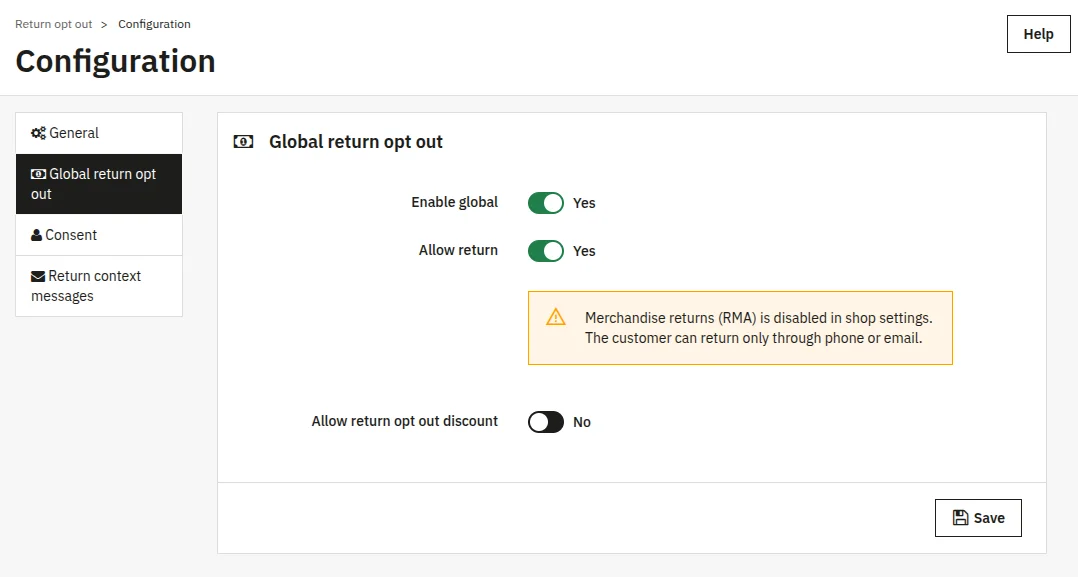
This behavior applies at every configuration level — global, product-specific, and rule-based. If RMA is off in your shop, no discount widget appears anywhere only your custom message shows.
If RMA is enabled and the module returns are also enabled, then on the product page, the box shows the standard price, the discount, and the final price.
The customer ticks the checkbox and adds the product to the cart at the discounted price.
In the cart, opted-out products display a No-return savings label and the discounted price.
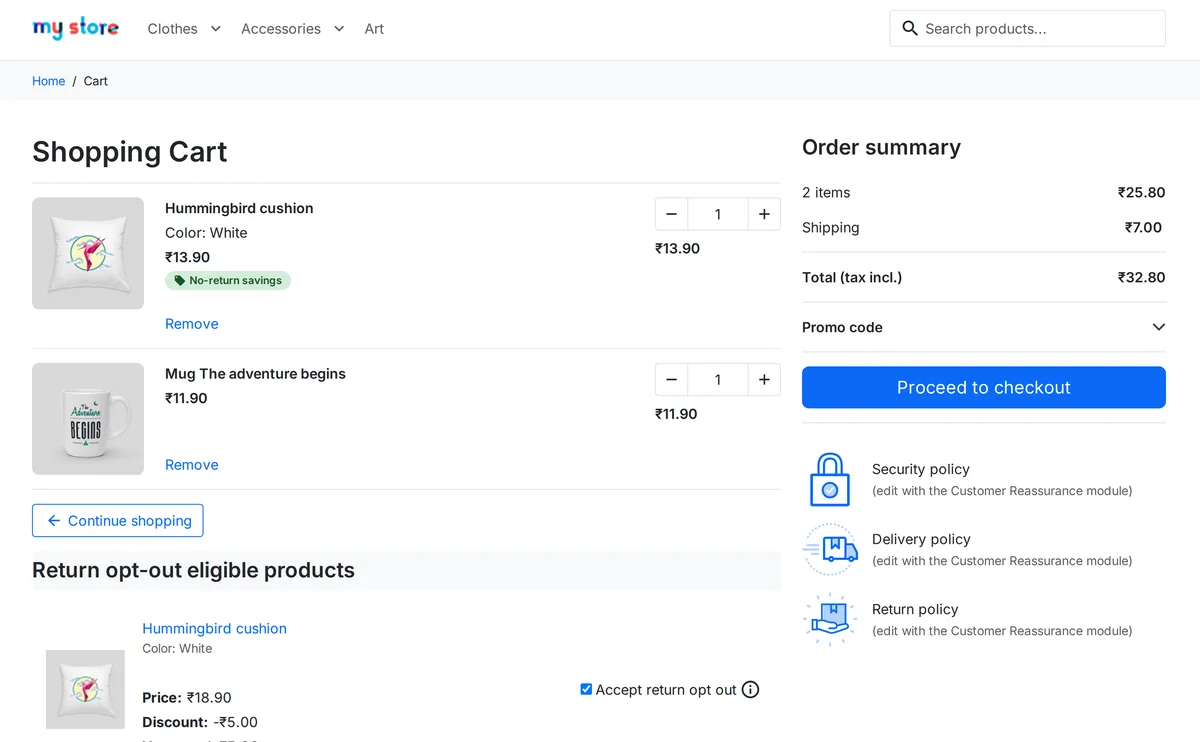
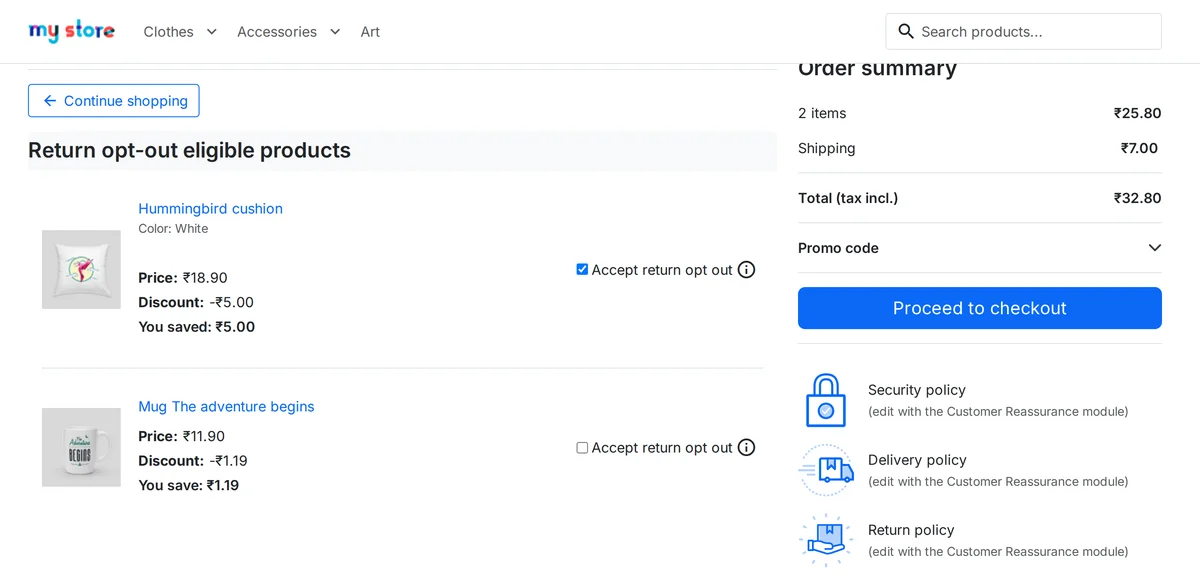
Below the cart section, Return opt-out eligible products lists every product that can be opted out. The customer switches Accept return opt out on or off, and the cart total updates.
When the Require consent checkbox at checkout is on, the payment step shows your consent label. The customer must tick it before Place Order works.
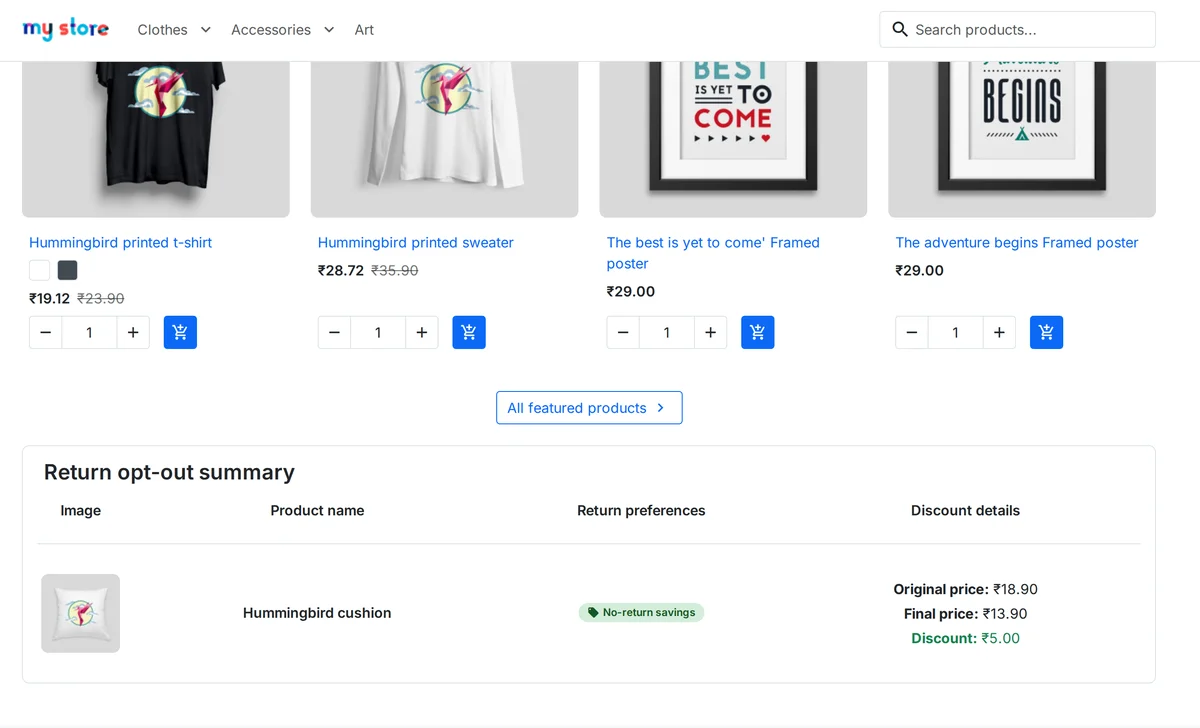
After payment, the order confirmation page shows a Return opt-out summary with the original price, the final price, and the discount.
Track opted-out products on orders
Go to the Orders listing tab and open an order. The Return opt-out summary card lists each opted-out product with its original price, final price, and discount.
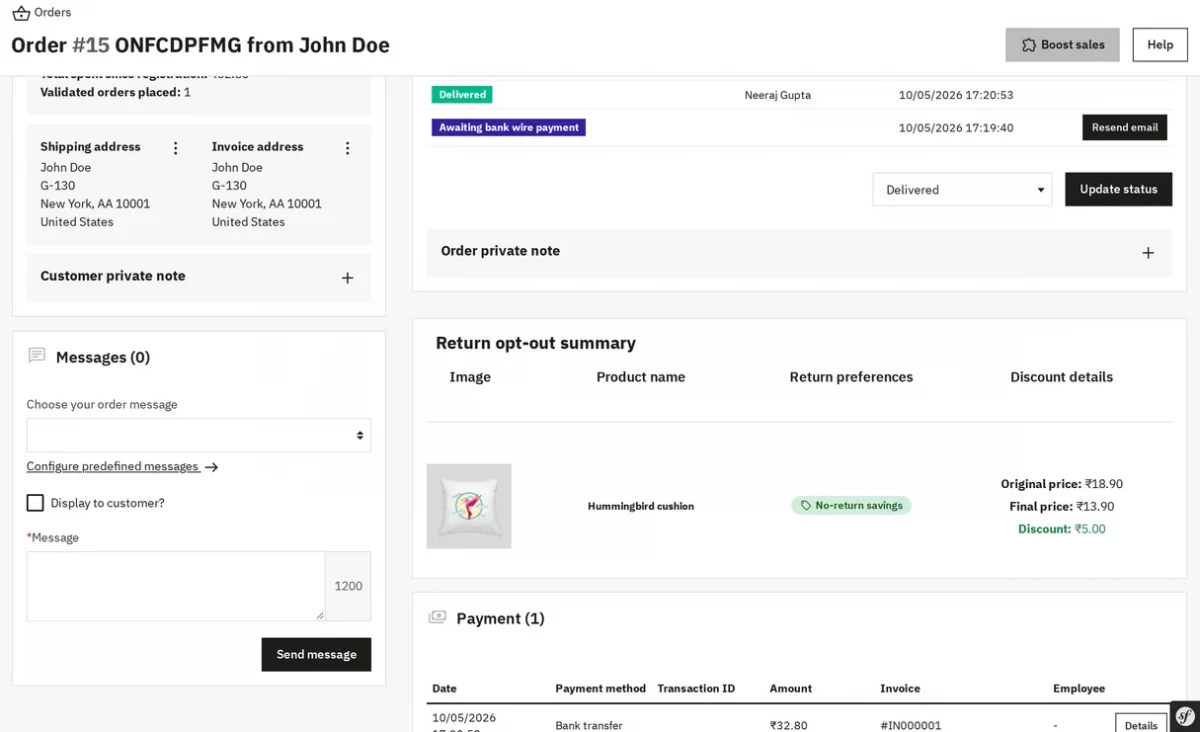
When the customer opens the order under Order history and details, the same summary appears.
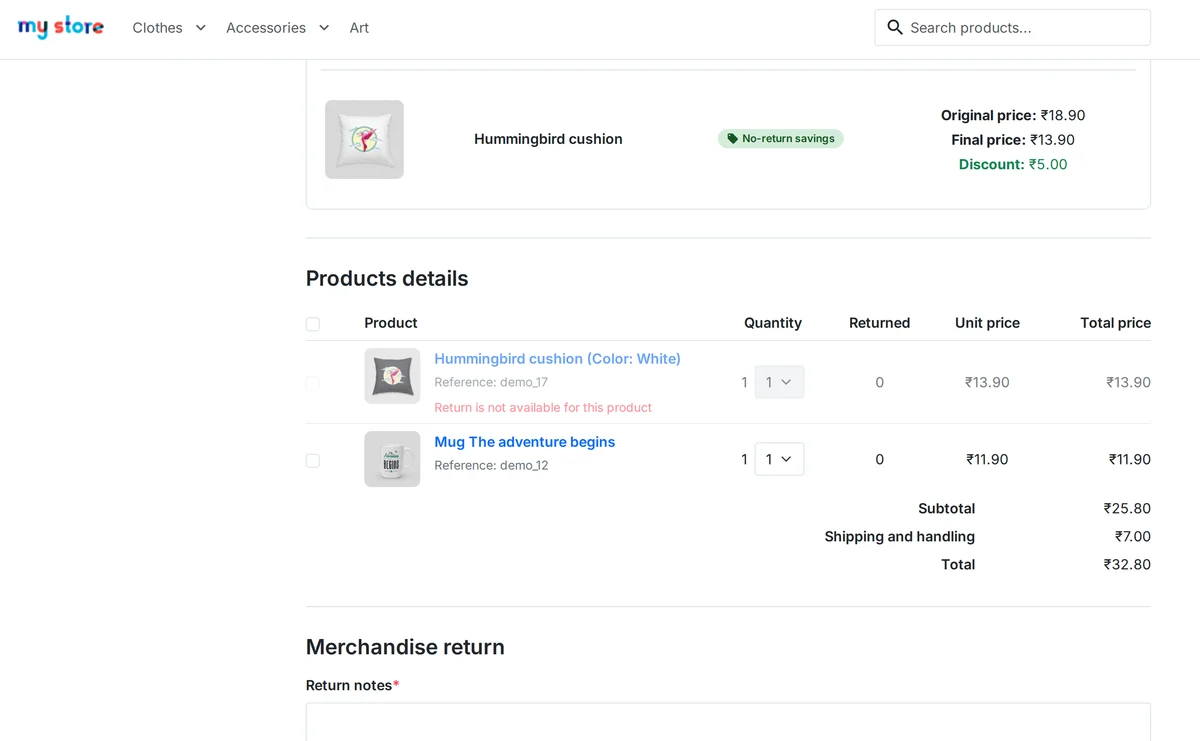
After the order is delivered and merchandise returns are on, opted-out products show Return is not available for this product and cannot be selected for a return.
Other products in the order can still be returned.
This was all about the PrestaShop Return Opt-Out Discount Module. I hope this document will help you in checking the functionality of the module in a better way.
Also, do let us know about your views in the comments.
Support
For any kind of technical assistance or query, please raise a ticket or send us an email at [email protected]
Also, please explore our PrestaShop development services and vast range of quality PrestaShop addons.
Current Product Version - 1.0.0
Supported Framework Version - 9.x.x, 8.x.x, 1.7.x.x

Be the first to comment.