The PrestaShop Marketplace Advance Search Box add-on allows the user to perform advanced searches using an advanced search box based on different parameters.
The search has been enhanced, as now the user can search by products, seller shops, sellers, location, or category.
Note: This module is an add-on for the Marketplace Module. To use this module, you have to install the PrestaShop Advanced Multi-Vendor Marketplace module first.
Features of the module
- Advanced search for category-wise searching
- User can search by products
- A user can search by sellers
- User can search by location of the shop
- A user can search by shop name
- User can search by category
- User can also search results based on all the above categories
- The module is multi-shop compatible with PrestaShop Advanced Multi-Vendor Marketplace version 5.4.0/3.4.0 and above.
How to install the module?
In order to install the module, you need to install the PrestaShop Advanced Multi-Vendor Marketplace module first.
After installing the marketplace module, you can now proceed to install the PrestaShop Marketplace Advance Search Box module.
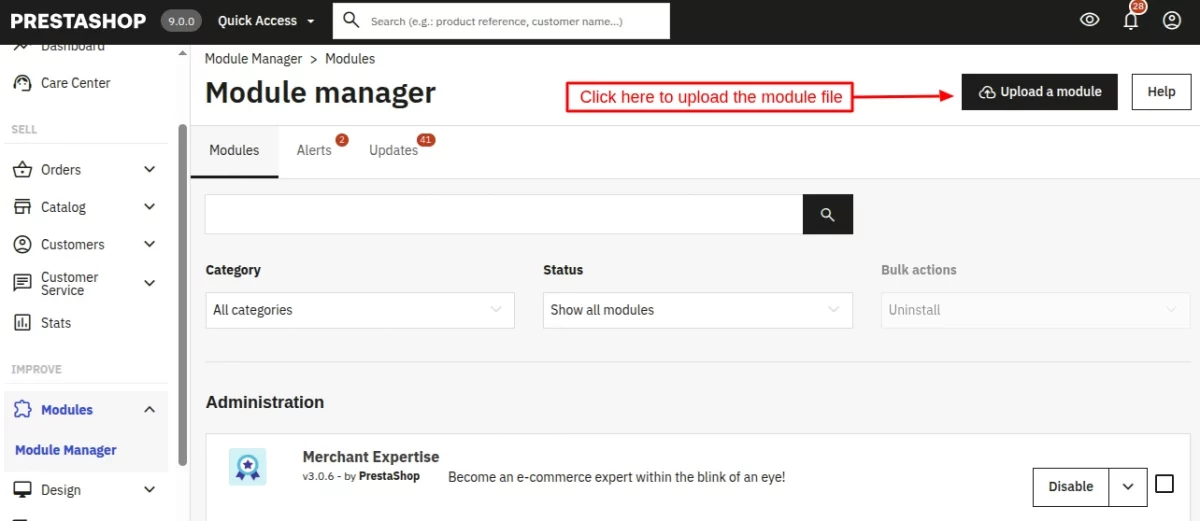
- Firstly, go to the module manager in the back office and click on ‘upload a module’.
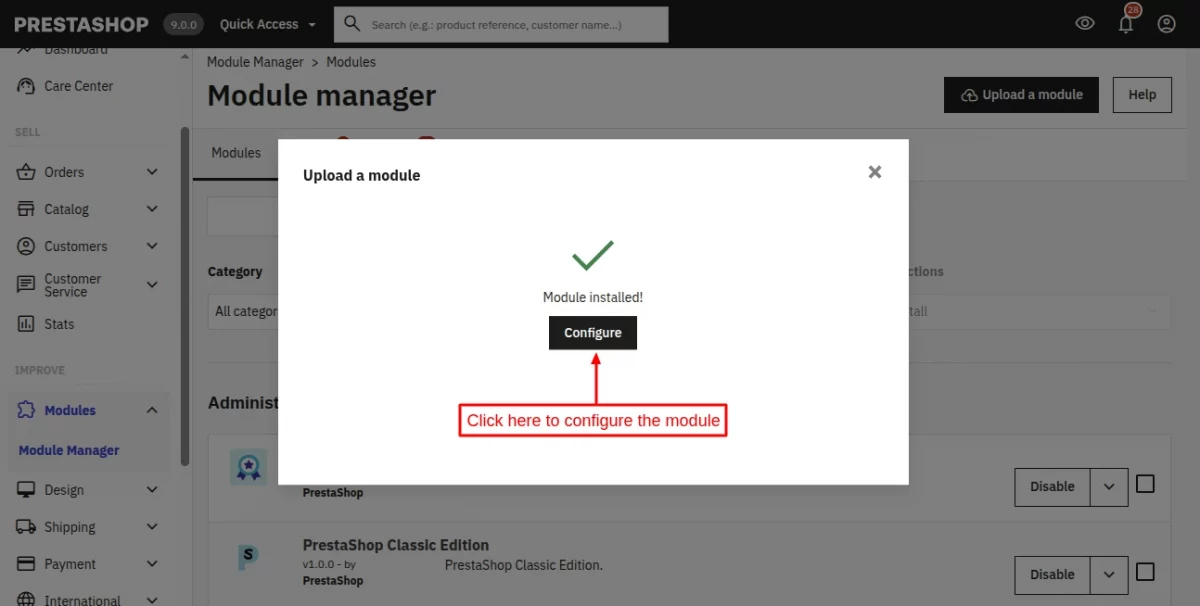
- After that, drag and drop the module file or select the file from the system.
- In this way, the module installation will be successful.
Workflow
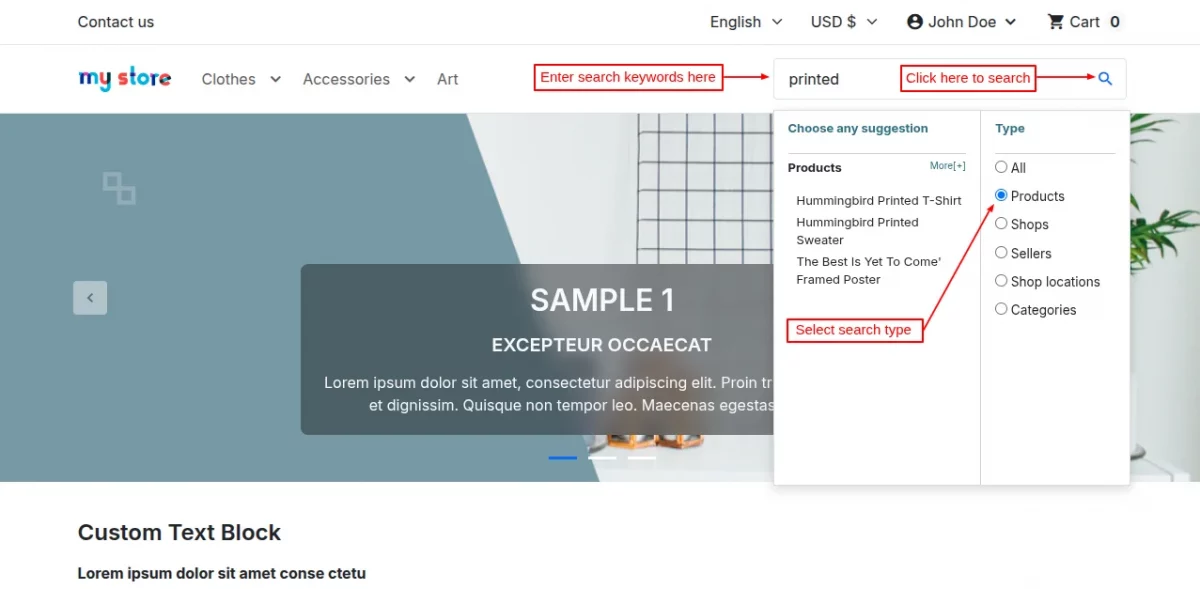
Once the module is installed, the search box is enhanced, and now the search will have these types, as displayed in the following screenshot.
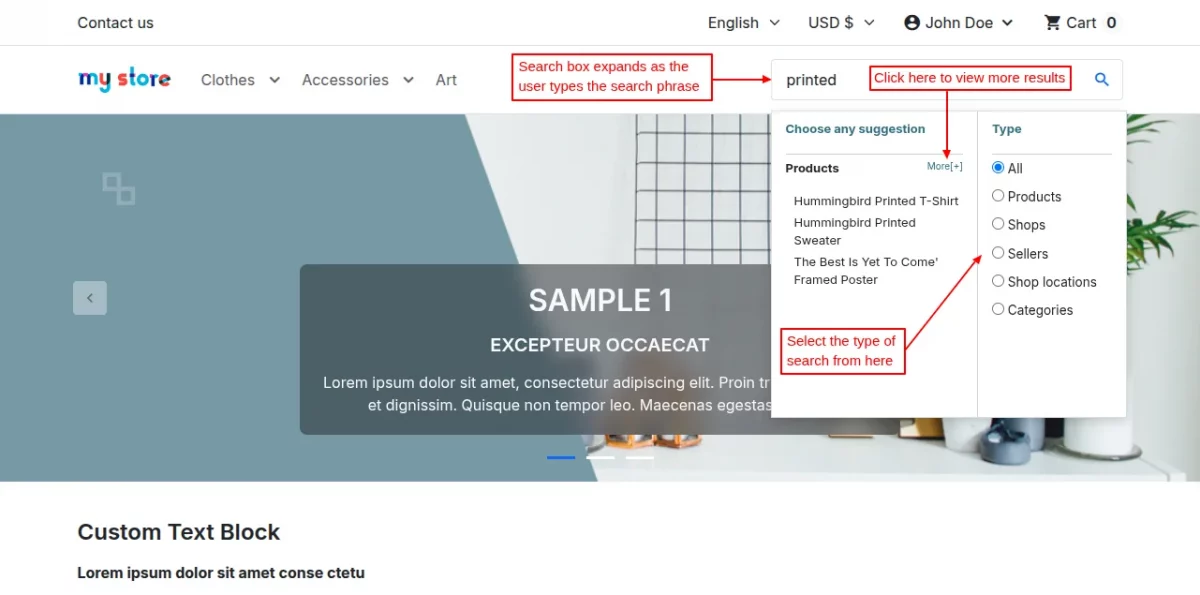
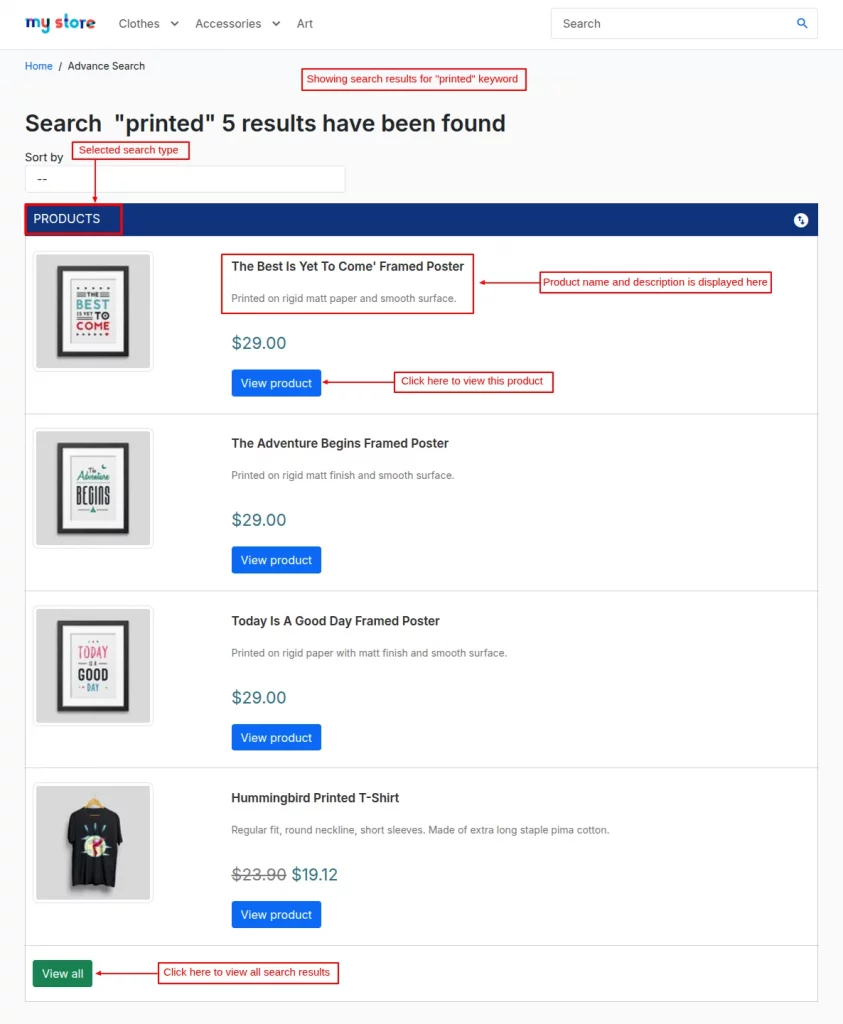
In the search result, only 4 results will be shown for each type, and the rest can be viewed with the “view all” button.
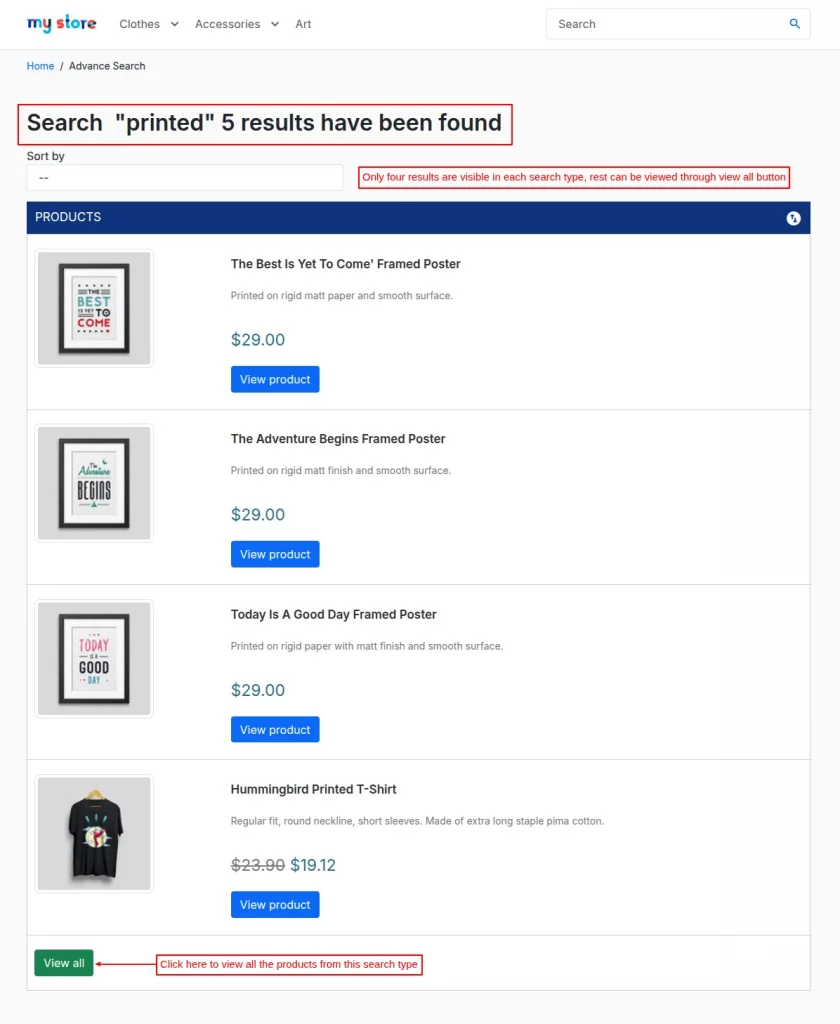
Now the customer can choose the desired search type, and the search will be done for that particular type only. The search will show all the results related to the searched keywords.
After clicking on search, the results will be shown to customers as per the keywords searched.
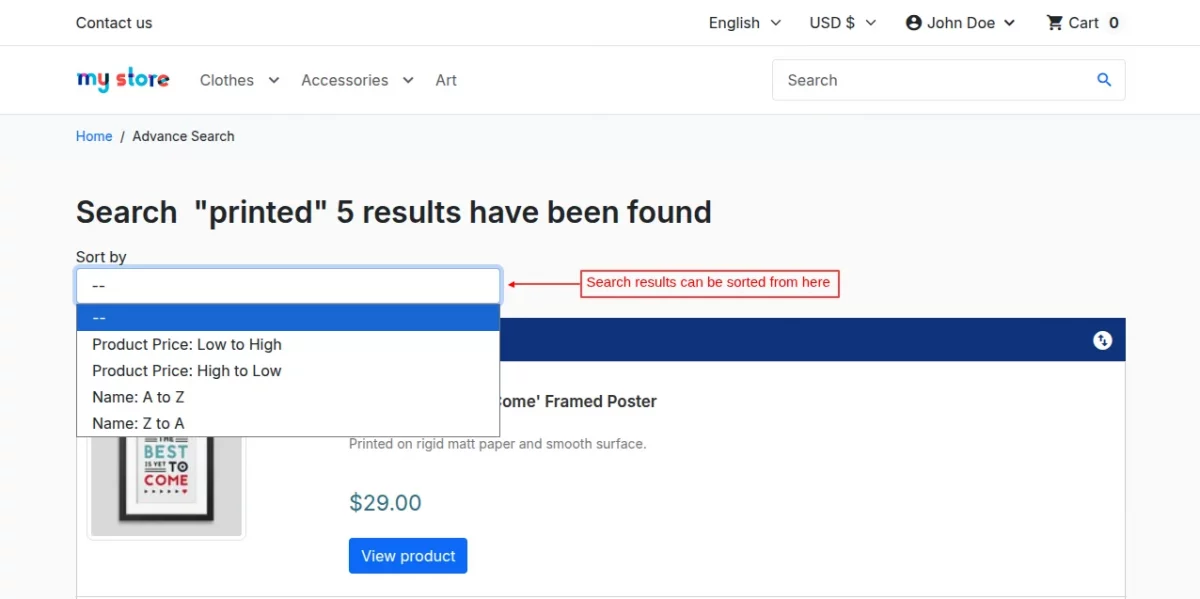
Customers can even sort the search results by price from high to low and also from low to high. You can also sort alphabetically, i.e., from A to Z or from Z to A.
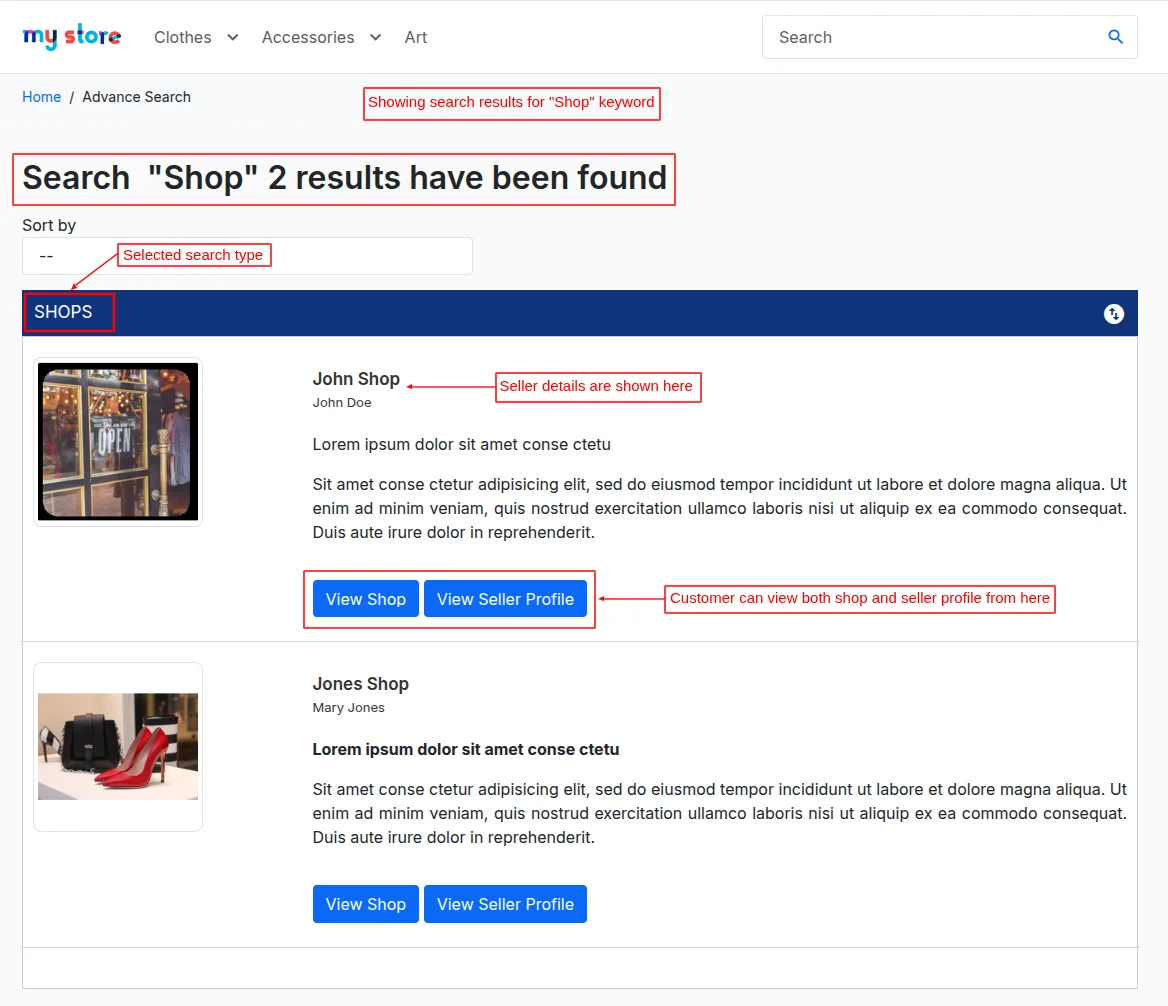
When the search is based on “shop” type, then the search results will display the shop names for all the shops matching the keywords searched.
Customers can view both the seller shop and seller profile from here.
When the search is based on “seller” type, then the search results will display all the sellers matching the keywords searched.
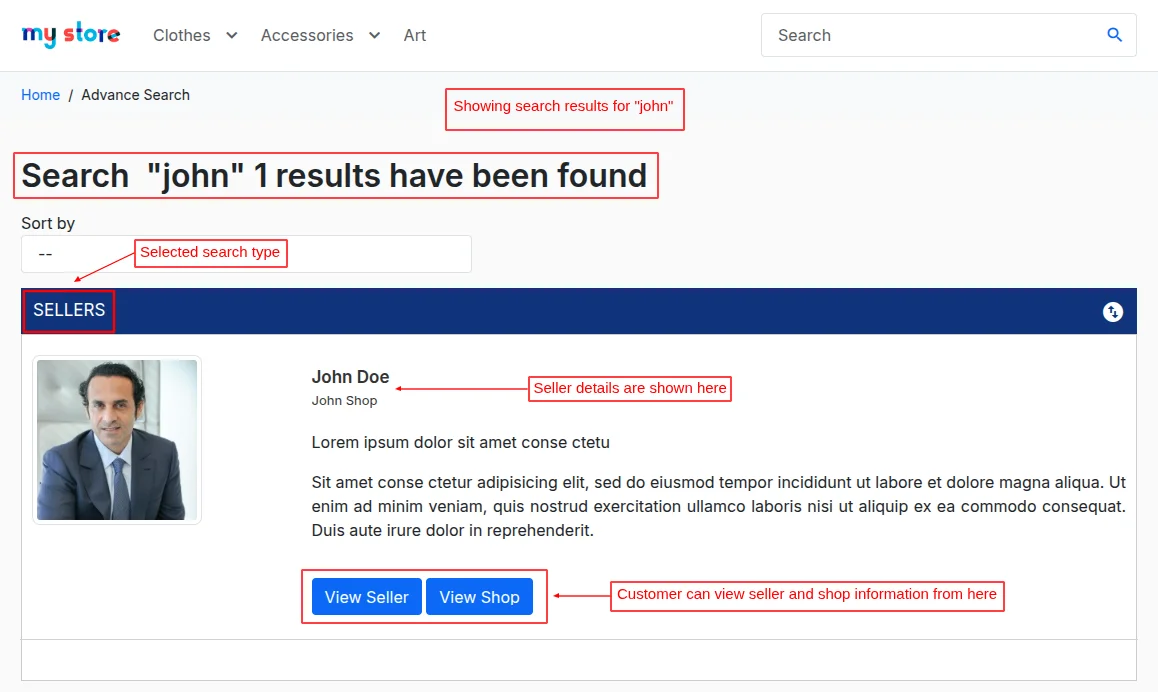
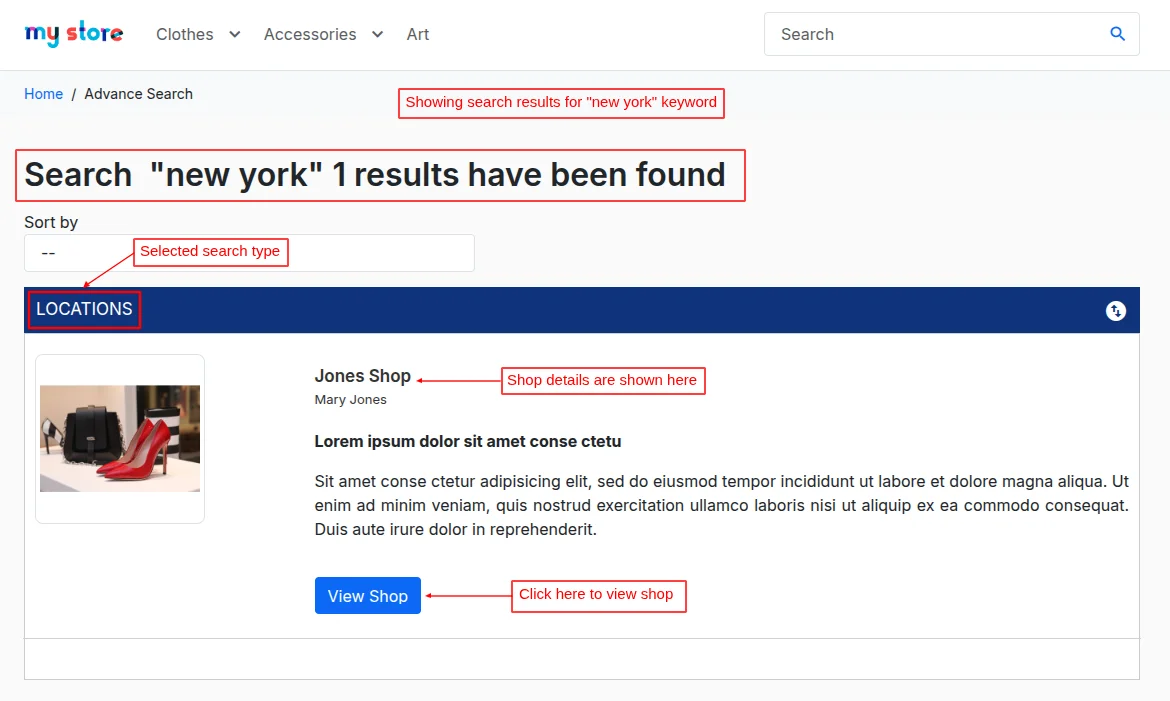
If the advanced search is based on the “location of the shop”, then the search results will display all the shops matching the location searched.
Customers can view both shop and seller profiles from here.
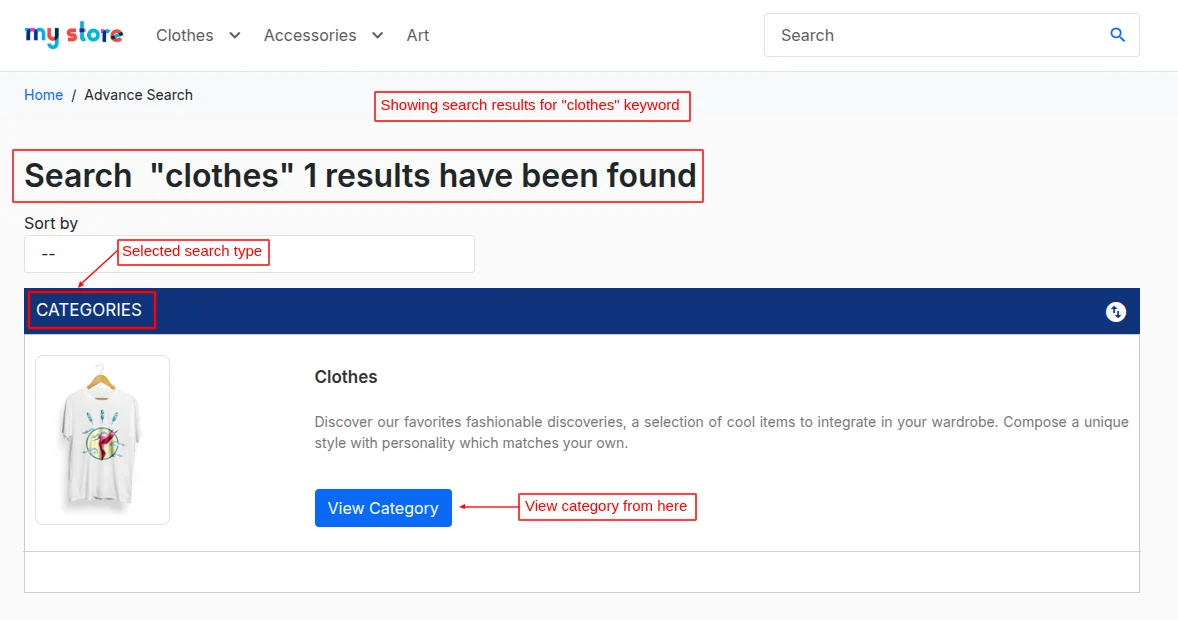
When the search is based on “category,” then the search results will display all the categories matching the keywords searched. Customers can directly access the category page from here.
So, this was all about PrestaShop Marketplace Advance Search Box Module. I hope this document will help you in checking the functionality of the module in a better way.
Also, do let us know about your views in the comments.
Support
For any kind of technical assistance or query, please raise a ticket at http://webkul.uvdesk.com or send us a mail at [email protected]
Also, please explore our PrestaShop development services & vast range of featureful PrestaShop Addons.
Current Product Version - 5.0.7
Supported Framework Version - 9.x.x, 8.x.x, 1.7.x.x

Be the first to comment.