


















Jewellery Commerce add on converts the Bagisto eCommerce store into a full fledged Jewellery shop.
Using it, Admin can sell jewellery and their related products easily. It is a customizable jewellery selling solution.
Smart search filters in jewellery eCommerce allow users to quickly locate items based on price, shape, or color.
The Mega Menu simplifies navigation, helping users explore products without getting lost.
Customers can modify grid layouts and register using social media for quicker access.
A personal profile area keeps track of wishlists, reviews, and orders, making the shopping experience hassle-free.
Additionally, if you’re looking to turn your Bagisto store into a quick commerce store, be sure to check out Bagisto Quick Commerce.
Features
- Works effortlessly on any device – be it a smartphone, tablet, or computer.
- Supports various languages and currencies, making it accessible worldwide.
- Comes with handy search filters to make browsing easier. Lets customers refine their searches by price, shape, or color.
- Features an intuitive Mega Menu for easy product discovery.
- Offers smooth product navigation for a seamless shopping experience.
- Displays products in different layouts – carousel, 3x grid, or 4x grid – for clear, organized browsing.
- Easily integrates with social media platforms like Instagram to showcase products.
- Furthermore, customers can use the comparison feature to evaluate multiple products side by side before making a purchase.
- Allows customers to customize the grid layout on the storefront. Includes a social sign-up option to simplify registration.
- Has a dedicated profile area where customers can view their wishlists and read reviews.
- Stores can connect to Instagram to showcase their items, and customers can compare products side by side.
Installation of Bagisto Jewellery Commerce
The installation is simple just like the installation of the Bagisto extension.
1: Unzip the extension zip and merge the “packages/Webkul” folders into the project root directory.
2: Open the composer.json file and add the following line under the ‘psr-4’ section:
"Webkul\\Adornments\\": "packages/Webkul/Adornments/src"
3: Refresh autoloads
composer dump-autoload
4: In bootstrap/providers.php, import and add the provider class to the returned array:
use Webkul\Adornments\Providers\AdornmentsServiceProvider;
return [
    AdornmentsServiceProvider::class,
];
5: Run the installer
php artisan adornments-theme:install
General Configuration of Bagisto Jewellery Commerce
Once the Bagisto Jewellery Commerce theme is installed, the admin navigates to Appearence > Theme and then selects Theme.
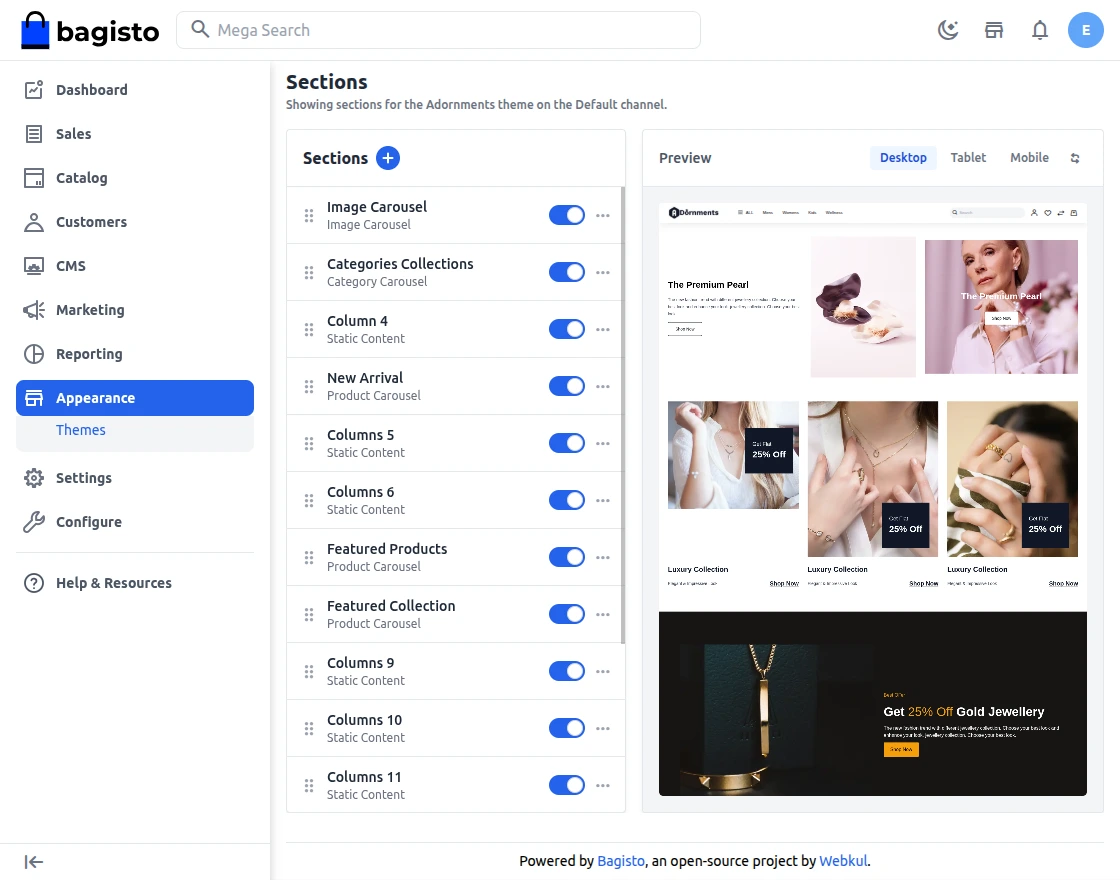
Next, the admin will set up the Jewellery Commerce configuration. They tap on Section + button to create a new section as per the theme.
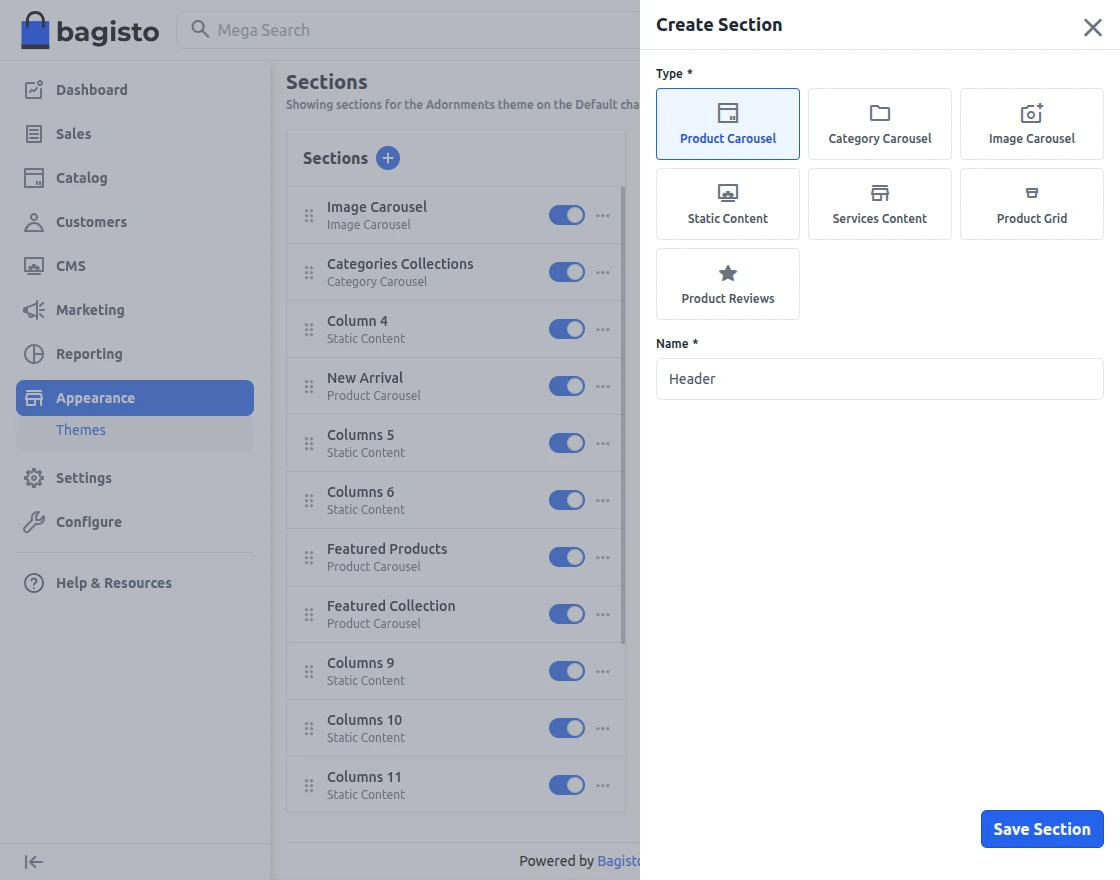
Here the following fields are filled out,
- Name – Enter name of section
- Type – Select type of section
After the fields are filled as per requirement, tap on Save Section.
Now, let’s check below Sections that are available,
Product Carousel
Admin can update and customize product carousel details by adding filters, titles, product view limits, etc.
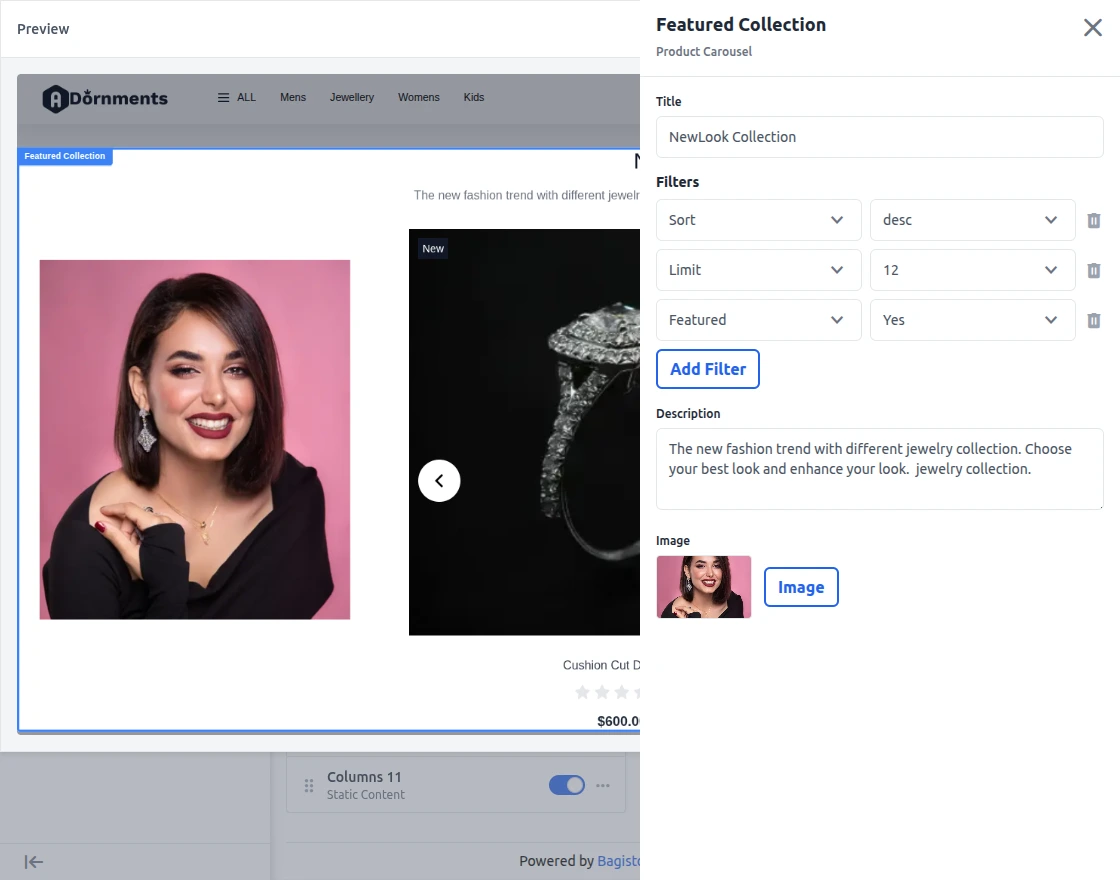
Below is how the product carousel is displayed on the storefront,

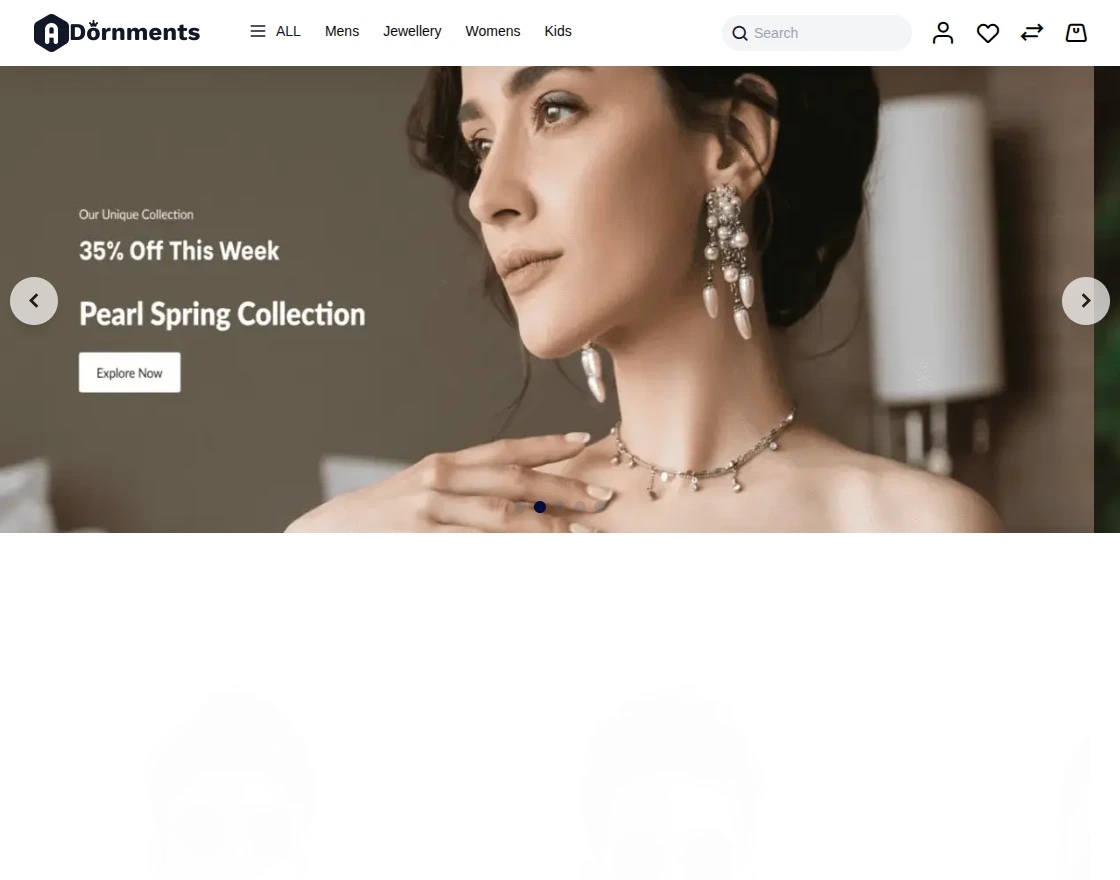
Image Carousal
Admin can update and customize image carousel details by adding slider image, titles, link.
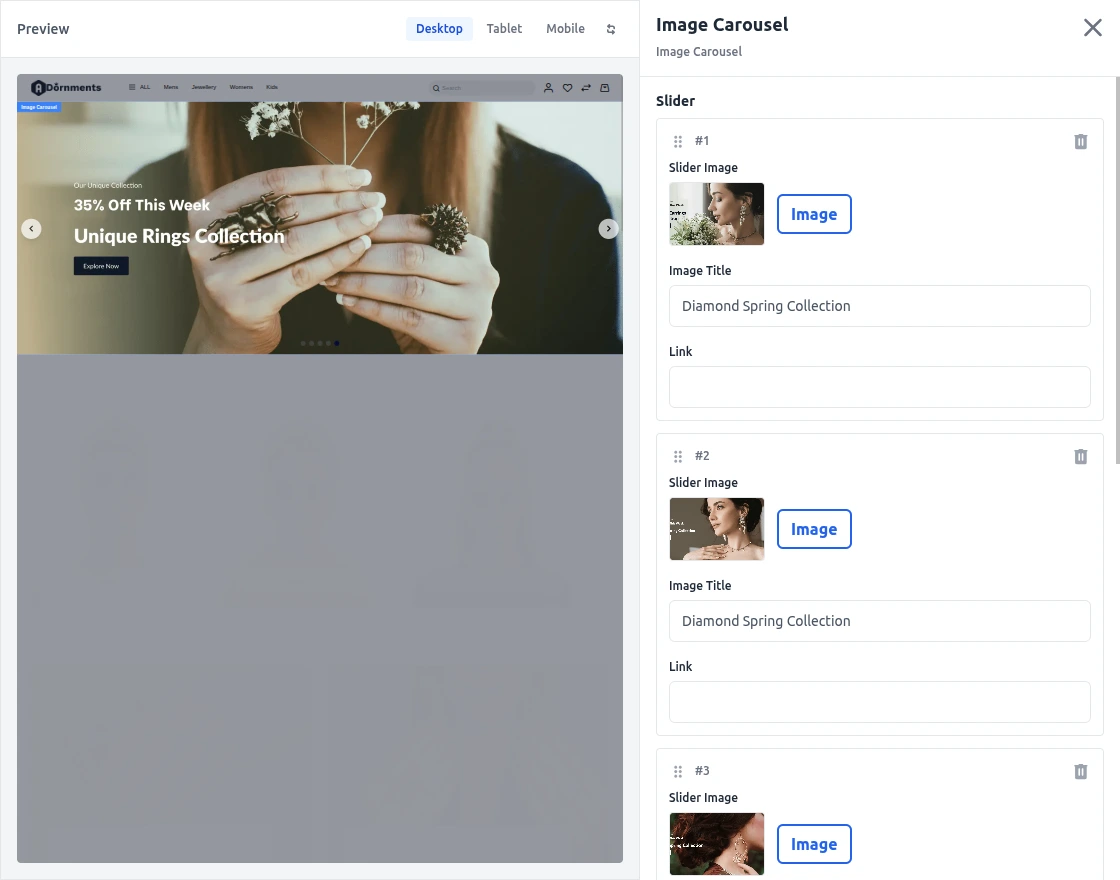
The image carousal will look as per below image,
Services Content
The admin can make new service content by adding titles and descriptions, or they can change the existing service content that is already there.
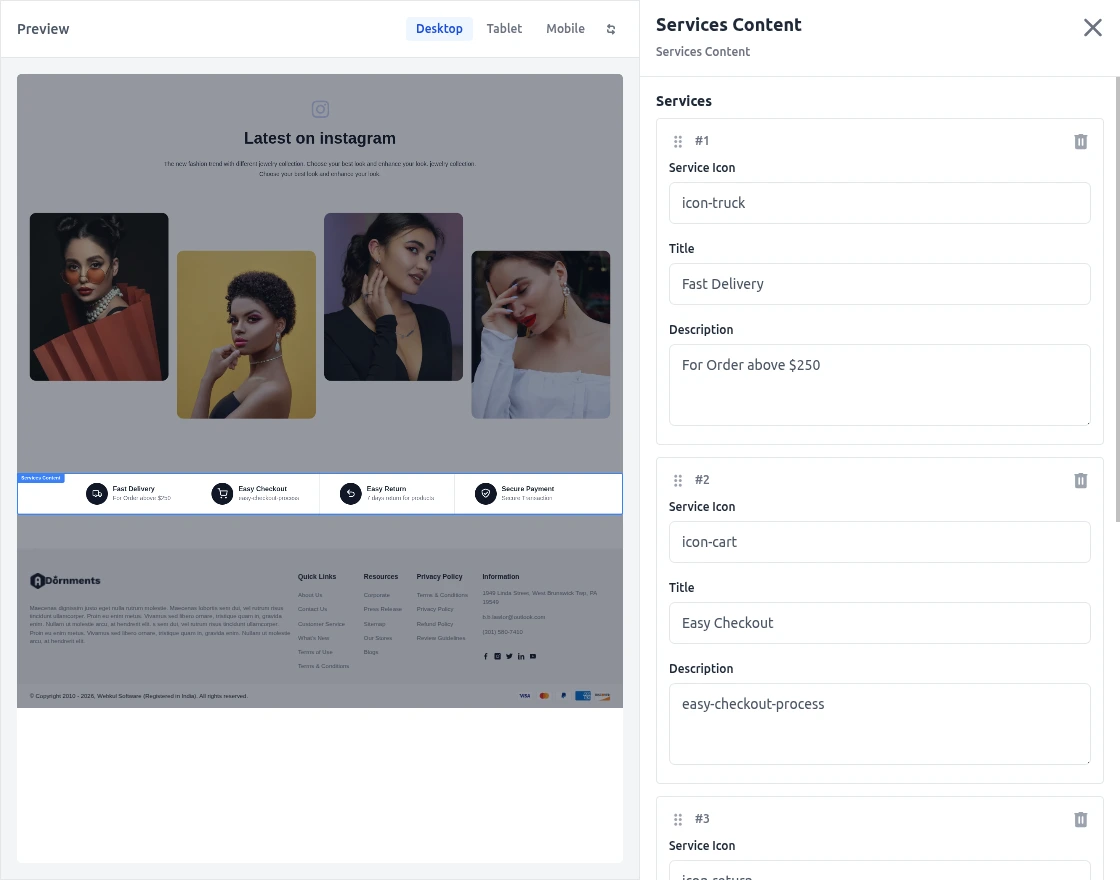
The customer will see the service content displayed on storefront in this way,

Static Content
This type of block helps get the audience more involved by showing clear and helpful information. The admin can enter content using HTML or CSS and see how it looks right away.
Plus, there’s also a way to add images!
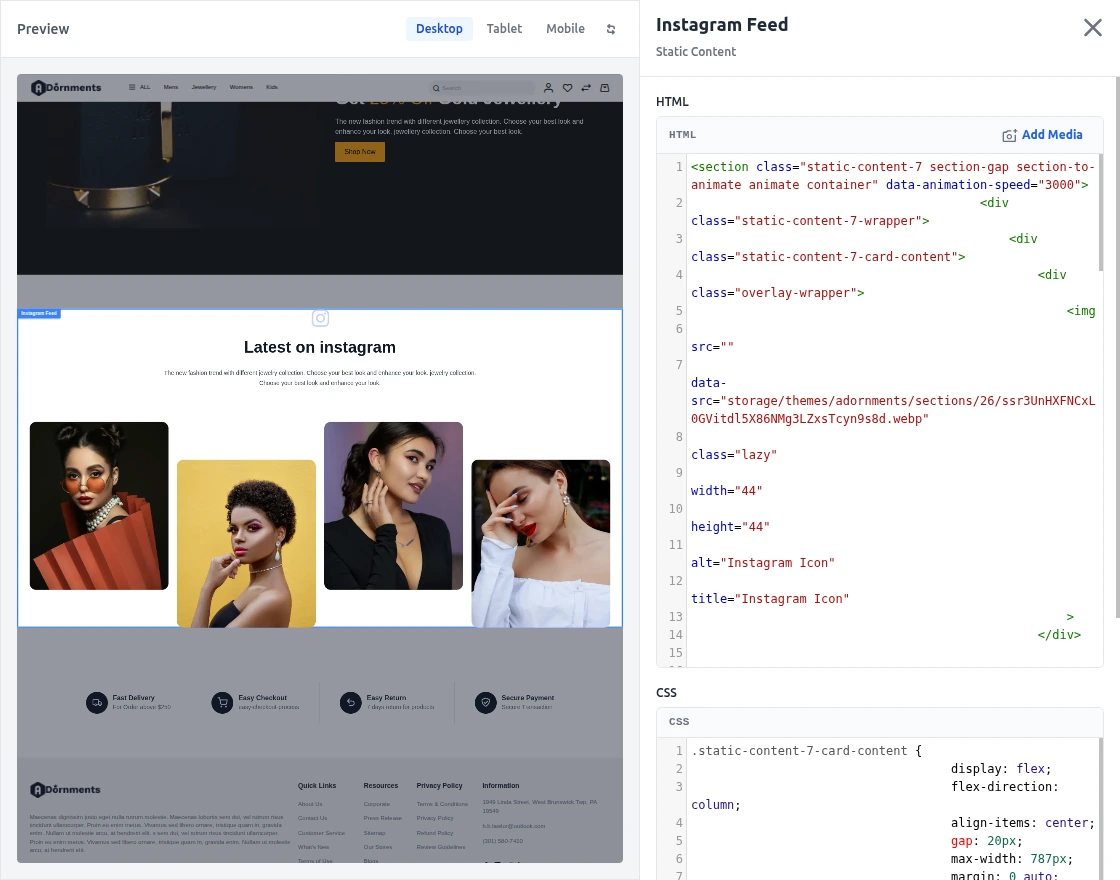
The Static content can be displayed on the storefront for customers as per below image.

Storefront Features
Product Size Chart
The Size chart is provided to all store customers to accurately check the size of product of their choice without worrying about any mismatch later on.

Product Comparison
Store customers get the product comparison functionality. Using it, they’ll compare multiple products at single time.

Mega Menu
A Mega Menu feature is integrated into Jewellery Commerce to explore the major categories in a single view.

Search Suggestions
When customers search for products on the storefront, they will also see search suggestions based on previously searched products, along with popular products.

Product Page
The product page of Jewellery Commerce provides clear and concise information about the product. From here, they can add product to cart, wishlist it or compare it as well.

Mini Cart
The mini cart is a useful feature for store customers wherein they can add products into their cart. Additionally, they view it on the home page without redirection and continue shopping.

Checkout Page
The checkout page offers the store customers a clean and smooth interface to select address, shipping method and payment method.
They also review the products they’re purchasing and an Apply Coupon section is provided to apply coupons for discount.

Customer Account Dashboard
The customers get their own dashboard when they sign up on the Jewellery commerce store. Here, they’ll manage their profile.
They can edit personal details, check orders and addresses, view wishlist and reviews.

Support
So that is all for the Bagisto Jewellery Commerce guide.
For any further queries or assistance, you can drop us an email at [email protected]. You can also raise a ticket at our HelpDesk System.
Please explore our Laravel Development Services and Quality Bagisto Extensions.
Current Product Version - v2.5.0
Supported Framework Version - Bagisto v2.5.0

Be the first to comment.