


















Introduction
Odoo LLMs TXT Generator helps businesses create structured LLMs.txt files that AI systems can read and understand easily.
As a result, websites become more discoverable in AI-powered search experiences.
Moreover, this module automatically generates and caches content to improve website performance. This helps AI crawlers access website information without creating additional server load.
Additionally, Odoo LLMs TXT Generator supports multiple websites, multiple languages, and dynamic Odoo object mapping.
Therefore, businesses can prepare their websites for modern AI platforms such as ChatGPT, Claude, and Gemini.
Features
- Generate AI-friendly LLMs.txt files directly from your Odoo website.
- Configure separate LLM feeds for multiple websites within the same Odoo database.
- Support multiple languages and serve translated content to AI crawlers automatically.
- Create custom sections and dynamic content using Odoo objects.
- Map Odoo fields to generate structured markdown data for AI systems.
- Add LLM discovery links automatically to the website robots.txt file.
- Generate alternate markdown links for products, blogs, and other website pages.
- Cache generated content to improve website performance and reduce database queries.
- Refresh LLM content manually or automatically through scheduled actions.
- Preview the generated LLMs.txt output in Developer Mode before publishing.
Installation
- Once you purchase the App from Webkul store, you will receive a link to download module’s zip file.
- Extract the file on your system after download finishes. As a result, you will be able to see a folder named “wk_llms_txt_generator”.
- Copy and paste this folder inside your Odoo Add-Ons path.
- Now, open Odoo App and click on the Settings menu. Here, click on Activate Developer Mode.
- Then, open Apps menu and click on ‘Update Modules List.’
- In the search bar, remove all the filters and search ‘wk_llms_txt_generator’
- You will be able to see module in the search results. Click on ‘Activate’ to install it.
Workflow
Website Configuration
- After installing Odoo LLMs TXT Generator, go to Website → Configuration → Websites and open your website record.
- Here, configure the website domain properly so that the correct llms.txt URL can be generated for each website.
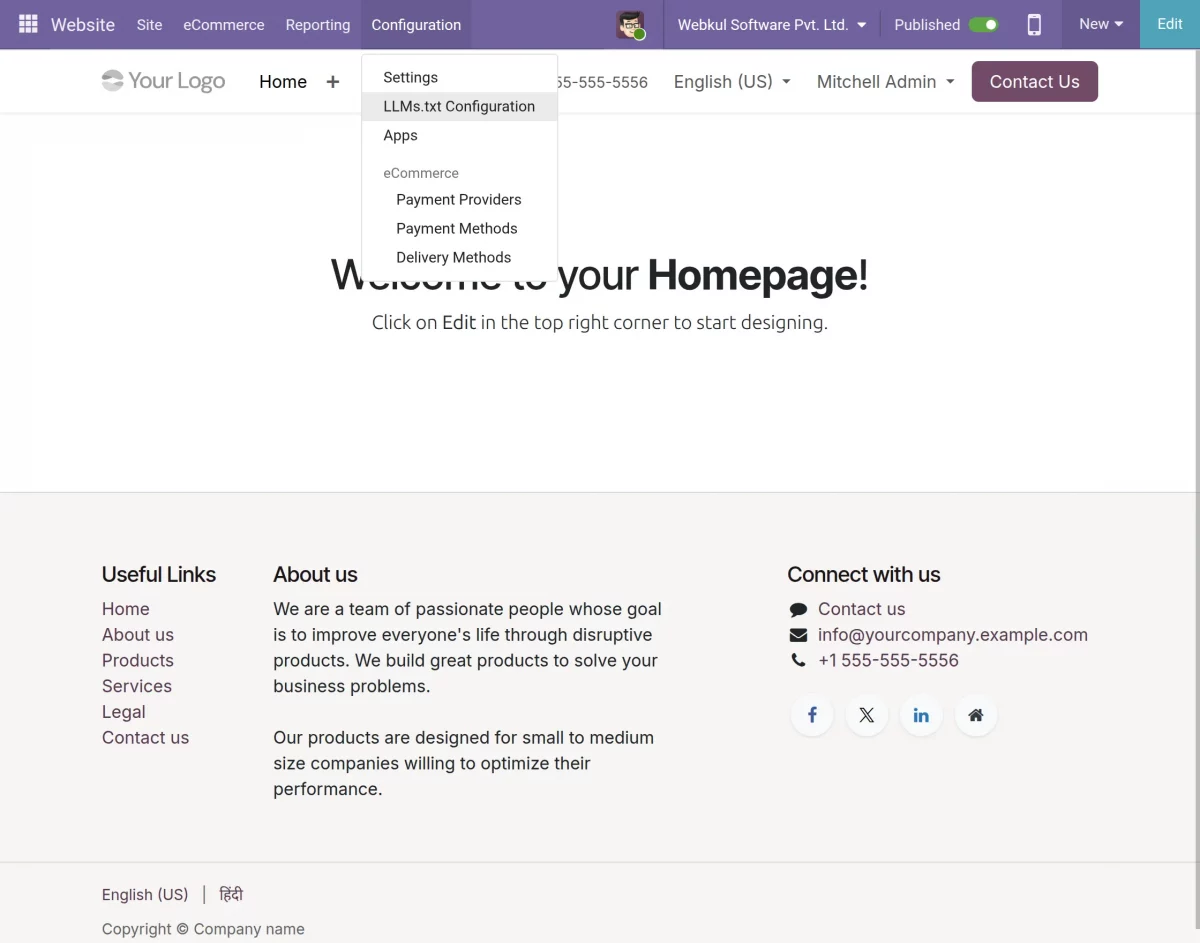
Enable LLMs.txt Generator
3. Scroll down to the llms.txt Generator section, enable Enable llms.txt, and click on Configure llms.txt Structure.
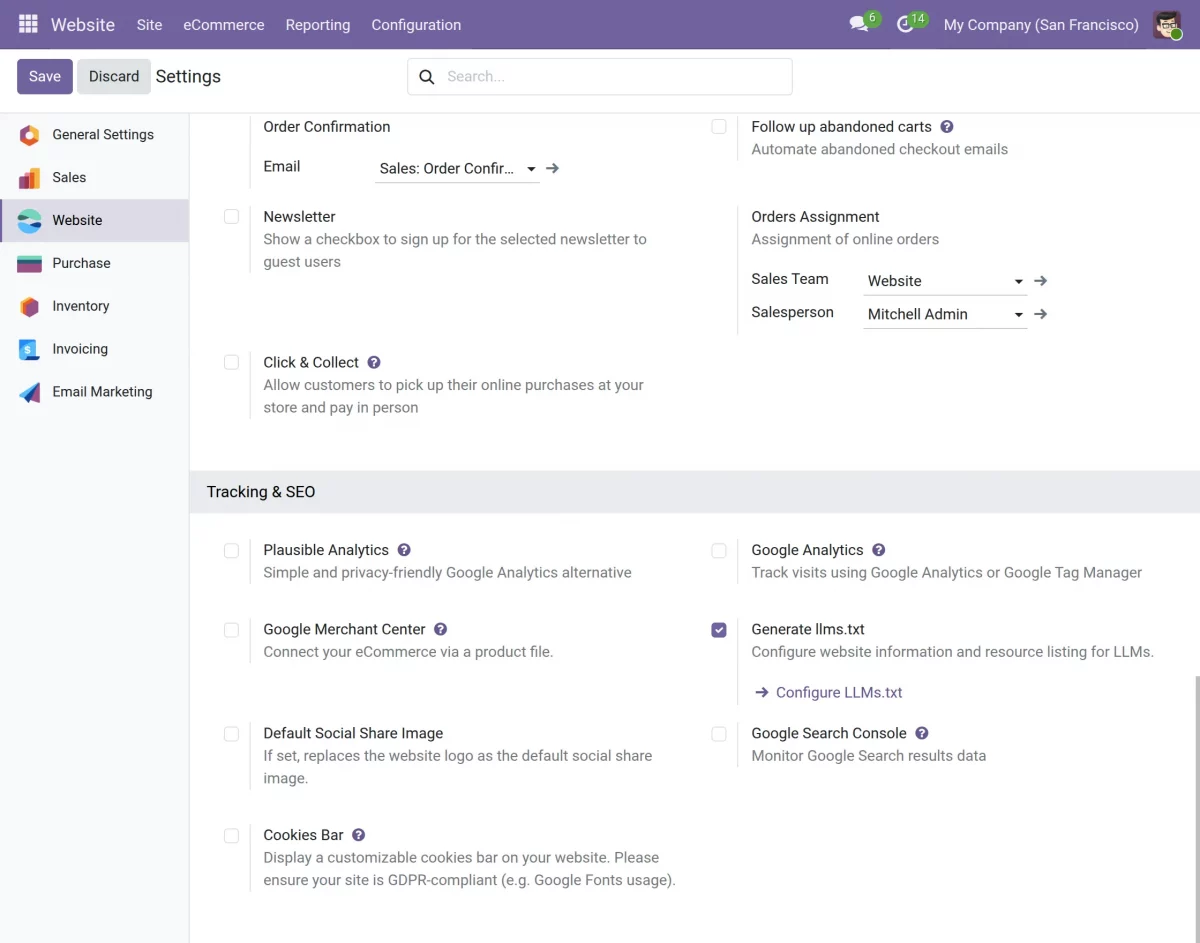
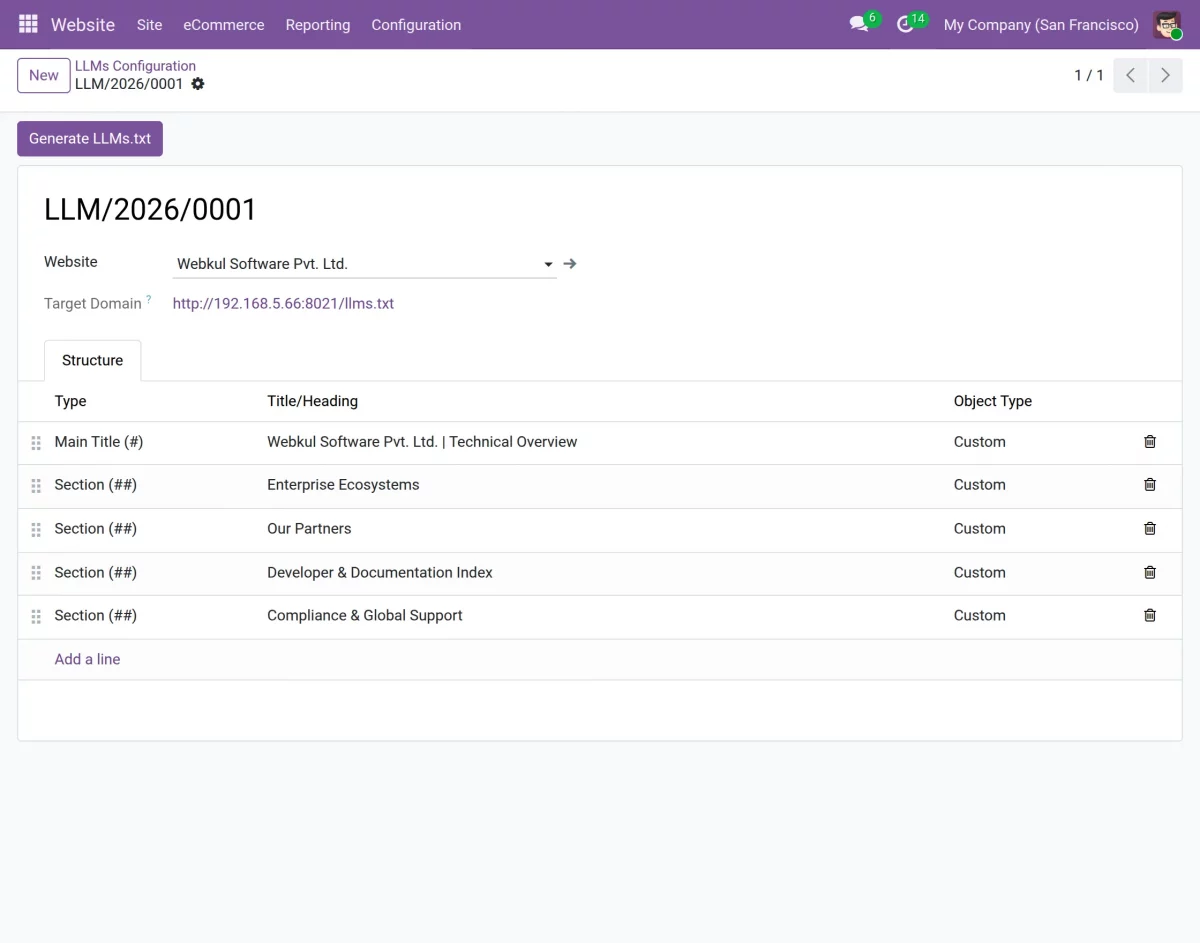
Configure LLM Structure
4. Once you open the configuration page, you will see the list of all existing LLM configurations for the selected website.
5. Click on New to create a new LLM configuration.
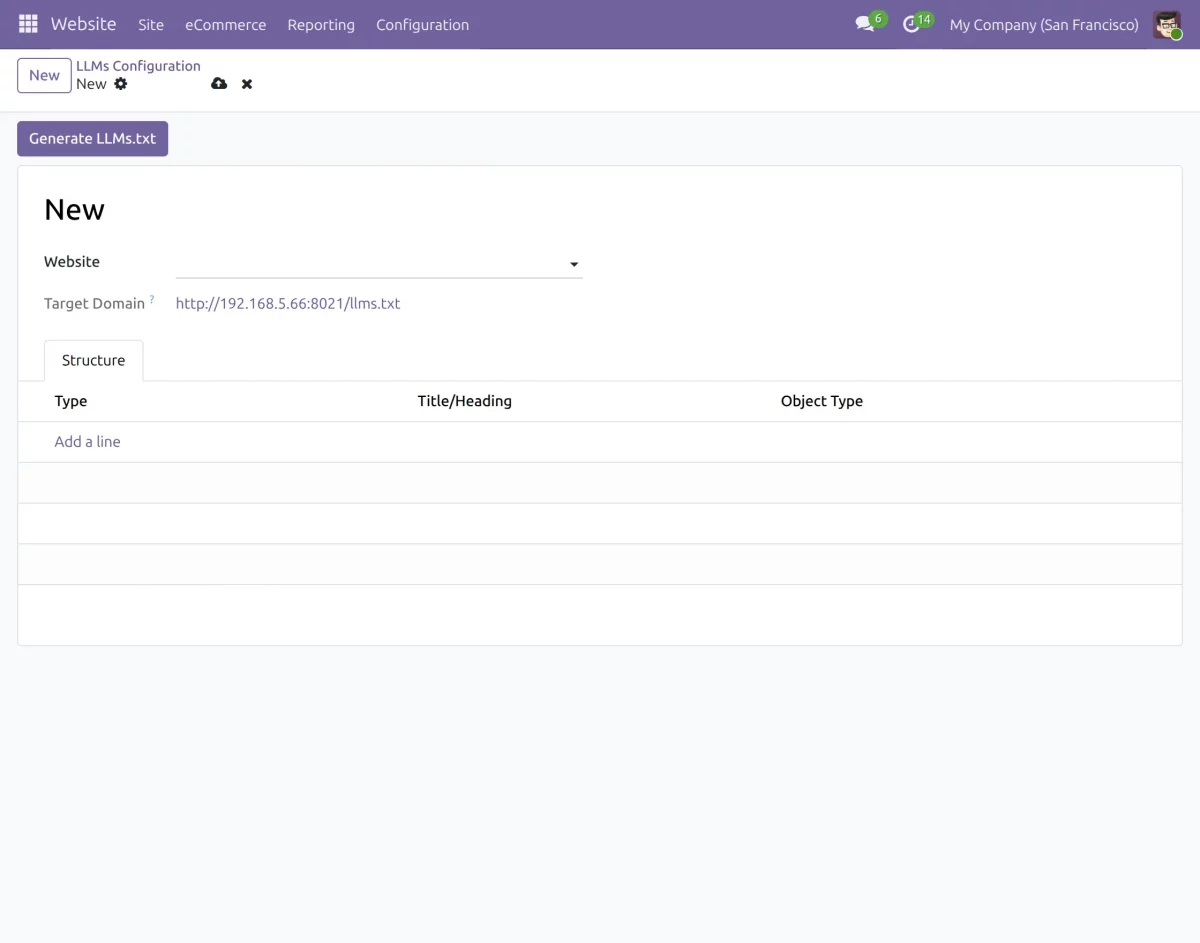
6. In the Main Title section, enter the primary heading and introductory content that will appear at the beginning of the generated llms.txt file.
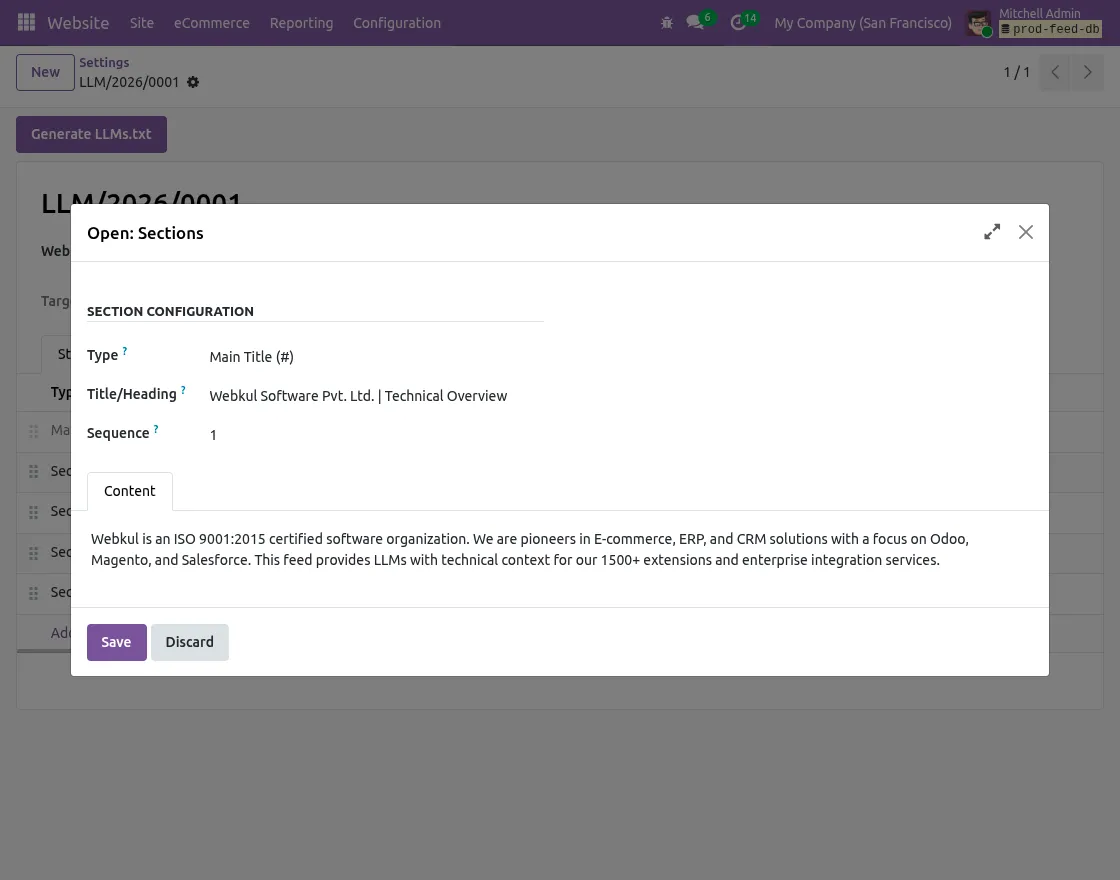
7. Next, create different sections to organize products, blogs, events, APIs, or other website resources.
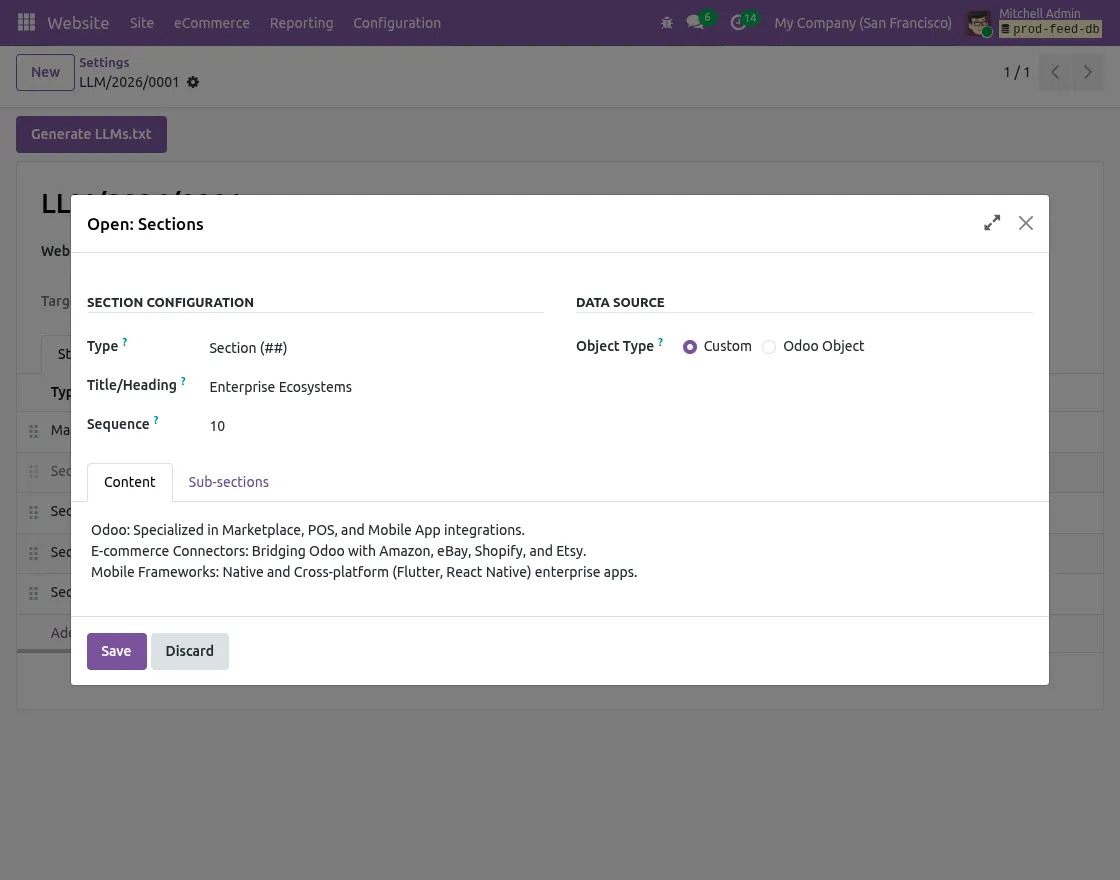
Configure Data Sources
8. For each section, you can select the required data source.
8.1. Custom: Add static content manually, such as company information, documentation links, or contact details.
8.2. Odoo Object: Fetch records dynamically from Odoo models like Products, Blogs, Events, or other business objects.
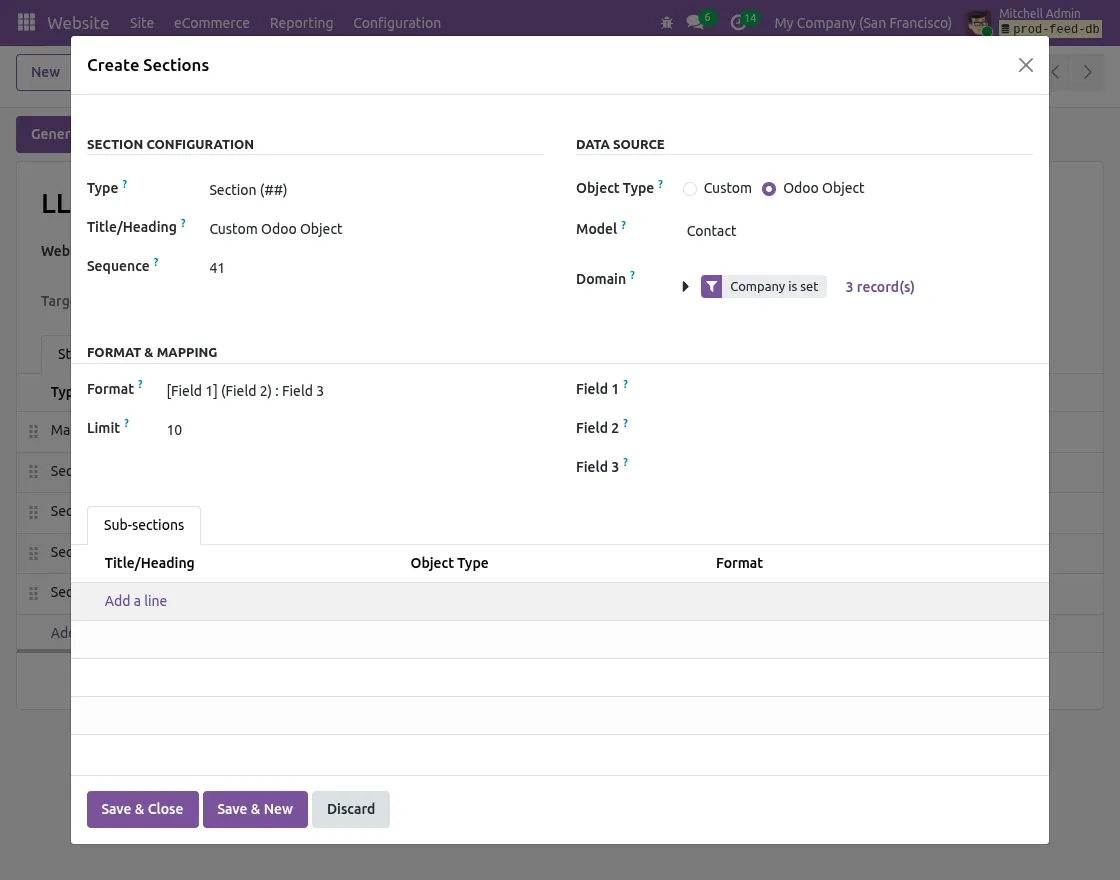
9. If you select Odoo Object, configure the following details:
9.1. Select the required Odoo model.
9.2. Add the Odoo domain to filter records.
9.3. Define the maximum number of records to display.
9.4. Configure field mappings for Title, URL, and Description.
9.5. Select the preferred markdown output format.
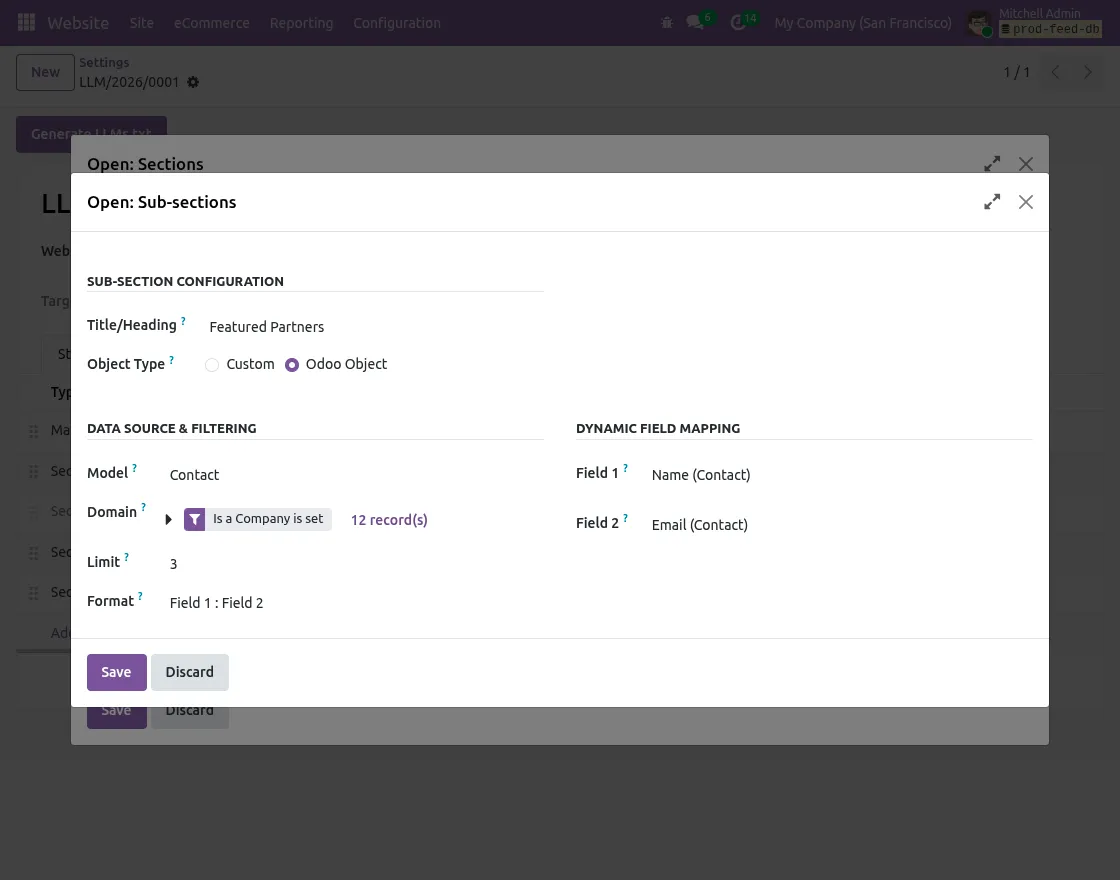
Generate LLMs.txt Content
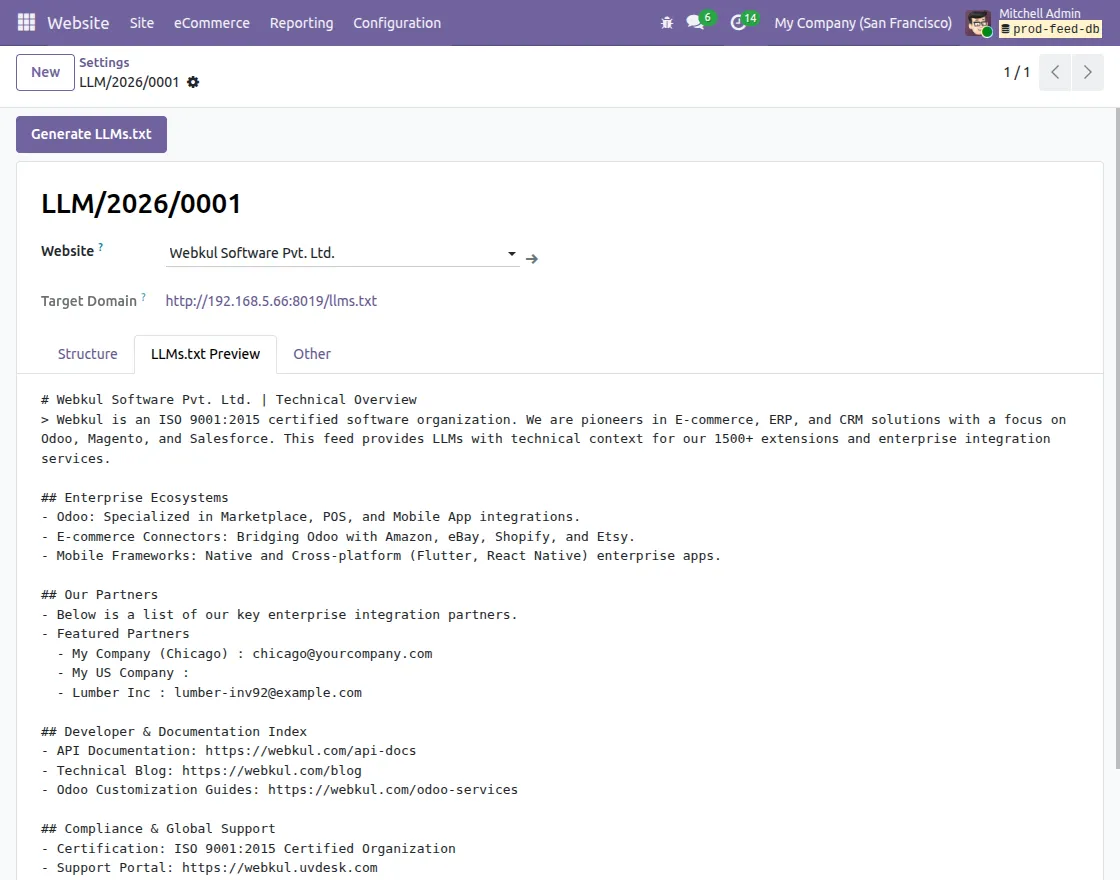
10. After completing the configuration, click on Generate LLMs.txt to compile and cache the generated content.
11. If Developer Mode is enabled, you can open the llms.txt Preview tab to verify the generated markdown before publishing it publicly.
Automatic Content Updates
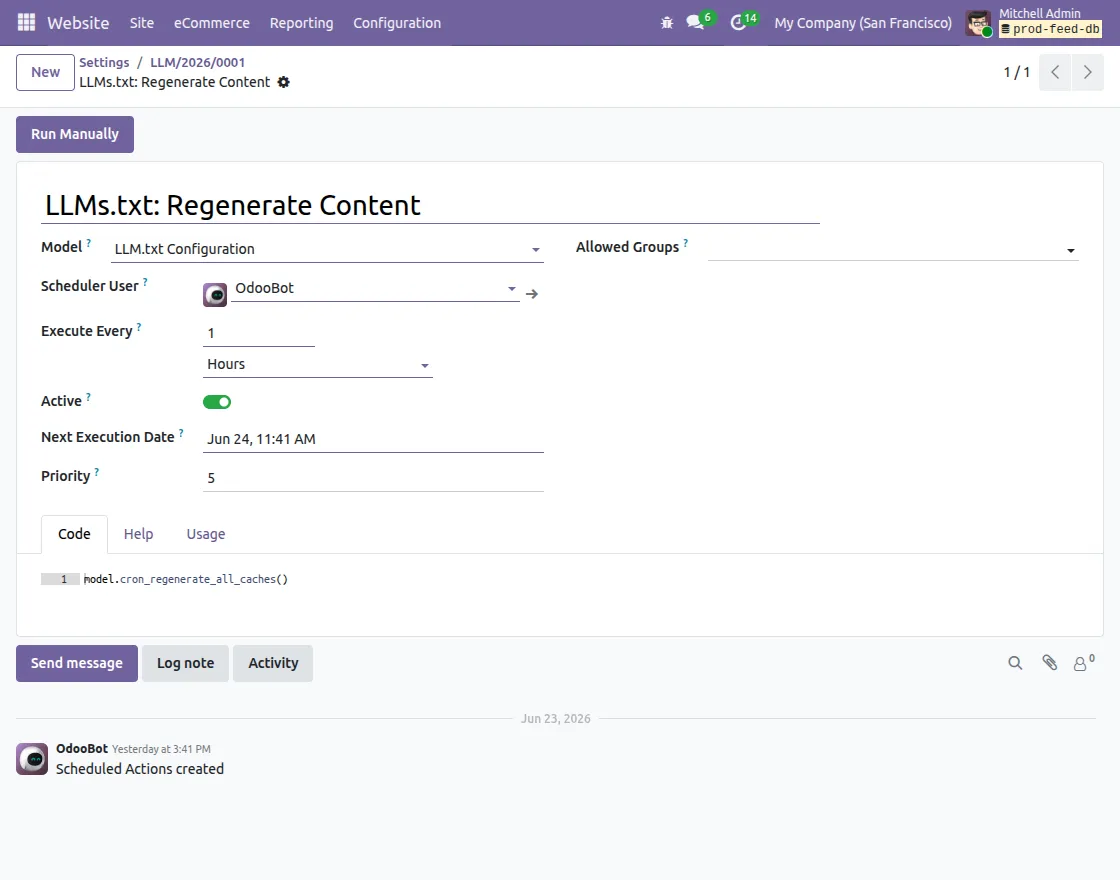
12. Odoo LLMs TXT Generator automatically creates a scheduled action named LLMs.txt: Regenerate Content Caches to refresh the generated content periodically.
NEED HELP?
Hope you find guide helpful! Please feel free to share your feedback in the comments below.
If you still have any issues/queries, please create a ticket at the UV Desk.
I hope this helps. In case of any further queries, contact us at our support mail.
Thanks for paying attention!!
Current Product Version - 1.0.0
Supported Framework Version - Odoo V16, Odoo V17, Odoo V18, Odoo V19

Be the first to comment.