


















Magento Bulk Order Quote – Module for Bulk order or custom quote for whole seller and very useful for those product where buyer order the product in a bulk .
Features
1 – working with all mageto versions
2 – bulk order form for whole seller
3 – fully dynamic admin can manage the order
4 – buyer can view the bulk orders and price and many more .
Installation – Installation of the module is super easy you need to move the app and skin folder in to magento root directory
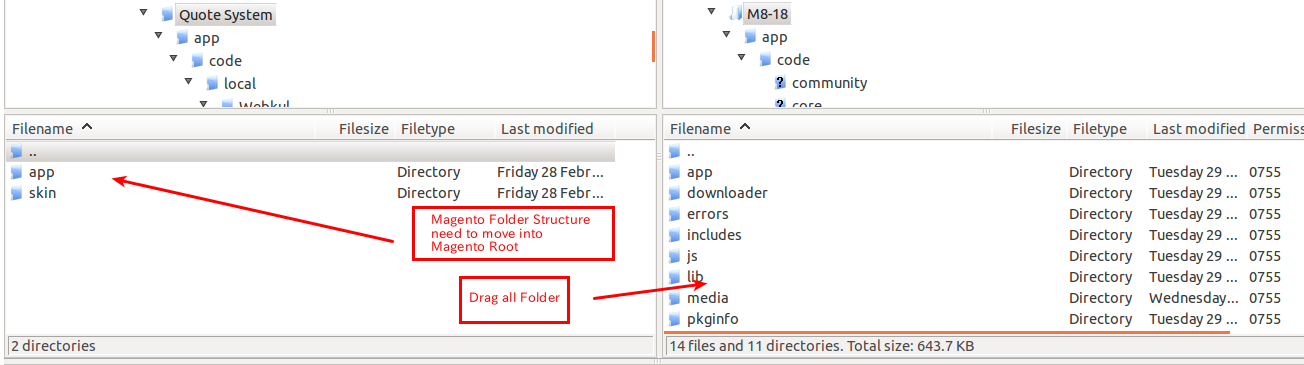 After moving both the folder flush the cache from magento admin module . Under system > cache management
 After those primary step you just need to configure the module.
Module configuration – Module configuration is very easy and every things is managble by admin . After the installation of the module bulk order quote button will display in front of product page

after that buyer can enter the bulk order amount, price and Quote Summary.


after submitting the quote buyer can see the quote added by him in my account section where he can edit and delete it as well

The Quote have 4 Status:
1. Approved – If quote approve by admin.
2. Pending – If admin didn’t approve the quote.
3. Sold – If the quoted product has been purchased.
4. Decline – If quote is decline by admin.
The Action column has two button:
1. View Conversation – Here Buyer can do conversation with admin regarding the quote if quote is approved.
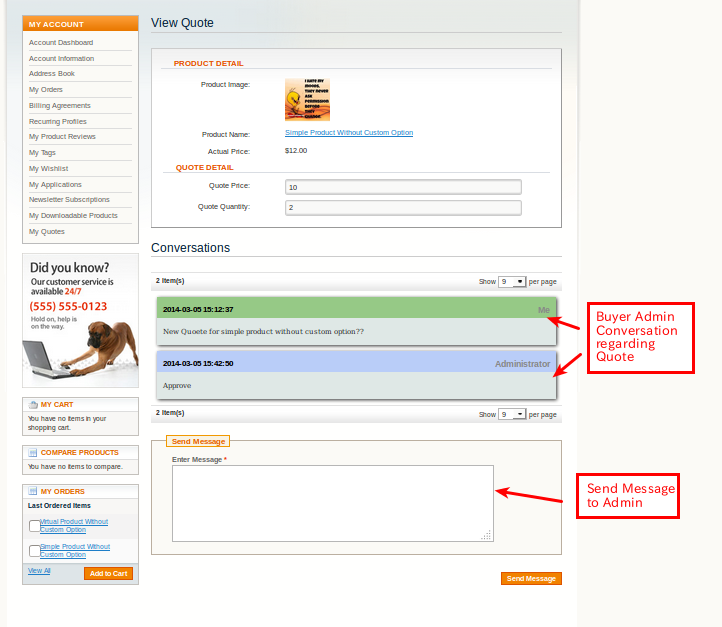 2. Edit – Here Buyer can edit the quote quantity and price and can do conversation with admin.
 The Status column also contain Add to Cart button which was visible when admin approve the Quote for his bulk order quote. On clicking ad to cart button


after placing the order that particular quote will be sold .

Admin management of the module – Admin management of the module is very handy as well , admin will able to see new admin menu “Quote Management” as per the below screen.
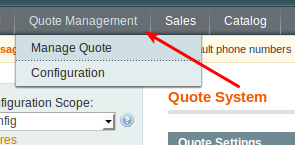
As you can see there are two menus under Quote Management , i am going to explain you each menu one by one
1. Configuration – Configuration menu is responsible for adding admin email id as per screenshot.

1. Manage Quote – Manage Quote menu is responsible for showing all bulk quote added by buyer. Admin can approve, unapprove, decline and can do conversation with buyer.

View :

 That’s all for the Magento Bulk Order Quote System, still have any issue feel free to add a ticket and let us know your views to make the module better http://webkul.com/ticket/index.php

Be the first to comment.