Laravel Sitesway Payment Gateway is a secure, reliable, and flexible online payment solution designed to help businesses accept payments on their websites.
It supports various payment methods, including credit/debit cards, digital wallets, and alternative payment systems, providing a comprehensive payment processing solution.
You can also explore our Laravel Development Services and Quality Bagisto Extensions.
Features
- During the payment, you have the option to pay through various payment methods like Debit Card, Credit Card, etc.
- Admin can set the API key and payment description.
- Admin can refund the payment directly from their dashboard.
Installation of the module
Unzip the respective extension zip and then merge the “packages” folders into the project root directory.
- Goto config/app.php file and add the following line under ‘providers’
Webkul\SitesWay\Providers\SitesWayServiceProvider::class
- Goto composer.json file and add following line under ‘psr-4’
"Webkul\\SitesWay\\": "packages/Webkul/SitesWay/src"
- Run these commands below to complete the setup
composer dump-autoload
php artisan migrate
php artisan optimize:clear
php artisan vendor:publish --force --provider="Webkul\SitesWay\Providers\SitesWayServiceProvider"
Initial Configuration – Settings
Once you successfully execute the commands, you will see the Stesway Payment by navigating through Configure->Payment Methods-> Sitesway Payment.
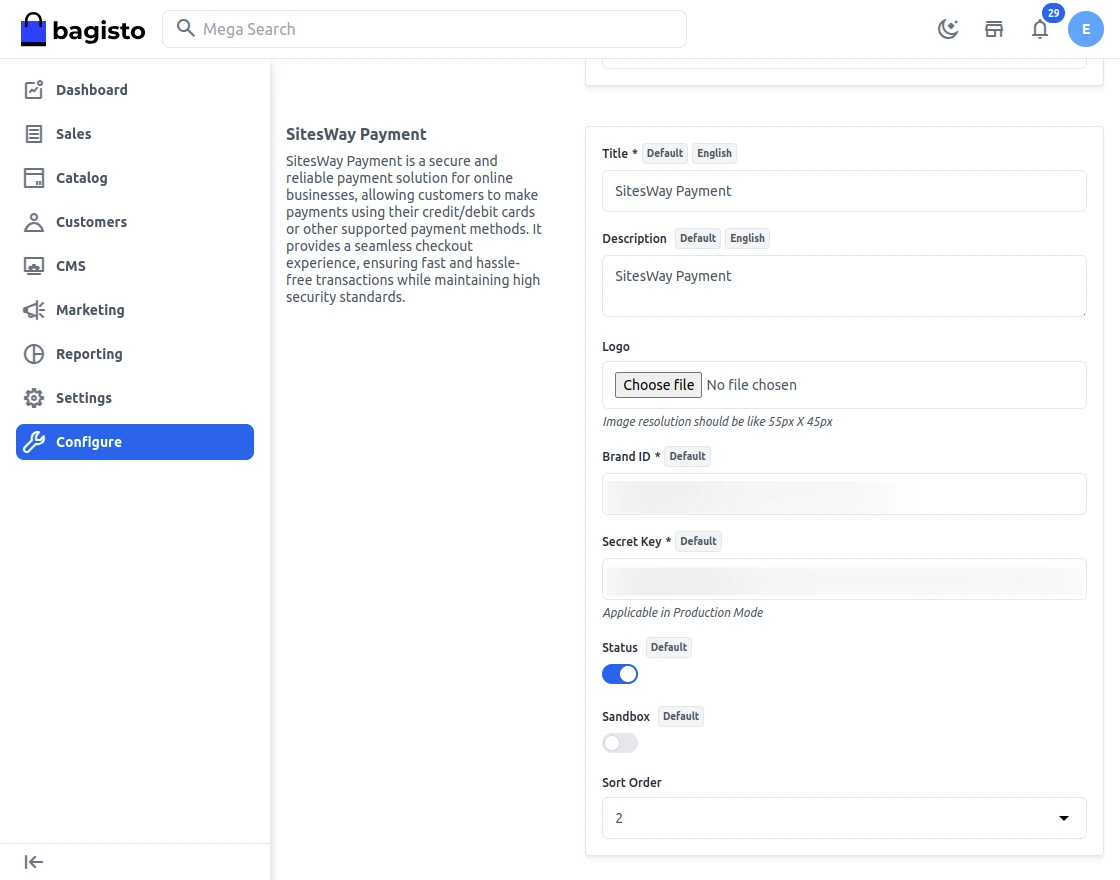
Here, the store admin will be able to configure the initial settings –
- Status: Enable or disable the module by clicking the toggle button.
- Title: Set the title that will be displayed on the front end for the payment method at checkout.
- Description: Enter the description that you want to show on the checkout page for the sitesway payment method.
- Logo: Add logo for the sitesway payment gateway.
- Brand Id: Enter the Brand Id.
- Secret Key: Set the API Secret Key.
- Test Secret key: Set the API Test Secret key(development) so that this module will be used for Testing.
- Sandbox: Enable the toggle button if want to ON Sandbox mode.
- Sort Order: Set the sort order so that the payment method will appear on the payment page according to the entered sort order.
FrontEnd – Laravel Sitesway Payment Gateway
Once you have successfully added the product in your cart, tap the Continue to Checkout button.
After that, select the Siteway payment method under the payment methods section, and tap the confirm button.
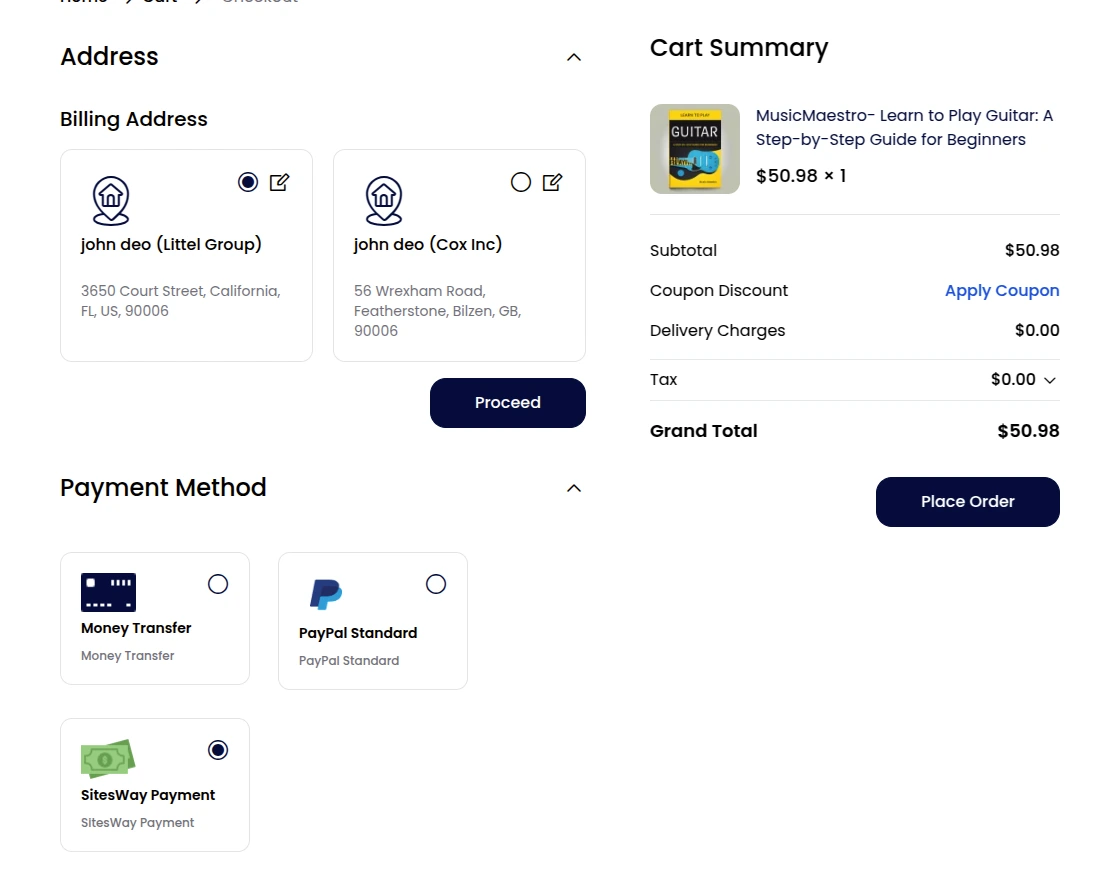
After selecting the Sitesway payment method, the customer can click on the Placed Order button.
Then the customer will be redirected to the Sitesway payment page, where they have to fill the card details and click on Pay Now.

After the payment is successfully completed, they will get the order ID.
Order Details –
The admin can view the respective order.
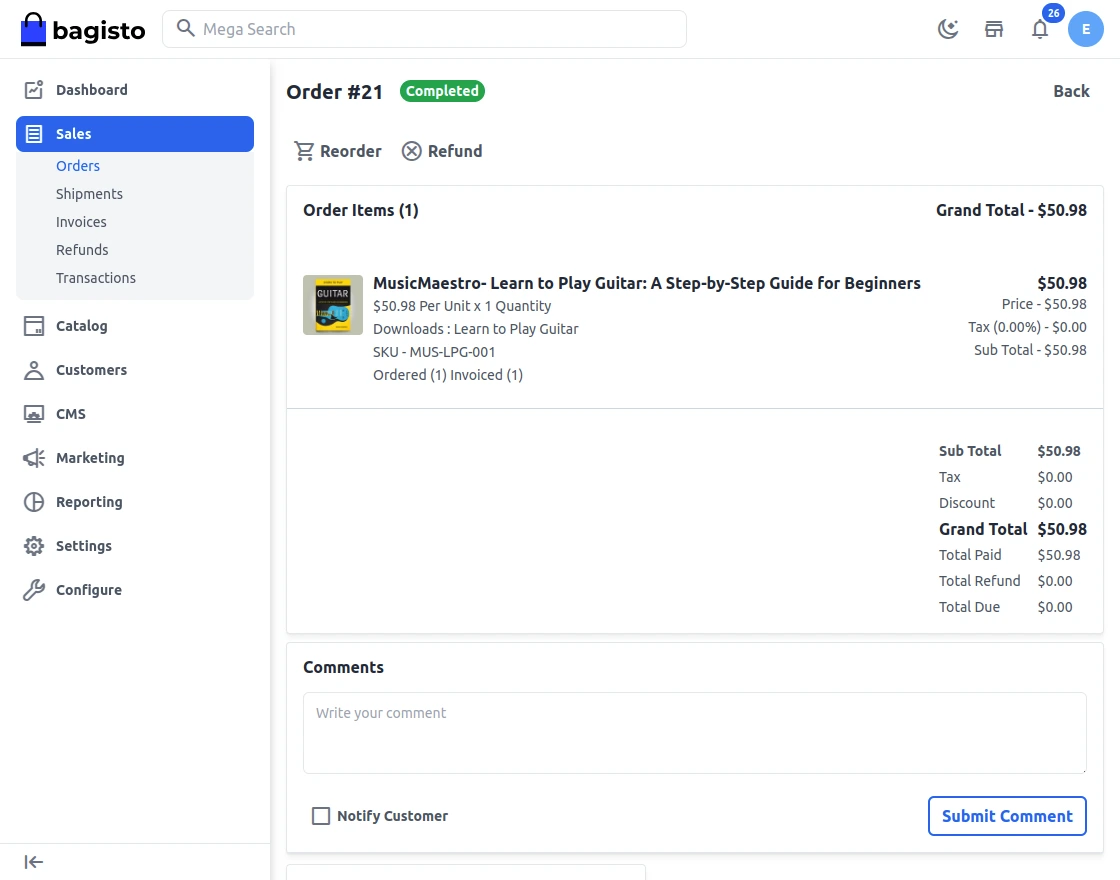
Refund Process
From the Bagisto admin panel, the admin can navigate to the respective order and tap the Refund button at the top.
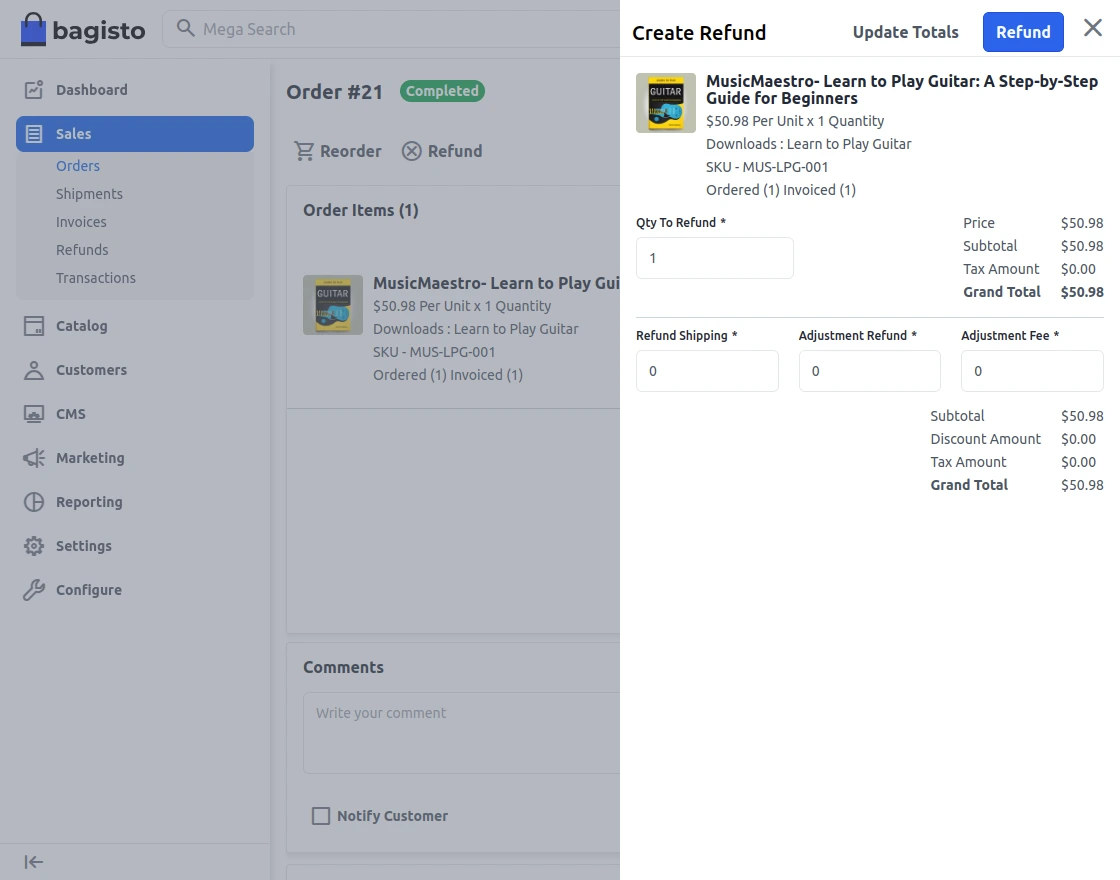
After the refund is done by the admin, the customer can view the refund details for the respective order.
Support
That’s all for the Laravel eCommerce Sitesway Payment Gateway. Still, have any issue feel free to add a ticket and let us know your views to make the module better at [email protected].
Current Product Version - v2.2.2
Supported Framework Version - v2.2.2

Be the first to comment.