Laravel eCommerce Marketplace Per Product Shipping Module lets the Bagisto admin and each seller set a separate shipping price for every product.
Checkout adds one shipping method that rates every cart item with its own price. The module adds the item prices together and splits the total by seller.
Note: This module is an add-on of “Laravel Multi-Vendor Marketplace Extension“.You must install the main extension before using this module.
Features of Laravel eCommerce marketplace Per Product Shipping
- Each seller sets a shipping price per product from the seller panel.
- The admin sets a shipping price per product for the admin’s own products.
- The admin turns the shipping method on or off from the configuration.
- The admin sets a default shipping rate for products without a price.
- The admin sets the method title and description that customers see at checkout.
- The admin limits the method to all countries or to specific countries.
- For configurable products, the admin chooses the main product’s price or the selected variant’s price.
- Sellers can also set a price when they assign an existing product to their store.
- Checkout multiplies each price by the item quantity and adds the totals.
- Checkout groups the shipping amount by seller, so each seller order carries its own shipping cost.
- The module skips virtual, downloadable, grouped and booking products.
- Sellers see the shipping amount on their order and invoice pages.
Installation of Module
Requirements:
- Bagisto: v2.5.0
- Laravel Multi-Vendor Marketplace extension, installed and enabled
Installation:
- Unzip the respective extension zip and merge the “packages” folder into the project root directory.
- Open the root composer.json file and add the following line under ‘psr-4’ in the autoload section.
"Webkul\\MarketplacePerProductShipping\\": "packages/Webkul/MarketplacePerProductShipping/src"
- Run the following command to reload the autoloader.
composer dump-autoload
- Go to bootstrap/providers.php file and add the following line under ‘providers’.
Webkul\MarketplacePerProductShipping\Providers\MarketplacePerProductShippingServiceProvider::class
- Run the install command. It runs the migrations, publishes the package assets and clears the cache.
php artisan mp-per-product-shipping:install
That’s it. The module is now installed, but its shipping method stays inactive until the admin turns it on.
Admin Management
After installation, the admin finds Marketplace Per Product Shipping under Configuration -> Sales -> Shipping Methods.
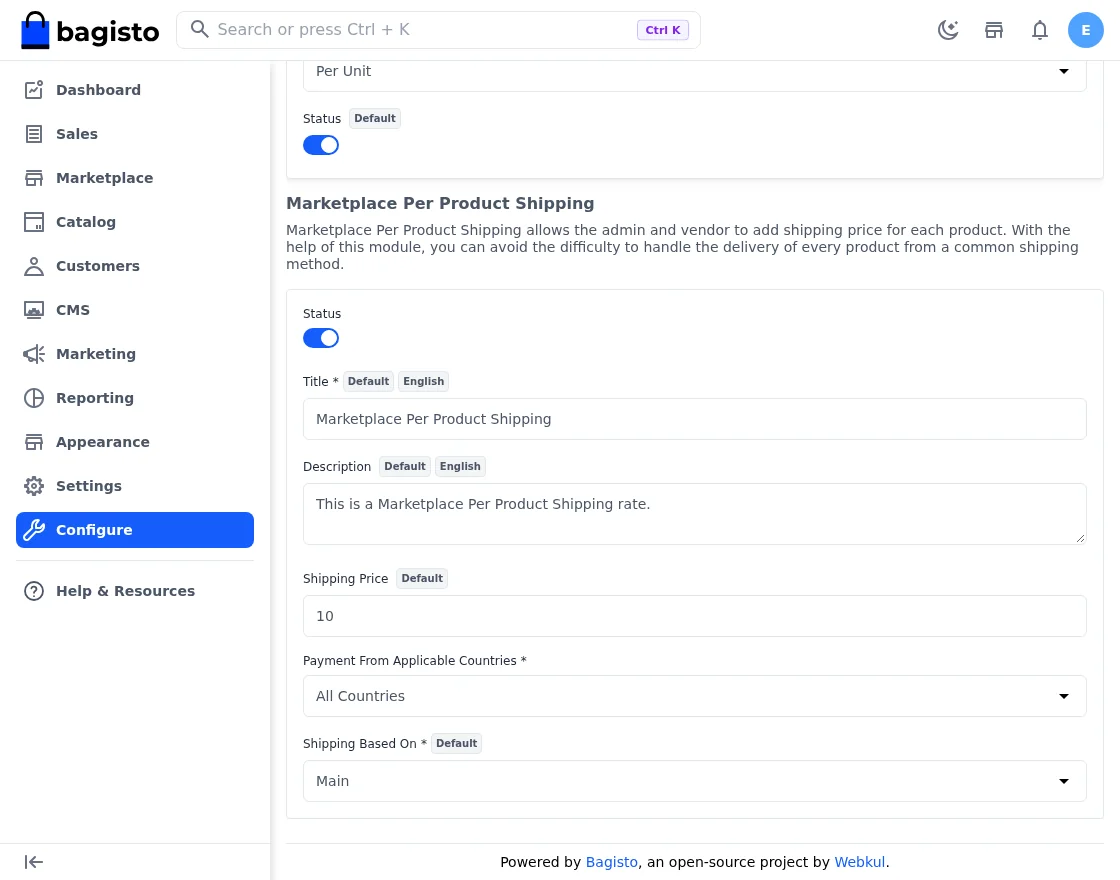
Open Marketplace Per Product Shipping to see the following settings.
- Status: The admin turns the shipping method on or off. It starts off after installation.
- Title: The method name that customers see at checkout. It is required while the method is on.
- Description: A short text shown with the method.
- Payment From Applicable Countries: Choose All Countries or Specific Countries.
- Countries: Pick the countries when you choose Specific Countries. The method then shows only when the customer’s billing country matches.
- Shipping Based On: Choose Main or Associated. It applies to configurable products. Main uses the parent product’s price. Associated uses the price of the variant the customer selects.
- Shipping Price: This field holds the default rate. The admin can set it for each channel.
Default shipping rate: When a product has no shipping price, checkout charges this default rate for each unit instead. The installed default value is 10.
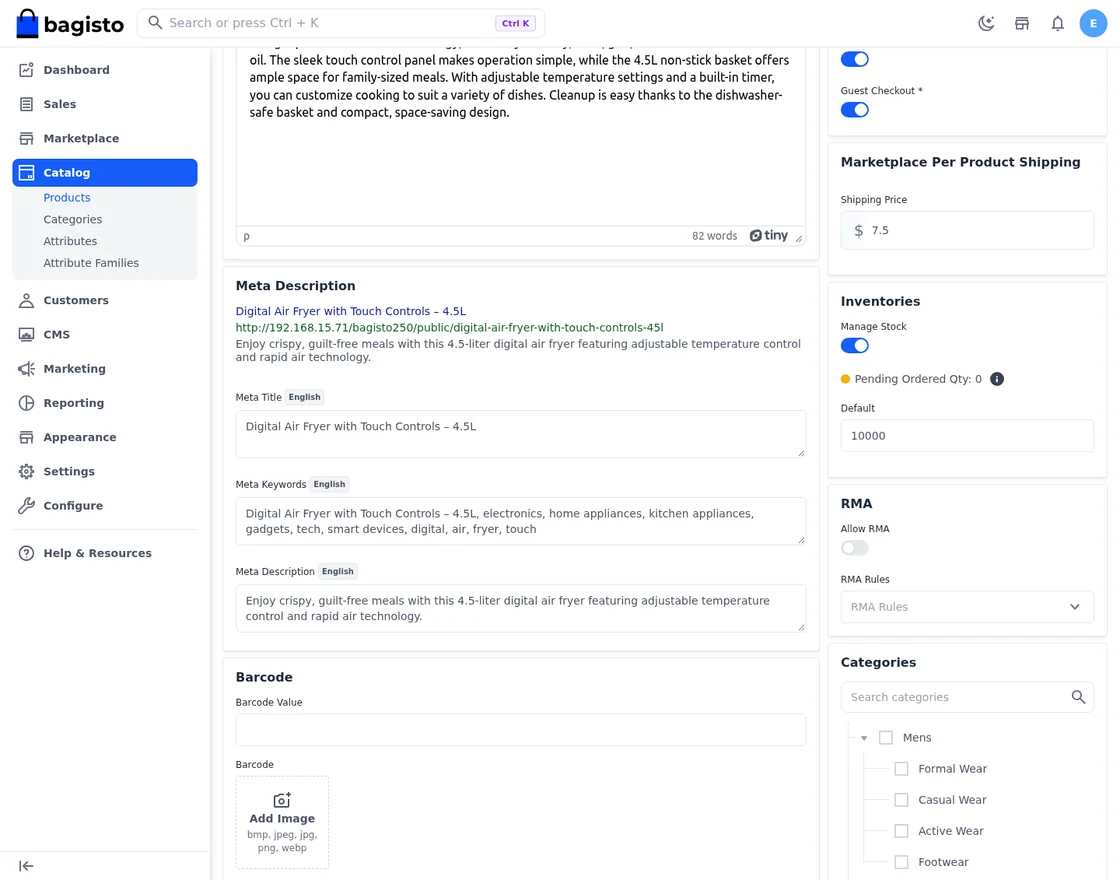
Once the method is on, the admin finds a Marketplace Per Product Shipping card on the product edit page. Open Catalog -> Products and edit a product.
Enter the amount in the Shipping Price field. The card appears for simple, configurable and bundle products. The value cannot be negative. The admin sees the field as read-only on products that a seller owns, because the seller sets that price.
Seller Panel
The seller sets the shipping price from the seller panel. Go to Catalog -> List Your Product to add a product, or open Catalog -> Products to edit one.
On the product edit page, the seller finds the Marketplace Per Product Shipping card with a Shipping Price field.
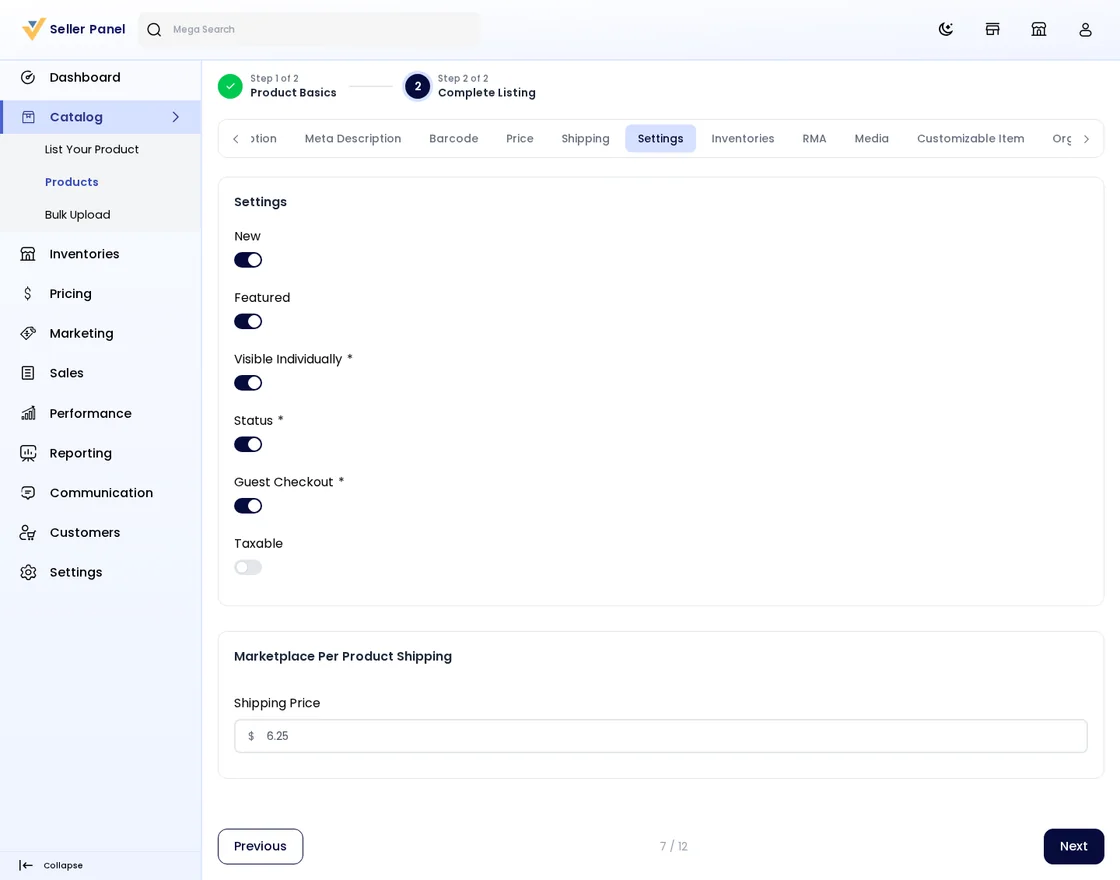
The seller can leave the field empty to use the admin’s default rate. Sellers who assign an existing product to their store see the same field on the assign and edit-assign pages.
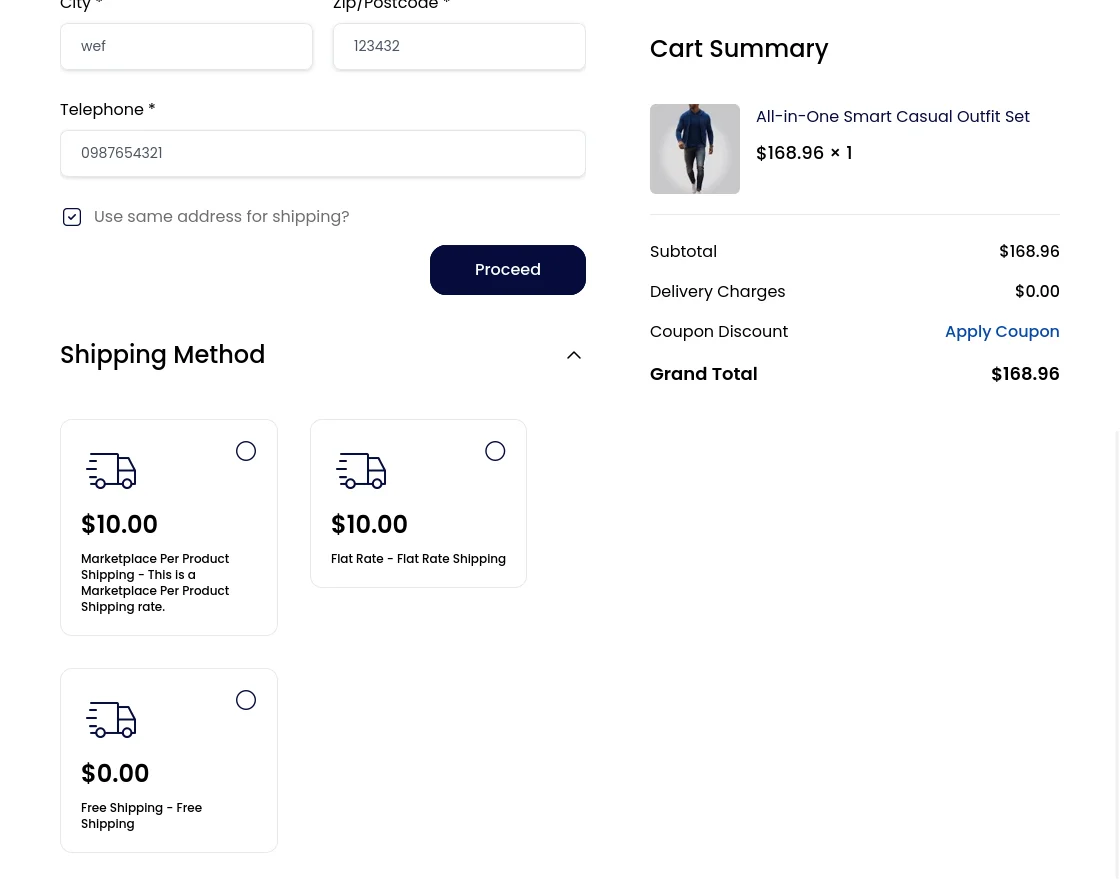
At checkout, the customer picks the method under the title the admin set. The module shows the combined price of all cart items. It only rates items from approved sellers or from the admin.
Seller Order Management
When a customer places an order, the seller sees it under Sales -> Orders.
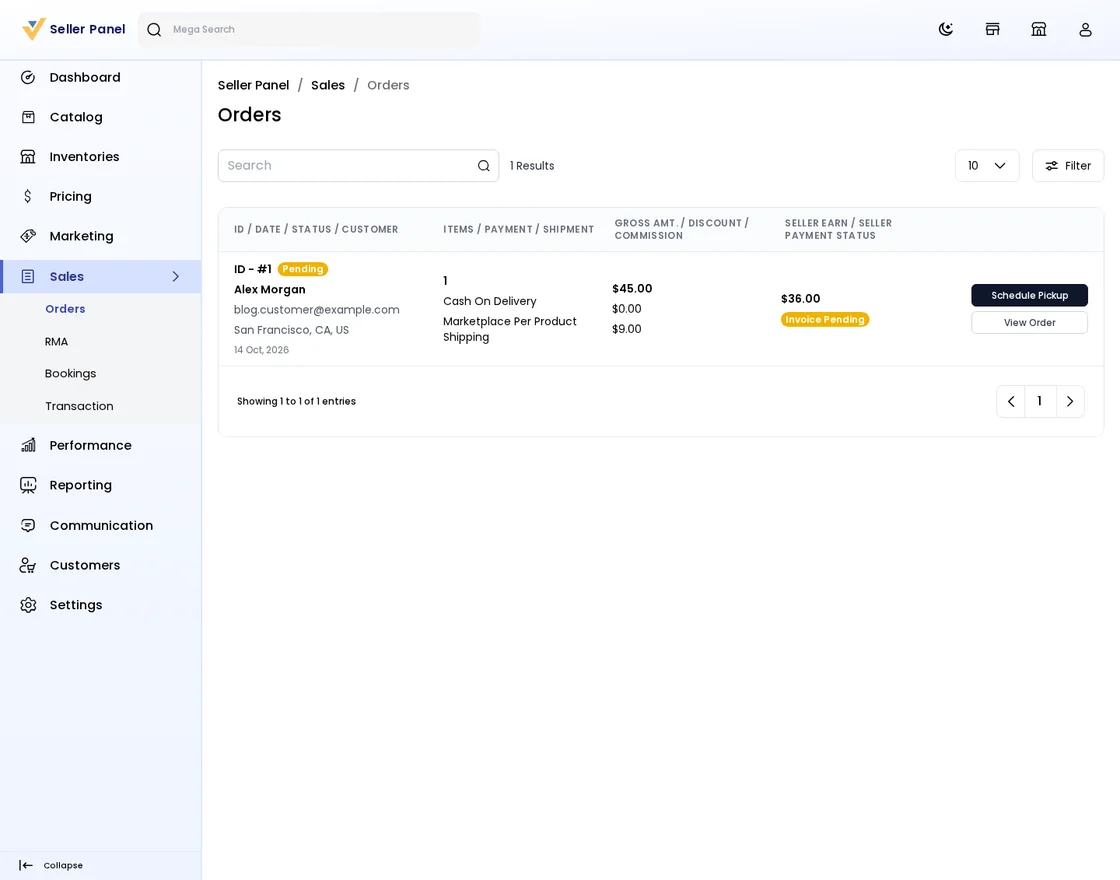
The module saves each item’s shipping amount, with and without tax, on the order item.
The seller order page shows the total as Shipping & Handling. It adds the shipping amounts of that seller’s items.
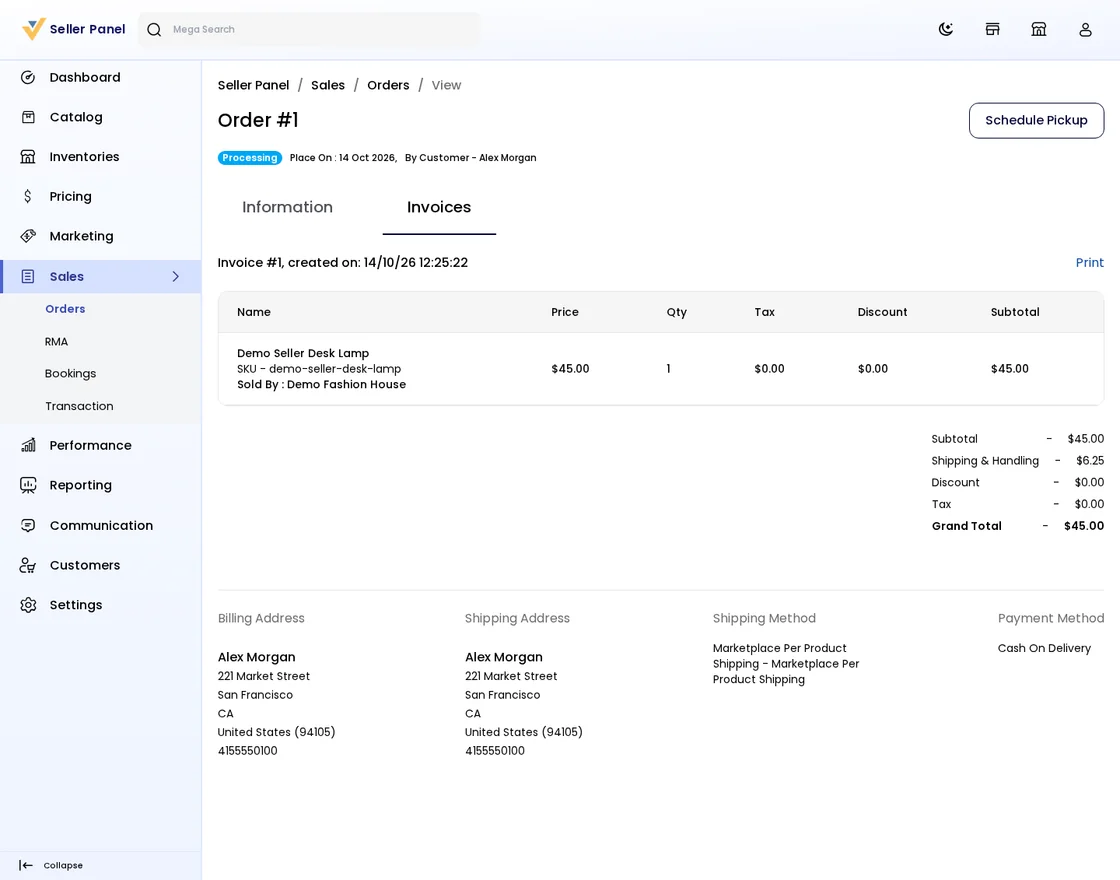
The seller’s invoice pages and invoice PDF show the same shipping amount. The PDF also shows the shipping method title.
Shipping Information
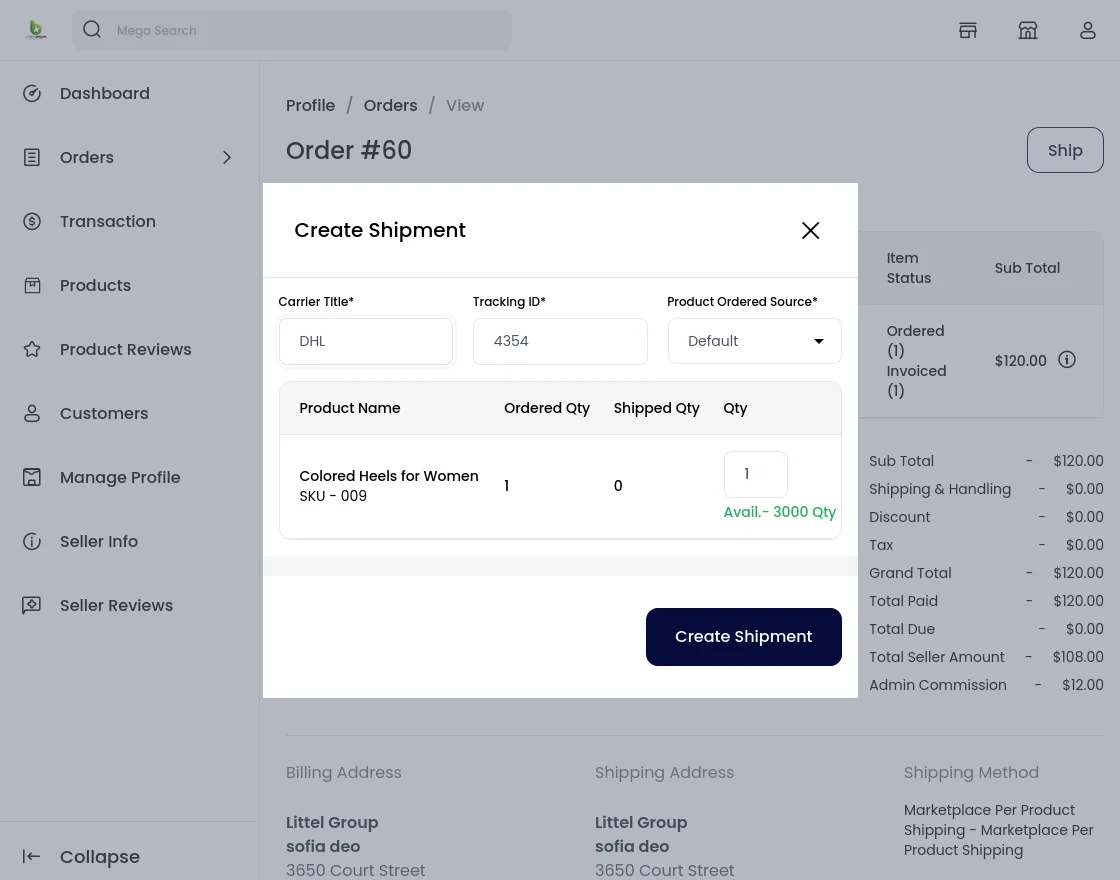
The seller order page then lists the order, invoice and shipment details together.
That’s all for Laravel eCommerce Marketplace Per Product Shipping module.
Support
If you have any issues please feel free to add a ticket and let us know your views to make the module better https://bagisto.uvdesk.com/en/
Current Product Version - v2.5.0.0
Supported Framework Version - v2.5.0

Be the first to comment.