


















AI shopping agents now read stores, compare products, and start checkout for buyers. The Odoo AI agent checker shows how one of these agents sees your store.
Most Odoo merchants never test this. But an agent judges your pages in seconds, and thin data can push you out of its results. This guide explains agent readiness and how to measure it.
What are AI shopping agents?
An AI shopping agent is software that shops for a person. It reads product pages, pulls prices, and sometimes adds an item to a cart without a human clicking.
These agents live inside tools people already use. For example, a chat assistant can find a product, check stock, and point the buyer to a store.
So your store is no longer judged by humans alone. Machines read your pages first, and they decide what the buyer sees next.
What agent readiness means
Agent readiness is how easily a machine can understand and act on your store. A ready store sends clean data that an agent can trust without guessing.
Think of it as two layers. First, can the agent read the product name, price, and stock? Then, can it take an action, such as opening a cart link?
A human forgives a messy layout. An agent does not. If the price sits only inside JavaScript, many agents miss it and leave.
So readiness is not about looks. It is about the raw bytes your server returns when an agent requests a page.
How agents read an Odoo store
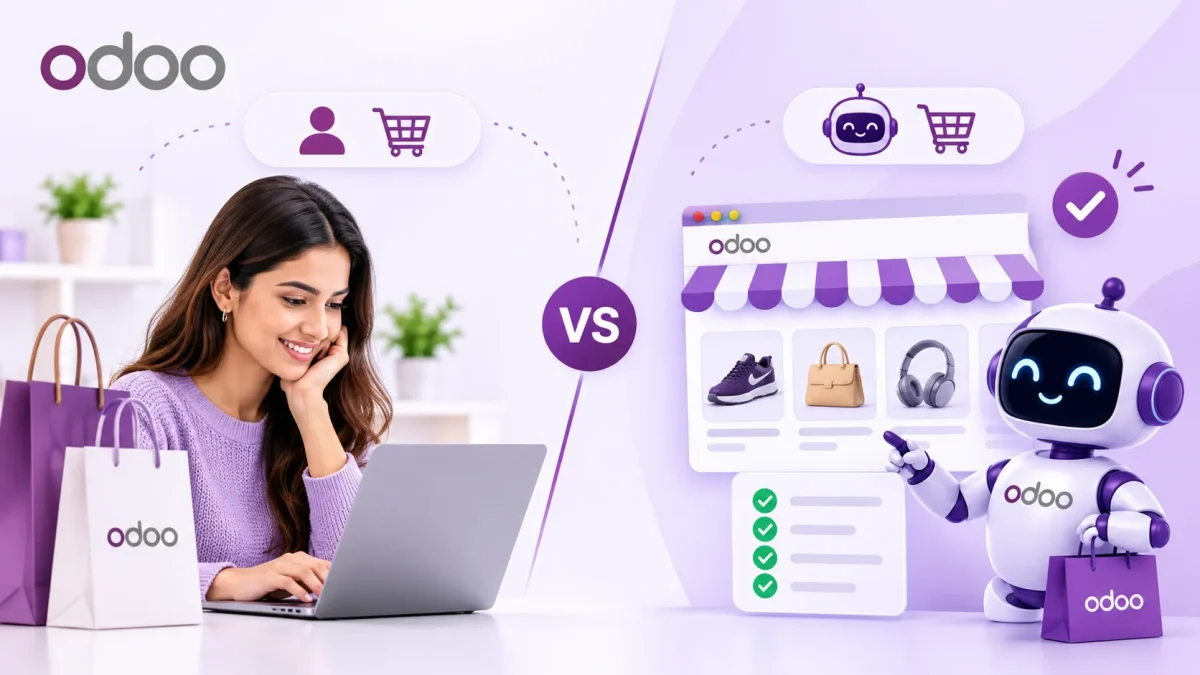
Agents do not see your theme the way you do. Instead, they fetch the HTML, headers, and structured data your server sends back.
They hunt for a few clear signals. For example, they read JSON-LD for the product name, brand, SKU, and price. They also test whether add-to-cart is a real labelled button.
What Odoo gets right
Odoo ships product JSON-LD by default, which gives agents a head start. It also renders product pages at clean URLs such as /shop/<product>-<id>.
So an Odoo store often passes the basic reading checks. The name, price, and availability usually sit in the served HTML.
Where Odoo falls short
Odoo frequently omits the identifiers agents need to compare items. For instance, brand, gtin, and aggregateRating are missing from many product listings.
Machine checkout is the other weak spot. Most stores have no cart permalink and no published commerce profile for agents to call.
Meet the Odoo AI agent checker
The Odoo AI Agent Checker scores your store the way an agent sees it. You paste a store URL, and it fetches the public pages and grades what it finds.
The result is simple. You get a score from 0 to 100, a letter grade from A to F, and a tier such as Silver or Gold.
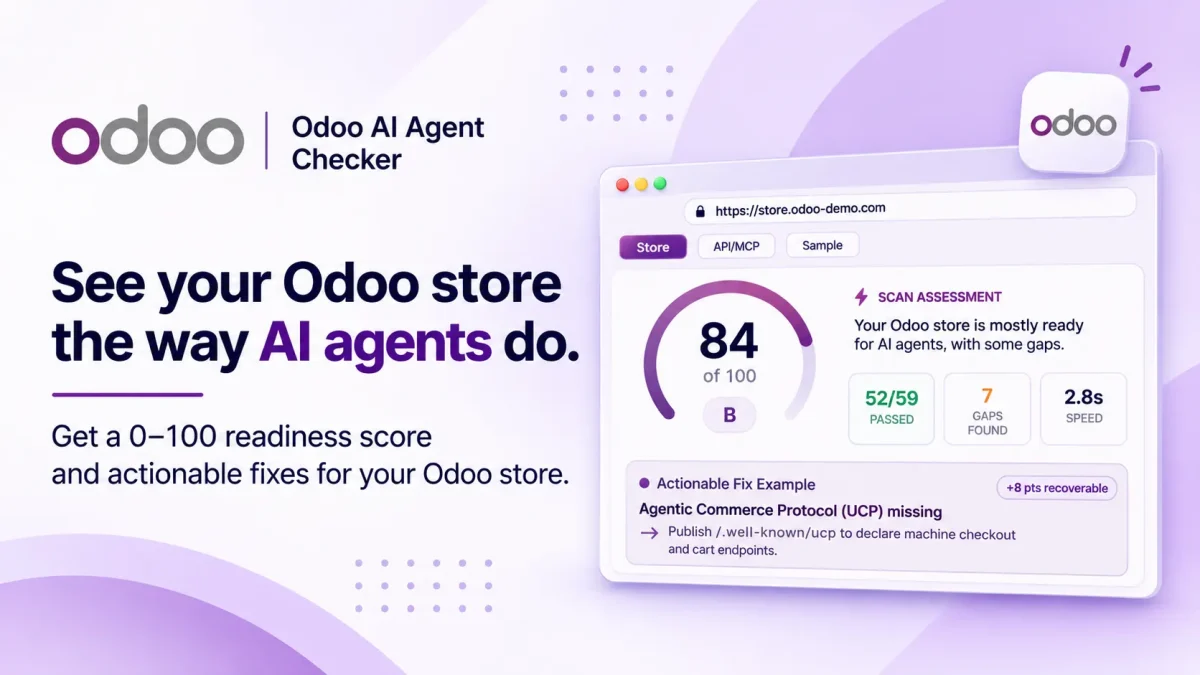
A sample scan returns 84 of 100 and a B grade. The readout says the catalog is readable, yet the machine cart endpoints are missing.
The score and grade
Each score rolls up every check into one number you can track over time. The grade and tier give a quick label for your team or your client.
So a rescan after a fix shows real movement. You can prove the work raised your readiness, not just claim it.
What the 71 checks cover
The tool runs 71 checks across ten categories. Together they map both Odoo signals and universal crawler rules.
Here are the main groups it measures:
- Discoverability covers robots.txt, sitemaps, canonical URLs, and response speed.
- Structured data checks JSON-LD presence, valid schema, and the right types.
- Product data confirms name, price, stock, and variants sit in the served HTML.
- Operability tests add-to-cart, search, and variant pickers an agent can drive.
- Agentic commerce looks for cart permalinks, checkout, and policy discovery.
- Infrastructure and security review HTTPS, HSTS, CORS, and header posture.
Evidence and fixes
Every finding shows the real HTML, header, or file path the server returned. You can inspect the proof yourself instead of trusting a score.
Each failed check also comes with a fix. Take the sample gap above: the tool tells you to publish a /.well-known/ucp profile, which recovers about eight points.
How to act on your results
Start with the gaps worth the most points. The report ranks them, so you fix the biggest wins first.
Next, hand the remediation steps to your developer or your Odoo partner. The certified Webkul team can also add the missing schema, endpoints, and signals for you.
Then rescan. A second scan confirms the fix landed and updates your grade.
Odoo readiness checklist
Run through these before you call your store agent-ready:
1. Discoverability and Crawler Access
Make sure AI agents and automated systems can discover your Odoo storefront and its important resources.
- Check whether your
robots.txtfile is accessible and does not unnecessarily block legitimate crawlers. - Verify that your XML sitemap is available and includes important product URLs.
- Ensure canonical URLs correctly identify the preferred version of each page.
- Review meta robots directives to identify accidental indexing restrictions.
- Check AI crawler directives and relevant bot access configurations.
- Verify that product URLs are discoverable through your sitemap.
- Review HTTP Link headers for additional resource discovery.
- Identify soft-404 responses and incorrect redirect behavior.
- Measure server response time and page weight.
- Check DNS-AID records for agent discovery signals.
2. Content Accessibility for AI Agents
AI agents need content in formats they can efficiently retrieve and understand.
- Check whether
llms.txtis available and contains useful website guidance. - Verify the availability of
llms-full.txt. - Evaluate whether important content is accessible in Markdown for agents.
- Ensure product descriptions, store information, and policies are available without unnecessary rendering dependencies.
3. Structured Data and Schema.org
Structured data helps AI systems interpret your products, business information, and website entities.
- Validate JSON-LD structured data on important pages.
- Check the presence of relevant Schema.org types.
- Verify entity connections through
sameAsproperties. - Identify missing or invalid structured data properties.
- Confirm that structured data matches the actual content of the primary page.
- Add missing product properties such as
brand,sku,gtin, andaggregateRatingwhere applicable.
4. Content and Semantic Structure
Your storefront should have meaningful HTML structure rather than relying entirely on visual presentation.
- Verify that important product information is available in server-rendered HTML.
- Check heading hierarchy and logical content organization.
- Ensure the document language is correctly declared.
- Review image alt text for product and informational images.
- Check whether links use descriptive text instead of generic labels.
- Verify the presence of semantic HTML landmarks.
5. Bot Access and Trust
Even a well-structured store can become inaccessible if automated visitors encounter unnecessary restrictions.
- Check whether important public pages are accessible without login.
- Identify bot challenge walls that prevent automated access.
- Review Content Signals directive support.
- Check Web Bot Auth acceptance where applicable.
- Identify bot-challenge provider configurations where detectable.
- Classify raw HTTP responses to understand how the server responds to automated requests.
6. AI Agent Capabilities and Discovery
AI agents may need more than website content to discover available APIs, tools, and services.
- Check for an API Catalog.
- Verify the availability of an MCP Server Card.
- Look for an A2A Agent Card.
- Check for an accessible OpenAPI specification.
- Review OAuth Protected Resource metadata.
- Check Personal Agent Protocol (Poppy) support.
- Verify
agents.jsonandauth.mddiscovery resources. - Check OAuth Authorization Server metadata.
- Look for an Agent Skills index.
- Review Agentic Resource Discovery support.
- Identify WebMCP (
navigator.modelContext) availability.
7. Website Security
Security configurations help establish a reliable foundation for automated interactions.
- Verify HTTPS availability across the storefront.
- Check the HTTP Strict Transport Security (HSTS) header.
- Review baseline security headers.
- Evaluate CORS configuration.
- Check clickjacking protection through
X-Frame-Options. - Review Permissions-Policy configuration.
- Inspect server header exposure.
- Verify cookie security flags.
8. Product Data and Catalog Readiness
Product information must be accessible and understandable without depending entirely on browser-side JavaScript.
- Check that product names, prices, and availability appear in the server-rendered HTML.
- Verify that product JSON-LD contains the appropriate product identifiers and properties.
- Check whether product variants are represented in structured data.
- Review OpenGraph product and price metadata.
- Verify that return policies and shipping information are available in structured data.
- Check product image URLs and their HTTP responses.
9. Store Operability
AI shopping agents need to interact with storefront controls, not just read product descriptions.
- Ensure add-to-cart functionality uses real, labelled controls.
- Check whether product variant selectors are accessible and functional.
- Verify that the storefront search is a working control.
- Review forms for semantic HTML and accessible labels.
- Ensure important shopping actions do not depend exclusively on inaccessible visual elements.
10. Agentic Commerce Readiness
Preparing for agentic commerce means making it possible for compatible AI agents to discover shopping and checkout capabilities.
- Check for a Universal Commerce Protocol (UCP) profile at
/.well-known/ucp. - Verify whether cart permalinks are available for agent-assisted checkout.
- Check for x402 payment challenge support.
- Review Machine Payments Protocol (MPP) payment challenge support.
- Identify Agentic Commerce Protocol (ACP) implementation where applicable.
- Ensure store policies are discoverable by automated systems.
AI agents are already reading stores and sending buyers elsewhere when the data is thin. A one-minute scan tells you where your Odoo store stands today.
Odoo AI Agent Checker Browser Extension
Want to check your Odoo store’s AI agent readiness while browsing? You can also use our official Odoo AI Agent Checker browser extension, available for Google Chrome and Mozilla Firefox.
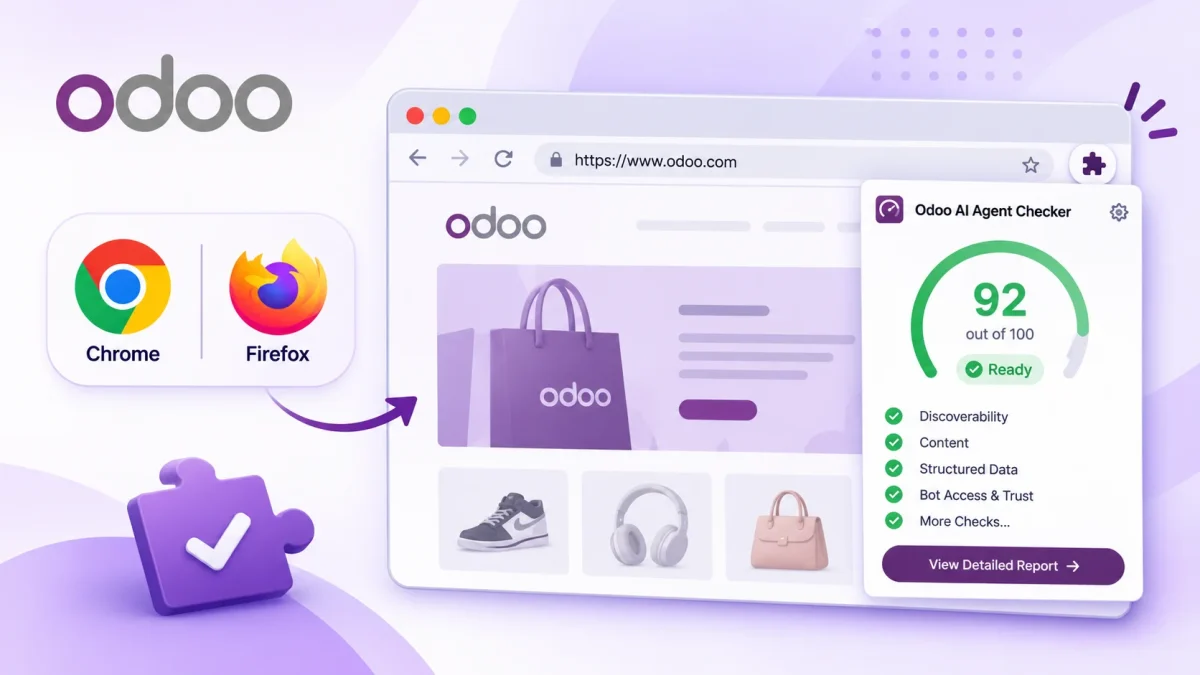
Developed by Webkul, the extension makes it easier to evaluate how AI agents and automated systems discover, access, and understand your Odoo website or ecommerce store.
With the browser extension, you can:
- Check AI Agent Discoverability: Identify whether important store pages and resources are accessible to AI agents.
- Evaluate Content Accessibility: Check how effectively automated systems can read and understand your store content.
- Review Structured Data: Identify opportunities to improve product information and structured data.
- Analyze Bot Access: Understand whether crawler access and related technical configurations are working correctly.
- Find Readiness Gaps: Discover potential issues that could affect AI agent interactions with your store.
Webkul’s Odoo AI Agent Checker helps evaluate your Odoo store’s AI readiness, discoverability, and product data accessibility.
Also, use our official Chrome and Firefox extensions to check AI agent discoverability and prepare your store for AI-powered shopping.

Be the first to comment.