Today we will learn how to use PhantomJS, PhantomJS is a javascript library, that is used to automate the web page interaction. It is also called Handless Webkit Scripting language, reason behind this that we no need the GUI (Graphical User Interface) for performing the test. Handless means that output from the script will never displayed browser.
PhantomJS is a CUI (Character User Interface) that is why output of a script always show on terminal. PhantomJS provides the JavaScript API, by which we can perform DOM handling and various operation.
We can use PhantomJs in different cases:
- Handless Testing : We can use this technique to test the web application with command line output. We can also use Testing tool like Mocha, Casper with PhantomJS to extend the testing functionality.
- Screen Capture : This feature can be use to capture the web pages of any website with different format. By using Phantomjs we can render anything on DOM. We can use PhantomJS not only to render the HTML or CSS but also with the Canvas.
- Page Automation : By using PhantomJS, we can manipulate the web page’s content. By this features we can access the various content from the web pages, like we can get any textcontent by using the ID of that elements.
- Network Monitoring : We can also monitor the network activity by Phantomjs. We can monitor the resource requests and responses by using onResourceRequested and onResourceReceived
.
How to configure the PhantomJS on Linux:
To install the PhantomJS on your system run the below command from terminal:
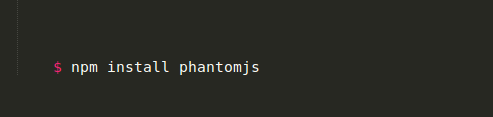
After installation of phantomjs to know the version of phantomjs run the command from terminal:


Be the first to comment.