


















CS-Cart VeriFactu Add-on connects directly with Fiskaly’s SIGN ES API to automate invoice generation, digital signing, QR code creation, and real-time reporting to the Spanish Tax Agency (AEAT).
It helps businesses comply with Spain’s VeriFactu regulations by eliminating manual invoice reporting.
The automated workflow reduces effort while ensuring invoices follow the required compliance standards.
Every generated invoice is digitally signed and linked to the previous invoice to maintain an anti-tampering record.
The add-on also includes QR codes and validation URLs required by Spanish tax regulations.
The add-on securely reports invoice data to AEAT and allows admins to view invoice synchronization status and download compliant PDF invoices from both the admin panel and the storefront.
Note:
- Install the add-on.
- Enter the license key.
- Follow the license activation steps.
Features
- Integrates the CS-Cart store with Fiskaly’s SIGN ES API for VeriFactu compliance.
- Automatically generates VeriFactu-compliant invoices based on configured order statuses.
- Digitally signs invoices and reports them to the Spanish Tax Agency (AEAT) in real time.
- Generates QR codes and validation URLs for compliant invoice verification.
- Maintains an anti-tampering invoice chain by linking invoices securely.
- Supports refund and invoice cancellation based on order status changes.
- Downloads and prints VeriFactu-compliant PDF invoices from the admin panel and storefront.
- Supports bulk invoice synchronization and PDF generation for multiple orders.
- Includes a guided setup wizard with test and live environment support.
- Allows taxpayer registration and agreement management from the admin panel.
- Supports separate VeriFactu credentials for each vendor in CS-Cart Multi-Vendor.
- Provides secure API communication with OAuth authentication and HTTPS.
- Compatible with both CS-Cart and CS-Cart Multi-Vendor.
Installation
After downloading the CS-Cart Verifactu add-on, you’ll get one zip file, one install.txt file, and a relevant User Guide manual doc.
Read it carefully for proper configuration.
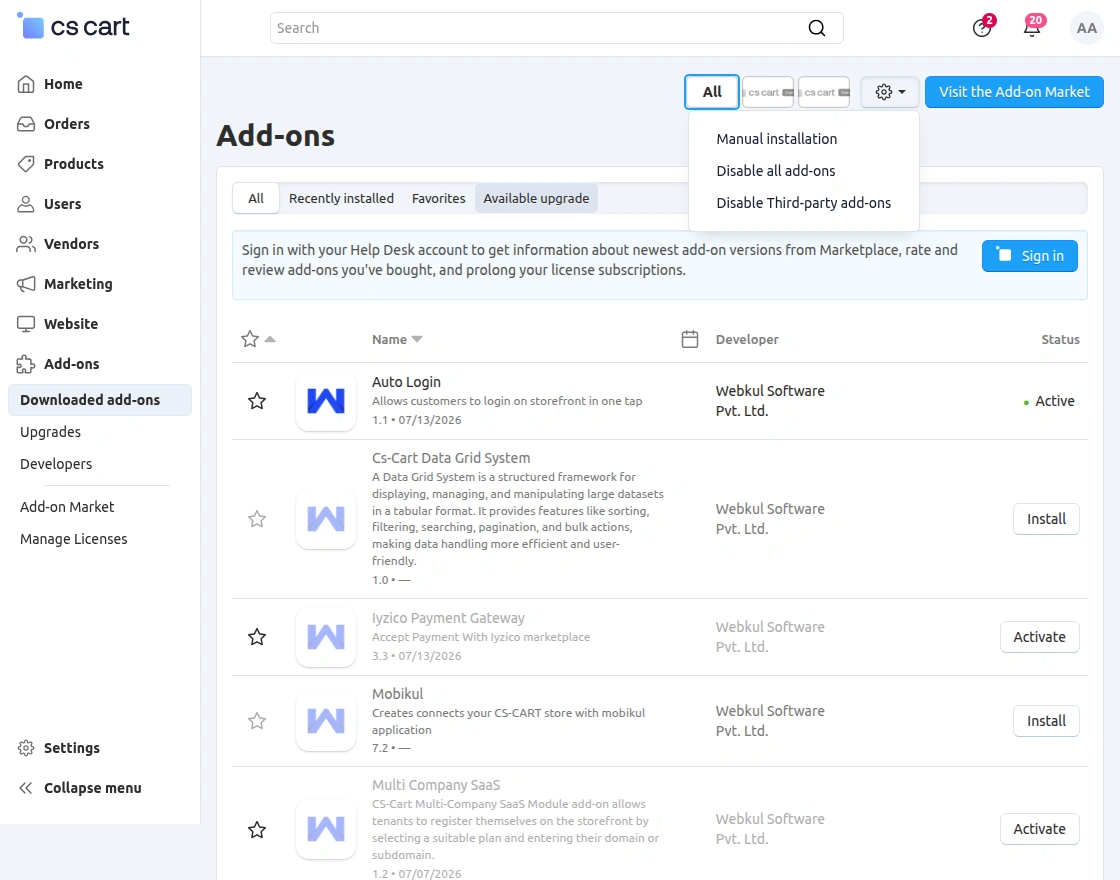
Go to Manage Add-ons, and click on “Manual Installation” as shown below in the snapshot.
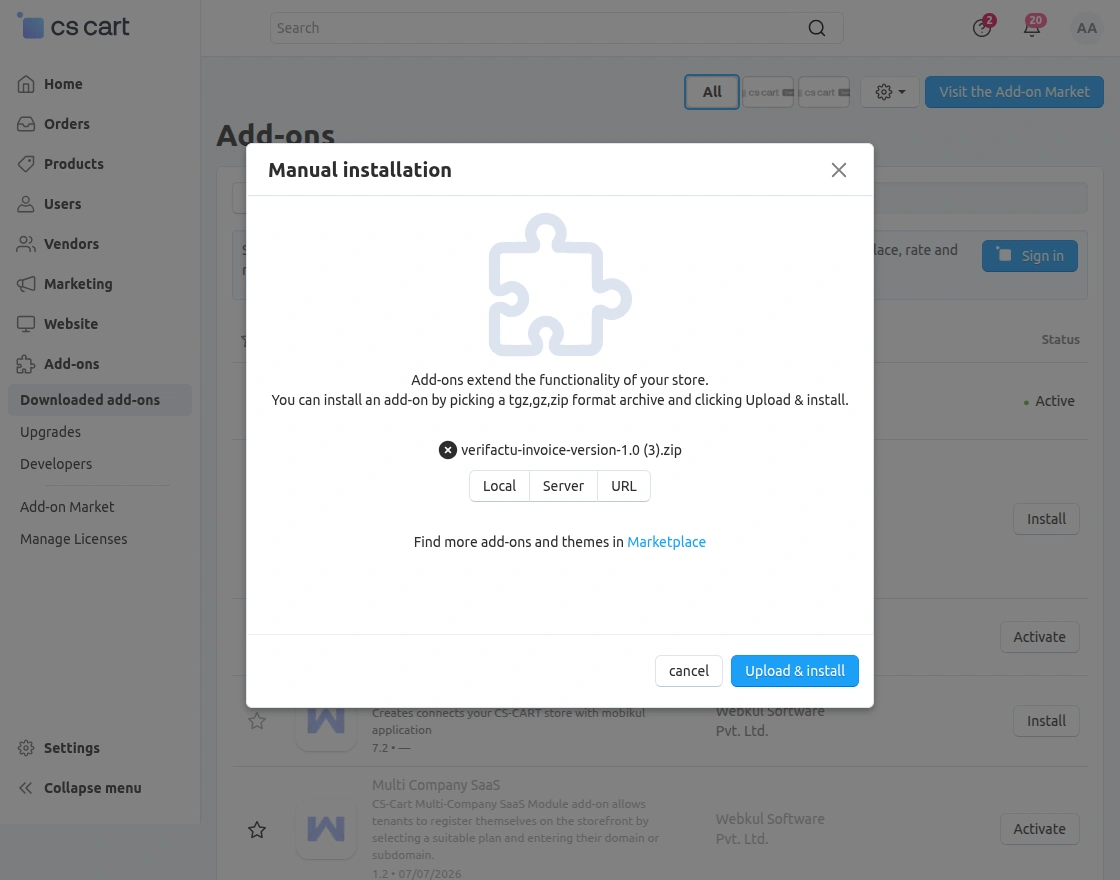
Click on “Local” to browse the zip file, and then click on “Upload & Install” as shown below in the snapshot.
Add-On Configuration
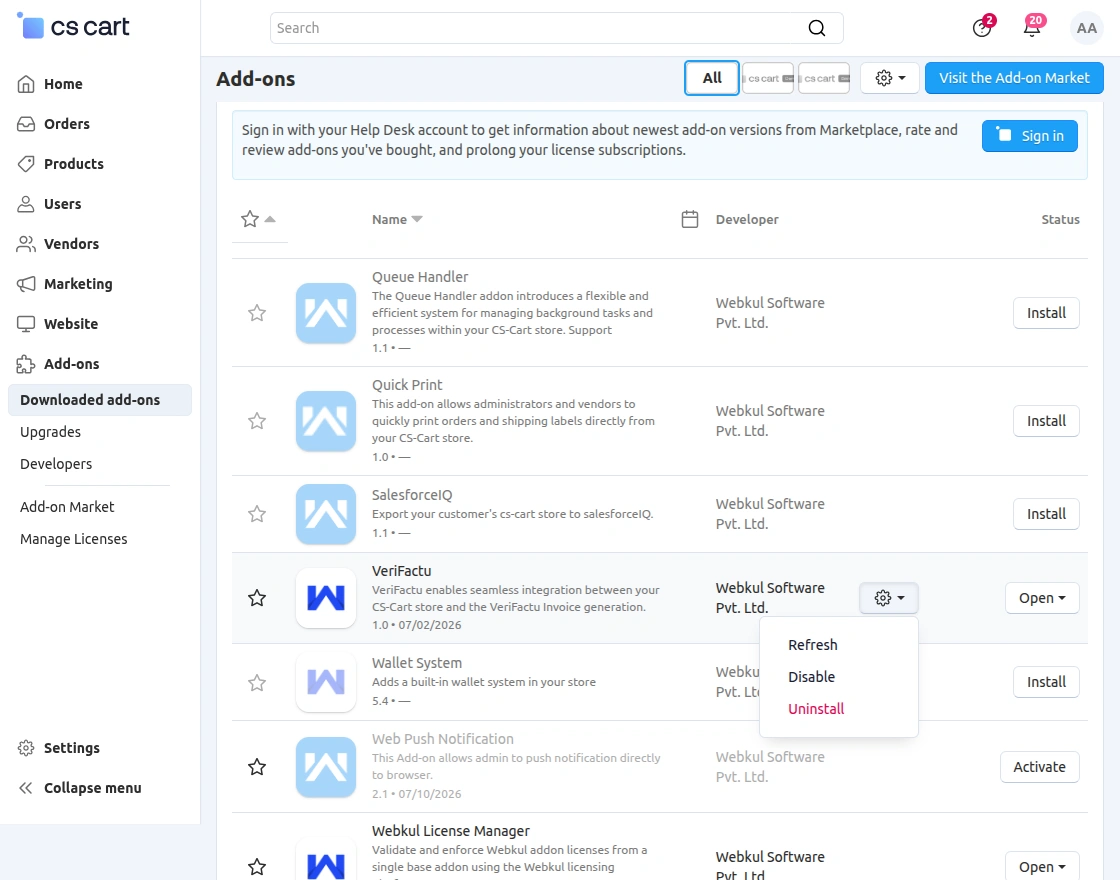
After installing the add-on, you will find CS-Cart Verifactu in the list of available add-ons.
Click on “Settings” to enable, disable, install, or refresh. Ensure you activate the add-on, as shown in the snapshot below.
Set Up Your Fiskaly Account
Before configuring the CS-Cart VeriFactu Add-on, set up your Fiskaly account by creating a managed organization.
This organization is required to connect your store with Fiskaly and generate the API credentials needed for VeriFactu integration.
Once the organization is ready, generate the API Key and API Secret. These credentials will be used while configuring the add-on in the CS-Cart admin panel.
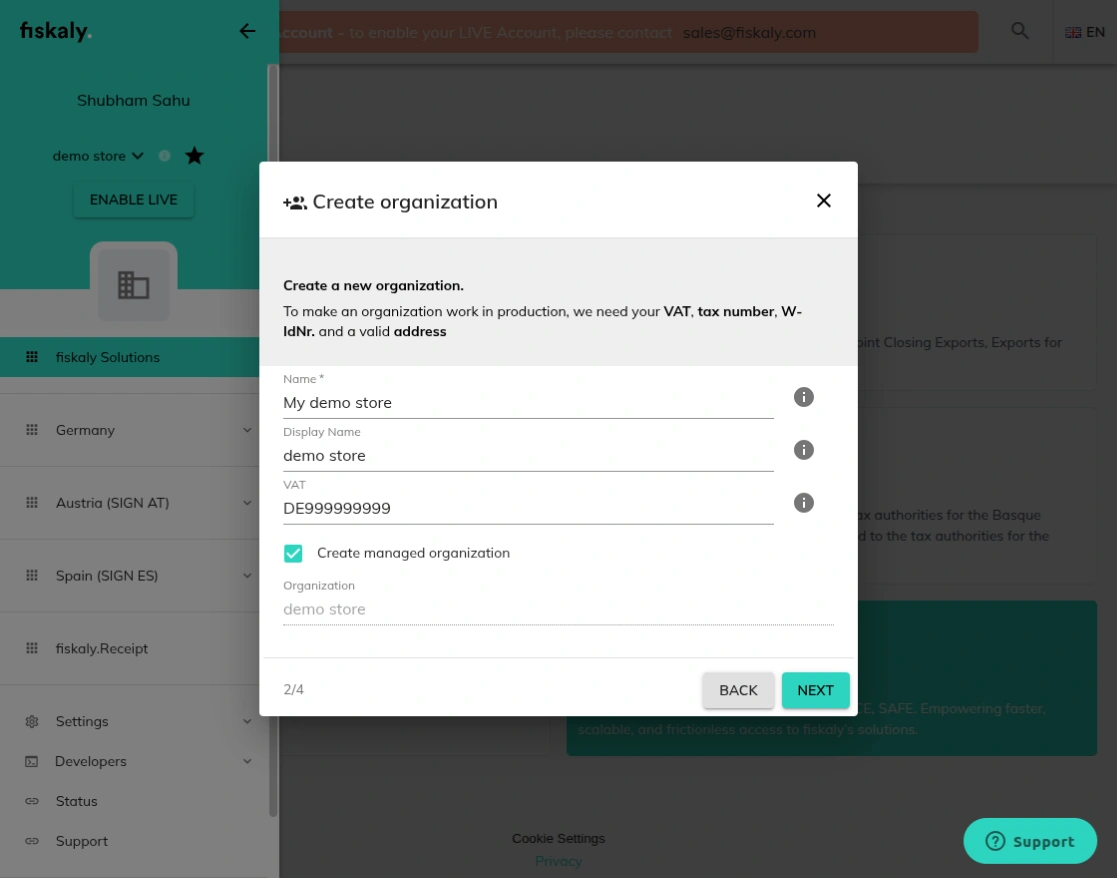
Create a Managed Organization
Create a managed organization in your Fiskaly account by selecting Spain as the country. Enter the organization name, VAT number, and business address to complete the setup.
Enable the Create Managed Organization option while creating the organization. This allows the organization to be managed through Fiskaly and prepares it for Spain’s VeriFactu compliance.
Generate API Credentials
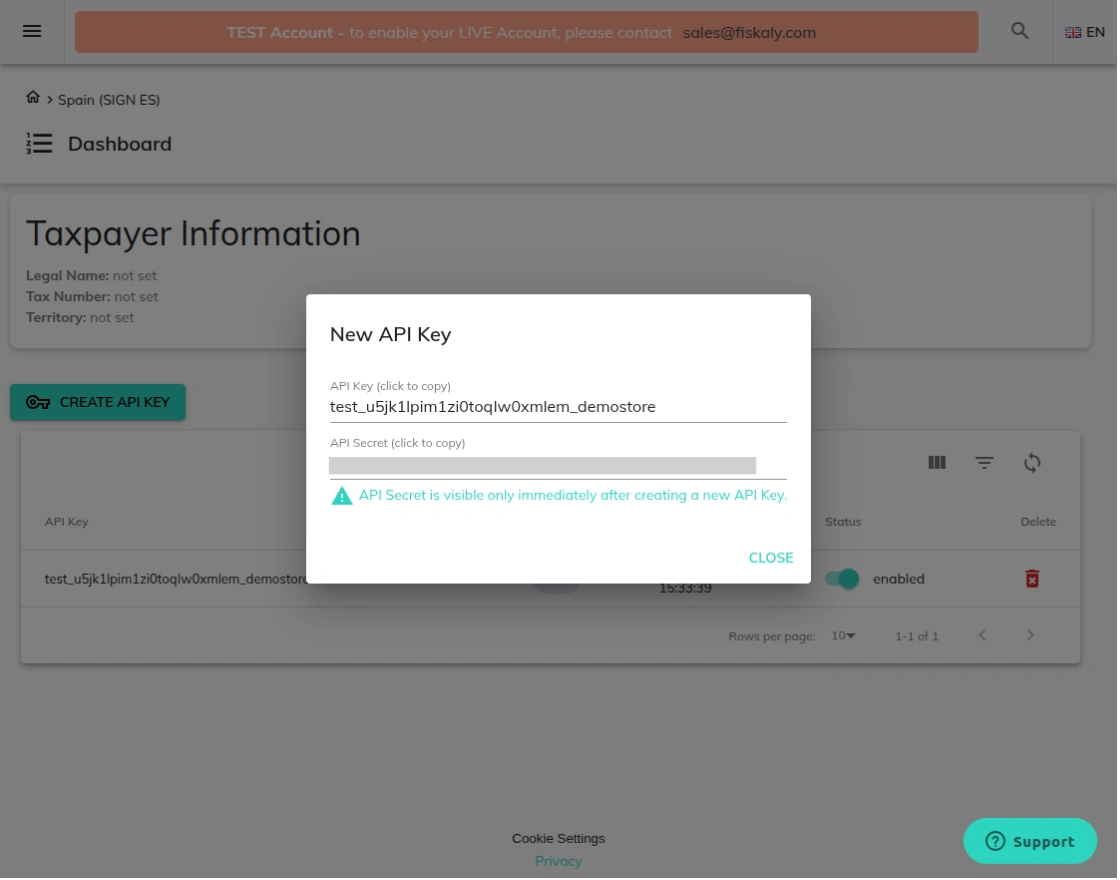
After creating the managed organization, navigate to the Spain (SIGN ES) dashboard and generate a new API Key.
Fiskaly instantly generates the API Key and API Secret. Copy and store these credentials securely, as the API Secret is displayed only once.
These credentials will be required while configuring the CS-Cart VeriFactu Add-on.
Note: Save the API Secret immediately after it is generated because it cannot be viewed again.
Module Configuration | Admin
After installing the CS-Cart VeriFactu Add-on, the admin can configure the module from the CS-Cart back office.
The setup follows a guided workflow that connects the store with Fiskaly, registers the taxpayer, and prepares the store for VeriFactu-compliant invoice reporting.
Once the configuration is complete, the module automatically generates and reports invoices according to the configured workflow.
Connect Your Store with Fiskaly
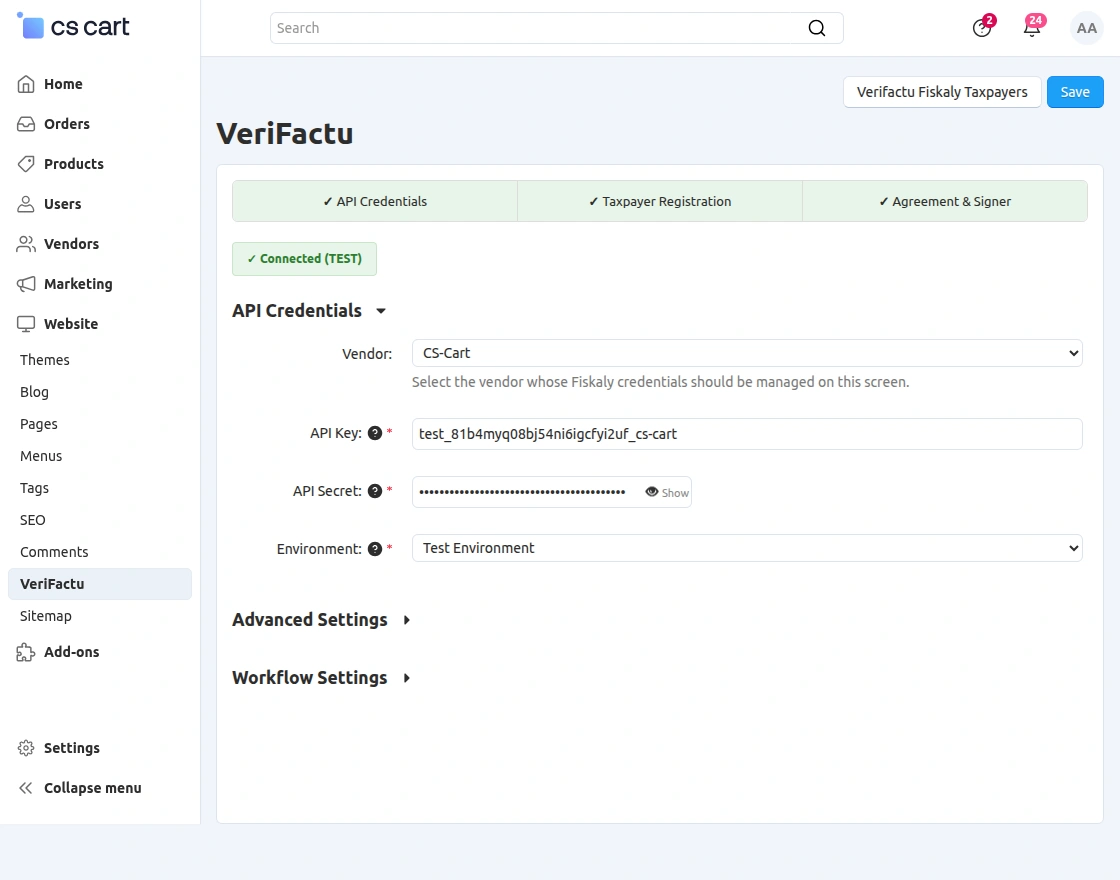
The first step is to connect the CS-Cart store with Fiskaly’s SIGN ES API. The admin can enter the API Key and API Secret to establish a secure connection with the VeriFactu service.
The module also allows switching between the Test and Production environments before moving the store to live operations.
Configure the Invoice Workflow
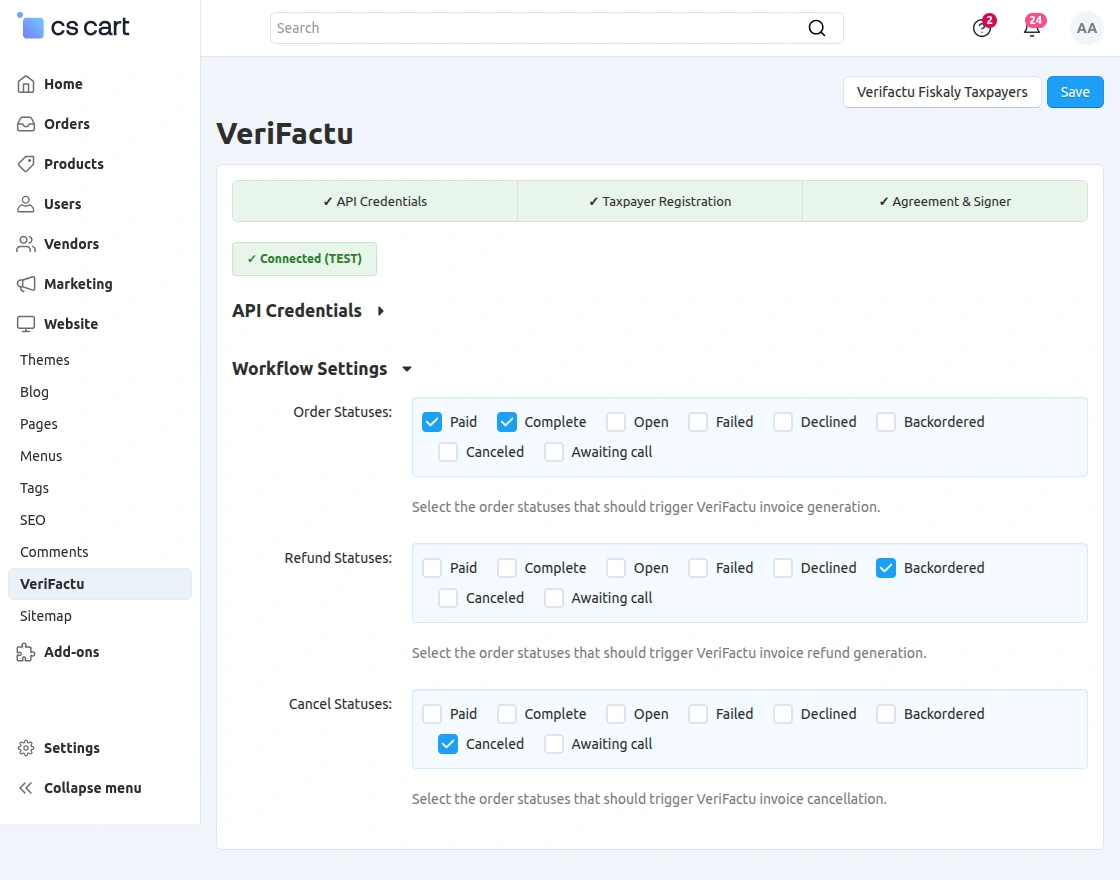
After connecting the store, the admin can define how VeriFactu invoices should be processed automatically.
The module allows selecting order statuses that trigger invoice generation, refund creation, and invoice cancellation. This eliminates manual processing and keeps the invoicing workflow automated.
Register Business Information
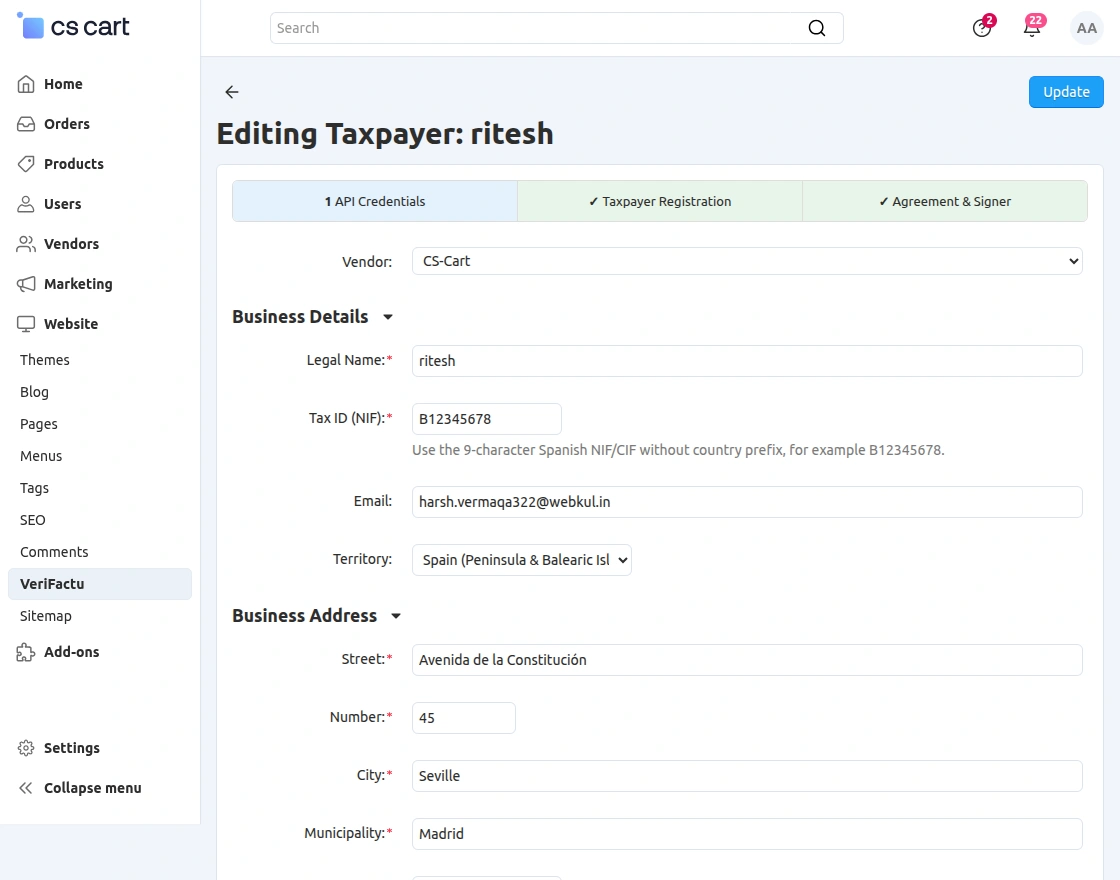
Once the API connection is established, the admin can register the taxpayer by entering the required business information.
The module allows configuring the legal name, Tax ID (NIF/CIF), email address, territory, and complete business address required for VeriFactu registration.
Add Legal Representative Details
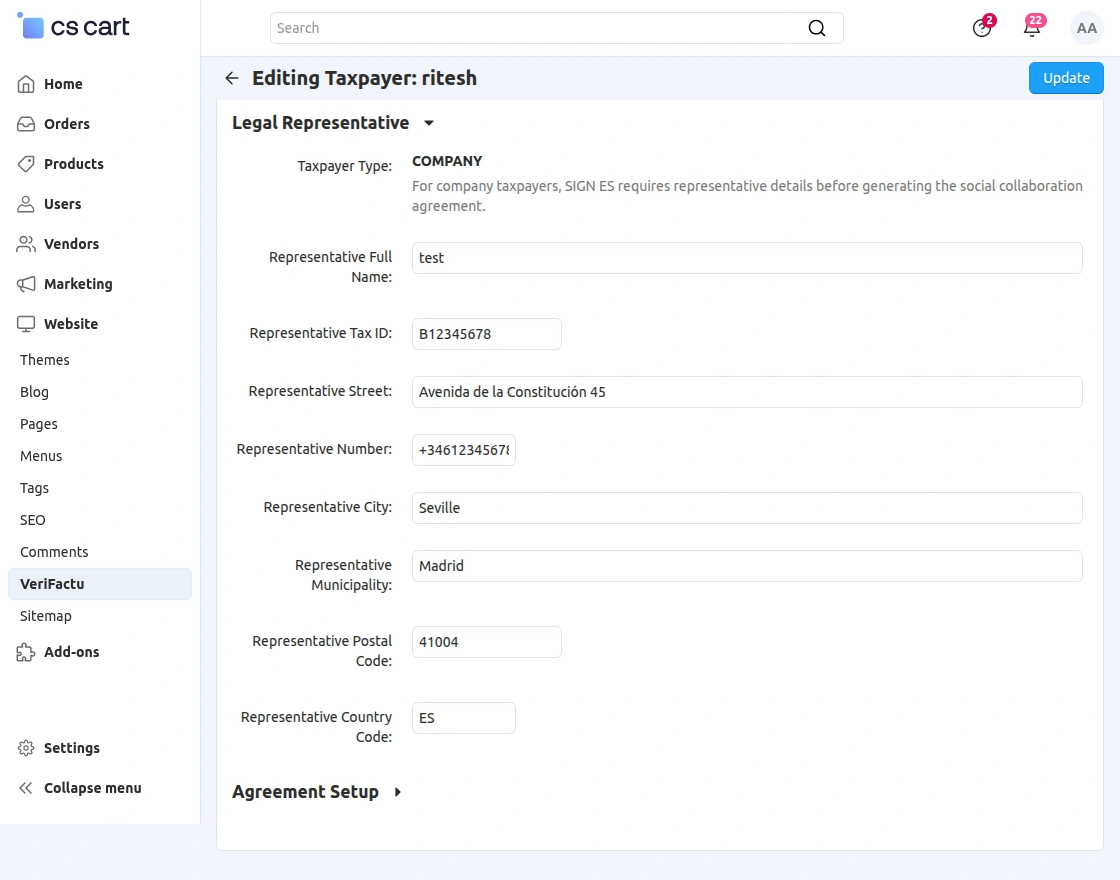
If the taxpayer is registered as a company, the admin can provide the legal representative’s information required by Spain’s VeriFactu regulations.
The module allows entering the representative’s name, Tax ID, address, municipality, postal code, and country details from the same interface.
Complete the Agreement Setup
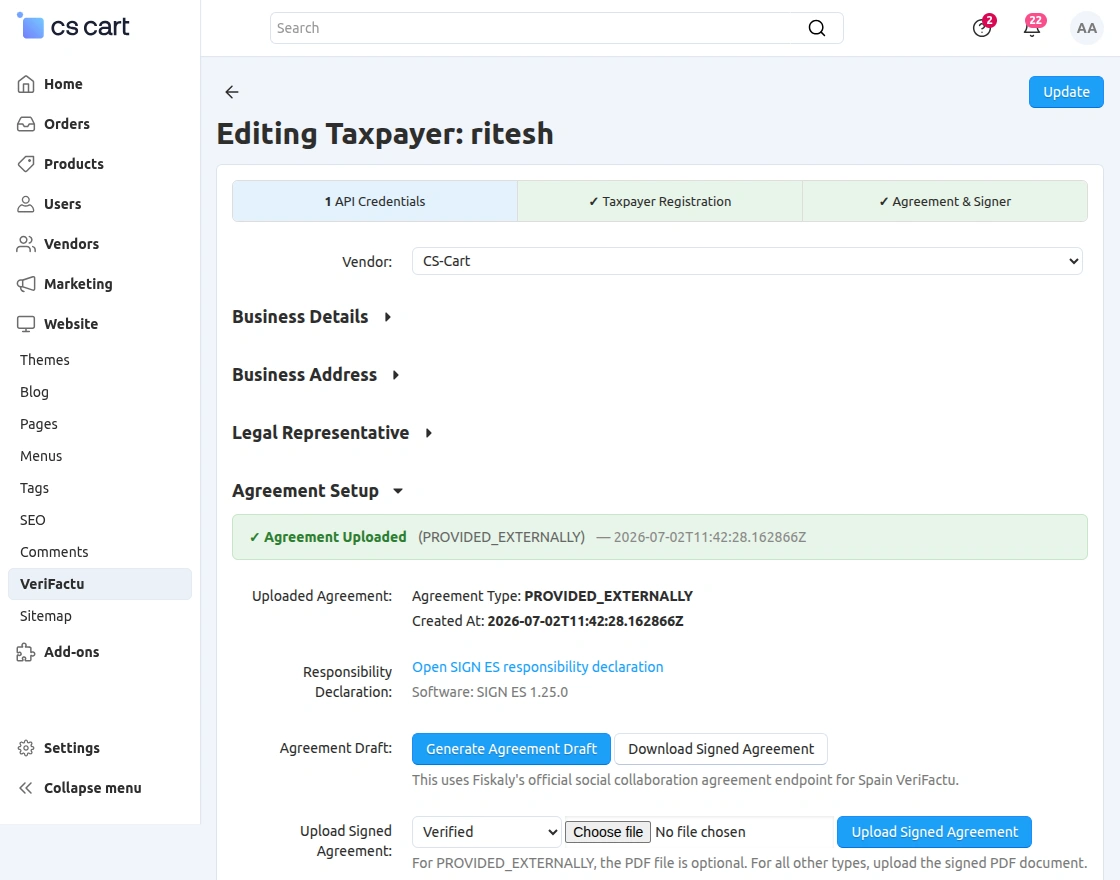
After registering the taxpayer, the admin can complete the agreement process required for VeriFactu compliance.
The module lets admins generate the agreement draft, download the signed agreement, and upload it to Fiskaly. It also displays the agreement status and signer details.
Manage Registered Taxpayers
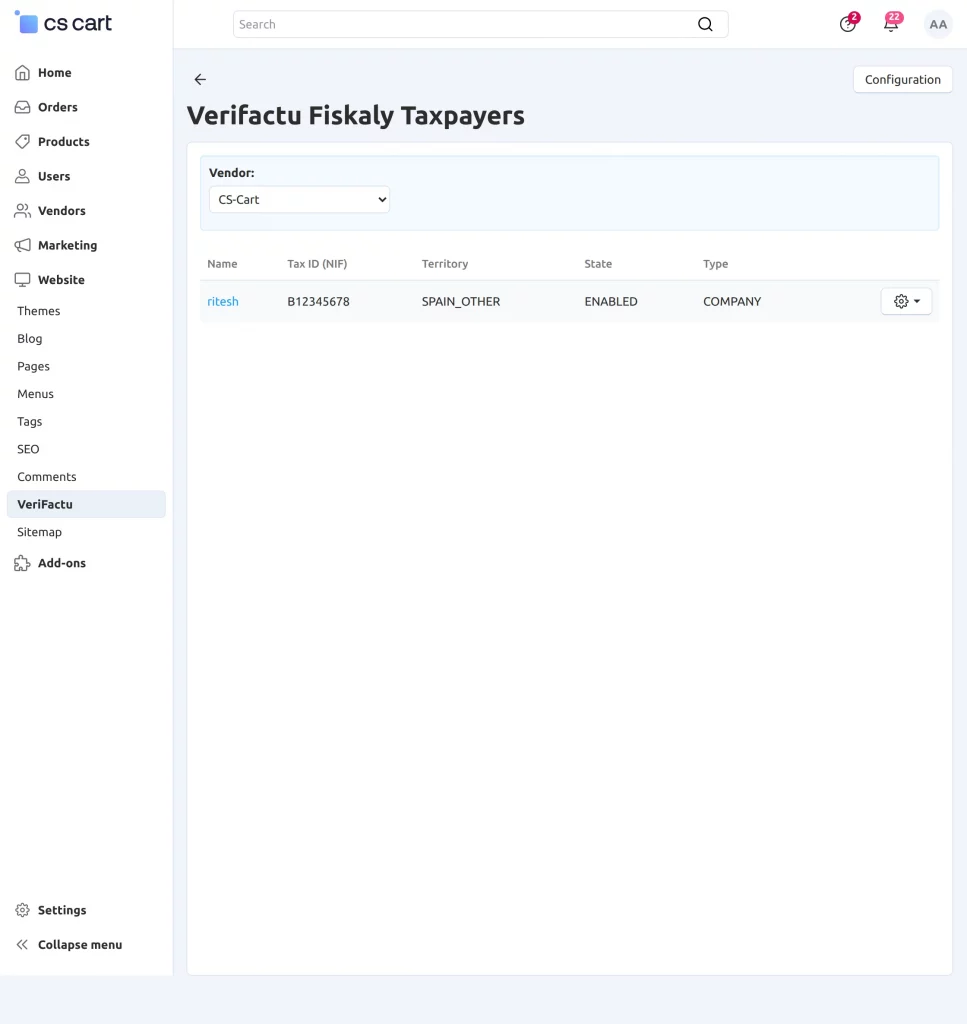
Once the setup is completed, the admin can access a dedicated page to manage all registered Fiskaly taxpayers.
The page displays the taxpayer name, Tax ID (NIF), territory, registration status, and taxpayer type. The admin can also edit taxpayer information whenever required.
Process Individual Orders
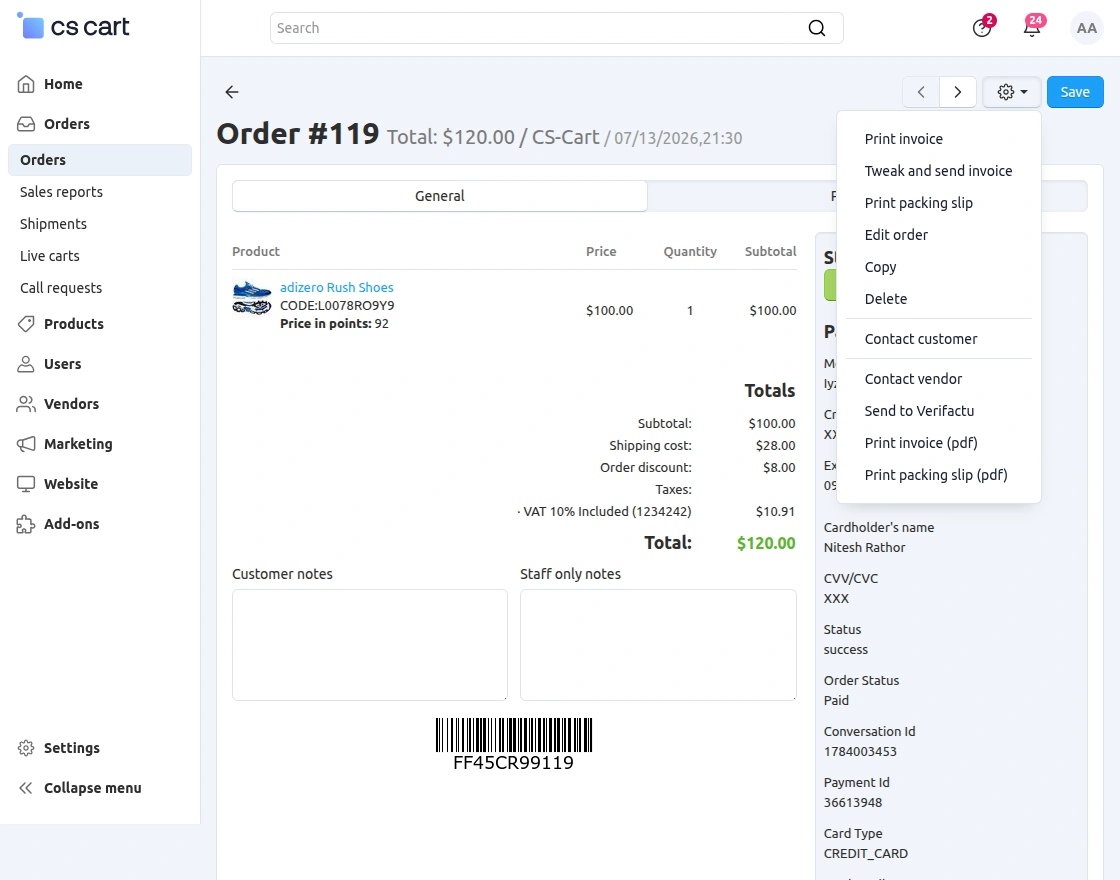
After completing the configuration, the module is ready to process VeriFactu invoices for store orders.
The admin can send an individual order to VeriFactu directly from the Order Details page. The same page also allows generating and downloading VeriFactu-compliant PDF invoices.
Manage Orders in Bulk
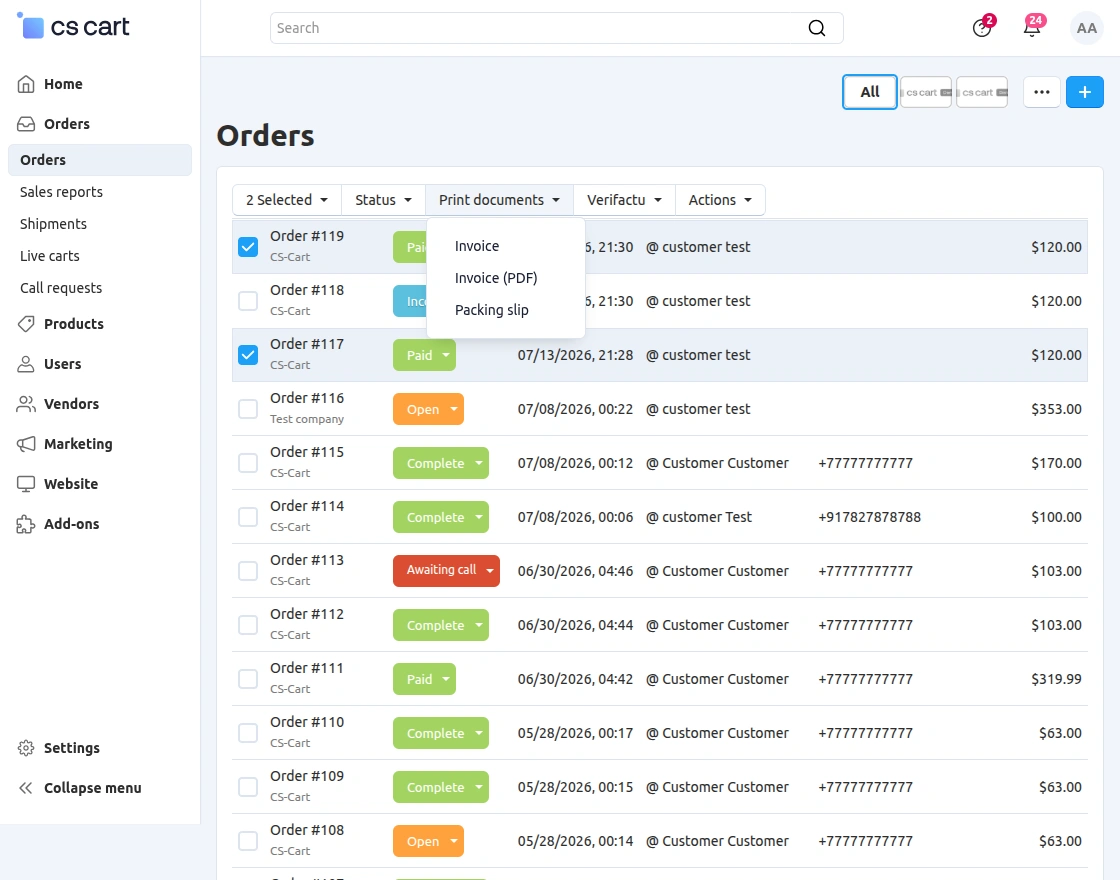
For stores processing a large number of orders, the module also supports bulk VeriFactu operations.
The admin can synchronize multiple orders with VeriFactu and generate PDF invoices for selected orders directly from the Orders page. This helps save time and simplifies invoice management.
Generate VeriFactu Invoices
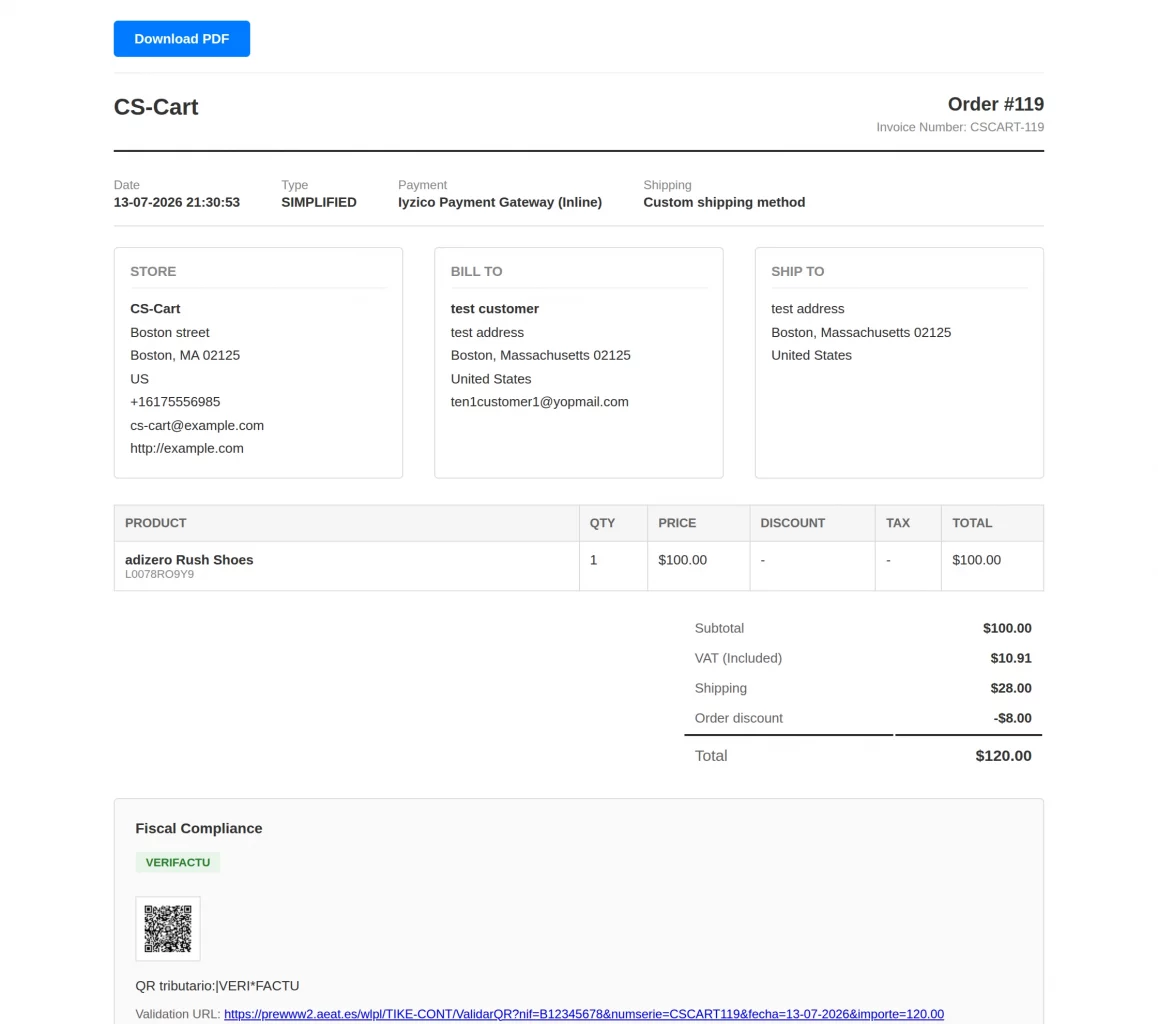
After synchronizing the orders, the admin can generate VeriFactu-compliant invoices directly from the Order Details page.
The generated invoice includes the required VeriFactu details, including the QR code, validation URL, invoice information, and tax details. Admins can also download or print the PDF invoice.
CS-Cart Verifactu Add-On | Frontend
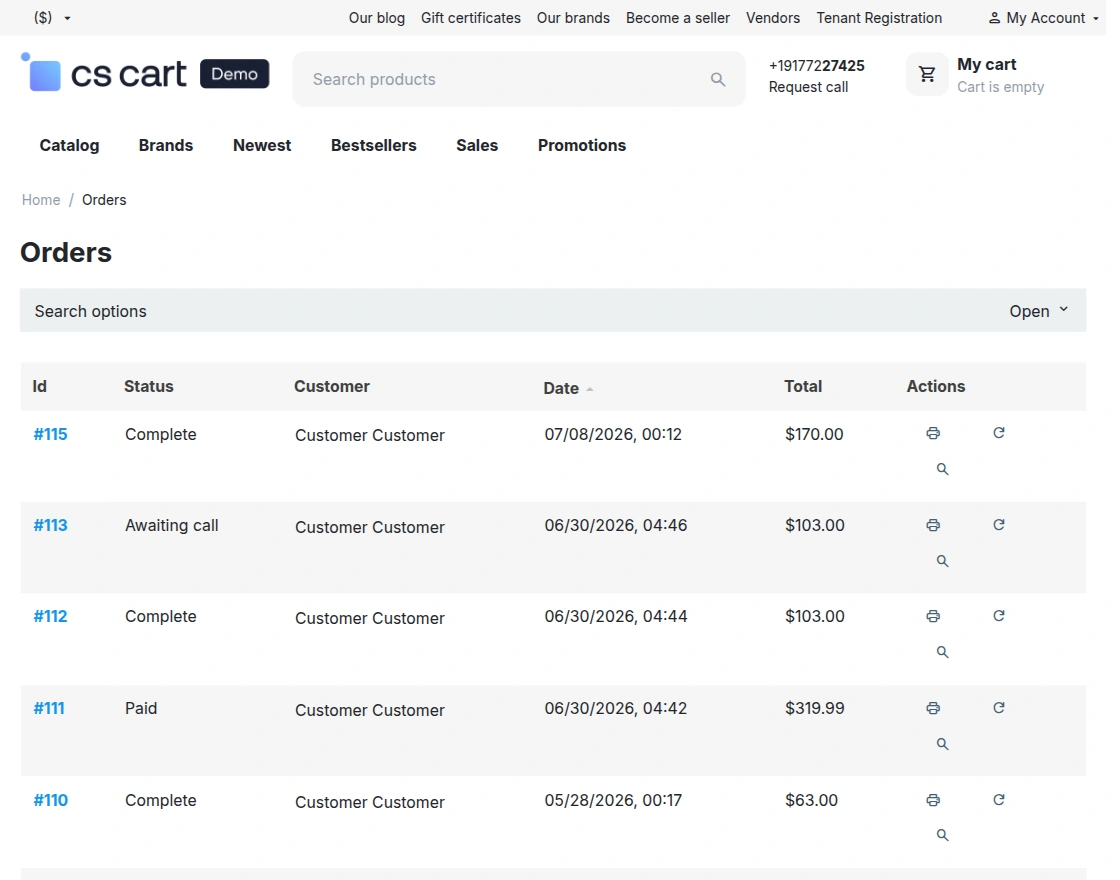
After the admin configures the module, customers can access their VeriFactu-compliant invoices directly from their accounts.
View Order History
Customers can access the My Orders section to view all placed orders. The page displays the order ID, status, order date, and total amount.
Customers can open any order to view its complete details.
View Order Details
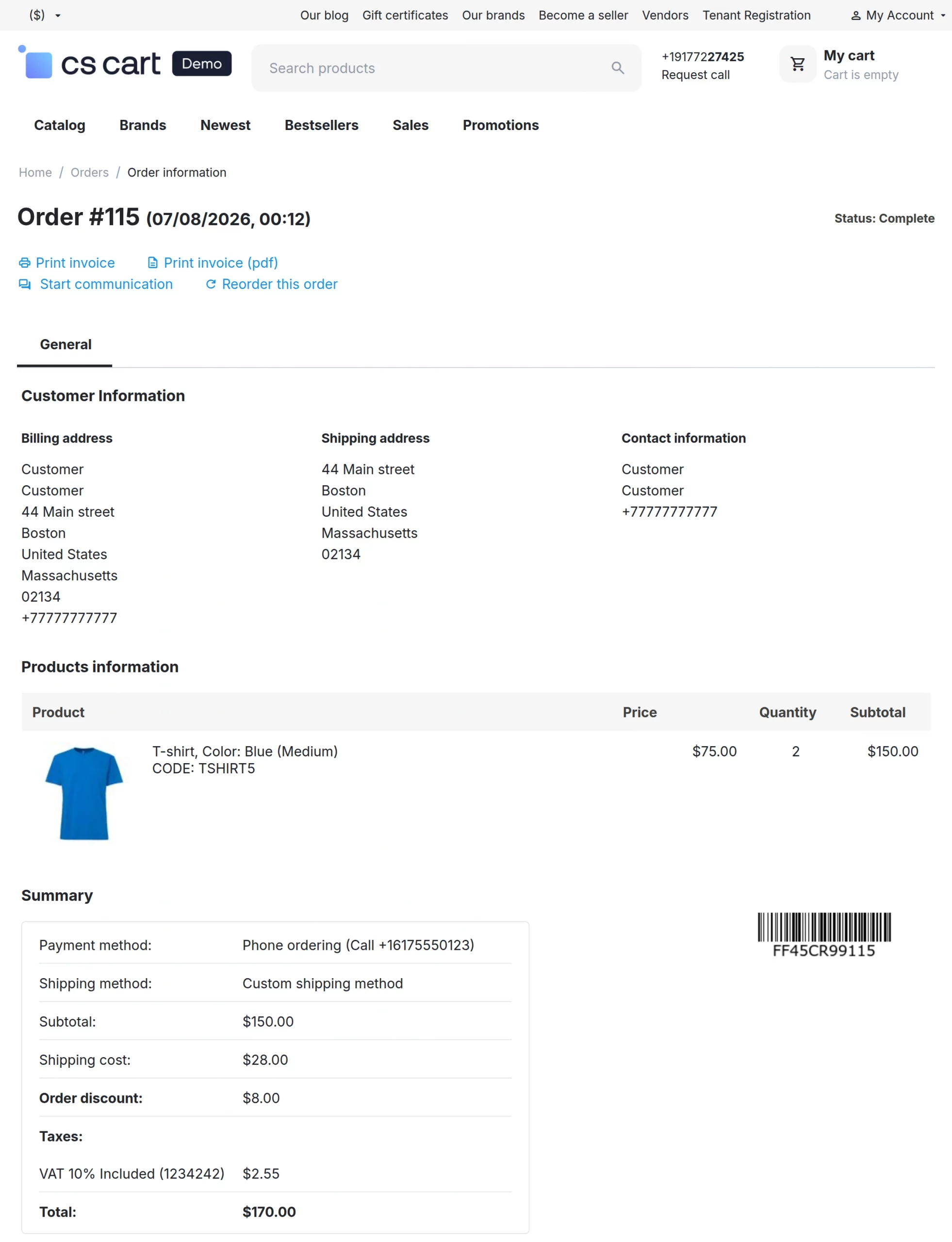
Customers can open an order to view the complete order information, including billing and shipping addresses, contact details, ordered products, and payment summary.
The order details page also provides quick access to VeriFactu invoice actions.
Download VeriFactu Invoice
Customers can print or download the VeriFactu-compliant invoice directly from the Order Details page.
The generated invoice includes all the required VeriFactu information, allowing customers to keep a compliant PDF copy for future reference.
Support
If you have any questions, suggestions, or customization requests, feel free to contact us at [email protected] or submit a ticket at webkul.uvdesk.com.
Explore our premium-quality CS Cart Extensions to enhance your store functionality.
You can also explore our CS-Cart Development Services and Quality CS-Cart add-ons.
Current Product Version - 1.0
Supported Framework Version - 4.18.x, 4.19.x, 4.20.x

Be the first to comment.