


















CS-Cart Unique Product SKU Or Code add-on simplifies inventory management by automatically generating and maintaining unique SKU codes across your store.
It prevents duplicate SKU entries by validating SKU uniqueness during product creation, updates, product variations.
The add-on can also detect duplicate and mismatched SKU codes, suggest new SKU values based on the configured format, and perform bulk SKU updates.
Administrators can configure flexible SKU formats using Prefix, Middle, and Suffix, generate SKU codes based on product categories.
This add-on provides a comprehensive solution for maintaining consistent and unique SKU codes in CS-Cart and CS-Cart Multi-Vendor stores.
Note:
- Install the add-on.
- Enter the license key.
- Follow the license activation steps.
CS-Cart Unique Product SKU Or Code Features
- Fully compatible with CS-Cart, CS-Cart Multi-Vendor, CS-Cart Multi-Vendor Plus, and CS-Cart Multi-Vendor Ultimate.
- Restricts duplicate SKU code entries for products.
- Automatically generates unique SKU codes for products.
- Configure SKU format using Prefix, Middle, and Suffix.
- Supports SKU generation using Random Value, Custom Entry, Sequence Number, and Product ID.
- Generates unique SKU codes for product variations based on the parent product.
- Enables or disables SKU auto-fill for products.
- Allows administrators to configure SKU uniqueness on a Global or Vendor-wise basis.
- Allows administrators to let vendors configure their own SKU format.
- Restricts administrator-defined keywords from being used in SKU prefixes and suffixes.
- Provides a SKU availability checker for vendors before assigning SKU codes.
- Lists products having duplicate SKU codes in the admin panel.
- Suggests SKU codes for duplicate and mismatched SKU products.
- Supports bulk and product SKU updates.
- Supports category-wise bulk SKU generation and updates.
- Validates SKU uniqueness during Product Management, Product Update, and Product Create.
Installation
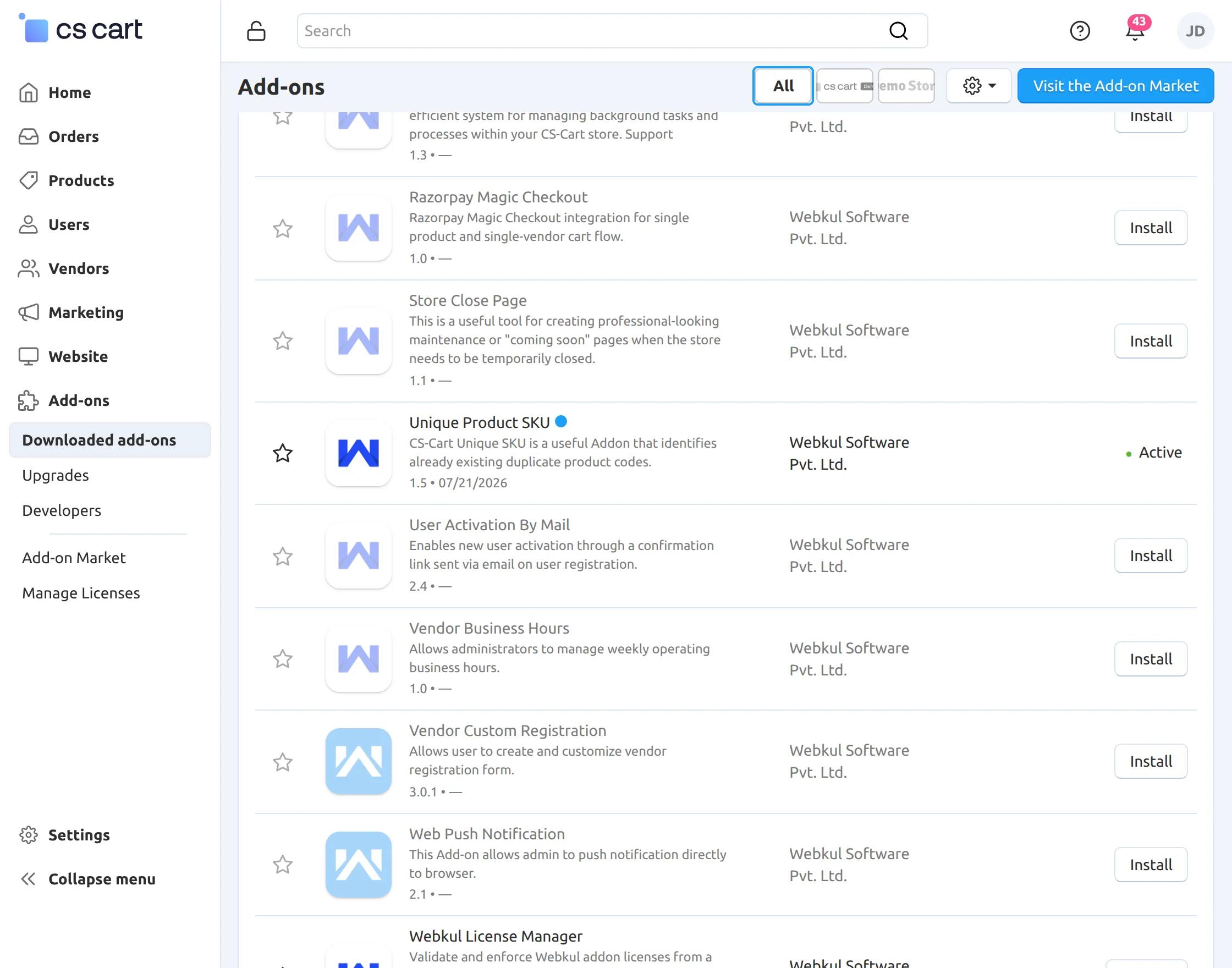
To install the CS-Cart Unique Product SKU, first download the add-on package. After installing add-on, you’ll get one zip file, one install.txt file, and a relevant User Guide manual doc
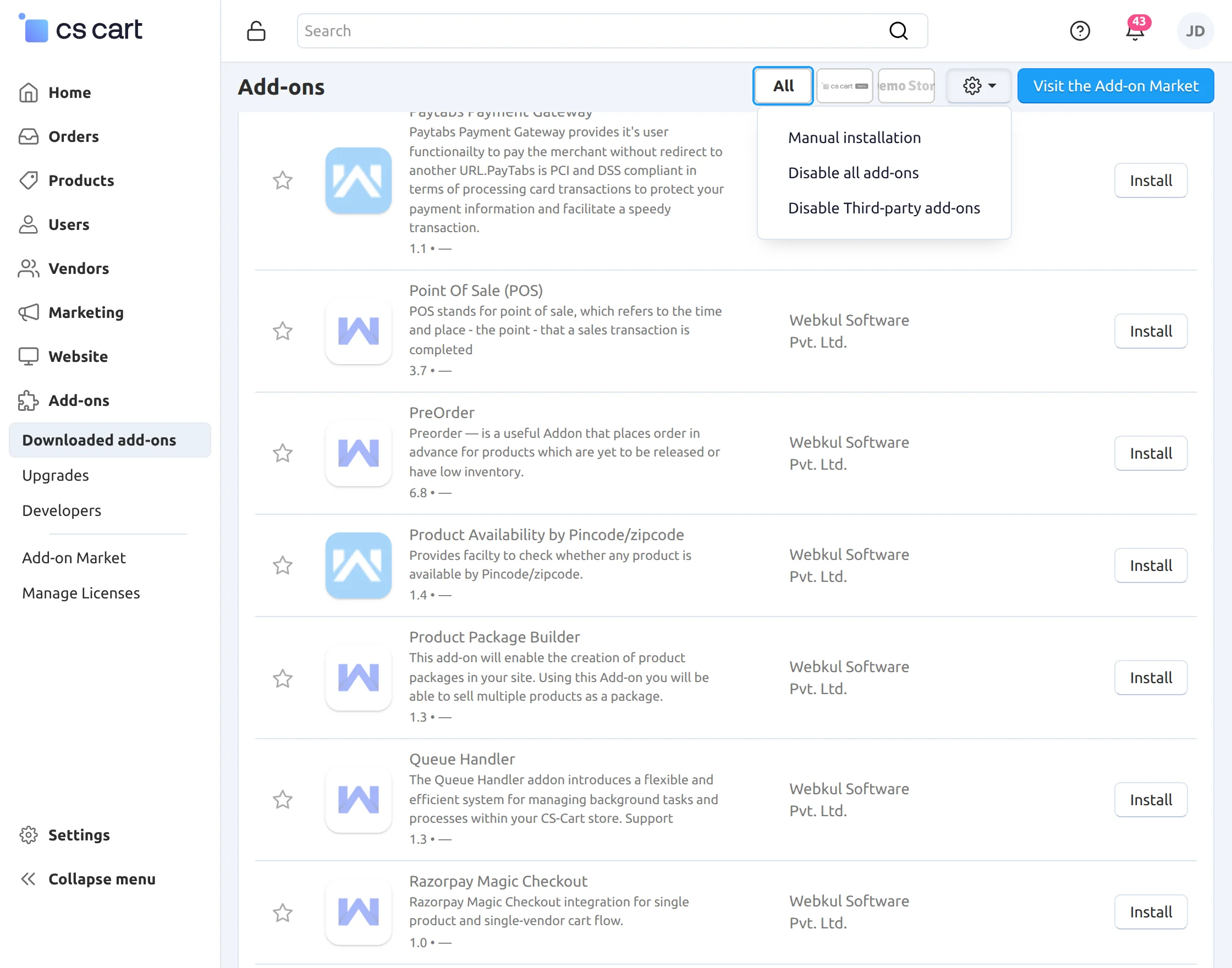
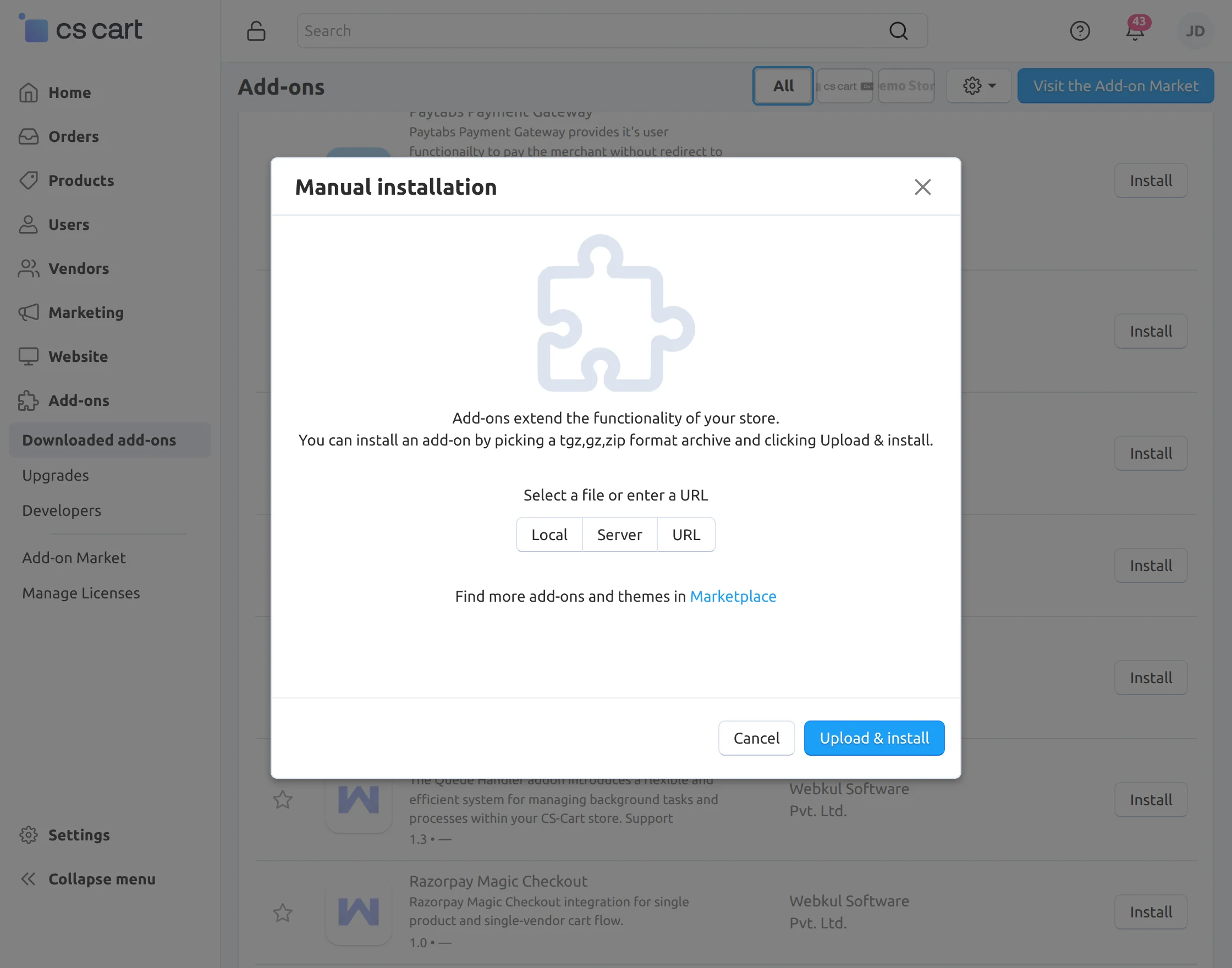
Navigate to Add-ons → Manage Add-ons from the CS-Cart administration panel and click on Manual Installation.
Unique SKU Configuration
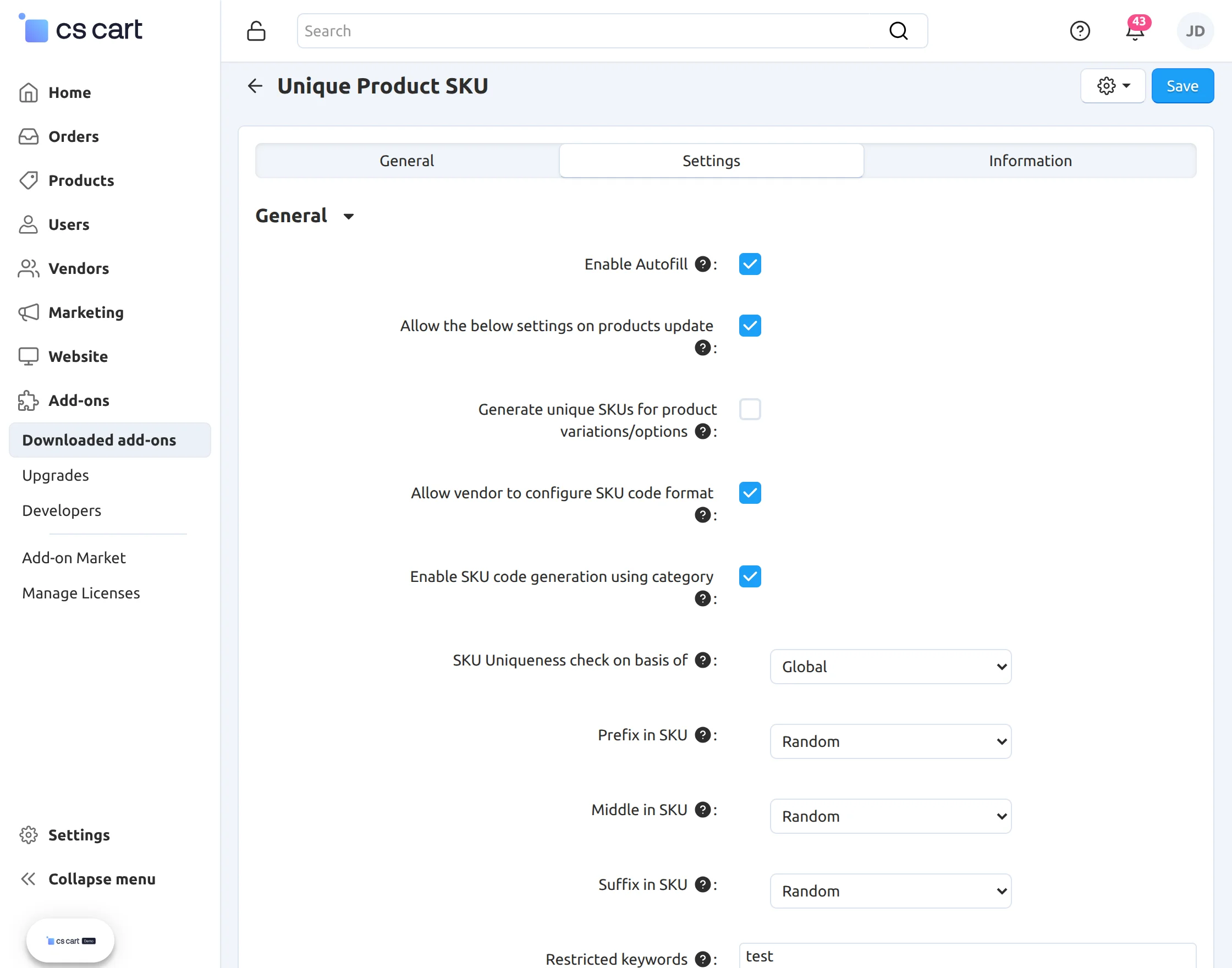
Configure the Unique SKU Code add-on using the available settings.
- Enable Autofill: Automatically generates SKU codes for products.
- Allow the below settings on products update: Allow the unique SKU creation while updating the product.
- Generate unique SKUs for product variations/options: Automatically generates SKU codes for product variations based on the parent product.
- Allow vendor to configure SKU code format: Allows vendors to configure their own SKU format from the vendor panel.
- Enable SKU code generation using category: Generates SKU codes based on the assigned product category.
- SKU Uniqueness Check On Basis Of: Choose whether SKU uniqueness should be validated Globally or Vendor-wise.
- Prefix in SKU: Select the prefix format using Random Value, Custom Entry, Sequence Number, or Product ID.
- Middle in SKU: Select the middle format using Random Value, Sequence Number, or Product ID.
- Suffix in SKU: Select the suffix format using Random Value, Custom Entry, Sequence Number, or Product ID.
- Restricted Keywords: Define keywords that are not allowed to use in product SKU.
- Show Product with Same SKU: Displays the list of products with duplicate SKU codes for easy identification and management.
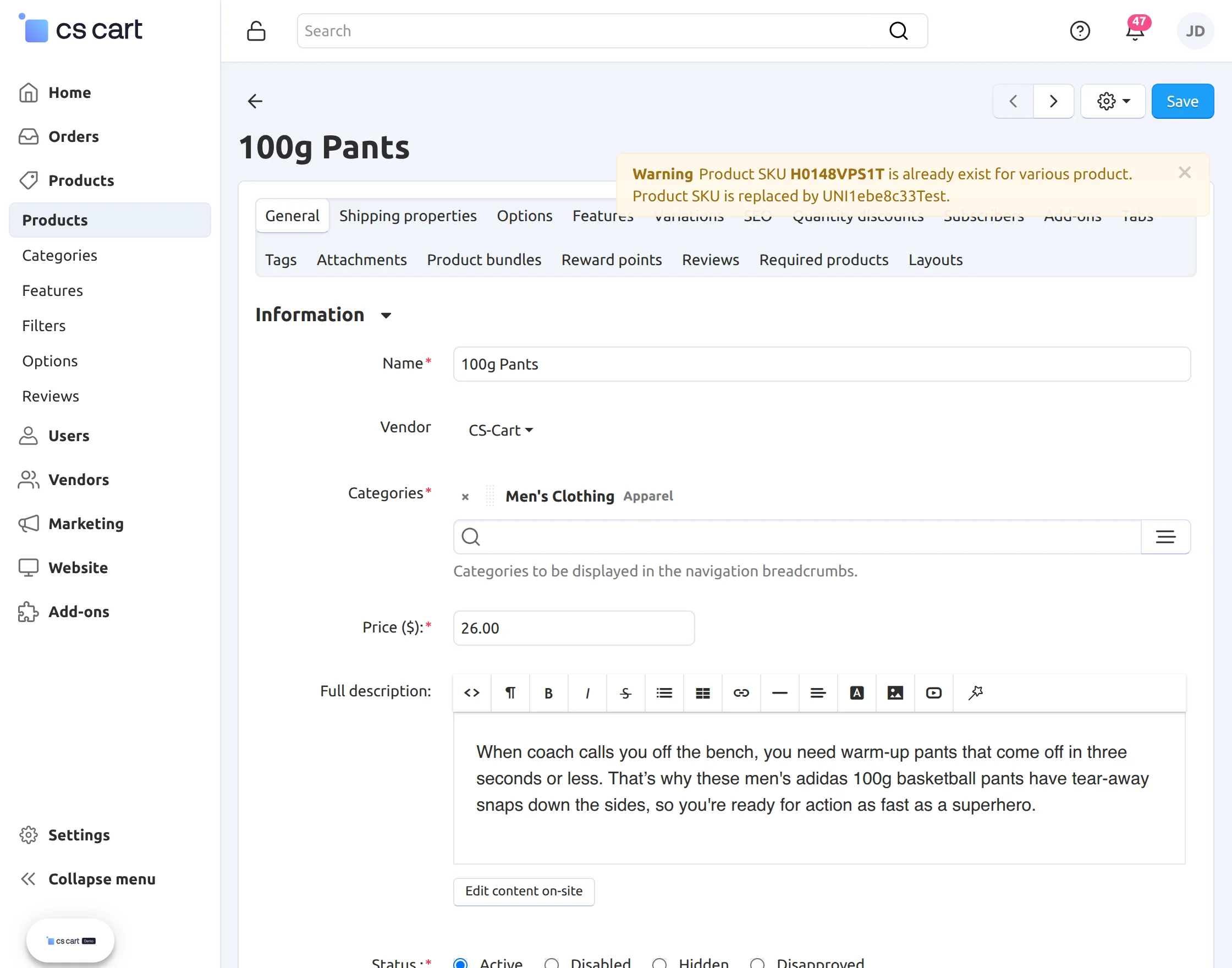
Unique SKU while creating/updating the product
If a duplicate SKU is detected while updating/creating a product, a warning notification is displayed.
Product SKU can be automatically replaced with a newly generated unique SKU based on the configured format.
Unique SKU in Product Variations
When creating or updating a product variation, the add-on checks for duplicate SKU codes.
If a duplicate is found, a warning notification is displayed, and the variation SKU can be automatically regenerated according to the configured SKU format. 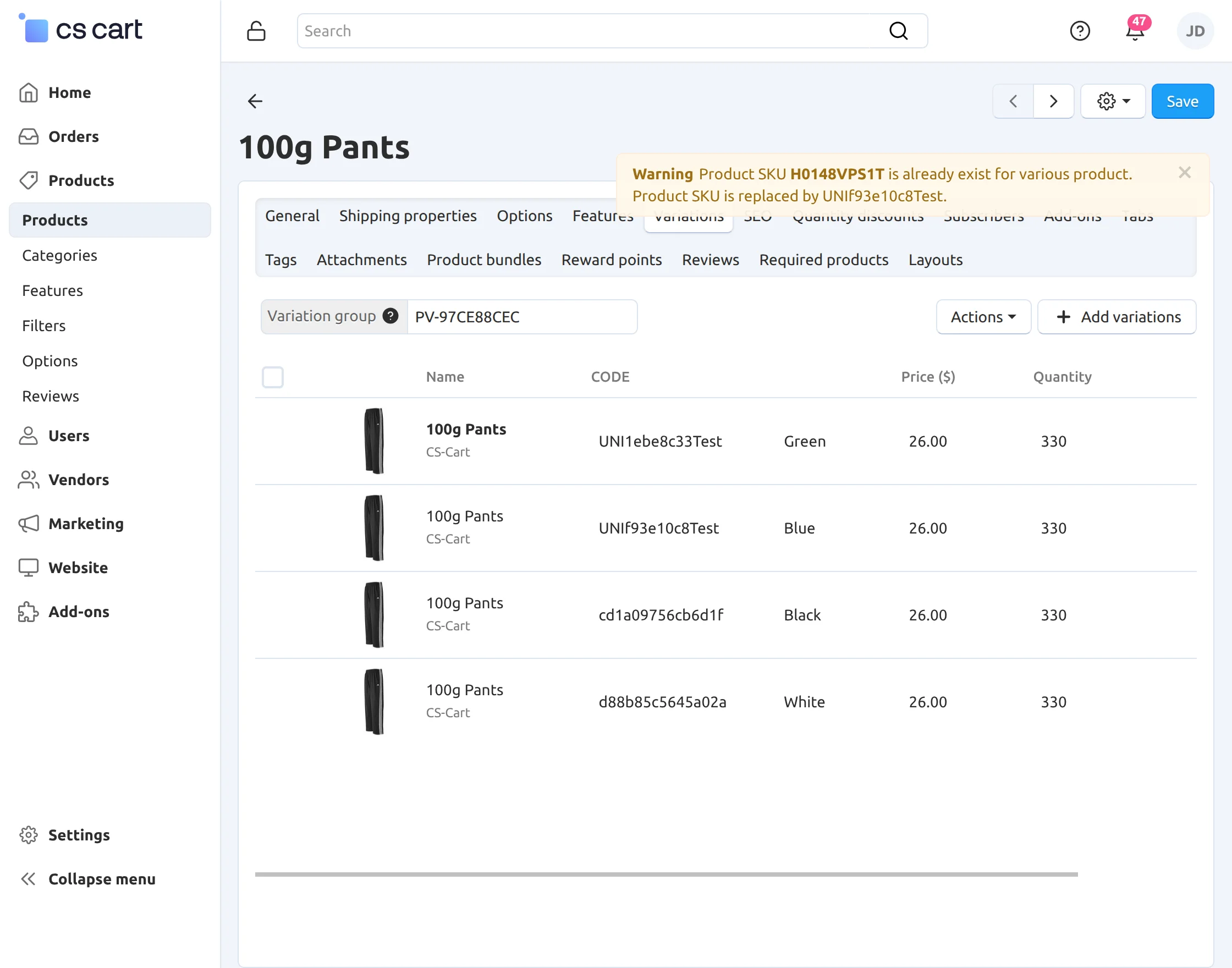
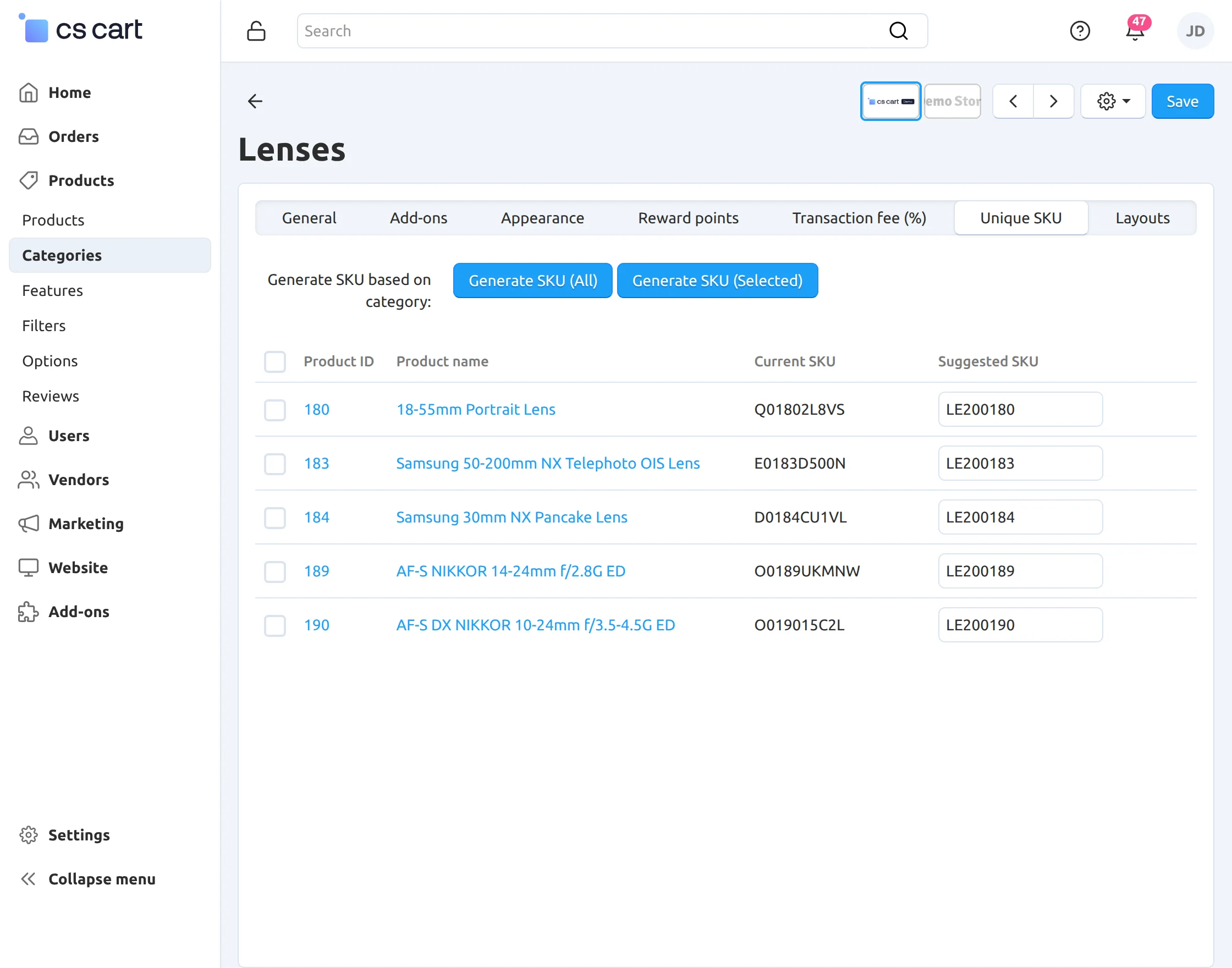
Category Based SKU update
When Category-based SKU Generation is enabled, the administrator can generate or update SKU codes directly from the Categories page.
Select a category and choose either Bulk Update to update all products within the category or Selected Update to generate SKU codes only for the selected products.
The add-on generates unique SKU codes using the selected category name along with the configured SKU format.
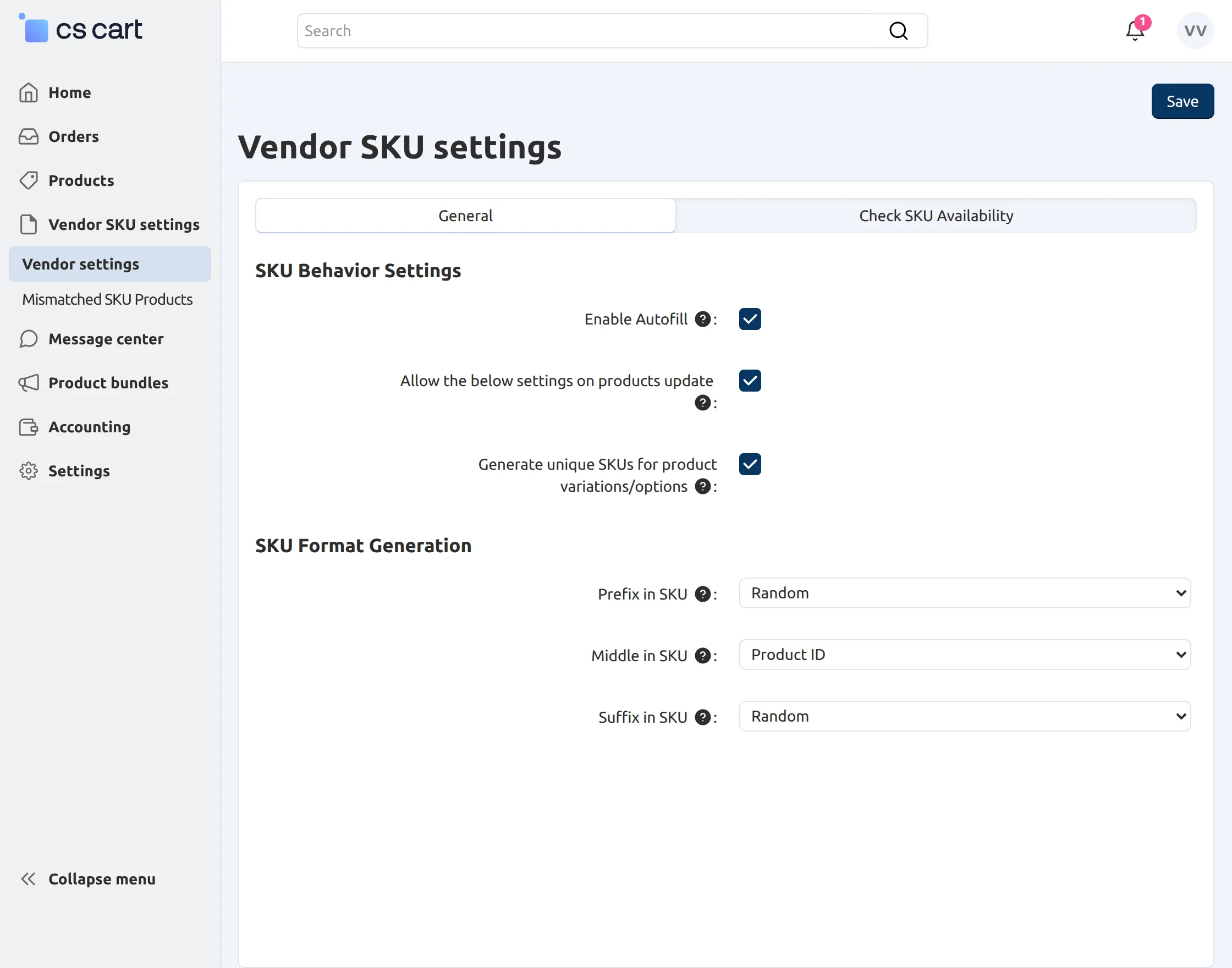
Vendor SKU Configuration
When the Allow Vendor to Configure SKU Code Format setting is enabled by the administrator, a new Vendor SKU Settings tab is displayed in the vendor panel.
From this tab, vendors can configure their own SKU generation preferences under the Vendor Settings section.
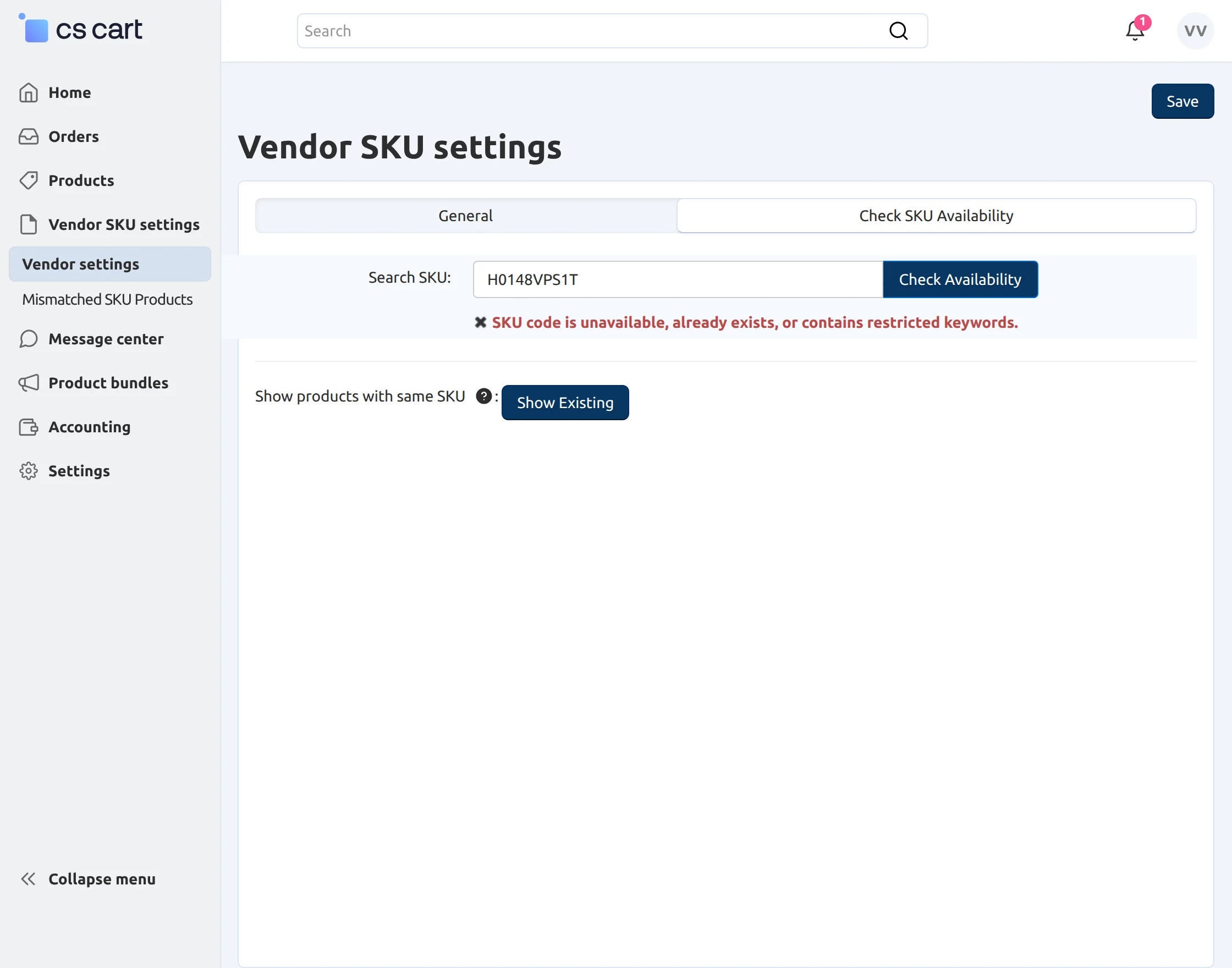
Check SKU Availability
The Check SKU Availability tab allows vendors to verify whether a SKU code is available before assigning it to a product.
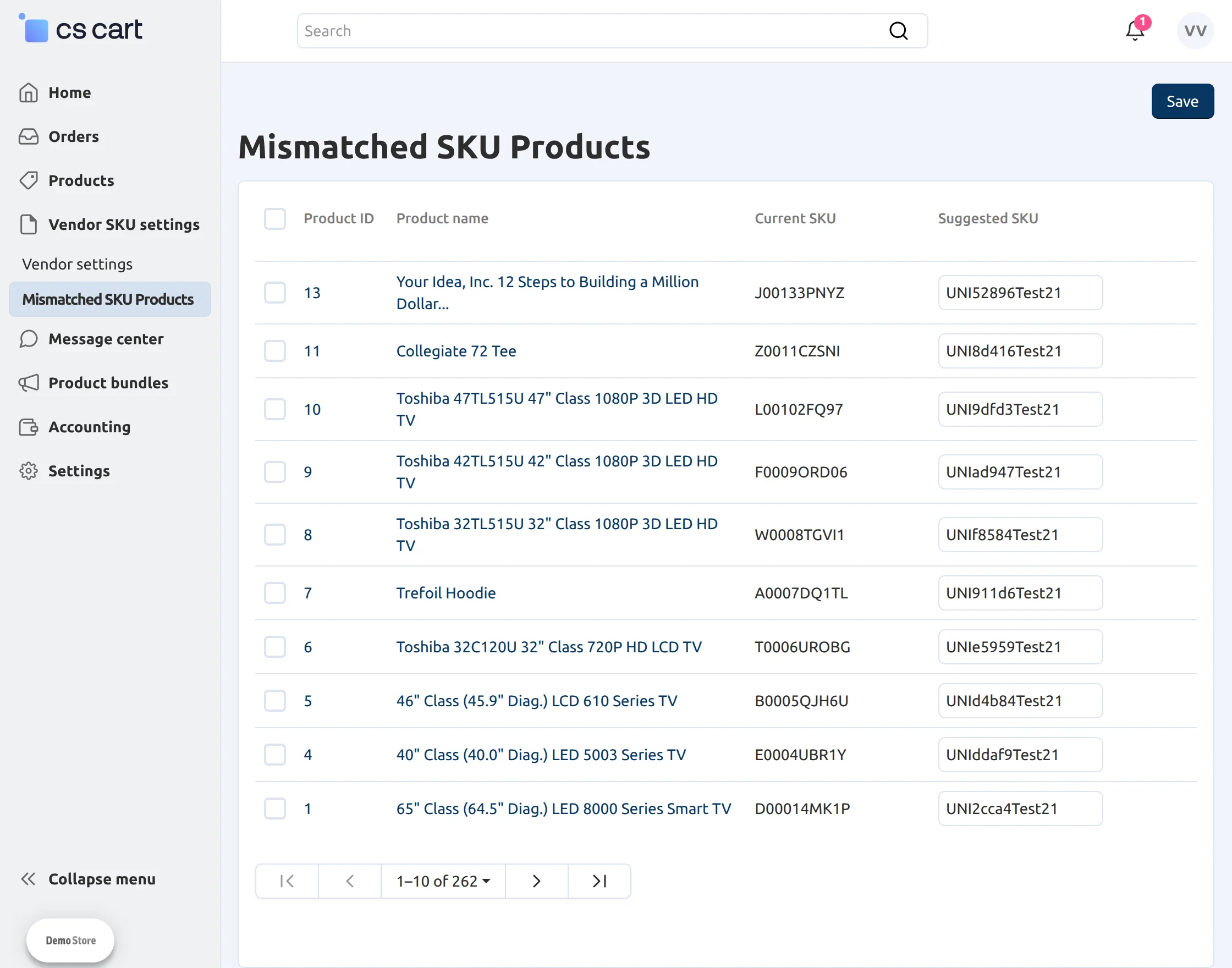
Mismatched SKU Codes
The Mismatched SKU Codes tab displays products whose SKU codes do not match the configured SKU format.
The add-on suggests new SKU codes based on the current configuration, allowing vendors to review and perform bulk SKU updates to bring all mismatched products into compliance with the configured SKU format.
Support
If you have any questions, suggestions, or customization requests, feel free to contact us at [email protected] or submit a ticket at webkul.uvdesk.com.
Explore our premium-quality CS Cart Extensions to enhance your store functionality.
You can also explore our CS-Cart Development Services and Quality CS-Cart add-ons.
Current Product Version - 1.6
Supported Framework Version - 4.20

Be the first to comment.