


















CS-Cart Order Clone is a simple and efficient add-on that allows admins to duplicate existing orders with ease.
It creates an identical copy of the selected order while assigning a new order ID, reducing the time and effort required to recreate similar orders manually.
The add-on enables admins to clone orders directly from the order listing or order details page, making repeat order management faster and more convenient.
It also helps streamline order processing by preserving the original order information, allowing admins to review, update, and process the cloned order before placing it.
Note:
- Install the add-on.
- Enter the license key.
- Follow the license activation steps.
Check a brief overview of the plugin –
Features
- CS-Cart Order Clone Add-On allows the admin to duplicate existing orders with a single click.
- It creates an identical copy of the selected order while generating a unique order ID.
- Admin can clone orders directly from the order listing as well as the order details page.
- The cloned order retains the original order information, reducing manual effort during order creation.
- Admin can review, update, and process the cloned order before placing it.
- The add-on integrates seamlessly with the CS-Cart admin panel for quick and efficient order management.
Installation
After downloading the CS-Cart Advance Order Clone add-on, you’ll get one zip file, one install.txt file, and a relevant User Guide manual doc. Read it carefully for proper configuration.
Go to Manage Add-ons, and click on “Manual Installation” as shown below in the snapshot.
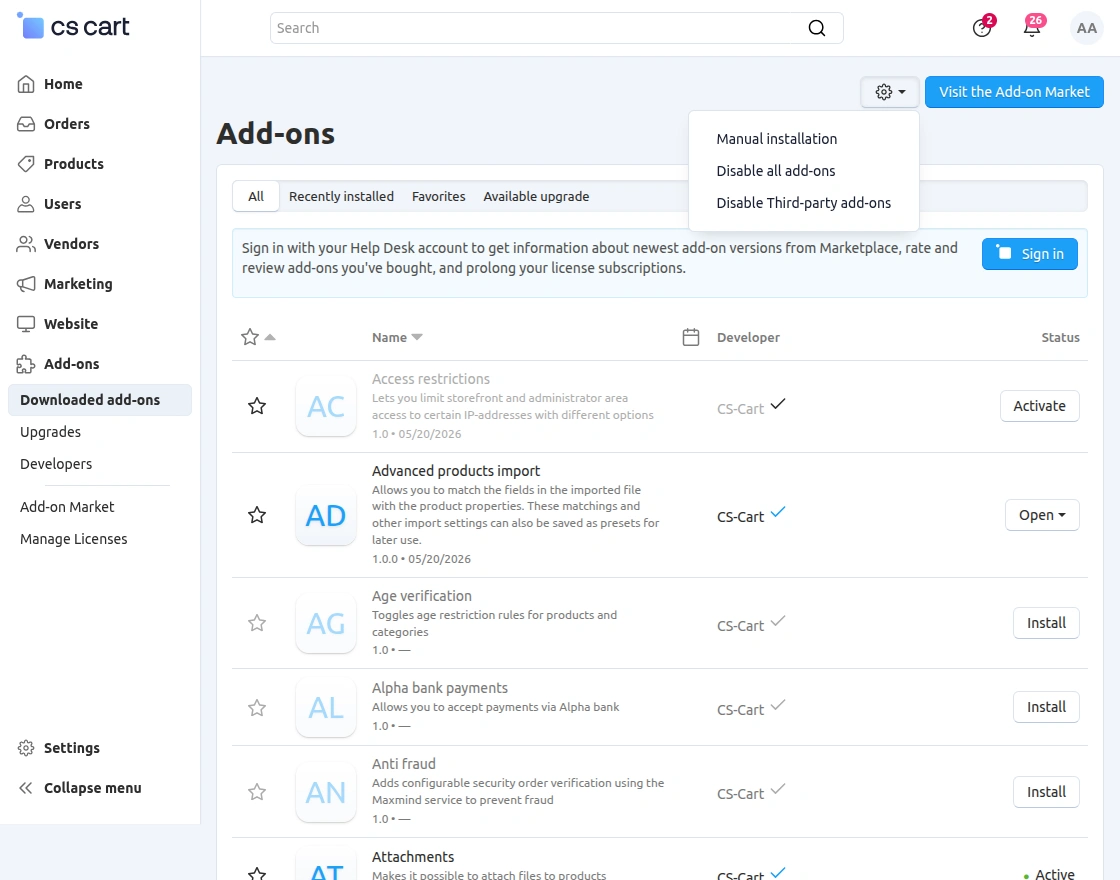
Click on “Local” to browse the zip file, and then click on “Upload & Install” as shown below in the snapshot.
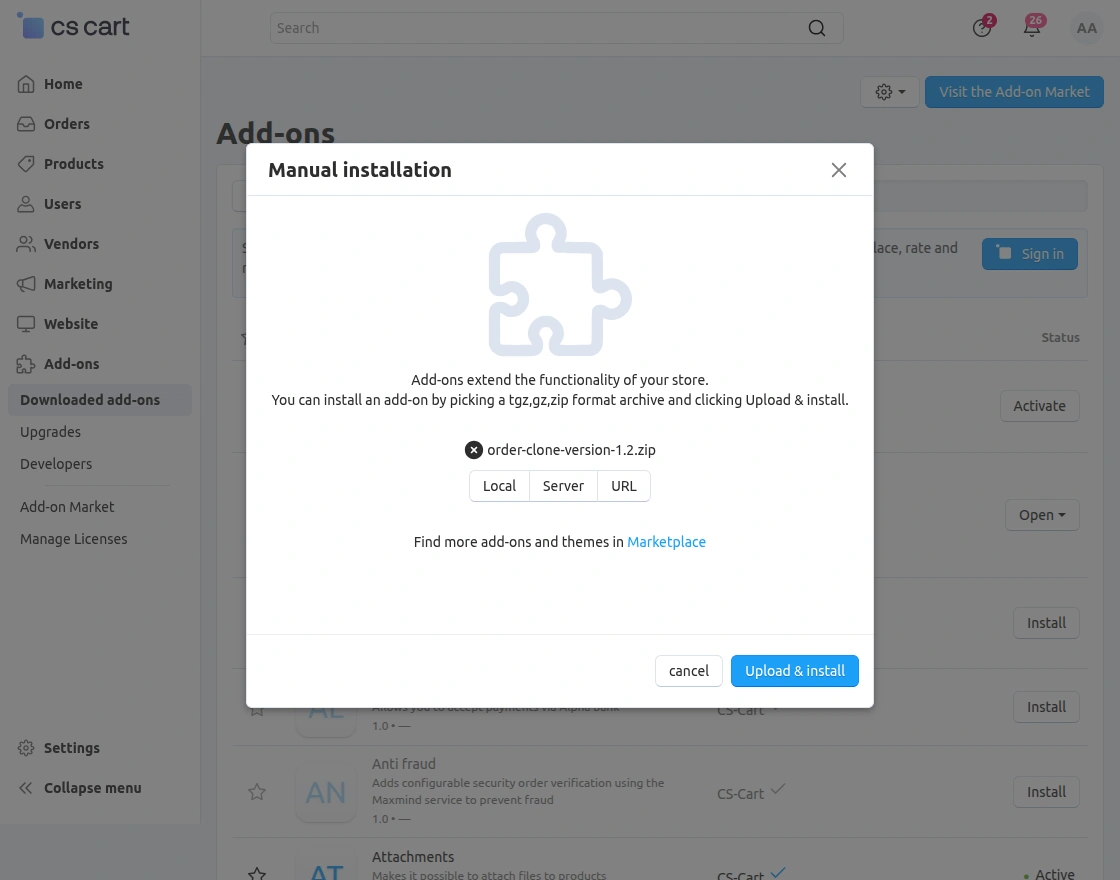
Add-On Configuration
After installing the add-on, you will find CS-Cart Advance Order Clone in the list of available add-ons.
Click on “Settings” to enable, disable, install, or refresh. Ensure you activate the add-on, as shown in the snapshot below. 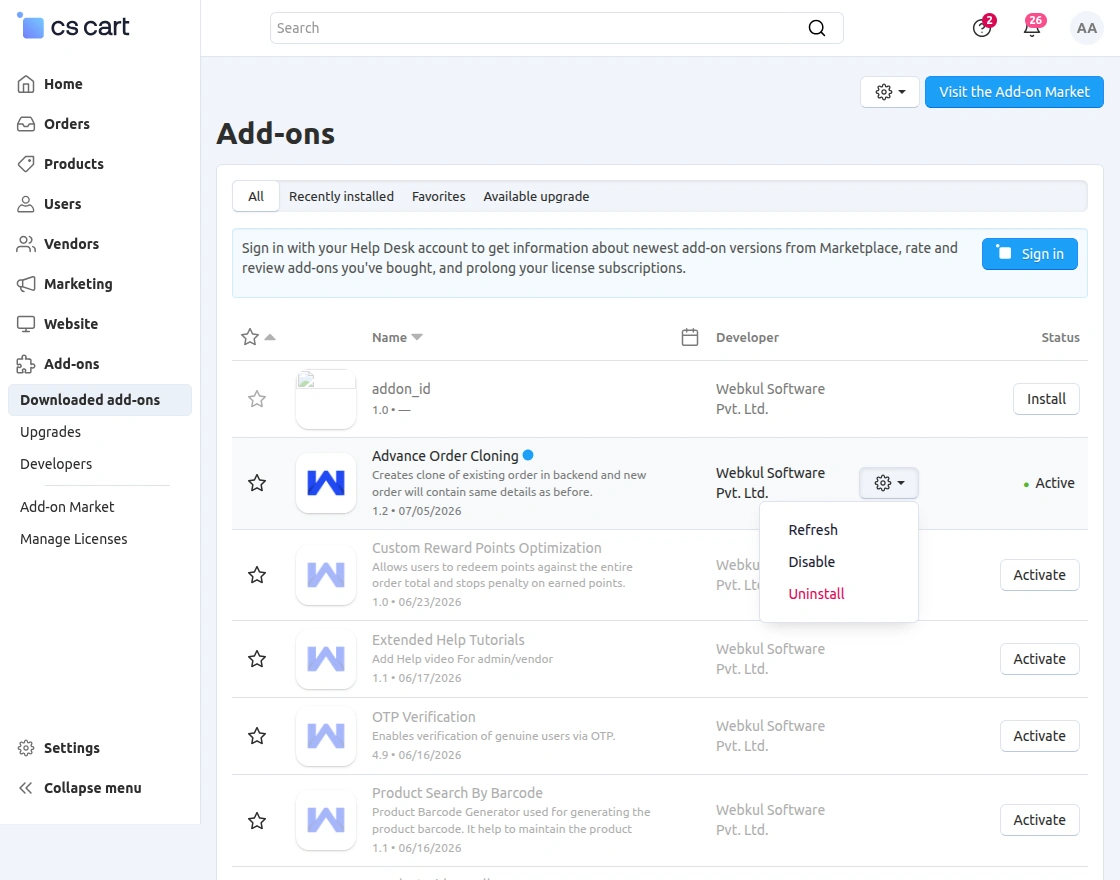
Module Workflow | Admin End
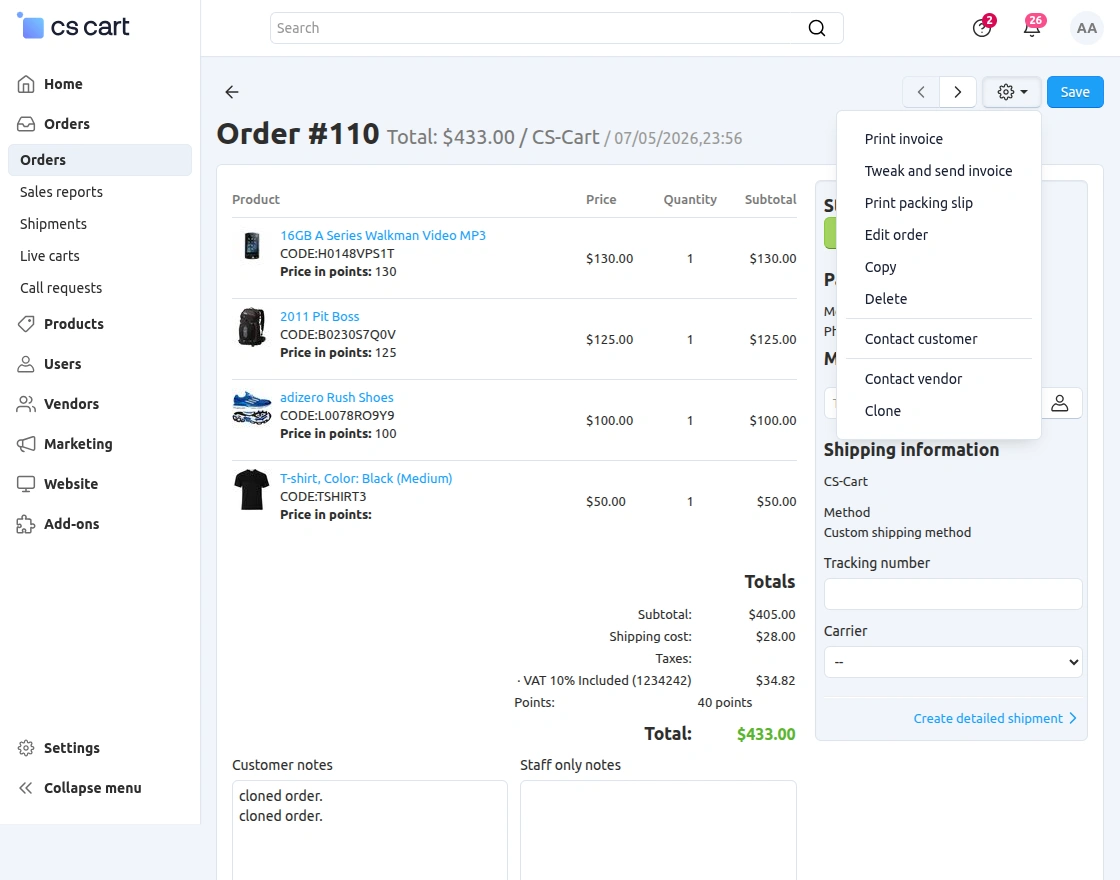
Go to “Order” and click on “View orders” as shown below in the snapshot. 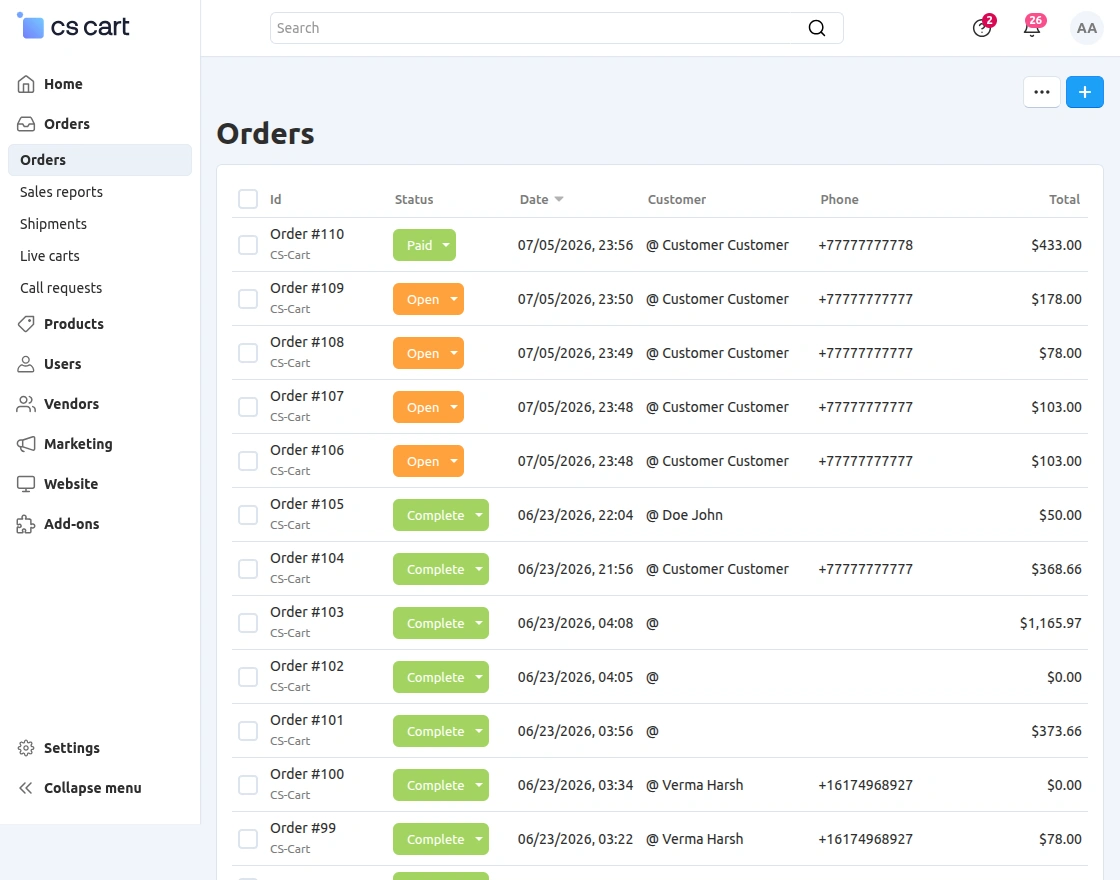 Click on the settings of order id and click on “clone” to create a replicate of that order. User has also option to create the clone of order from the order page as shown below.
 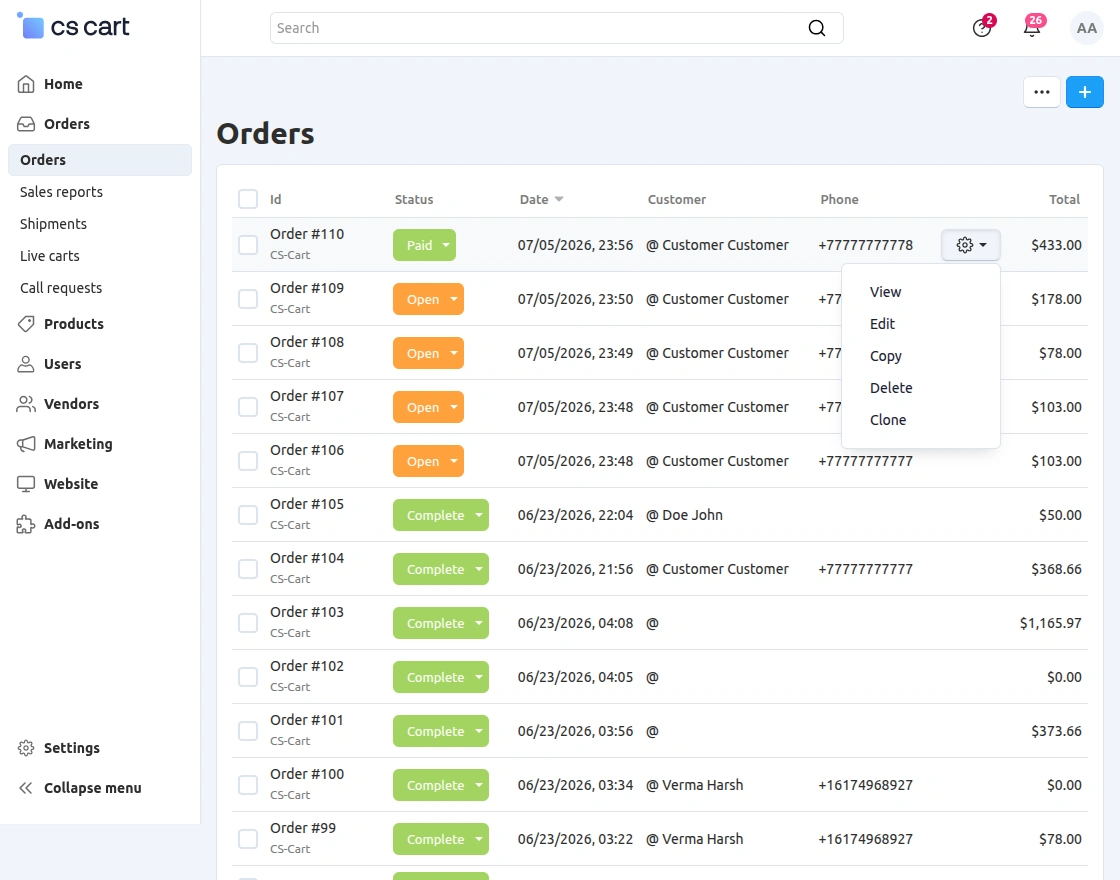 Click on “settings” of desired order page and click on “Clone” as shown below to create a clone of the order with different order id.
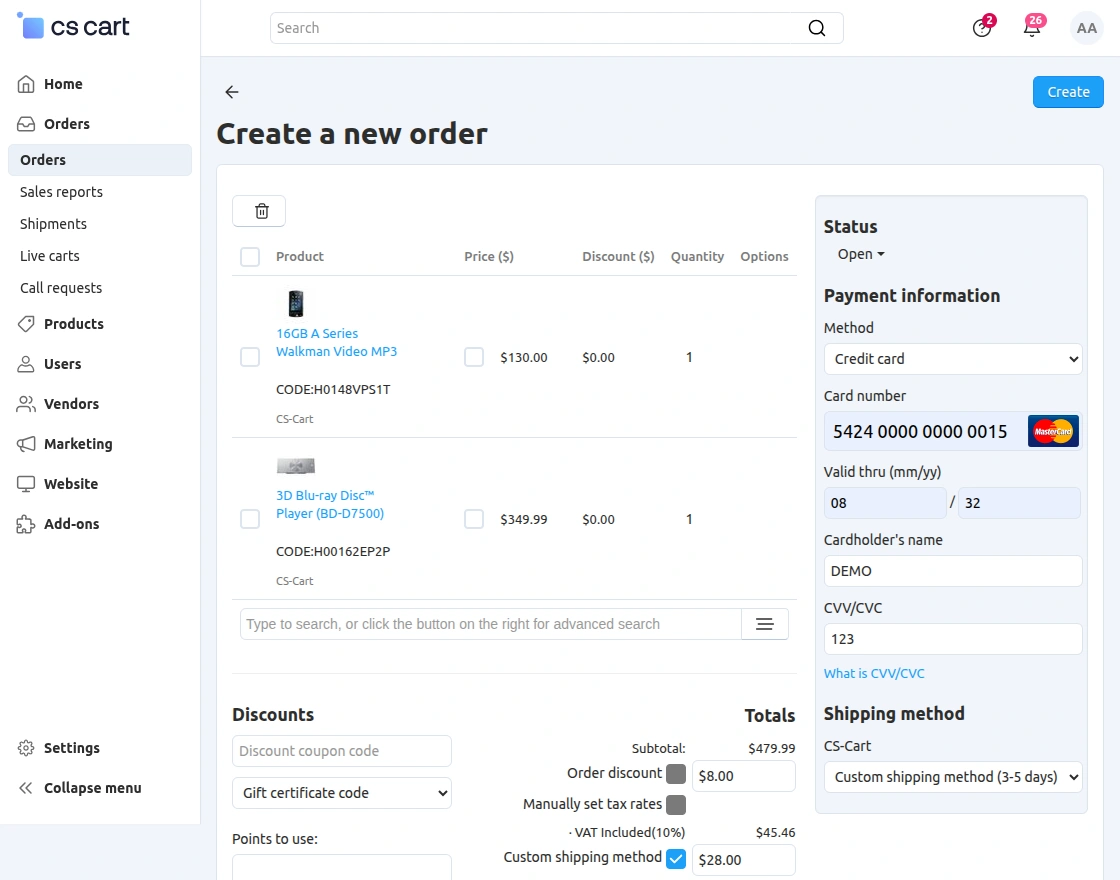
  Edit the status of order, select the payment method and click on “Create” to save the order as shown below.
View or duplicate order with diffesrent id in below snapshot. 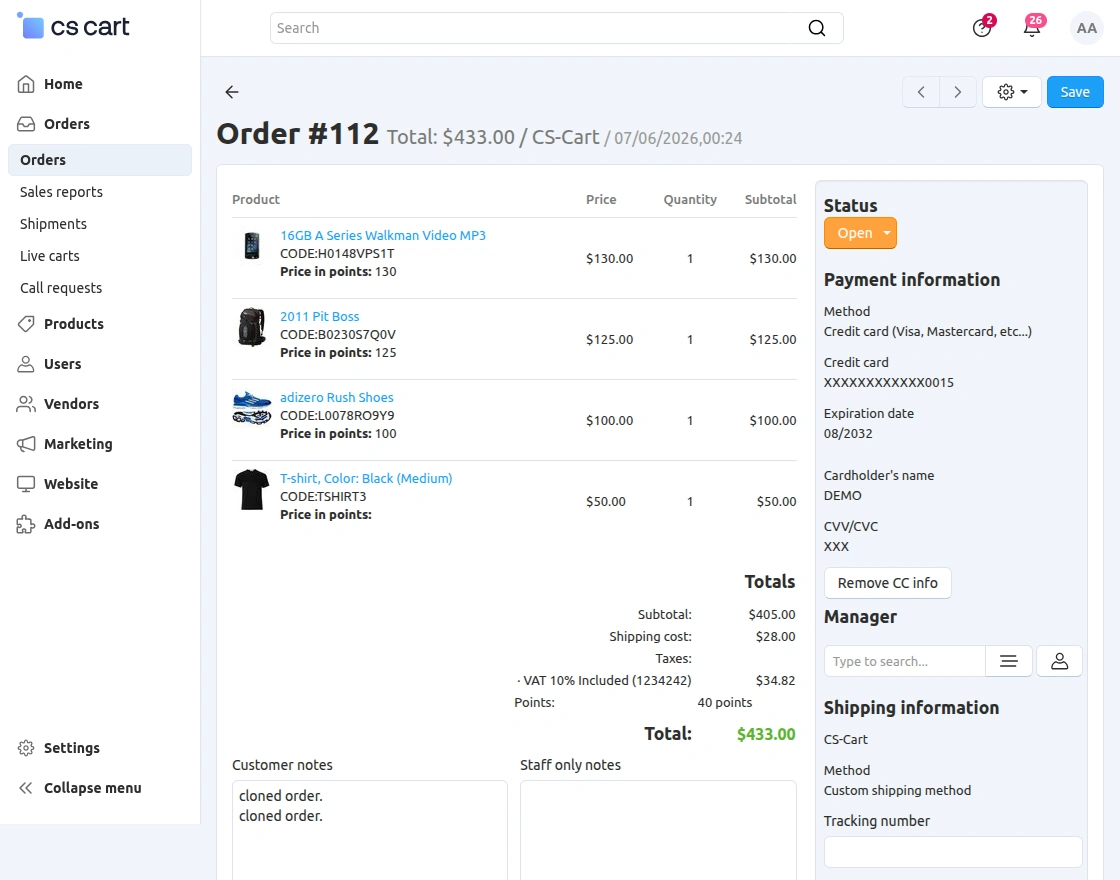
Support
If you have any questions, suggestions, or customization requests, feel free to contact us at [email protected] or submit a ticket at webkul.uvdesk.com.
Explore our premium-quality CS Cart Extensions to enhance your store functionality.
You can also explore our CS-Cart Development Services and Quality CS-Cart add-ons.
Current Product Version - 1.2
Supported Framework Version - 4.18.x, 4.19.x, 4.20.x

Be the first to comment.