CS-Cart Extended Comments and Reviews is a feature-rich add-on that enhances the default review and comment system of your CS-Cart store.
It presents customer reviews in a more attractive and organized layout, making them easier to read and more engaging for shoppers.
The add-on also includes advanced features such as review recommendations, highlighting critical reviews, and allowing customers to vote on individual reviews.
These features help customers make informed purchasing decisions while increasing trust and engagement on your storefront.
Note: Before installing the add-on, extract the downloaded package.
- Install the License Manager add-on first.
- Then install the required add-on.
- Follow the license activation steps to generate your license key.
Features
- Indeed, well integrated with CS-Cart/Multivendor.
- Convert default CS-Cart Comments and Reviews to Extended Comments and Reviews.
- Also Option to display customized comments and reviews functionality in product detail page, category page, vendor profile page, testimonials and pages.
- In addition functionality to recommend a product is available at user end.
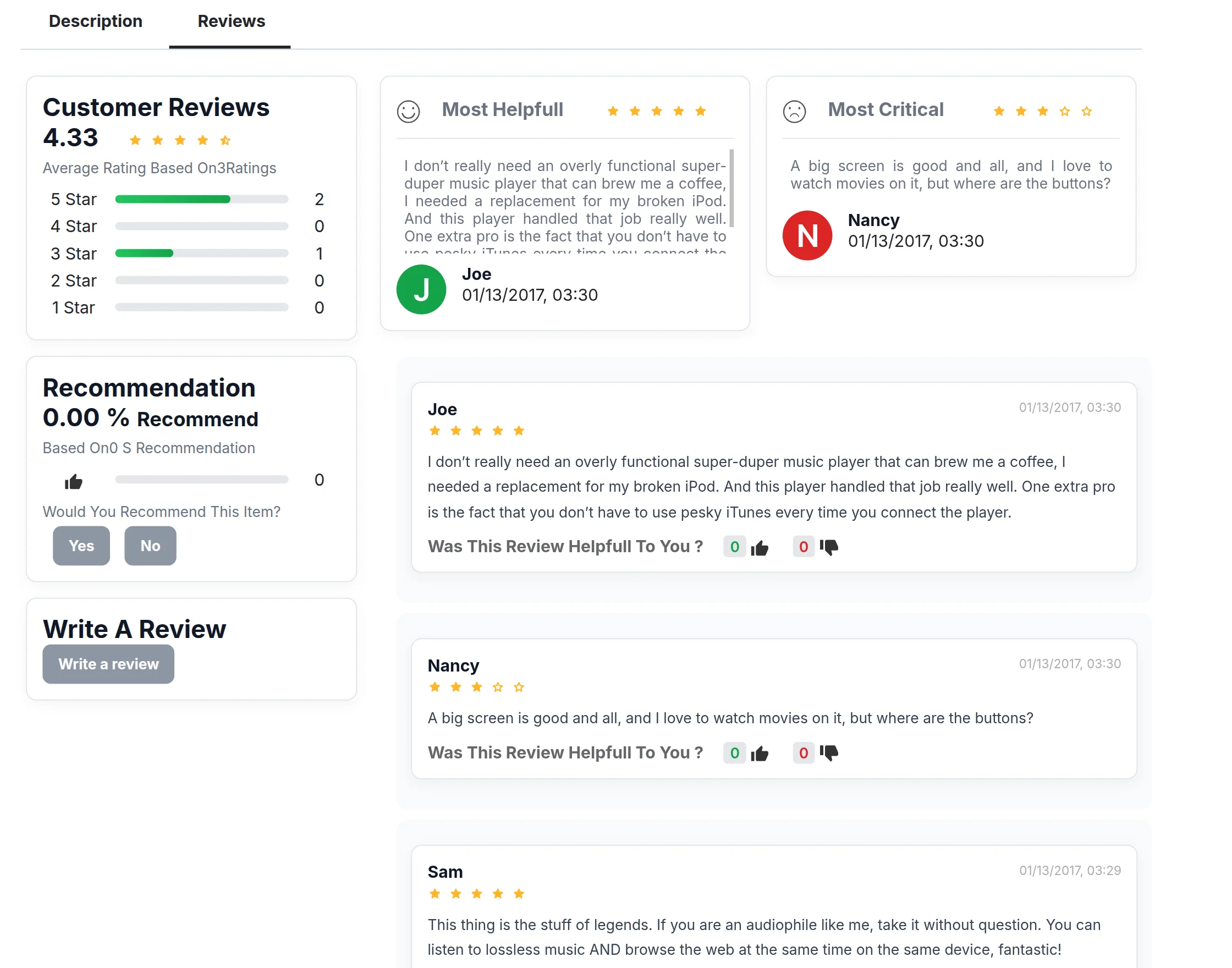
- Option of voting any individual reviews or comments is possible at user end.
- Besides this concept to evaluate/scale the reviews as most helpful/critical is based on star rating is provided.
Updated Feature (Version 1.2)
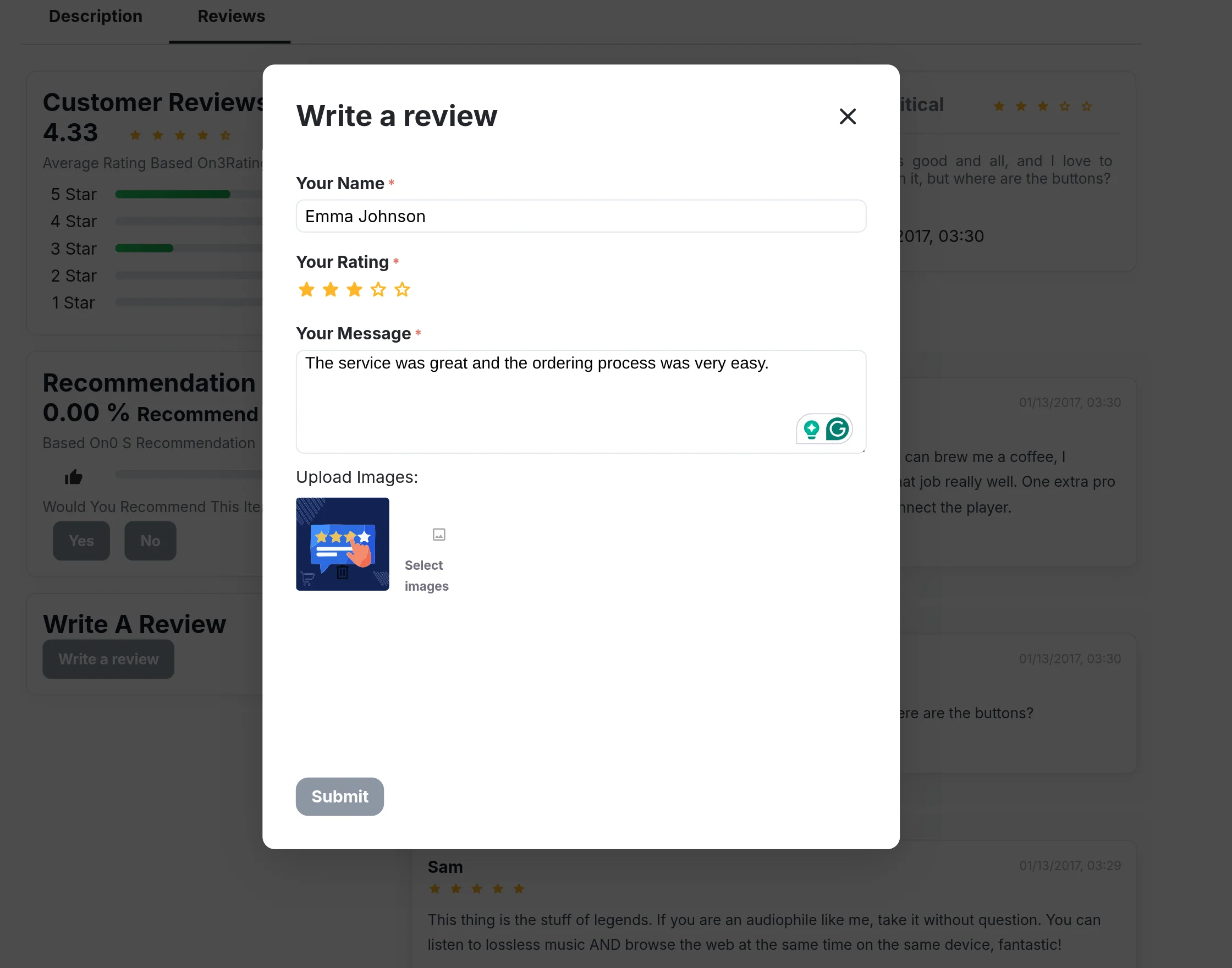
- Now, the images can also be added in the reviews along with the comment.
Flow Of Installation And Configuration:
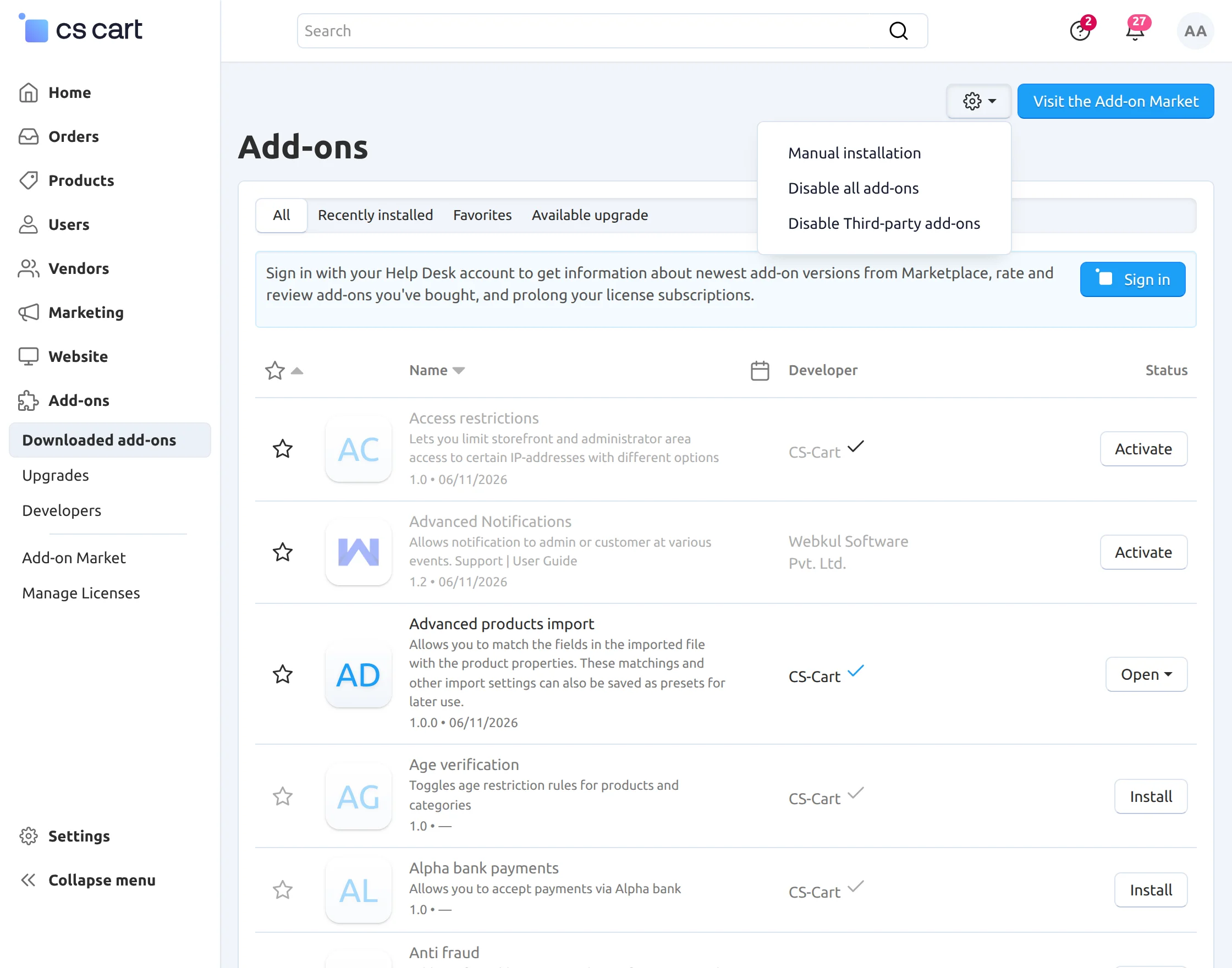
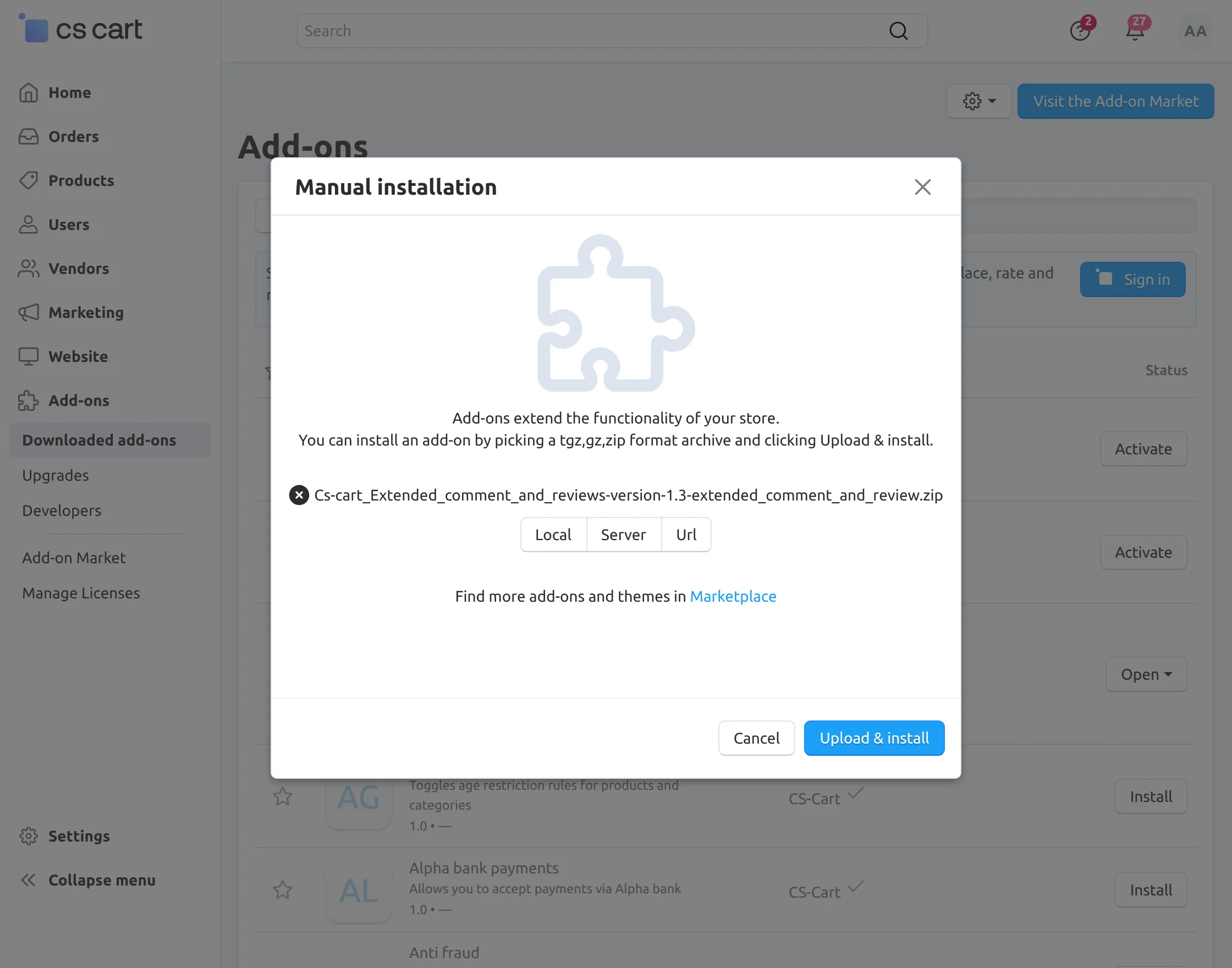
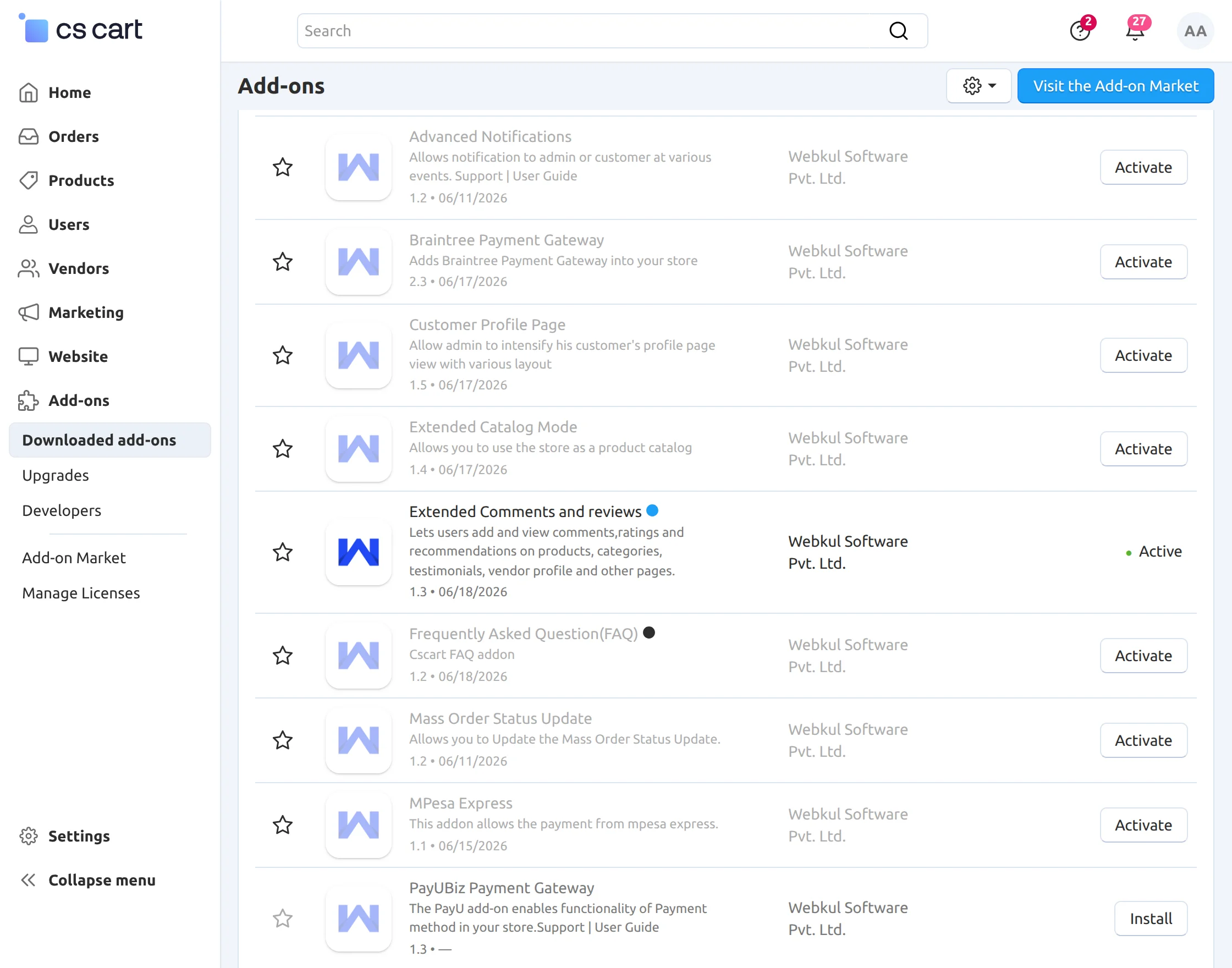
Activate Add-on
Once you install and activate the CS-Cart Extended Comments and Reviews add-on, you can begin configuring its settings.
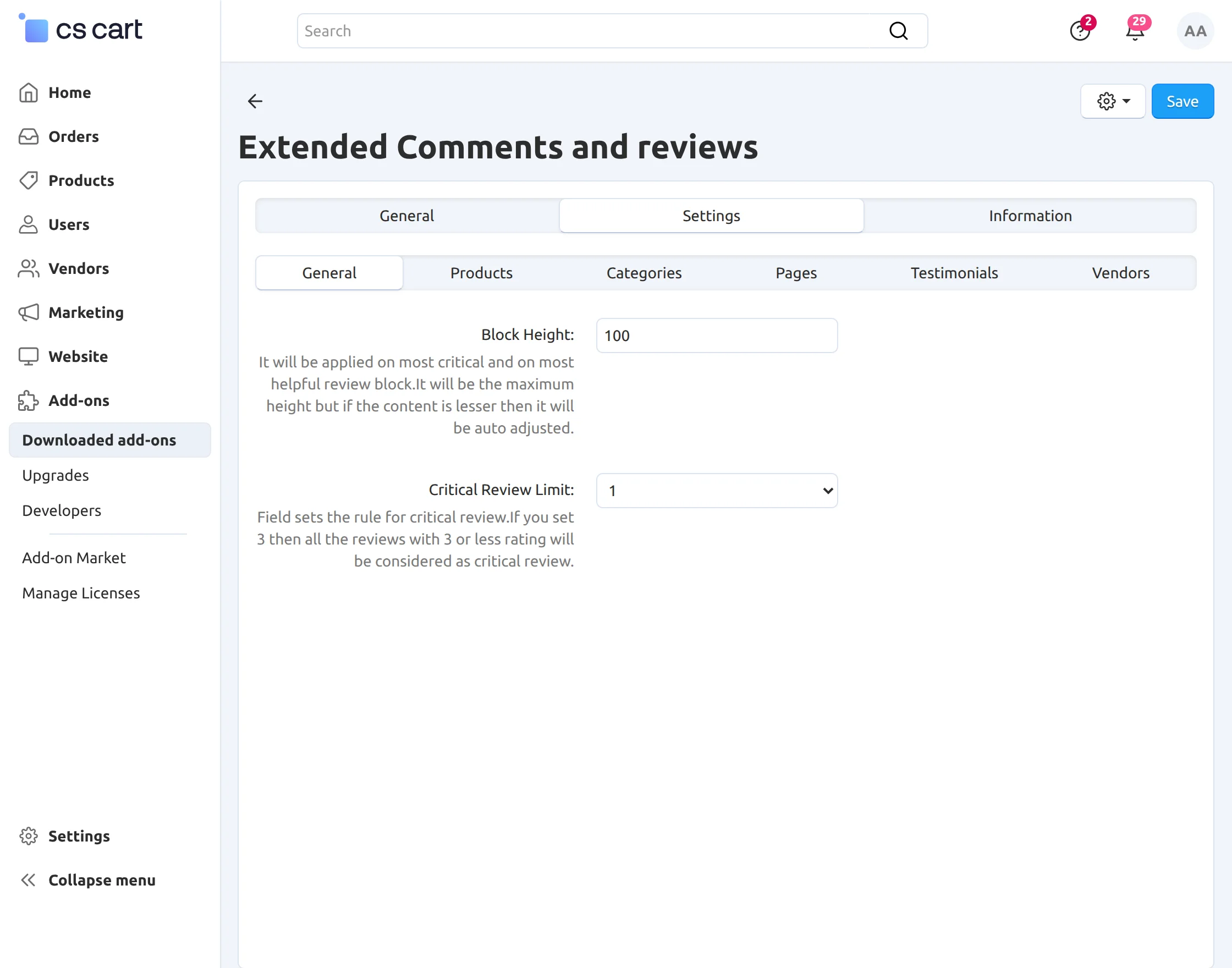
Configure the Add-on Settings
Go to Add-ons → Settings and configure the options based on your requirements.
In General Tab –
- Set the height of the review blocks.
- Also set the limit of star rating based on which the critical reviews will be differentiated.
In Products Tab –
- Click to avail advance comments and reviews functionality in product detail page.
- enable recommendation functionality.
- The display of most helpful/critical reviews.
- Grant users the functionality to vote individual comments and reviews.
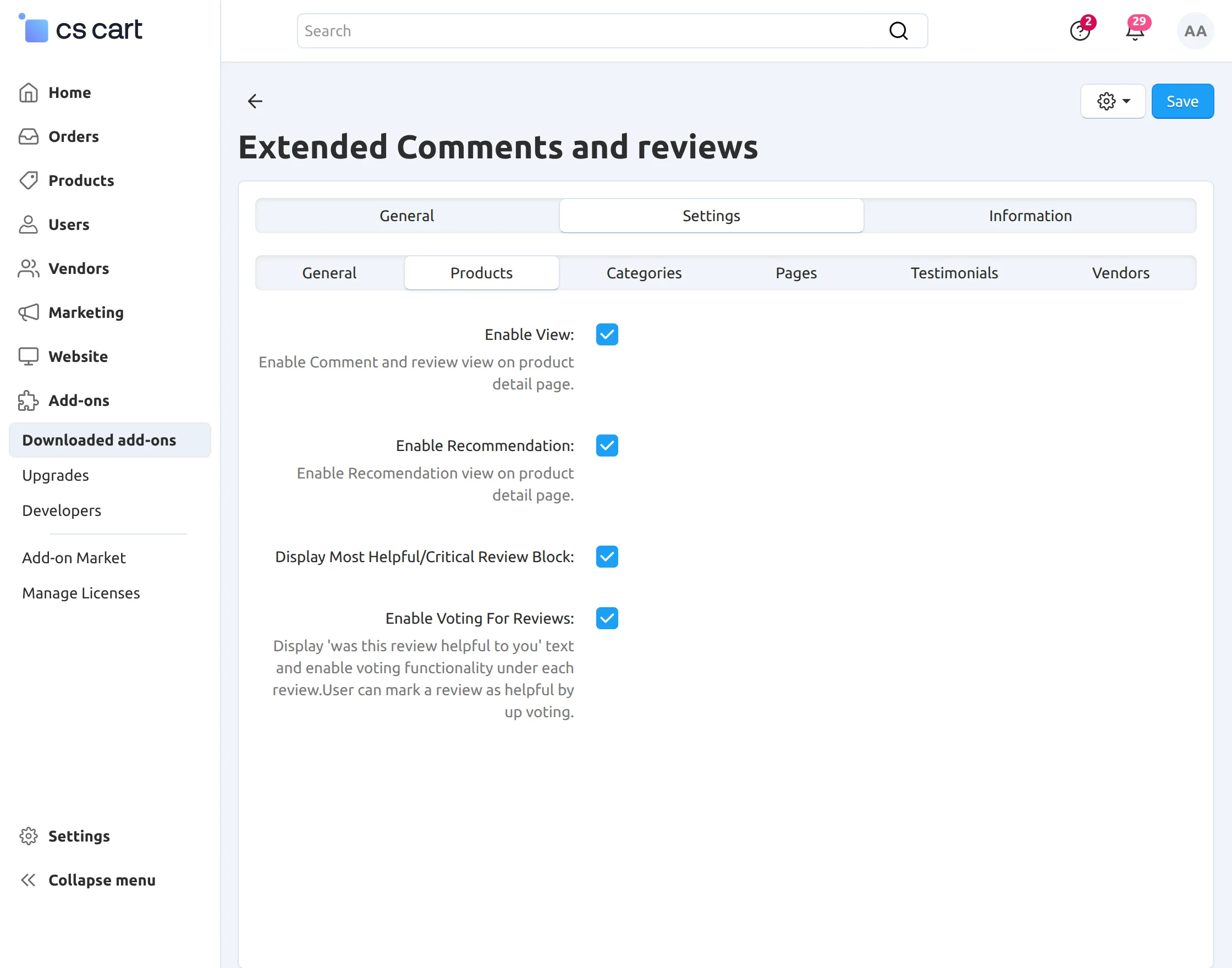
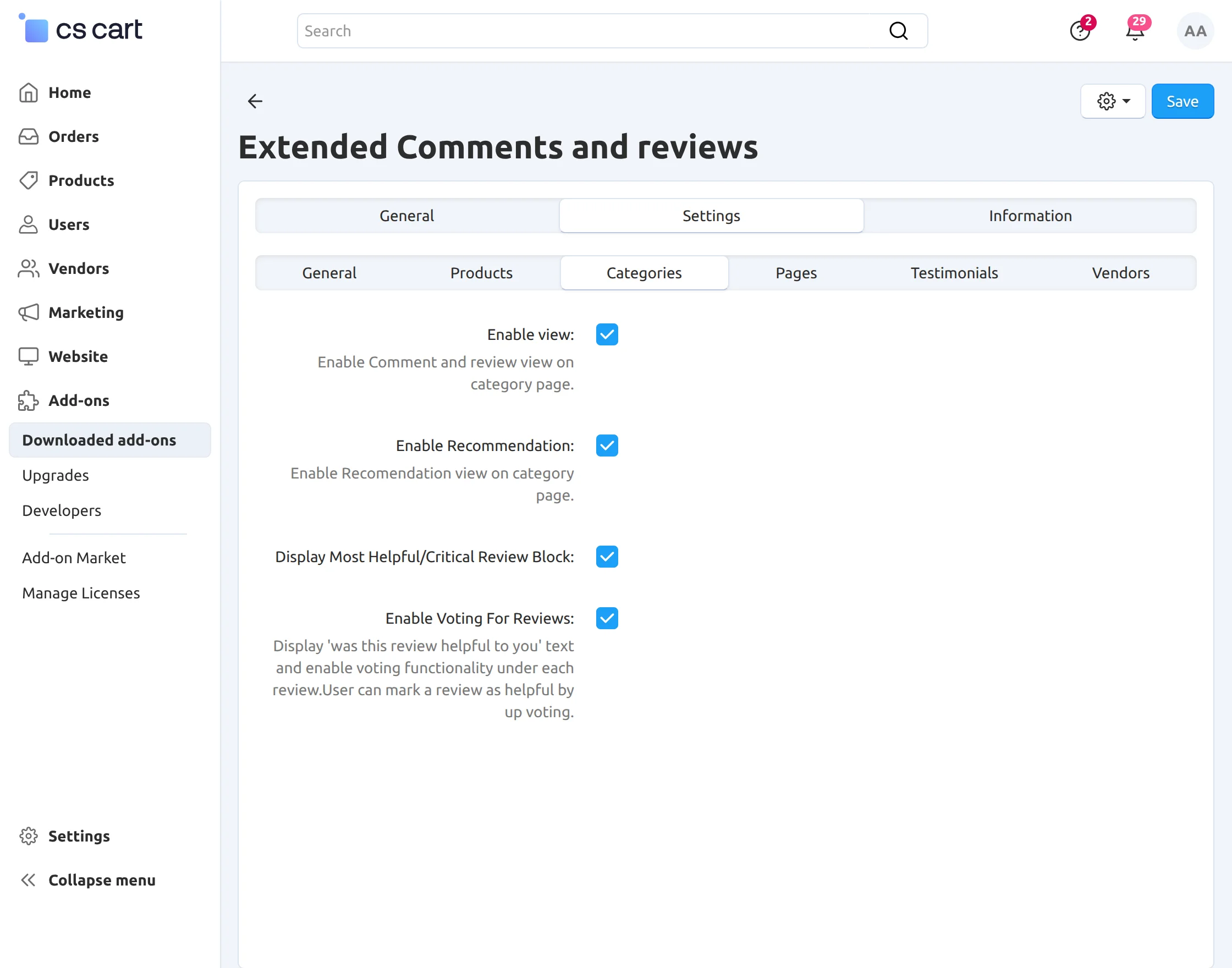
In Categories Tab –
- avail advance comments and reviews functionality in category detail page.
- enable recommendation functionality.
- you can enable the display of most helpful/critical reviews.
- Moreover grant users the functionality to vote individual comments and reviews.
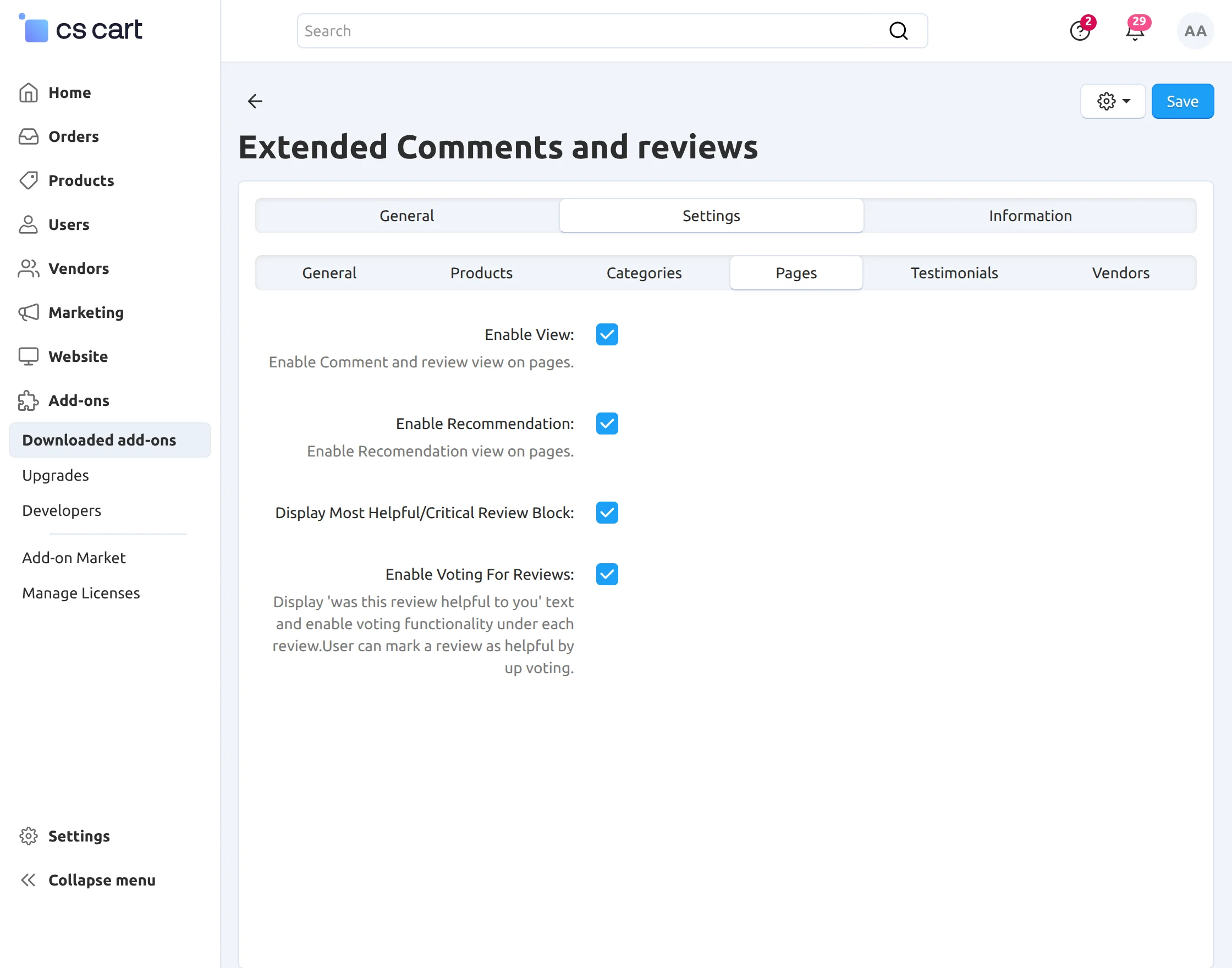
In Pages Tab –
- Advance comments and reviews functionality in other detail pages.
- In addition enable recommendation functionality.
- In addition enable the display of most helpful/critical reviews.
- Click to grant users the functionality to vote individual comments and reviews.
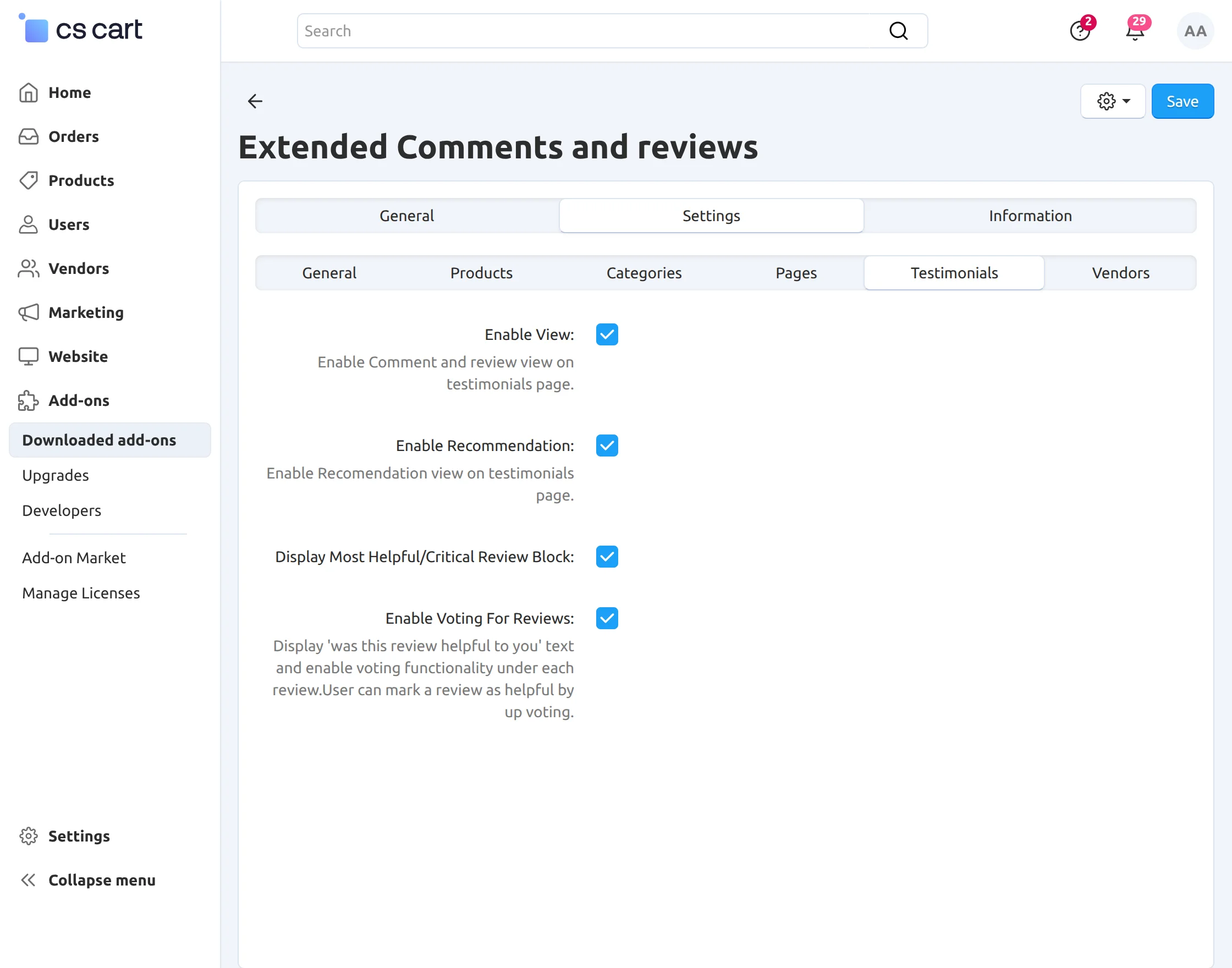
In Testimonials Tab –
- Advance comments and reviews functionality in other detail pages.
- In addition enable recommendation functionality.
- In addition enable the display of most helpful/critical reviews.
- Click to grant users the functionality to vote on individual comments and reviews.
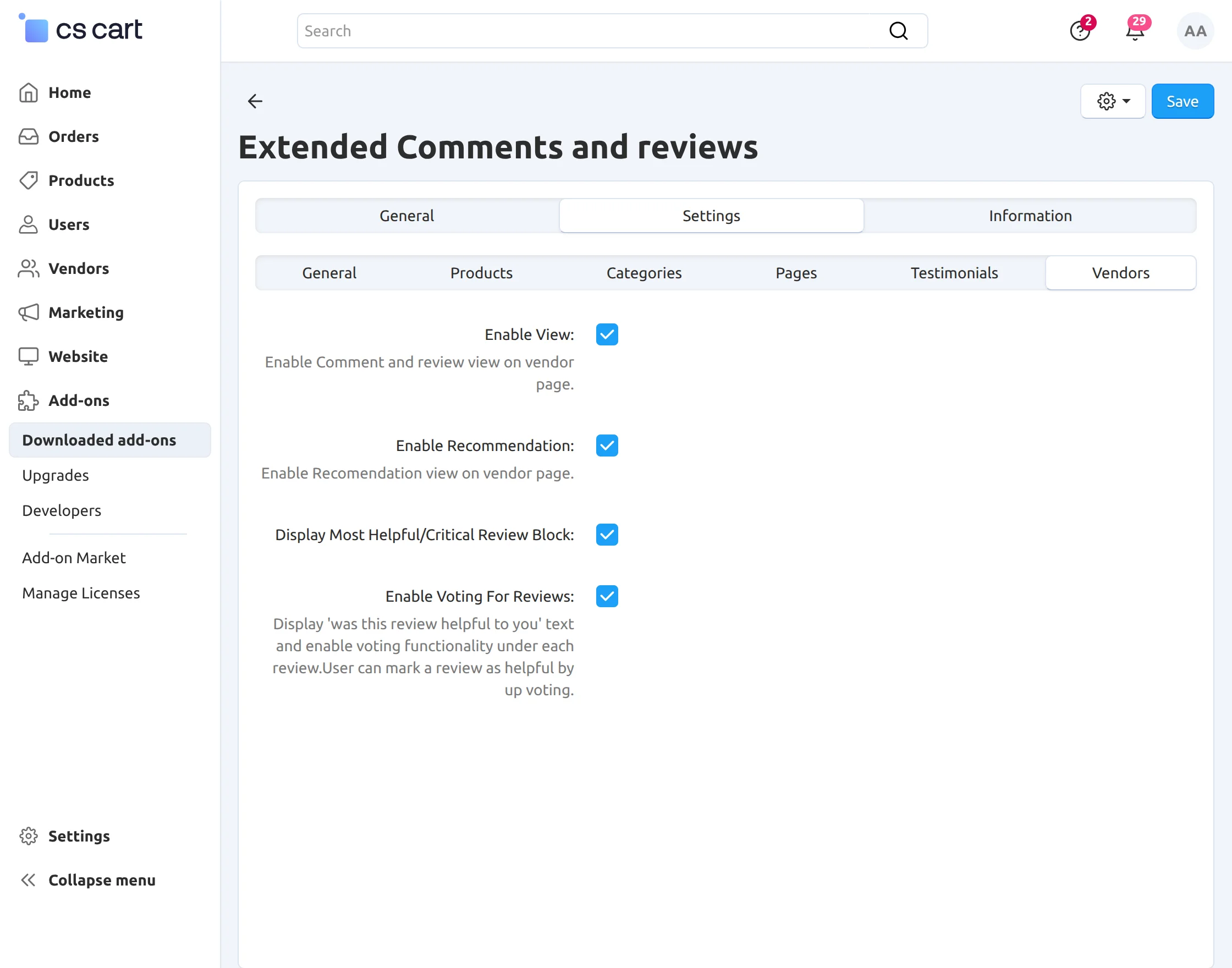
In Vendors Tab –
- Advance comments and reviews functionality in vendor profile detail page.
- You can enable recommendation functionality.
- The display of most helpful/critical reviews.
- Grant users the functionality to vote individual comments and reviews.
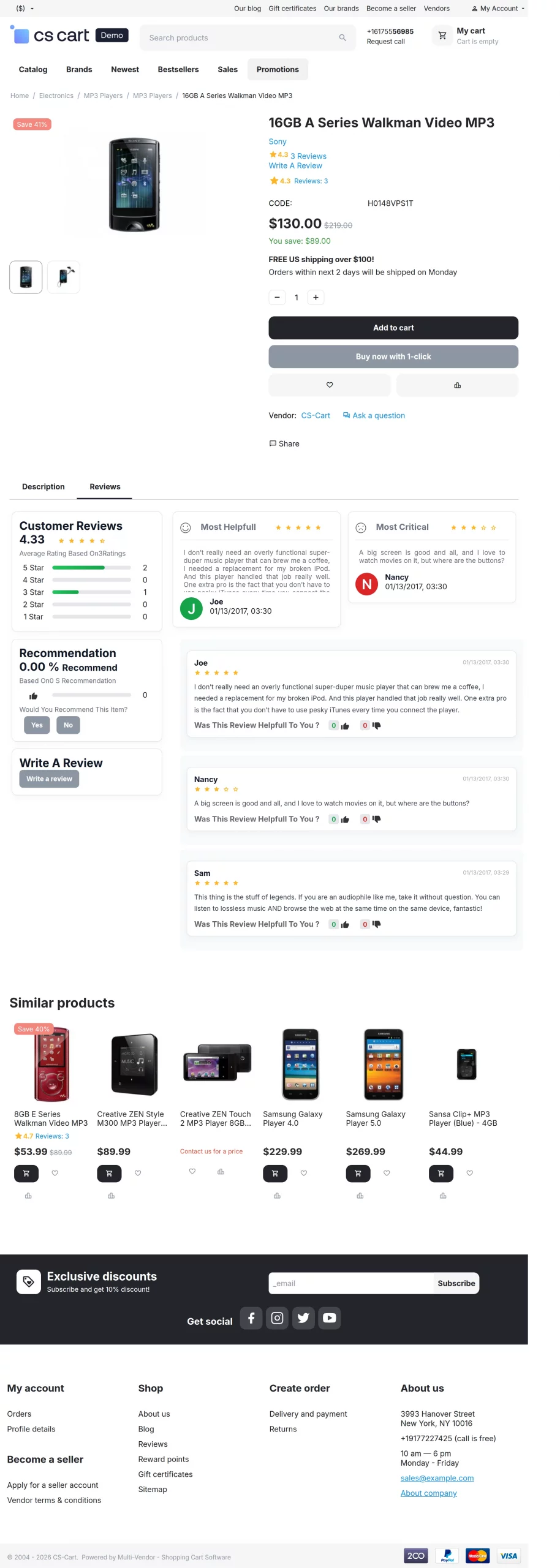
Frontend
View of extended comments and reviews which include the display of most helpful/critical reviews, recommendation functionality and also star rating concept in product detail page.
Also, When the users will click on “write a review” option to add the review, they will also find the option to add images to it, as shown below –
Moreover, registered users have the option to vote on individual reviews.
Support:
If you have any questions, suggestions, or customization requests, feel free to contact us at [email protected] or submit a ticket at webkul.uvdesk.com.
Explore our premium-quality CS Cart Extensions to enhance your store functionality.
You can also explore our CS-Cart Development Services and Quality CS-Cart add-ons.
Current Product Version - 1.3
Supported Framework Version - 4.16.x to 4.20.x

Be the first to comment.