CS-Cart Custom Shipment Carriers Tracking this shipping carrier tracking service makes easy for user to expedite the shipment tracking flow and delight customers.
This extension supports 75 carriers, including seven Indian carriers provided as default.
International and known ones have already been configured but if needed to add some, it is certainly possible by users.
There by using this extension user can choose own carriers for the store from multiple carrier methods.
Note: Before installing the add-on, extract the downloaded package.
- Install the License Manager add-on first.
- Then install the required add-on.
- Follow the license activation steps to generate your license key.
Also, check out our WhatsApp Order Notifications for order updates.
CS-Cart Custom Shipment Carriers Tracking Features
- 75 default carrier methods (BlueDart, Colissimo, Ontrac, ICC World, India Post, DHL Germany, Hermes Germany, DPD Germany, GLS Germany, GLS Europe, Courier Post, DPD Ireland, GD Express, Gati, Yodel, Hongkong Post, MyHermes, Interparcel Australia, La Poste France, AB Lietuvos, paštas, LBC Express, New Zealand Post, Naparex, An Post, Aramex, Australian Post, Afghan Post, ATS Healthcare, A One International, BRT Corriere Espresso, Belarus Post, Belgium Post, Bulgarian, Post, Camper, Correios, Ceva, Collect +, Danske Fragtmænds, FastWay Australia, FastWay New Zealand, Finland Post, JNE – Express Across Nations, Japan Post,
- Overseas Courier Service, Orbit Worldwide Express, Parcel Force, Postnl, Post Office UK, Post Denmark, Post Nord, Posten, Parcel 2 Go, Parcel Link, Pos Malaysia, Pakistan Post, Po?ta Român?, SM Couriers, Spee Dee, DHL Parcel Neaderland, SEUR, Trade Link International, TNT Express, TOL Australlia, Urgent Air India, Wk Mail, ACS, Royal Mail, Chronopost France, Chronopost International, TNT France, DelhiVery, Blaze Flash Domestic, DTDC, First Flight and GoJavas) are provided.
- In addition functionality of including other shipment carriers apart from 75 default carrier methods are being provided at admin end.
- Moreover Supports both CS-Cart and Multivendor.
- Functionality of tracking the shipment is provided to admin, seller and customer.
- Also Functionality of editing of shipment process can be done both by vendor and admin.
- Customers can track order via shipment carrier tracking information link provided in order detail page.
- Option of mail system is provided which consists of details of carrier and tracking URL of shipment.
- In addition give customers the ability to track their order directly from the shipment email.
Video Tutorial
CS-Cart Custom Shipment Carriers Tracking
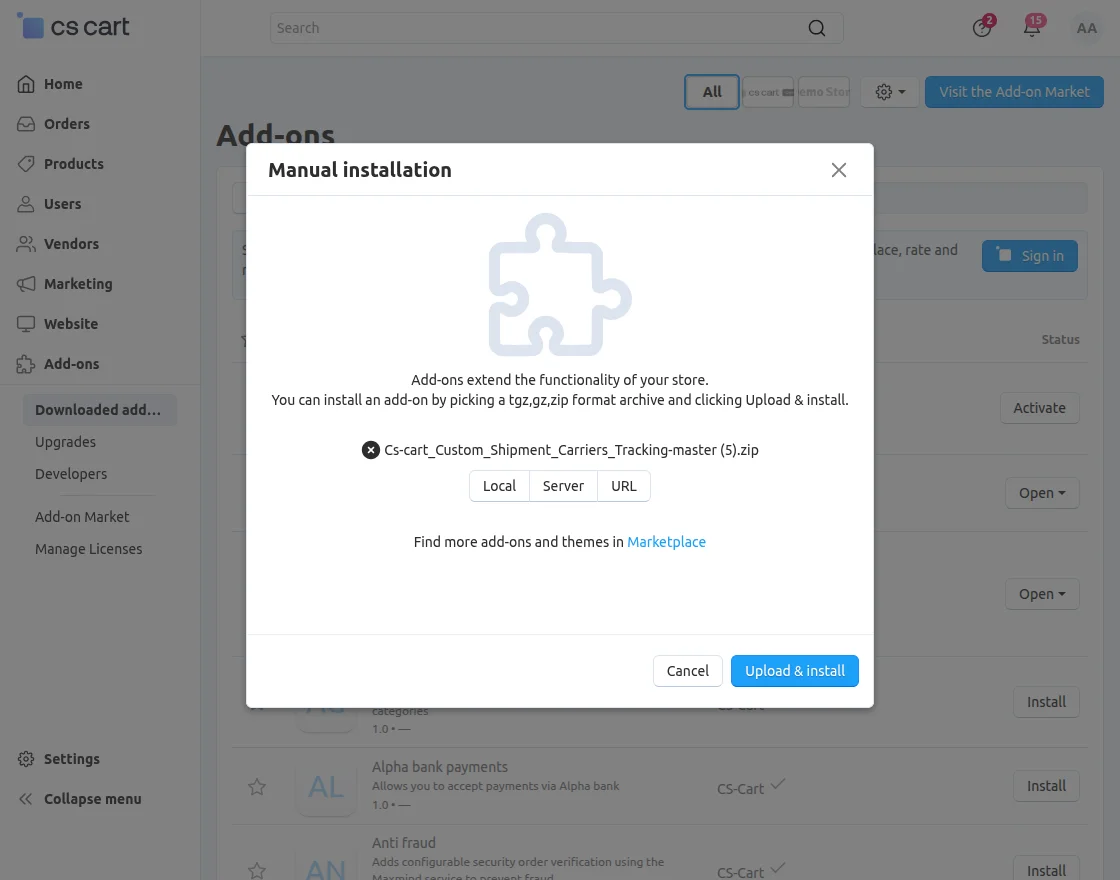
After unzip you will get the pdf file, read it carefully and follow it.
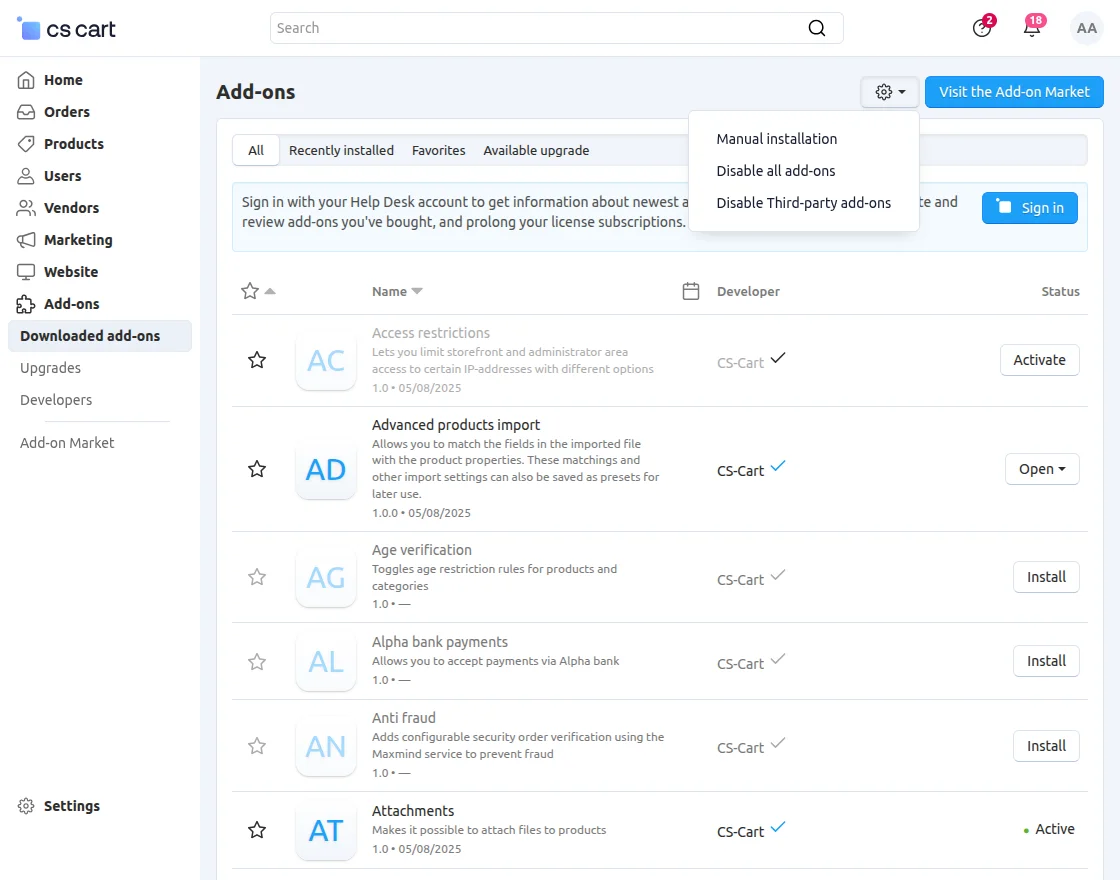
Firstly Click on “+” to upload and install the file. For better understanding please view the snapshot below.
Configuration
To configure the module, go to Add-Ons >> Developers >> Webkul Software Pvt Ltd. >> Custom Shipment Carriers Tracking >> Settings.
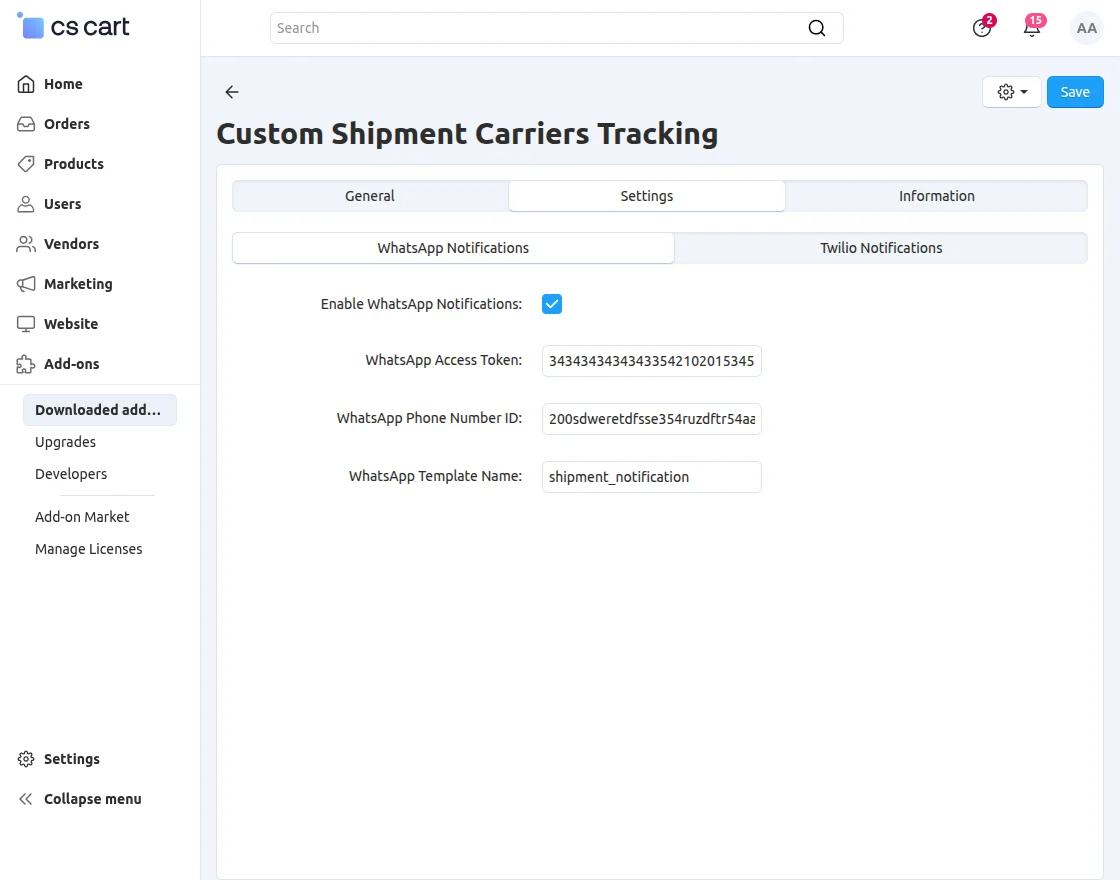
Enter the required WhatsApp notification credentials to enable WhatsApp notifications.
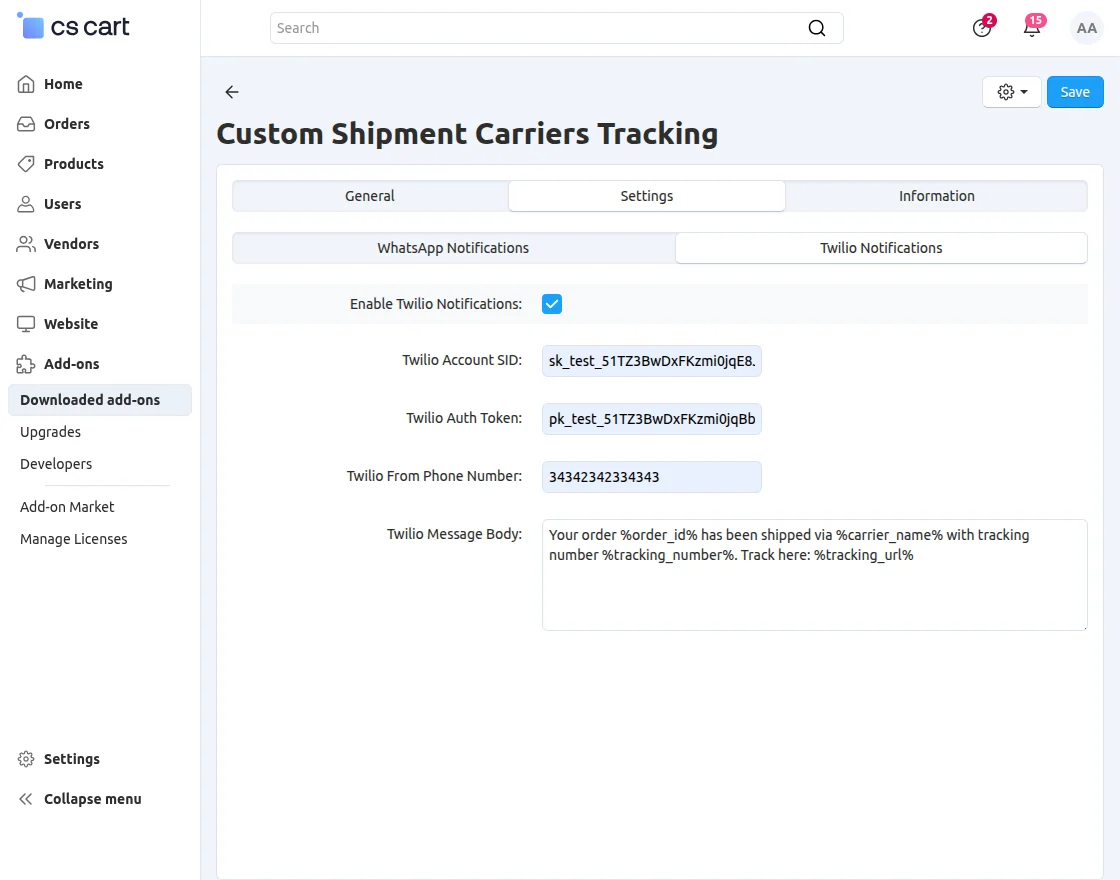
Enter the required Twilio credentials to enable Twilio notifications.
Admin Backend Configuration
Go to Settings > Shipping & Taxes from the admin panel.
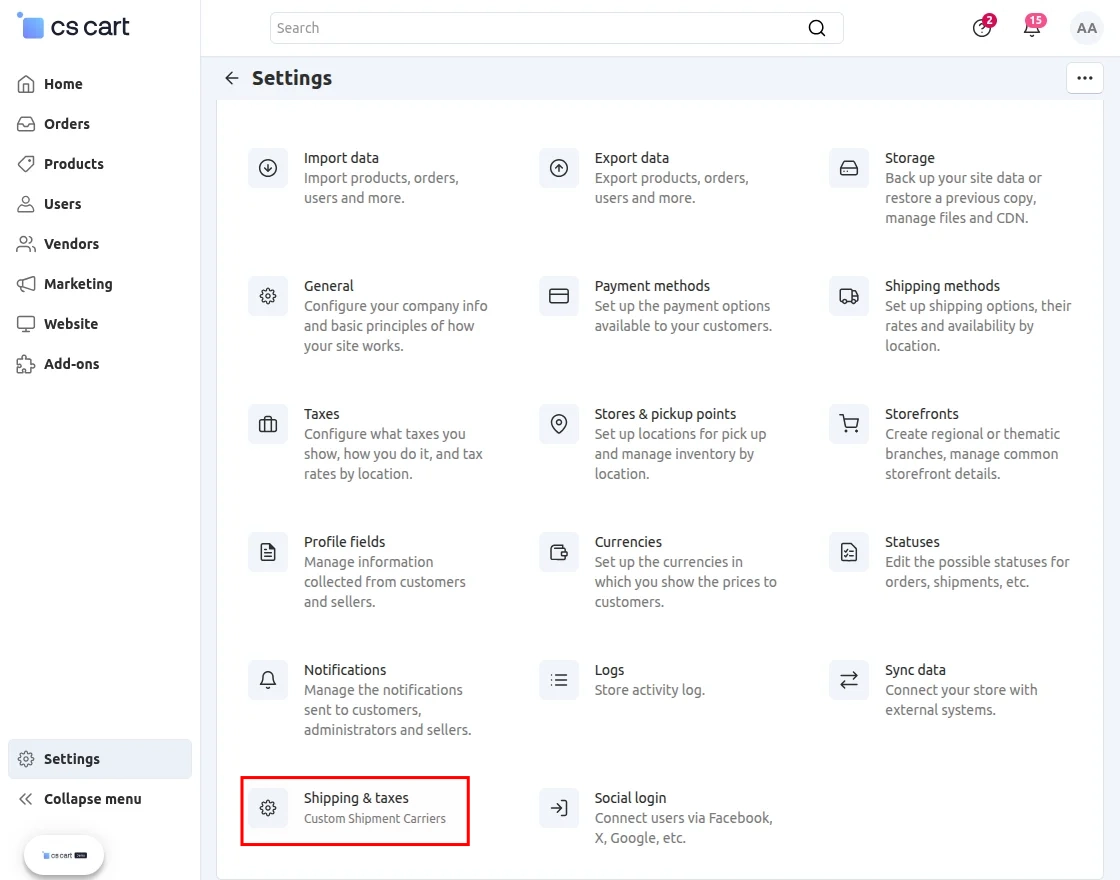
- Click on disable to active the service and vice-versa.
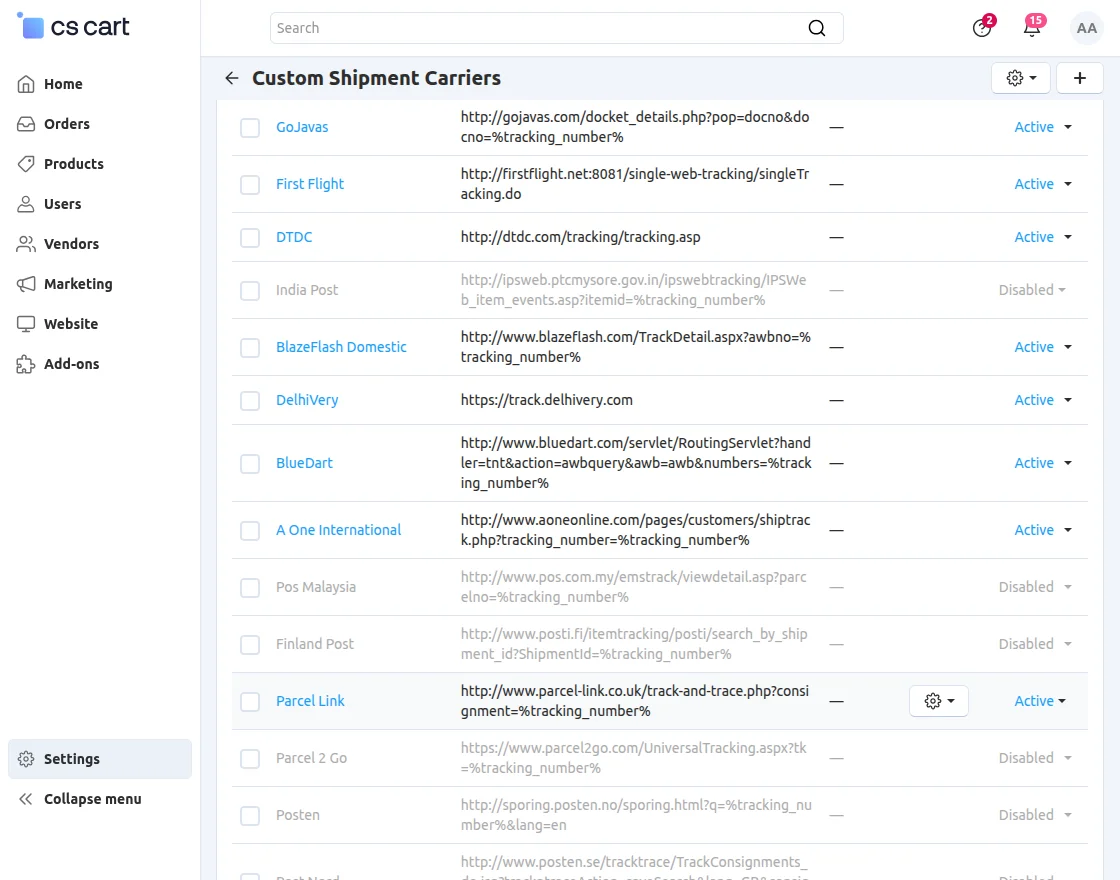
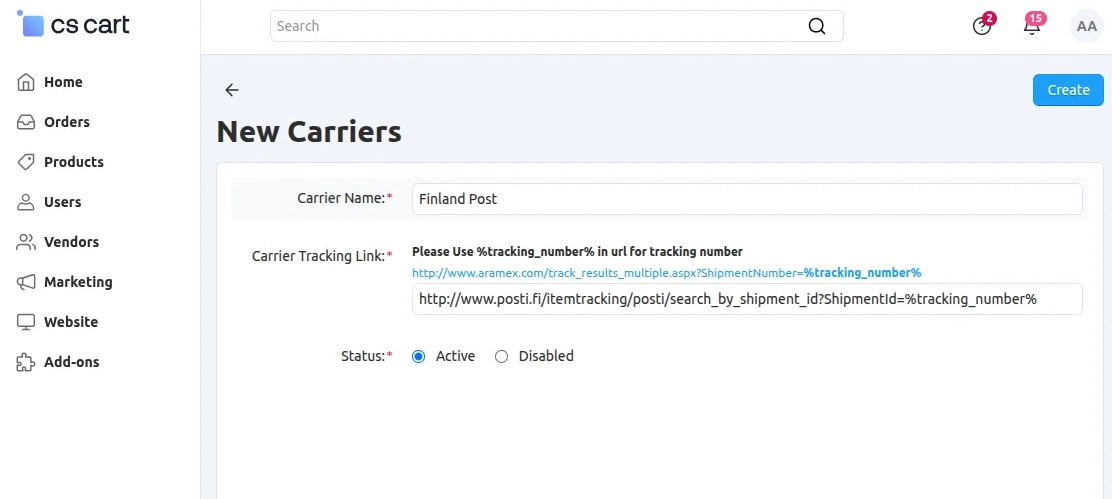
To add a new carrier click on Add carrier button.
- Fill the details of the new carrier by writing down the name of the carrier and putting the tracking URL of the carrier then save and close.
Admin End
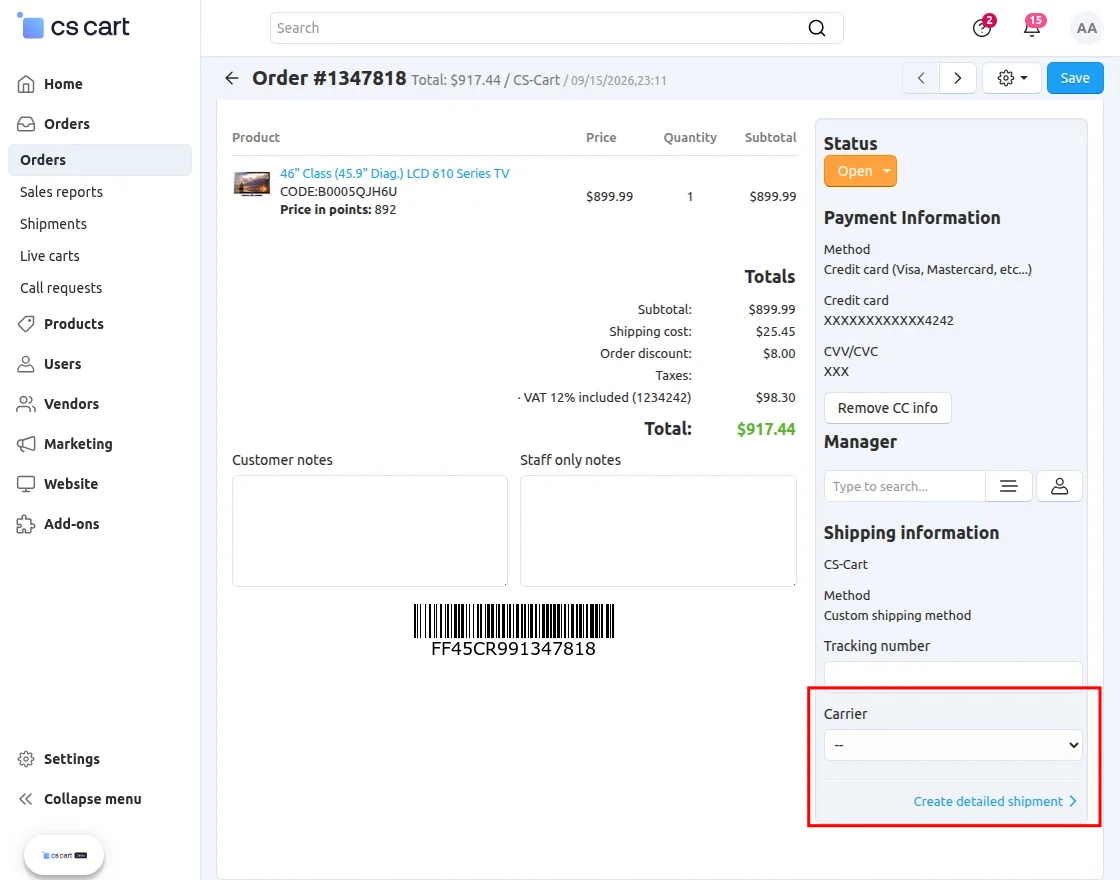
Go to Orders and open the required order.
-
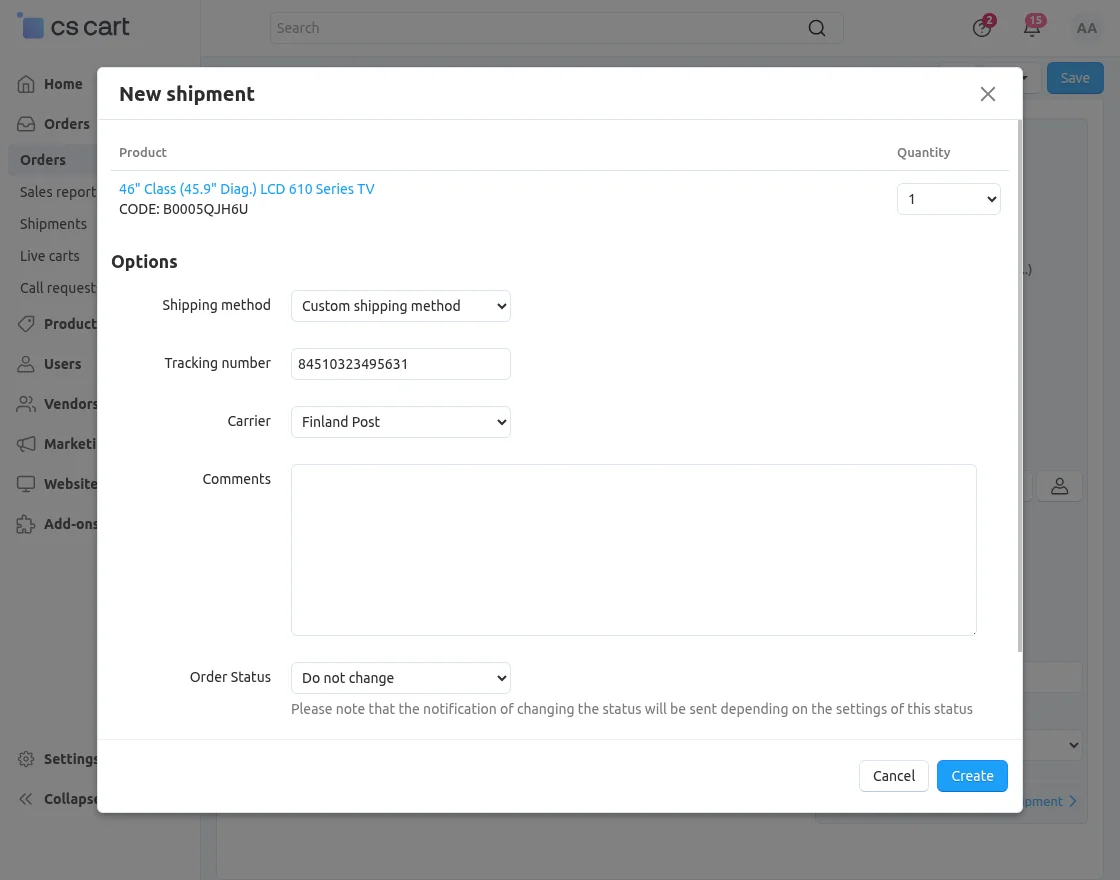
- Set the quantity of product that needs to be shipped.
-
- Choose the shipping method as “Custom Shipping Method”, choose the carrier method and set the tracking number and order of the status accordingly.
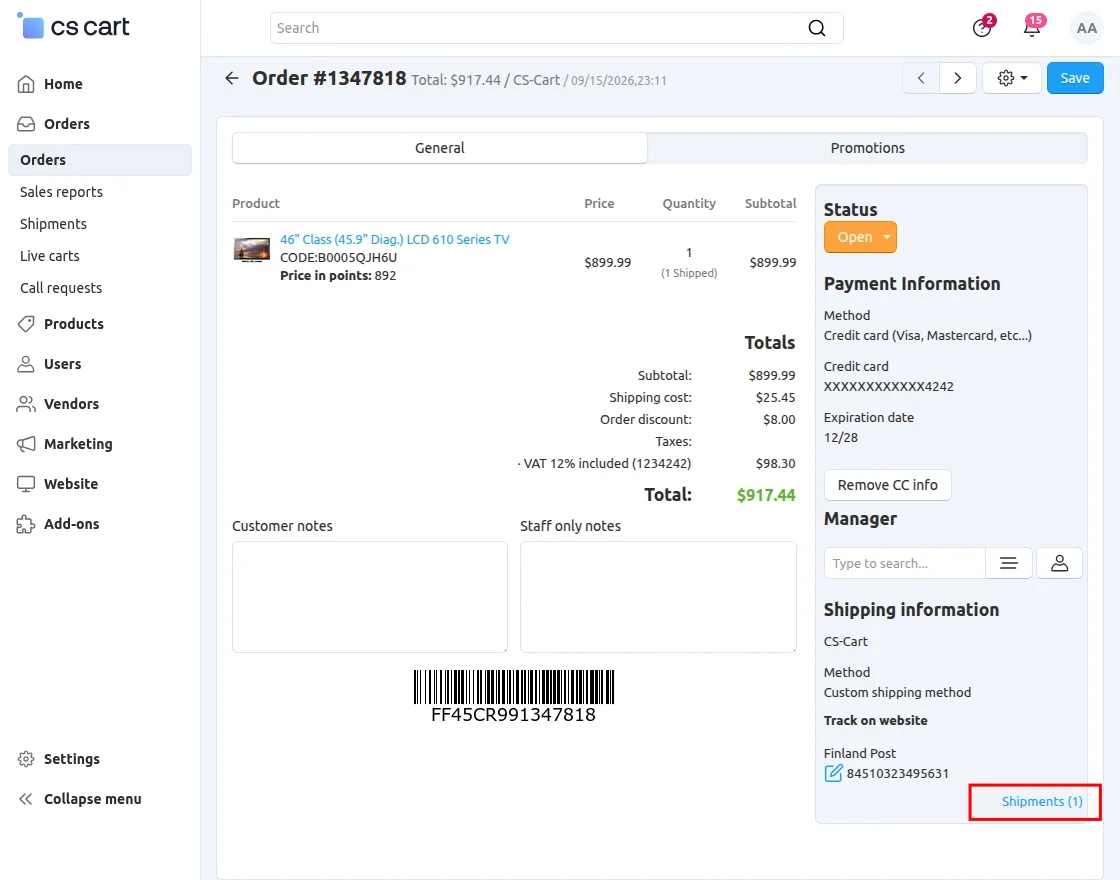
- To view the details of shipment carrier tracking of the product, click on “Shipment” as shown below in snapshot.
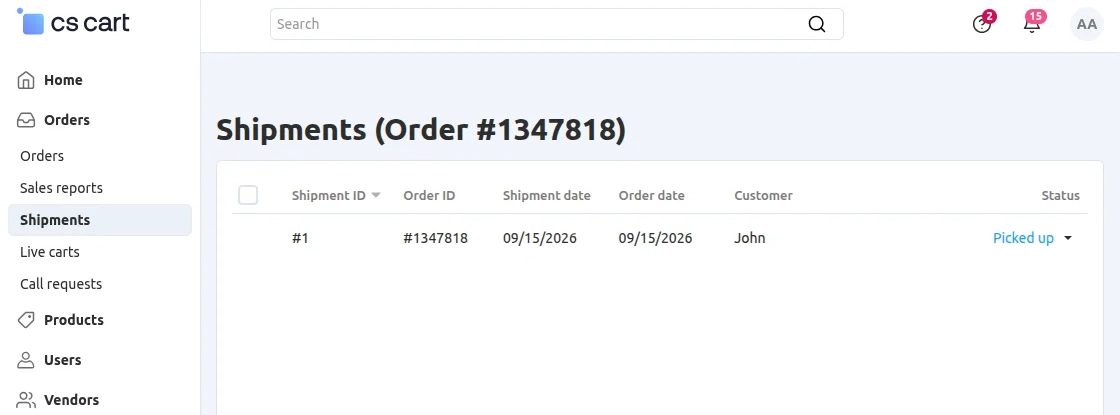
- Click on desired shipment id to view the tracking details.
- In the below snapshot you can view the shipment information which displays the method , name of the carrier and tracking number.
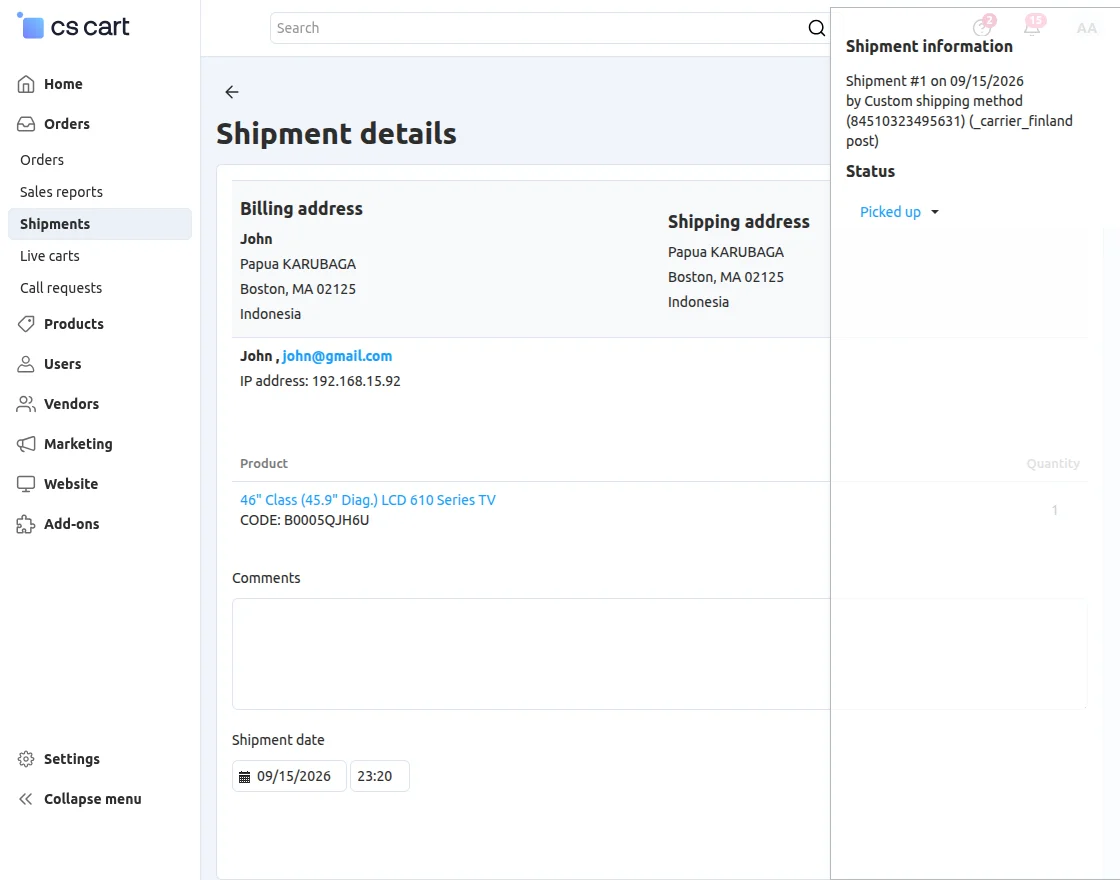
** NOTE: The backend view of admin and vendor is same.
Order Page View at Frontend
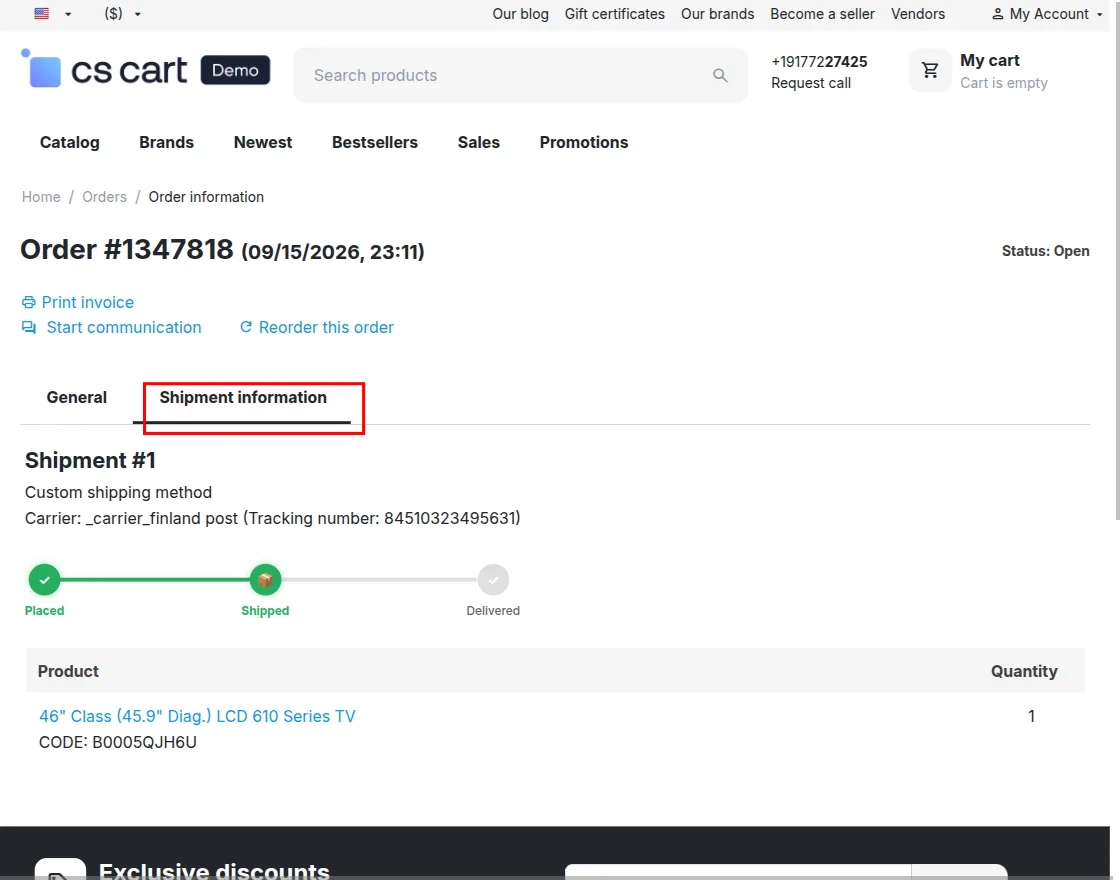
To track the order user need to go to the “Order” page and select the desired order he/she wants to track.
In “General” customer can view the invoice generated during completion of order.
In “Shipment Information” customer can find the shipment details which include the display of shipment carrier and tracking number.
Note: You can discover more shipping tools related to CS-Cart, like CS-Cart JNE Shipping Method, CS-Cart Delivery Boy App,and CS-Cart ShippingEasy Connector.
Support
If you have any questions, suggestions, or customization requests, feel free to contact us at [email protected] or submit a ticket at webkul.uvdesk.com.
Explore our premium-quality CS Cart Extensions to enhance your store functionality.
You can also explore our CS-Cart Development Services and Quality CS-Cart add-ons.
Current Product Version - 1.3
Supported Framework Version - 4.18.x, 4.19.x, 4.20.x

Be the first to comment.