CRM module which can help you to manage your client interactions, sales prospects, lead management in an efficient manner. Apart from CRM module features, we have introduce another feature called “crm stock management”, to mange stock for each customer’s lead.
CRM Stock Management module, will handle customer’s lead, product’s stock, if product stock will be available, then stock fulfill notification will send through email to both, manager and customer, along with product details and it’s quantity.
CRM Stock Management module depends on openerp CRM module. You need to install it before you can use this crm stock management module. After installation you will get Product Lines tab in lead and opportunities from, and lead type in lead form.
Features
- Stock management for every customer’s lead and opportunities, along with products details(like, quantity) for every customer.
- Stock available notification send to customer and manager.
- Automatic conversion from lead to opportunities.
Workflow
This module need to install only at Openerp side, you just need to copy “crm_lead_stock” directory to your OpenERP addons and install it on your Openerp only.
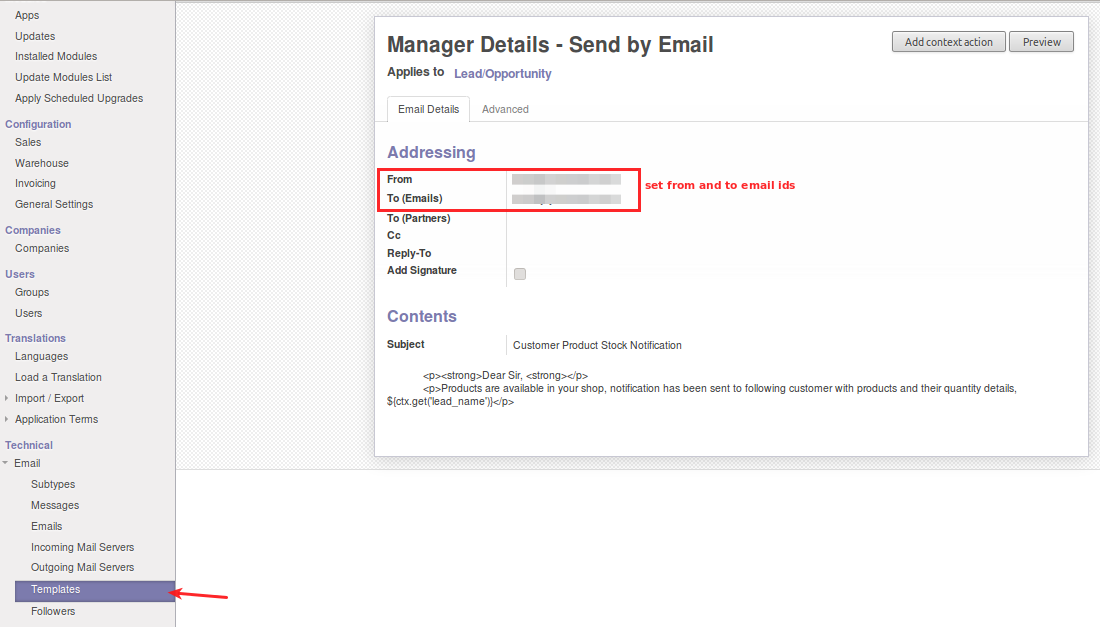
Openerp admin, Settings->Templates, you will get templates for manager and customer, as you can have a look of following screen shots.

For Template, named as “Manager Details – Send by Email” and “Customer Details – Send by Email”, Just open these two templates. As you can refer to following screen shots.
Manager Details – Send by Email Template: This template is for manager email, stock details will be send to manager using this template. Please change ‘From’ and ‘To(Emails)’.
Customer Details – Send by Email Template: This template is used to send stock notification emails to the customers regarding stock availability. In this template please set ‘From’ email id.

Define new lead for customer and add product and it’s expected quantities in product line, select lead type Stock, if lead products lines, product’s expected quantity available in openerp product, stock available notification send to manager and customer via email. And lead automatically converted into opportunity.

Note: Automatic conversion from lead to opportunity done, only if, all product’s expected quantity of product lines should be available, otherwise only notification will be send to customer and manager for product of product lines which expected quantity is fulfill.
Automatic conversion of lead to opportunity when product’s stock fulfill, Inside opportunity will get converted lead, have a look of following screen shots.

Open converted lead from opportunity, then do conversion from opportunity to quotation by Convert to Quotation button. As you can see in following screen shots.

Once conversion done, you will get quotation with same opportunity product lines. Like following screen shots.

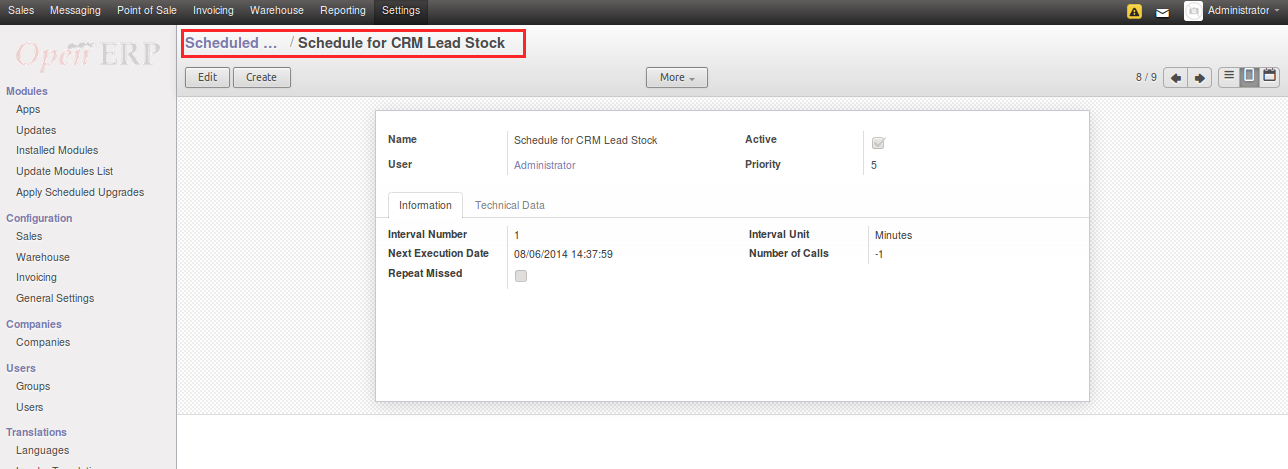
Openerp admin Settings->Scheduler->Scheduler Actions, click on Schedule for CRM Lead Stock. you can set the scheduler according to your requirement.
Support
For any kind of technical assistance, just raise a ticket at : http://webkul.com/ticket/ and for any doubt contact us at [email protected]
Current Product Version - 1.0.0

Be the first to comment.