Running a multi-vendor marketplace needs more than a standard WooCommerce store.
You need a marketplace plugin that allows multiple sellers to add products, manage orders, and receive payouts.
It should also help you manage vendors, set commissions, and control your marketplace from one place.
If you need custom features or a marketplace built for your business, explore our WooCommerce Marketplace Development Services.
This Blog compares the top marketplace plugins for WooCommerce. It covers their features, pricing, strengths, limitations, and best use cases.
You’ll also find simple comparison tables to help you choose the right plugin for your marketplace.
Choose a WooCommerce marketplace plugin for B2C, B2B, wholesale, digital, or service marketplaces that supports your current and future growth.
Why Use Marketplace Plugin for WooCommerce?
WooCommerce is designed for single-store businesses. If you want multiple vendors to sell through one website, you’ll need a WooCommerce marketplace plugin.
A marketplace plugin helps manage vendors, products, commissions, and orders while giving each seller their own dashboard.
Most marketplace plugins include features such as:
- Vendor registration and approval
- Individual vendor dashboards
- Commission management
- Product approval and moderation
- Order and inventory management
- Vendor payouts
- Seller storefronts
- Shipping management
- Marketplace reports and analytics
Compare plugins based on vendor management, integrations, customization, scalability, and pricing instead of features alone.
Who Should Use WooCommerce Marketplace Plugin?
WooCommerce marketplace plugin is a good choice for businesses that want multiple vendors to sell through a single online store.
Instead of managing every product yourself, you can allow independent sellers to register, manage their catalogs, and fulfill orders while you oversee the marketplace.
This type of solution is suitable for:
- B2C marketplaces that connect individual sellers with customers.
- B2B marketplaces where manufacturers, wholesalers, or distributors sell to businesses.
- Wholesale marketplaces with bulk pricing and business-specific purchasing.
- Digital product marketplaces for software, eBooks, courses, templates, music, or other downloadable products.
- Service marketplaces where vendors offer services, appointments, or bookings.
- Hyperlocal marketplaces that connect nearby sellers with local customers.
- Rental marketplaces for equipment, vehicles, properties, or other rental services.
- Niche marketplaces focused on categories such as fashion, electronics, handmade products, furniture, or groceries.
How We Evaluated These Marketplace Plugins for WooCommerce
We evaluated every plugin using the same criteria to provide a fair comparison.
Vendor Management
We compared how each plugin handles vendor registration, approval, seller dashboards, product management, and store management.
Marketplace Features
We compared commission management, vendor payouts, shipping, orders, product approval, seller storefronts, and other core marketplace features.
Customization and Flexibility
We looked at how easily each plugin can be customized to support different marketplace models, business workflows, and third-party integrations.
Ease of Setup
We considered the installation process, configuration options, documentation, and the learning curve for marketplace owners.
Performance and Scalability
We evaluated each plugin’s ability to support growing marketplaces with more vendors, products, and customer orders.
Integrations
We evaluated each plugin’s ability to support growing marketplaces with more vendors, products, and customer orders.
Pricing
We compared the available plans, included features, and the overall value offered for different business sizes.
Support and Updates
We considered the quality of documentation, customer support, product maintenance, and the frequency of updates.
Quick Comparison of the Best Marketplace Plugins for WooCommerce
Compare plugins by pricing, customization, scalability, and marketplace type to find the best fit for your business.
| Plugin | Best For | Free Version | Customization | Scalability | Starting Price* |
|---|---|---|---|---|---|
| Webkul WooCommerce Multi Vendor Marketplace | Growing businesses and enterprise marketplaces | ❌ | Excellent | Excellent | Premium |
| Dokan | Beginners and small businesses | ✅ | Good | Good | Free + Pro |
| WCFM Marketplace | Feature-rich marketplaces | ✅ | Very Good | Good | Free + Premium |
| MultiVendorX | Growing marketplaces | ✅ | Good | Good | Free + Premium |
| WC Vendors | Small and medium businesses | ✅ | Good | Good | Free + Pro |
| YITH WooCommerce Multi Vendor | Existing YITH users | Limited | Good | Moderate | Premium |
| WooCommerce Product Vendors | Simple marketplaces | ❌ | Moderate | Moderate | Premium |
Pricing and features may change over time. Always check the official product page before making a purchase decision.
Best WooCommerce Marketplace Plugins for Multi-Vendor Stores
1. Webkul WooCommerce Multi Vendor Marketplace
Webkul WooCommerce Multi Vendor Marketplace helps you create and manage a multi vendor marketplace with WooCommerce.
Plugin lets owners manage vendors, commissions, and orders while sellers control products and store settings independently.
This plugin supports different marketplace types for businesses selling products, services, or both.
It supports B2C, B2B, wholesale, digital, booking, hyperlocal, and service marketplaces for different business needs.
Plugin includes many add-ons and customization options, making it a practical choice for businesses that want to expand their marketplace as they grow.

Key Features
- Unlimited vendor registration
- Dedicated vendor dashboard
- Multiple commission models
- Vendor product and inventory management
- Product approval workflow
- Order management for vendors
- Marketplace shipping management
- Vendor payouts
- Individual seller storefronts
- Vendor reviews and ratings
- Support for physical and digital products
- REST API support
- Large collection of marketplace add-ons
Pros
- Supports multiple marketplace business models
- Flexible commission management
- Extensive customization options
- Large ecosystem of add-ons and integrations
- Suitable for marketplaces with a growing vendor base
- Regular updates and documentation
Cons
- No free version
- Some advanced functionality requires additional add-ons
Best For: Businesses that want a WooCommerce marketplace with flexible vendor management and room to grow.
Why Choose Webkul WooCommerce Multi-Vendor Marketplace?
Webkul is a good choice if you want to build more than a basic marketplace. It comes with all the main marketplace features.
You can also add features like bookings, auctions, subscriptions, POS, mobile apps, ERP, CRM, shipping, and payment gateways through add-ons.
As your marketplace grows, you can add more features when needed.
Whether you have more vendors, more products, or new business needs, Webkul gives you the flexibility to grow without changing your marketplace platform.
2. Dokan
Dokan is one of the most widely used marketplace plugins for WooCommerce.
It allows multiple vendors to register, create products, manage orders, and operate their own stores from a frontend dashboard.
Its simple setup process and free version make it a popular choice for new marketplace owners.
While Dokan covers the core marketplace features, many advanced capabilities are available in the Pro plans.

Key Features
- Frontend vendor dashboard
- Vendor registration and approval
- Individual vendor storefronts
- Multiple commission types
- Vendor withdrawal management
- Product and order management
- Shipping management
- Coupon management
- Store reviews and ratings
- Support for physical and digital products
Pros
- Easy to install and configure
- Free version available
- User-friendly vendor dashboard
- Active community and documentation
- Suitable for small and medium marketplaces
Cons
- Many advanced marketplace features require the Pro version
- Customization options are more limited than some enterprise-focused solutions
- Large marketplaces may require additional extensions
Best For: Businesses that need a WooCommerce marketplace with easy vendor management and customization options.
Why Choose Dokan?
Dokan is a good choice if you want to start a marketplace quickly with a plugin that is easy to set up and use.
Plugin includes the main features for managing vendors and products, with more features available through a paid plan.
Dokan works best for small and medium marketplaces with simple business needs and fewer custom features.
3. WCFM Marketplace
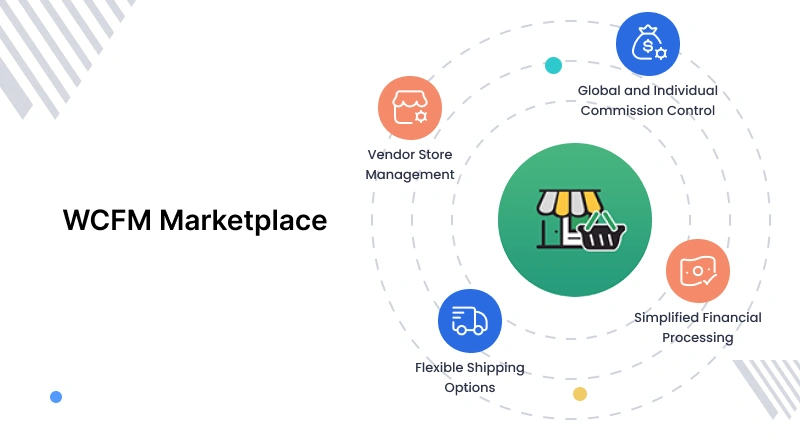
WCFM Marketplace is a marketplace plugin with many features. Even the free version includes many useful tools.
Sellers manage products, orders, stock, and store settings from a front-end dashboard, and this plugin supports different marketplace types.
It works with many WooCommerce extensions, making it a good choice if you need more features from the start.
Key Features
- Frontend vendor dashboard
- Vendor registration and approval
- Multiple commission options
- Product and inventory management
- Order management
- Shipping management
- Booking and appointment support
- Subscription and membership support
- Vendor reports and analytics
- Support for physical and digital products
Pros
- Feature-rich free version
- Supports bookings, subscriptions, and memberships
- Flexible commission management
- Active development and regular updates
- Good compatibility with WooCommerce extensions
Cons
- The large number of settings can increase the learning curve
- Some advanced integrations require premium extensions
- The interface may feel complex for first-time users
Best For– Businesses that want a WooCommerce marketplace plugin with many features and a free plan to get started.
Why Choose WCFM Marketplace?
WCFM Marketplace is a good choice if you need more than basic vendor management. You can start with the free version and upgrade later if needed.
It includes booking, subscription, and membership features, making it suitable for different types of marketplaces.
As your marketplace grows, you can add premium extensions for more features. This lets you grow your marketplace without changing your plugin.
4. MultiVendorX
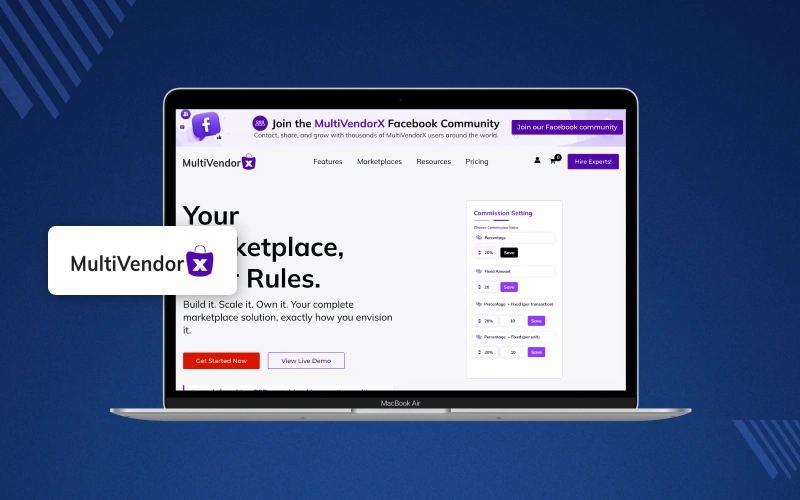
MultiVendorX is a marketplace plugin for WooCommerce for businesses with multiple vendors. It helps you manage all vendors from one store.
Plugin lets you set commissions, manage vendors, and view marketplace reports. This gives you better control over your marketplace.
You can sell both physical and digital products with MultiVendorX. This plugin also makes it easy to add new vendors, approve products, and manage orders.
Key Features
- Vendor registration and approval
- Dedicated vendor dashboard
- Multiple commission models
- Product and inventory management
- Order management
- Vendor shipping management
- Individual vendor storefronts
- Marketplace reports and analytics
- Support for physical and digital products
- Integration with popular WooCommerce extensions
Pros
- Flexible commission management
- Easy vendor onboarding process
- Built-in marketplace reports
- User-friendly interface
- Free version available
Cons
- Some advanced marketplace features are available only in premium plans
- Smaller extension ecosystem compared to some competitors
- Limited customization for highly complex marketplace workflows
Best For:- Growing marketplaces that need flexible vendor management and reporting without extensive customization requirements.
Why Choose MultiVendorX?
MultiVendorX is a good choice for businesses that want an easy-to-use marketplace plugin.
It includes the main features to manage vendors, commissions, and orders. You can start with these features and add more later if needed.
As your marketplace grows, you can use premium features for more control and extra options.
This helps your marketplace grow without changing your plugin.
5. WC Vendors
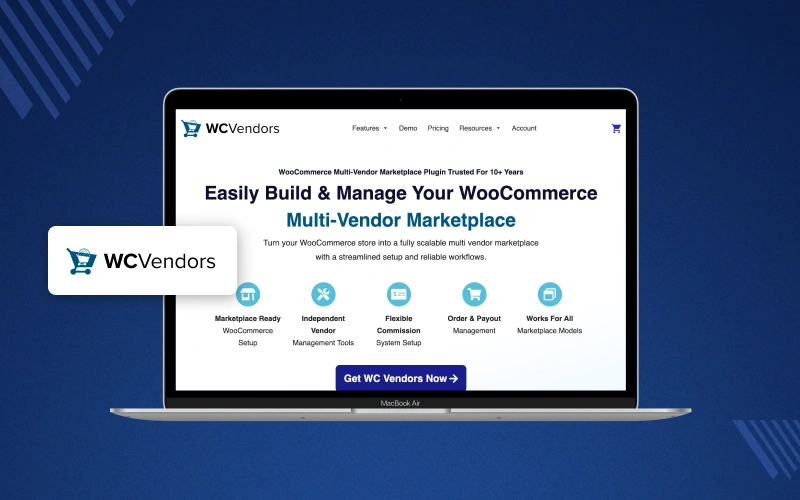
WC Vendors is a WooCommerce marketplace plugin for creating a multi vendor marketplace. It includes the main features you need to get started.
You can add vendors, manage stores, set commissions, and manage orders from one place.
Plugin is easy to use and works well for businesses starting a simple marketplace.
It is best for small and medium marketplaces that do not need many advanced features.
Key Features
- Vendor registration and approval
- Frontend vendor dashboard
- Individual vendor storefronts
- Flexible commission management
- Product and inventory management
- Order management
- Shipping management
- Coupon management
- Vendor reports
- Support for physical and digital products
Pros
- Easy to install and configure
- Free version available
- Clean and user-friendly vendor dashboard
- Good documentation and support
- Suitable for small and medium marketplaces
Cons
- Advanced marketplace features require the Pro version
- Smaller feature set than some competitors
- Fewer built-in integrations for complex marketplace requirements
Best For:- Small and medium businesses that need a reliable plugin with the core features required to manage multiple vendors.
Why Choose WC Vendors?
WC Vendors is a practical option for businesses that prefer a straightforward marketplace solution.
It covers the core marketplace requirements without adding unnecessary complexity, making it a good fit for stores with standard vendor management needs.
6. YITH WooCommerce Multi Vendor
YITH WooCommerce Multi Vendor helps businesses turn a WooCommerce store into a marketplace using the YITH plugin ecosystem.
It provides the core marketplace features needed to manage vendors, products, commissions, and orders.
Plugin works well with other YITH extensions, making it a suitable option for stores already using YITH products.

Key Features
- Vendor registration and management
- Individual vendor dashboards
- Commission management
- Product approval
- Vendor storefronts
- Order management
- Shipping management
- Sales reports
- Support for physical and digital products
- Integration with YITH plugins
Pros
- Easy to configure
- Good compatibility with other YITH plugins
- Clean interface
- Regular updates
- Suitable for standard marketplace requirements
Cons
- No free version
- Fewer built-in marketplace features than some competitors
- Advanced customization may require custom development
Best For:- Businesses already using YITH WooCommerce extensions or those looking for a marketplace plugin that integrates well with the YITH ecosystem.
Why Choose YITH WooCommerce Multi Vendor?
YITH WooCommerce Multi Vendor is a good choice if your store already relies on YITH plugins for features such as bookings, subscriptions, or wishlists.
Plugin provides the essential marketplace functionality while maintaining compatibility across the YITH product ecosystem.
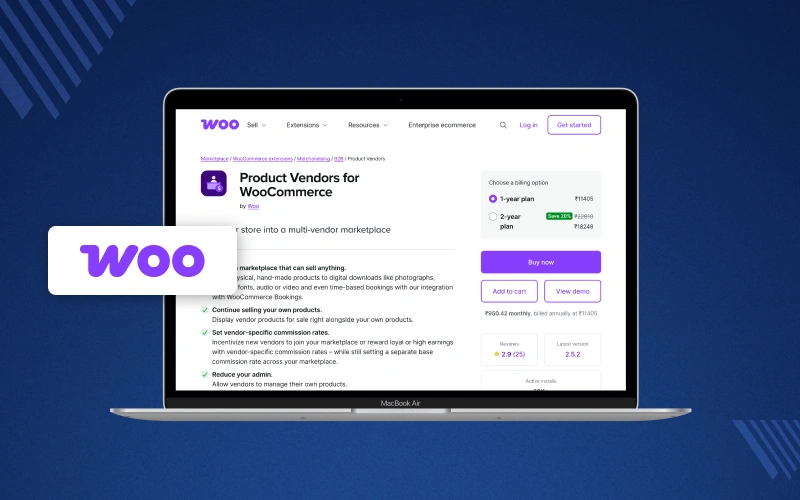
7. WooCommerce Product Vendors
WooCommerce Product Vendors is the official multi vendor marketplace plugin for WooCommerce. It lets you add multiple vendors to your store.
You can assign products to vendors, set commissions, and let vendors track their sales from their own accounts.
Plugin includes the main marketplace features but offers fewer advanced options than some other marketplace plugins.
It is a good choice for stores with simple vendor management needs or for businesses that prefer official WooCommerce extensions.
Key Features
- Vendor registration and management
- Product assignment to vendors
- Commission management
- Vendor sales reports
- Order tracking
- Vendor payout management
- Support for physical and digital products
- Integration with WooCommerce extensions
Pros
- Official WooCommerce extension
- Simple setup and configuration
- Easy to manage for basic marketplaces
- Good compatibility with the WooCommerce ecosystem
- Suitable for stores with straightforward marketplace requirements
Cons
- No free version
- Limited marketplace features compared to dedicated marketplace plugins
- No advanced vendor dashboard
- Fewer customization options
- May require additional extensions for complex marketplace workflows
Best For:- Businesses looking for a simple WooCommerce marketplace solution with basic vendor management and official WooCommerce compatibility.
Why Choose WooCommerce Product Vendors?
WooCommerce Product Vendors is a good choice for stores that need the main marketplace features.
You can add vendors, set commissions, and assign products with ease. It works well for small marketplaces with simple needs.
If you plan to build a larger marketplace, you may need more features.
Some marketplace plugins offer better vendor management, more integrations, and extra options as your business grows.
WooCommerce Marketplace Plugin Comparison
These plugins serve different business needs, from easy-to-use marketplaces to advanced solutions for growing businesses.
Comparing them side by side makes it easier to identify the solution that best matches your requirements.
| Feature | Webkul | Dokan | WCFM | MultiVendorX | WC Vendors | YITH | Product Vendors |
|---|---|---|---|---|---|---|---|
| Multi Vendor Support | ✅ | ✅ | ✅ | ✅ | ✅ | ✅ | ✅ |
| Unlimited Vendors | ✅ | ✅ | ✅ | ✅ | ✅ | ✅ | ✅ |
| Frontend Vendor Dashboard | ✅ | ✅ | ✅ | ✅ | ✅ | ✅ | ❌ |
| Individual Vendor Storefronts | ✅ | ✅ | ✅ | ✅ | ✅ | ✅ | Limited |
| Vendor Registration & Approval | ✅ | ✅ | ✅ | ✅ | ✅ | ✅ | ✅ |
| Multiple Commission Types | ✅ | ✅ | ✅ | ✅ | ✅ | ✅ | Limited |
| Product Approval Workflow | ✅ | ✅ | ✅ | ✅ | Limited | ✅ | ❌ |
| Order Management | ✅ | ✅ | ✅ | ✅ | ✅ | ✅ | Basic |
| Shipping Management | ✅ | ✅ | ✅ | ✅ | ✅ | ✅ | Basic |
| Vendor Payout Management | ✅ | ✅ | ✅ | ✅ | ✅ | Limited | Basic |
| Physical Products | ✅ | ✅ | ✅ | ✅ | ✅ | ✅ | ✅ |
| Digital Products | ✅ | ✅ | ✅ | ✅ | ✅ | ✅ | ✅ |
| Booking Support | Add-on | Extension | Extension | Extension | Extension | Integration | ❌ |
| Subscription Support | Add-on | Extension | Extension | Extension | Extension | Integration | ❌ |
| REST API Support | ✅ | Limited | Limited | Limited | Limited | Limited | ❌ |
| Third-party Integrations | Extensive | Good | Good | Good | Moderate | Good | Moderate |
| Marketplace Reports | ✅ | ✅ | ✅ | ✅ | ✅ | ✅ | Basic |
| Customization Options | Excellent | Good | Very Good | Good | Good | Moderate | Limited |
| Enterprise Ready | ✅ | Moderate | Moderate | Moderate | Moderate | Moderate | ❌ |
How to Choose the Right WooCommerce Marketplace Plugin
Choosing a WooCommerce marketplace plugin is more than comparing features and pricing.
The right solution should support your current business model while giving you the flexibility to grow without changing platforms later.
Consider the following factors before making your decision.
1. Define Your Marketplace Business Model
Start by identifying the type of marketplace you want to build. Different business models often require different features.
Examples include:
- B2C marketplaces
- B2B marketplaces
- Wholesale marketplaces
- Digital product marketplaces
- Service marketplaces
- Hyperlocal marketplaces
Choose a plugin that supports your marketplace model and can adapt if your business requirements change.
2. Compare Vendor Management Features
Vendor management is one of the most important parts of a successful marketplace. Choose a plugin that includes:
Look for features such as:
- Vendor registration and approval
- Separate vendor dashboards
- Product management
- Order management
- Inventory management
- Seller storefronts
- Vendor reviews
These features help vendors manage their stores while reducing administrative work.
3. Check Commission and Payout Options
Choose a plugin that supports flexible commission models and payout options matching your marketplace revenue strategy and business needs.
A good plugin should support:
- Percentage-based commissions
- Fixed commissions
- Category-wise commissions
- Product-wise commissions
- Vendor-specific commissions
- Flexible payout methods
This allows you to create commission rules that match your business model.
4. Evaluate Marketplace Customization
As your marketplace grows, you may need additional features or custom workflows.
Consider whether this plugin supports:
- Custom development
- Marketplace extensions
- Third-party integrations
- API access
- Theme compatibility
A flexible plugin reduces the need to migrate to another platform later.
5. Review Available Integrations
Choose a plugin that integrates with essential business tools to support daily marketplace operations and future growth.
Check compatibility with:
- Payment gateways
- Shipping providers
- Booking systems
- Subscription plugins
- Membership plugins
- CRM and ERP solutions
- Marketing and analytics tools
Strong integration support helps streamline marketplace management.
6. Consider Scalability
Your marketplace may start with a few vendors but grow significantly over time.
Choose a plugin that can support:
- Hundreds or thousands of vendors
- Large product catalogs
- High order volumes
- Additional marketplace features through extensions
Scalability reduces the need for major changes as your business expands.
7. Compare Pricing and Long-Term Value
Compare pricing, features, support, and customization to choose a plugin that delivers better long-term business value.
When comparing pricing, consider:
- Included marketplace features
- Cost of premium plans
- Additional extension costs
- Support and updates
- Customization capabilities
A plugin that meets your long-term requirements can provide better value than a lower-cost option that requires multiple paid extensions.
Final Verdict
Choose the right WooCommerce marketplace plugin by comparing features, pricing, scalability, vendor management, and business requirements carefully.
This blog compares leading WooCommerce marketplace plugins, covering customization, commissions, integrations, strengths, limitations, and ideal use cases.
Find the best marketplace plugin that supports your business model, simplifies vendor management, and scales as your marketplace grows.
Frequently Asked Questions
Can WooCommerce create a multi-vendor marketplace?
Yes, WooCommerce can create a multi-vendor marketplace by using a marketplace plugin like Webkul with vendor management, commissions, and payouts.
Which WooCommerce marketplace plugin is best for enterprise businesses?
Webkul is ideal for enterprise businesses needing advanced customization, integrations, scalable features, flexible vendor management solutions.
Which marketplace plugin offers the most customization?
Webkul offers extensive customization, integrations, and add-ons for businesses with advanced marketplace requirements and future growth.
Is Webkul WooCommerce Multi Vendor Marketplace suitable for large marketplaces?
Yes, Webkul supports large marketplaces through scalable features, advanced vendor management, flexible workflows, and extensive integration options.
How is Webkul better than Doken?
Webkul offers greater customization, advanced integrations, scalable features, and flexible vendor management, while Dokan suits simpler marketplace requirements.
Which WooCommerce marketplace plugin is best for B2B marketplaces?
Webkul is a strong choice for B2B marketplaces with flexible workflows, customization, integrations, and scalable vendor management.

Be the first to comment.