CS-Cart JNE Shipping Method allows store owners to offer JNE shipping services on their CS-Cart store. The add-on calculates shipping rates based on the customer’s delivery location and selected JNE service.
With this JNE Shipping Method for CS-Cart, customers can choose an available JNE shipping option during checkout. Store administrators can configure JNE credentials and select the required shipping services from the admin panel.
Note: Before installing the add-on, extract the downloaded package.
- Install the License Manager add-on first.
- Then install the required add-on.
- Follow the license activation steps to generate your license key.
- Indonesian Rupiah (IDR) currency must be configured in the CS-Cart store to use the JNE Shipping Method.
- The customer and vendor must have a shipping address in Indonesia to use the JNE Shipping Method.
Features
- Calculate JNE shipping rates based on the customer’s delivery details.
- Support multiple JNE shipping services for different delivery requirements.
- Configure JNE shipping credentials from the CS-Cart admin panel.
- Display available JNE shipping options during the checkout process.
- Support CS-Cart Multi-Vendor for marketplace stores.
- Calculate shipping costs based on the destination and package weight.
- Add additional shipping charges to the JNE shipping rates.
- Let customers select their preferred JNE shipping service at checkout.
For a detailed process flow of the add-on, Please go through this blog post.
Video Tutorial
Installation
After downloading the CS-Cart NE Shipping Integration add-on, you’ll get one zip file, one install.txt file, and a relevant User Guide manual doc.
Please read it carefully for proper configuration.
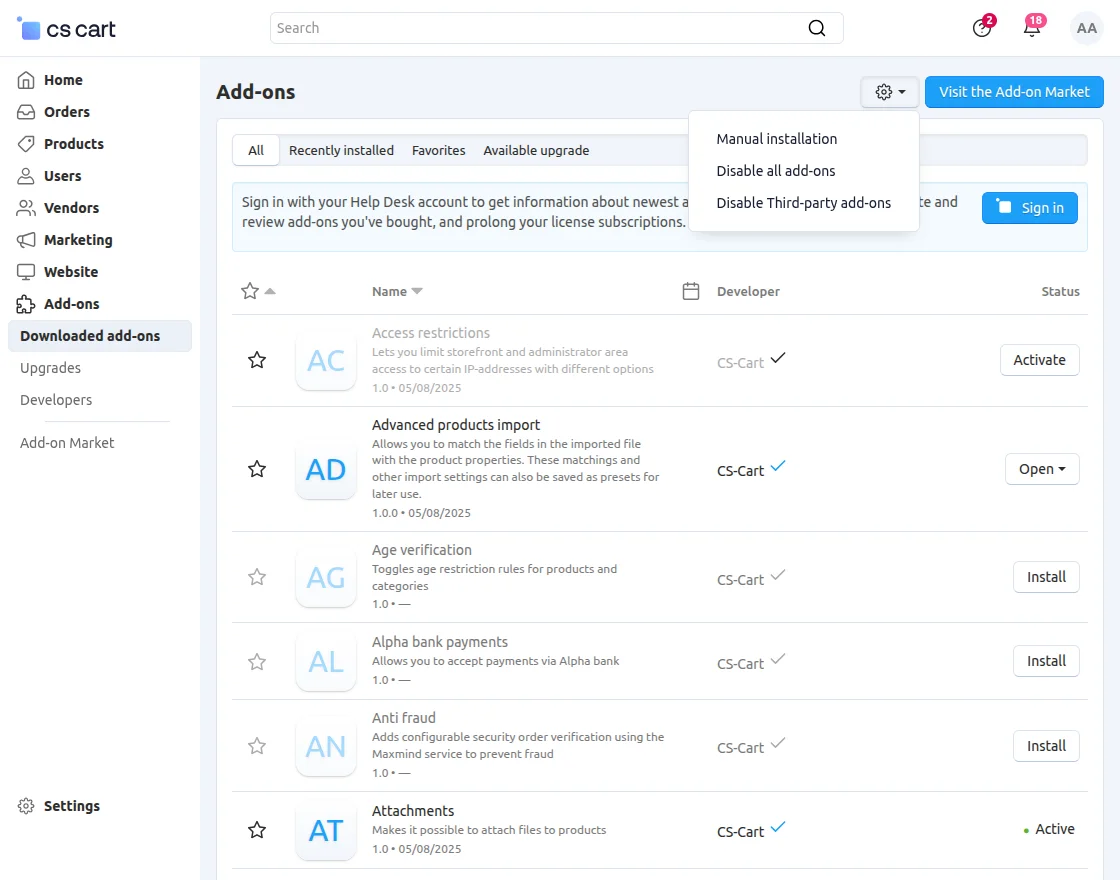
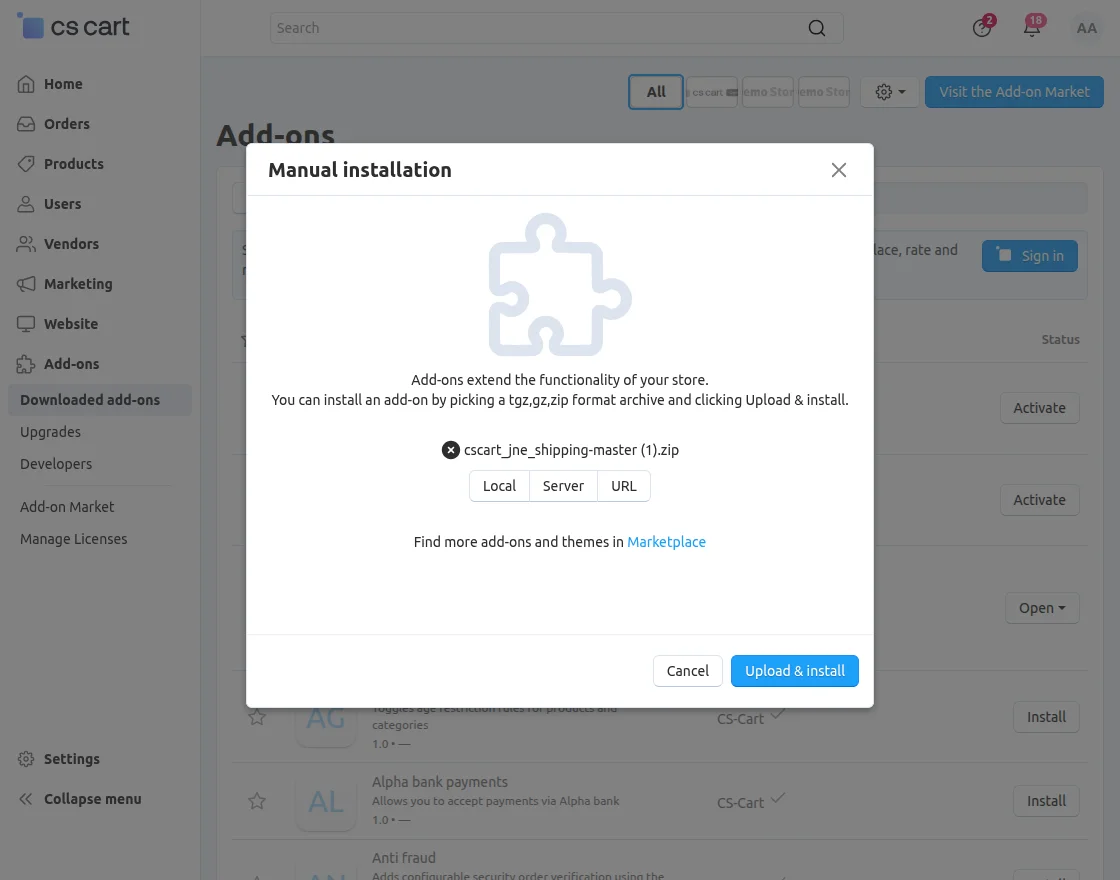
Click on “Local” to browse the zip file, and then click on “Upload & Install” as shown below in the snapshot.
Add Shipping Method
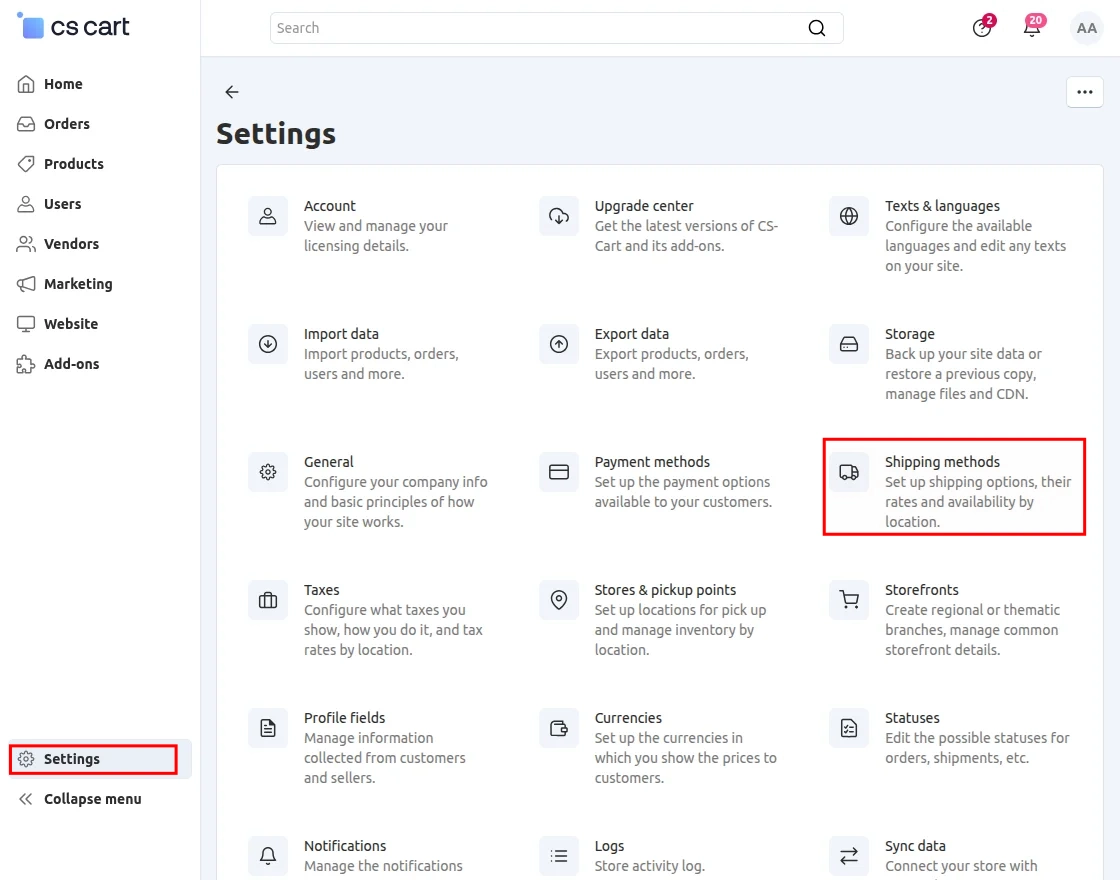
To add a shipping method, navigate to Settings >> Shipping Methods.
After navigating to the Shipping Methods section, click the Add button to create a new shipping method.
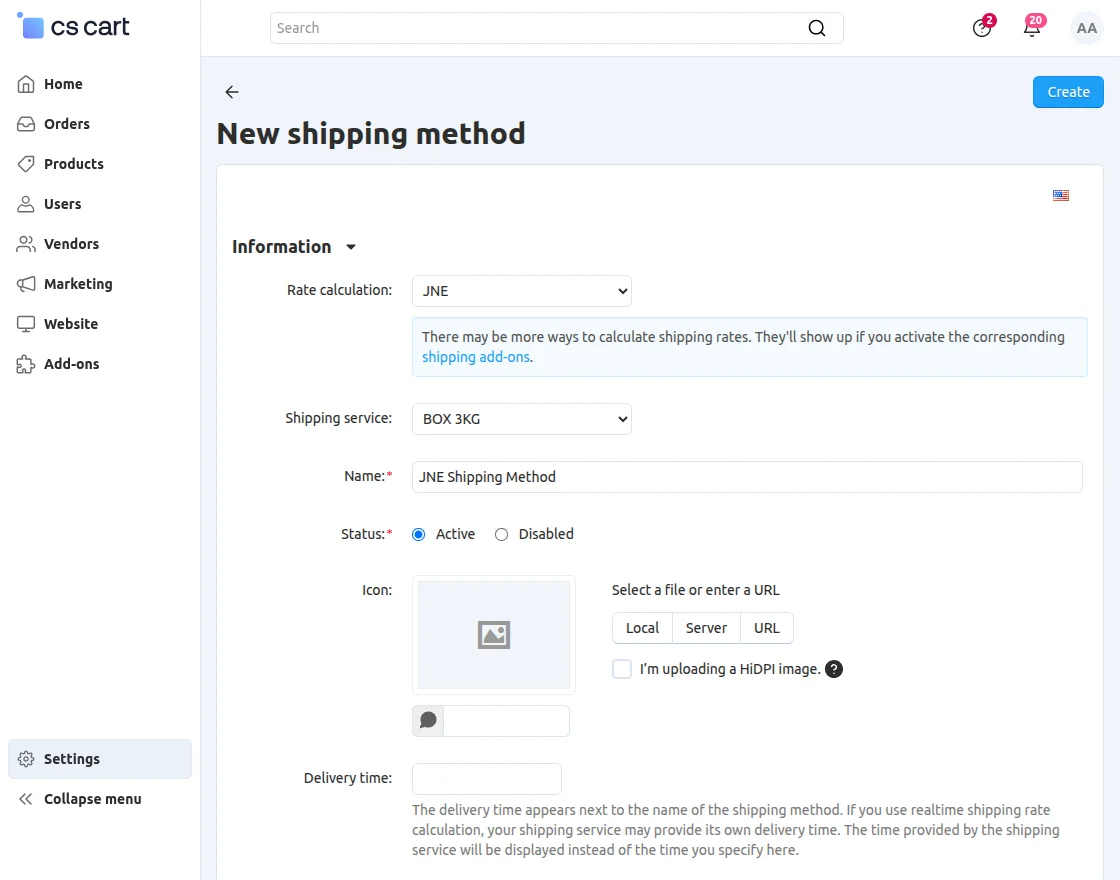
- Select JNE as the rate calculation method.
- Select the required shipping service.
- Enter the name of the shipping method.
After creating the shipping method, click Configure to configure the JNE shipping settings.
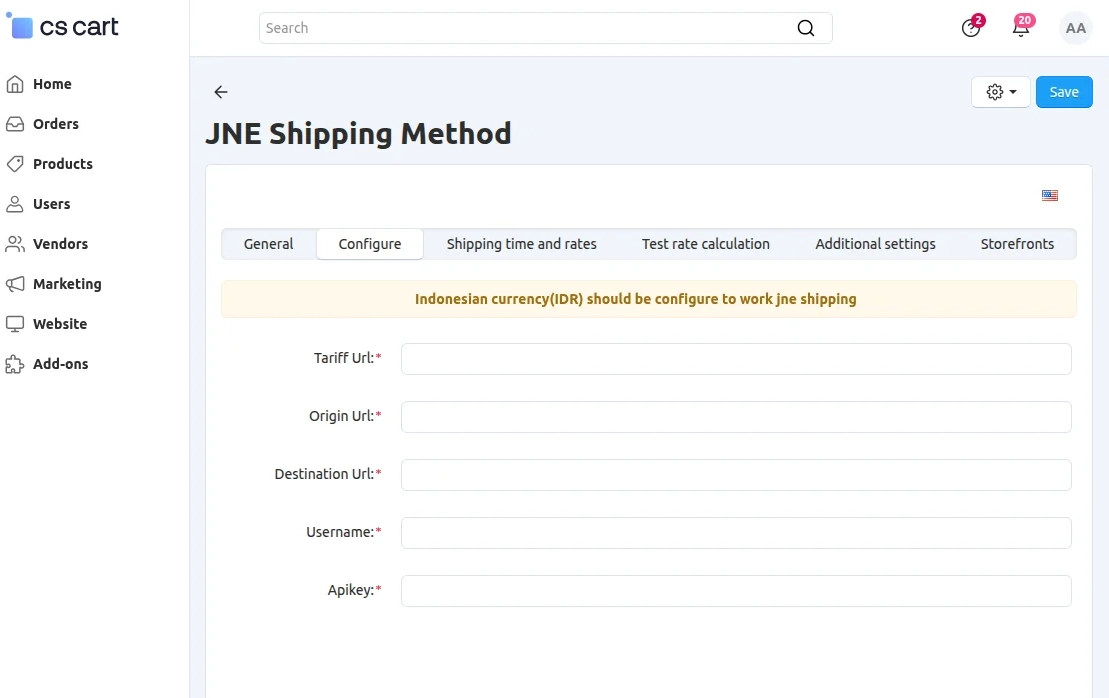
Enter the required credentials for the Tariff URL, Origin URL, Destination URL, Username, and API Key.
Front-End
When a customer places an order, they can view and select the available JNE shipping method during checkout.
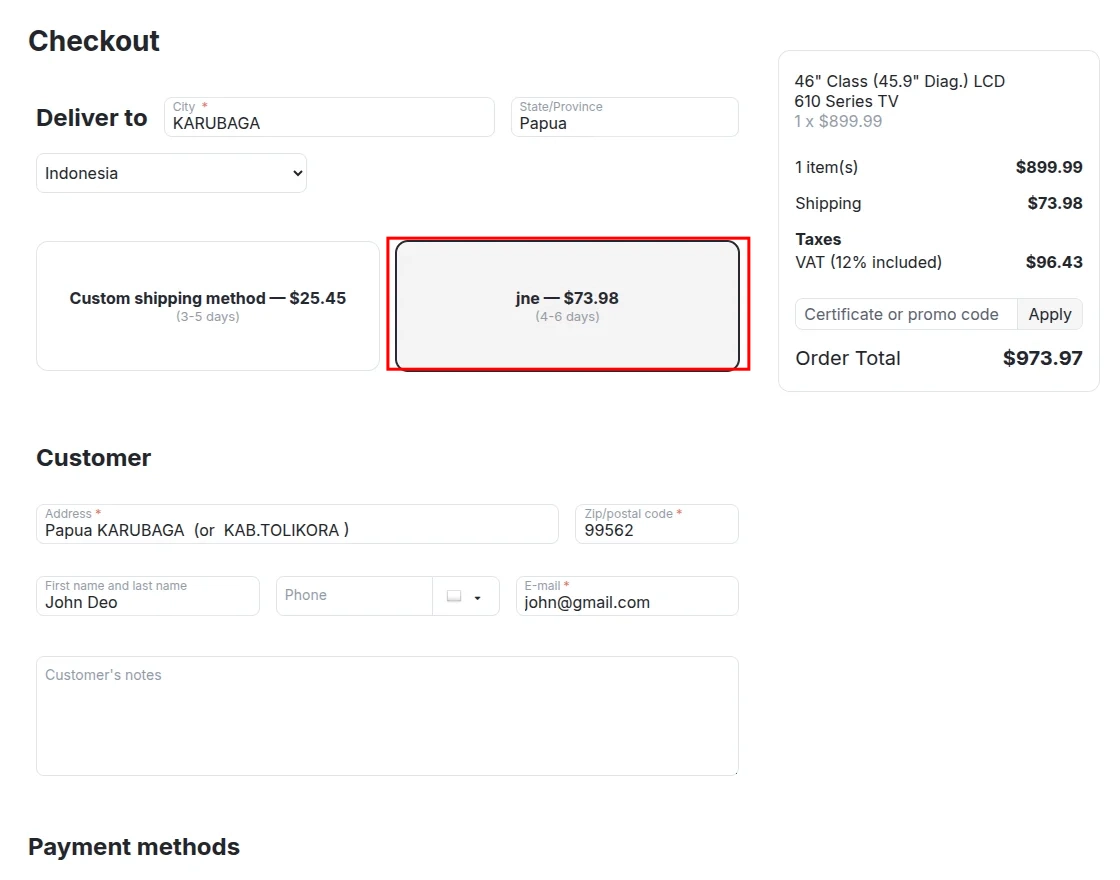
After selecting the JNE shipping method, the customer can proceed to place the order.
Support
If you have any questions, suggestions, or customization requests, feel free to contact us at [email protected] or submit a ticket at webkul.uvdesk.com.
Explore our premium-quality CS Cart Extensions to enhance your store functionality.
You can also explore our CS-Cart Development Services and Quality CS-Cart add-ons.
Current Product Version - 1.2
Supported Framework Version - 4.18


You need to contact jne to get your API key. This connector is to integrate JNE so you can not use any other API.
If you want to ask any other question then kindly create a ticket on http://webkul.uvdesk.com