


















CS-Cart Vendor Custom Registration enhances the default vendor registration process by allowing marketplace owners to collect additional information from vendors during signup.
With this add-on, administrators can create and manage custom registration fields to collect additional vendor information during registration.
The add-on helps streamline vendor onboarding, improves the verification process, and ensures that marketplace owners receive all the necessary information before approving vendor accounts.
Note:
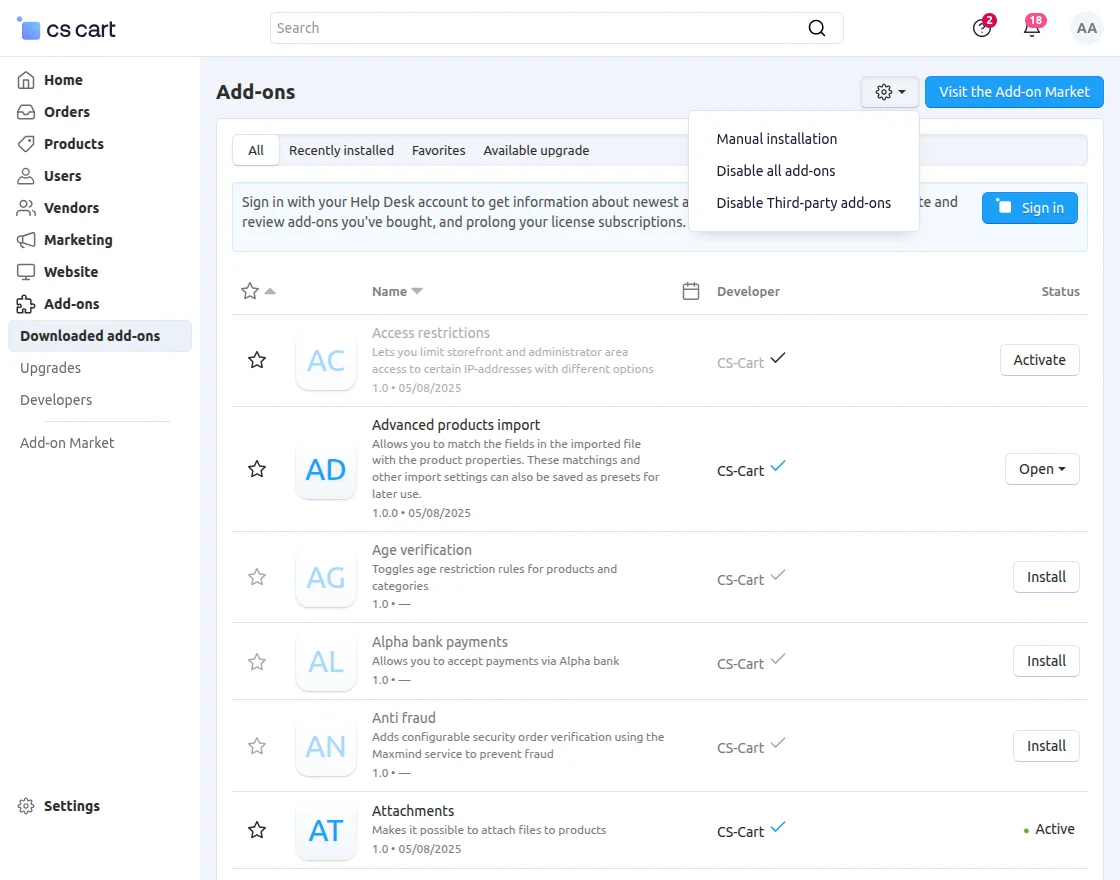
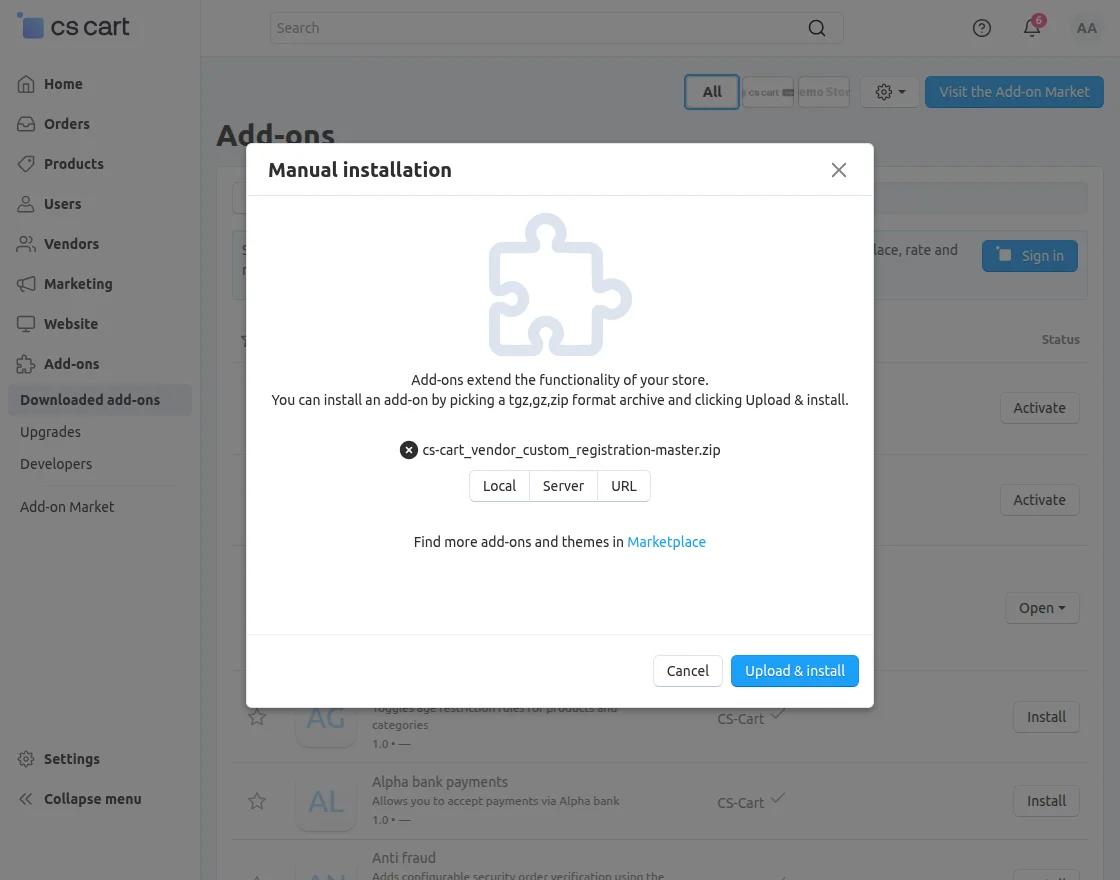
- Install the add-on.
- Enter the license key.
- Follow the license activation steps.
Also, check out our CS-Cart Delivery Feedback System add-on to collect customer delivery feedback and improve the delivery experience.
Features
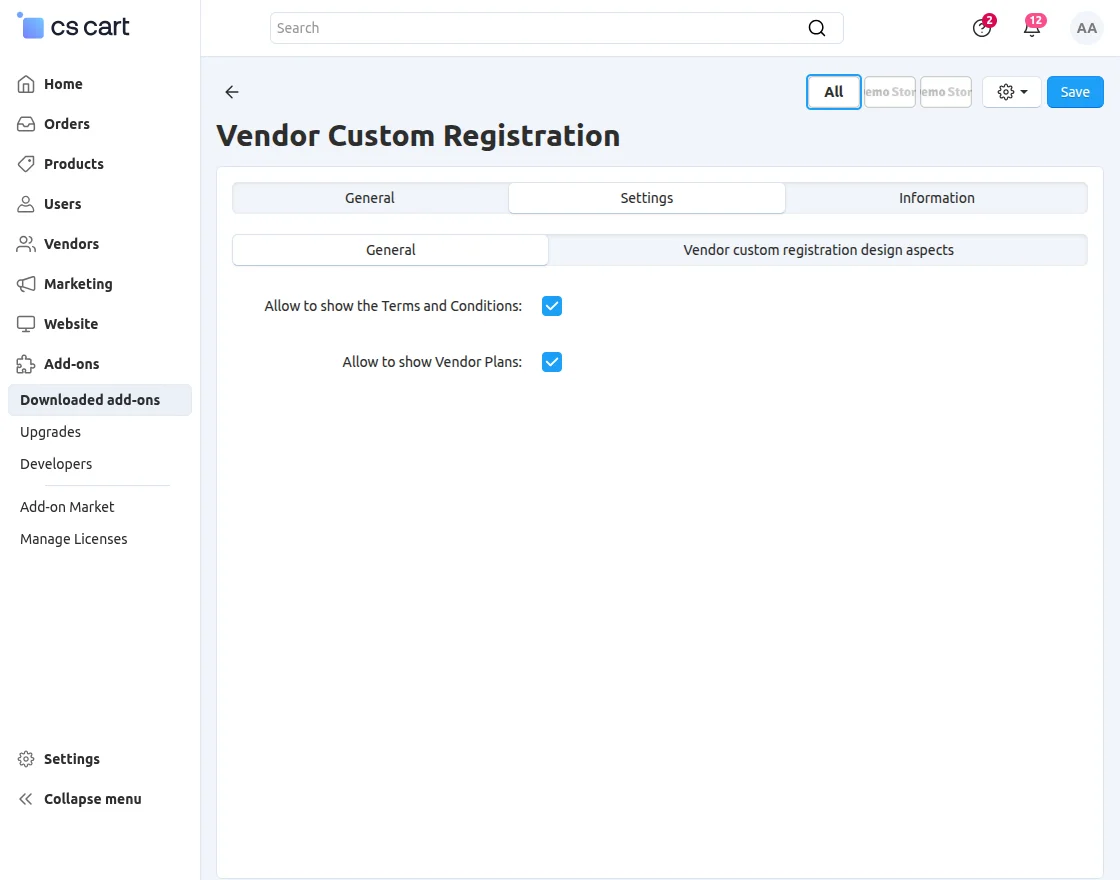
- Allow to Show Vendor Plans: Enable this setting to display available vendor plans on the vendor registration page.
- Allow to Show Terms and Conditions: Enable this setting to display the Terms and Conditions on the vendor registration page.
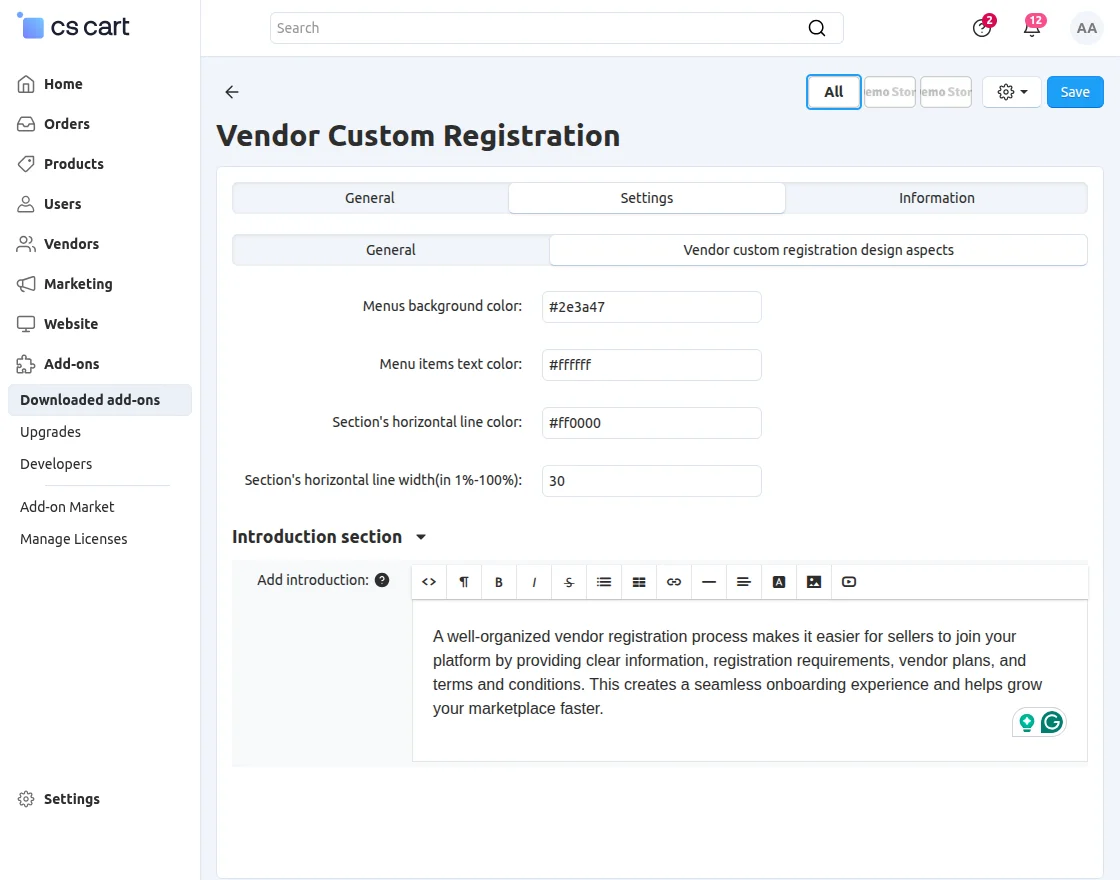
- Menu Items Text Color: Set the text color for menu items.
- Section Horizontal Line Color: Set the color of the section’s horizontal line.
- Section Horizontal Line Width (1%–100%): Specify the width of the horizontal line in percentage.
Vendor Custom Registration
To configure the Vendor Custom Registration add-on, navigate to Settings >> Vendor Custom Registration.
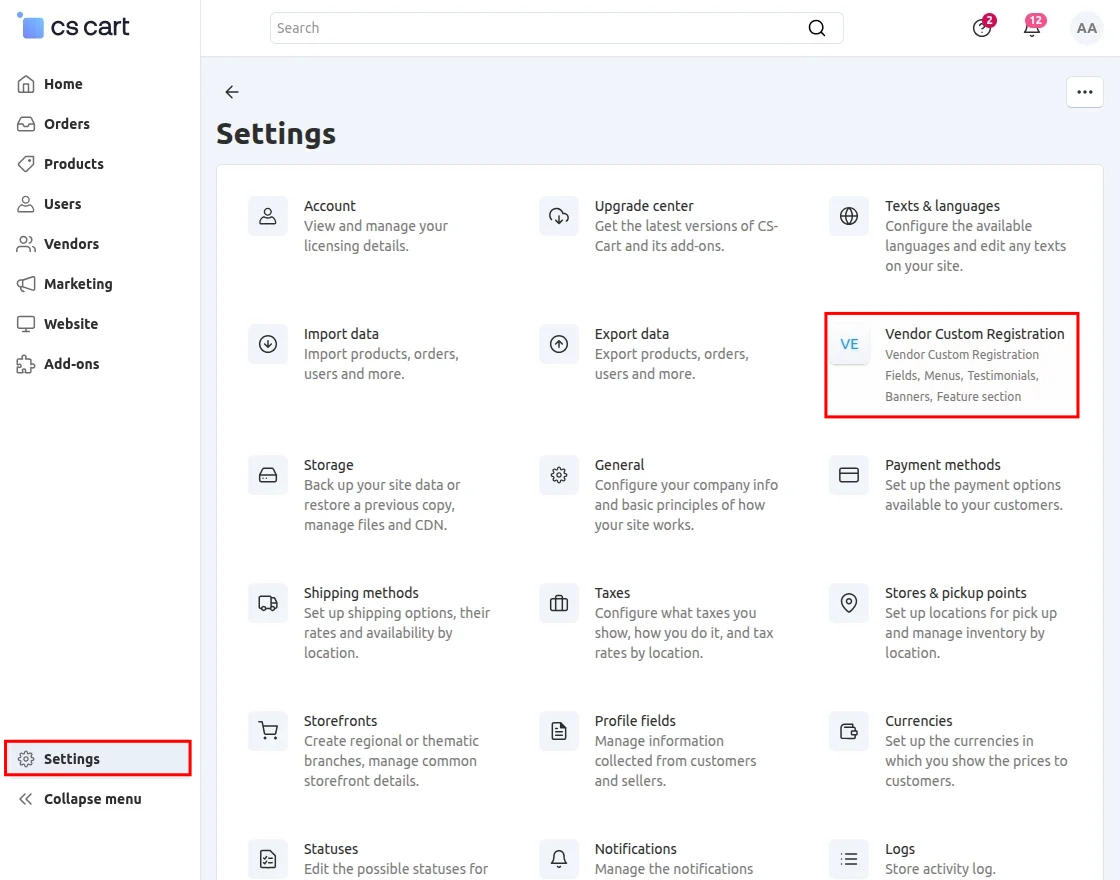
From here, admin can configure all the settings related to the vendor registration process.
Vendor Custom Registration
To manage the custom vendor registration settings, navigate to Settings >> Vendor Custom Registration.
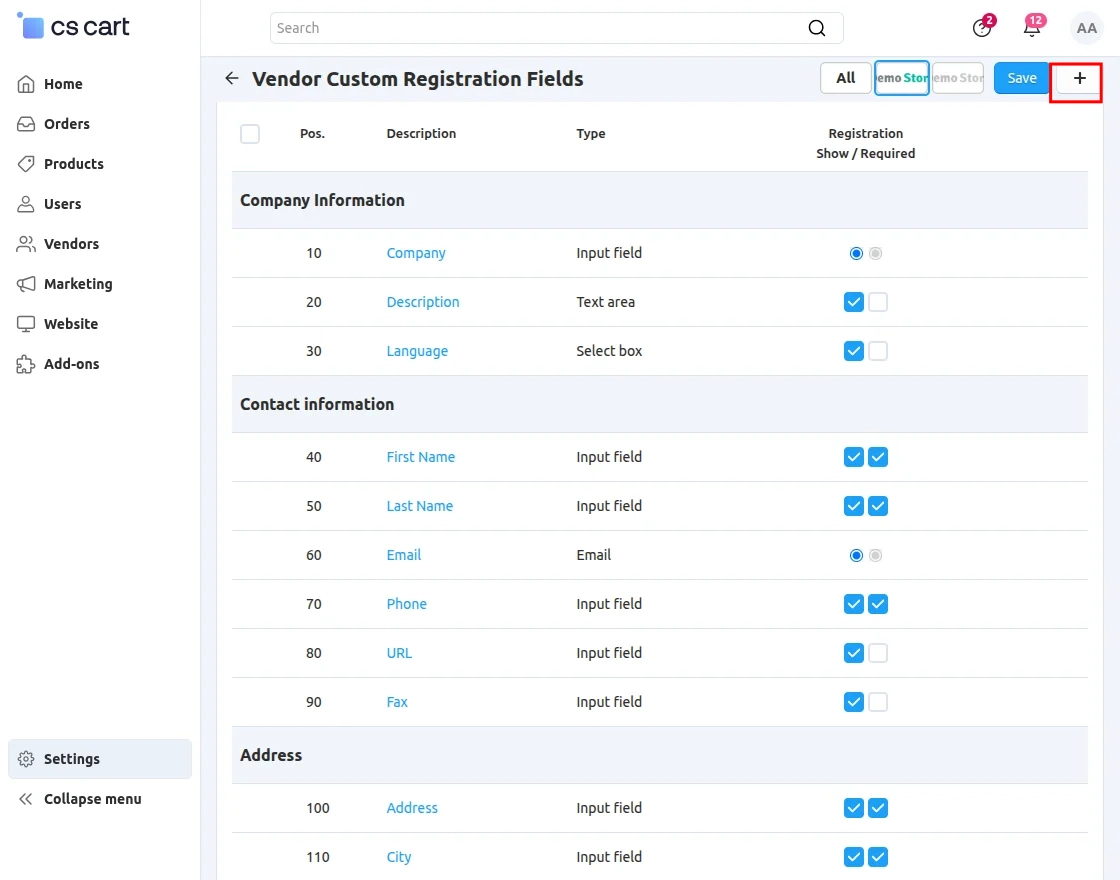
From here, the administrator can add, manage, edit, and delete custom registration fields as needed.
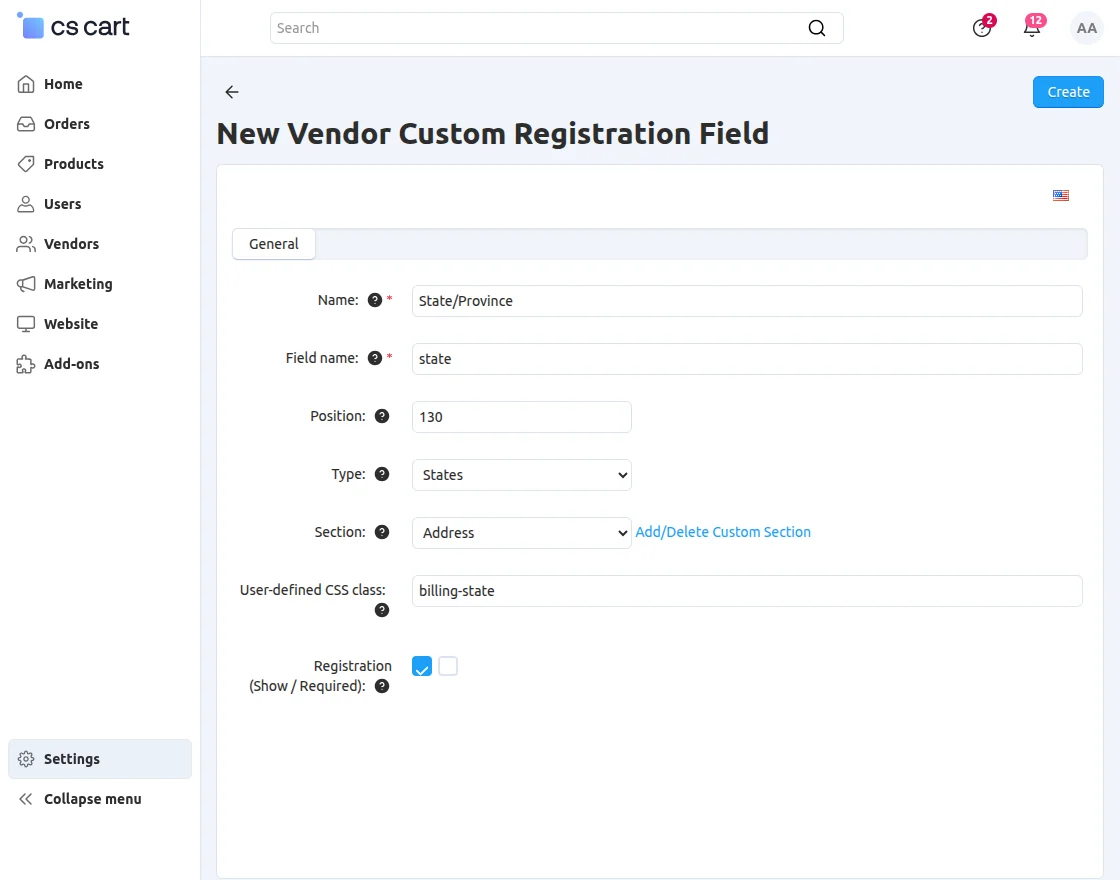
While creating a field, the administrator can configure details such as the field name, position, field type, section, and user-defined CSS class.
Menus
Click on the Add Menu button to add a new menu item.
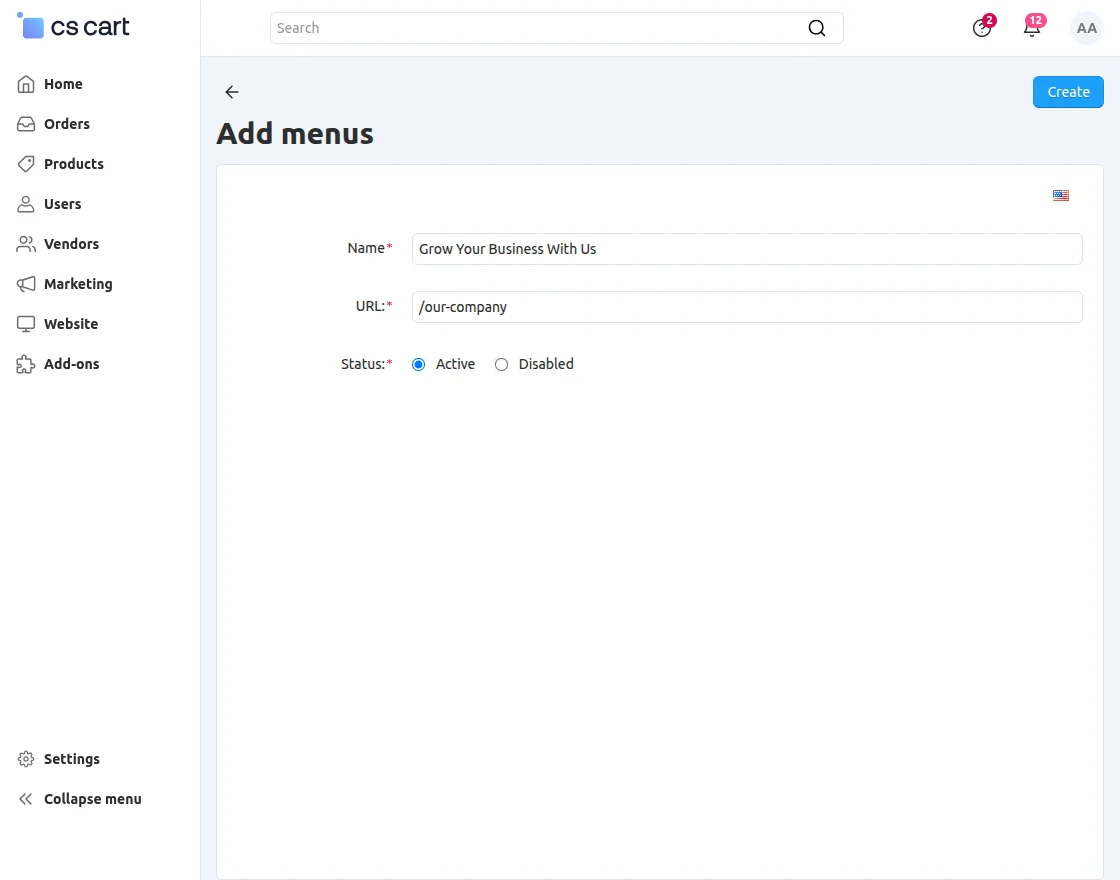
Enter the Name and URL, then set the Status of the menu.
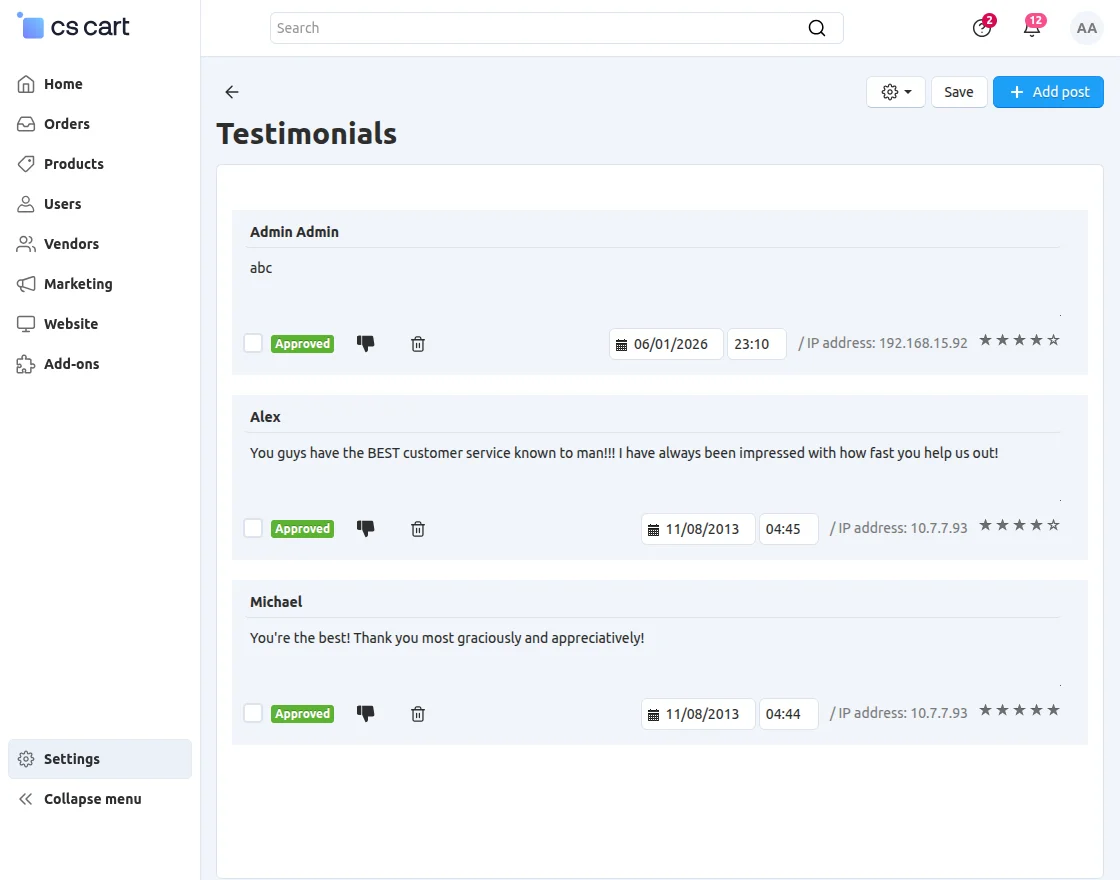
Testimonials
Manage Testimonials and approve or disapprove them to control their visibility on the vendor profile page.
Navigate to Settings >> Vendor Custom Registration >> Banners to manage banners.
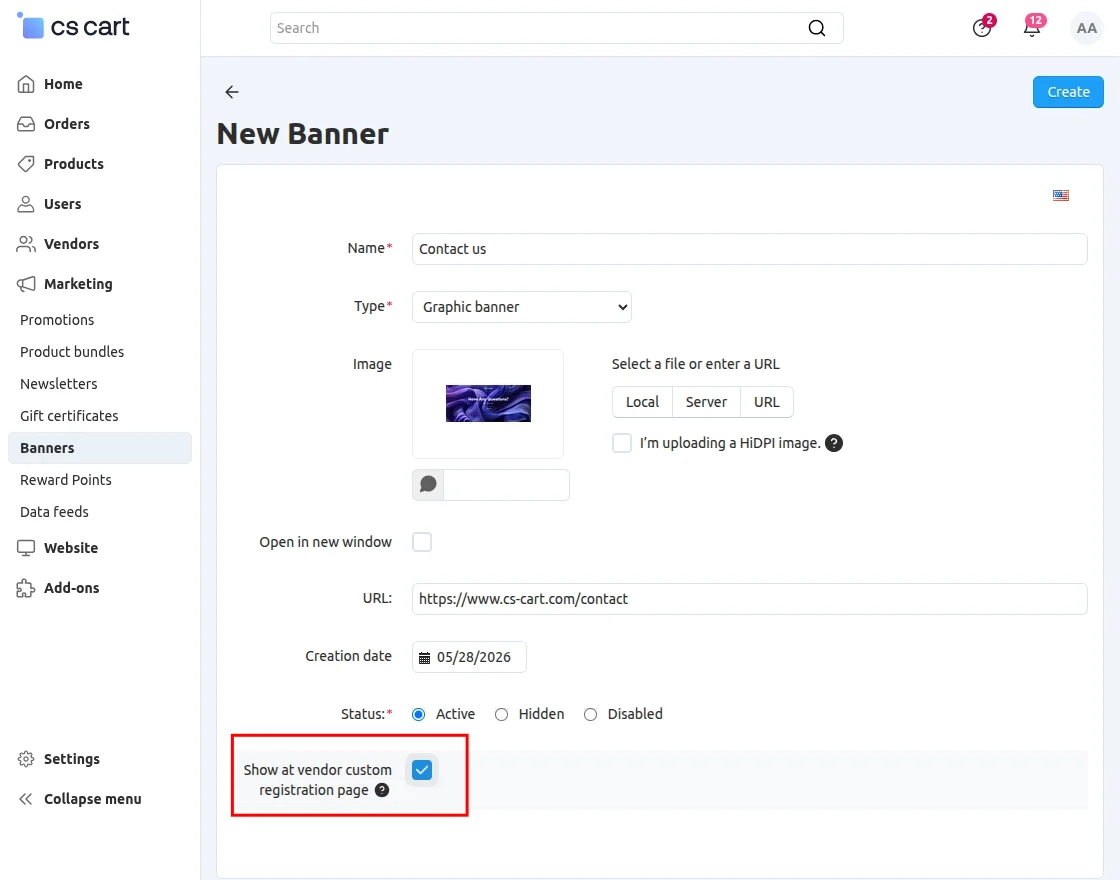
- Name: Enter the name of the banner.
- Type: Select the type of banner.
- URL: Enter the URL to which the banner will redirect users.
- Show at Vendor Custom Registration Page: Enable this option to display the banner on the vendor custom registration page.
Features
Navigate to Settings >> Vendor Custom Registration >> Features to manage features.
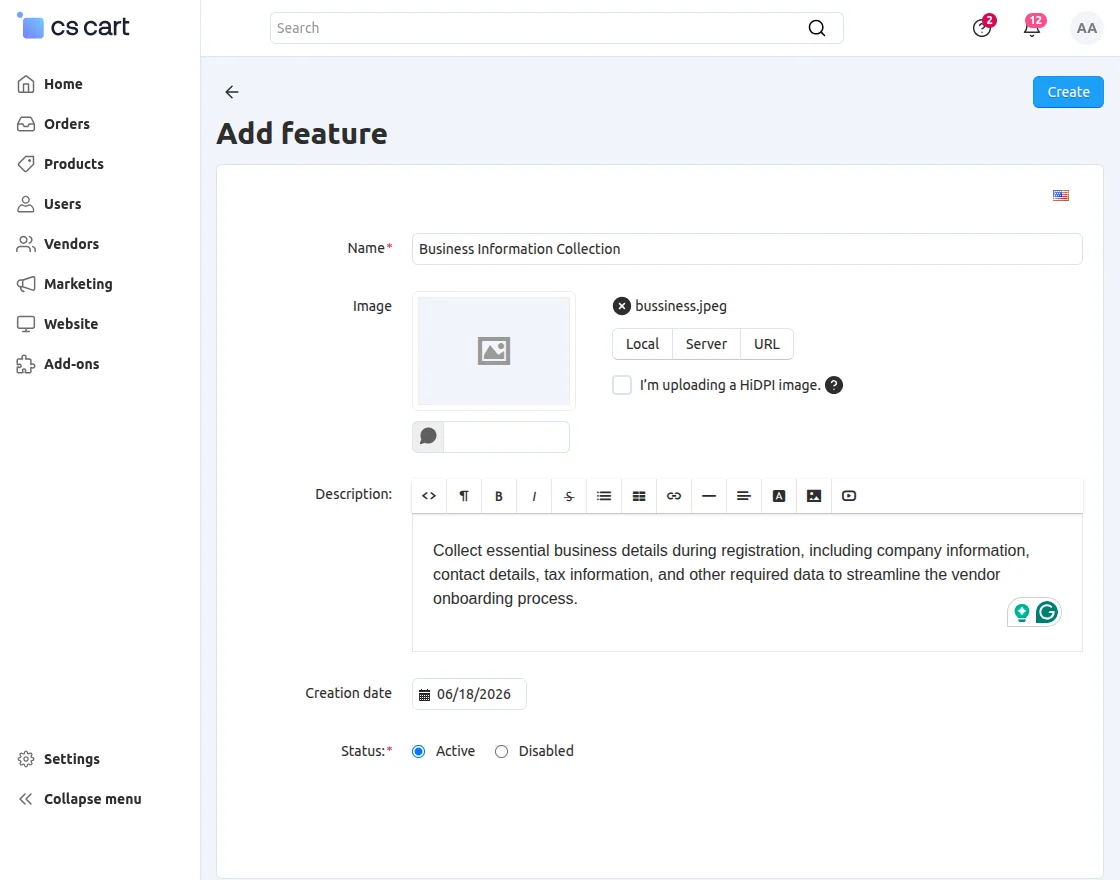
To add a feature, enter the Name and Description, then set the Status.
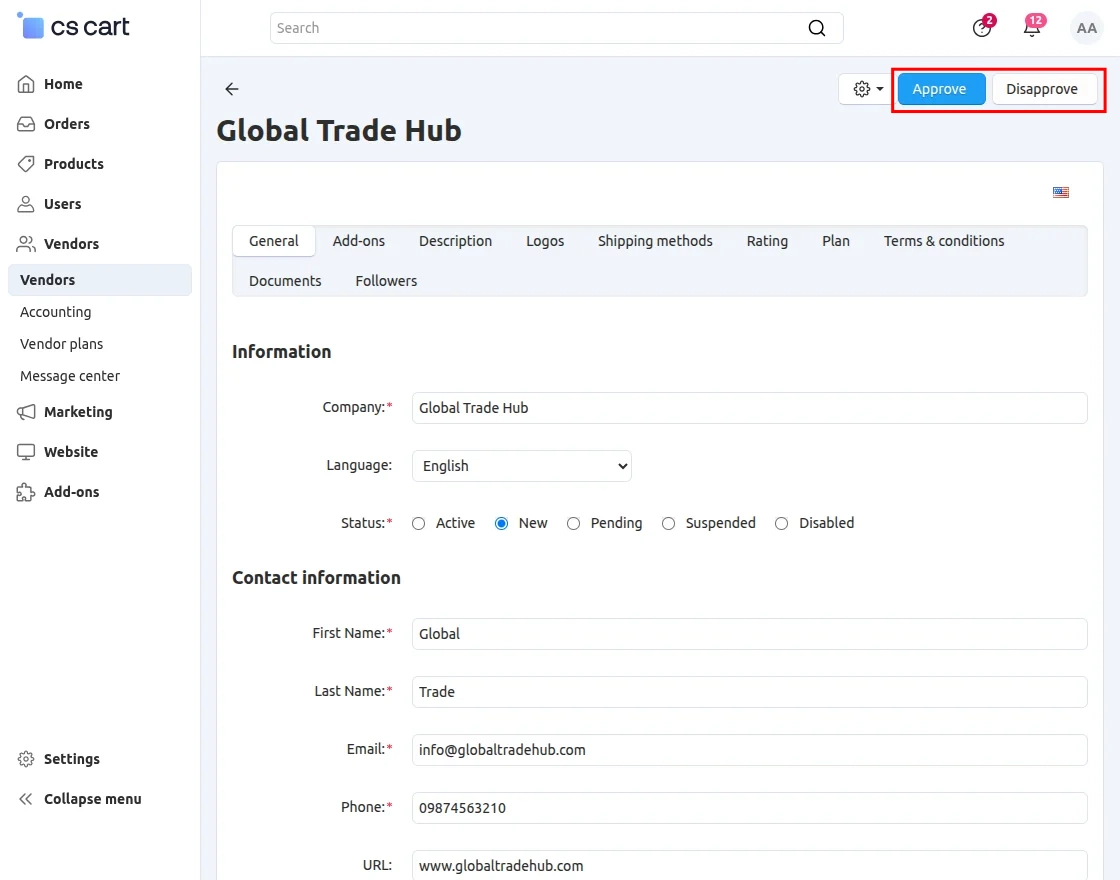
When a customer requests to become a seller, the administrator receives an email notification.
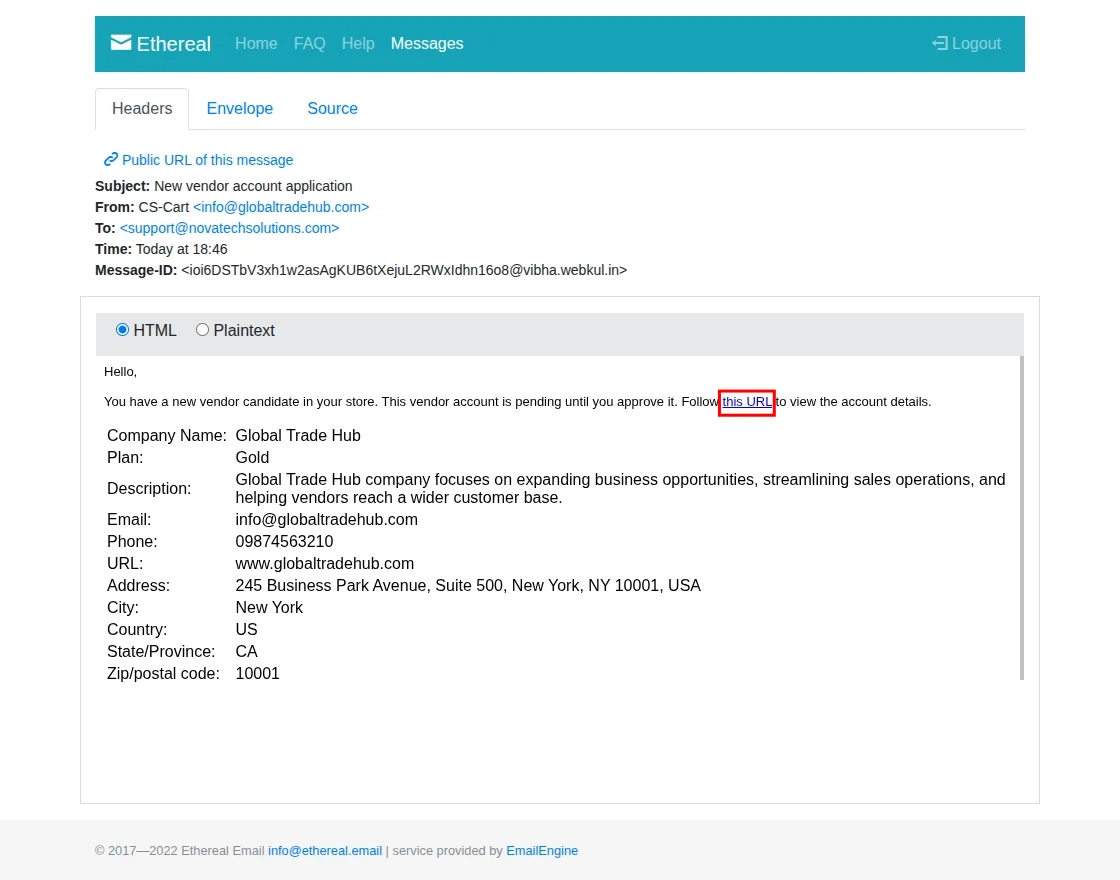
After clicking the URL in the email, the administrator is redirected to the Vendor Requests page, where they can view the submitted details and approve or disapprove the vendor request.
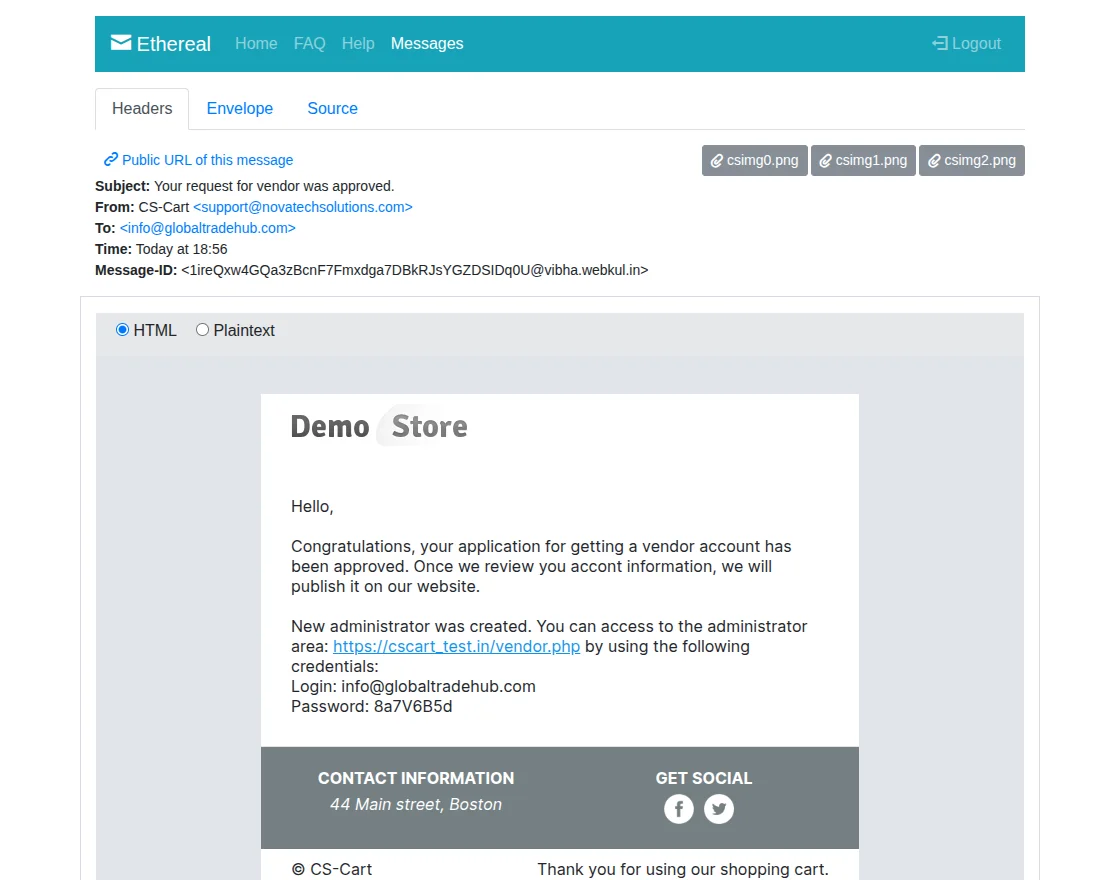
After the administrator approves or disapproves the request, the vendor receives an email notification about the request status.
Storefront
When vendors navigate to the Become a Seller page, they can view all the information configured by the administrator.
This includes banners, company information, features, vendor plans, terms and conditions, and other registration-related content.
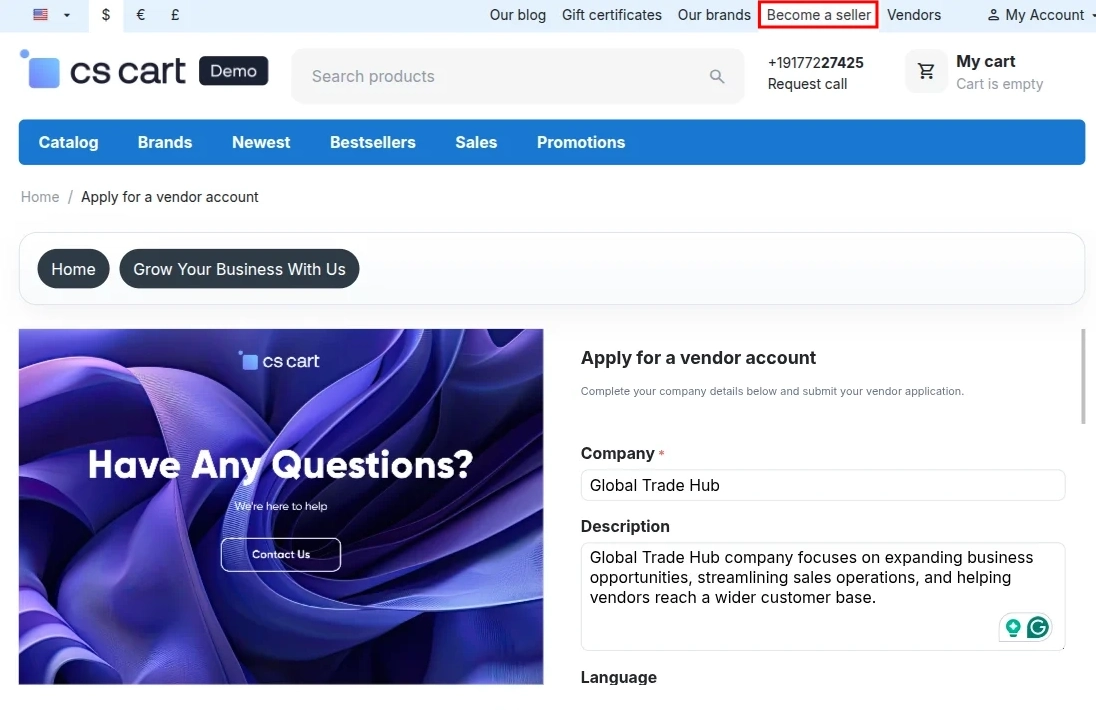
From here, sellers can fill in their basic registration details, such as their name, email address, company information, and other required information to create a vendor account.
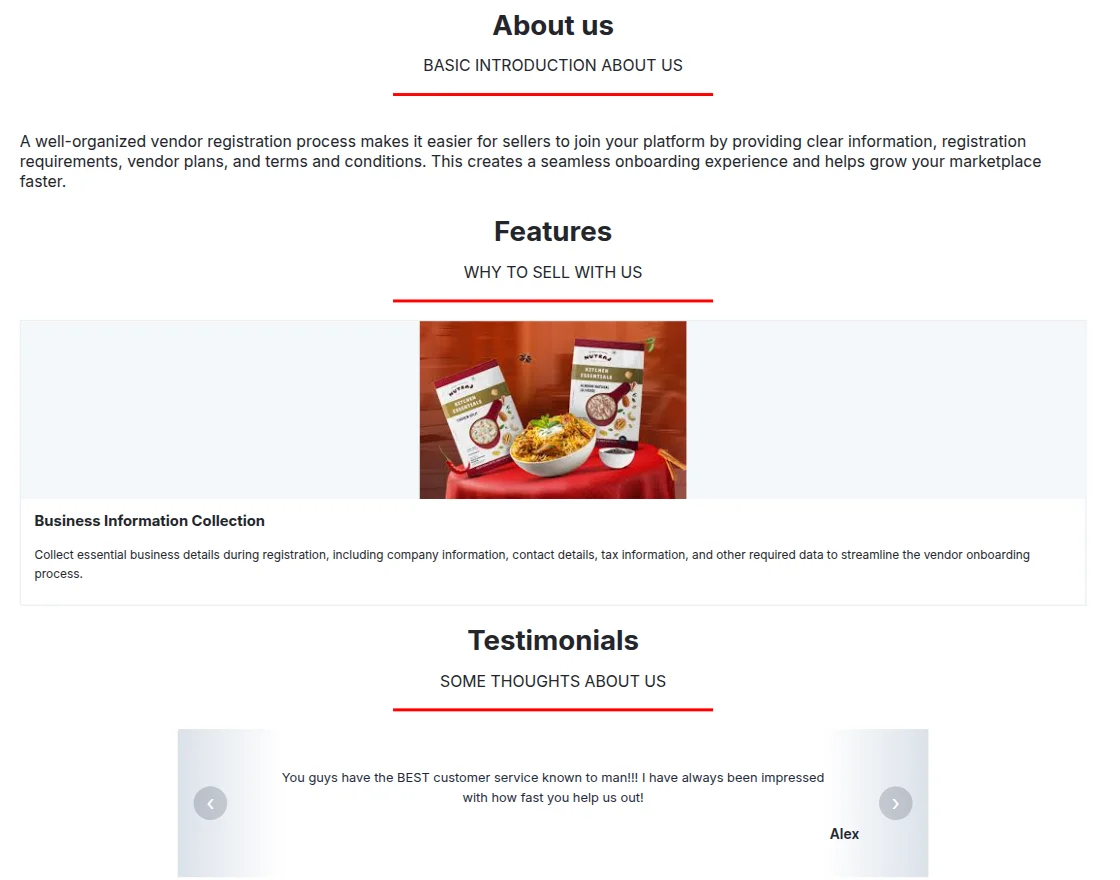
Vendors can view company details, features, reviews, and other information before registering.
Support
If you have any questions, suggestions, or customization requests, feel free to contact us at [email protected] or submit a ticket at webkul.uvdesk.com.
Explore our premium-quality CS Cart Extensions to enhance your store functionality.
You can also explore our CS-Cart Development Services and Quality CS-Cart add-ons.
Current Product Version - 3.1
Supported Framework Version - 4.18.x, 4.19.x, 4.20.x


Can we import these custom fields while bulk importing vendors?
Thanks in advance