Bagisto Daily Deal Extension – Laravel eCommerce Daily Deals
The Bagisto Daily Deal extension adds time-bound product discounts to your storefront. Merchants run live deals, schedule upcoming promotions, and show countdown timers and cart savings — all managed from the admin panel. This guide walks through installing, configuring, and using the module on Bagisto v2.4.11.
Bagisto is an open-source Laravel 12 eCommerce platform. Every feature ships as a self-contained package, and the Daily Deal module follows that same convention.
What the Bagisto Daily Deal Extension Does
The module introduces a configurable status switch that controls whether deal features are active across the shop. When it is enabled, merchants assign a percentage or fixed-amount discount to individual products, set quantity limits, and display countdown timers on product pages.
The module also adds admin analytics for views, purchases, and revenue, plus a CSV import for creating deals in bulk.
Features of the Bagisto Daily Deal Extension
- Channel-based status switch — a master on/off control for all deal surfaces.
- Live deals — products inside an active deal window display discounted prices.
- Upcoming deals — products with a future deal-from date appear in the Upcoming carousel with a Notify Me option.
- Discount types — percentage and fixed-amount pricing, with optional quantity caps.
- Admin grid and product panel — view, edit, and mass-update deals from the admin.
- CSV import — bulk-import deals by SKU, discount type, value, and date range.
- Analytics — total views, total purchases, and revenue over time for each deal.
- Customer carousels — Daily Deals Product, Upcoming Deals, Top Daily Deals sales, and Top viewed deals.
Those four carousels are seeded as theme sections, so you rearrange or remove them from Appearance like any other storefront block. Each one is backed by its own shop route, which means a carousel only queries the data it actually renders.
Deals work with simple, virtual, booking, and downloadable product types.
Installing the Bagisto Daily Deal Extension
- Unzip the respective extension zip and then merge “packages” and “public” folders into project root directory.
- Go to composer.json file and add following line under ‘psr-4’
# Add PSR-4 autoload mapping
"Webkul\\DailyDeal\\": "packages/Webkul/DailyDeal/src"
- Run composer dump-autoload to autoload the files
# Refresh composer autoload
composer dump-autoload
- Go to bootstrap/providers.php file and add following line under ‘providers’
use Webkul\DailyDeal\Providers\DailyDealServiceProvider;

inside return [...]

DailyDealServiceProvider::class,
- Run the module installation command to setup the Daily Deals module
# Install the extension (migrate, seed, publish assets)
php artisan daily-deals:install
- Schedule the command to automatic trigger and expire the product on deal ending
# Lifecycle (auto-scheduled every minute)
php artisan daily-deals:process-lifecycle
The install command runs the migrations, seeds the theme sections, and publishes the assets in one pass. The lifecycle command is registered on the scheduler and runs every minute, so deals open and close on their configured timestamps without any manual intervention. Make sure the Laravel scheduler itself is running via cron, otherwise deal windows will never advance.
Configuring the Bagisto Daily Deal Extension
The sole configuration field is the Status switch under Configure → Daily Deals → Daily Deals Setting → Status. When the switch is off, every shop deal route returns 404, the admin menu is hidden, and pricing overrides have no effect.
Per-deal discount values and date windows are set on the product edit screen instead.
The switch is enforced by dedicated middleware on every shop deal route rather than by hiding links in the theme, so disabling the feature genuinely closes the endpoints instead of merely concealing them. The module also overrides the simple product type so discounted pricing renders consistently — original price struck through, deal price beside it — everywhere the price HTML is used.
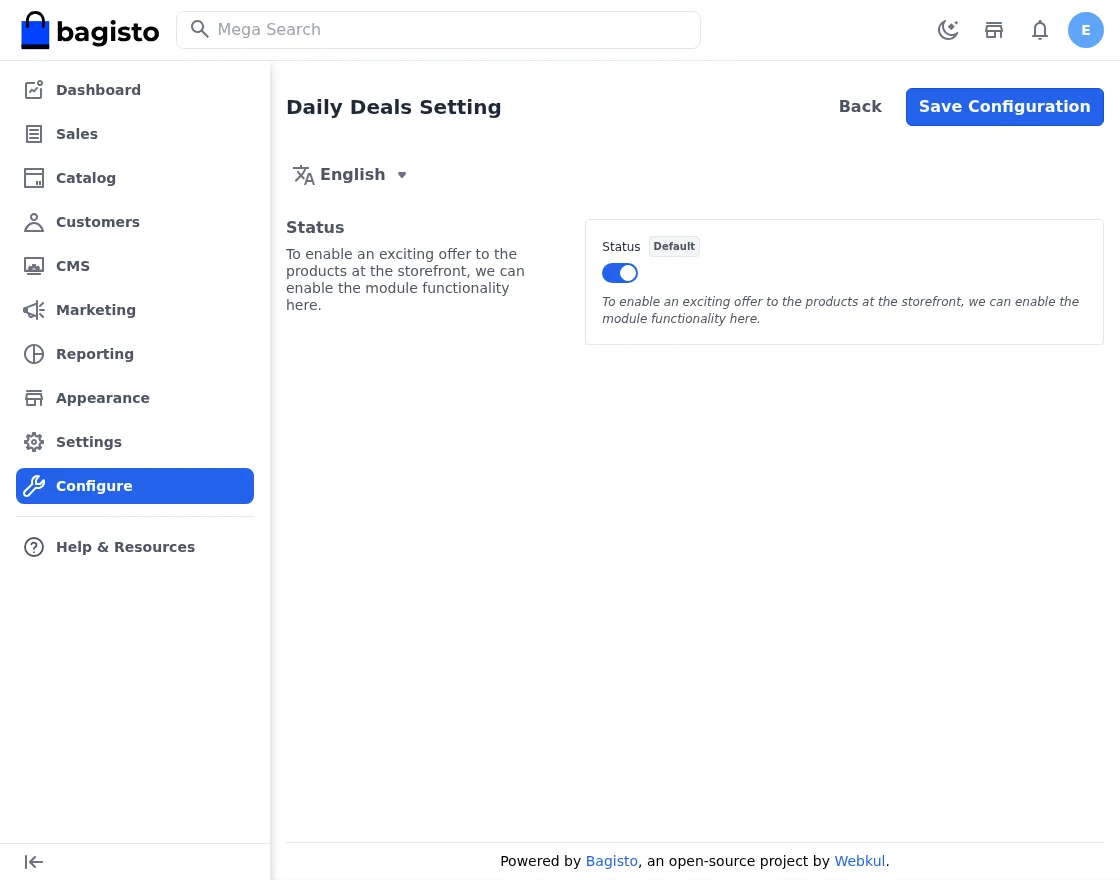
Step-by-Step: Enabling the Daily Deals Status
- Log in to the admin panel at
/admin/login. - Navigate to Configure → Daily Deals → Daily Deals Setting → Status.
- Toggle the Status checkbox to enable deals.
- Visit the shop front page and confirm the “Daily Deals Product” carousel appears.
Admin View of the Bagisto Daily Deal Extension
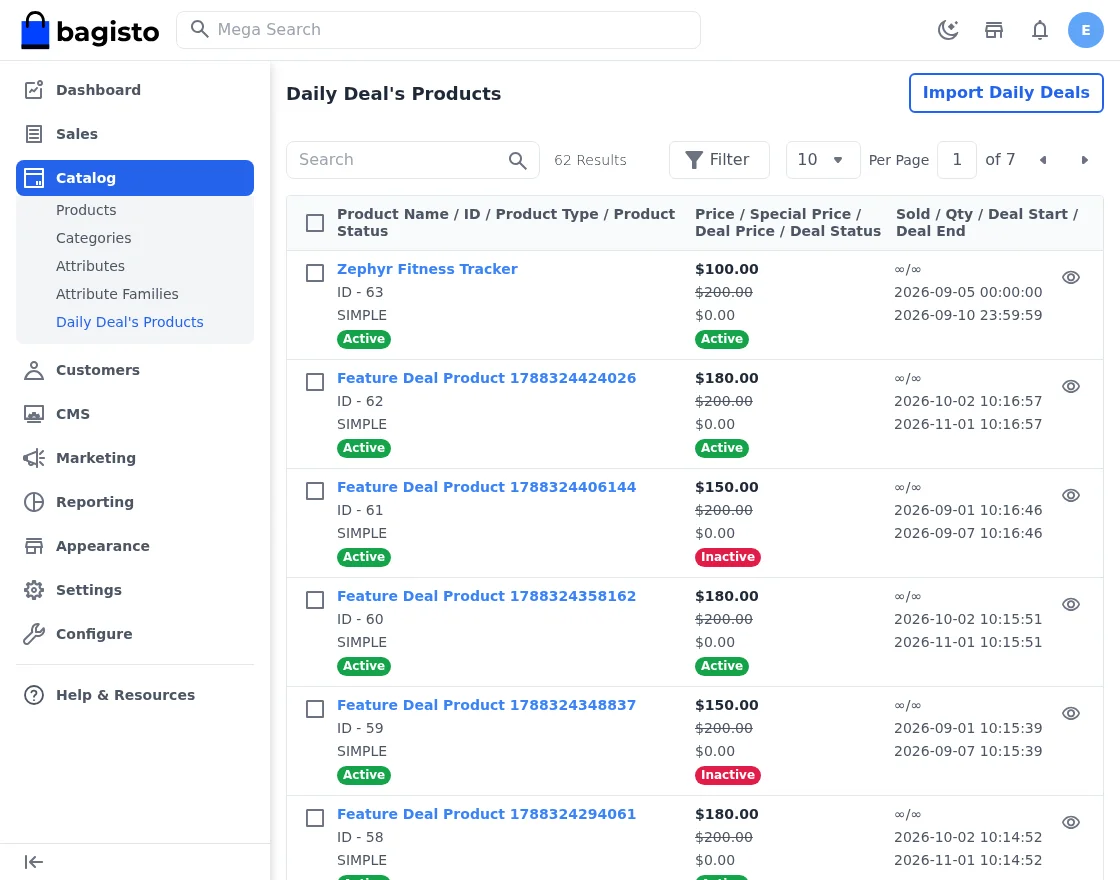
Daily Deal’s Products Grid
The grid lists every deal with its status, discount type, value, and date window. Filters and mass actions let you update several deals at once.
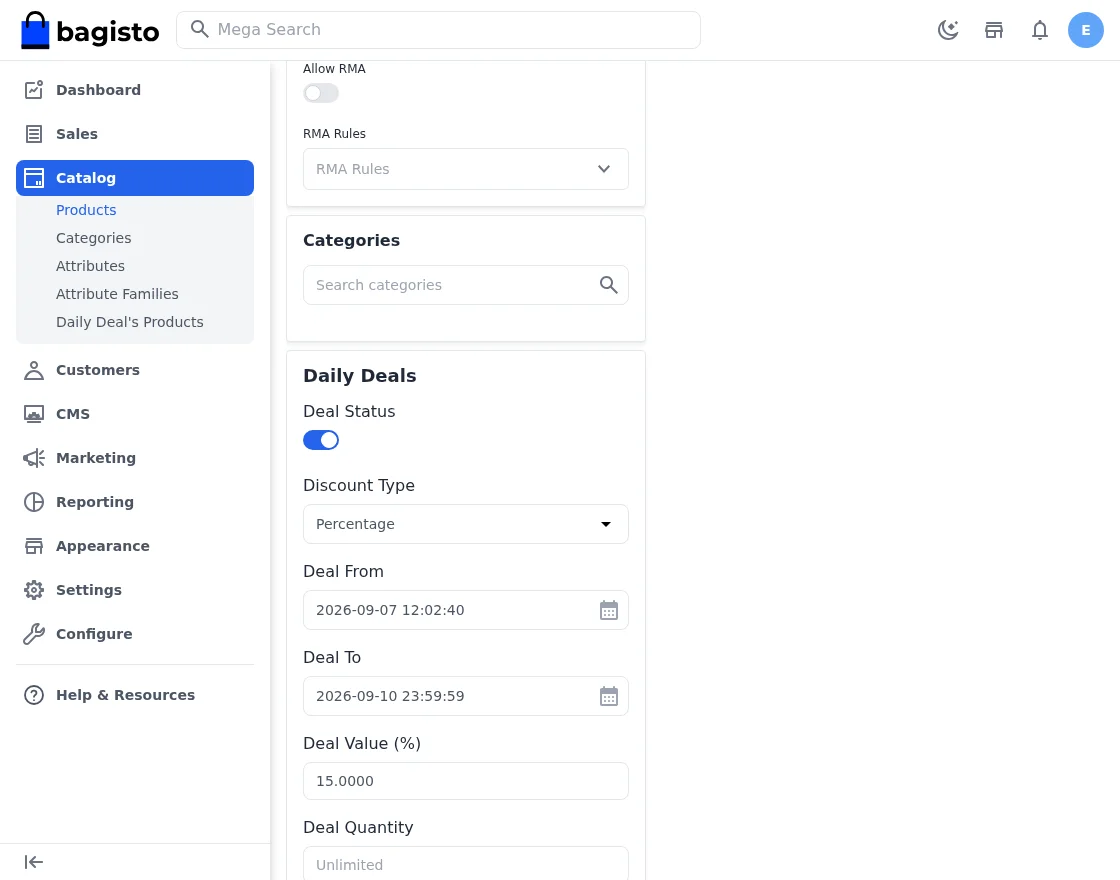
Product Edit – Daily Deals Panel
Each product edit screen gains a Daily Deals panel for the discount type, value, quantity cap, and the deal-from and deal-to dates.
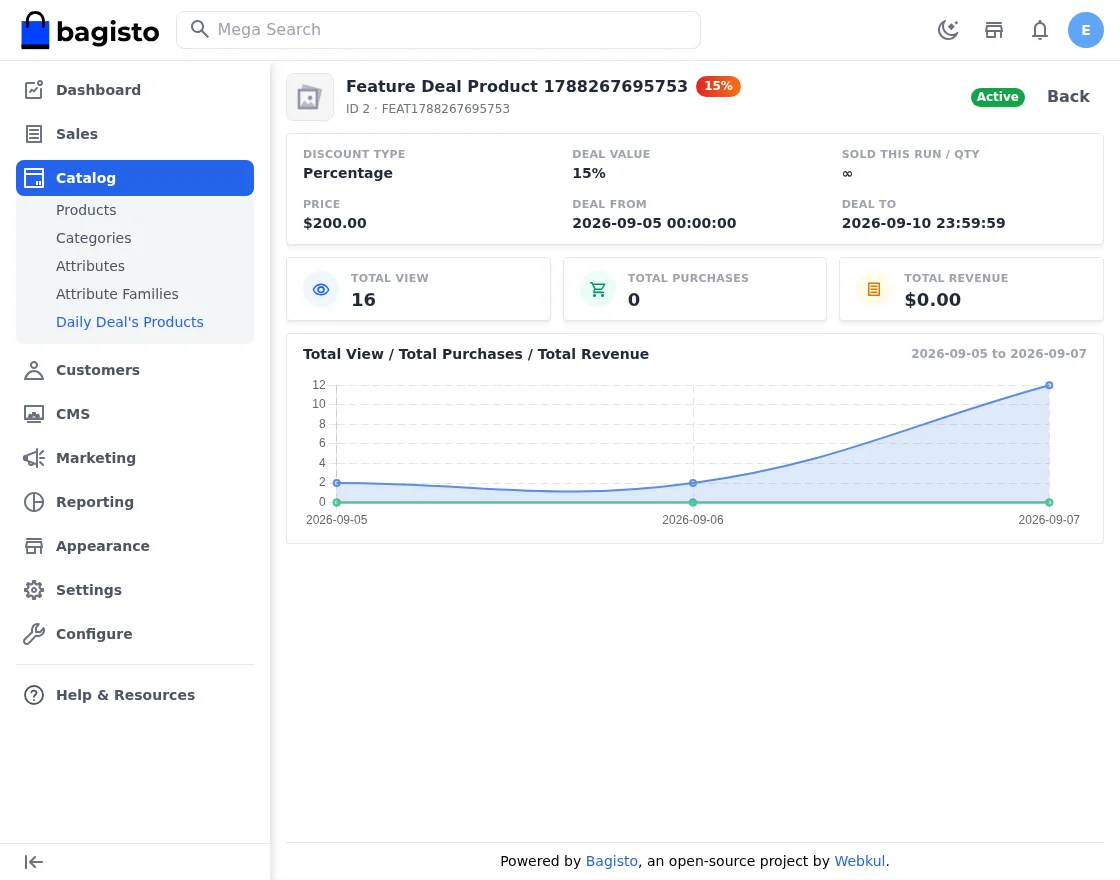
Deal Analytics and Reporting
Analytics report total views, total purchases, and revenue over time for each deal, so you can tell which promotions actually converted.
Views and sales are recorded in separate tables rather than derived from order history, so the numbers survive catalogue edits and stay accurate after a deal ends. Revenue is charted over time, which makes it easy to see whether a discount drove genuine incremental volume or simply cannibalised sales that would have happened anyway.
CSV Import
Step-by-Step: Importing a Deal CSV
- Go to Admin → Daily Deals → Import.
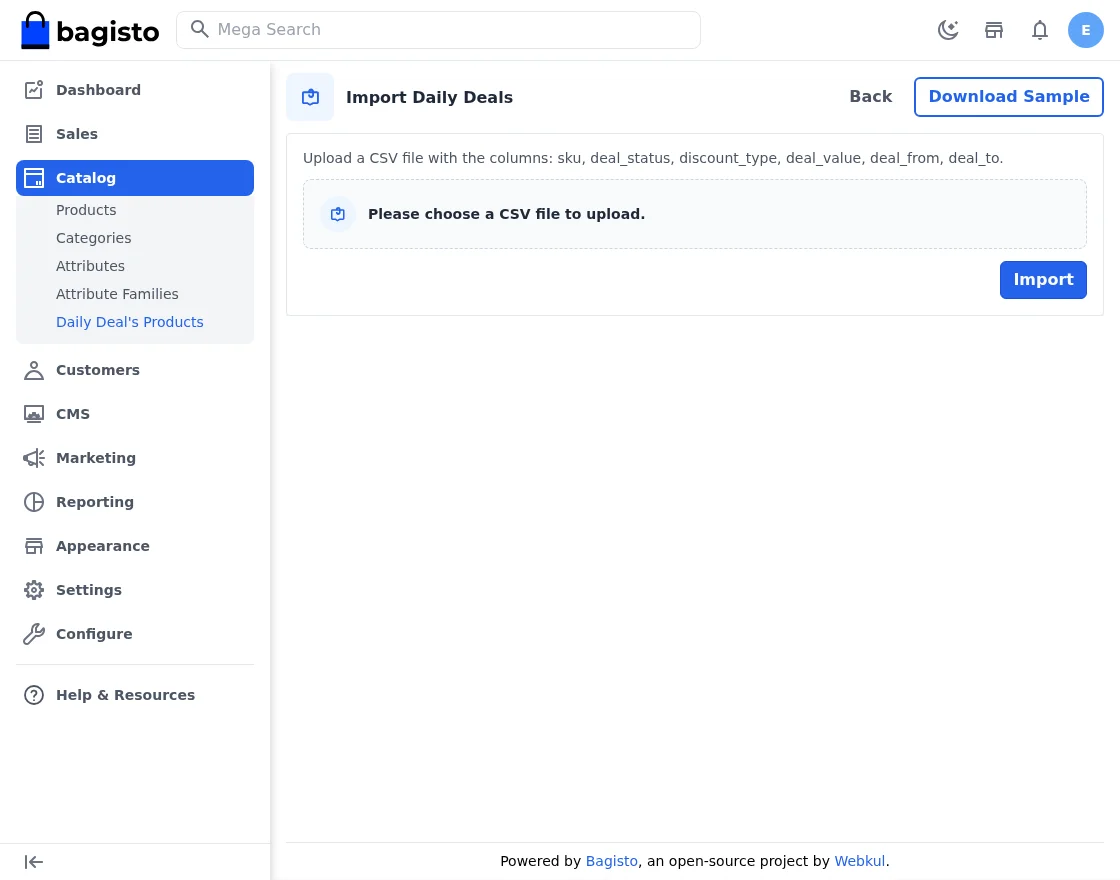
- Upload a CSV with the columns
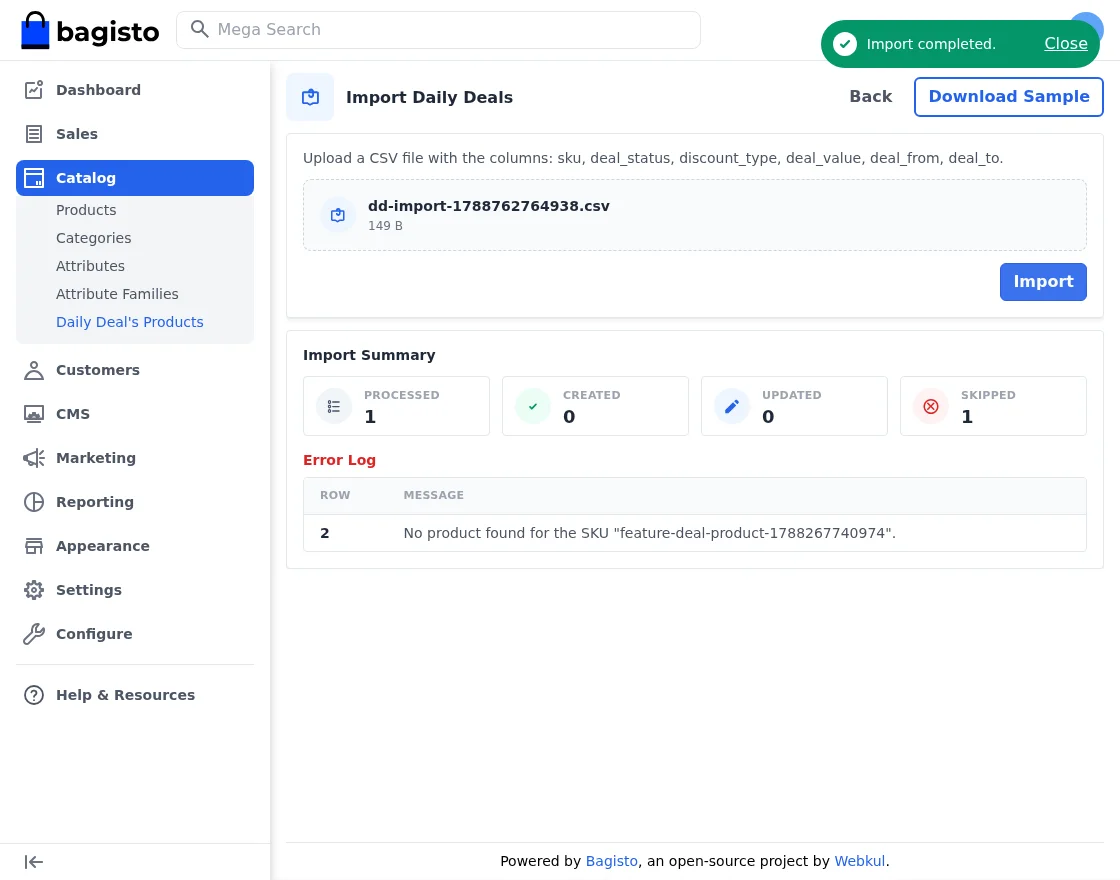
sku,deal_status,discount_type,deal_value,deal_from,deal_to. - Click Import and review the Import Summary tiles for processed, created, updated, and skipped rows.
Customer View on the Storefront
Collection Page
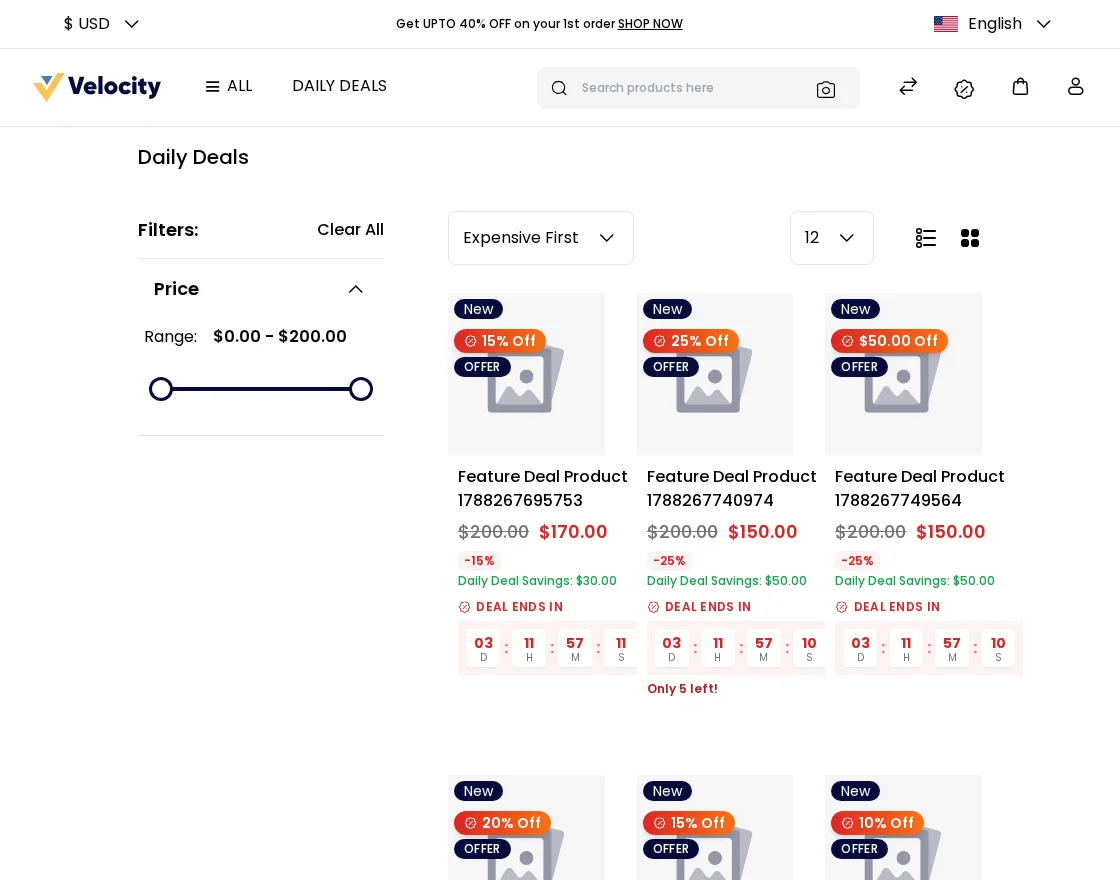
Live deals surface in dedicated carousels on the storefront, each showing the discounted price beside the original one.
Upcoming Deals and Notify Me
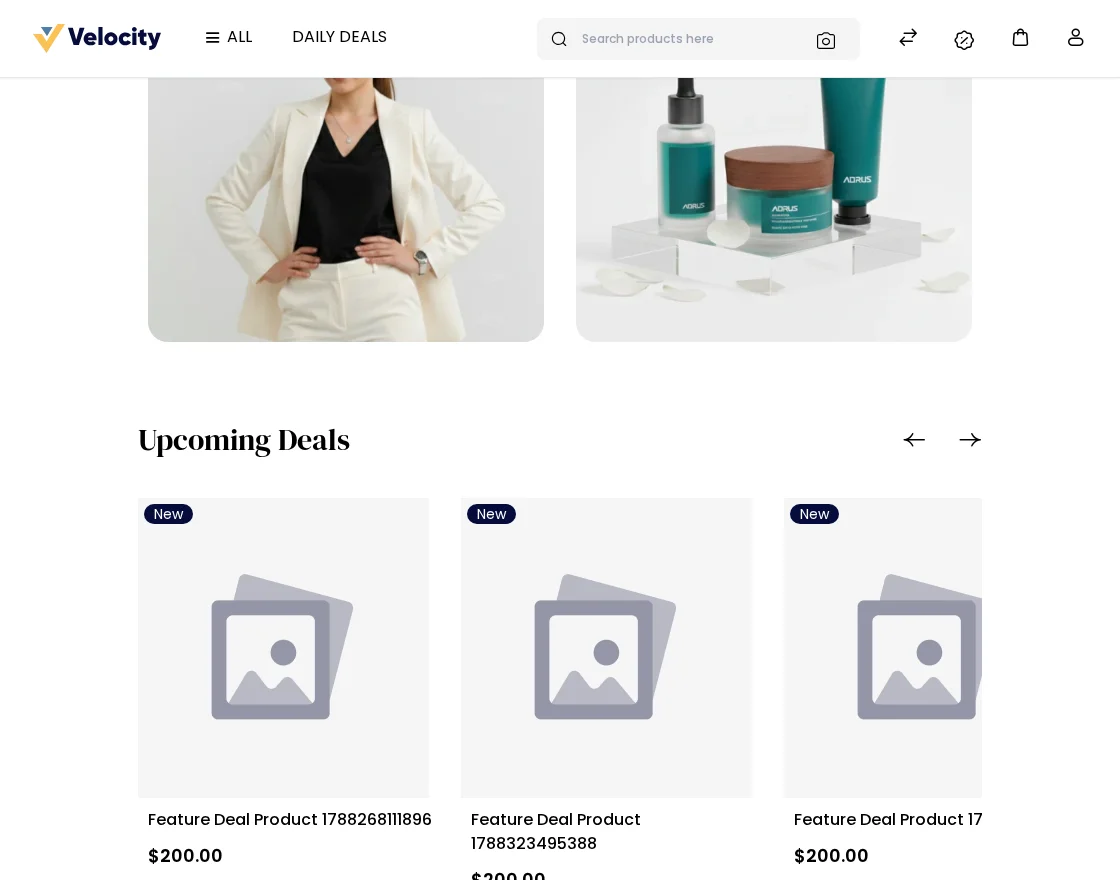
Deals with a future start date appear in the Upcoming carousel, where shoppers subscribe with Notify Me to hear when the deal opens.
Subscriptions are stored per product and email address, and the lifecycle command dispatches the notification mail the moment a deal goes live. The endpoint is open to guests so shoppers do not have to register first, and it is rate limited to stop a script enrolling addresses in bulk.
Product Page Countdown
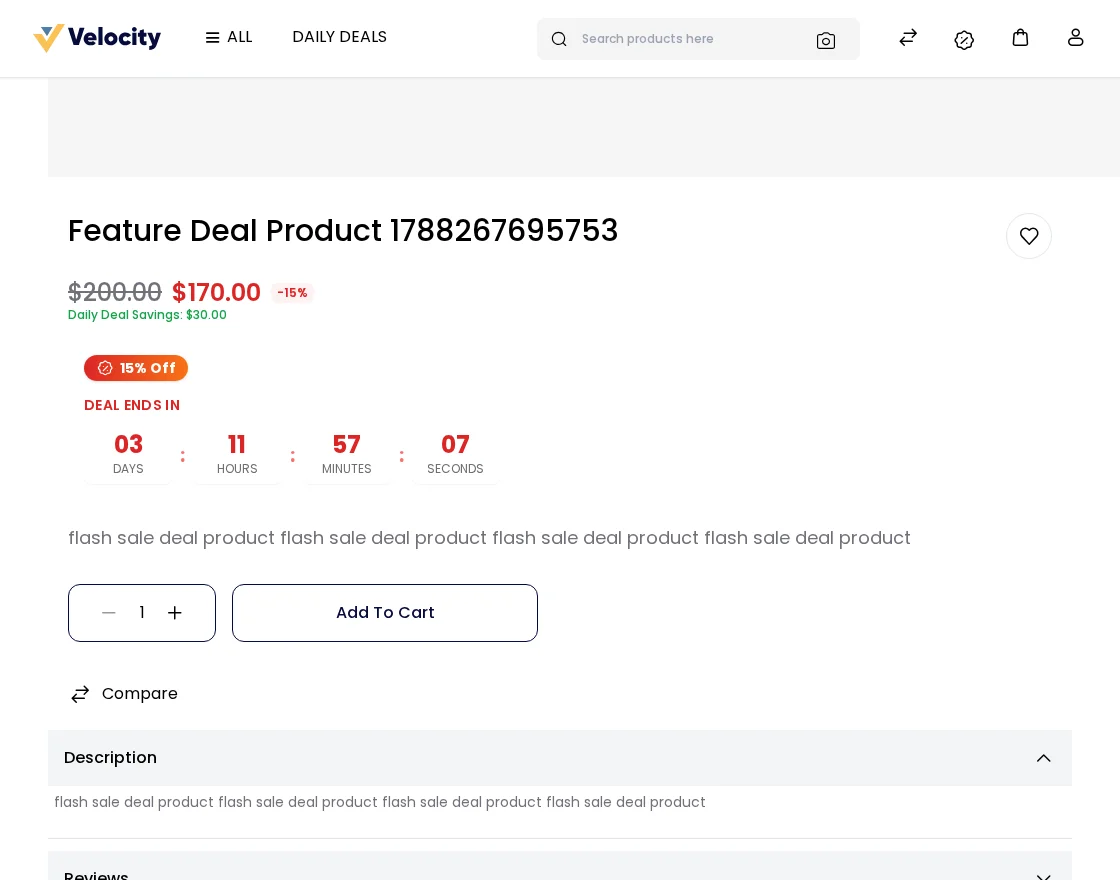
The product page shows a live countdown to the deal end time, along with the remaining quantity when a cap is set.
Cart and Checkout Savings
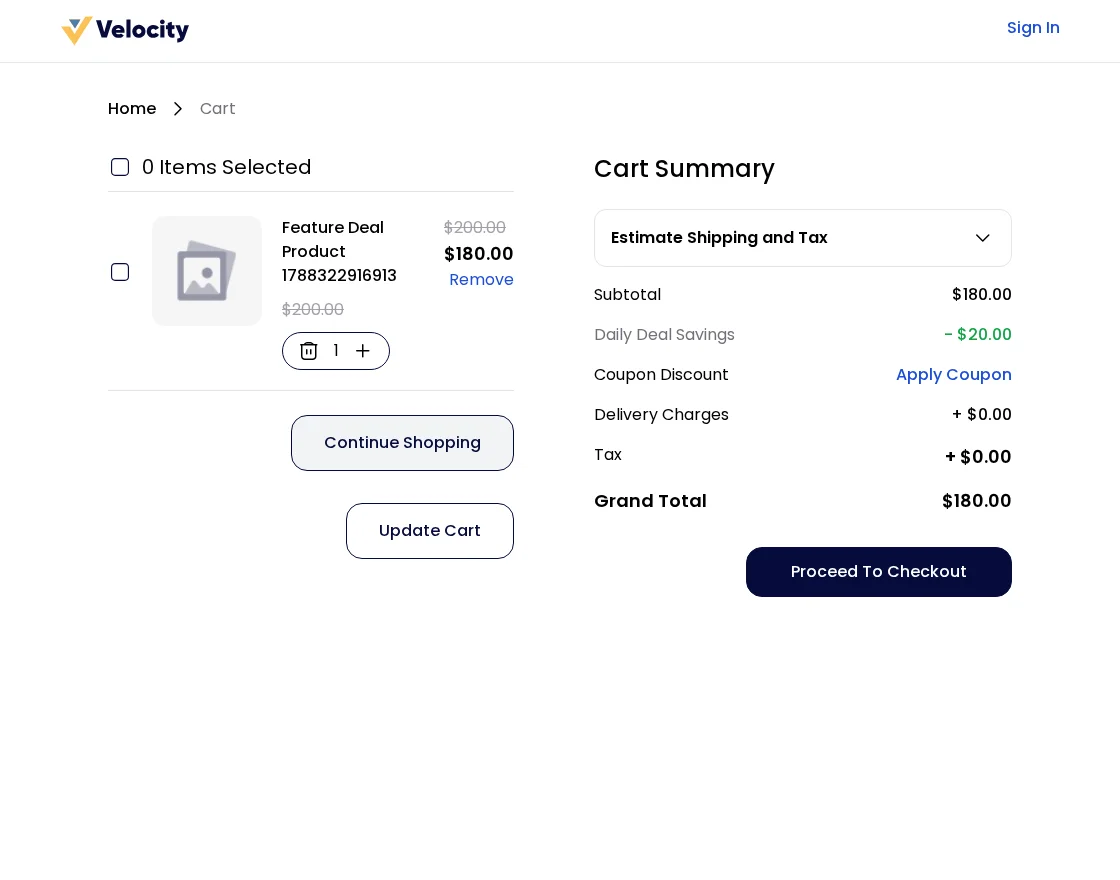
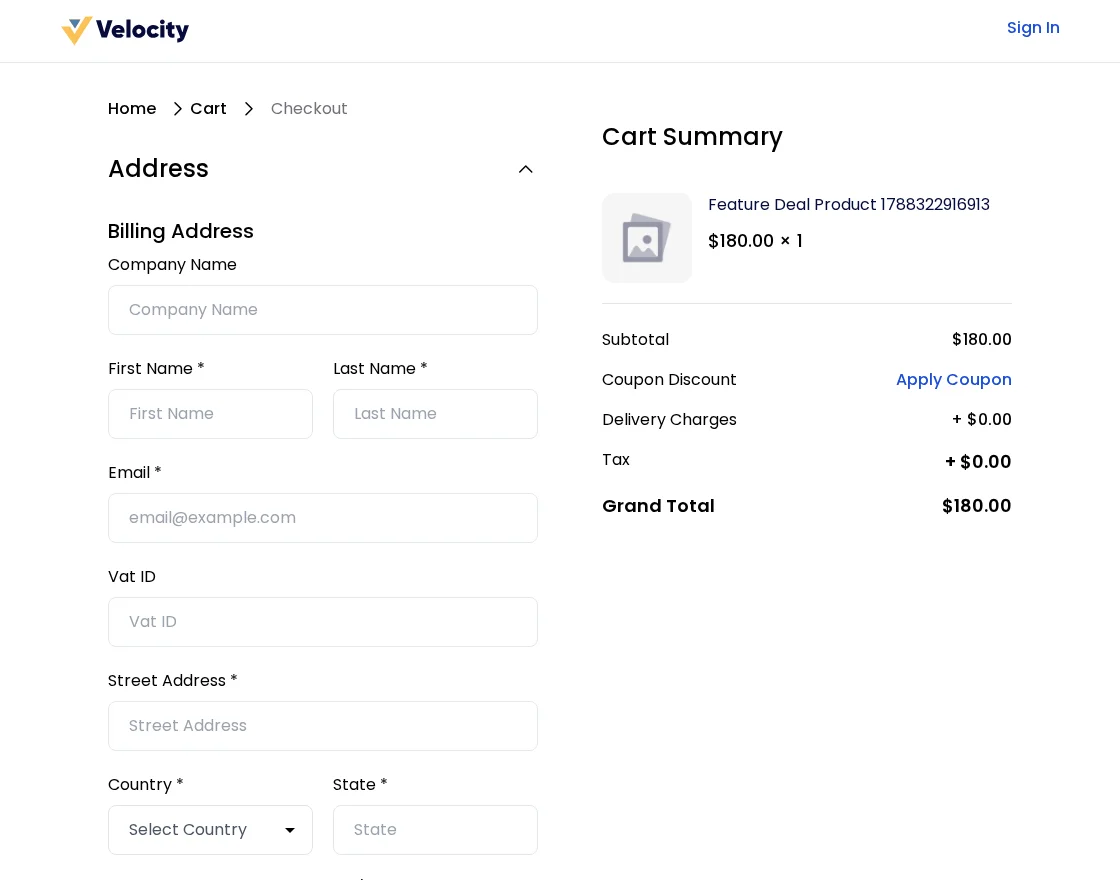
Deal pricing carries through the mini-cart, the cart page, and checkout, so the saving stays visible right up to the order summary.
Step-by-Step: Placing a Guest Order
- Add a deal product to the cart from the product page.
- Proceed to checkout and fill the guest billing form.
- Select a shipping method and a payment method, then click Place Order.
- The order populates
deal_salesand increments the product’ssold_qty, so capped deals show the remaining quantity.
Why Choose the Bagisto Daily Deal Extension
The module is a lightweight, channel-based mechanism for time-bound promotions. Merchants turn the feature on from a single admin setting, then assign discounts through the product edit panel or a CSV import.
Analytics track views and purchases, while the storefront handles live deals, upcoming promotions, and savings at checkout. The module ships with 22 locale files, from Arabic and Bengali to Turkish and Chinese, and is compatible with Bagisto v2.4.11.
For more modules that extend your store, browse our other Bagisto extension guides.
Current Product Version - v2.4.11
Supported Framework Version - v2.4.11

Be the first to comment.