Laravel Marketplace Product Quote System module allows the customer to send a quotation to the sellers. Under this module, a seller can see the customer’s quotation and approve or disapprove it.
The quote feature can be enabled while creating the products, then the product is available for the quote process. The message feature is also available in this module.
Note – This is an add-on of the marketplace, so you need to install Laravel Marketplace Module first for using this add-on.
Features
- The admin and Seller can enable the quote system for their products.
- The customer can enter custom prices for quoted products.
- Customers can order the seller’s products in bulk.
- The admin and seller can set quotes according to the global configuration.
- The customer, Admin, and Seller all can view the quoted products.
- Sellers can view the bulk orders, price, and status of a particular quoted product.
- Buyers can communicate with sellers about their queries.
- The admin can also change the status of the customer quote.
- The admin can also add the quote system to their products.
Installation
- Unzip the extension package and merge the “packages” folder into your project root directory.
- Goto composer.json file and add the following line under ‘psr-4’
"Webkul\\MarketplaceQuotes\\": "packages/Webkul/MarketplaceQuotes/src"
- Goto bootstrap/providers.php file and add following line under ‘providers’
use Webkul\MarketplaceQuotes\Providers\MarketplaceQuotesServiceProvider;
- and put it inside return []
MarketplaceQuotesServiceProvider::class,
- Run the following commands to complete the setup
composer dump-autoload

php artisan mp-quotes:install
Configuration
After installing the module, admins can easily enable or disable product quotes while creating a product and define the minimum quote quantity for each item.
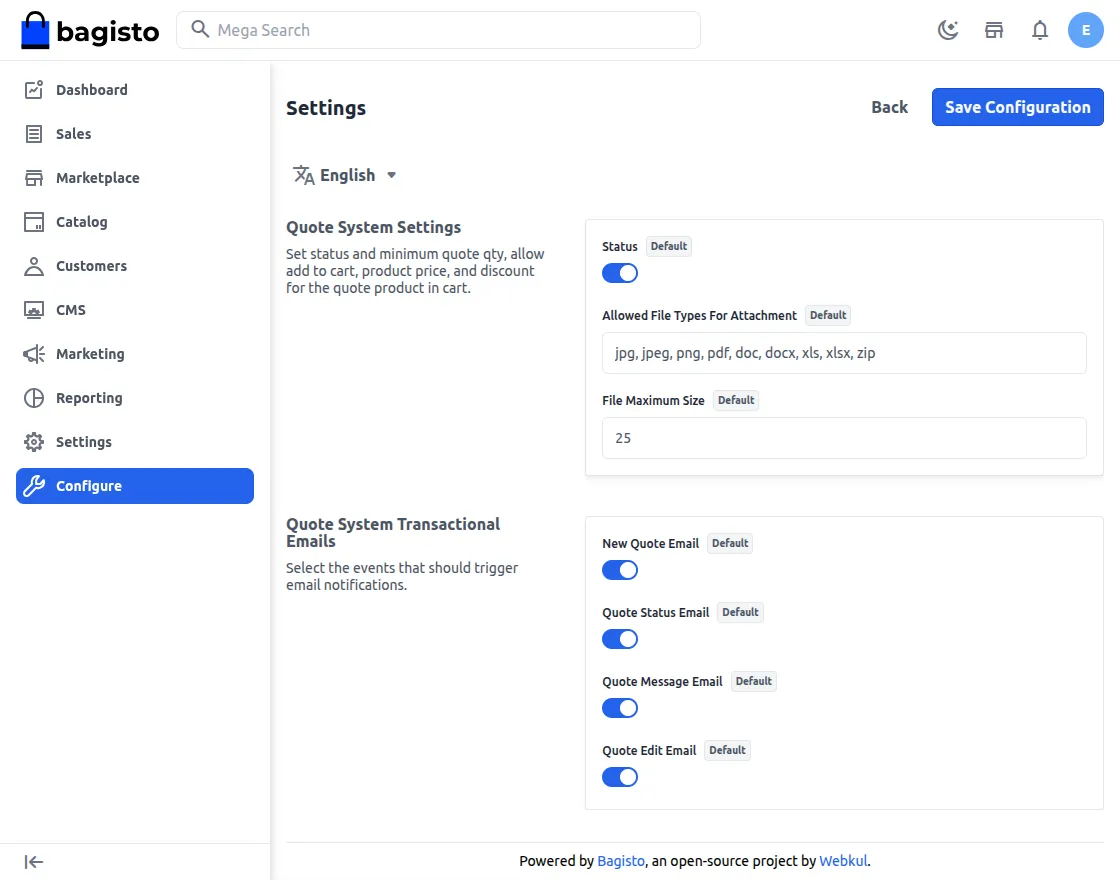
Enable quote: The admin can set yes or no to enable and disable the quote functionality.
Minimum Quote Quantity: Admins can set the minimum number of items a customer must quote and purchase. Customers may increase the quantity beyond this minimum as needed.
Shop Front:
After enabling the quote status for a particular product, customers can give their quote on the product page to discuss with the seller and admin.
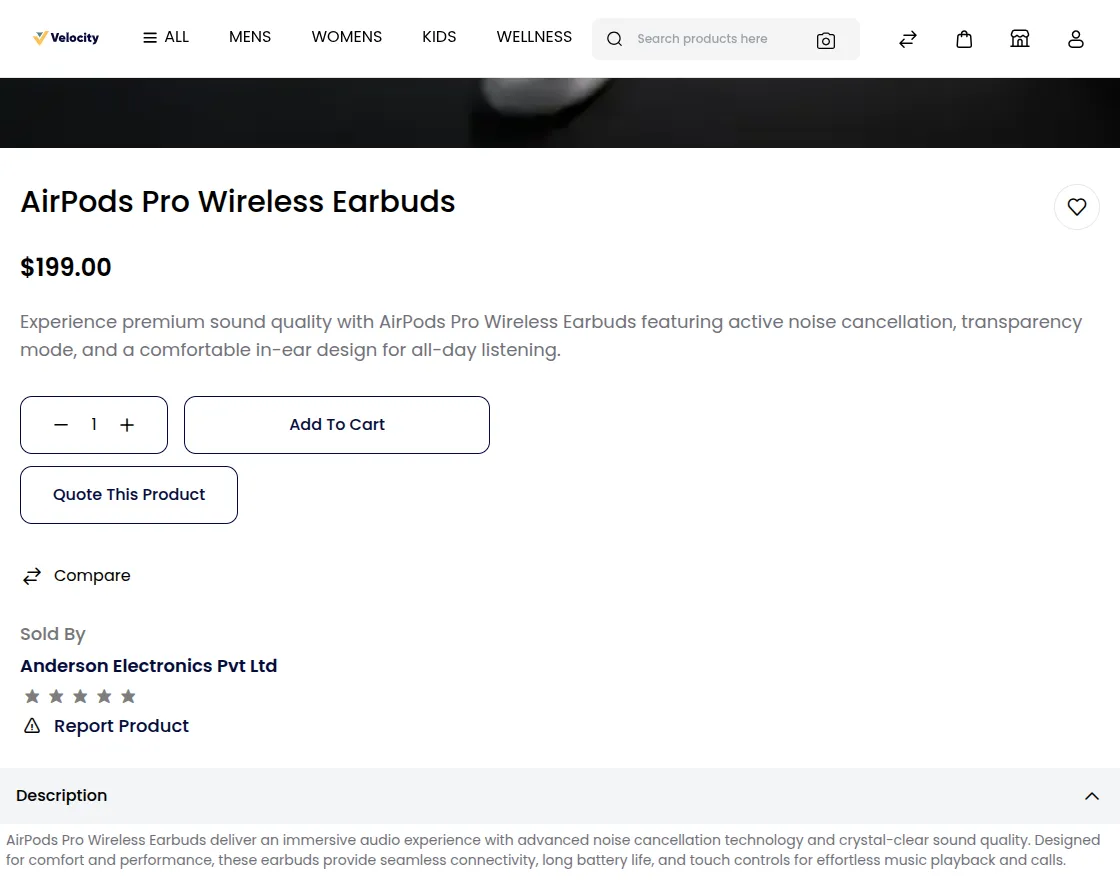
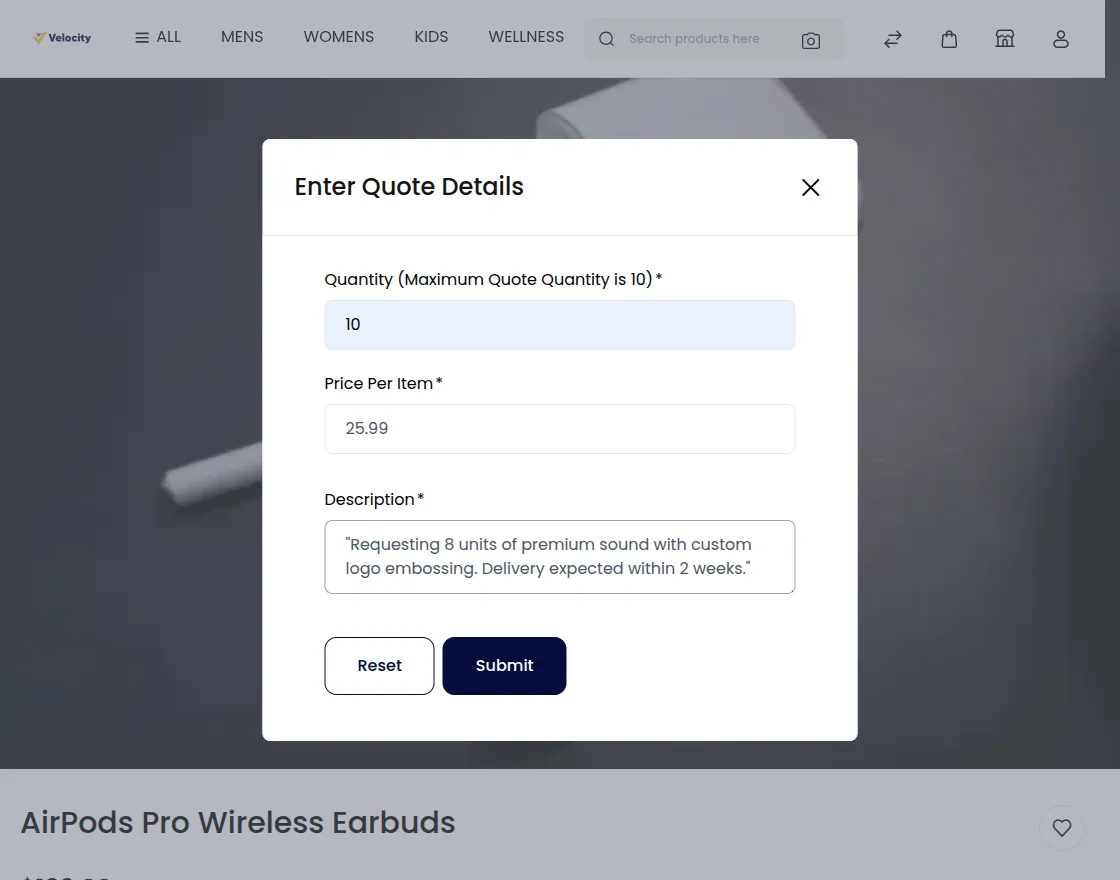
Customers can click ‘Quote Product’ to open a popup where they enter the desired quantity, quoted price, and a short description.
Customers can also view their requested quotes directly in their dashboard.
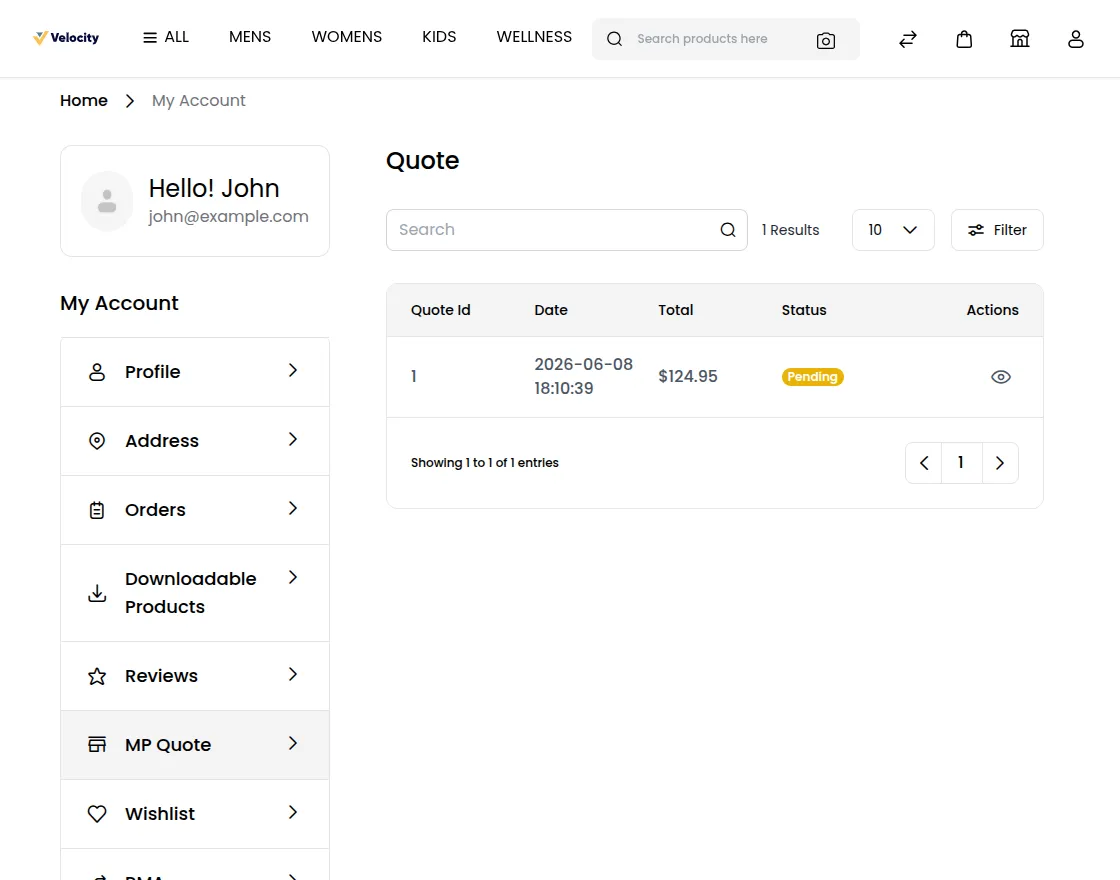
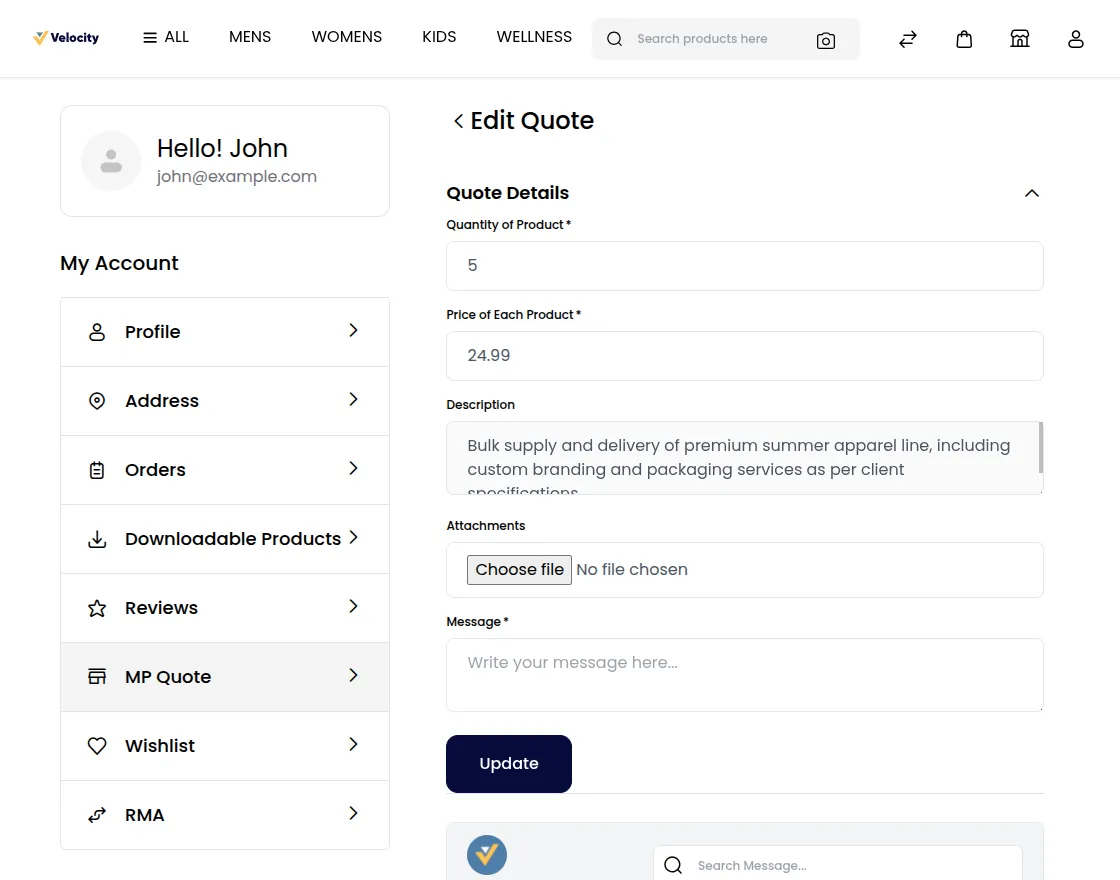
Under the My quote, the customer has the option to edit or delete the products. By clicking the pencil button, the customer can edit or modify the quote and also share the message to the seller.
There is also delete option for the customer and customer can delete the quote from the dashboard as shown below:-
Seller Dashboard:-
Similarly, like admin, the seller can also enable and disable the quote for each product. While creating the products, the seller can set the minimum quote quantity for each product as shown below:-
The seller can see the quotes in their dashboard under the marketplace section as shown below:-
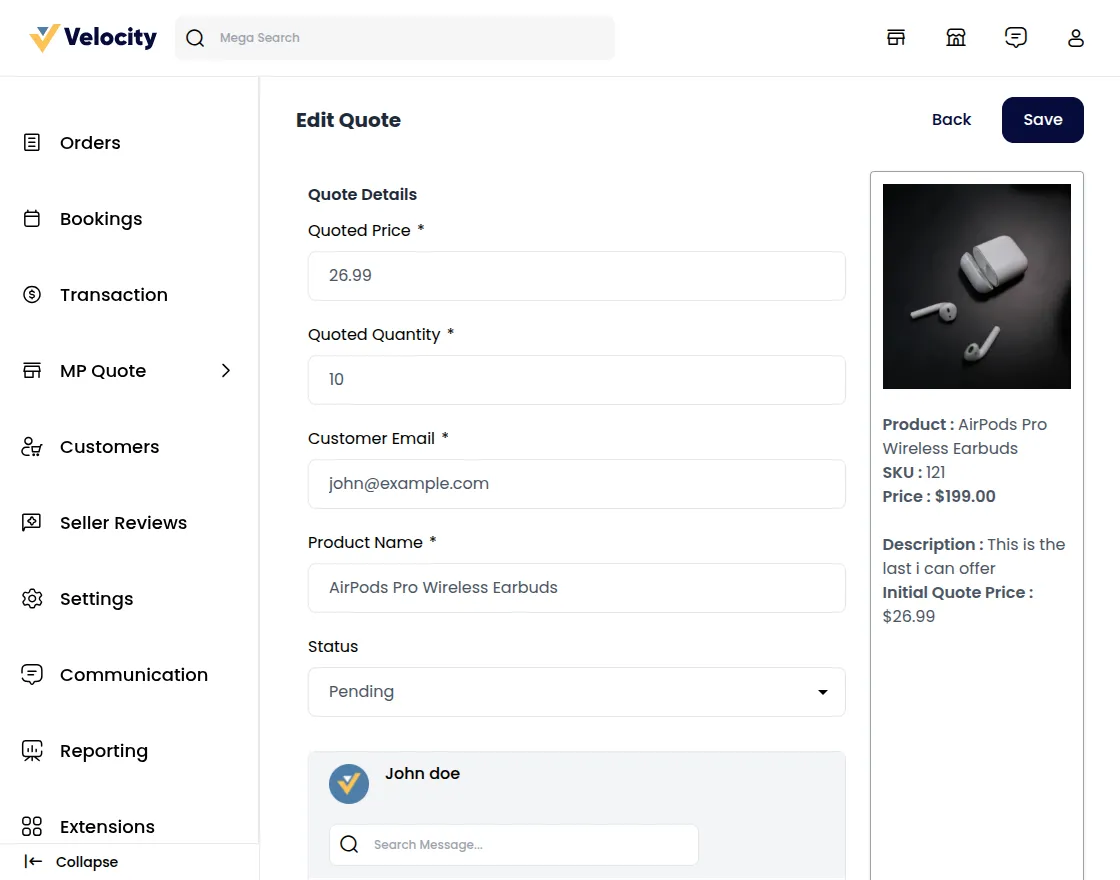
The seller can put their quote and respond back to the customer with the description of the message. Also, they have the option to accept the order and update the status from processing to complete.
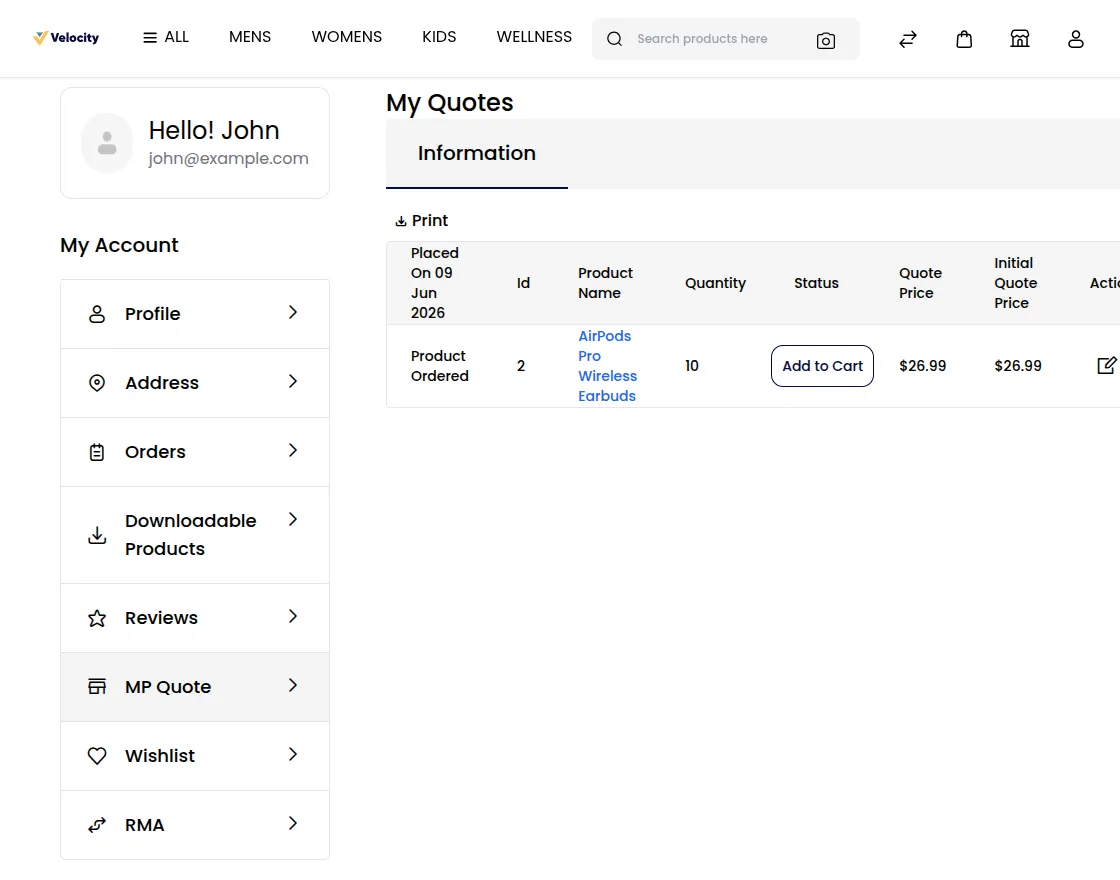
On acceptance of the quote by the seller, add to cart will be activated in the front-end side and product can be added to the cart as shown below:-
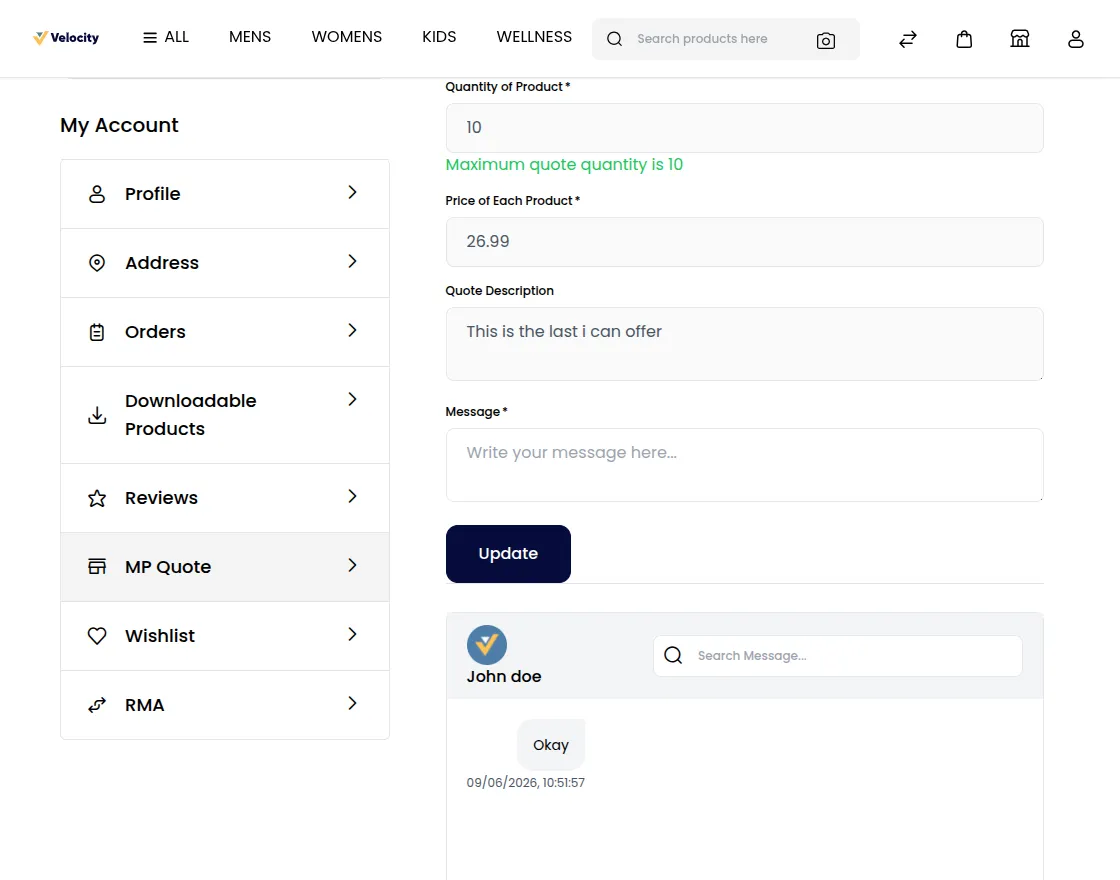
The seller can negotiate with the budget and a detailed message will be shown as “quote conversation” as shown below:-
Admin Management:-
To see the quotes the admin need to navigate to Marketplace>>Quote Management.
Here all the quotes are visible to the admin requested by the admin as shown in the image below:-
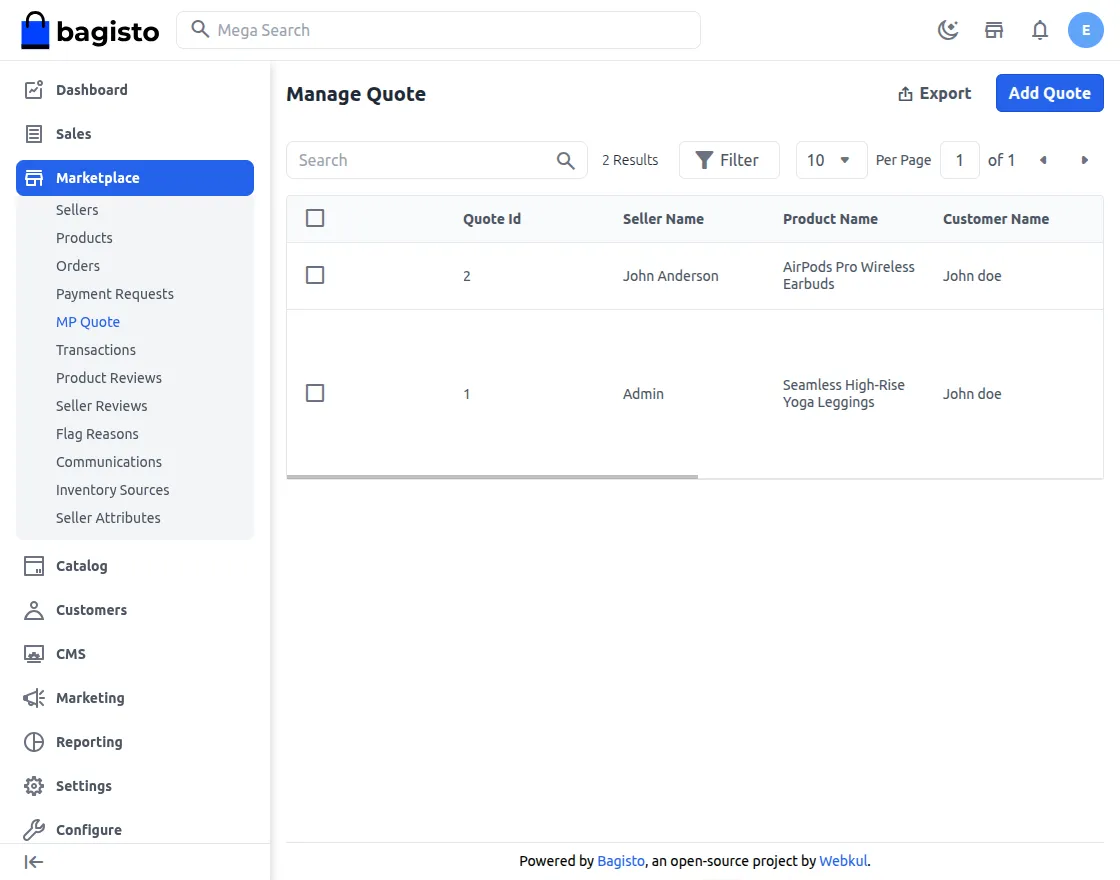
Here the admin can see all the details of the quote like order id, seller name, product name, customer name, product quantity, price requested, Description, Status.
The admin can even delete the quote and by clicking on the dustbin icon and thereafter admin can also edit the things by clicking on the pencil icon as shown below in the image:
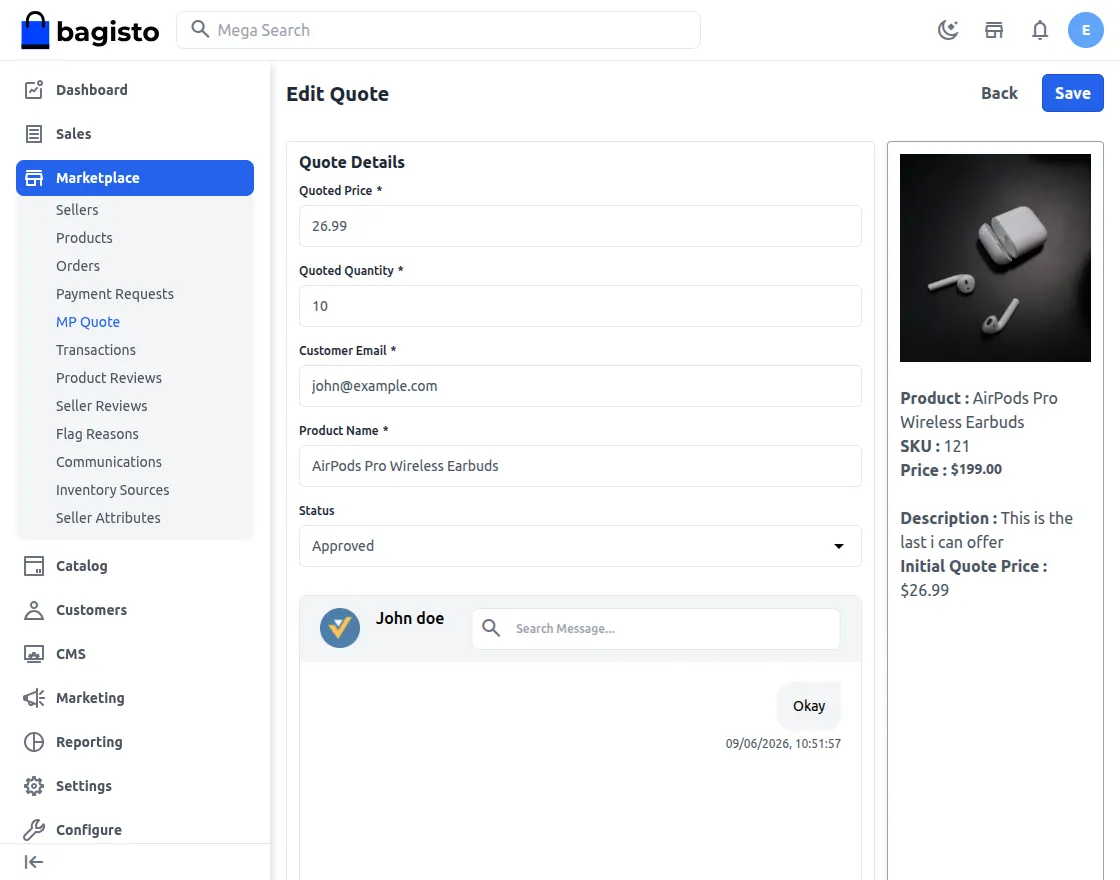
The complete quote conversation can be watched on the “Quote conversation”
That’s all about the Laravel Marketplace Product Quote System.
If you have any issue please feel free to add a ticket then let us know your views to make the module better https://bagisto.uvdesk.com/en/
Current Product Version - v2.4.10
Supported Framework Version - Bagisto v2.4.10

Be the first to comment.