Laravel eCommerce Size Chart module empowers store admins to effortlessly create and manage size charts for their products.
This extension greatly enhances the customer shopping experience by allowing users to quickly reference a product’s sizing guide, ensuring they choose the right fit with confidence.
The module supports the creation of two types of templates: Normal Product Template and Configurable Product Template, catering to a variety of product types.
Additionally, it allows size chart images in popular formats such as .jpg, .jpeg, and .png, giving admins flexibility in uploading their preferred chart visuals.
Features for the Laravel eCommerce Size Chart Module
- Size Chart module allows the admin to create template for two types of Products: Simple Product and Configurable Product.
- Admins can upload a size chart image to accompany each template, helping customers choose the right fit for their purchases.
- Size Chart Module supports jpg, .png, .jpeg as image formats.
- Once configured, the size chart will be visible to customers directly on the product page, ensuring easy access to sizing information before making a purchase.
Installation of the Module
Unzip the respective extension zip and then merge “packages” folders into project root directory.
Goto bootstrap/providers.php file and add following line inside the array
Webkul\SizeChart\Providers\SizeChartServiceProvider::class,
Goto composer.json file and add following line under ‘psr-4’
"Webkul\\SizeChart\\": "packages/Webkul/SizeChart/src"
Run these commands below to complete the setup
composer dump-autoload
php artisan size-chart:install

php artisan optimize:clear
now execute the project on your specified domain.
Enable Size Chart for Template Creation
After successfully installing the module, the admin can access the panel to add and manage size charts for product.
The admin can navigate to Configure → Size Chart, where they need to enable the module. In this section, three configuration options will be available
- Enable Size Chart – Activate the size chart functionality across the store.
- Enable Custom Size Chart – Allow the use of custom size charts for individual products.
- Acknowledgement Note – Display an informational note or disclaimer alongside the size chart.

Template Creation
The admin can create a new template by clicking the “Add Template“ button, which initiates the template creation process.

Subsequently, the admin should provide the necessary information in the designated fields, as demonstrated below.
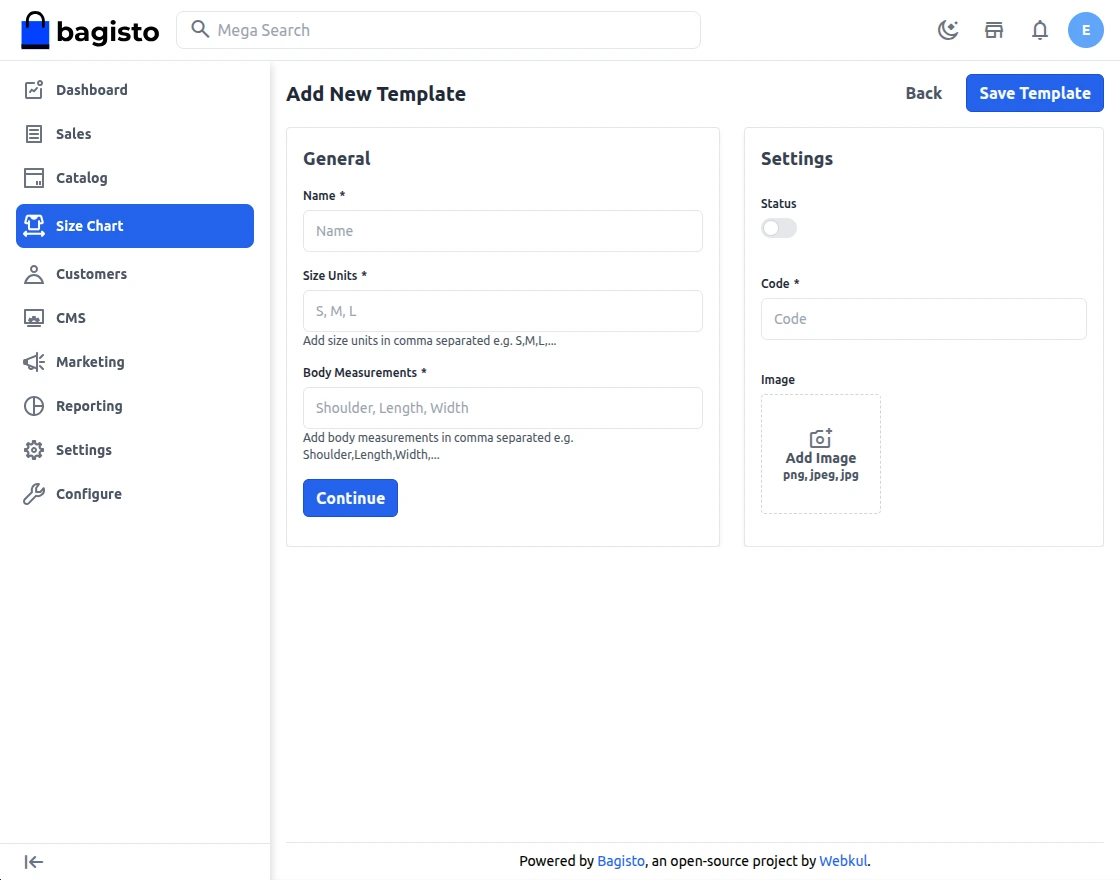
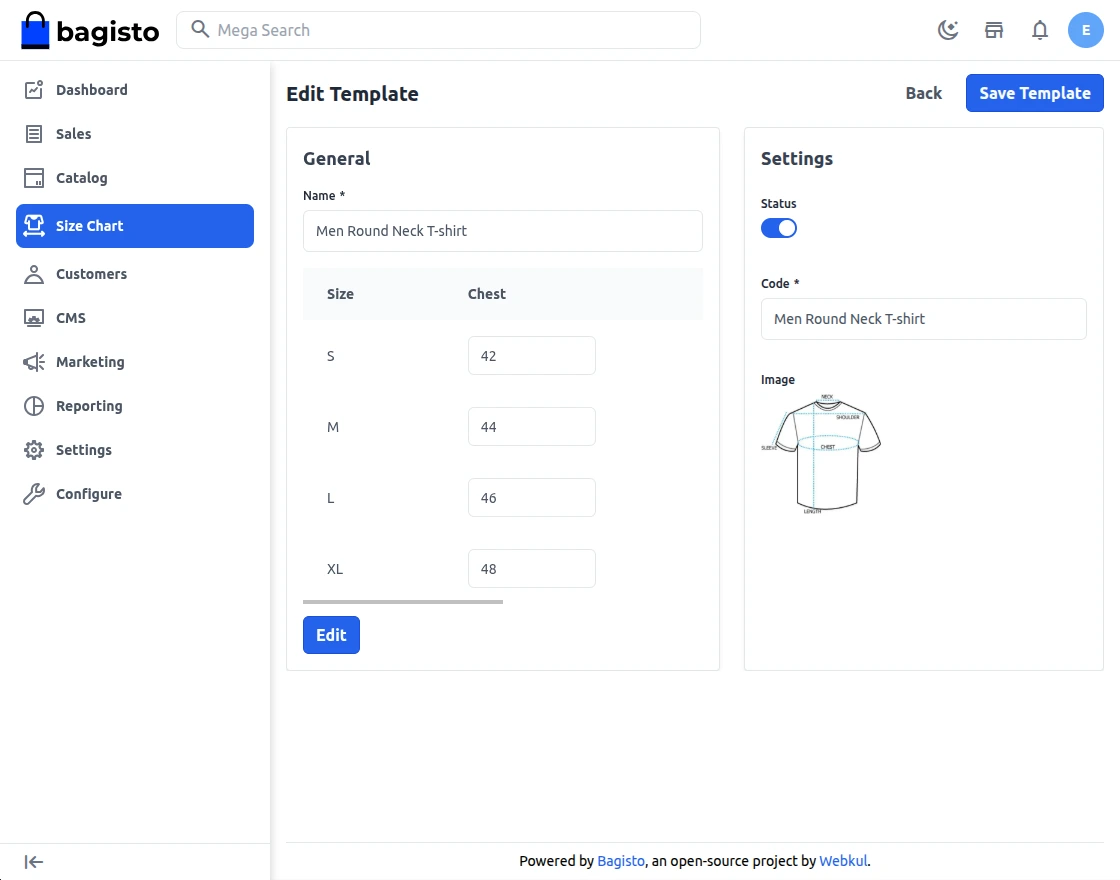
- Template Name:– Admin can add the name of the template from the panel.
- Template Code: The admin can add a template code for the template
- Image:- Admin has the functionality to add the images for templates.
- Size Units:- This is a predefined label or category representing a range of body dimensions or product dimensions.
- Measurements:- The actual numerical values (with units) that define specific physical dimensions associated with a size.
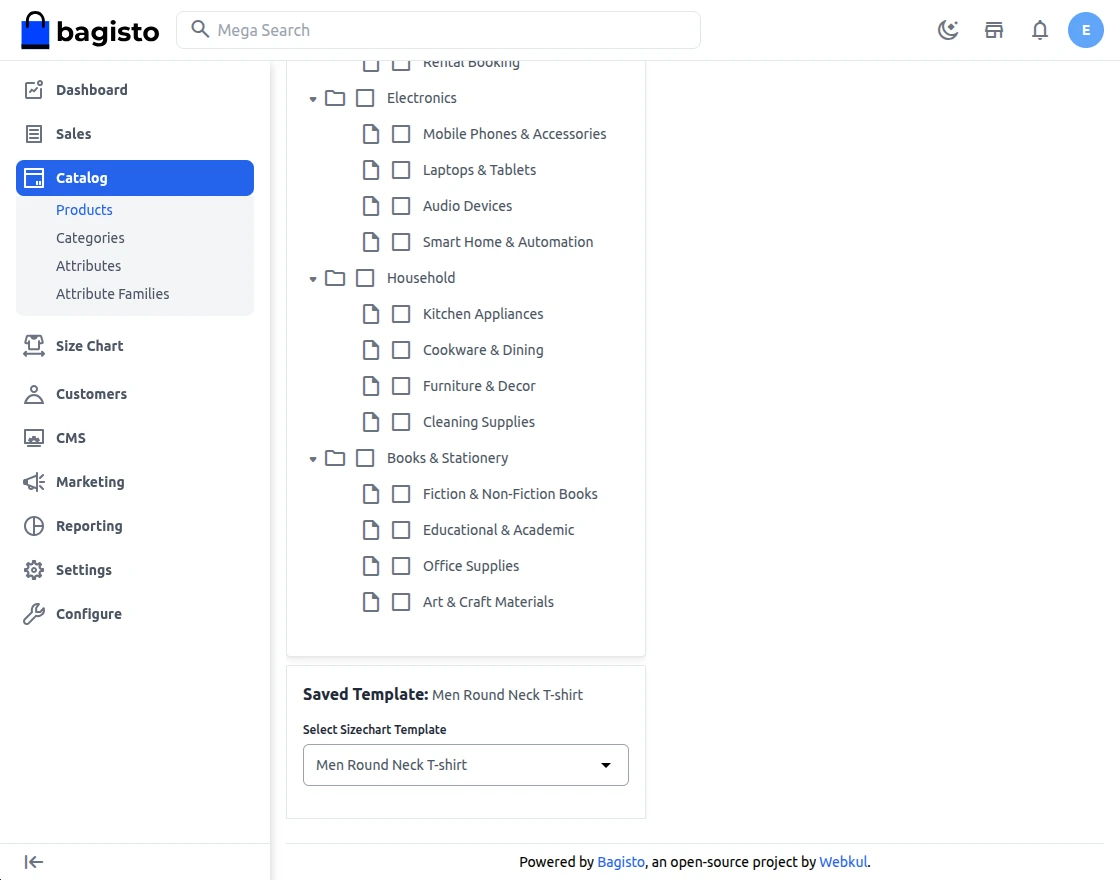
Select Size Chart While Creating Product
The admin can assign a pre-created size chart template to a product during the product creation process.
Size Chart on Store Front
These features are displayed on the storefront, specifically on the product detail page. All the names configured in the admin panel will be shown here for customer reference.
Below is a screenshot for illustration:
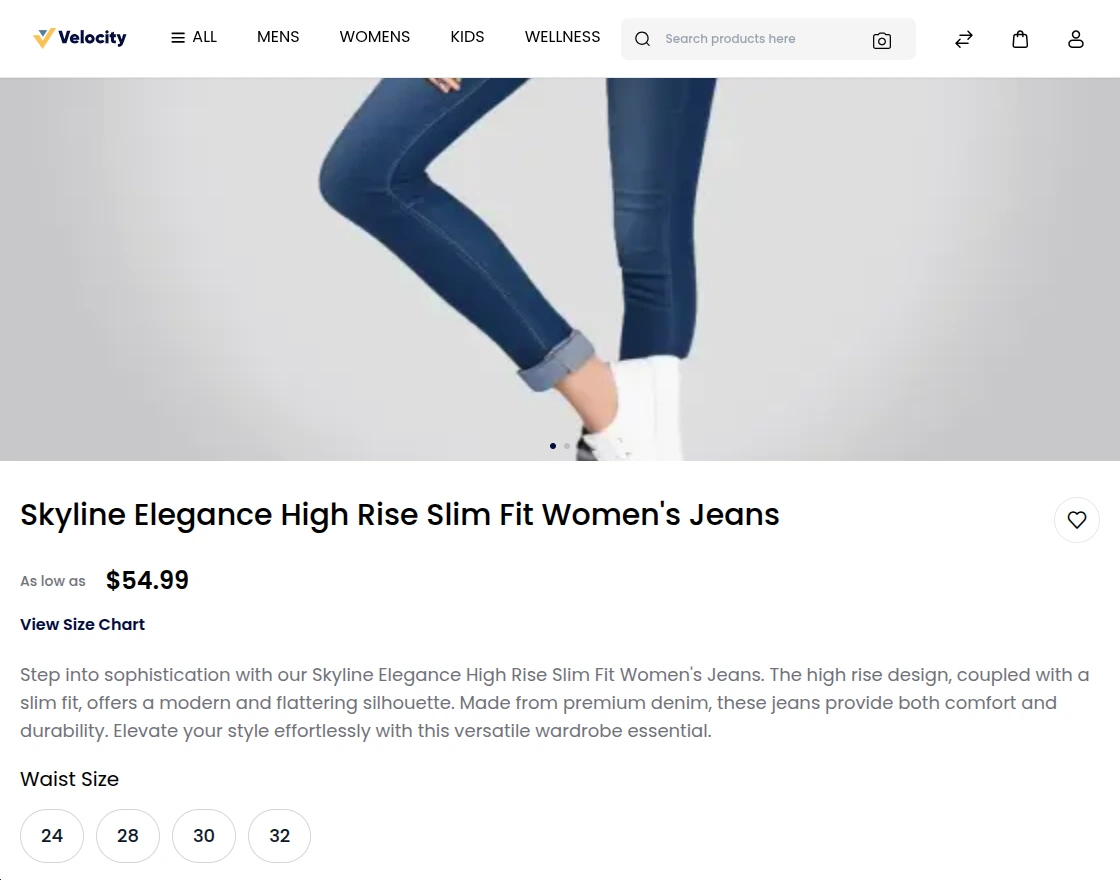
When the “View Size Chart“ button is clicked, a detailed size chart will be displayed. An example of this page is shown below:
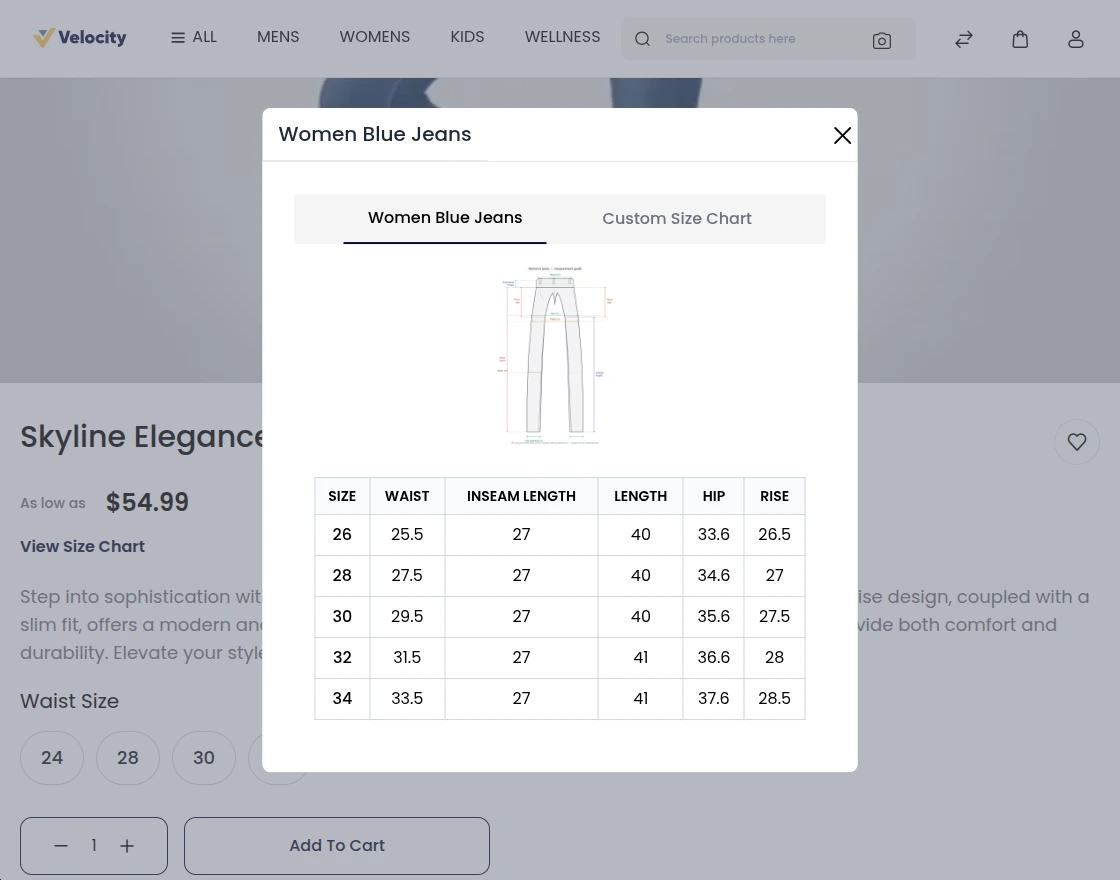
By clicking the “Custom Size Chart“ button, customers can create their own personalized size chart.
Reset:- By clicking reset button customer can reset the saved custom size chart.
Note: This feature is available only to logged-in customers. Guest users will not have access to the custom size chart option.

That’s all for “Laravel eCommerce Size Chart” module.
If you encounter any issues or have suggestions to improve the module, please feel free to submit a support ticket and share your feedback with us:
👉 Help_Desk
Current Product Version - 2.4.1
Supported Framework Version - 2.4.1

Be the first to comment.