


















Building an Etsy-like marketplace with WooCommerce lets creators, artisans, and vintage sellers sell unique products directly to customers.
To build an Etsy-like marketplace with WooCommerce, use a WooCommerce multivendor marketplace solution that lets sellers create shops, list products, manage orders, and receive earnings.
For a broader understanding of the multi-vendor marketplace model, you can also explore our guide on How to Build an Amazon-Like Marketplace with WooCommerce.
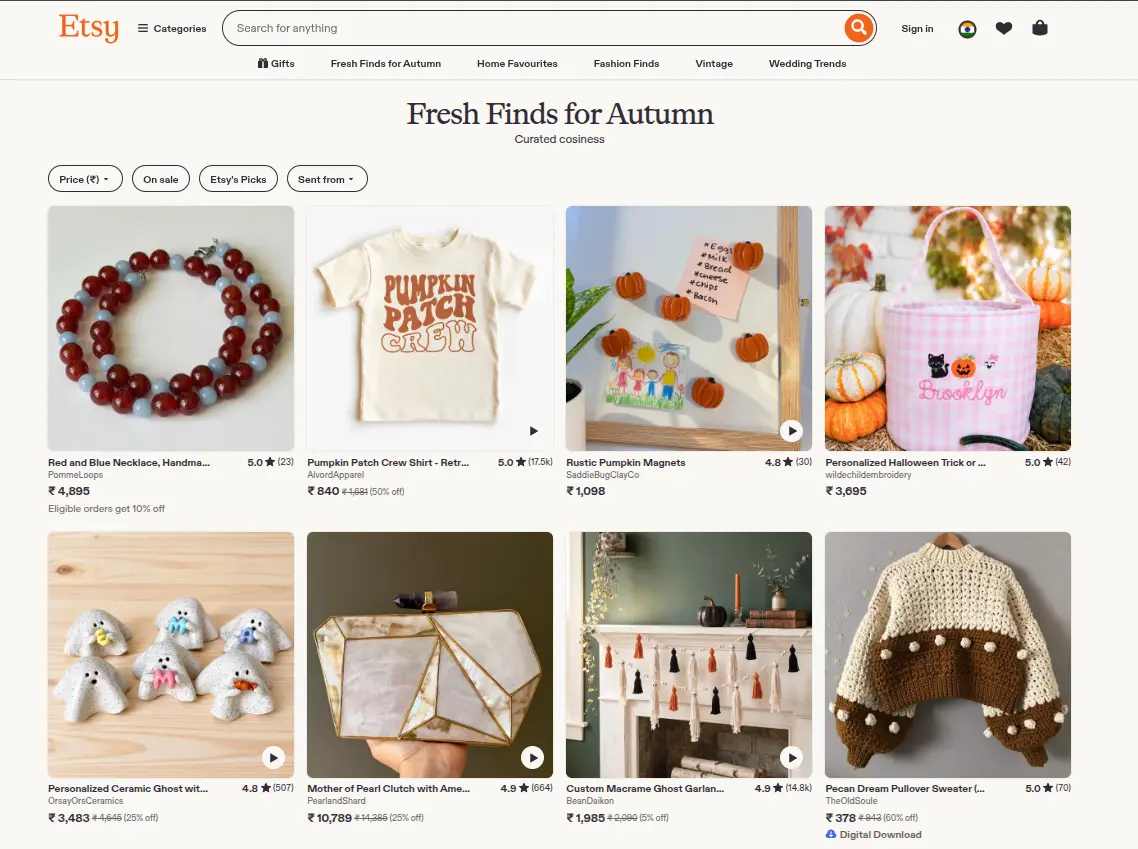
The Vision Behind an Etsy-Like Marketplace
An Etsy-like marketplace is built around independent sellers and unique products rather than a centralized inventory model.
The platform should let creators establish storefronts, showcase products, tell their brand story, and manage orders.
Customers should be able to discover products from different sellers through categories, search, filters, and curated collections.
A typical Etsy-style marketplace may include:
- Independent seller registration
- Individual vendor storefronts
- Handmade and custom products
- Vintage products and curated items
- Digital products or downloads
- Product variations and personalization
- Seller profiles and shop information
- Product and seller reviews
- Marketplace commissions
- Vendor payouts
- Vendor-specific shipping
- Customer and seller communication
- Search and product filtering
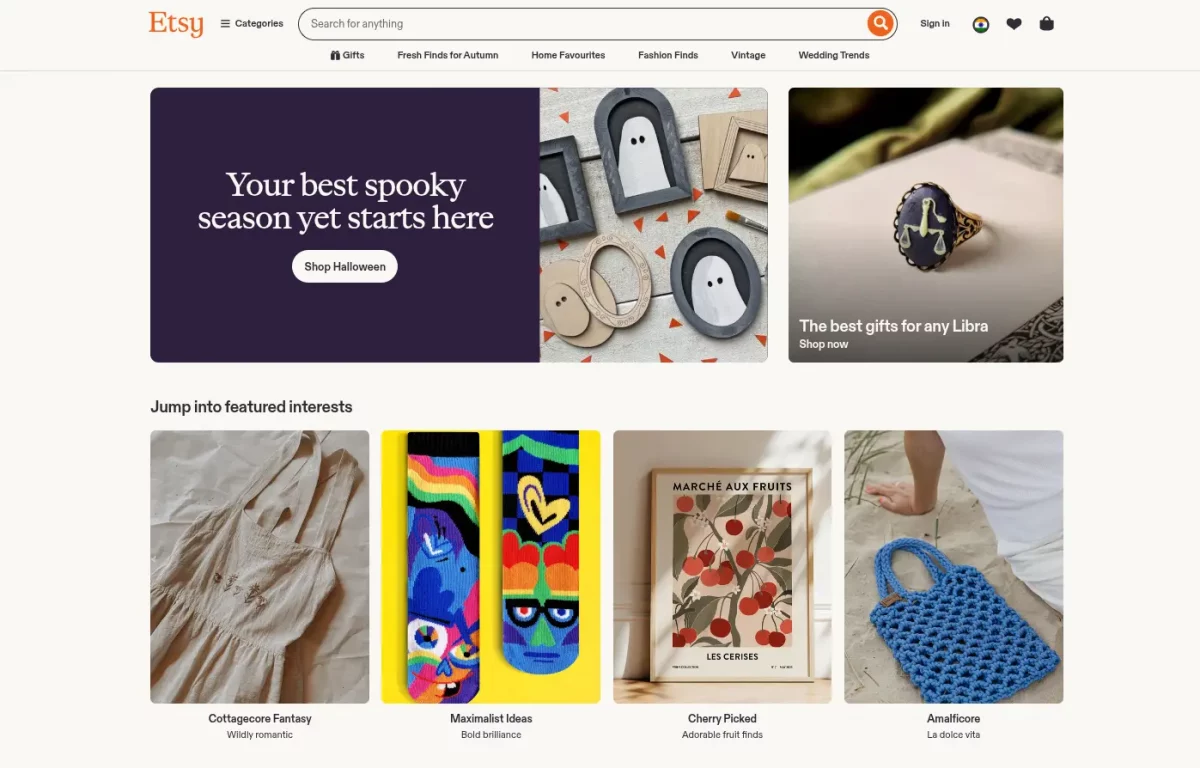
The exact features will depend on the type of marketplace you want to build and the requirements of your sellers and customers.
How WooCommerce Helps Build an Etsy-Like Marketplace
WooCommerce provides the eCommerce foundation for products, carts, checkout, orders, customers, and payments.
However, to allow multiple independent sellers to manage their own stores, you need a multi-vendor marketplace solution.
A multi-vendor solution adds vendor registration, storefronts, product management, orders, commissions, earnings, and payouts, while the administrator manages the marketplace.
The basic architecture can be:
WordPress → WooCommerce → Multi-Vendor Marketplace → Marketplace-specific integrations/customizations
The image below provides a reference to the type of marketplace admin configuration available for managing multi-vendor settings.
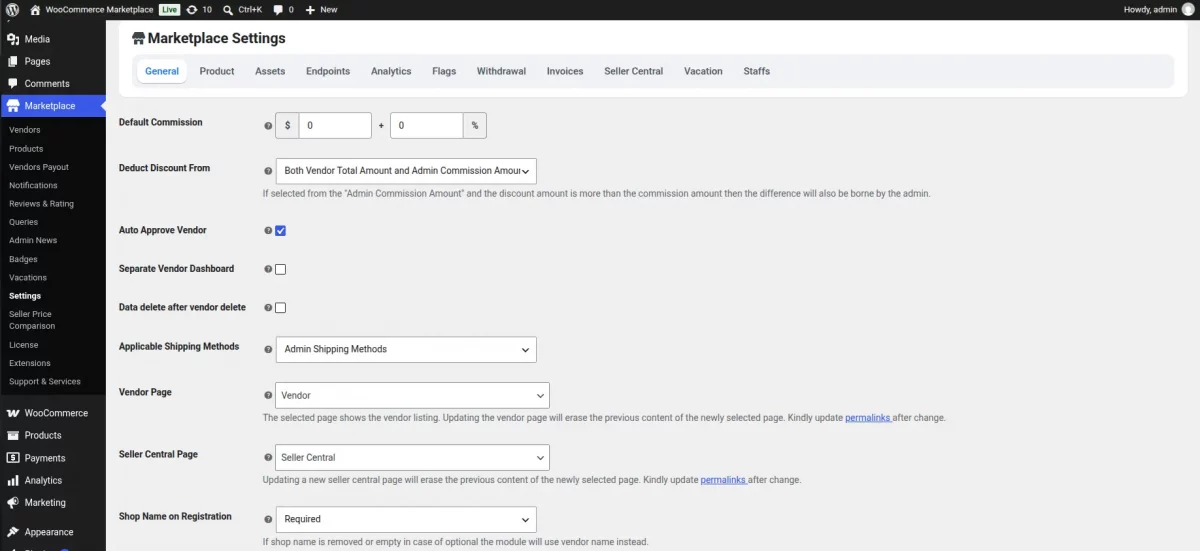
This gives you a foundation on which you can build an Etsy-inspired marketplace experience.
Key Features Required for an Etsy-Like Marketplace
Before starting development, identify the core marketplace requirements.
1. Seller Registration
The platform needs a way for independent creators to register as vendors.
Depending on your business model, you can allow sellers to register automatically or require administrator approval before they can start selling.
You can collect information such as:
- Seller name
- Email address
- Store name
- Store description
- Profile image
- Store banner
- Location
- Payment details
- Shipping information
The administrator can then review and approve sellers before their stores become active.
2. Individual Seller Storefronts
One of the important differences between a normal WooCommerce store and an Etsy-like marketplace is the individual seller storefront.
Each vendor should have a dedicated shop page where customers can view:
- Seller profile
- Store banner
- Seller information
- Products
- Reviews
- Store policies
- Shipping information
- Contact or inquiry options
This gives every creator a recognizable presence within the larger marketplace.
3. Product Listing Management
Sellers should be able to create and manage their own listings through their vendor dashboard.
For an Etsy-style marketplace, product management may need to support:
- Product images
- Product descriptions
- Categories
- Tags
- Product variations
- Pricing
- Inventory
- Digital products
- Custom options
- Personalized information
- Shipping details
Etsy’s Seller Handbook highlights handmade, vintage, craft-supply, designed, and personalized products, requiring more specialized listing workflows.
4. Handmade, Vintage, and Custom Products
The marketplace should be designed around the product types your sellers are allowed to offer.
For example, you could create dedicated marketplace categories for:
- Handmade jewelry
- Home décor
- Artwork
- Clothing
- Personalized gifts
- Craft supplies
- Vintage products
- Digital designs
- Printable products
You can also create custom attributes and product fields based on your marketplace niche.
If your marketplace follows Etsy’s model closely, you should establish your own seller and product policies rather than assuming that Etsy’s rules automatically apply to your platform.
5. Product Personalization
Personalization can be an important part of an Etsy-inspired marketplace.
For example, a seller may allow customers to enter:
Name: Sarah
Color: Gold
Message: Happy Birthday
Depending on the requirements, personalization can be implemented using product add-ons, custom fields, variations, or custom development.
This is one area where the article should avoid implying that every Etsy feature comes automatically with WooCommerce or the marketplace plugin.
Specialized personalization requirements may need additional extensions or development.
6. Marketplace Commissions
The marketplace owner needs a way to earn revenue from seller transactions.
Common commission models include:
- Percentage-based commission
- Fixed commission
- Seller-specific commission
- Category-based commission
- Combination of fixed and percentage commissions
For example:
Product price: $100
Marketplace commission: 10%
Seller earnings: $90
The exact commission structure depends on the marketplace’s business model.
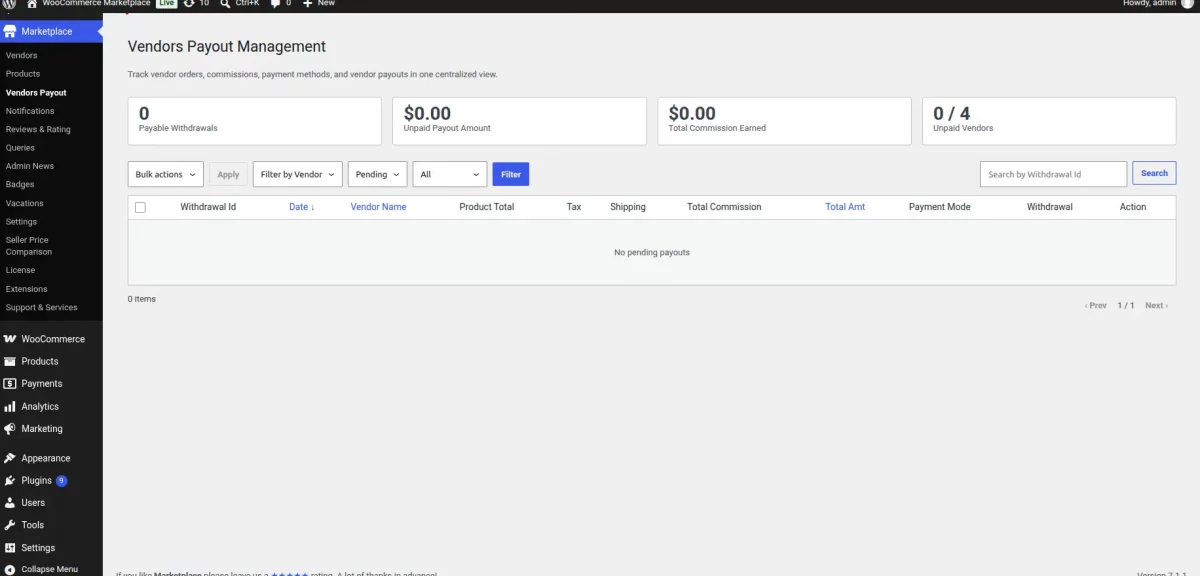
7. Vendor Payouts
After an order is processed, the marketplace needs to calculate the seller’s earnings and provide a mechanism for payouts.
A typical flow is:
Customer payment → Marketplace order → Commission calculation → Seller earnings → Vendor payout
The payout process can be manual or automated depending on the payment architecture and the integrations used.
Webkul’s marketplace documentation specifically includes vendor earnings and payout workflows as part of the marketplace functionality.
Mapping the Etsy-Like Marketplace Requirements
| Requirement | Marketplace Solution | Purpose |
|---|---|---|
| Seller registration | Vendor registration | Allows creators to join the marketplace |
| Seller shops | Vendor storefronts | Gives each seller an independent shop |
| Product listings | Vendor product management | Allows sellers to manage their catalogs |
| Product discovery | Search, categories, filters | Helps customers find products |
| Custom products | Product options/custom fields | Supports personalization |
| Payments | WooCommerce + payment gateway | Processes customer payments |
| Commissions | Marketplace commission system | Calculates marketplace revenue |
| Payouts | Vendor payout system | Transfers seller earnings |
| Shipping | Vendor shipping configuration | Supports seller-specific fulfillment |
| Reviews | Product/vendor reviews | Builds buyer confidence |
| Communication | Messaging/inquiry integration | Connects buyers and sellers |
| Analytics | Marketplace/vendor reporting | Helps monitor marketplace performance |
The Complete Etsy-Like Marketplace Journey
The marketplace experience can be divided into a simple seller-to-customer workflow.
Step 1: Seller Joins
A creator registers through the marketplace seller registration process.
The administrator reviews the application and approves the seller according to the marketplace’s policies.
Step 2: Seller Creates a Store
After approval, the seller configures their storefront with their store name, description, profile image, banner, policies, and other available information.
Step 3: Seller Adds Products
The seller creates product listings through their vendor dashboard.
They can add images, descriptions, prices, inventory, variations, categories, and other required information.
Step 4: Customer Discovers Products
Customers browse the marketplace through categories, search, filters, collections, and seller storefronts.
Step 5: Customer Places an Order
The customer adds products to the cart and completes checkout.
If the cart contains products from multiple sellers, the marketplace needs to correctly handle the vendor-specific order structure and fulfillment process.
Step 6: Commission Is Calculated
The marketplace calculates its commission according to the configured commission rules.
Step 7: Vendors Process Their Orders
Each seller receives the relevant order information and processes their portion of the order.
Step 8: Products Are Shipped
Sellers prepare and ship their products using the configured shipping methods.
Step 9: Seller Receives Earnings
After the applicable order and payout conditions are met, the seller receives their marketplace earnings according to the configured payout process.
This multi-vendor journey follows the structure in Webkul’s Amazon-like marketplace article, with more focus on creator storefronts and unique or custom products.ique/custom products.
Designing the Etsy-Like Customer Experience
Building an Etsy-like marketplace is not only about adding multiple vendors to WooCommerce.
The customer experience should make it easy to discover unique products and understand who created or sells them.
Product Discovery
Consider providing:
- Product categories
- Search
- Filters
- Seller filters
- Price filters
- Product attributes
- Collections
- Personalized product categories
- Gift-focused collections
Seller Discovery
Customers should also be able to discover sellers independently from products.
For example:
Seller → Storefront → Products → Reviews → Store information
This creates a stronger creator-focused shopping experience.
Product Pages
Product pages can include:
- Product images
- Product description
- Price
- Variations
- Personalization options
- Seller information
- Shipping information
- Processing time
- Reviews
- Related products
This helps customers understand both the product and the seller behind it.
Choosing a Theme for Your Marketplace
The marketplace theme should work with your selected multi-vendor solution and support the seller experience you want to create.
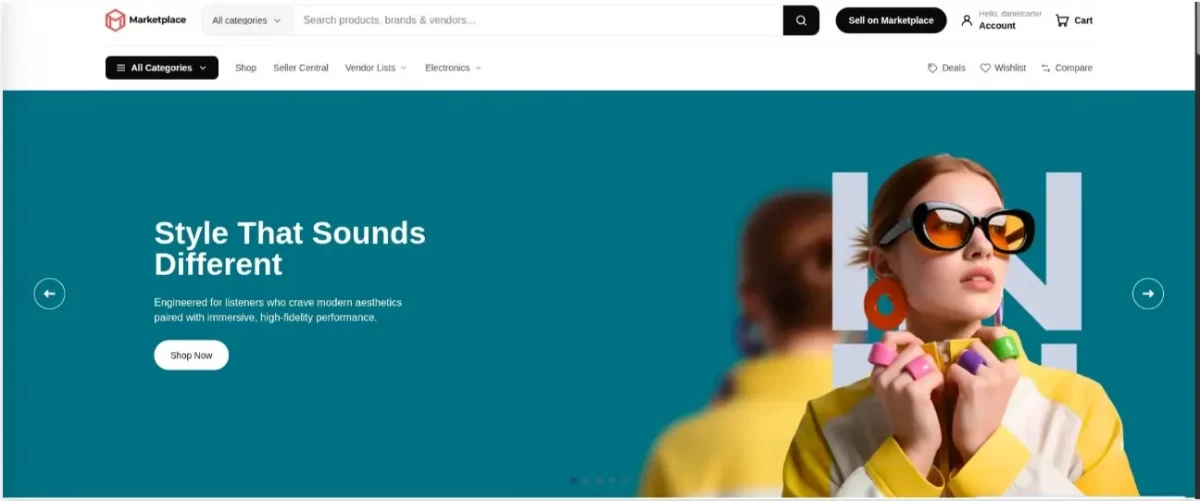
A dedicated marketplace-oriented design can help provide:
- Seller storefront layouts
- Vendor profile areas
- Product grids
- Category navigation
- Responsive layouts
- Seller information
- Marketplace-specific navigation
However, a theme alone does not create the marketplace functionality.
The multi-vendor system handles seller and marketplace operations, while the theme primarily controls the presentation and customer experience.
Structuring Payments for an Etsy-Like Marketplace
Payment architecture is an important part of marketplace development because one checkout may involve products belonging to multiple sellers.
There are several possible approaches.
Model A: Marketplace-Controlled Payouts
The marketplace receives the customer payment and later releases seller earnings according to its payout rules.
This approach gives the marketplace greater control over when seller funds are released.
Model B: Automated Marketplace Payments
A compatible marketplace payment solution can split or route funds between the marketplace and sellers according to the configured payment architecture.
The exact implementation depends on the payment provider, country, regulatory requirements, and marketplace business model.
Model C: Payment Gateway Integrations
You can integrate supported payment gateways and marketplace payment services according to your requirements.
Before selecting a payment architecture, consider:
- Seller onboarding
- KYC requirements
- Marketplace commissions
- Refunds
- Chargebacks
- Currency
- Payout timing
- Tax requirements
- Country availability
These requirements should be finalized before implementing the payment workflow.
Shipping for an Etsy-Like Marketplace
Shipping can become more complex when every seller operates independently.
For example, two products in the same customer order may be supplied by two different sellers.
The marketplace may therefore need to support:
- Vendor-specific shipping
- Shipping zones
- Shipping rates
- Local pickup
- Tracking
- Different fulfillment locations
- Vendor-specific delivery policies
The exact shipping setup should depend on whether sellers are responsible for fulfillment or whether the marketplace manages logistics centrally.
Reviews and Seller Reputation
Reviews are particularly useful in a creator-focused marketplace because customers may evaluate both the product and the seller.
You can provide:
- Product reviews
- Seller ratings
- Store reviews
- Verified purchase indicators
- Seller response functionality
- Review moderation
These features can help customers make informed purchasing decisions.
Configure, Integrate, Customize, and Develop
Not every Etsy-like feature needs to be developed from scratch.
A practical implementation strategy is to divide development into four stages.
Configure
Start with the available marketplace functionality.
Configure:
- Vendor registration
- Seller approval
- Commission rules
- Store settings
- Product permissions
- Notifications
- Payout settings
Integrate
Connect the external services required by your marketplace.
This may include:
- Payment gateways
- Marketplace payment services
- Shipping providers
- Tax services
- Email services
- Analytics
- Search services
Customize
Adapt the marketplace to your brand and business requirements.
For example:
- Vendor storefront design
- Seller registration fields
- Product listing fields
- Personalization options
- Marketplace navigation
- Checkout experience
- Seller profile layout
Develop
Use custom development when the marketplace requires functionality that is not available through the existing WooCommerce and marketplace extensions.
Examples include:
- Advanced product personalization
- Custom seller workflows
- Specialized marketplace fees
- Unique vendor attributes
- Custom discovery systems
- External marketplace integrations
This approach avoids unnecessarily rebuilding functionality that already exists while leaving room for marketplace-specific requirements.
Step-by-Step Roadmap to Build an Etsy-Like Marketplace
Here is a practical implementation roadmap:
- Define Your Marketplace Niche
Decide whether your marketplace will focus on handmade products, vintage products, crafts, personalized gifts, digital products, or a combination. - Define Your Marketplace Business Model
Decide how you will generate revenue through commissions, listing fees, subscriptions, or other marketplace fees. - Set Up WordPress and WooCommerce
Install WordPress, configure WooCommerce, and establish your basic store infrastructure. - Install a Multi-Vendor Marketplace Solution
Add a WooCommerce-compatible marketplace solution to provide vendor registration, seller shops, product management, commissions, and payouts. - Configure Seller Registration
Decide what information sellers must provide and whether applications require administrator approval. - Configure Vendor Storefronts
Set up seller profiles, shop pages, banners, descriptions, policies, and other storefront information. - Configure Product Management
Allow sellers to create and manage products according to your marketplace rules. - Add Custom Product Capabilities
Add variations, personalization, digital products, custom fields, or other functionality required by your niche. - Configure Commissions and Payouts
Establish how marketplace commissions are calculated and how sellers receive their earnings. - Configure Shipping
Decide whether shipping is managed by individual sellers, the marketplace, or an integrated logistics provider. - Design the Customer Experience
Build intuitive navigation, search, filters, categories, seller pages, and product pages. - Configure Reviews and Seller Reputation
Enable appropriate product and seller review functionality. - Test Complete Marketplace Workflows
Test seller registration, product listing, customer checkout, commission calculation, order fulfillment, refunds, and payouts. - Launch and Onboard Sellers
Launch the marketplace and begin onboarding creators and sellers. - Monitor and Scale
Use marketplace analytics and customer feedback to improve the platform as the seller and customer base grows.
Can You Really Build an Etsy-Like Marketplace with WooCommerce?
Yes. WooCommerce can serve as the eCommerce foundation for an Etsy-like marketplace, while a multi-vendor marketplace solution provides the infrastructure for independent sellers.
However, building an Etsy-like marketplace does not mean that WooCommerce automatically becomes Etsy.
The marketplace owner still needs to define and implement the desired:
- Marketplace niche
- Seller policies
- Product rules
- Storefront experience
- Personalization workflows
- Payment architecture
- Commission model
- Shipping model
- Review system
- Search and discovery experience
- Custom integrations
The multi-vendor solution provides the marketplace foundation, while configuration, extensions, integrations, theme customization, and custom development create the Etsy-inspired experience.
Conclusion
Building an Etsy-like marketplace with WooCommerce is possible by combining WooCommerce with a multi-vendor marketplace solution.
This allows independent sellers to create storefronts, manage products and orders, and receive payouts while the marketplace owner manages the platform.
You can further customize the marketplace with handmade and vintage categories, personalization, seller profiles, reviews, advanced product discovery, and vendor-specific shipping.
Start with the core marketplace features, integrate the required services, and add custom development only where ne

Be the first to comment.