Laravel Marketplace multi-shipping module allows buyers to choose different shipping services from multiple sellers within a single order—benefiting both sellers and customers.
Important Note: To use the Marketplace Multi Shipping extension for Bagisto, you must have installed the Laravel Multi-Vendor Marketplace and also one of our below-listed Marketplace Shipping methods.
- Laravel eCommerce Marketplace Table Rate Shipping
- Marketplace FedEx Shipping
- Laravel Marketplace USPS Shipping
- Laravel Marketplace UPS Shipping
- Laravel Marketplace Easyspost Shipping
- Laravel Marketplace store pickup shipping
Features of Laravel Marketplace Multi Shipping
- A seller can allow his shipping service from his panel.
- Buyer can select shipping according to a seller in the same order.
- Admin needs to install the shipping addon from the above list to manage to ship from the vendor panel.
- A vendor can choose shipping channel which they want to display at checkout so that shipping will be based on per seller/vendor instead of the whole cart.
- This addon will enable shipping selection and freight calculation at the vendor level.
How to install the module?
Customers will get a zip folder after purchasing the extension and Unzip the extension zip and then merge the “packages” folders into the project root directory.
Goto composer.json file and add the following line under ‘psr-4‘
"Webkul\\MarketplaceMultiShipping\\":"packages/Webkul/MarketplaceMultiShipping/src"
Run the command below
composer dump-autoload
Goto bootstrap/providers.php file and add the following line under ‘return’ array.
Webkul\MarketplaceMultiShipping\Providers\MarketplaceMultiShippingServiceProvider::class,
Run the commands below to complete the setup
php artisan mp-multi-shipping:install
Admin Configuration
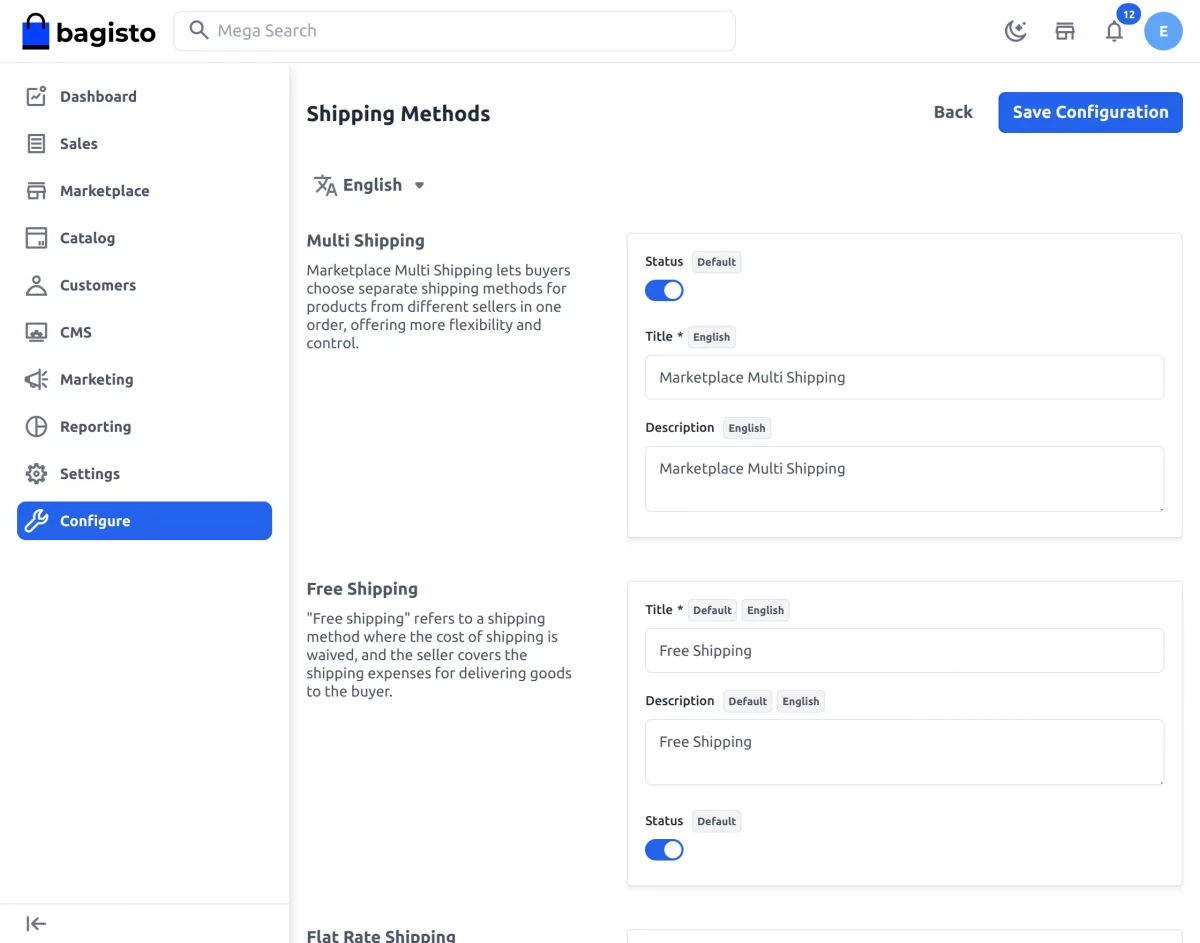
After the installation of the module, the admin also needs to configure the module. Click on Configure>>Sales>>Shipping methods.
Under the Shipping methods, all the shipping methods are visible in the admin panel.
Title:- The admin needs to provide the title in this field.
Description:- The admin needs to input the description in this field.
Status:- The admin can also activate or inactivate the module from this field.
Seller’s Profile
After all the configuration have been saved by the admin regarding the shipping method.
The seller can see the option of the Multi-shipping under the marketplace section,
Click Multishipping a page will generate where the seller can select the shipping methods that the seller want to provide to the customers as shown below:-
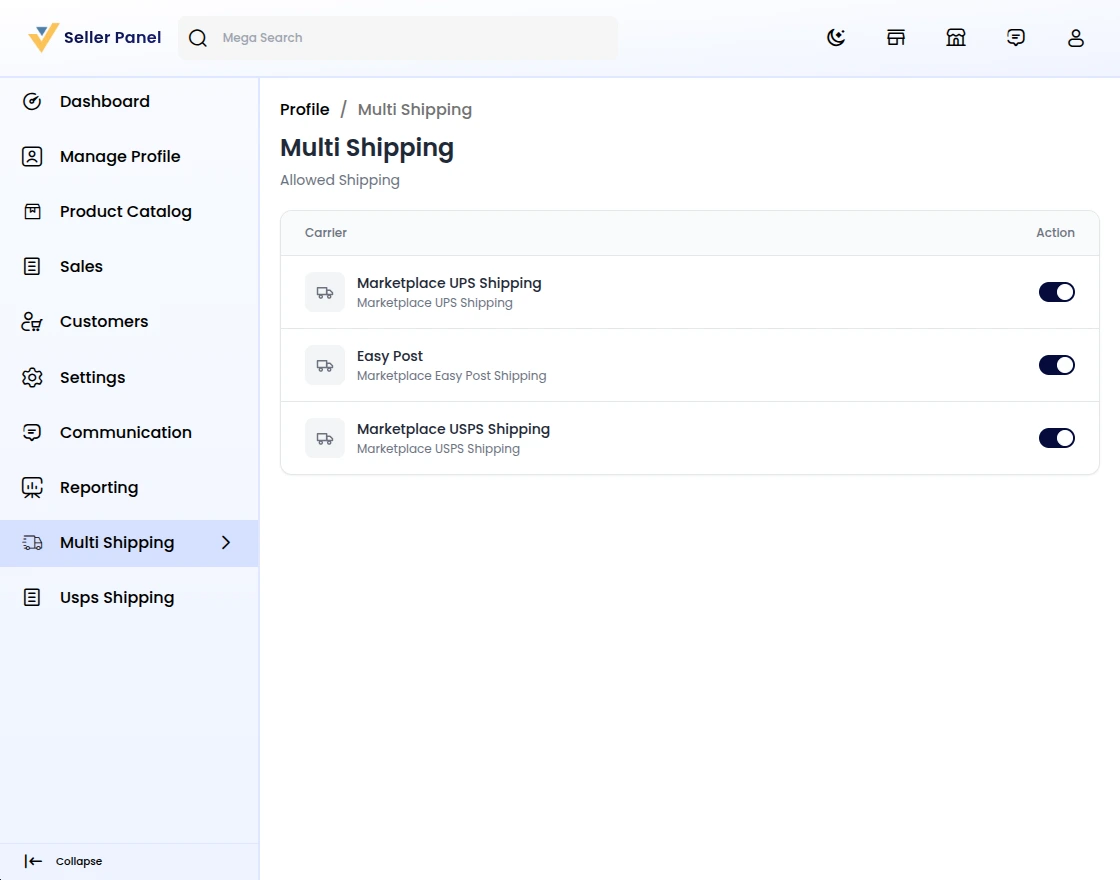
Click on the Save button.
Front End
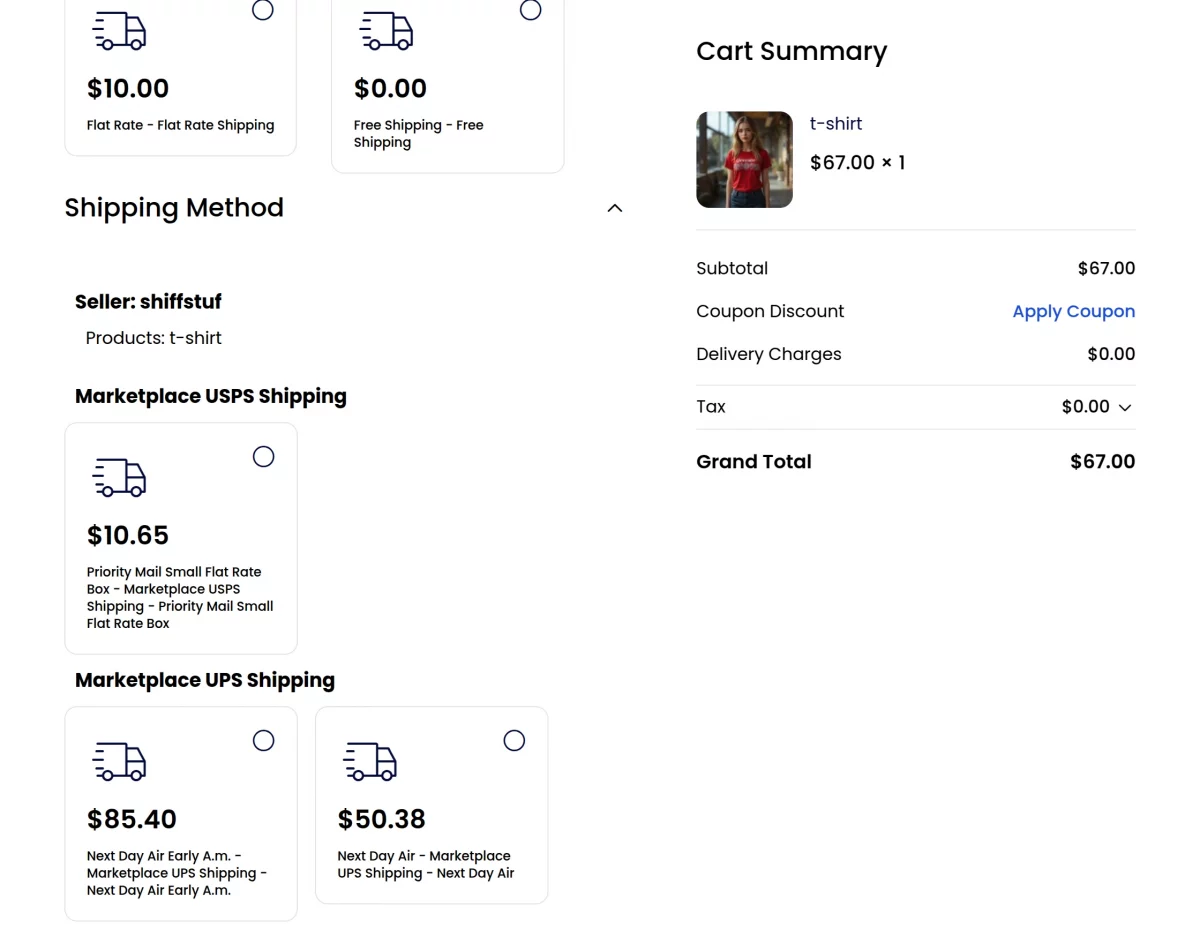
After the installation of the module, the customers can select between several shipping methods USPS, FedEx, UPS and table rate shipping that is installed in the Bagisto.
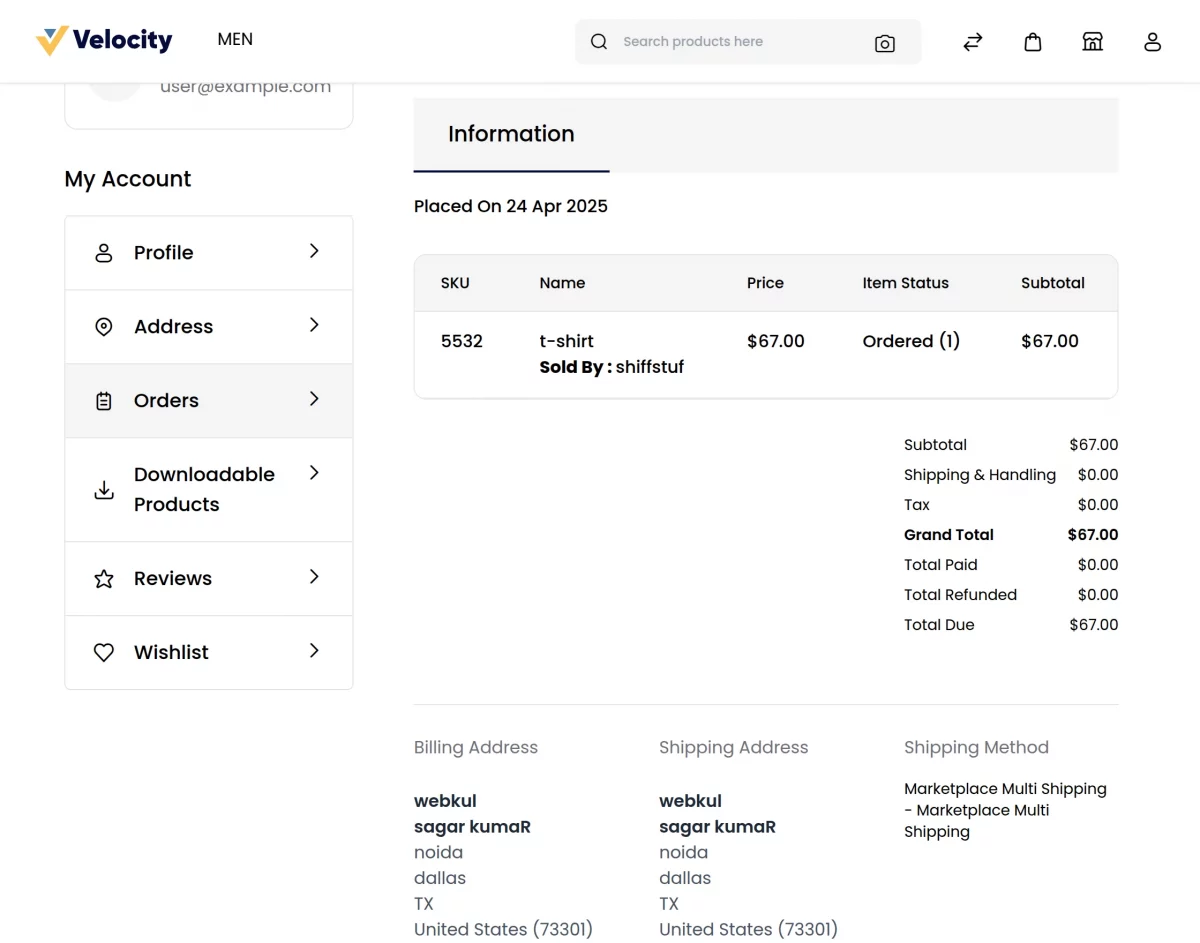
The customer can see all the details regarding the order in the order summary page including the shipping method used by the customer as shown in the below image:-
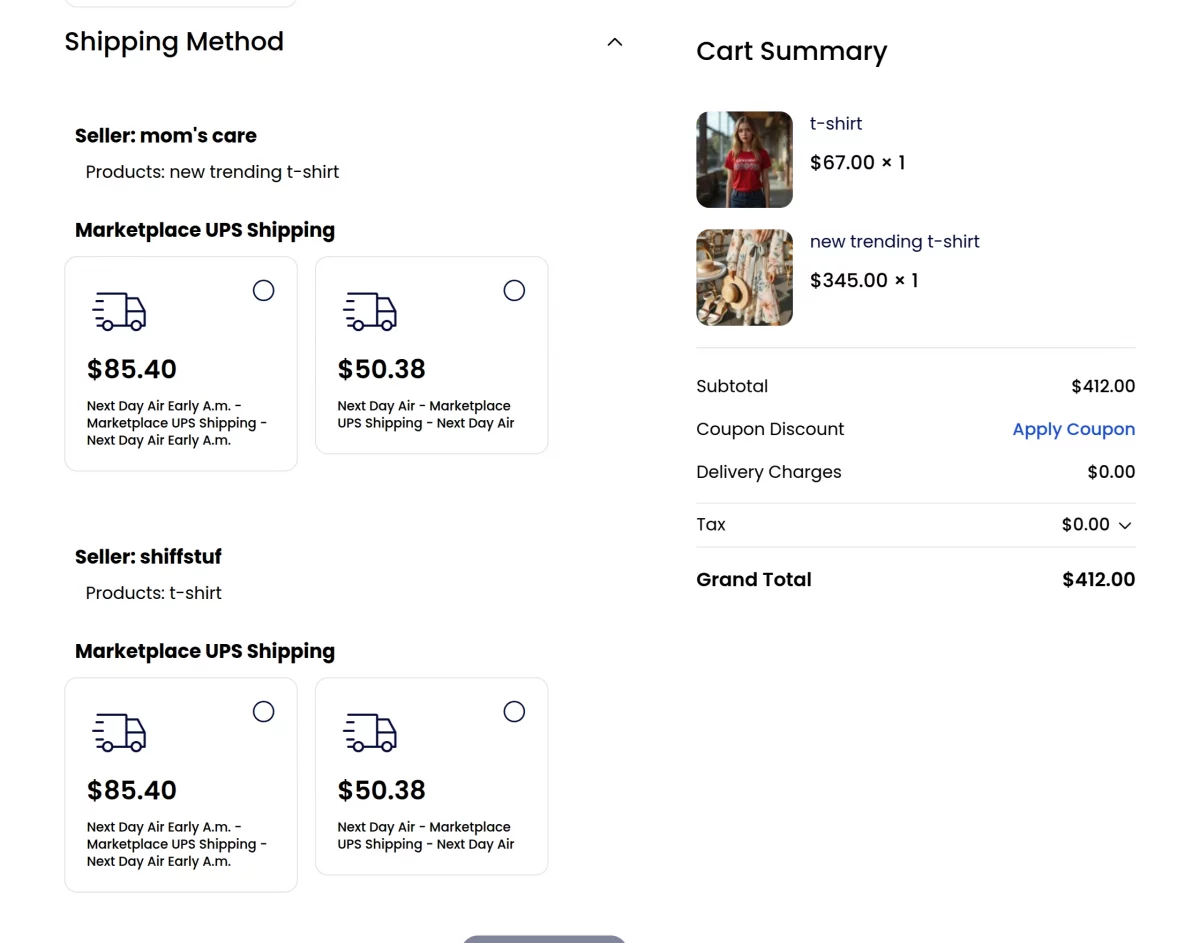
Note:- In case if there are two sellers with different shipping methods then the customer needs to select the shipping method according to the sellers as shown in the below image:-
Support
That’s all for the Laravel Marketplace Multishipping User Guide. For queries, email us at [email protected] or raise a ticket at our HelpDesk System.
Please explore our Laravel Development Services and Quality Bagisto Extensions.
Current Product Version - v2.4.10
Supported Framework Version - v2.4.10

Be the first to comment.