CS-Cart Follow Vendor and Category allows customers to stay connected with their favorite vendors and product categories by following them directly from the storefront.
The add-on automatically notifies customers about new product launches, product updates, and back-in-stock items, helping them stay informed without repeatedly visiting the marketplace.
This feature enhances the shopping experience by delivering personalized updates based on customer interests.
It also helps marketplace owners improve customer engagement, increase customer retention, and encourage repeat purchases.
By enabling customers to follow vendors and categories, the add-on strengthens customer-vendor relationships and drives more traffic to your CS-Cart Multi-Vendor Marketplace.
Note: Before installing the add-on, extract the downloaded package.
- Install the License Manager add-on first.
- Then install the required add-on.
- Follow the license activation steps to generate your license key.
Also check out CS-Cart Customer Profile Page to create a personalized customer profile and enhance the shopping experience.
Check a brief overview of the plugin –
Features
- Customers can follow their favorite vendors directly from the storefront.
- Customers can follow product categories to receive relevant product updates.
- The add-on automatically sends new product notifications to followers.
- Customers receive back-in-stock alerts when unavailable products become available again.
- Admins can enable or disable the vendor follow and category follow features independently.
- Customers can easily follow or unfollow vendors and categories at any time.
- The add-on displays dedicated Follow Vendor and Follow Category buttons on the storefront.
- Guest users can subscribe to updates using their email addresses.
- Admins can manage all vendor followers and category followers from the backend.
- Vendors can view and manage their followers from the vendor panel.
- The system supports automated email notifications through cron execution.
- Customers can manage all followed vendors and categories from their account dashboard.
Installation
After downloading CS-Cart Follow Vendor And Category add-on, you’ll get one zip file, one install.txt file, and a relevant User Guide manual doc.
Please read it carefully for proper configuration.
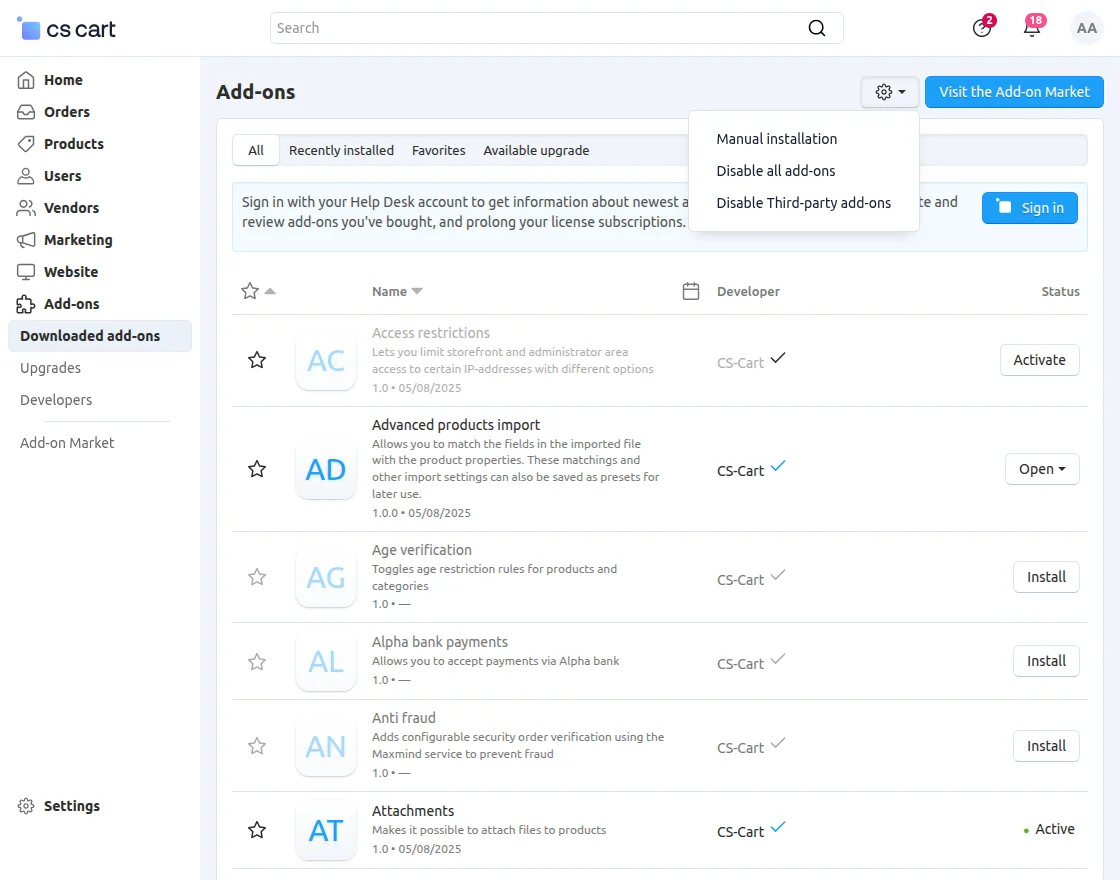
Go to Manage Add-ons, and click on “Manual Installation” as shown below in the snapshot.
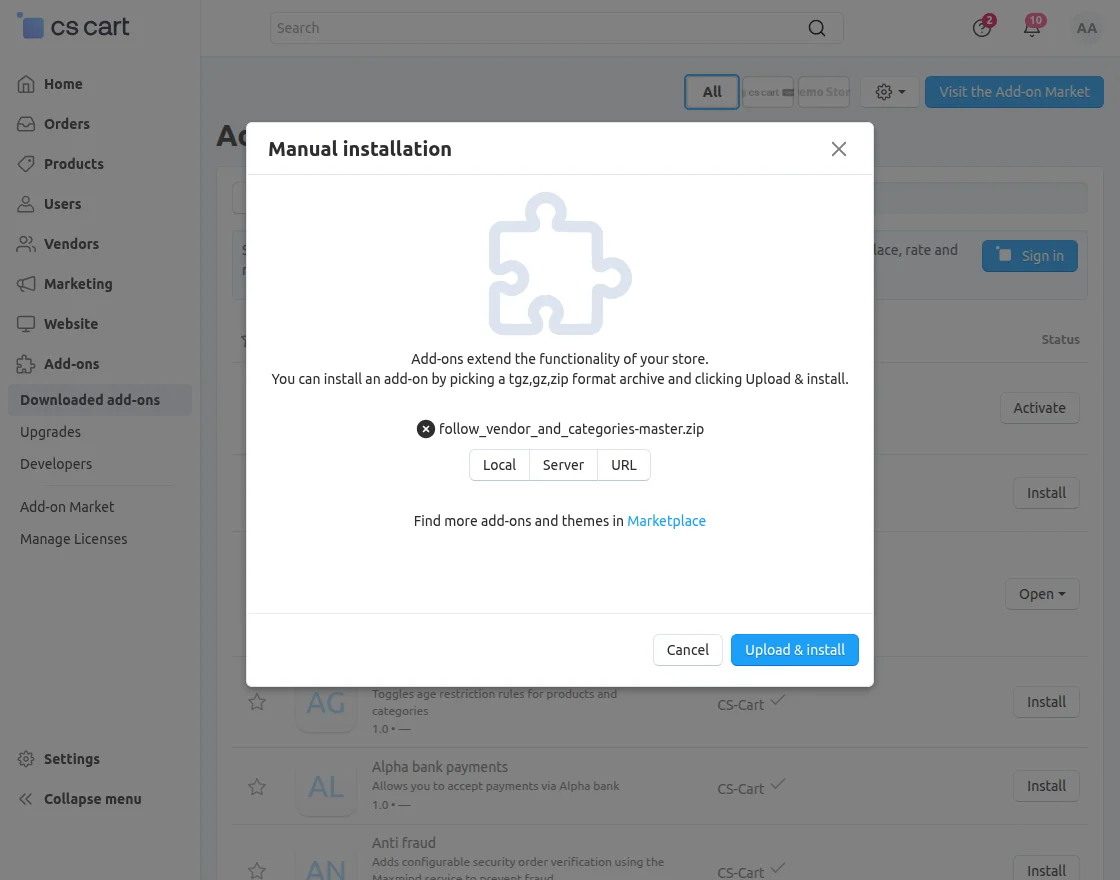
Click on “Local” to browse the zip file, and then click on “Upload & Install” as shown below in the snapshot.
Module Configuration | Admin
To configure the module, go to the Add-Ons >> Developers >> Webkul Software Pvt Ltd. >> Follow vendor and category >> Settings.
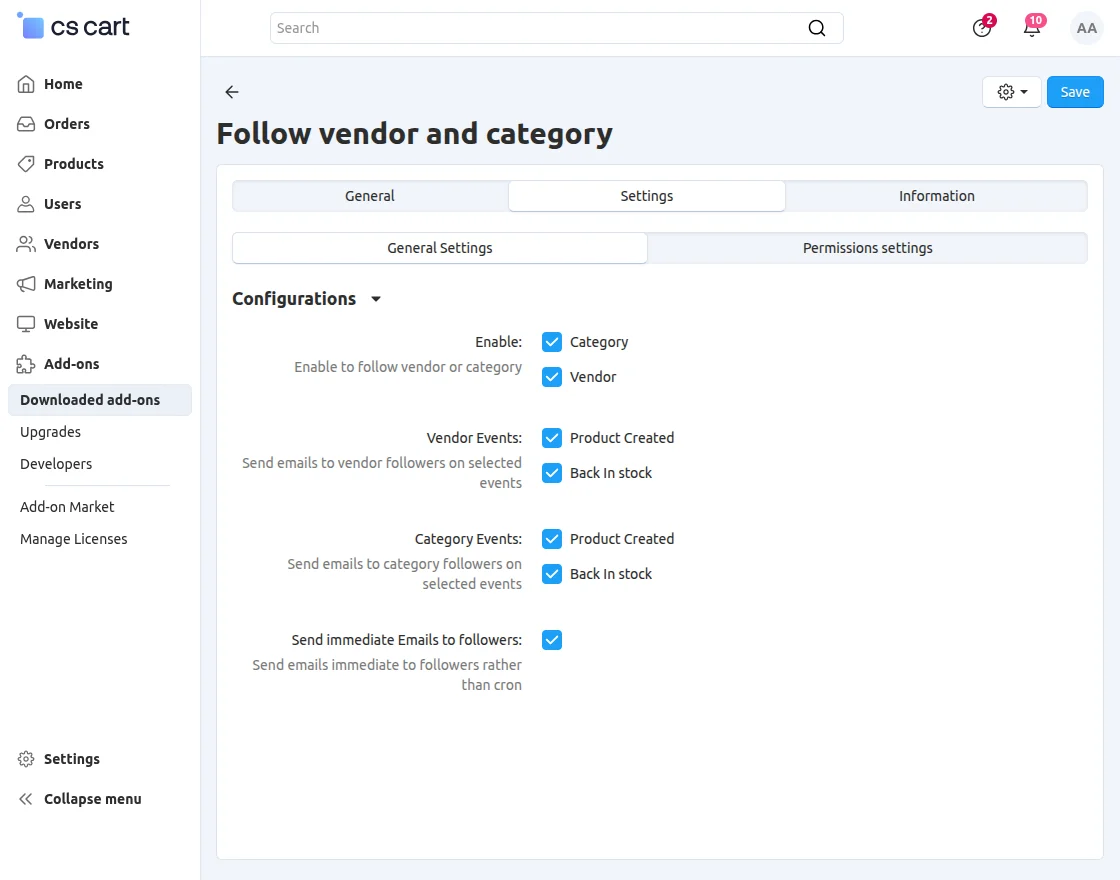
- Vendor Events: Enable notifications for product creation and back-in-stock events.
- Category Events: Enable notifications for product creation and back-in-stock events within the following categories.
- Immediate Email Notifications: Send notifications instantly without waiting for cron execution.
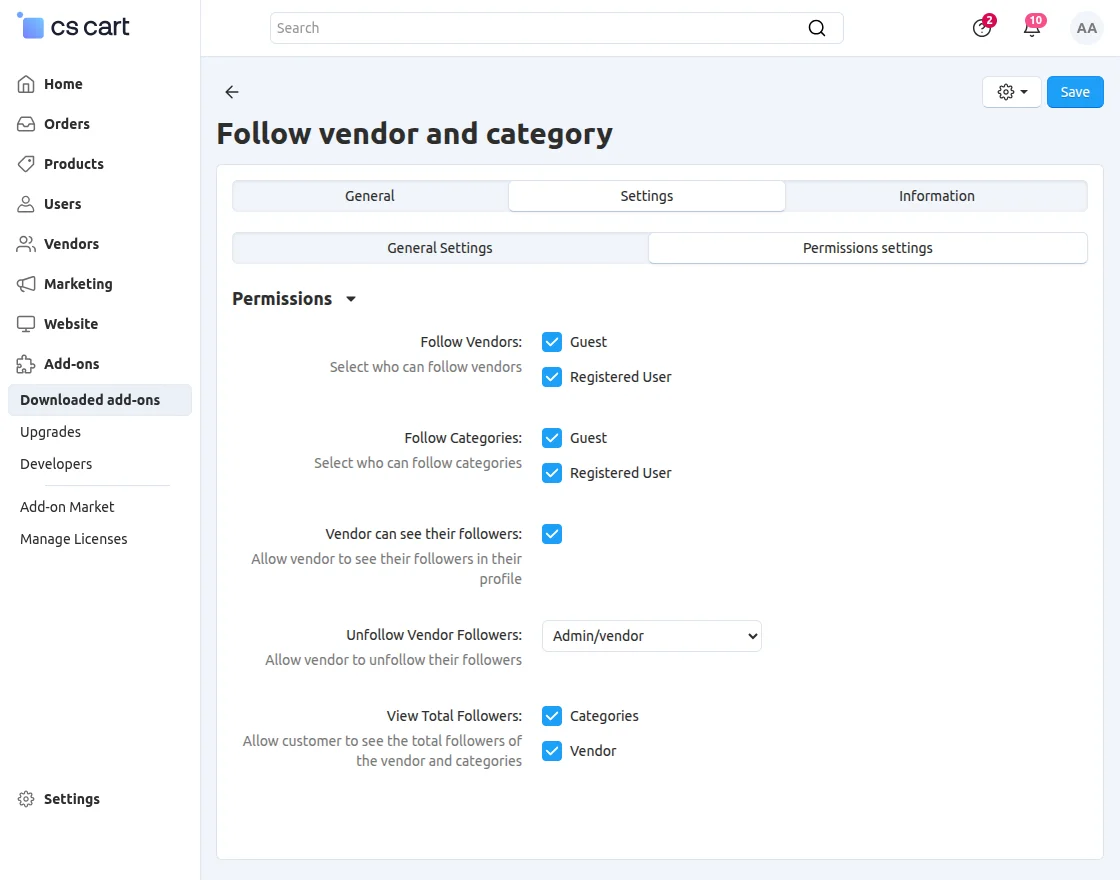
- Follow Categories: Let guest users and registered customers follow categories to receive updates about new products and back-in-stock items.
- Vendor Can See Followers: Allow vendors to view and manage their followers directly from the vendor panel.
Followers
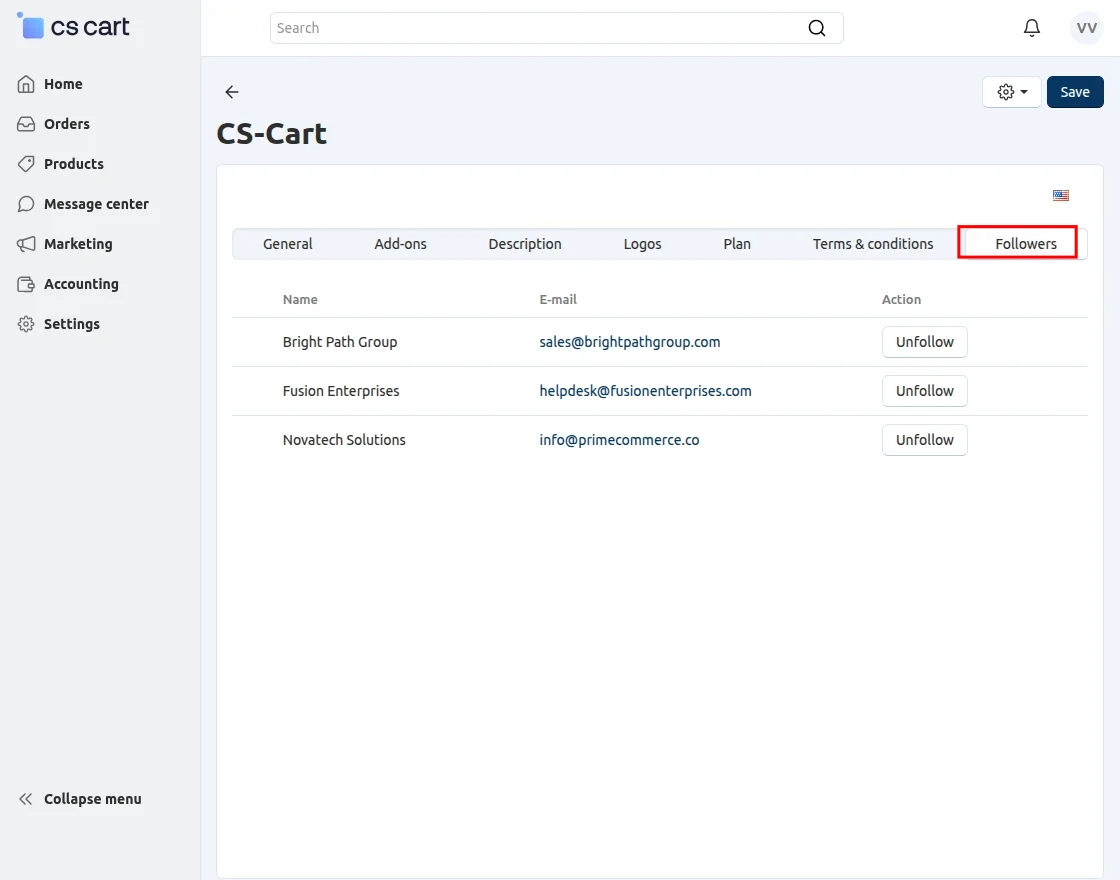
Admin or vendors can view the list of followers from their information section.
Customer View
The category page displays the total number of followers, allowing customers to follow popular categories easily.
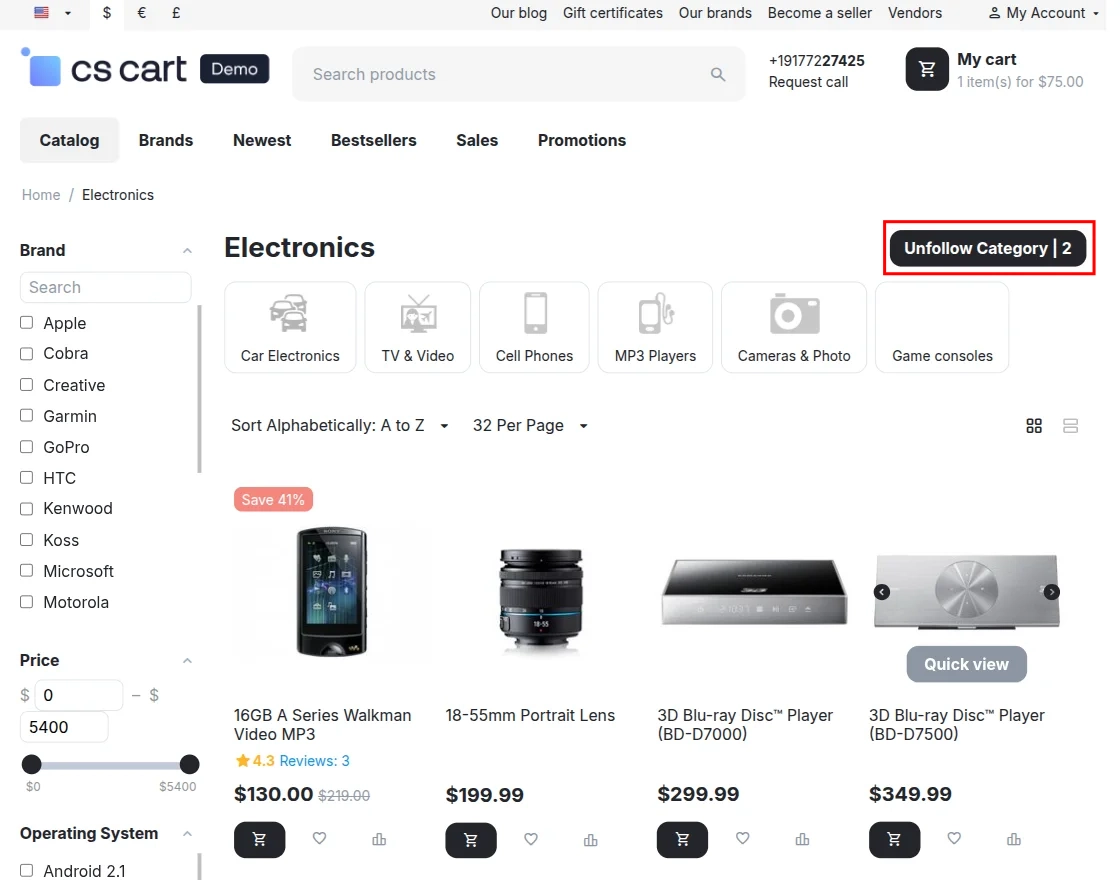
Customers can easily follow or unfollow categories directly from the category page.
Product Page:
Customers can follow vendors or categories directly from the product page.
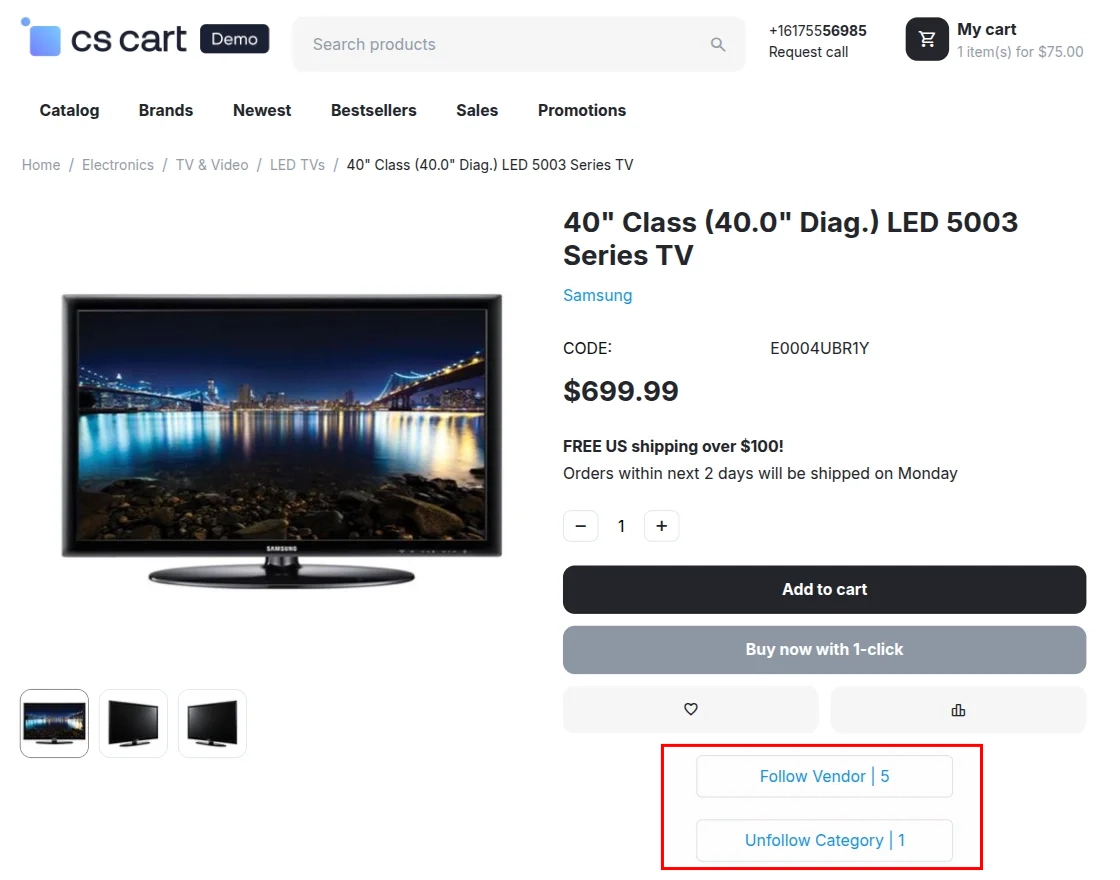
From the product page, customers can easily follow or unfollow their preferred vendors and categories.
To manage followed vendors and categories, navigate to My Account >> Followers.
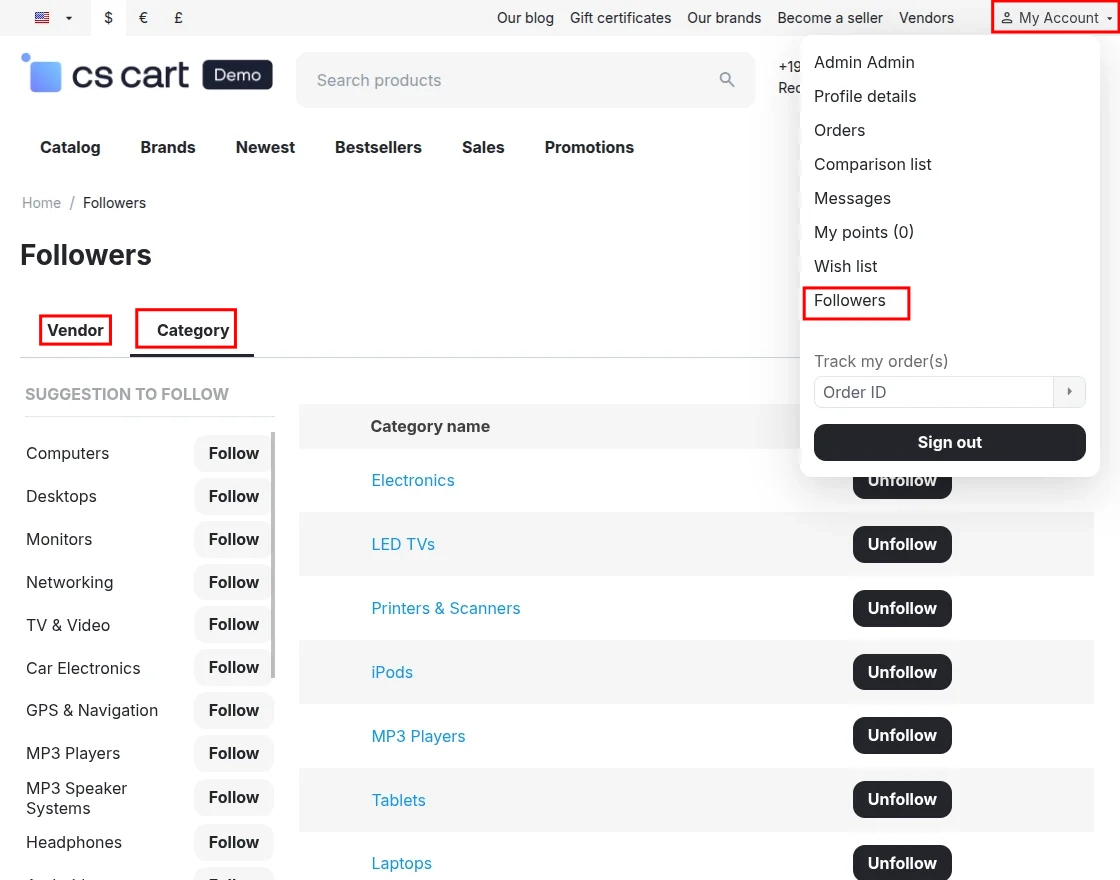
From this section, customers can manage their followed vendors and categories by viewing, following, or unfollowing them.
Support
If you have any questions, suggestions, or customization requests, feel free to contact us at [email protected] or submit a ticket at webkul.uvdesk.com.
Explore our premium-quality CS Cart Extensions to enhance your store functionality.
You can also explore our CS-Cart Development Services and Quality CS-Cart add-ons.
Current Product Version - 2.0
Supported Framework Version - 4.18.x, 4.19.x, 4.20.x

Be the first to comment.