Multi-Vendor Marketplace GDPR for Magento 2 (Adobe Commerce) module follows all the latest EU (European Union) regulations and guidelines for user data protection.
GDPR plays a very crucial role in the eCommerce industry.
Moreover, there are many options available for viewing, accessing, erasing, or updating the seller’s private data.
Further, this extension allows the customers/seller to send requests for update/delete their personal data/account.
Also, the admin can update the status of the customer’s request as pending/processing/ complete/ decline.
Note: This module is an add-on to the Magento 2 Marketplace Module. To use this module you must have installed Webkul Magento 2 Multi Vendor first.
Watch the below video tutorial to understand the extension workflow :
Features – Adobe Commerce Marketplace GDPR
- Seller/Customer can request for data update or delete.
- On seller/customer data request the admin will receive mail too.
- Seller/Customer can access his data immediately in PDF or HTML.
- Seller/Customer can view all his data related to the account, address, product, order, and transaction details.
- The admin can enable seller data consent on the seller registration and account edit page.
- The admin can enable cookie notice on all the pages on the website.
- The admin can see all the seller data update and delete requests in the grid.
- The admin can easily update the status of each request to pending, processing, complete or decline.
- On each status update, the seller will receive a mail.
- The admin can change the email templates too from the configuration.
Installation
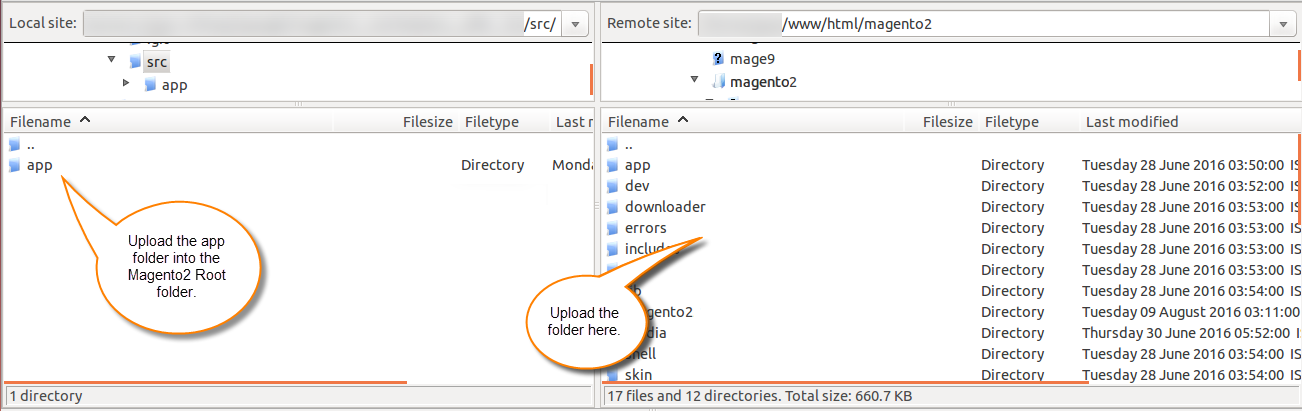
Customers will get a zip folder and they have to extract the contents of this zip folder on their system. The extracted folder has an src folder, inside the src folder you have the app folder.
You need to transfer this app folder into the Magento 2 root directory on the server as shown below.
After the successful installation, you have to run these commands in the Magento 2 root directory.
composer require mpdf/mpdf
php bin/magento setup:upgrade
php bin/magento setup:di:compile
php bin/magento setup:static-content:deploy
After running the commands, you have to flush the cache from the Magento 2 (Adobe Commerce) admin panel by navigating through->System->Cache management as shown below.
Thus, the installation of the module completes in this way.
Multilingual Support
For multilingual support, the admin will navigate through Store->Configuration->General ->Locale Options and select the locale as English (the language into which the admin wants to translate his store content).
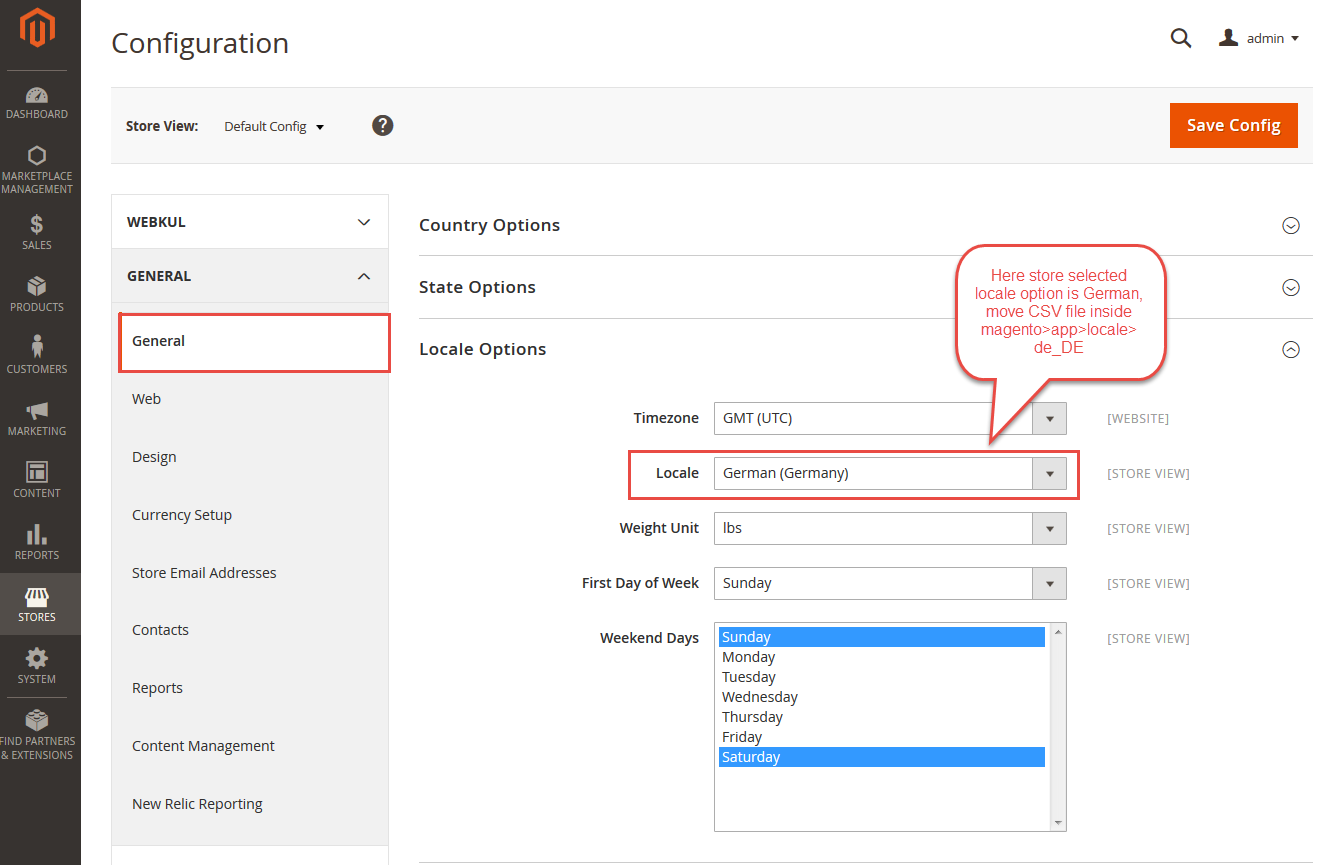
Thus, in this way, the admin can translate the language of their store.
Module Translation
If a user wants to translate their module from English to German. Then they need to follow the path app/code/Webkul/MpGDPR/i18n in their unzipped Magento2_marketplace_gdpr folder and will get a CSV file with the name “en_US.csv”.
Now they will rename that CSV as “de_DE.csv” and translate all right side content after the comma in the German language. After editing the CSV, save it.
And then upload it to the path app/code/Webkul/MpGDPR/i18n where they have installed Magento 2 on the server. The module will get translaFourth Command –ted into the German Language. It supports both RTL and LTR languages.


Thus, the admin can translate the module into their desired language.
Admin Configuration
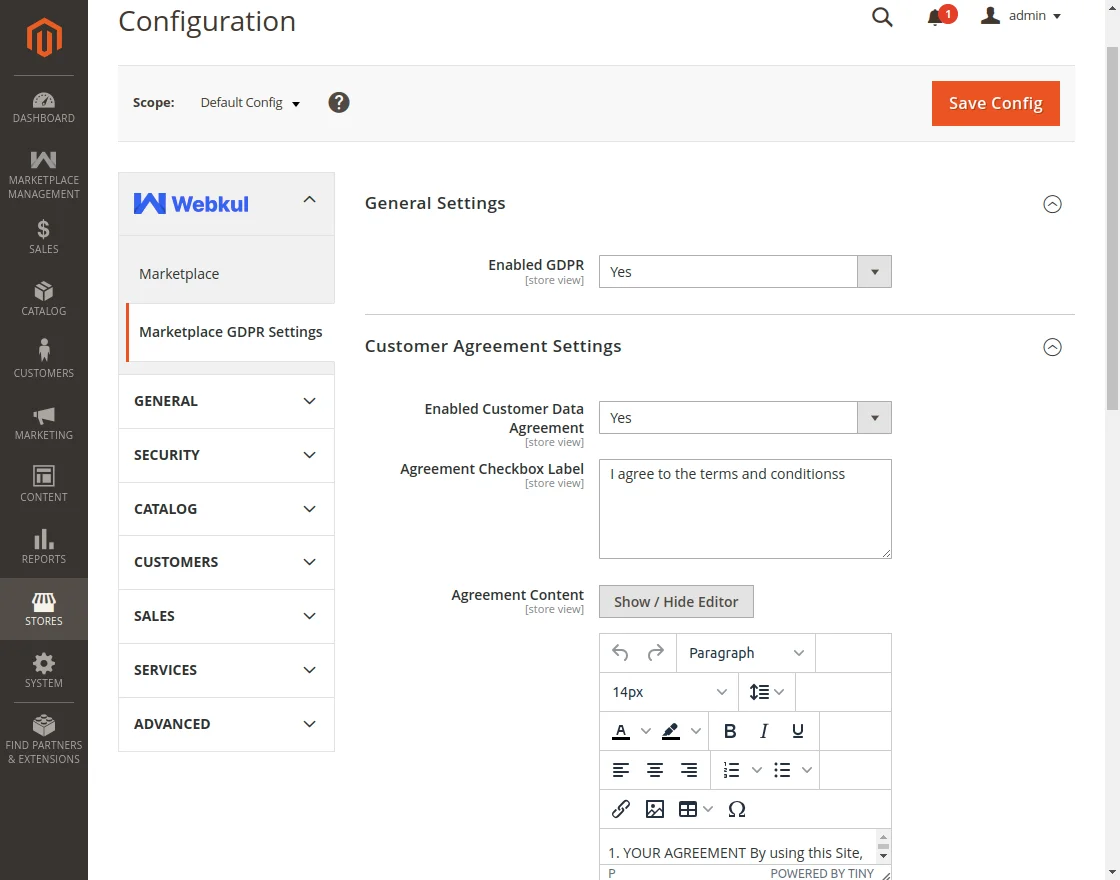
After the installation of Multi-Vendor Marketplace GDPR for Magento 2 (Adobe Commerce), you will find the configuration settings panel by navigating through Stores->Configuration->Webkul>Marketplace GDPR Settings per the snapshot below:
General Settings
Here, the admin can enable/disable the Marketplace GDPR module by choosing “Yes” or “No”.
Customer Agreement Settings
Enabled Customer Data Agreement –
The admin can set “Yes” to display the Customer Data Agreement on the customer/seller registration page and edit the account page.
Agreement Checkbox Label –
The admin can set text which will be displayed below the customer/seller registration page as a link with the checkbox. When the users accept the agreement after that they can proceed further.
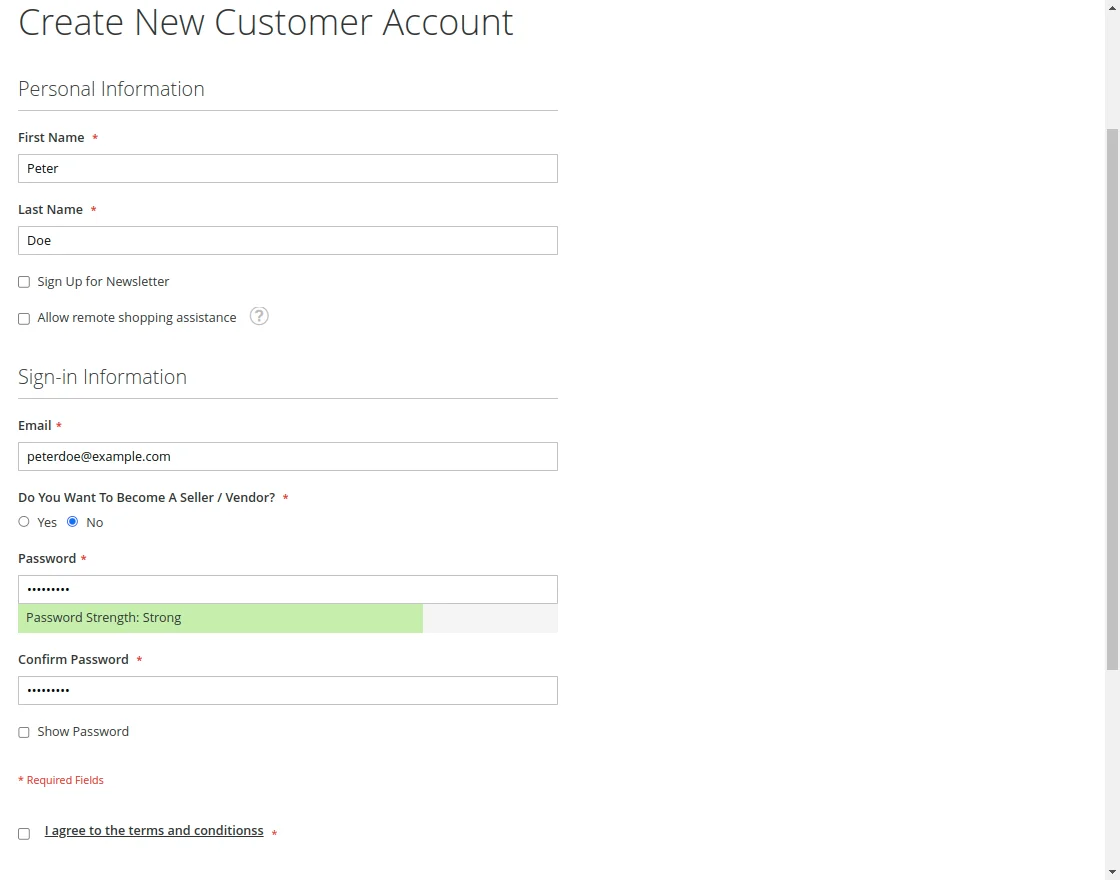
Agreement Content –
The admin can set all customer data agreement content which will be displayed on the popup page after clicking the Agreement link in the above snapshot.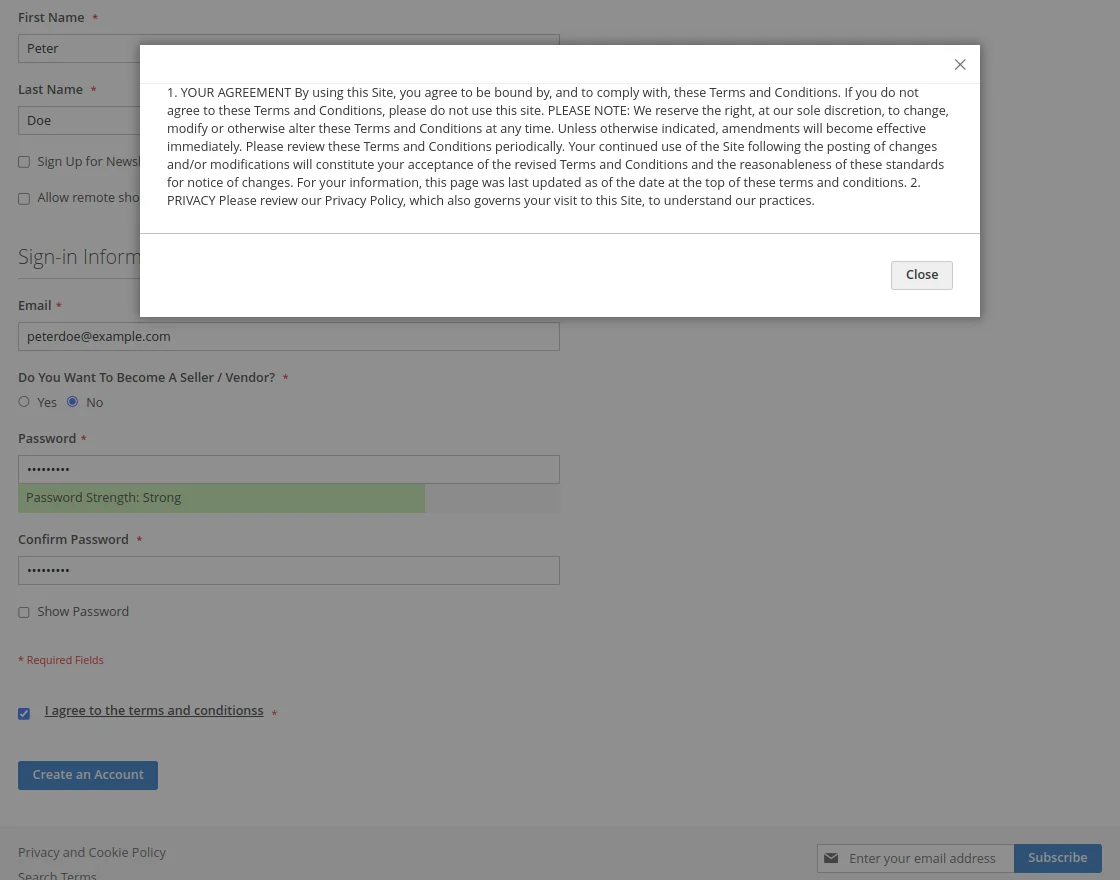
Cookie Message Settings
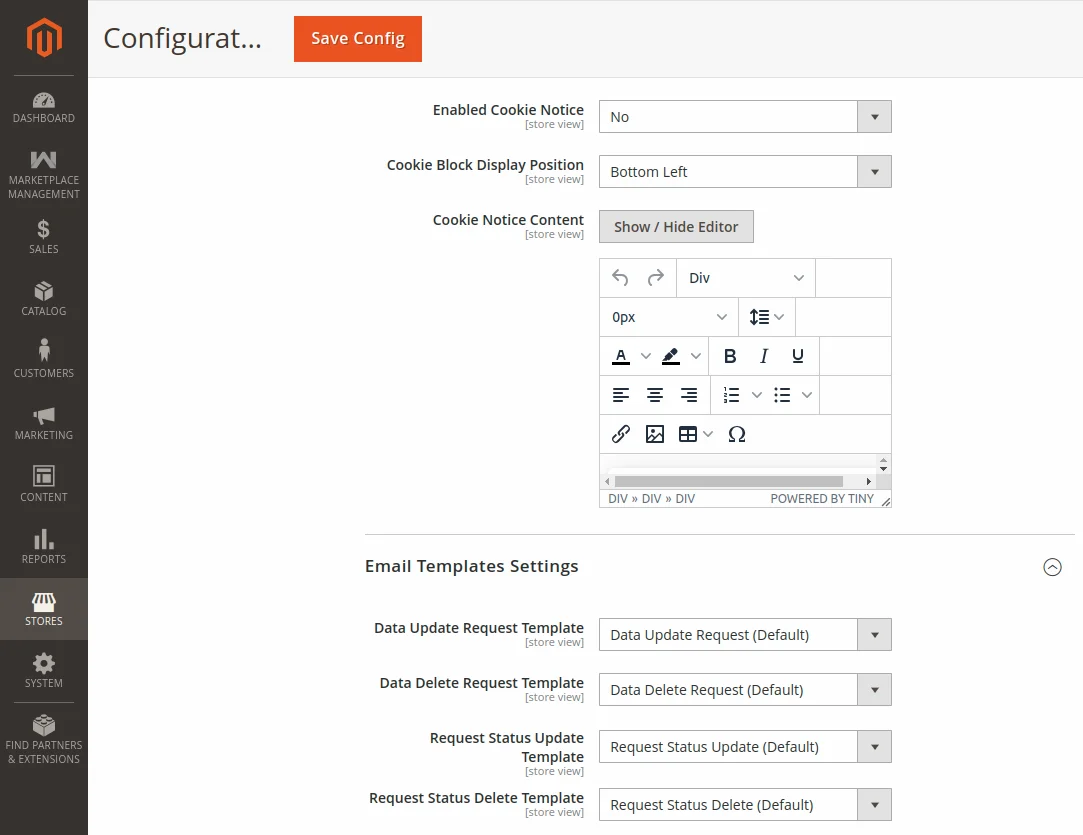
Enabled Cookie Notice –
Here, the admin can set “Yes” to display cookie static block on the front end else “No”.
Cookie Block Display Position –
Here, the admin can set the position of Cookie Block as Bottom Left or Bottom Right. When customers/sellers accept this cookie notice it will not display for one day.

Cookie Notice Content –
The admin can add the desired cookie content from the cookie notice content editor.
Email Template Settings
Here, the admin can set an email template for data update requests, data delete requests, request status updates, and request status deletes.
GDPR Data Request of Users
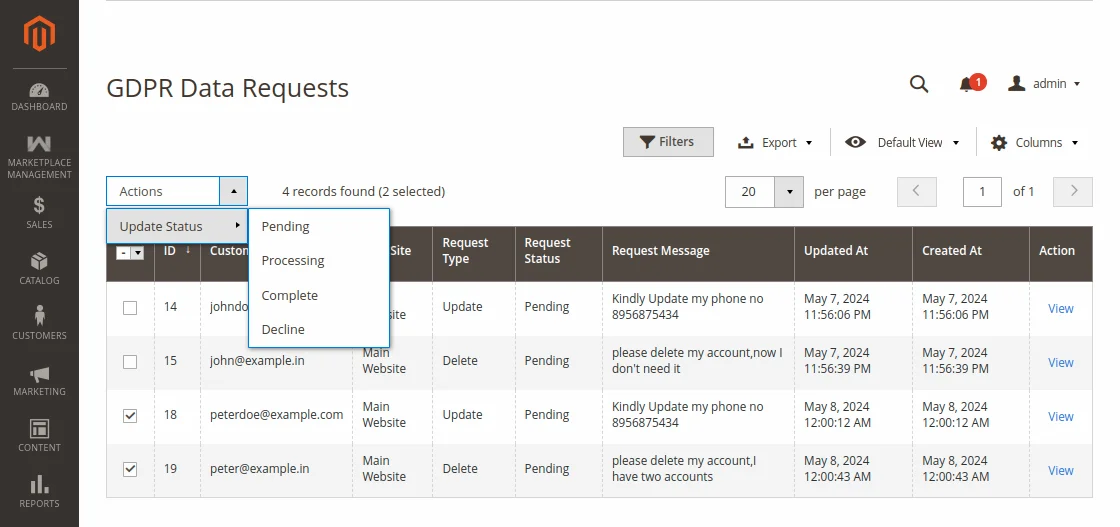
If the admin wants to see the GDPR request details of customers then follow this path Customer>GDPR Data Requests.
And if the admin wants to see the GDPR request details of sellers then follow this path Marketplace Management >GDPR> GDPR Data Requests.
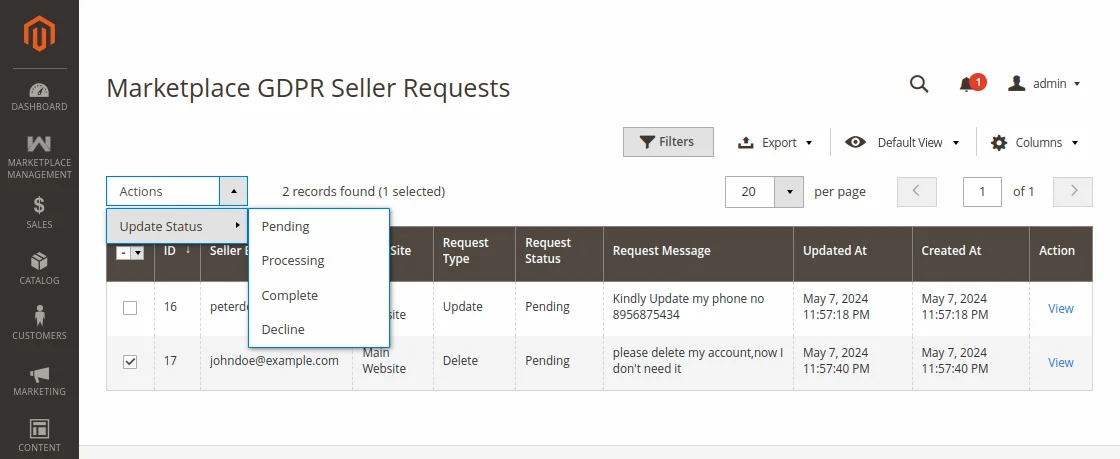
Here, the admin can see ID, Request Type, Request Status, Updated Date, Created Date, Request Message, and Customer/seller Email as per the above snapshots.
Request Type – Customer/seller can request for data update and account delete.
Request Status – The admin can change the status of the request. First, mark the checkbox of the request then click on Action and then, click on Update Status, they will get four types of statuses –
- Pending -Customer/seller sends a request the status will be pending.
- Processing – Processing means is to notify the customer/seller that your request is received and we are working on that.
- Complete – Complete means the user’s request is done as per their requirement.
- Decline – Decline means the admin can simply reject the request.
User End
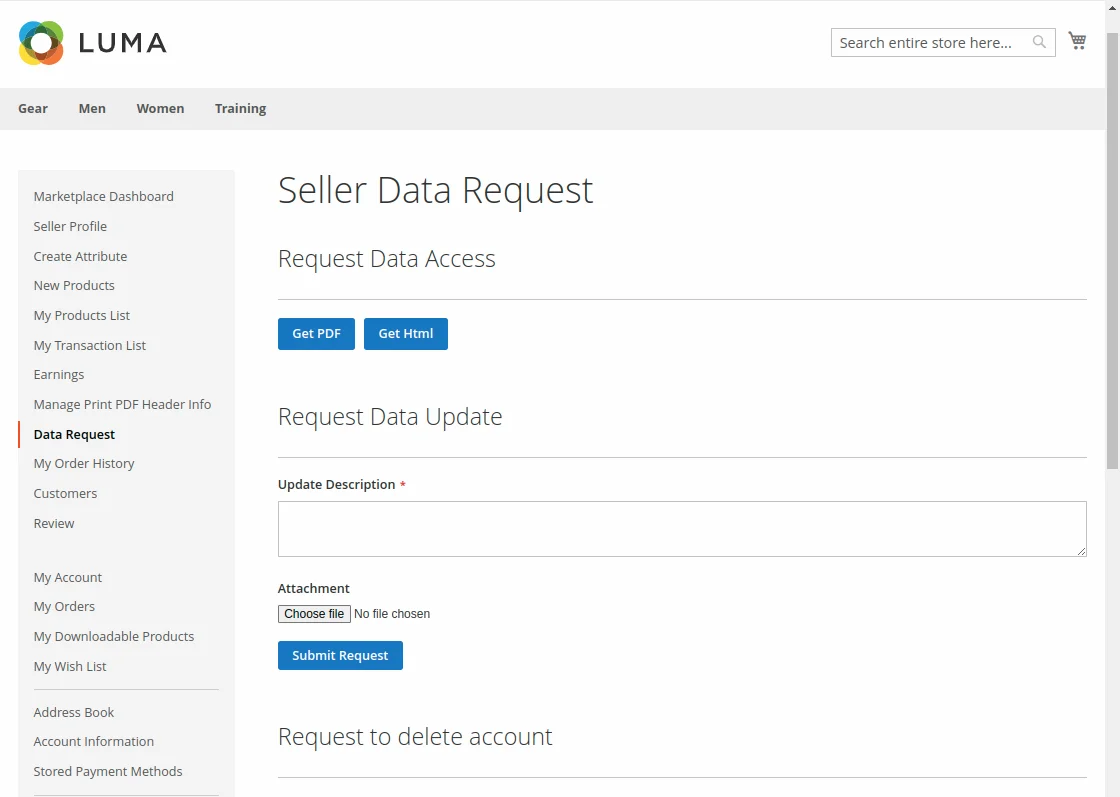
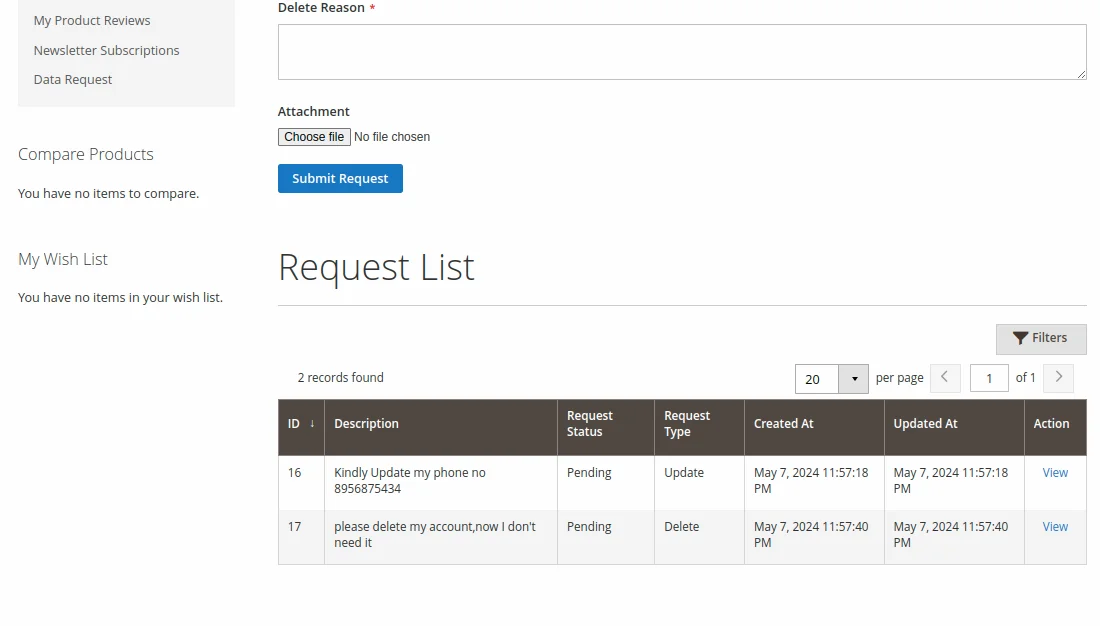
From the seller panel, the seller can send the request to update/ delete the account information. And the seller can also access their Data.
For this, the seller will have to click on the Data Request option under the seller panel as per the below screenshot –
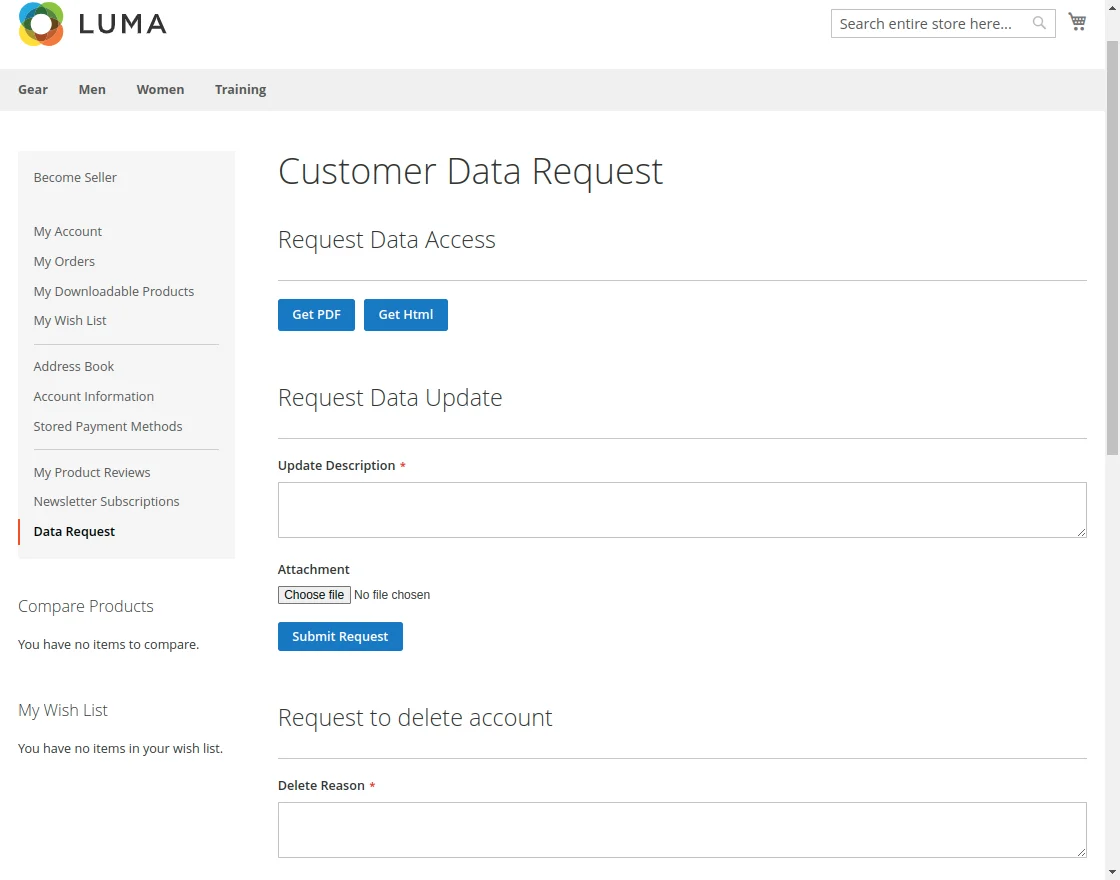
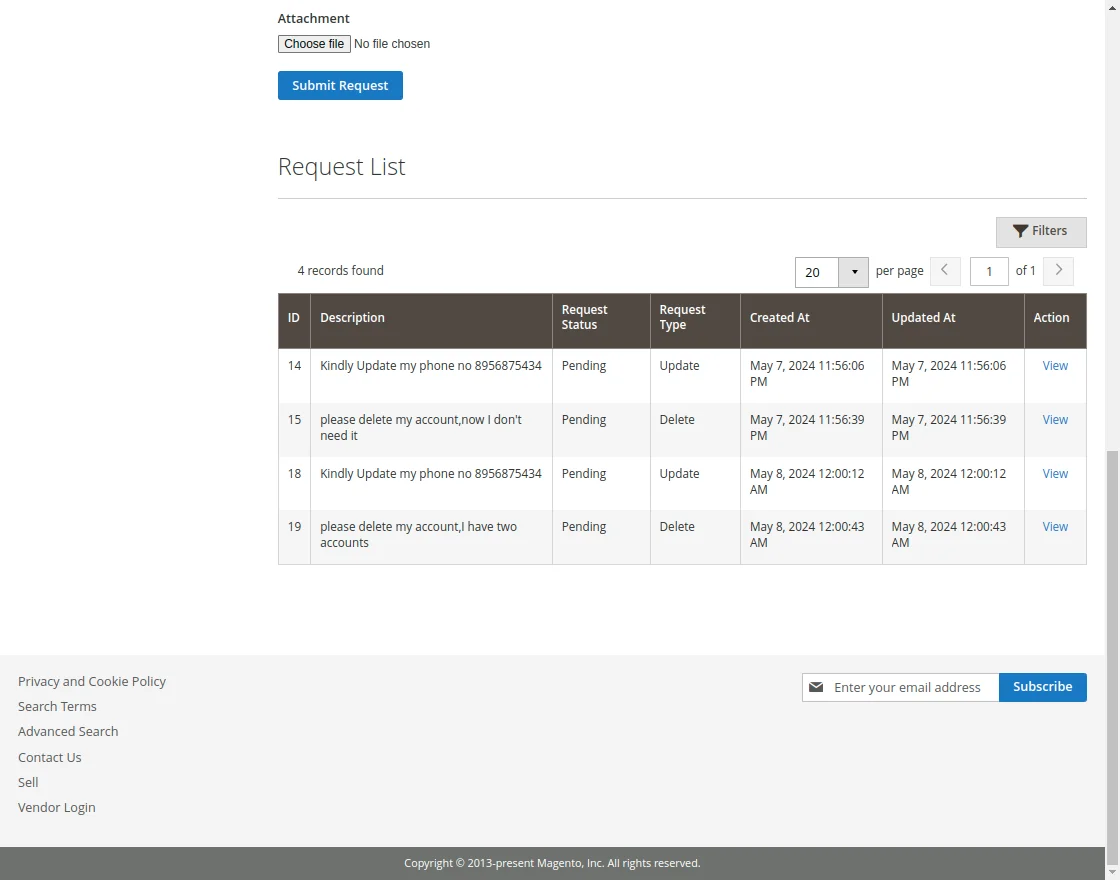
From the customer panel, the customer can access account information. The customer can also send the request to update/ delete the account information.
For this, the customer will have to click on the Data Request option under the customer panel as per the below screenshot –
Request Data Access-
Here, the customer/seller can access their data in pdf and HTML format as per the below screenshot-

Here, the customer/seller can access –
Account information – First Name, Last Name, Email, Gender, etc.
Address information – City, Region, Postcode, State, Country, etc.
Order information – Order Id, Price, Billing address, Shipping Address, Payment Details, etc.
And additional information.
Request Data Update
The Seller/Customer can send the request to update the data/information. For this, the seller/customer has to write the information which wants to update and then submit the request.
Request Data Delete
Here, the Seller/Customer can send the request to delete the complete account. For this, the seller/customer has to write the reason why you want to delete the account and then submit the request.
Request List
Here, Seller/Customer able to see Request ID, Request Description, Request Status, Request Type, Created Date, and Updated date.
Support
Thus, that is all for Marketplace GDPR for Magento 2 module still have any issues feel free to add a ticket at our HelpDesk System and let us know your views to make the module better.
You may also browse other Magento 2 marketplace addons and our quality Magento 2 extensions.
Current Product Version - 5.0.2
Supported Framework Version - Magento 2.0.x, 2.1.x, 2.2.x,2.3.x, 2.4.x

Be the first to comment.