


















CS-Cart EBS Payment Gateway allows online stores to accept secure payments through EBS.
The addon connects your CS-Cart store with the EBS payment service and lets customers complete their orders using supported payment options.
The addon provides a simple payment process and helps store owners manage EBS transactions directly from the CS-Cart checkout.
Note:
- Install the add-on.
- Enter the license key.
- Follow the license activation steps.
Features
- Indeed well integrated with CS-Cart/Multivendor.
- User-friendly interface to receive online payments.
- Supports credit card options which includes Visa, Master card, Maestro, Amex, JCB, Diners.
- Works with INR currency(Indian)
- Also supports international payments after EBS approval.
- Smooth reconciliation to handle the risk management system.
- Moreover, the option of the Page ID feature has been provided. Admin can customize EBS payment as per look.
Please note that the live demo link is not available due to the unavailability of sandbox credentials. For the detailed process flow of the add-on, please go through this blog post.
Note: Before installing the add-on, extract the downloaded package.
- Install the License Manager add-on first.
- Then install the required add-on.
- Follow the license activation steps to generate your license key.
Video Tutorial
Installation
After downloading the CS-Cart Endicia Shipping Label add-on, you’ll get one zip file, one install.txt file, and a relevant User Guide manual doc.
Please read it carefully for proper configuration.
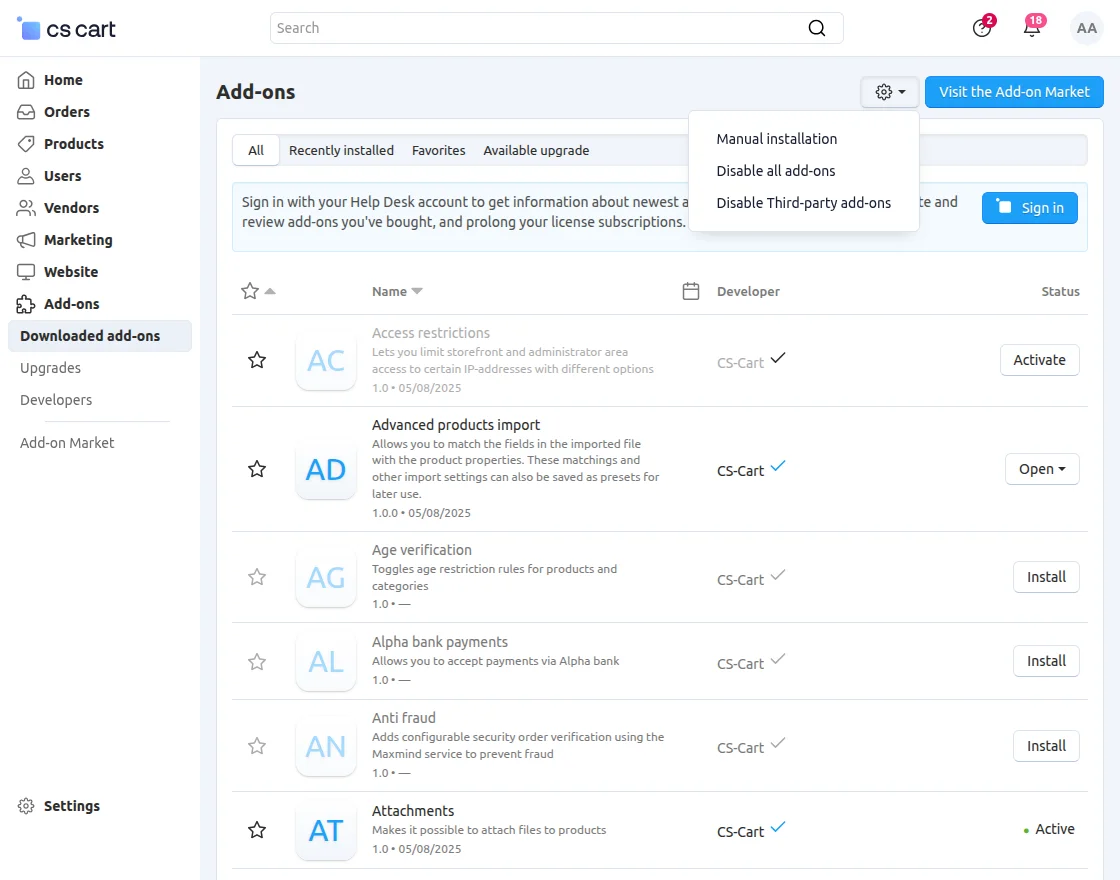
Go to Manage Add-ons, and click on “Manual Installation” as shown below in the snapshot.
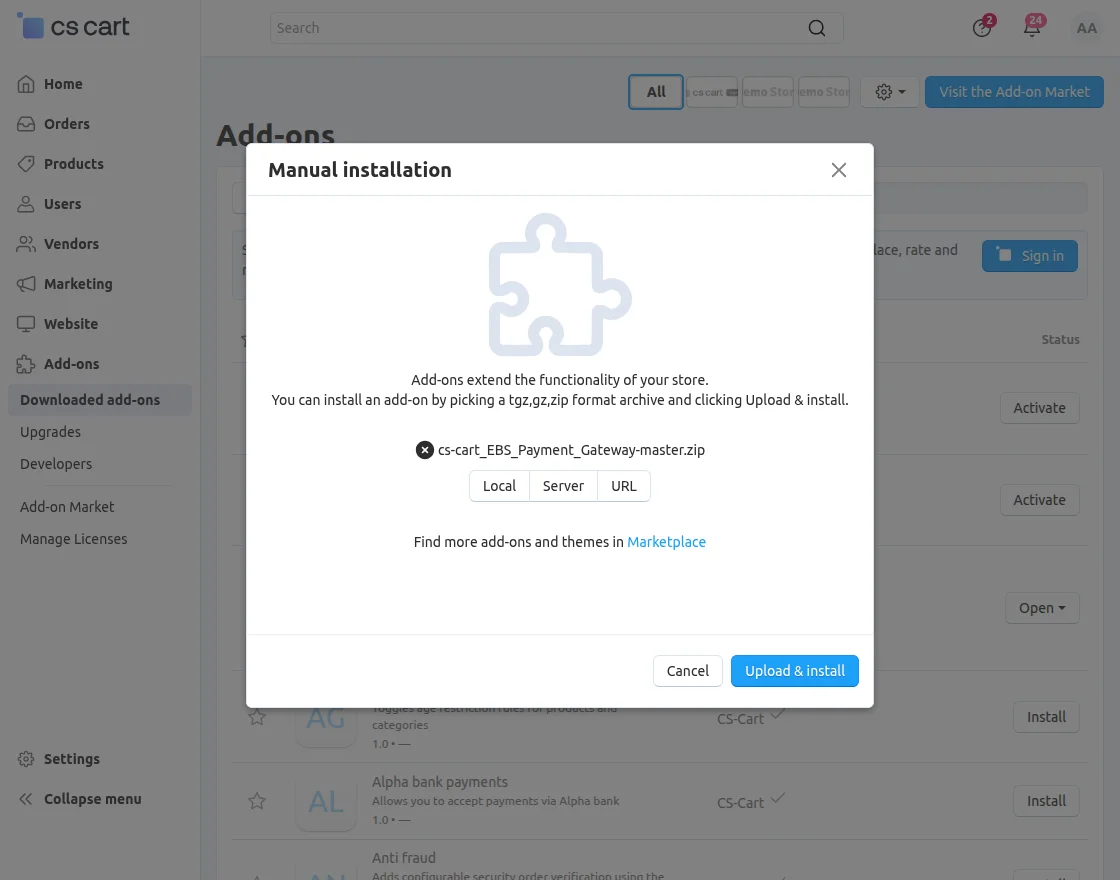
Click on “Local” to browse the zip file, and then click on “Upload & Install” as shown below in the snapshot.
Payment Method
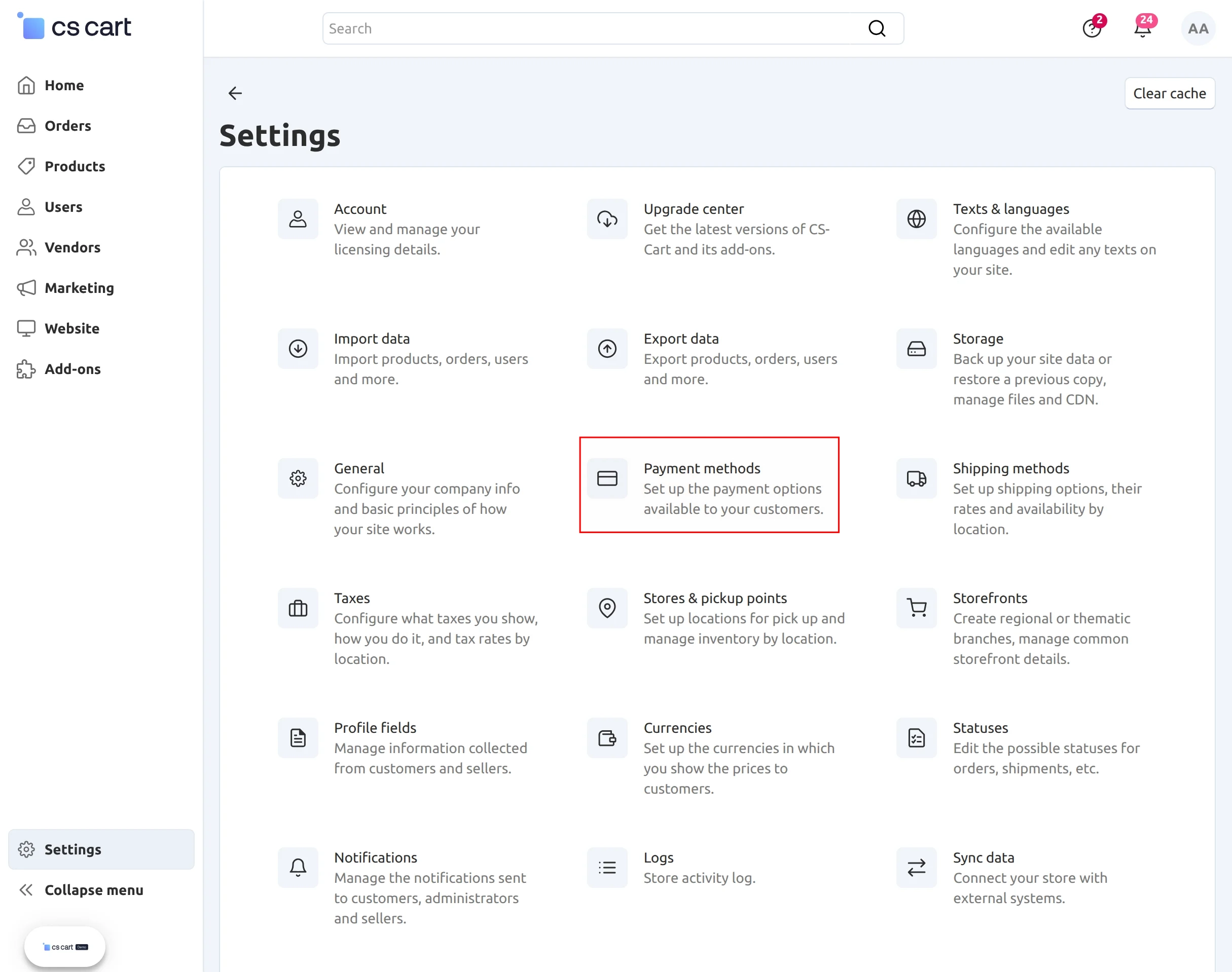
Go to “Settings” and click on “Payment Method”.
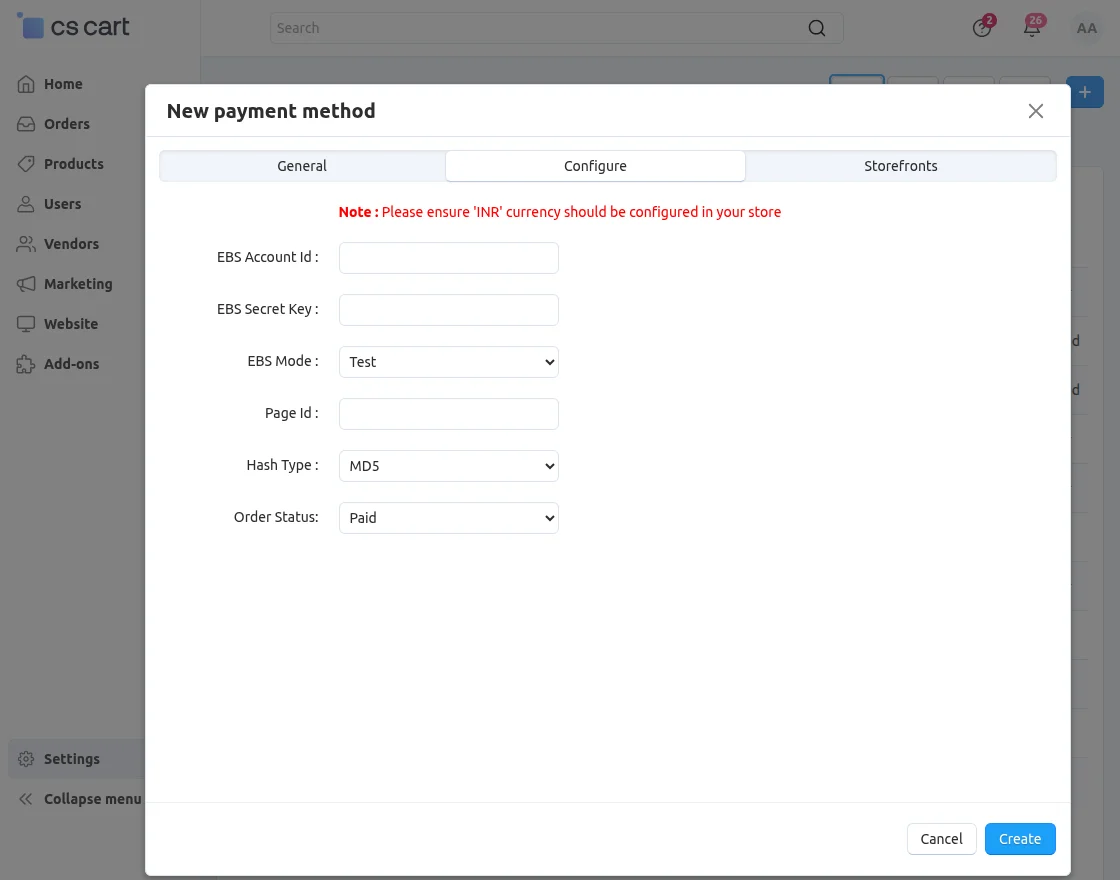
Click on “+” to create a new payment method.
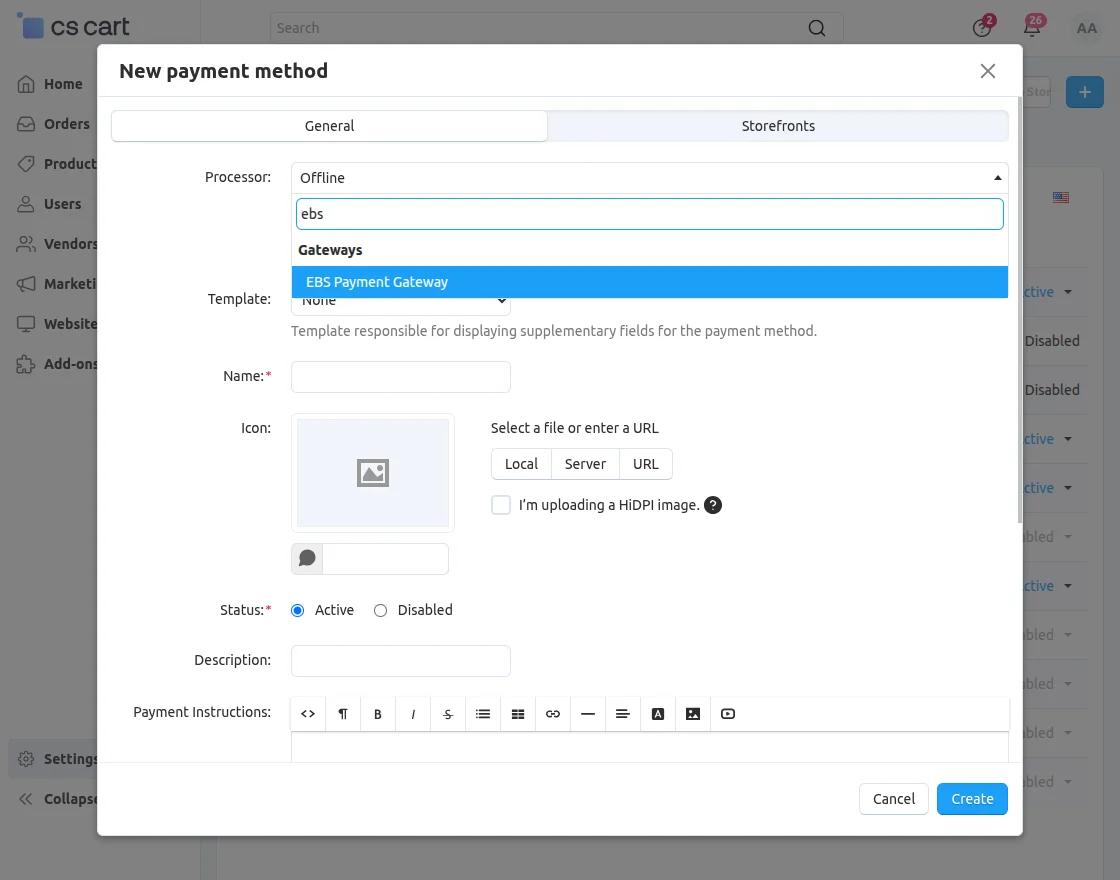
- EBS Account ID: Enter the Account ID provided by EBS.
- EBS Secret Key: Enter the Secret Key associated with your EBS account.
- EBS Mode: Select Test to test transactions or EBS Live to process real payments.
- Page ID: Enter the Page ID provided by EBS.
- Hash Type: Select the hash algorithm supported by your EBS account: MD5, SHA512, or SHA1.
- Order Status: Select the order status that the store will assign after a successful EBS payment.
Frontend
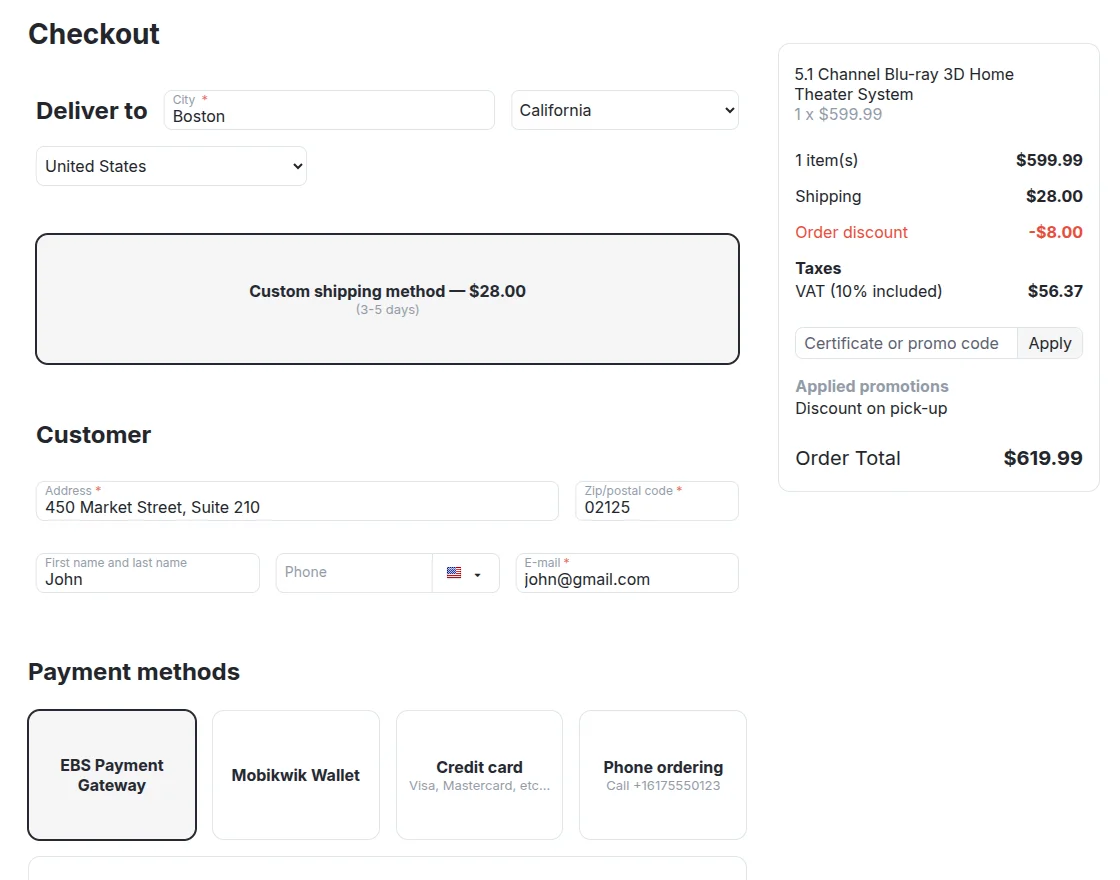
Select “EBS payment” as the payment method for further processing.
Enter the card details as shown below and click on “Make payment”.

Click on “Continue process” as shown below.

Successful payment notification.

Payment details of the order on the admin end.

Support
If you have any questions, suggestions, or customization requests, feel free to contact us at [email protected] or submit a ticket at webkul.uvdesk.com.
Explore our premium-quality CS Cart Extensions to enhance your store functionality.
You can also explore our CS-Cart Development Services and Quality CS-Cart add-ons.
Current Product Version - 2.0
Supported Framework Version - 4.18.x, 4.19.x, 4.20.x

Be the first to comment.