


















A deal rarely dies because someone said no. It dies because a lead sat in an inbox for a week and nobody remembered to call back.
That is the job a CRM does, and it is why most teams eventually pay for one.
The catch is that Salesforce and Zoho bill per user every month, so the cost climbs with every hire.
The second cost is less obvious, because your pipeline and your entire customer history end up on a server you do not control.
It all sits under terms you did not write.
An open source CRM removes both problems at once, because you run it on your own hardware and the customer database stays yours.
When the software does not fit how your team sells, you change the software rather than the process.
This guide walks through eight free open source CRM platforms worth running in 2026.
Each one gets an honest look at what it does well and where it will frustrate you.

Top 8 Free Open Source CRM Software Compared in 2026
The table below sets the eight platforms side by side so you can see which license each one ships under and roughly what size of business it suits.
Use it to narrow the field to two or three candidates, then read the detailed sections below before you commit a server to any of them.
| CRM Software | Best For | Open Source License | Self-Hosted | Ideal Business Size |
|---|---|---|---|---|
| Krayin CRM | Sales management, lead tracking, and Laravel-based customization | MIT | Yes | Small to Growing Businesses |
| Odoo CRM (Community Edition) | Lead management, sales pipeline, and ERP integration | LGPL-3.0 | Yes | Small to Large Businesses |
| SuiteCRM | Enterprise CRM, workflow automation, and customer support | AGPL-3.0 | Yes | Medium to Enterprise |
| EspoCRM | Sales automation, contact management, and marketing | AGPL-3.0 | Yes | Small to Medium Businesses |
| Twenty CRM | Modern CRM for startups with contact and opportunity management | AGPL-3.0 | Yes | Startups & Small Businesses |
| ERPNext CRM | CRM integrated with ERP, accounting, inventory, and projects | GPL-3.0 | Yes | Small to Large Businesses |
| YetiForce CRM | Advanced CRM with customizable business workflows | YetiForce Non-commercial License | Yes | Medium to Large Businesses |
| OroCRM | B2B customer relationship management and enterprise sales | OSL-3.0 | Yes | Mid-size & Enterprise |
What Is Open Source CRM Software?
An open source CRM is customer relationship management software whose source code is published rather than hidden.
Anyone can read it, and anyone with a server can run their own copy of it.
That is the practical difference from Salesforce or HubSpot, where you are limited to whatever settings the vendor decided to expose.
Here those settings are only a starting point, and the code underneath is yours to change.
What does not change is the daily work of a sales team, which still revolves around capturing leads.
Those leads then move along a pipeline until they either close or die.
Because you host it yourself, the customer database sits on infrastructure your own team controls.
For anyone dealing with GDPR or an internal audit, that single fact often settles the whole question.
Most of these platforms also ship a REST API, which is what stops the CRM becoming another island of data.
Without it, somebody has to retype that data into the accounting system every month.
Top 8 Open Source CRM Platforms Reviewed
Every platform below handles the basics well enough to run a sales team.
What separates them is the technology each one is built on and how much work it takes before the first lead is ever entered.
1. Krayin CRM: Laravel CRM for Small Sales Teams
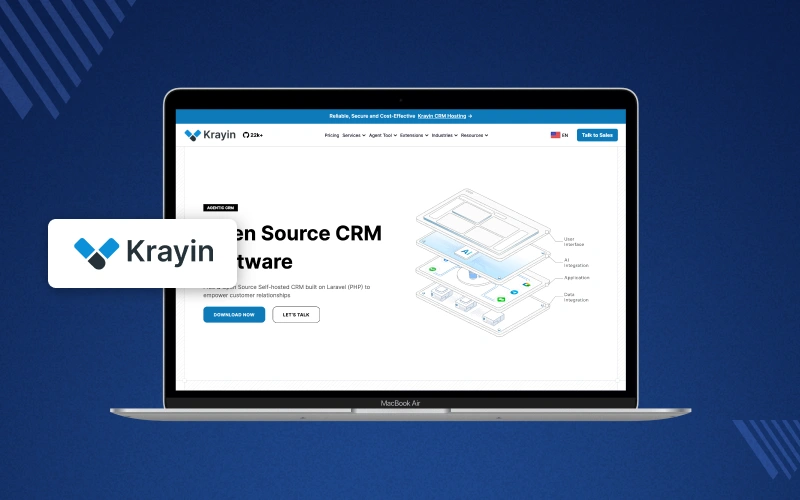
Krayin CRM is a free, open source CRM built on Laravel, which matters more than it sounds.
A team that already writes PHP can extend it without stopping to learn a new framework first.
Everything a sales rep touches during the day sits on one dashboard.
That runs from the first inbound enquiry through to the quotation that finally closes the deal.
The codebase is modular, so adding a custom field or an entire new module is a normal Laravel package.
It is not a hack bolted onto somebody else’s core.
It ships under the MIT license, which is about as permissive as open source gets.
There is no per-user fee and no restriction on reselling whatever you build on top of it.
It suits smaller teams and agencies that would rather shape the CRM around an existing PHP stack than rebuild their process around a vendor’s product.
Key Features:
- Track leads, contacts, and organizations in one record set.
- Move deals through sales pipelines you define yourself.
- Book calls, meetings, and follow-up tasks with reminders.
- See every email, note, and call logged against a contact.
- Build quotations and send them from inside the CRM.
- Run reports on won, lost, and open deals.
- Add custom fields and modules as Laravel packages.
- Set role-based permissions for each team.
Pros:
- MIT license, so no per-user cost and no usage limits.
- Laravel codebase that PHP developers pick up quickly.
- Clean interface that sales staff learn without training.
- Self-hosted, so the customer database stays with you.
- Light enough to run on a modest server.
Cons:
- Smaller community than SuiteCRM or Odoo, so fewer ready answers.
- Fewer prebuilt integrations, so most connections need building.
2. Odoo CRM (Community Edition): CRM With Built-In ERP
Odoo CRM Community Edition is the free half of the Odoo suite.
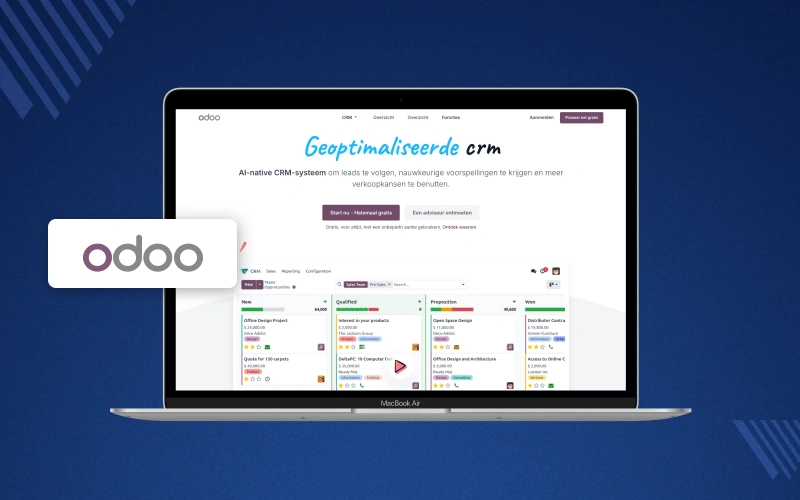
On its own it is already a capable sales tool, with a kanban pipeline your reps can drag deals through.
The real advantage only shows up later, when the same installation starts running your invoicing and your warehouse.
Both work against the same customer record the sales team already uses.
Sales teams get lead scoring and pipeline reporting without paying a license fee.
Odoo does hold a handful of features back for the Enterprise edition.
You can start with CRM alone and switch the other apps on years later, which suits any business that expects to outgrow a standalone CRM eventually.
Key Features:
- Capture leads from web forms, email, and imports.
- Track opportunities on a drag-and-drop kanban pipeline.
- Schedule calls, meetings, and the next action on every deal.
- Assign incoming leads automatically using rules you set.
- Build pipeline dashboards and sales forecasts.
- Share one customer record with inventory, invoicing, and projects.
- Add fields, stages, and workflows without touching core code.
- Self-host on your own server with full database access.
Pros:
- Free Community Edition with no cap on users.
- Connects directly to Odoo accounting, inventory, and eCommerce apps.
- Kanban pipeline that a sales team picks up in minutes.
- Scales from a two-person team to a large sales floor.
- Very large community, with documentation and third-party modules.
Cons:
- Some CRM features, including VoIP integration, are Enterprise only.
- Deeper customization needs a developer who knows the Odoo framework.
3. SuiteCRM: Enterprise CRM Without License Fees
SuiteCRM began as a fork of SugarCRM Community Edition.
It has since become one of the most established open source CRM platforms still under active development.
It ships with far more out of the box than most of its rivals.
That includes a full case and ticket system that would normally be a separate helpdesk purchase.
Workflow rules let an admin automate the follow-ups and escalations that would otherwise depend on somebody remembering.
That is a large part of why bigger teams choose it.
It runs under AGPL-3.0 on your own LAMP server, so the bill does not move whether ten people use it or a hundred.
Key Features:
- Manage leads, contacts, accounts, and opportunities.
- Automate follow-ups and escalations with workflow rules.
- Log calls, emails, and meetings against every record.
- Run email campaigns and track the responses.
- Handle support cases and customer tickets.
- Build custom reports and dashboards in the browser.
- Control access with roles and record-level security.
- Extend with modules, plugins, and a REST API.
Pros:
- Free under AGPL-3.0 with no user limits.
- Feature set close to a paid enterprise CRM.
- Studio tool lets admins add fields and modules without code.
- Long track record and a large support community.
- Handles complex, multi-stage B2B sales processes.
Cons:
- The interface looks dated next to newer CRM tools.
- First-time setup and data migration take real effort.
4. EspoCRM: Lightweight CRM With Deep Customization
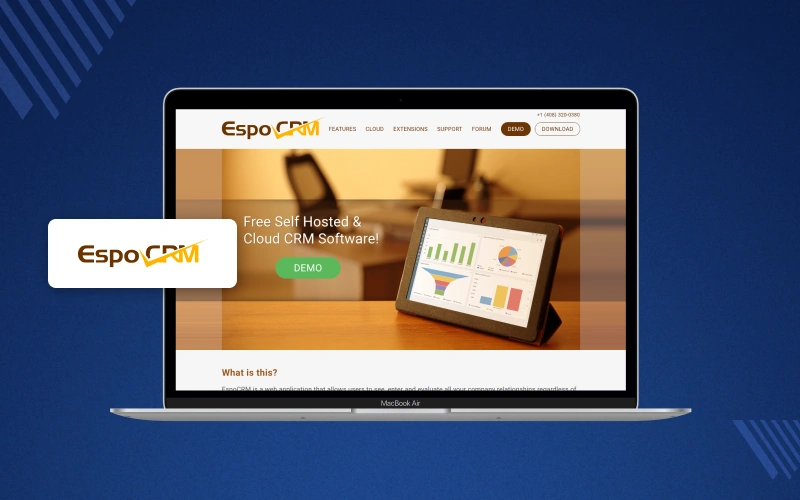
EspoCRM sits in the gap between the lightweight tools and the heavy enterprise ones.
It installs in an afternoon but still bends far enough to handle a real sales process.
Its Entity Manager lets an admin create entirely new record types from the browser, without touching a line of code or a single core file.
Two-way email sync means a rep never has to copy a conversation into the CRM by hand, which is usually the point where discipline breaks down.
It is light enough to run comfortably on a small VPS, so hosting stays cheap for a long time as the team grows around it.
Key Features:
- Manage leads, contacts, accounts, and opportunities.
- Move deals through sales stages you configure.
- Sync email both ways and attach it to the right record.
- Schedule calls, meetings, and follow-up tasks.
- Create new entities, fields, and layouts from the admin panel.
- Build reports and dashlets for each team.
- Set roles and field-level access permissions.
- Connect other systems through the REST API.
Pros:
- Free AGPL-3.0 core with an active community.
- Fast, modern interface that loads quickly.
- Heavy customization from the admin panel, no code needed.
- Small server footprint, so it is cheap to self-host.
- Clear documentation for both admins and developers.
Cons:
- Workflow automation and some packs are paid extensions.
- Fewer prebuilt integrations than the larger platforms.
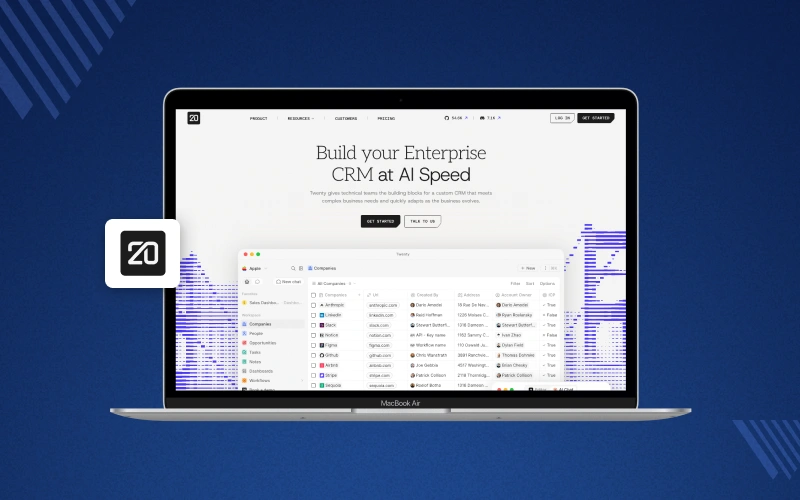
5. Twenty CRM: Modern Open Source CRM for Startups
Twenty CRM is the newest name on this list, built as an open answer to Salesforce.
The interface feels far closer to Notion than to anything you would recognize as a classic CRM.
Records behave like a spreadsheet rather than a form, which suits the many teams whose real pipeline still lives in a shared sheet somewhere.
You can define your own objects and fields straight from the interface.
The data model then ends up matching how your business actually talks about its customers.
Development moves quickly and the community is already large, but this is still a young project.
Reporting and automation lag behind the older platforms here.
Key Features:
- Manage people, companies, and opportunities in one workspace.
- Filter, sort, and group records like a spreadsheet.
- Create custom objects and fields without writing code.
- Track notes, tasks, and follow-ups on every record.
- Sync email and calendar to build an activity timeline.
- Work on the same records alongside your team.
- Use the GraphQL and REST APIs for integrations.
- Self-host with Docker for full data ownership.
Pros:
- Free AGPL-3.0 core with very active development.
- Modern interface that needs almost no training.
- Docker setup gets a working instance up in minutes.
- Custom objects and fields configured from the UI.
- Good fit for startups and technically minded sales teams.
Cons:
- Younger project, so reporting and automation are still thin.
- Some enterprise features sit under a separate commercial license.
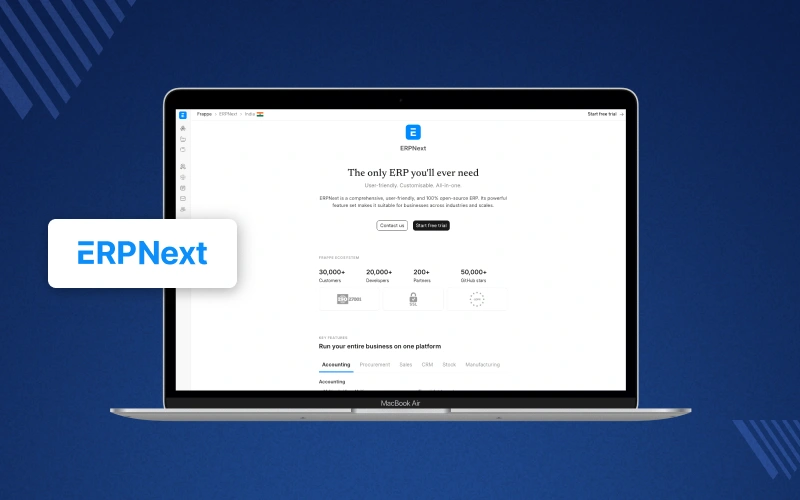
6. ERPNext CRM: CRM Connected to Accounting and Inventory
ERPNext CRM is the sales side of a full open source ERP.
Your pipeline lives inside the same system as your accounts rather than beside it.
The payoff shows up the moment a deal is won, because the quotation turns into a sales order and then an invoice.
No one has to export a spreadsheet to move between those steps.
Everything runs on the Frappe framework, where most of what you would normally pay a developer to build is configuration rather than code.
It suits companies that are tired of reconciling a CRM against an accounting package that never quite agrees with it.
Key Features:
- Capture leads and convert them into opportunities.
- Track deals through sales stages and follow-up activities.
- Create quotations and turn them into sales orders.
- Link CRM records to invoices, stock, and projects.
- Automate steps with server scripts and notifications.
- Build reports and dashboards on live business data.
- Customise forms, fields, and workflows from the UI.
- Self-host the whole stack on your own server.
Pros:
- Free under GPL-3.0 with frequent releases.
- CRM, accounting, and inventory share one database.
- Removes duplicate data entry between departments.
- Strong documentation and an active user forum.
- Adapts well to manufacturing, retail, and service businesses.
Cons:
- More to set up than a standalone CRM.
- Deeper changes need someone who knows the Frappe framework.
7. YetiForce CRM: Configurable CRM for Complex Processes
YetiForce CRM is built for organizations whose internal processes are genuinely complicated.
It ships with the module count and configuration depth to match.
Check the license before you plan anything around it, because YetiForce is source-available under a non-commercial license.
Commercial use of YetiForce CRM requires a paid agreement.
It reaches well beyond sales into support and asset tracking.
The granular access control is the kind regulated teams usually have to buy separately.
That breadth is also the trade-off, since configuring it properly takes weeks and somebody who is genuinely comfortable living in the admin panel.
Key Features:
- Manage leads, contacts, accounts, and sales opportunities.
- Automate workflows and multi-step approvals.
- Track support tickets and service requests.
- Build custom modules, fields, and layouts.
- Generate reports and interactive dashboards.
- Apply granular roles and record-level permissions.
- Connect external systems through the API.
- Self-host with detailed security and audit settings.

Pros:
- No license fee for non-commercial use.
- Very deep customization and workflow automation.
- Wide module set that goes well beyond sales.
- Strong security and access control options.
- Self-hosted, with full control over the database.
Cons:
- The license restricts commercial use without a paid agreement.
- Steep learning curve and a slow initial configuration.
8. OroCRM: B2B CRM for Long Sales Cycles
OroCRM is aimed squarely at B2B, and it is one of the few open source CRMs that models a buying group properly.
It does not assume that one contact makes the decision.
It sits on OroPlatform, a Symfony-based framework, so a developer can build genuine business rules rather than approximating them with custom fields.
It also pairs with OroCommerce, which earns its keep when the same team runs B2B sales and a wholesale storefront side by side.
It is easily the heaviest option here, so plan on a Symfony developer and a proper server rather than shared hosting.
Key Features:
- Manage B2B accounts, contacts, and opportunities.
- Track customer activity across email, calls, and the web.
- Define sales workflows and business rules per process.
- Build dashboards and segment customer lists.
- Apply organization and business-unit level permissions.
- Integrate with ERP, OroCommerce, and third-party systems.
- Create custom entities and fields on OroPlatform.
- Self-host with complete control over the data.

Pros:
- Free OSL-3.0 community edition with enterprise-grade features.
- Built specifically for B2B sales and account management.
- Symfony foundation that PHP developers already know.
- Handles large customer bases and long sales cycles.
- Pairs directly with OroCommerce for B2B eCommerce.
Cons:
- Too heavy for small teams and simple pipelines.
- Installation and customization need experienced developers.
How to Choose the Right Open Source CRM for Your Business
All eight platforms will manage customers competently once they are running.
The real question is which one your own team can install and then live with for the next few years.
Work through the six points below before you install anything.
They are usually what decides whether a CRM gets adopted or quietly abandoned after three months.
Define Your Business Requirements First
Write down what the CRM has to do before you look at a single feature list.
If the honest answer is capturing leads and chasing them properly, Krayin or EspoCRM will do the job.
If sales also has to line up with stock and invoicing, an ERP-backed option like ERPNext or Odoo will save you an integration project a year from now.
Customization and Developer Effort
Ask how far an admin can go before a developer has to get involved.
EspoCRM and Twenty both let you add fields and objects from the interface, and SuiteCRM has Studio for the same job.
Beyond that point the framework decides your options, since Krayin runs on Laravel, OroCRM on Symfony and ERPNext on Frappe.
Choose a stack you can realistically hire for in your own market.
Self-Hosting and Data Control
All eight run on your own server, so the customer database never leaves infrastructure you control.
For most teams that is the entire point of choosing open source in the first place.
It also means backups and security patching become your responsibility, so budget for that time or for a hosting partner who will take it on.
Integration and API Support
Check the API before you commit, because every platform here exposes REST endpoints but the documentation behind them varies enormously in quality.
Write down the systems that genuinely have to talk to the CRM, then confirm each one is realistic before you commit rather than after.
Scalability as Your Team Grows
A CRM that feels quick with five users can crawl at fifty, so look at how the platform behaves under real record volume and reporting load.
Odoo, SuiteCRM, ERPNext and OroCRM are all proven at larger scale, while the newer tools are lighter but far less tested under sustained load.
Community Support and Documentation
An active community is effectively free support at the moment something breaks in production.
Check the commit history and how recently the last stable release actually shipped.
A project with regular commits and clear documentation will cost you far less time than one whose last release was two years ago.
Whatever the shortlist looks like, install the top two on a test server and load your own data into them.
An afternoon of that will tell you more than any comparison table, including the one above.
Final Thoughts on Choosing an Open Source CRM
There is no single best free open source CRM, only the one that fits the stack you already run and the setup effort you can realistically spare.
For a small team already working in PHP that wants something clean and easy to extend, Krayin CRM is the straightforward pick.
If sales has to sit next to invoicing and inventory, Odoo CRM Community or ERPNext will save you a great deal of glue work later.
Larger B2B operations with genuinely complex processes tend to land on SuiteCRM or OroCRM, provided there is developer time to spend on them.
Whichever one you pick, the database and the code stay yours, which is what lets you change the software the day your sales process changes.
Frequently Asked Questions About Open Source CRM Software
1. What is open source CRM software?
It is customer relationship management software whose source code is public, so you can run it on your own server and pay no per-user license fee.
2. Which is the best free open source CRM in 2026?
There is no single winner, since Krayin suits Laravel teams, while Odoo and ERPNext suit sales tied to accounting and stock.
Larger B2B operations are better served by SuiteCRM or OroCRM.
3. Why do businesses choose open source CRM software?
Cost is the usual trigger, but the reason teams stay is control.
The customer data sits on their own servers, and the software can be changed to fit the process.
4. Can an open source CRM be customized?
Yes, and most of it happens from the admin panel without code, though deeper changes still need a developer who knows the underlying framework.
5. Can I self-host an open source CRM?
Yes, every platform in this guide is self-hosted, which means you control the server and are also responsible for keeping it patched.
6. Which open source CRM is best for small businesses?
Krayin CRM, EspoCRM and Twenty CRM are the easiest to run small.
They install quickly on modest hardware and do not need a full-time administrator.
7. What features should a good CRM include?
Start with lead and contact management, a pipeline you can configure yourself and proper activity logging.
You also want a documented REST API you can integrate against.
8. Is Odoo CRM Community Edition free to use?
Yes, the Community Edition is free and open source under LGPL-3.0, though a handful of features such as VoIP integration are kept for Odoo Enterprise.
9. What is the difference between open source CRM and cloud CRM?
With an open source CRM you host the software yourself and can edit the code.
With a cloud CRM the vendor hosts it, and you can only configure what they choose to expose.
10. How do I choose the right CRM for my business?
Match it to the stack you already run and the size of your sales team.
Then install your top two candidates and test them with real data before deciding.

Be the first to comment.