Introduction
Odoo POS Weight Scale Integration helps you connect weight scale devices with Odoo Point of Sale. It allows you to export PLU data easily and use it on your weight scale.
Odoo POS Weight Scale Integration provides a preview option before export, so you can check and adjust product values. This helps you avoid errors and ensures accurate data on the scale.
You can also create templates, manage multiple scales, and export data in different formats. This makes the process simple and reliable for daily retail operations.
Features
- Connect multiple weight scale devices with POS and manage them from one system.
- Export PLU data in TXT, CSV, and XLSX formats for different weight scales.
- Preview and edit PLU data before exporting to avoid errors.
- Create and reuse PLU export templates to save time.
- Support both general and vendor-specific weight scales.
- Export data based on selected products or POS categories.
- Add custom fields and control export format easily.
Installation
- Once you purchase the App from Webkul store, you will receive a link to download module’s zip file.
- Extract the file on your system after download finishes. As a result, you will be able to see a folder named- ‘pos_weight_scale_integration.’
- Copy and paste this folder inside your Odoo Add-Ons path.
- Now, open Odoo App and click on the Settings menu. Here, click on Activate Developer Mode.
- Then, open Apps menu and click on ‘Update Modules List.’
- In the search bar, remove all the filters and search ‘pos_weight_scale_integration.’
- You will be able to see module in the search results. Click on ‘Activate’ to install it.
Workflow
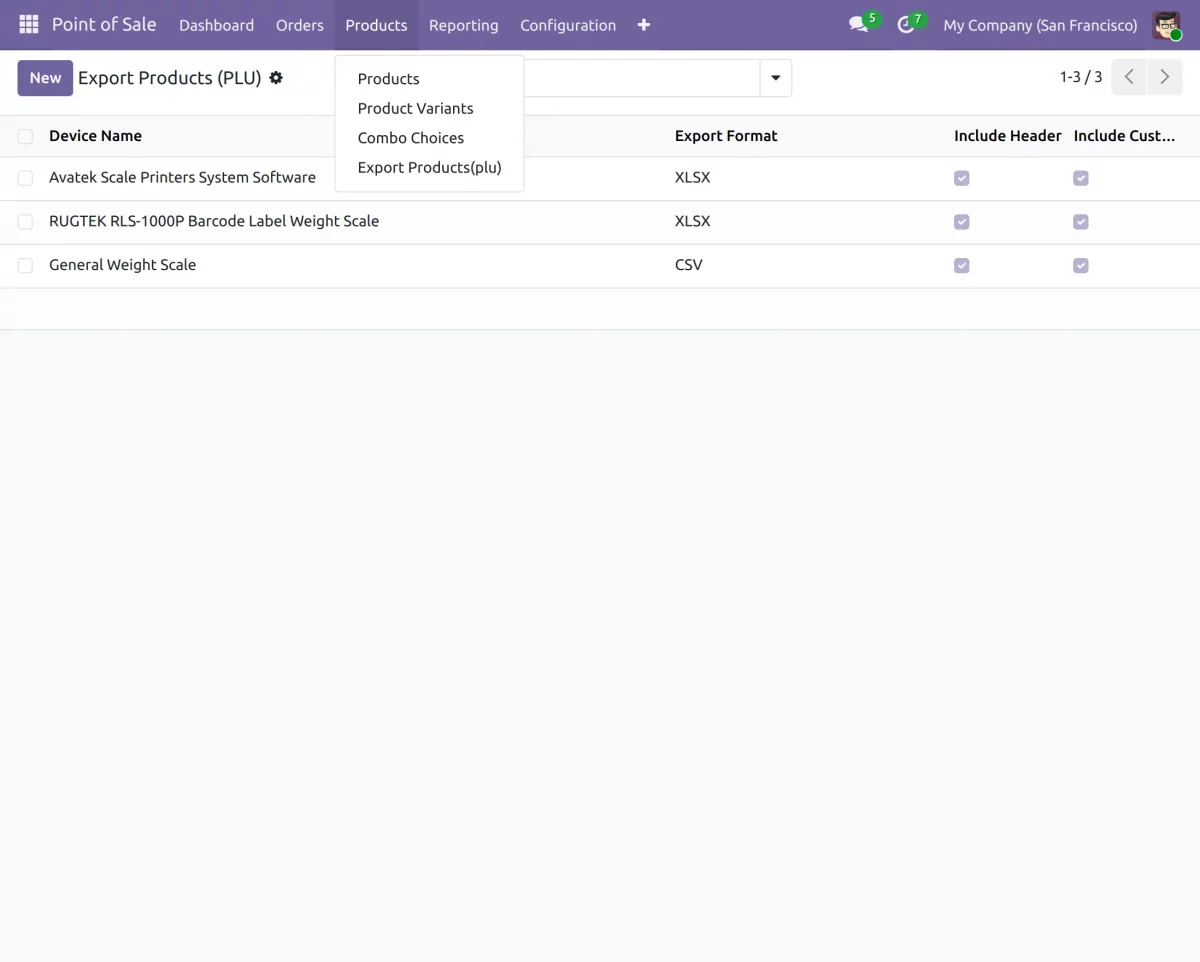
- After installing Odoo POS Weight Scale Integration, you can access demo export templates for popular weight scale devices directly from the Products menu.
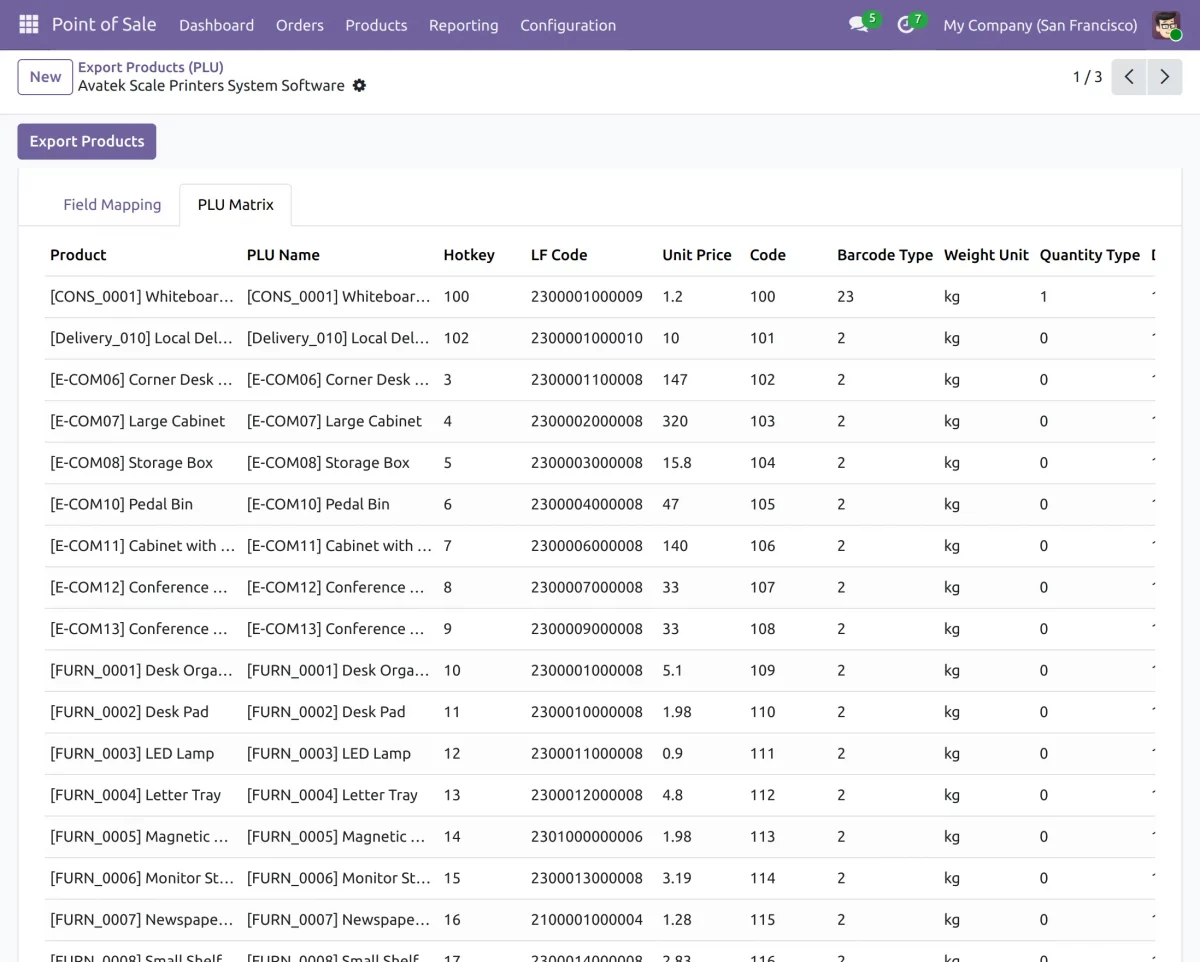
2. The module allows you to preview PLU export data before generating the final export file for the selected weight scale device.
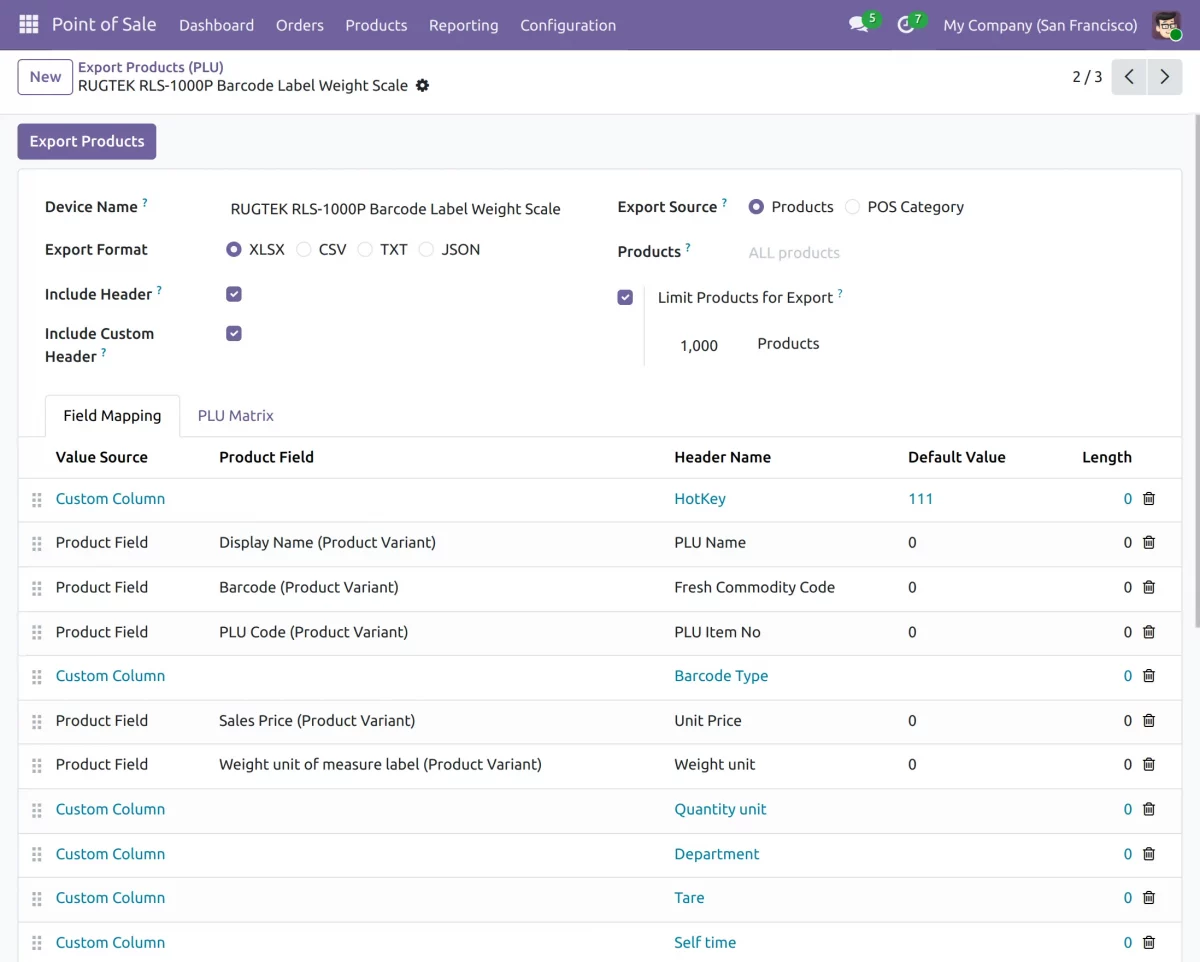
3. Configure PLU export settings, field mapping, export formats, and product data structure for different weight scale devices from a single screen.
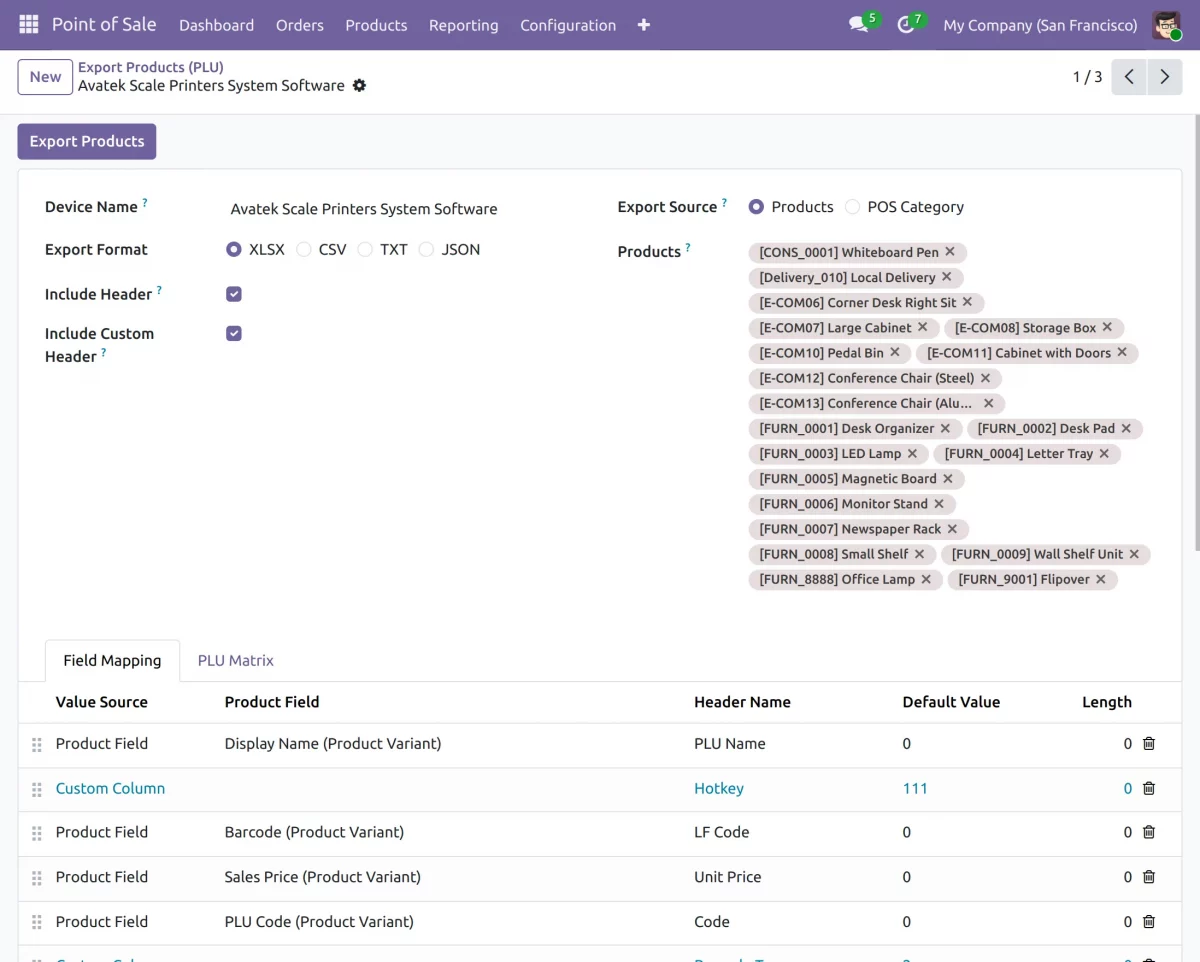
4. Export PLU data based on selected products or POS categories for better control over weight scale product exports.
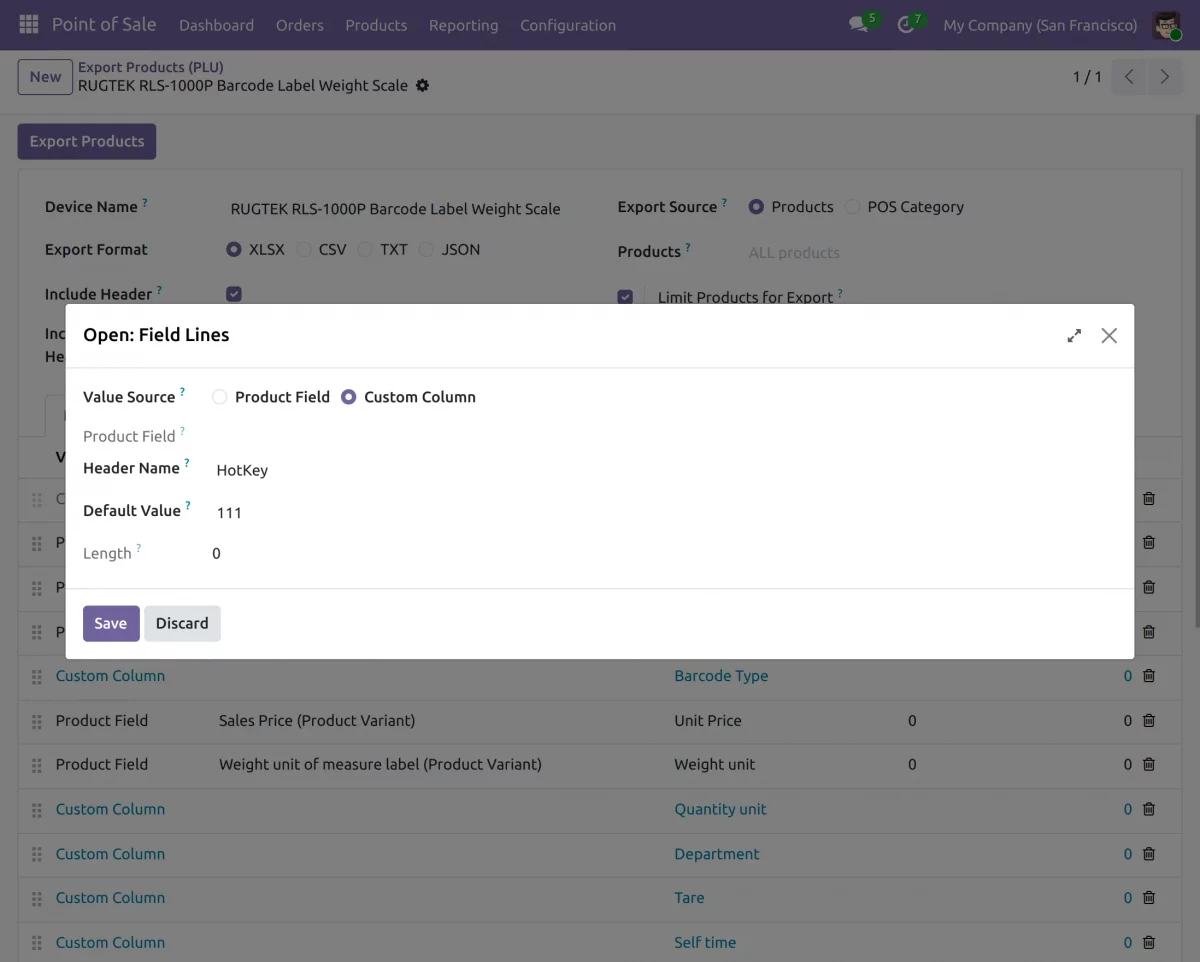
5. Add custom columns, manage header names, and configure default values for PLU export files based on device requirements.
Need Help?
Hope you find guide helpful! Please feel free to share your feedback in the comments below.
If you still have any issues/queries, please create a ticket at the UV Desk.
I hope this helps. In case of any further queries, contact us at our support mail.
Thanks for paying attention!!
Current Product Version - 1.0.0
Supported Framework Version - Odoo V19, V18, V17, V16

Be the first to comment.