Translating a Pimcore catalog into every locale you sell in is slow, error-prone work by hand. The Webkul Pimcore DeepL Bundle does it for you.
It connects Pimcore to DeepL and translates your content — DataObjects, documents, shared translations, and whole office files.
You go from one source locale into as many target locales as you need.
Everything runs inside the Pimcore Studio UI. No middleware to host, no copy-paste into a browser tab, no exporting strings to a spreadsheet and importing them back.
The connection is simple: one DeepL API key, encrypted at rest, verified live before it is ever saved.
It is built on a provider-agnostic translation engine and runs the heavy lifting through an async job queue you can watch run live.
Pimcore DeepL Bundle: Key Features at a Glance
- DeepL-powered translation — translate DataObject localized fields, documents, shared translations, and binary office files. It goes from one source locale into many targets, over the official
deeplcom/deepl-phpSDK. - Provider-agnostic engine — a neutral translation contract speaks units and quality mode, never DeepL’s own vocabulary. All
\DeepL\*coupling lives behind a single quarantined boundary a CI test enforces. - Encrypted credentials — API keys are sealed with libsodium at rest, keyed off your app secret. The plaintext never leaves two classes and never returns from any endpoint.
- Six async job scopes — objects, documents, shared translations, glossary sync, usage polling, and whole-file document translation. Each runs on a Doctrine Messenger queue behind a Supervisor worker.
- Live job monitoring — every run reports per-step read, write, update, skip, and fail counts. You also get a structured log stream and a cooperative Stop button.
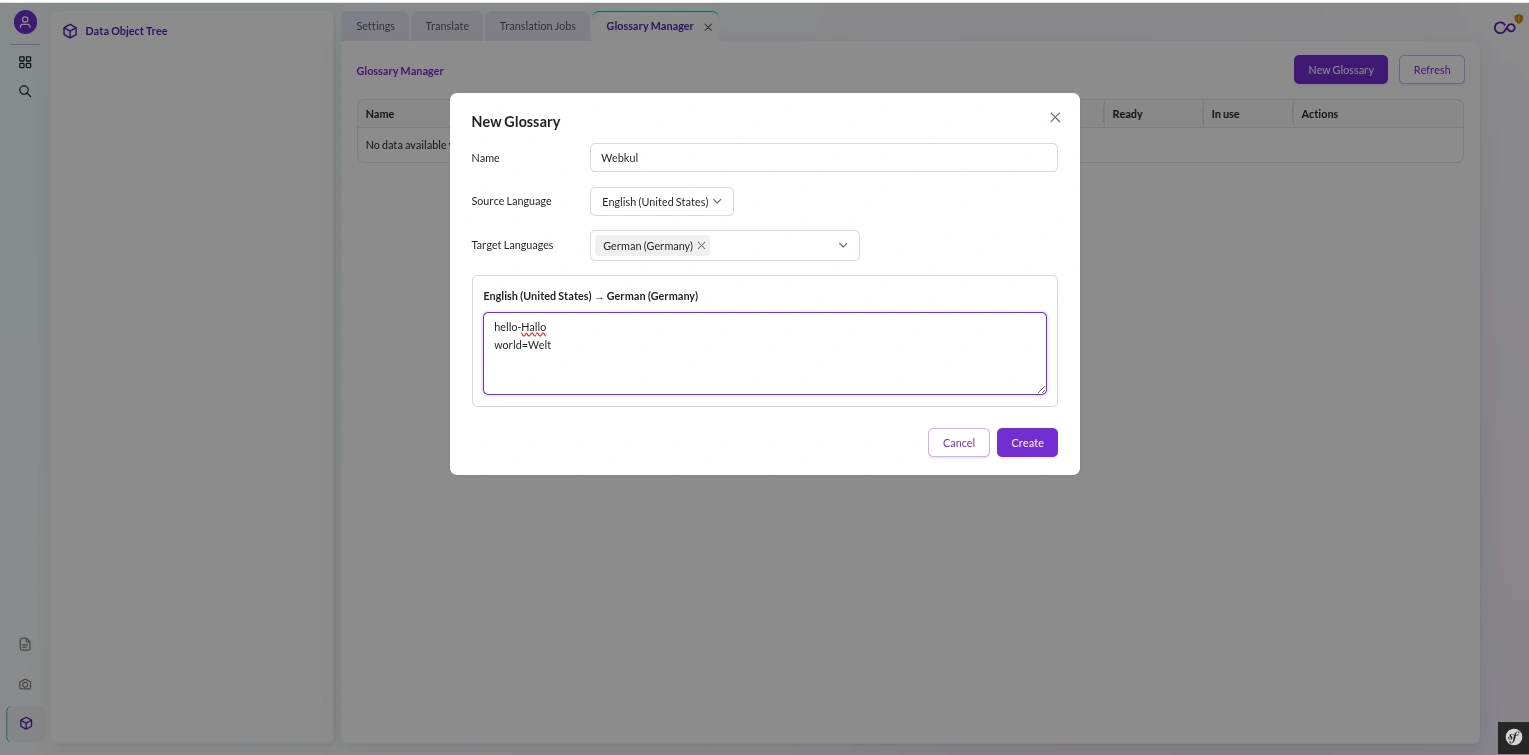
- DeepL v3 glossaries — multilingual glossaries with per-language dictionaries, auto-resolved per source-to-target pair, editable as TSV or CSV.
- Budget and quota guards — a per-job cap and a daily-plus-hard cap veto a batch before any spend. A free-tier key never blows past its allowance mid-run.
- Approval gate — an opt-in review mode queues proposed translations as pending diffs instead of committing them. A human signs off before anything lands.
- Rephrase (DeepL Write) — improve existing copy with a writing style or tone, right from a Studio sandbox.
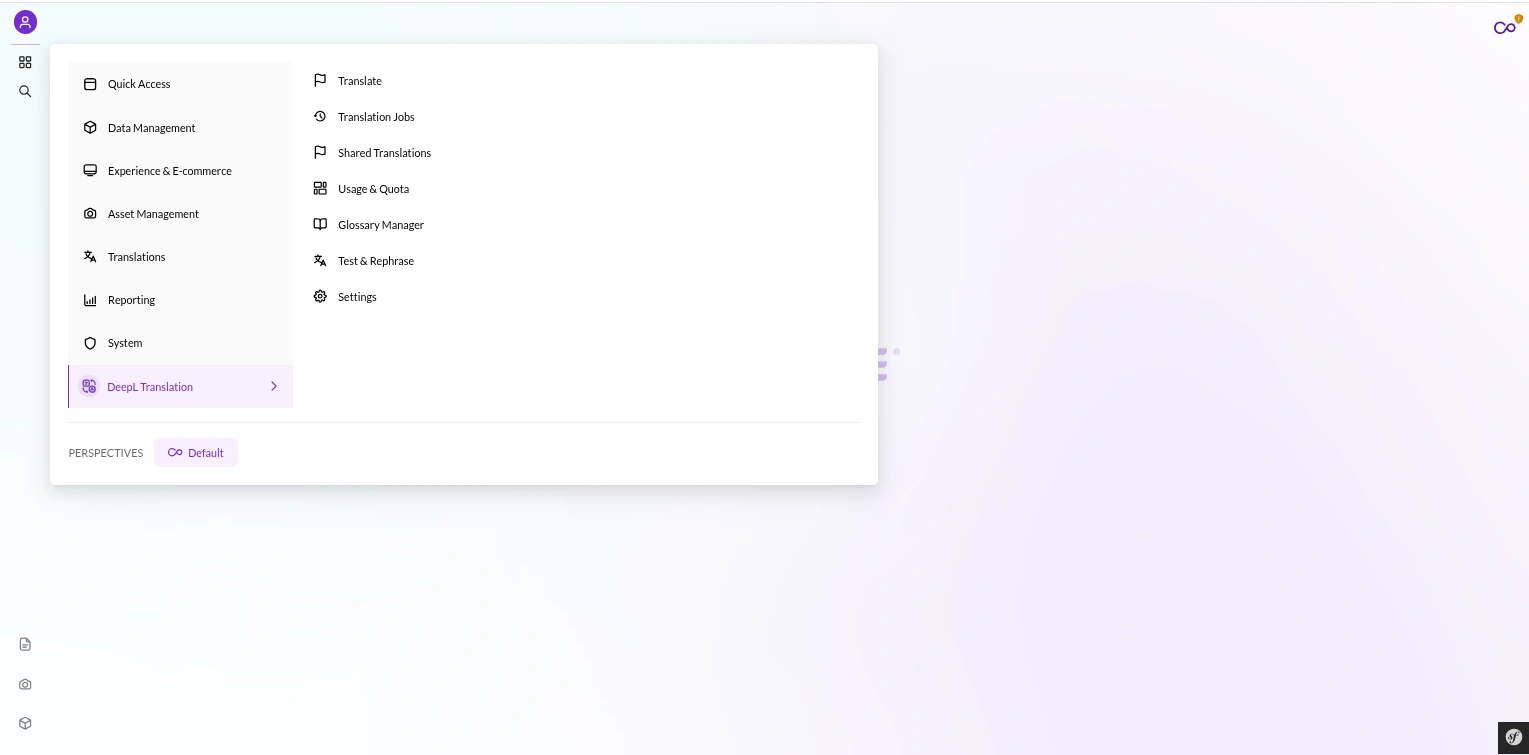
- Studio-native UI — a full DeepL Translation navigation group with 7 leaf screens plus a job-detail modal. It adds a global language editor, and nothing external to open.
Connecting: One DeepL Key, Encrypted and Verified
DeepL authentication is refreshingly simple, and Pimcore DeepL Bundle keeps it safe.
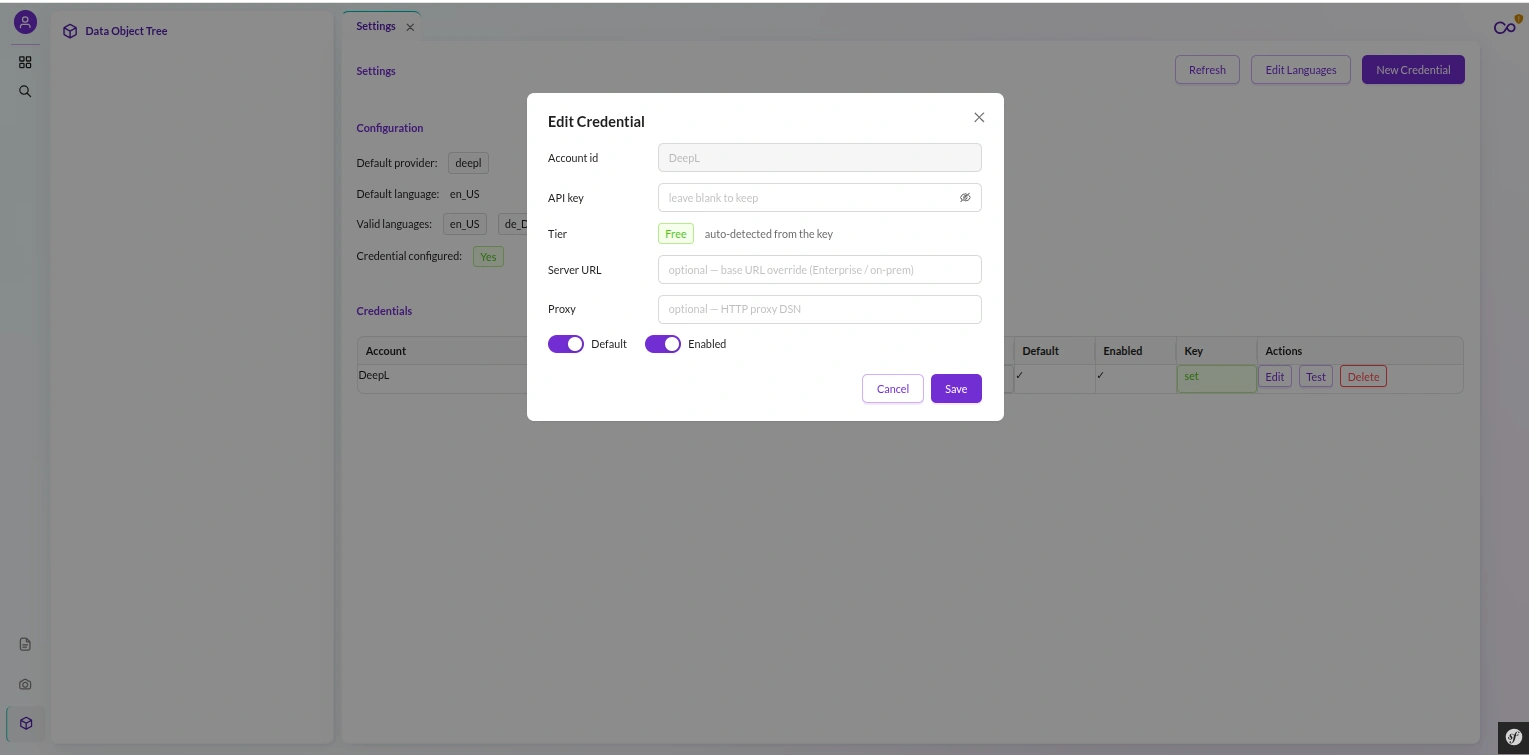
You paste your DeepL API key into the Settings screen, pick an account id, and save. That is the whole handshake.
Before the bundle writes anything, it verifies the key live. A CredentialVerifier builds a transient credential — never touching the database — and calls DeepL’s getUsage() endpoint.
That round-trip proves the key authenticates without spending a single translation unit.
An invalid key, a bad server URL, or a broken proxy is caught at the door. It never surfaces three hundred objects into a job.
Once verified, the key is encrypted at rest. The bundle uses libsodium’s sodium_crypto_secretbox — authenticated symmetric encryption.
It derives a 32-byte key from your %kernel.secret%, uses a fresh random nonce per encryption, and adds a te1: prefix so it can spot its own ciphertext.
The plaintext key lives in exactly two places: the writer that seals it on save, and the provider that unseals it to translate.
It is never logged, and no /api/deepl endpoint ever returns it. The credential list gives you a hasKey boolean and nothing more.
That is enough to render the UI, never enough to leak a secret.
One more nicety: the bundle derives the tier from the key itself. Free DeepL keys end in :fx; pro keys do not.
The tier is read at save time. So it can never contradict the endpoint the key actually routes to.
Rotating
kernel.secretinvalidates every stored credential by design — there is no migration path for keys encrypted with the old secret.If you rotate it, re-enter your keys. This is a deliberate security property, not a gap.
Installing Pimcore DeepL Bundle: One Command
Installation is a single script. From the project root:
bash src/Webkul/DeepLBundle/install/config.sh
That script is idempotent. It detects whether you are on Docker or bare-metal PHP.
It ensures the Webkul\ PSR-4 mapping in composer.json, regenerates the autoloader, and registers the bundle in config/bundles.php.
Then it runs the Makefile — cache-clear, bundle install, asset install, class install, class rebuild, and a worker stop.
It also auto-configures the Supervisor worker for the async deepl job queue, so background translation is ready the moment the script finishes.
Pimcore DeepL Bundle uses a deliberate two-installer pattern, and both halves run idempotently.
First, pimcore:bundle:install runs Installer.php, which builds:
- 8 database tables —
translation_jobandtranslation_job_log(job state and audit),translation_usage_snapshot,translation_document_handle,translation_settings,translation_class_map,translation_preset, andtranslation_approval. - 10 ACL permissions in a Webkul Translation category, plus the bundle’s DataObject category.
The installer keeps fresh and upgraded databases in step. Its CREATE statements are mirrored by ensureColumn and ensureIndex guards that check information_schema before altering.
So an older install picks up new columns without a hand-written migration.
Second, the deepl:install-classes command builds 3 DataObject classes by name — WkTranslationCredential, WkGlossary, and WkGlossaryDictionary.
They are created programmatically, never from a hardcoded numeric id and never from an export JSON.
The WkTranslationCredential class carries the account id, provider id, the encrypted key, tier, an optional server URL and proxy, and enabled and default flags.
Both installer steps must run, in order:
Installer.phpcreates the tables and permissions first, thendeepl:install-classesbuilds the classes.The engine boots cleanly before the classes exist — every DataObject lookup is guarded by
class_exists()and no-ops — but credentials and glossaries only work once the classes are installed.Running only one half leaves the bundle half-wired.
The Provider-Agnostic Engine: DeepL Today, Anything Tomorrow
This is the design decision that shapes everything else, so it is worth being explicit about it.
Pimcore DeepL Bundle is built on a provider-agnostic engine.
The whole neutral surface speaks a vendor-neutral vocabulary — the translation contract, the core orchestration, the DTOs, credentials, glossaries, the sync and job layers, and the controllers.
It counts units, not “characters.” A QualityMode stands in for DeepL’s model_type, and TranslationOptions replaces the SDK’s own option class.
Every last line of \DeepL\* SDK code is quarantined under src/Provider/DeepL/.
That covers the client factory, the request and result factories, the exception mapper, the capabilities table, and the glossary and document adapters.
Nothing else in the bundle imports a DeepL symbol.
This is not a convention you have to trust. A SdkQuarantineBoundaryTest enforces it in CI.
It scans every PHP file outside Provider/DeepL/ and strips comments and docblocks so a mention in prose cannot fool it.
It fails the build if any \DeepL\* use statement or symbol appears where it should not.
One important knock-on effect: the SDK’s exceptions are caught in exactly one place. A DeepLExceptionMapper wraps every SDK call and maps its failures to neutral ones.
DeepL’s authorization error becomes a ProviderAuthException, its quota error a QuotaExceededException, its rate-limit error a RateLimitedException.
Because the boundary is real and tested, swapping in a different provider later means writing a new adapter under src/Provider/ and touching nothing in the neutral core.
Straight talk: the architecture is designed for multiple providers, but only DeepL is implemented and certified today.
This is one flat bundle, not a separate engine bundle — the neutral layering is an internal directory boundary, kept honest by that CI test.
Inside a Pimcore DeepL Bundle Translation: One Orchestration Choke-Point
Every translation — live or batched, one string or ten thousand — flows through one class: TranslationManager, aliased as the public translation service.
It resolves everything that matters before it delegates to the provider. So the sync and async paths inherit identical correctness.
Here is what one translateText() call does, in order:
- Fires a pre-translate event first. That lets a subscriber short-circuit from cache or veto on budget before any provider work happens.
- Resolves the credential for the requested account, decrypting the key with libsodium only at this moment.
- Resolves the provider by the credential’s provider id, defaulting to
deepl. - Maps the locales — a
LocaleMapperturns Pimcore’sen_GBinto DeepL’sEN-GBand keeps a region only when DeepL supports it as a target. It also canonicalizes ambiguous bare codes (ENtoEN-GB,PTtoPT-PT,ZHtoZH-HANS). - Gates formality — a
FormalityGateasks the provider’s own capabilities whether the target supports formality, and strips the setting if not. So DeepL never rejects the request with a 400. - Runs a budget pre-flight — a
BudgetGuardestimates the units and vetoes the batch if it would exceed the per-job cap. It runs before a single unit is spent. - Auto-resolves a glossary for the source-to-target pair when you did not name one explicitly.
Only then does it build a resolved request and call the provider. On the way back, the manager normalizes the result — turning DeepL’s detected source code (EN-GB) back into a Pimcore locale (en_GB).
It then fires a post-translate event that lets a subscriber meter the billed units.
Two honest edges of that pipeline. The budget guard counts Unicode code points, so a multi-byte emoji is one unit.
And glossary auto-resolve is skipped when the source locale is
null(auto-detect) — with nothing to key on, no glossary applies even if a matching one exists.
Pimcore DeepL Bundle Studio UI: A Full Translation Workspace
Pimcore DeepL Bundle is not headless. It ships a complete Studio plugin under a navigation group labeled exactly DeepL Translation, with 7 leaf screens:
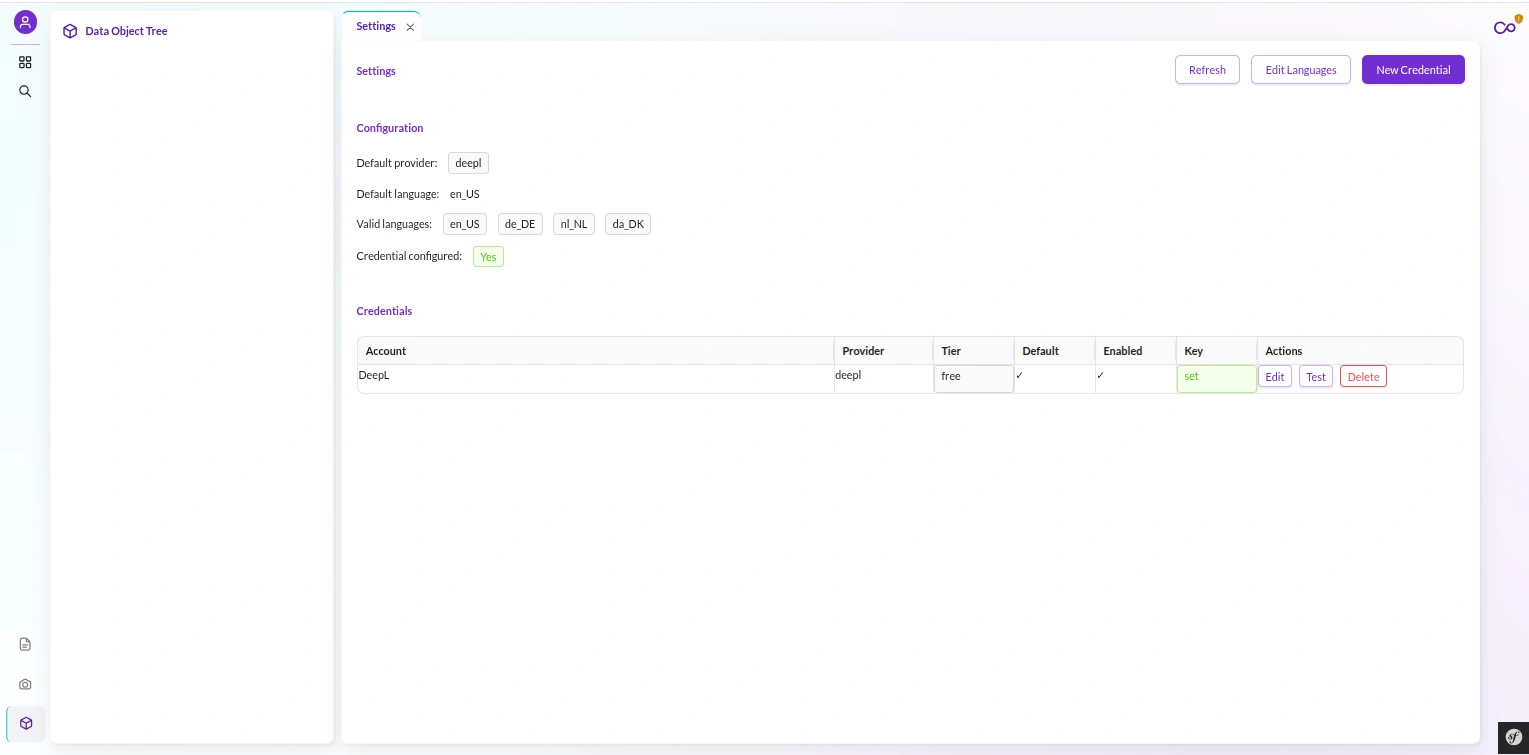
- Translate — dispatch a batch job for objects, documents, document files, or shared translations. You can also run a small sync preview first.
- Translation Jobs — the live job monitor.
- Shared Translations — edit website and shared translation-domain entries.
- Usage & Quota — units used, unit limit, and used-ratio, with a Refresh button.
- Glossary Manager — create, browse, and delete glossaries.
- Test & Rephrase — an ad-hoc sandbox for translate and DeepL Write.
- Settings — credentials and the global language editor.
Five modals round it out — the credential form, the language editor, glossary create and entries, and the job detail.
Every screen talks to the /api/deepl backend with credentials: 'include', speaking a uniform {success, data | error} envelope.
That backend is 24 JSON routes across 11 controllers, all under the /api/deepl prefix.
It is a session-authenticated Studio surface with inline permission gates, not the general Studio API. So it fits Pimcore’s admin login without a separate firewall.
The DeepL Translation label is the nav group.
The Webkul Translation name you will see in the permission editor is the ACL category and the DataObject class group — same bundle, two different labels, easy to confuse.
The Async Job Engine: Read, Process, Write
Bulk translation runs asynchronously. Dispatching a job creates a translation_job row and drops a message on the dedicated deepl Doctrine Messenger transport.
A Supervisor-managed worker then picks it up.
Your Studio session stays responsive; the translating happens in the background.
The message is deliberately thin — it carries only the job id, type, credential id, and filters.
All durable state lives in the database, in the job, log, and document-handle tables, never on the message itself.
When a worker runs a job, a JobRunner resolves the right handler by asking each tagged handler whether it supports the job type. There is no hardcoded dispatch table.
The job type strings are the specification, and adding a scope means tagging one more handler.
Most scopes are built on a reusable Read-to-Process-to-Write step. A reader initializes and counts, then loops: read a batch, process it, write it, merge the counts.
The runner walks the status from queued to running to a terminal done, stopped, paused, or failed.
A quota error is special: it pauses the job rather than failing it, so you can raise a cap or wait for a reset and resume, instead of starting over.
The
deepltransport must never reuse%PIMCORE_MESSENGER_TRANSPORT_DSN_PREFIX%.Dev environments often set that to
sync://, which would run every “async” job inline on the web request and break the queue’s concurrency assumptions.The bundle prepends its own Doctrine transport for exactly this reason.
The Six Job Scopes
Pimcore DeepL Bundle ships six job scopes, each a hardcoded type string on its handler. Five share the Read-to-Process-to-Write step; one is a different animal entirely.
object— batch-translates DataObject localized fields, one step per target locale. It then reindexes the class synchronously after the loop.document— translates document editables plus nav and SEO into a target-language sibling document, one step per target locale. It then reindexes documents.shared— batch-translates shared and website translation-domain entries. It is reindex-exempt, because those entries are not search-index elements.glossary_sync— bulk-pushes locally created glossary rows up to DeepL; one step, reindex-exempt.usage_poll— snapshots DeepL usage per account into the usage table. It is one step, dispatched by cron or the dashboard Refresh button.document_file— translates a whole binary office file as an async Upload-to-Poll-to-Download lifecycle (its own section below).
Notice what is not here: not every scope reindexes. Only object and document do, because they write search-index elements. The other four are reindex-exempt by design, not by omission.
Watch Pimcore DeepL Bundle Run Live
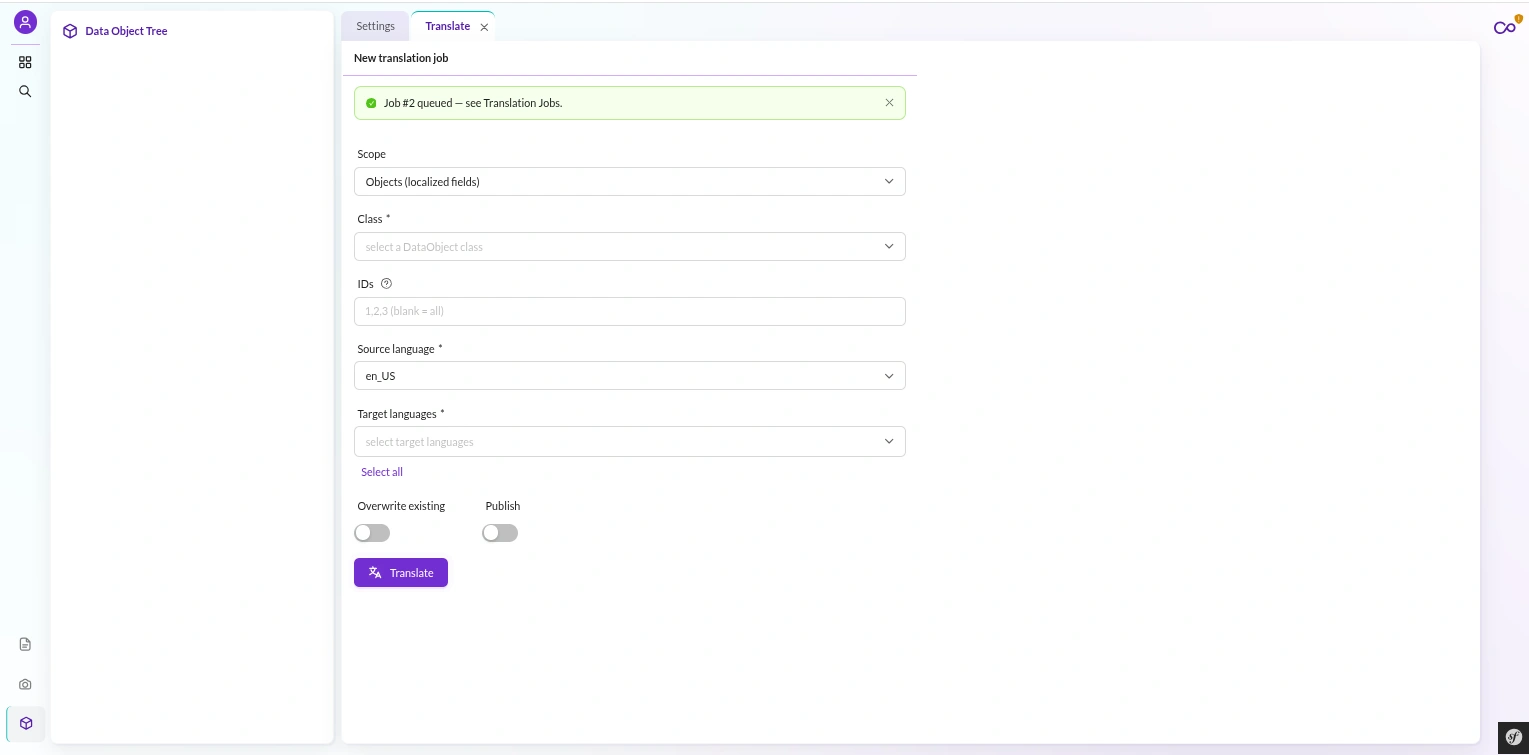
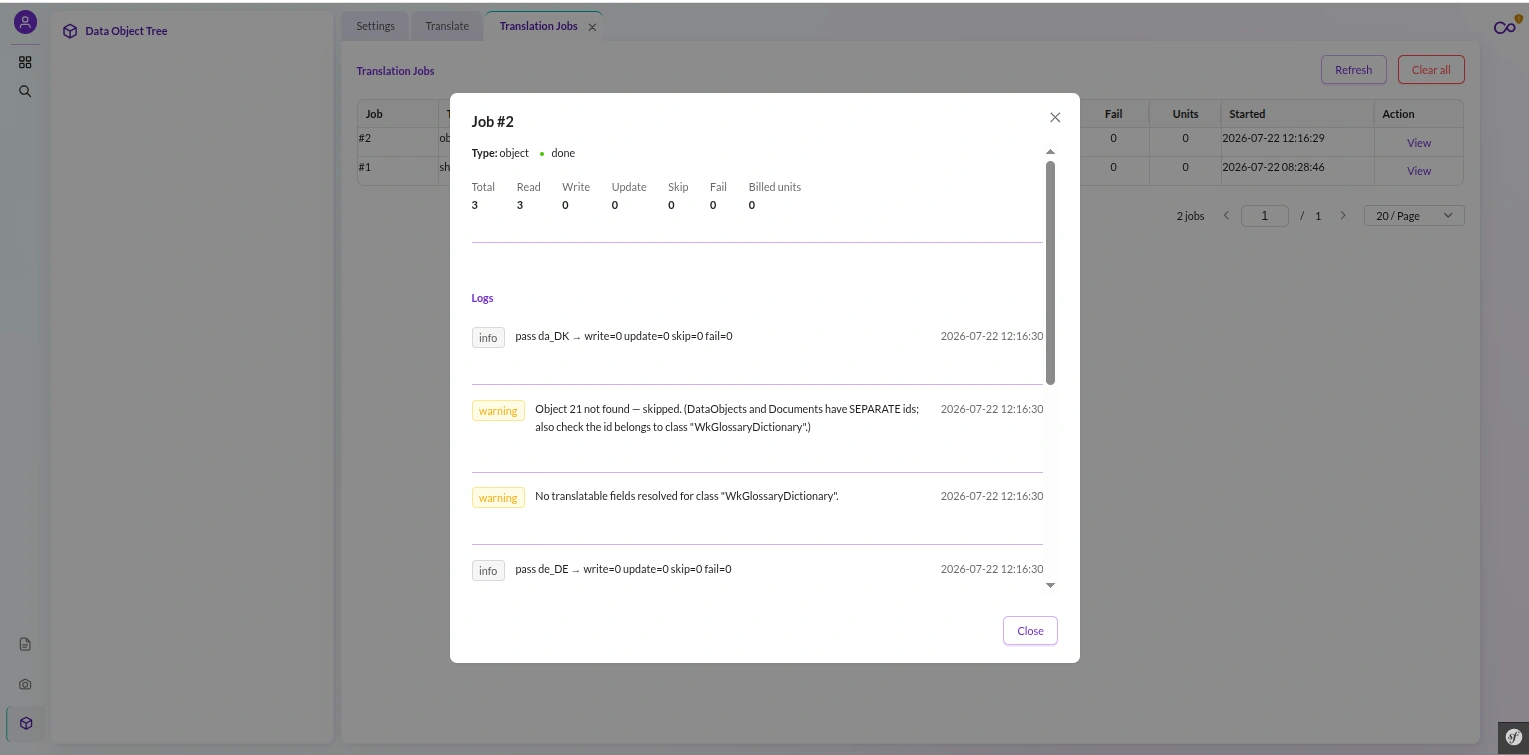
You are never flying blind. The Translation Jobs screen lists every run with its status and counters, and clicking a row opens a live detail view.
The job detail shows the job’s metadata and its running read, write, update, skip, and fail counts. It also shows a structured log rendered as a grid — every line stamped with the job’s trace id.
Per-step metrics are deep-merged into the job row atomically, using MySQL’s JSON_MERGE_PATCH. So each step writes its own counts without a read-modify-write race clobbering another step’s numbers.
While a job runs, the detail view shows a Stop button — and Stop is cooperative. It does not kill a worker mid-write.
It flips a stop_requested flag that the step loop polls on every iteration. The worker finishes its current batch cleanly and finalizes the job as stopped.
There are no half-written objects and no torn state.
Reading jobs needs the
webkul_translation_queue_viewpermission; stopping one needswebkul_translation_queue_delete. You can let an operator watch progress without letting them halt a run.
Reindex-After-Write: How Pimcore DeepL Bundle Shows Translations Instantly
Here is a subtle failure Pimcore DeepL Bundle handles for you, and most naive translation tooling does not.
Pimcore Studio reads the OpenSearch generic data index, not the database directly.
When a job step writes a translated value to an object, the index’s save-listener does not reliably enqueue that object.
If nobody fixes it, your translations are in the database but invisible in the tree, the grid, search, and relation pickers. They stay hidden until some manual reindex runs.
Users see “missing” translations and file confused tickets.
So reindex-after-write is a deliberate handler responsibility.
The object and document handlers call the reindexer synchronously, after the step loop finishes, on exactly the classes and documents they touched.
It is best-effort. A reindex failure is logged as a warning and never fails an otherwise-successful translation.
But in the normal path, your translated content is searchable the instant the job reports done.
Glossaries in Pimcore DeepL Bundle: v3, Multilingual, Auto-Resolved
Consistent terminology is where machine translation usually slips, so Pimcore DeepL Bundle gives glossaries a first-class home.
It models DeepL’s v3 multilingual glossaries as a WkGlossary parent with WkGlossaryDictionary children.
There is one dictionary per source-to-target language pair, keyed on DeepL’s own uppercase codes.
When you translate and do not name a glossary explicitly, the bundle auto-resolves one for the source-to-target pair and account.
That lookup is memoized per request, keyed on SOURCE|TARGET|ACCOUNT. So a bulk object job of ten thousand rows does not re-query the database ten thousand times.
Only glossaries that are ready and synced to DeepL are eligible, so a half-created one never silently applies.
Creating a glossary is safe. GlossaryManager creates the remote glossary at DeepL first, then persists the local rows.
If the local write fails, it rolls back by deleting the remote glossary it just made, so you never end up with a dangling remote record.
Glossary entries round-trip as TSV or CSV through a neutral codec, so you can export, edit in a spreadsheet, and re-import term pairs.
In the Glossary Manager you list, browse, and delete glossaries. A glossary that is in use returns a 409 Conflict on delete rather than breaking a job that depends on it.
Honest expectation-setting: a DeepL glossary is a soft bias, not a hard guarantee.
DeepL applies it at its own discretion — reliable for standalone terms, more hit-or-miss inside full sentences as context grows.
That is DeepL’s platform behavior, and the bundle stays honest about it.
Document Translation: Upload, Poll, Download
Translating a whole binary file — a Word document, a PDF, a presentation — is not a Read-to-Process-to-Write loop. DeepL translates it server-side over time.
So the document_file scope is a distinct Upload-to-Poll-to-Download lifecycle.
It runs in three steps, all self-managing:
- Upload resolves Pimcore Asset and vetoes the budget hard cap before spend. It then uploads the binary to DeepL and persists a resume handle row.
- Poll checks DeepL’s status exactly once per worker delivery. If the file is still translating, it re-dispatches the job with a
DelayStampand returns. It never busy-loops a worker. - Download fetches the translated bytes and writes them as a new version of the source Asset, recording the billed units exactly once.
The poll delay is capped at 60 seconds maximum, even if DeepL suggests longer. So a single document can never sleep a worker for hours.
A ceiling of 40 attempts stops a stuck file from retrying forever.
Because multiple workers might pick up the same job, the handler serializes it with a MySQL advisory lock.
If another worker holds the lock, this delivery requeues and exits without doing the work. There is no double-upload and no double-bill.
And the whole thing is resumable across worker restarts. A persisted handle row means the upload already happened, so a restarted job skips straight to polling and downloading.
The download slot is claimed atomically, so a race between two workers can never bill twice.
Two honest limits here. Document translation does not run a glossary — the upload passes none. And the document path threads formality straight through without the formality gate the text path uses.
Usage, Budget, and the 500k Reality
DeepL bills by units, and a free-tier key is capped at 500,000 characters a month. Blow past it and translations start failing. Pimcore DeepL Bundle makes sure that never surprises you.
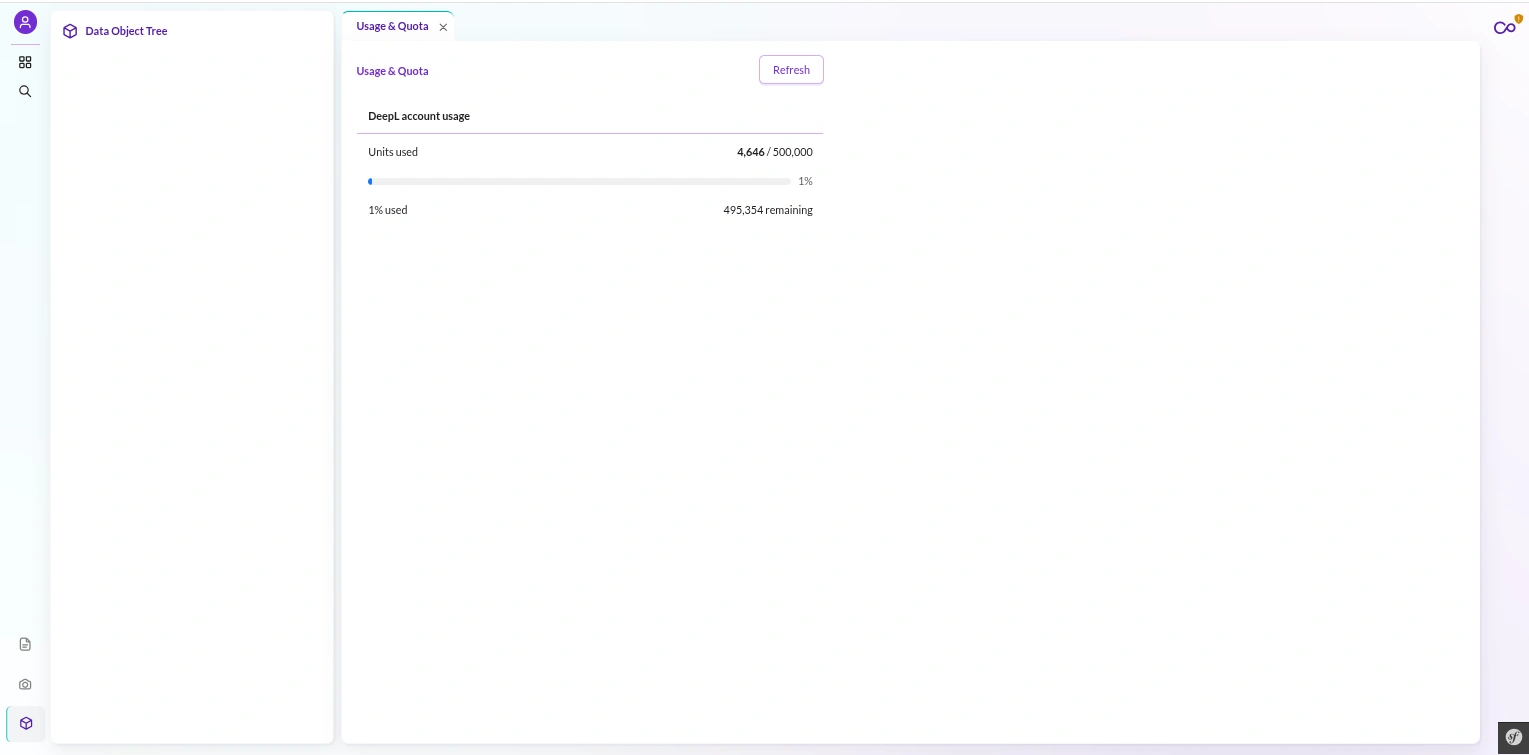
The Usage & Quota dashboard shows your units used, your unit limit, the used ratio as a percentage, and a limit-reached flag.
A Refresh button enqueues a usage_poll job to snapshot the latest figures.
Enforcement is a pre-flight veto, not a post-mortem. A BudgetGuard runs two checks before any SDK call — a per-job cap and a daily cap:
- the per-job cap rejects a batch whose estimated units are too large; and
- the daily-plus-hard cap, enforced by a budget subscriber on the pre-translate event, sums today’s billed units from the job table and vetoes the batch if it would breach the cap.
When a real quota error does occur, the subscriber records a limit-reached snapshot, so the Usage & Quota dashboard flags the account immediately.
Two design details keep this trustworthy. The daily total is local — summed from your own job rows since midnight. So it does not depend on hammering DeepL’s usage endpoint.
The office-document estimate applies DeepL’s 50,000-character minimum billing floor. So the veto reflects what you will actually be charged, not an optimistic guess.
A quota breach pauses the job, it does not fail it. Raise your cap or wait for the monthly reset, and the paused job can pick up where it left off — you do not restart from zero.
The Approval Gate: Human Sign-Off Before Anything Lands
Machine translation is good, not infallible, and some content you simply cannot ship unreviewed. Pimcore DeepL Bundle has an approval gate for exactly that.
Turn on approval for an object job, and the writer stops committing.
Instead of writing the translated value onto the object, it queues a pending row in the approval table — the source text and the proposed translation, side by side.
It counts the row as skipped, because it was queued, not applied.
A reviewer then works the queue over three endpoints: list the pending rows, approve or reject each one, and batch-apply the approved set.
Only approved rows are ever committed; pending and rejected rows never touch a target element. Safe by default.
When the approved rows are applied, the applier reindexes the touched classes. So the search index sees them just like a direct job would.
The same apply step is available on the CLI as deepl:approvals:apply, wrapping the same reindex-aware applier. So a scheduled pipeline can gate translations the same way the UI does.
Rephrase: DeepL Write, Built In
Translation is not the only thing DeepL does well. DeepL Write rephrases and improves existing copy, and Pimcore DeepL Bundle exposes it as first-class rephrase.
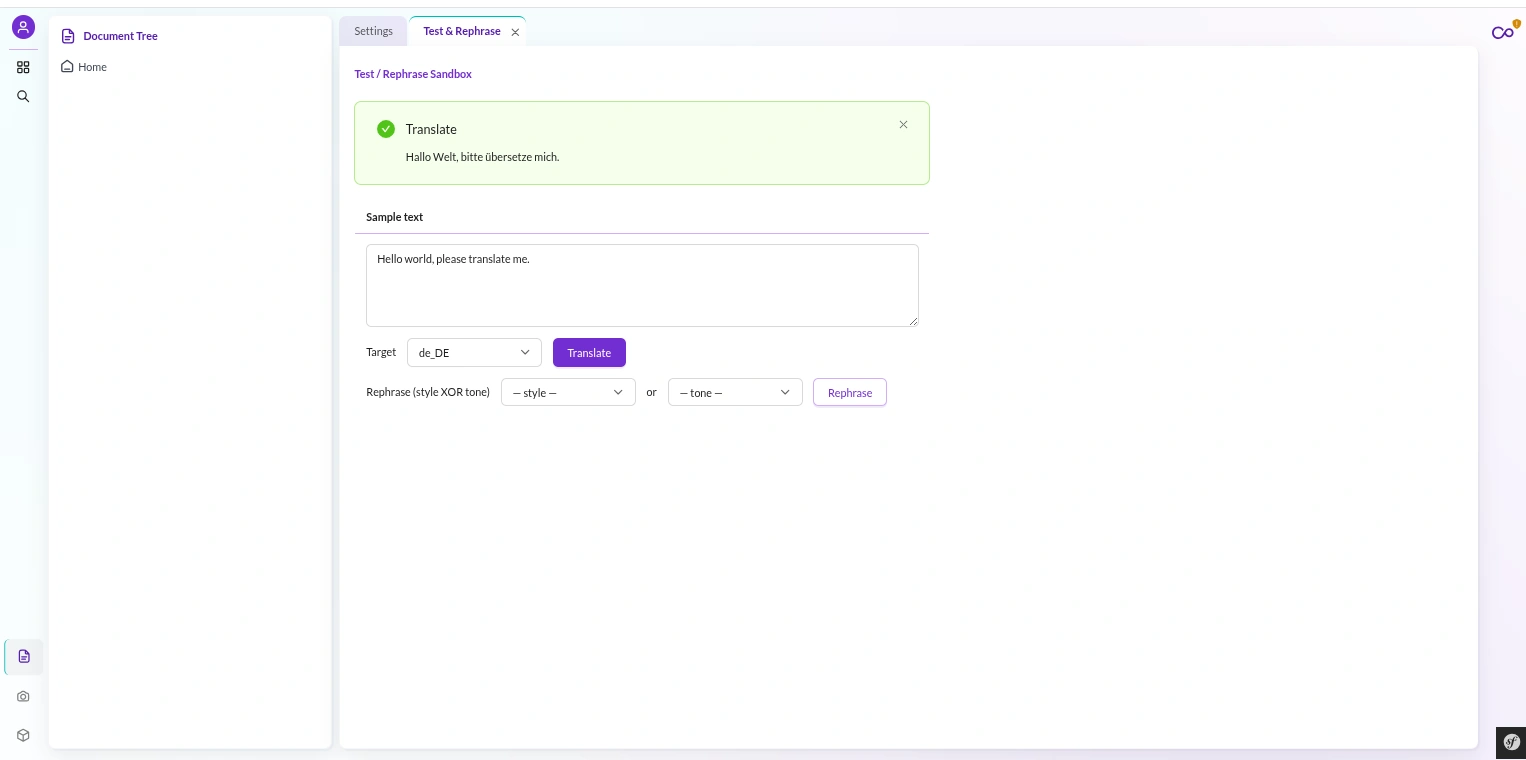
The Test & Rephrase sandbox lets you paste text, pick a writing style or a tone, and get back improved copy synchronously.
Available styles are default, simple, business, academic, and casual. For tone, choose default, enthusiastic, friendly, confident, or diplomatic.
You pick one axis or the other — style or tone, never both — and the request object enforces that at construction.
Rephrase checks the provider’s capabilities before it calls, so an unsupported request fails cleanly rather than at the SDK.
Rephrase is a Pro-tier feature. A free-tier key gets a clean “unsupported” response, which the sandbox surfaces gracefully rather than throwing a raw error.
The same holds on the CLI via
deepl:dev:rephrase.
The Global Language Editor
Before you can translate into a locale, Pimcore has to know about it. Pimcore DeepL Bundle puts that control right in Settings, so you never leave the workspace to add a language.
The language editor is a multi-select for your valid languages and a single-select for the default language. Save it, and the bundle does the careful thing.
It performs a full round-trip of the system configuration — general, documents, objects, and assets. It merges your language change into the whole config and writes it back.
A partial save would wipe your domain, versions, error pages, and fallback languages. The full round-trip preserves every one of them.
When you add a new language, the bundle detects it and rebuilds the classes. It runs pimcore:deployment:classes-rebuild and then a generic-data-index update as isolated sub-processes.
This is mandatory, because a new language’s per-locale localized-field database tables are created at class-save time, not by a settings toggle alone.
This is an instance-wide change.
Adding a language through this editor affects every bundle and every localized-field class in the whole Pimcore install — because that is what adding a Pimcore language means.
The bundle just makes the schema rebuild happen for you instead of leaving it as a forgotten manual step.
Roles and Permissions
Pimcore DeepL Bundle ships 10 permission keys in a Webkul Translation ACL category, each with a human-readable label in the permission editor.
Each key maps cleanly to what a person can do:
- Read usage and jobs —
webkul_translation_usage. - Run a live sync translate or preview —
webkul_translation_live. - Dispatch batch jobs —
webkul_translation_batch. - Watch jobs, and stop them —
webkul_translation_queue_view/webkul_translation_queue_delete. - Manage glossaries —
webkul_translation_glossary_create/update/delete. - Use the sandbox —
webkul_translation_test. - Manage credentials and languages —
webkul_translation_settings.
So you can grant a translator “run translations and watch jobs” without handing over credential management or the language editor.
One endpoint is deliberately open to any authenticated user: the Settings bootstrap.
It reveals only the caller’s permission map and public config — the object classes, the valid languages, and a hasCredential boolean.
It never reveals a secret. That lets the UI populate itself early on page load without leaking anything.
The CLI: 16 deepl Commands
Everything the UI does, the CLI does too. Pimcore DeepL Bundle ships 16 console commands under the deepl: prefix.
You can drive it from a script, a cron, or a deploy pipeline. They group into four clear families:
- Install —
deepl:install-classesbuilds the DataObject classes, anddeepl:credential:setregisters an encrypted API key from the shell. - Translate —
deepl:translate:objects,deepl:translate:documents,deepl:translate:document-files, anddeepl:translate:sharedeach dispatch the matching job scope onto the queue. - Operational —
deepl:glossary:sync,deepl:documents:poll,deepl:usage:poll, anddeepl:approvals:apply. They keep glossaries, document lifecycles, usage snapshots, and the approval queue moving from cron or a pipeline. - Dev helpers — the
deepl:dev:*commands seed test data (a page, an asset, a shared entry, a test class) and exercise glossary and rephrase for local verification.
The
deepl:*translate commands dispatch jobs asynchronously and create durable state intranslation_jobimmediately.But the actual work needs the Messenger worker running —
bin/console messenger:consume deepl.On Docker installs, a manual
docker compose up -d --force-recreate supervisordafter install starts the worker; bare-metal installs start it during the install script.
Try Pimcore DeepL Bundle
If Pimcore is your content hub and you sell across languages, Pimcore DeepL Bundle is the bridge you need. It stops the copy-paste and the spreadsheet round-trips.
Installation takes one command, and setup in Studio takes minutes.
The bundle translates objects, documents, files, and shared strings on a queue you can watch, and it is built to be re-run every day without fear.
Run other integrations too? The same async job engine powers our sibling Pimcore products.
Grab the Webkul Pimcore DeepL Bundle from the Webkul Store, and if you have a question — a glossary, a quota, a custom class, anything — raise a ticket at webkul.uvdesk.com.
We build these bundles for a living, and we’ll help you get yours running.

Be the first to comment.