Opencart Multi Facebook Wall allows the user to display their feeds or post from different facebook pages and profile.
It will receive your facebook wall post automatically, and You can display feed of the posts on your Facebook page or profile.
For this module, you just need to enter your facebook account ID with access token and other values.
You can generate your Access Token by tapping Generate Access Token.
Features
- In order to display feeds or post from different facebook pages and profile.
- Manage height and width from admin panel.
- Provides you to set the display and configuration setting.
- To set no. of feeds which you want to display at front end.
- Admin can enable or disable the module.
- Enable/Disable Like box, Like Button, Comments etc.
- Facebook wall feed will be displayed anywhere in your page as per your requirement.
Installation
Installation of the Opencart Multi Facebook Wall module is very simple. You just need to move Admin and Catalog folder into Opencart root.

You can also install the Opencart Marketplace RMA System module by uploading the zip and xml file through Extension Installer.

After that in Admin panel go to System -> Users -> Usergroup and edit ‘Administrator’ then choose select all for both Access and Modify Permission then save it.

After that under Extension > Module, install the Opencart Multi Facebook Wall module like this way.

Clicking on Edit Option Below Page Will Be Open.
Display Settings
After the successful installation of module, you can edit it. Just click on Edit then complete your display setting. Like this screenshot.

Configuration Settings
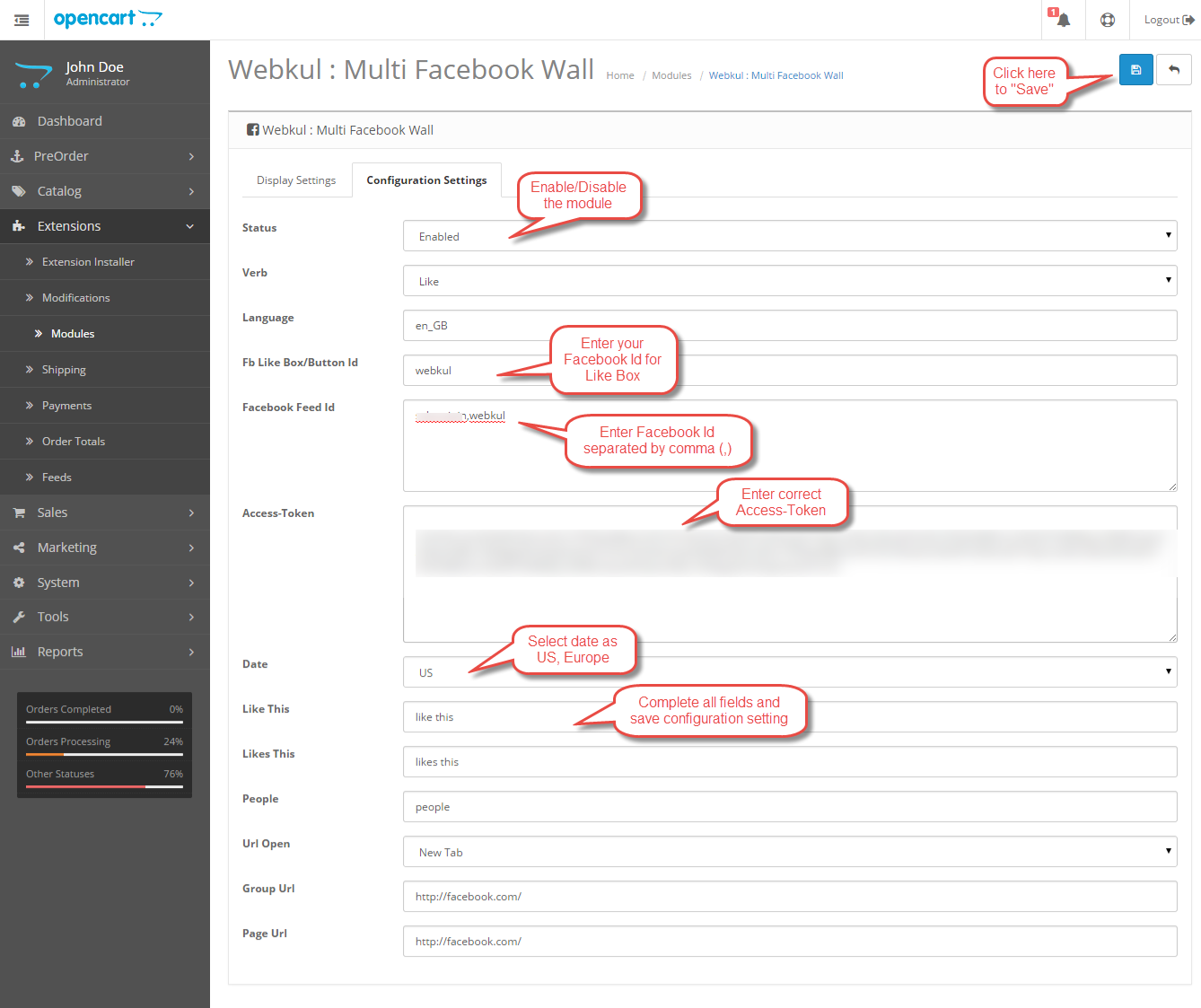
Admin will have to complete configuration setting for Multi Facebook Wall. Admin can also enable or disable this module under configuration settings and enter Facebook Id, Access Token as well.
For configuration setting refer to below screenshot.
Front End
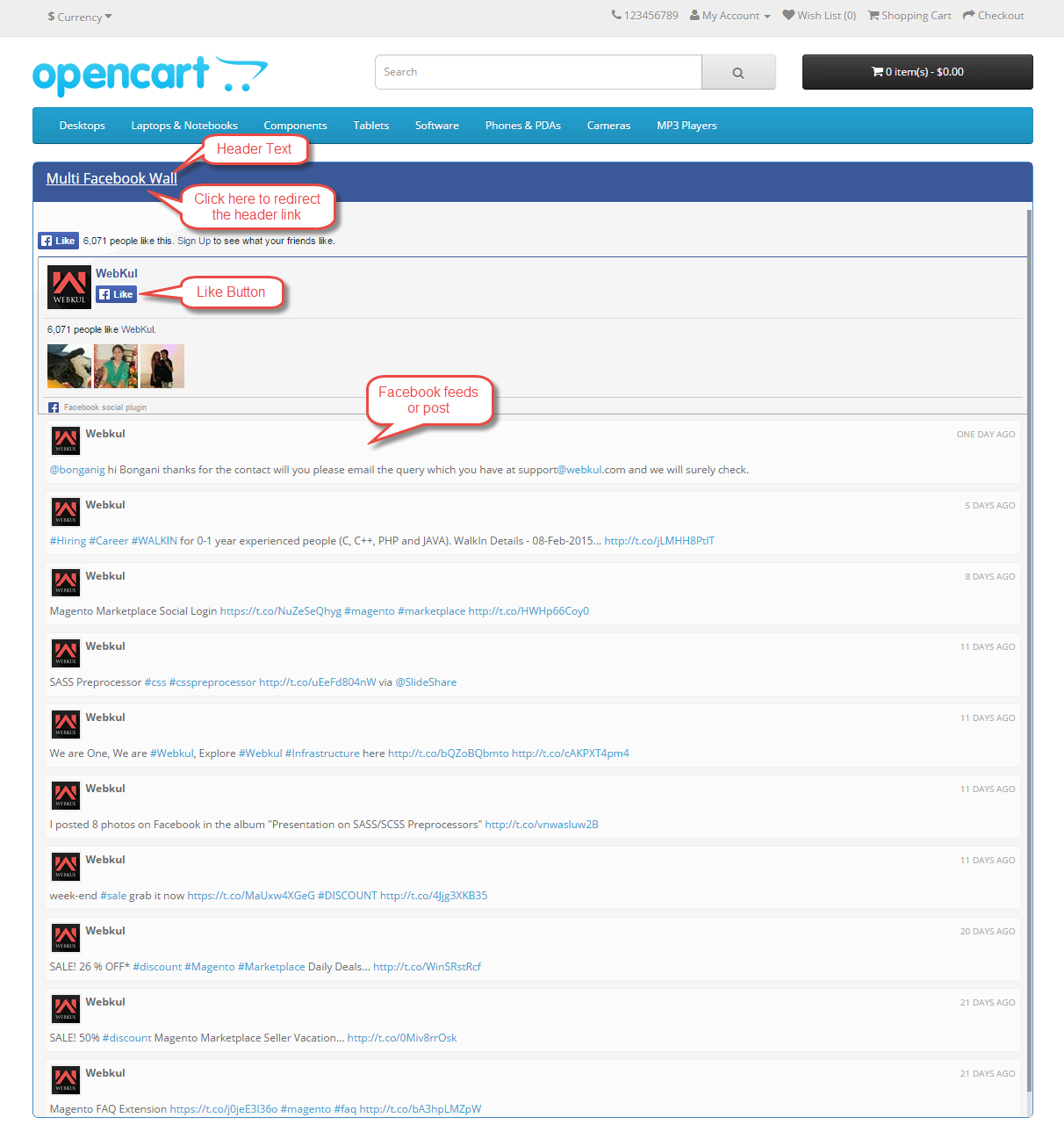
After the completion of display and configuration setting, you will get a beautiful Multi Facebook Wall Box at you frontend.
That’s all for the Opencart Multi Facebook Wall module, still have any issue feel free to add a ticket and let us know your views to make the module better https://webkul.uvdesk.com/.
Current Product Version - 3.1.1.1
Supported Framework Version - 3.x.x.x

Be the first to comment.