Introduction
Odoo Multichannel Sale is a perfect solution to manage your external online stores from Odoo.It connects multiple sales platforms with your Odoo backend easily.
You can link Shopify, WooCommerce, Salla, Adobe Commerce(Magento), PrestaShop, BigCommerce, and Bagisto without any technical complexity.
The module adds simple buttons to help import, export, and sync data smoothly. Odoo Multichannel Sale helps you manage orders, stock, and customers from one place.
This reduces manual effort and keeps all channels updated in real time.
You can also look into the Odoo 19 migration, which is now available, to review its enhanced features.
Features
- Odoo Multichannel Sale helps connect multiple online stores and marketplaces.
- Import and export products, orders, and customers with one click
- Keep your stock updated in real time across all platforms
- Track sales, inventory, and customer data with a smart dashboard
- Set up scheduled data sync using built-in cron jobs
- View sync history and records through the feed management system
- Map order statuses between sales channels and Odoo correctly
- Control and manage all connected stores from one Odoo screen
- Perform real-time or bulk operations for faster data handling
Installation
- Once you purchase the App from Webkul store, you will receive a link to download the module’s zip file.
- Extract the file on your system after the download finishes. As a result, you will be able to see a folder named- ‘odoo_multi_channel_sale’.
- Copy and paste this folder inside your Odoo Add-Ons path.
- Now, open Odoo App and click on the Settings menu. Here, click on Activate Developer Mode.
- Then, open Apps menu and click on ‘Update Modules List.’
- In the search bar, remove all the filters and search ‘odoo_multi_channel_sale’
- You will be able to see the module in the search results. Click on ‘Install’ to install it.
Workflow
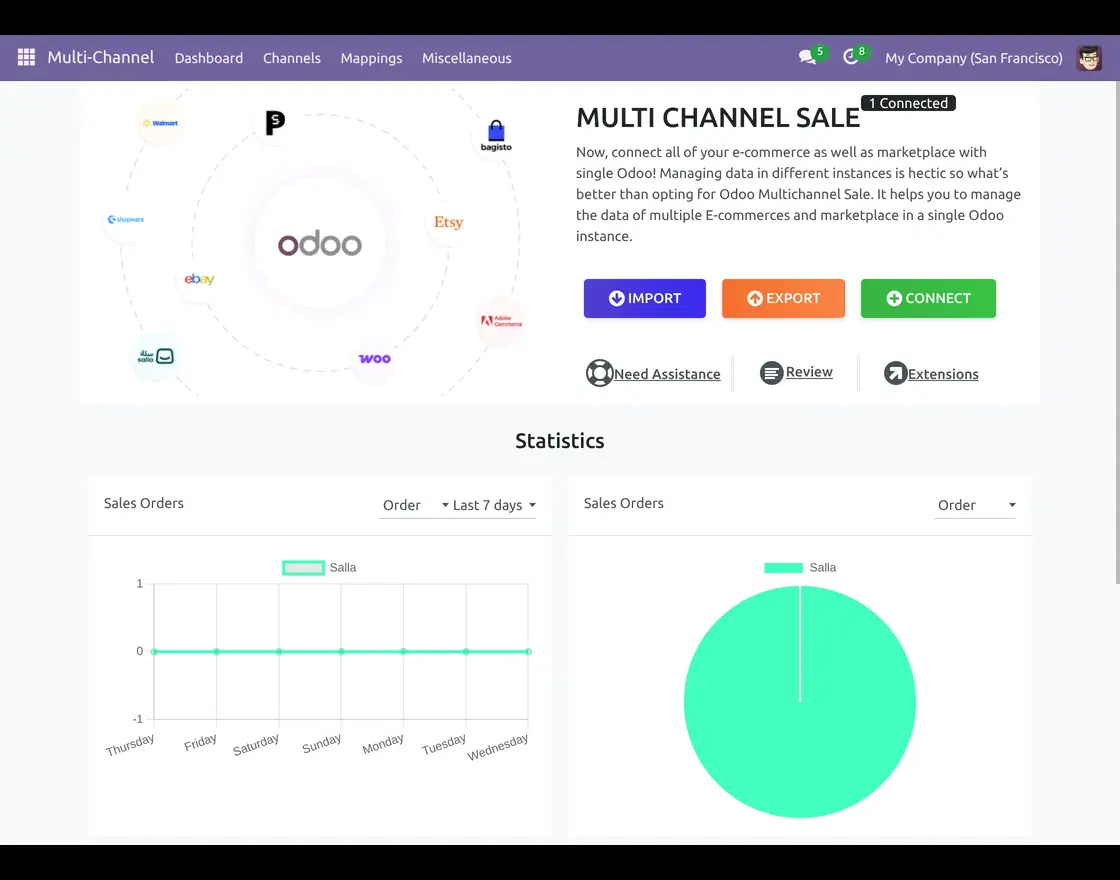
- After installing Odoo Multichannel Sale module, login to your Odoo database and navigate to the Multichannel module from the main dashboard.
Now, click on the connect button to connect any marketplace or e-commerce platform with Odoo instance.
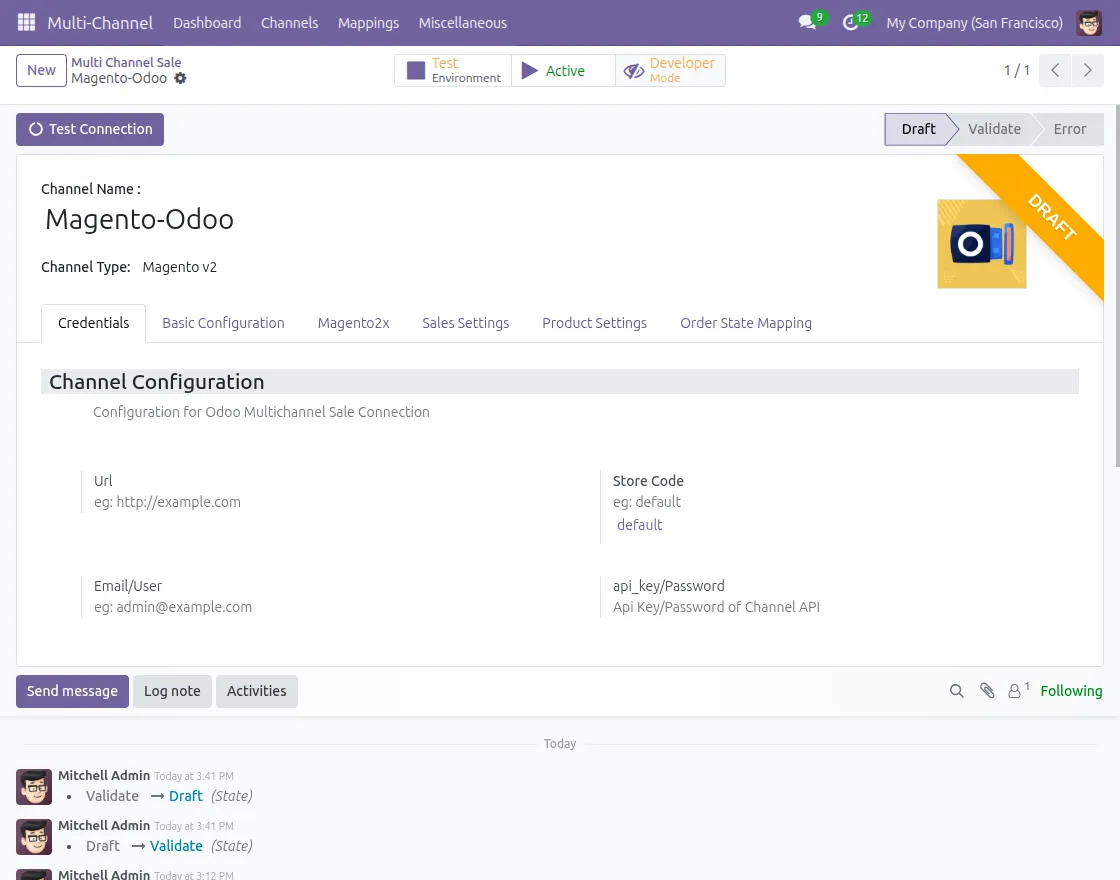
2. Enter your channel name, select the channel type, and add required credentials like URL, email, and API key.
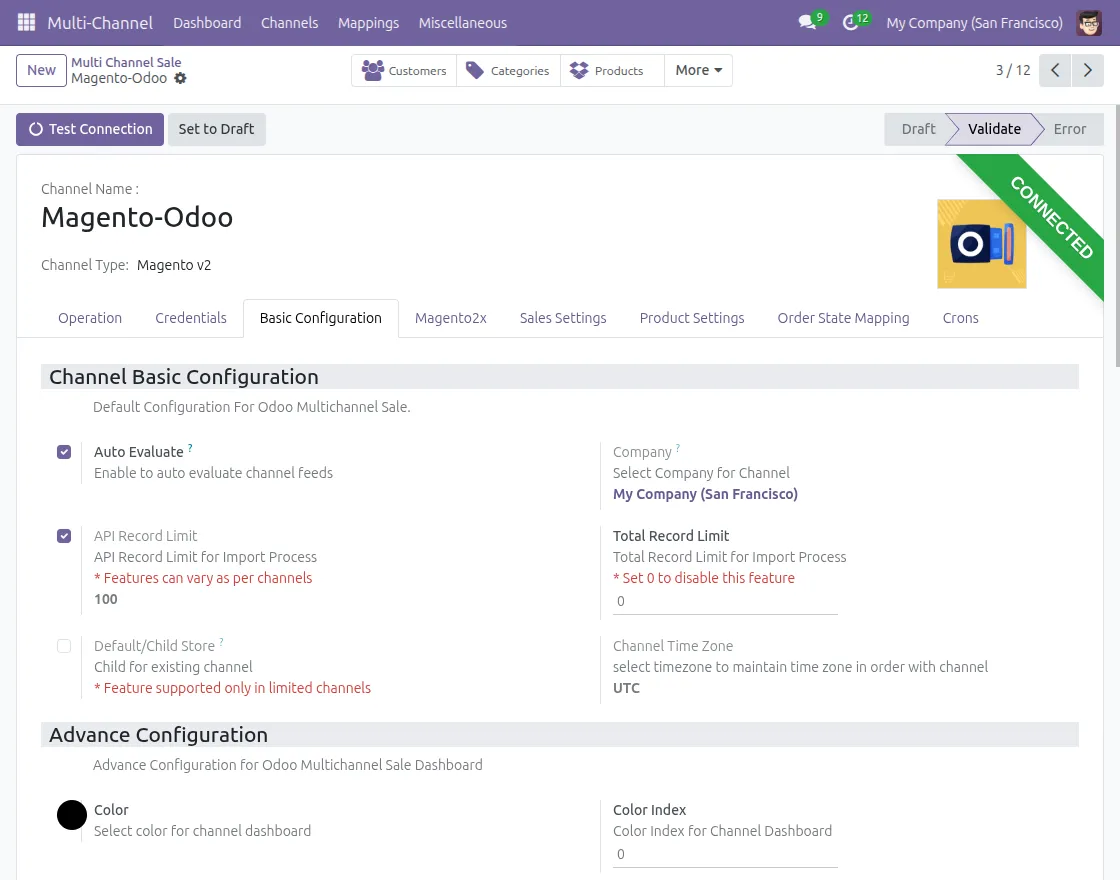
3. Go to the Basic Configuration tab to set up default product sync settings for your selected channel.
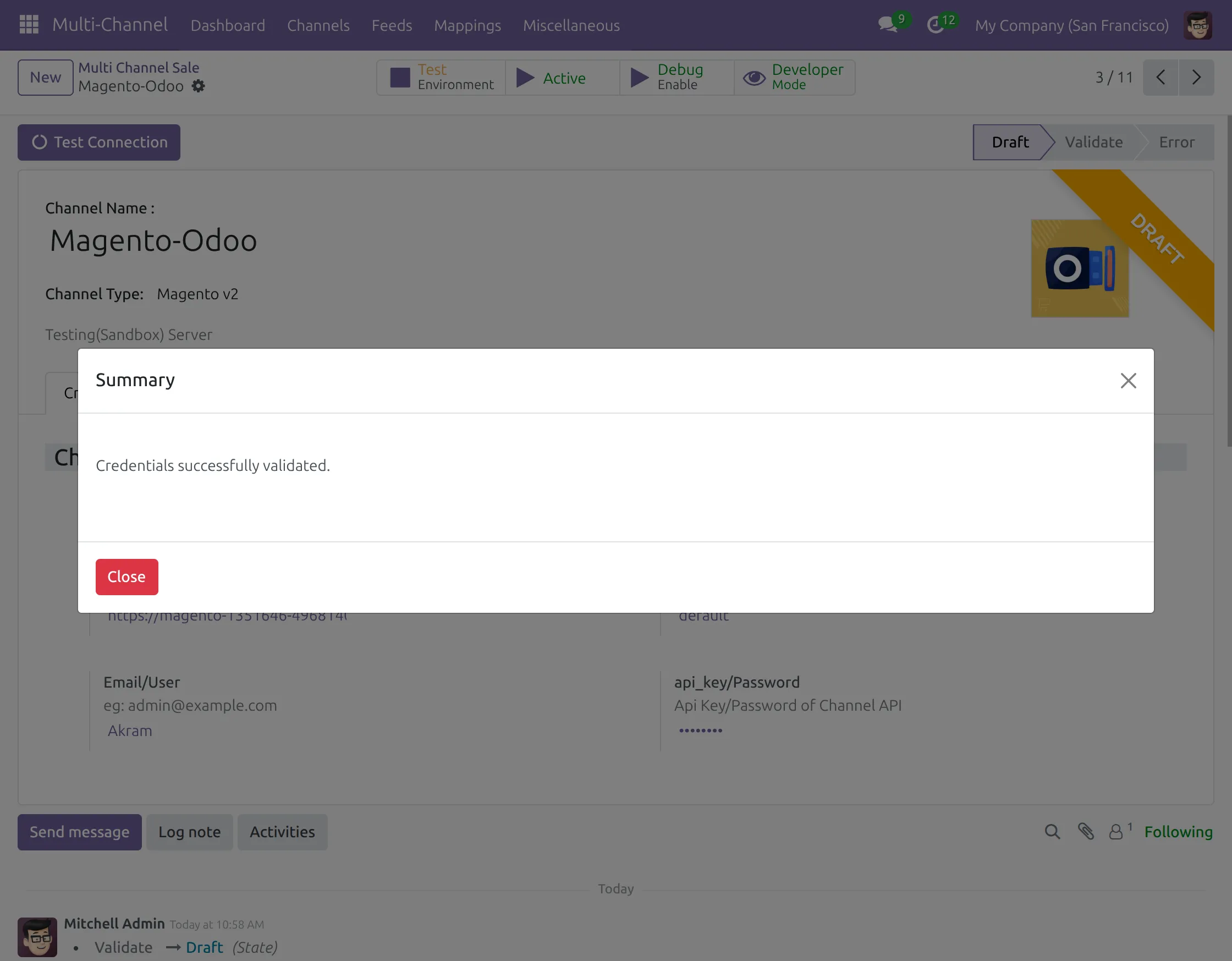
4. Click on “Test Connection” to verify the setup. Once successful, a confirmation pop-up will appear.
5.Go to the “Operations” tab, where you will find Import and Export options for data management.
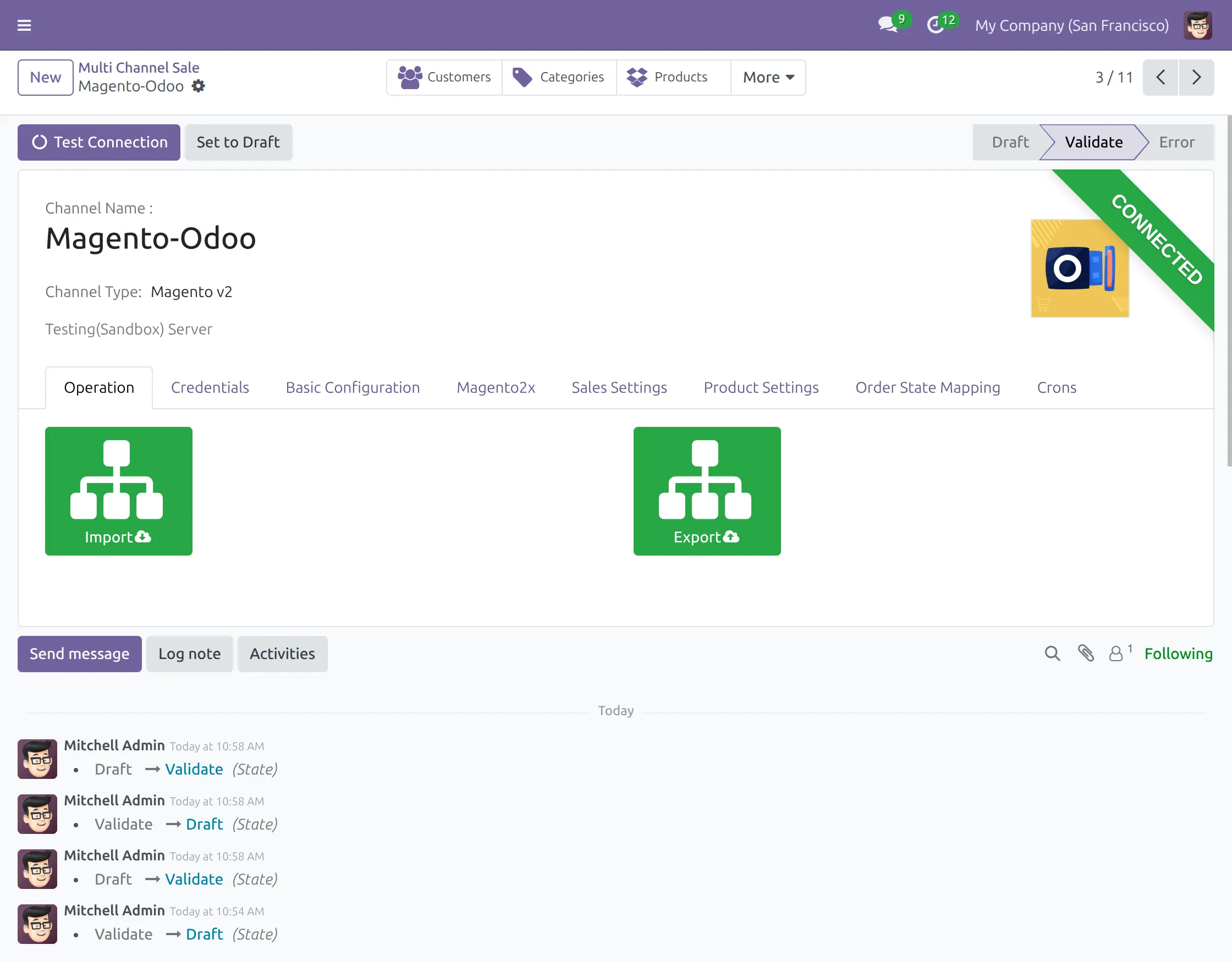
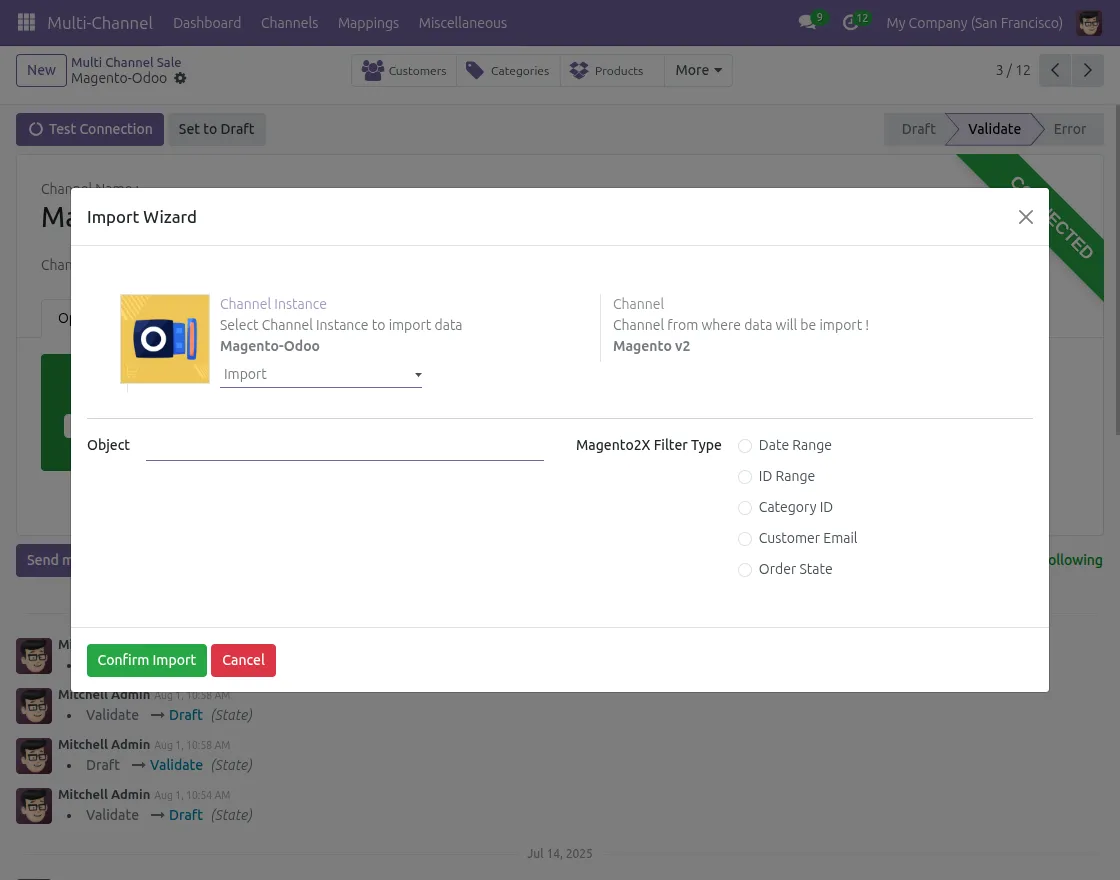
6. Click “Import” button to open the import wizard and bring data from your channel to Odoo.
In the import wizard, choose object type (products, categories, customers), apply filters, and click “Import” to complete.
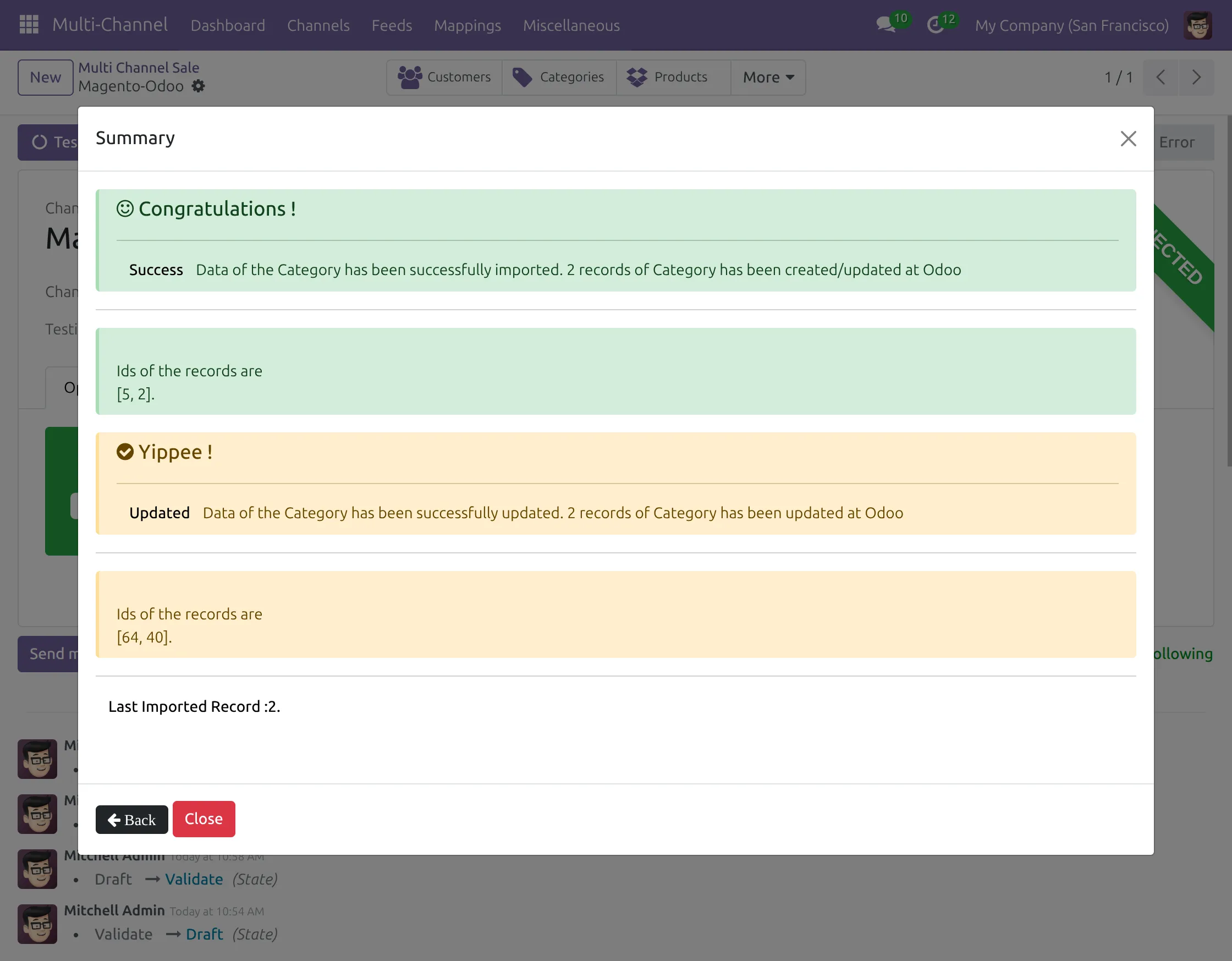
7. Import process completes successfully with a popup showing “Import Success” message, and data is imported and updated to Odoo.
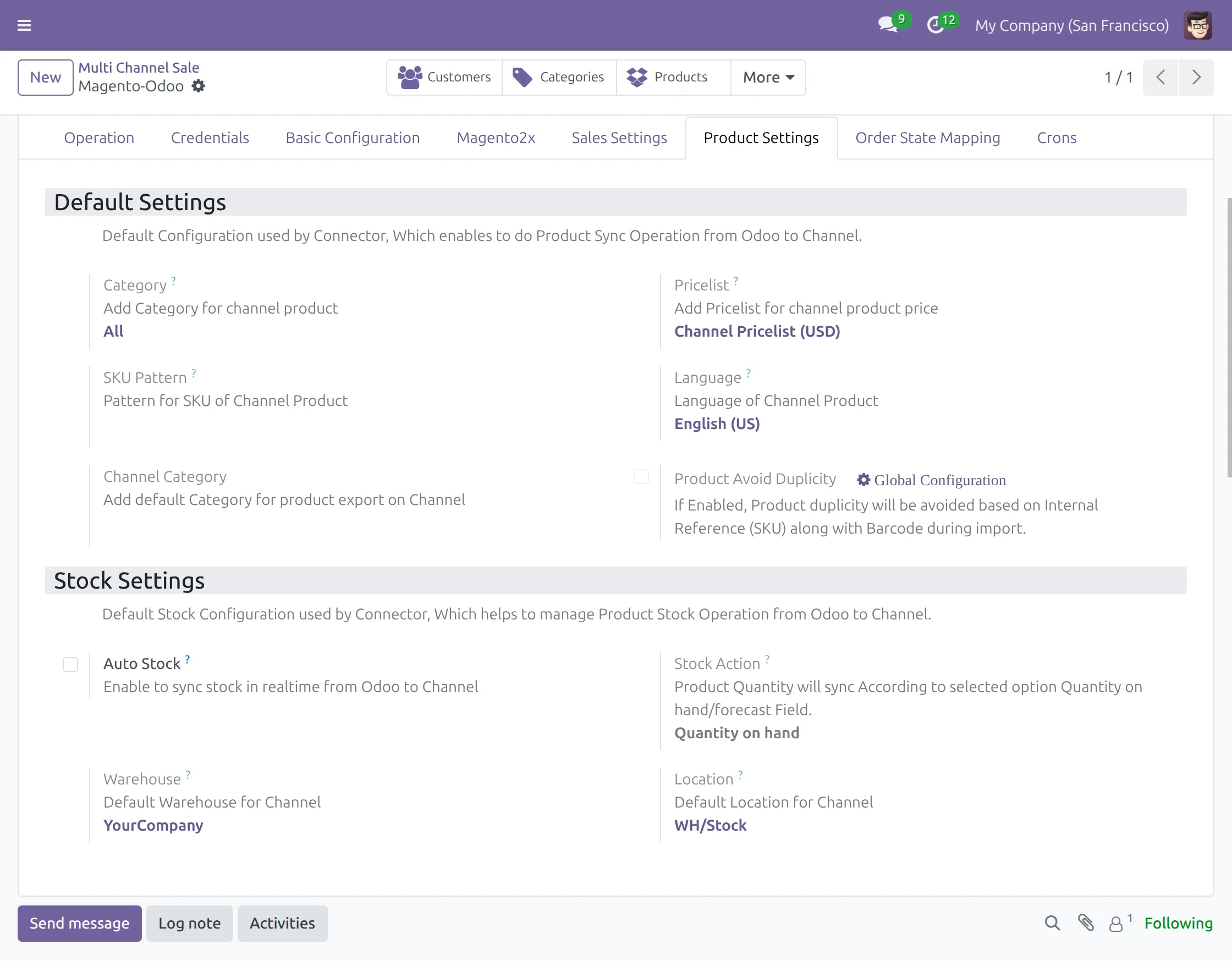
8. Configure the “Product Settings” tab for the default pricelist, stock settings, and auto stock update options.
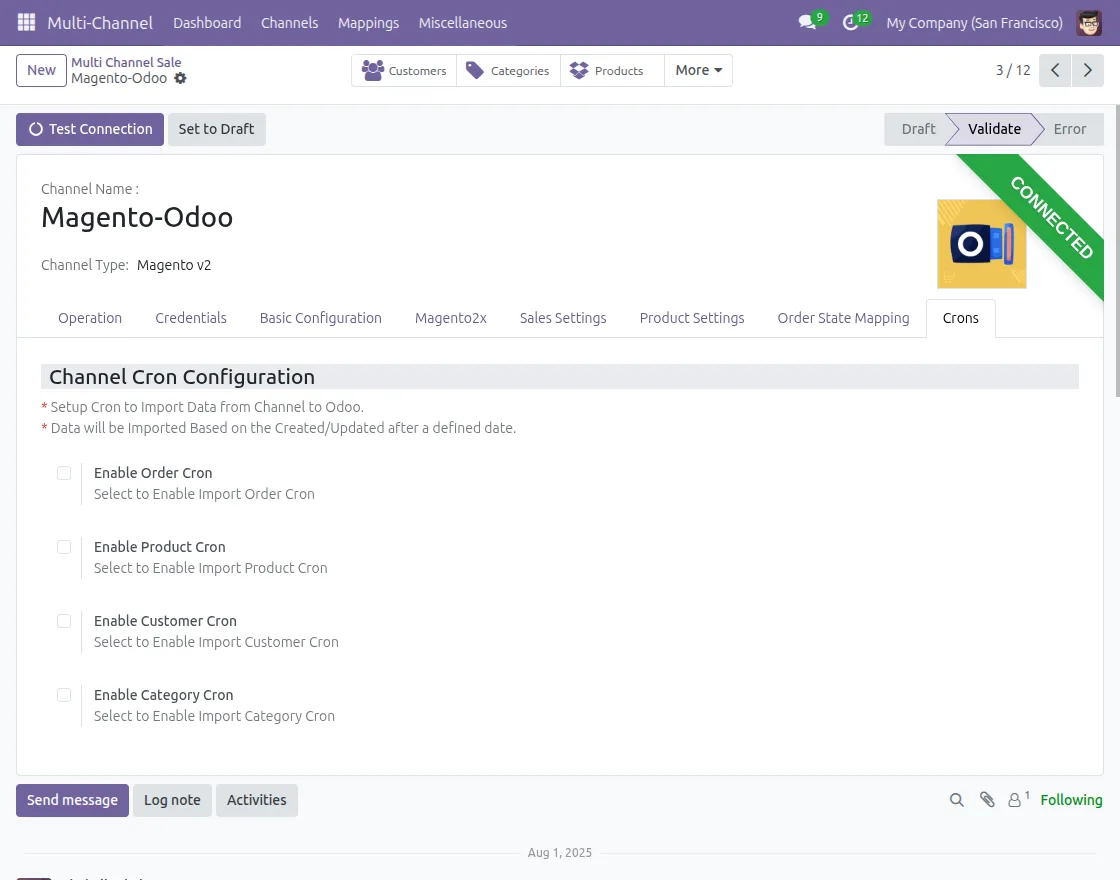
9. Enable “Cron Settings” to automate order imports, stock sync, and product updates for seamless operation.
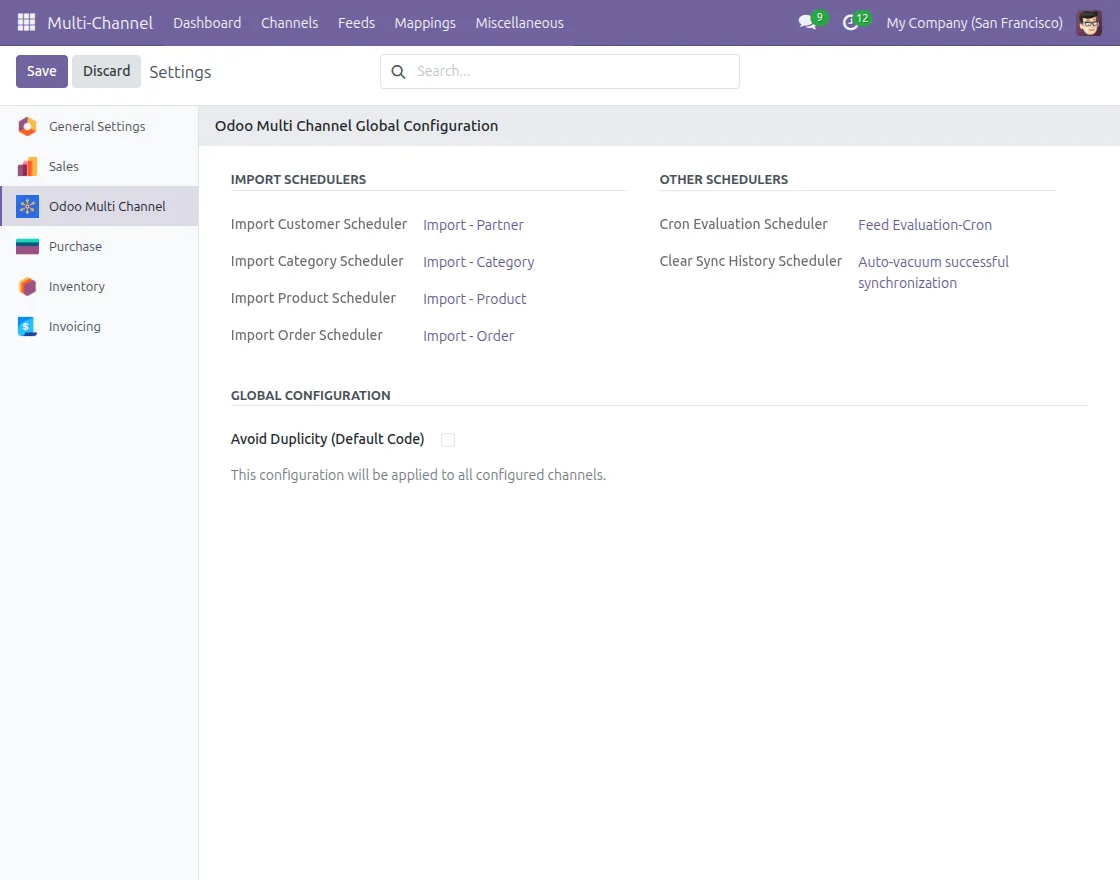
10. Access “Global Configuration” under the Miscellaneous tab to manage global settings and additional configuration options.
Need Help?
Hope you find the guide helpful! Please feel free to share your feedback in the comments below.
If you still have any issues/queries, please create a ticket at the UV Desk.
I hope this helps. In case of any further queries, contact us at our support mail:[email protected]
Thanks for paying attention!!
Current Product Version - 2.8.18
Supported Framework Version - Odoo V19,Odoo V18,Odoo V17


Im trying to install this addon but i get this error do you help us please ?
RPC_ERROR
Odoo Server Error
Traceback (most recent call last):
File “/usr/lib/python3/dist-packages/odoo/http.py”, line 1589, in _serve_db
return service_model.retrying(self._serve_ir_http, self.env)
File “/usr/lib/python3/dist-packages/odoo/service/model.py”, line 133, in retrying
result = func()
File “/usr/lib/python3/dist-packages/odoo/http.py”, line 1616, in _serve_ir_http
response = self.dispatcher.dispatch(rule.endpoint, args)
File “/usr/lib/python3/dist-packages/odoo/http.py”, line 1820, in dispatch
result = self.request.registry[‘ir.http’]._dispatch(endpoint)
File “/usr/lib/python3/dist-packages/odoo/addons/website/models/ir_http.py”, line 237, in _dispatch
response = super()._dispatch(endpoint)
File “/usr/lib/python3/dist-packages/odoo/addons/base/models/ir_http.py”, line 154, in _dispatch
result = endpoint(**request.params)
File “/usr/lib/python3/dist-packages/odoo/http.py”, line 697, in route_wrapper
result = endpoint(self, *args, **params_ok)
File “/usr/lib/python3/dist-packages/odoo/addons/web/controllers/dataset.py”, line 46, in call_button
action = self._call_kw(model, method, args, kwargs)
File “/usr/lib/python3/dist-packages/odoo/addons/web/controllers/dataset.py”, line 33, in _call_kw
return call_kw(request.env[model], method, args, kwargs)
File “/usr/lib/python3/dist-packages/odoo/api.py”, line 466, in call_kw
result = _call_kw_multi(method, model, args, kwargs)
File “/usr/lib/python3/dist-packages/odoo/api.py”, line 453, in _call_kw_multi
result = method(recs, *args, **kwargs)
File “”, line 2, in button_immediate_install
File “/usr/lib/python3/dist-packages/odoo/addons/base/models/ir_module.py”, line 74, in check_and_log
return method(self, *args, **kwargs)
File “/usr/lib/python3/dist-packages/odoo/addons/base/models/ir_module.py”, line 468, in button_immediate_install
return self._button_immediate_function(type(self).button_install)
File “/usr/lib/python3/dist-packages/odoo/addons/base/models/ir_module.py”, line 592, in _button_immediate_function
registry = modules.registry.Registry.new(self._cr.dbname, update_module=True)
File “”, line 2, in new
File “/usr/lib/python3/dist-packages/odoo/tools/func.py”, line 87, in locked
return func(inst, *args, **kwargs)
File “/usr/lib/python3/dist-packages/odoo/modules/registry.py”, line 90, in new
odoo.modules.load_modules(registry, force_demo, status, update_module)
File “/usr/lib/python3/dist-packages/odoo/modules/loading.py”, line 488, in load_modules
processed_modules += load_marked_modules(cr, graph,
File “/usr/lib/python3/dist-packages/odoo/modules/loading.py”, line 372, in load_marked_modules
loaded, processed = load_module_graph(
File “/usr/lib/python3/dist-packages/odoo/modules/loading.py”, line 231, in load_module_graph
load_data(cr, idref, mode, kind=’data’, package=package)
File “/usr/lib/python3/dist-packages/odoo/modules/loading.py”, line 71, in load_data
tools.convert_file(cr, package.name, filename, idref, mode, noupdate, kind)
File “/usr/lib/python3/dist-packages/odoo/tools/convert.py”, line 763, in convert_file
convert_xml_import(cr, module, fp, idref, mode, noupdate)
File “/usr/lib/python3/dist-packages/odoo/tools/convert.py”, line 829, in convert_xml_import
obj.parse(doc.getroot())
File “/usr/lib/python3/dist-packages/odoo/tools/convert.py”, line 749, in parse
self._tag_root(de)
File “/usr/lib/python3/dist-packages/odoo/tools/convert.py”, line 698, in _tag_root
f(rec)
File “/usr/lib/python3/dist-packages/odoo/tools/convert.py”, line 709, in _tag_root
raise ParseError(msg) from None # Restart with “–log-handler odoo.tools.convert:DEBUG” for complete traceback
odoo.tools.convert.ParseError: while parsing /usr/lib/python3/dist-packages/odoo/addons/odoo_multi_channel_sale/views/core/product_template.xml:27
Erreur lors de la validation de la vue :
Le champ “channel_category_ids” n’existe pas dans le modèle “product.tab.line”
View error context:
{‘file’: ‘/usr/lib/python3/dist-packages/odoo/addons/odoo_multi_channel_sale/views/core/product_template.xml’,
‘line’: 9,
‘name’: ‘odoo.multi.channel.sale.product.template.form’,
‘view’: ir.ui.view(4591,),
‘view.model’: ‘product.template’,
‘view.parent’: ir.ui.view(464,),
‘xmlid’: ‘odoo_multi_channel_sale.product_template_only_form_view’}
The above server error caused the following client error:
RPC_ERROR: Odoo Server Error
at makeErrorFromResponse (https://office.lesportif.com.tn/web/assets/2669-ef197d8/web.assets_backend.min.js:988:163)
at XMLHttpRequest. (https://office.lesportif.com.tn/web/assets/2669-ef197d8/web.assets_backend.min.js:996:13)