Laravel Marketplace USPS Shipping: This module lets the admin enable USPS shipping, auto-calculating shipment costs from the seller’s origin to the delivery location using real-time USPS rates.
The admin configures the USPS credentials, mode and allowed services at the admin panel. When allowed, the seller can use their own USPS account credentials to manage the shipment.
Note – This is a marketplace add-on, so you need to install Webkul’s Laravel Multi-Vendor Marketplace.
Features of Laravel Marketplace USPS Shipping
- The admin can enable or disable the Usps Shipping method.
- Admin can set the Usps shipping method name that will be shown from the front side.
- The admin can also allow sellers to save their own credentials.
- The admin also can define the allowed methods.
- The seller can also add Invoice.
- The dynamic shipping method for freight calculation.
- Ability to download Invoice.
Installation
- Bagisto Version:
v2.4.10 - Marketplace: v2.4.10.0
Step 1: Extract Package
Unzip the extension package and merge the packages folder into your project root.
Step 2: Configure Autoloader
Goto composer.json file and add the following line under ‘psr-4’
"Webkul\\MarketplaceUspsShipping\\":"packages/Webkul/MarketplaceUspsShipping/src"
Then run the command below to regenerate the autoloader
composer dump-autoload
Step 3: Register Service Provider
Go to: bootstrap/providers.php file and add the following line under ‘providers’
use Webkul\MarketplaceUspsShipping\Providers\MarketplaceUspsShippingServiceProvider

return
[
 MarketplaceUspsShippingServiceProvider::class,
 ]
Step 4: Complete the Setup
Run these commands below to complete the setup
php artisan mp-usps-shipping:install
php artisan optimize:clear
php artisan config:cache
php artisan route:cache
Admin Configuration
After the installation of the module, the admin needs to configure the module. Click on Configure>>Sales>>Shipping methods.
Under the Shipping methods, all the shipping methods are visible in the admin panel.
Under the Marketplace USPS there are several fields:-
Title:-Enter the Title for the name of the shipping method that is shown during the checkout process.
Description:- The admin can also input the description regarding the shipping method.
Status:- The admin can activate or deactivate the module from this field.
Consumer Key:- Enter the Consumer Key (client ID) generated for your USPS APIs account.
Consumer Secret:- Enter the Consumer Secret (client secret) generated for your USPS APIs account.
Mode:-Choose one of the following options here:
- Development – Runs USPS in a test environment.
- Live – Runs USPS in a live production environment.
Price Type:- Select whether rates are requested as Retail or Commercial prices.
Account Type:- Select the USPS account type used for billing, either EPS or Permit.
Account Number:- Enter the USPS account number associated with the selected account type.
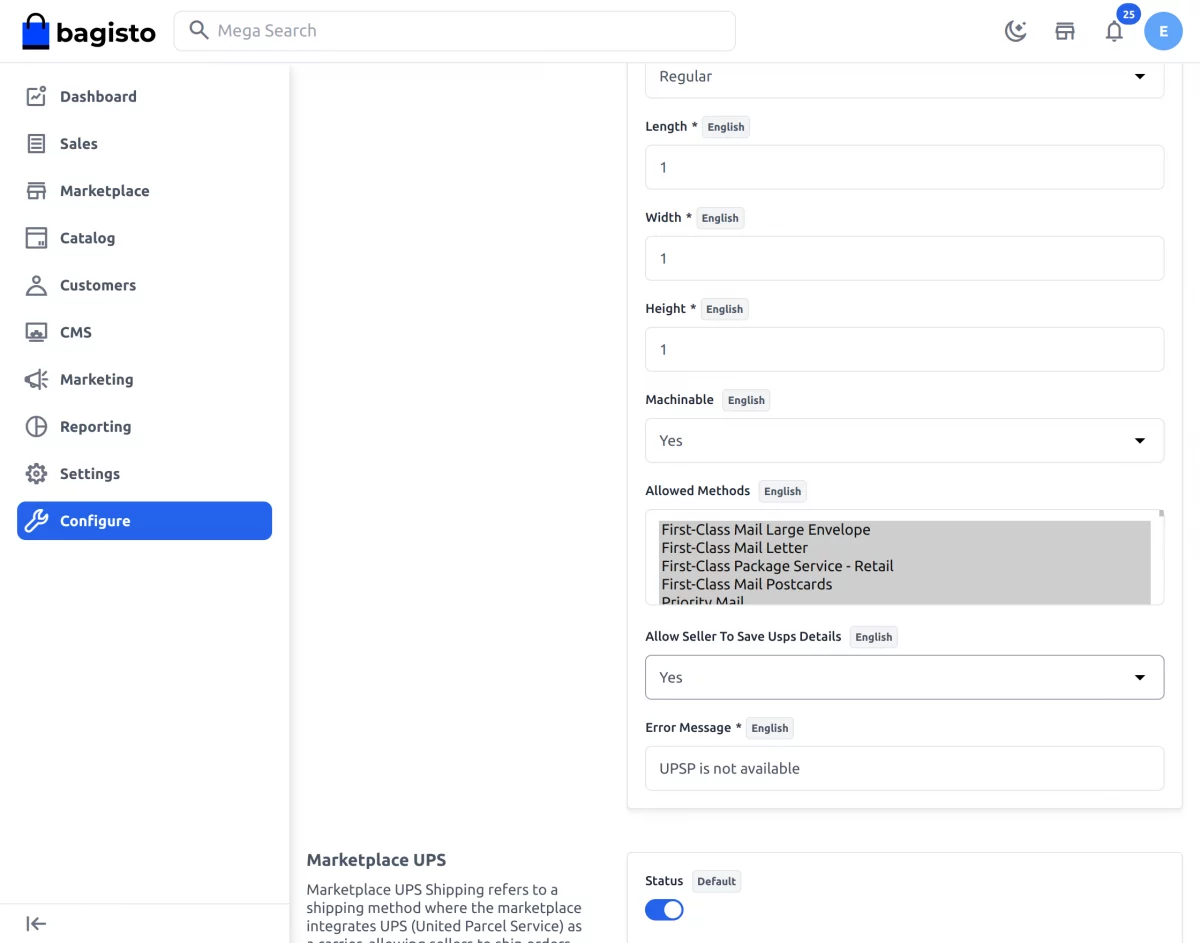
Length, Width & Height:- Enter the default package dimensions used for the USPS rate request.
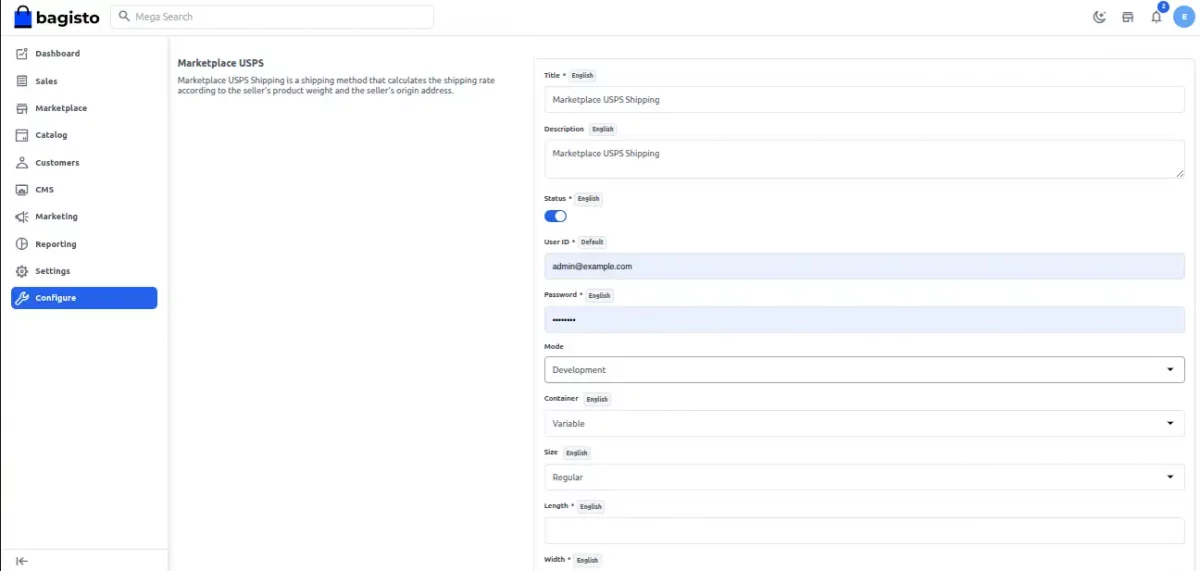
Allowed Methods:- Choose the USPS services offered to your customers from the Allowed Methods list.
Allow Seller To Save Usps Details:- Set Yes to let the seller save their own USPS credentials.
Error Message:- Enter the message shown to the customer at checkout when no USPS rates are available.
Seller’s Profile
After all the configuration have been saved by the admin regarding the shipping method.
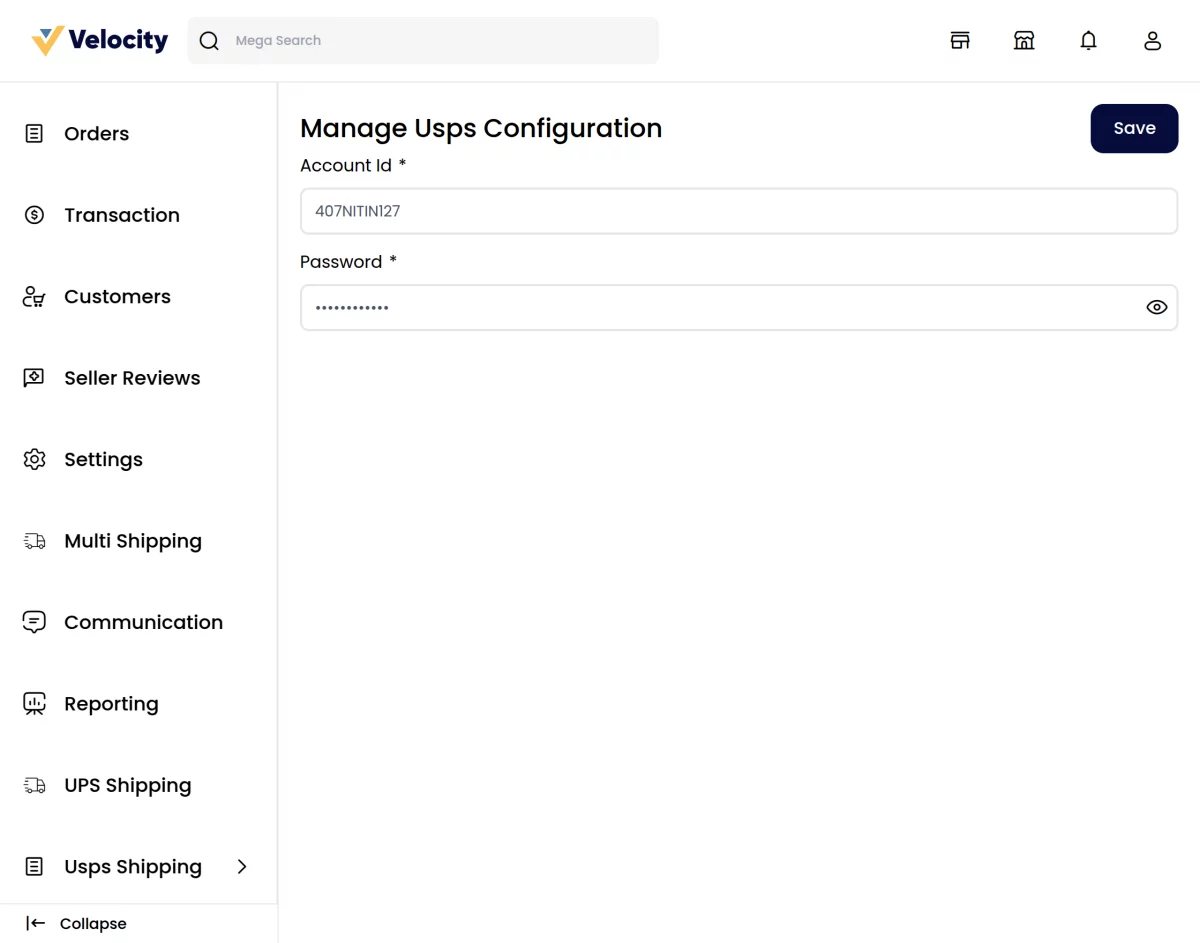
The seller can see the USPS option under the marketplace section, where the seller can manage the USPS configuration from Seller >> USPS >> Manage Shipping.
The Sellers needs to enter several fields regarding the configuration of the USPS shipping method such as:-
Consumer Key:- The seller needs to input the Consumer Key (client ID) for their USPS APIs account.
Consumer Secret:- The seller also needs to input the Consumer Secret (client secret) for their USPS APIs account.
Allowed Methods:- The seller selects the USPS services they want to offer to customers.
Customers End
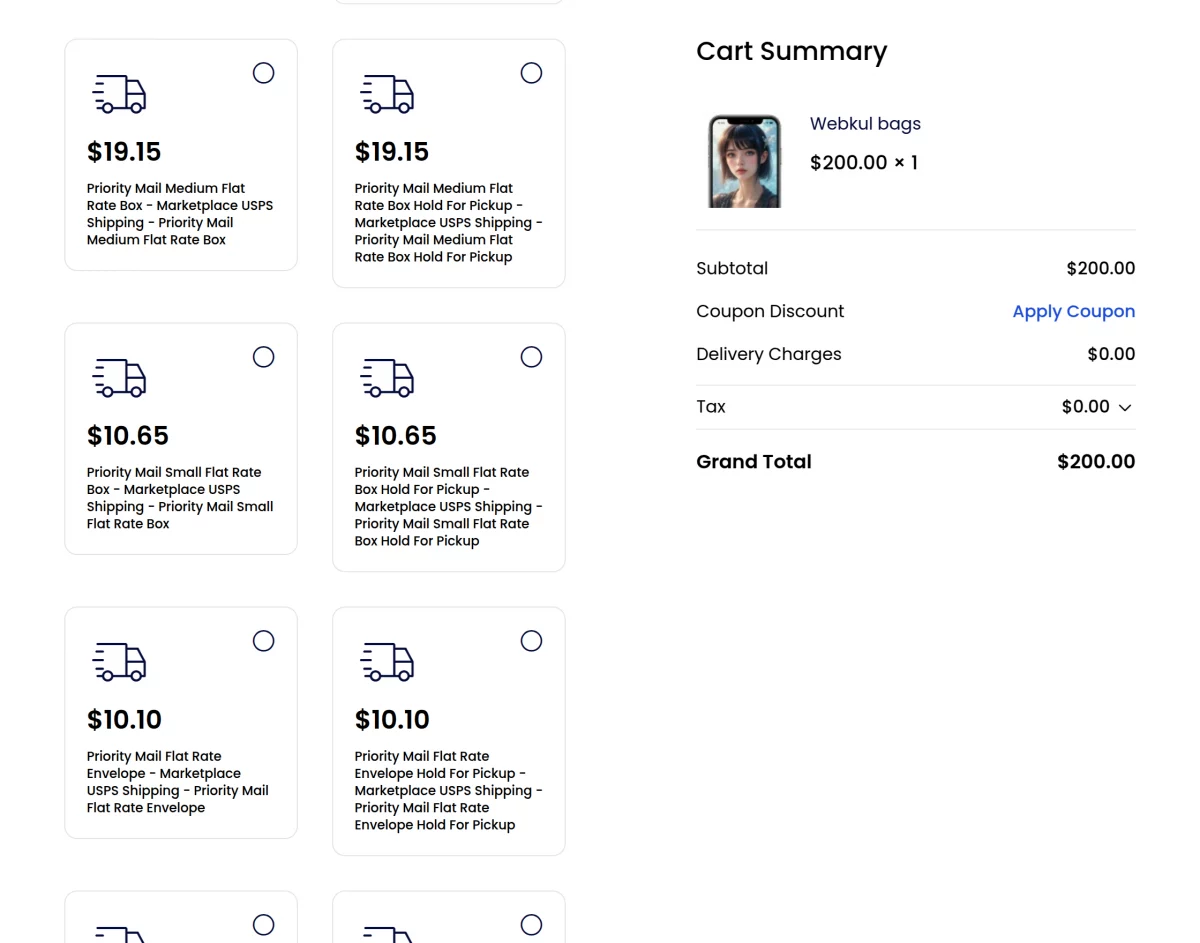
After successfully configuring the USPS shipping, the customers can also use the USPS shipping method for the delivery of their products.
USPS Shipping management by the seller
The seller can see the orders that have been placed by the customer under the marketplace section where the seller can see the details regarding the order as shown below:-
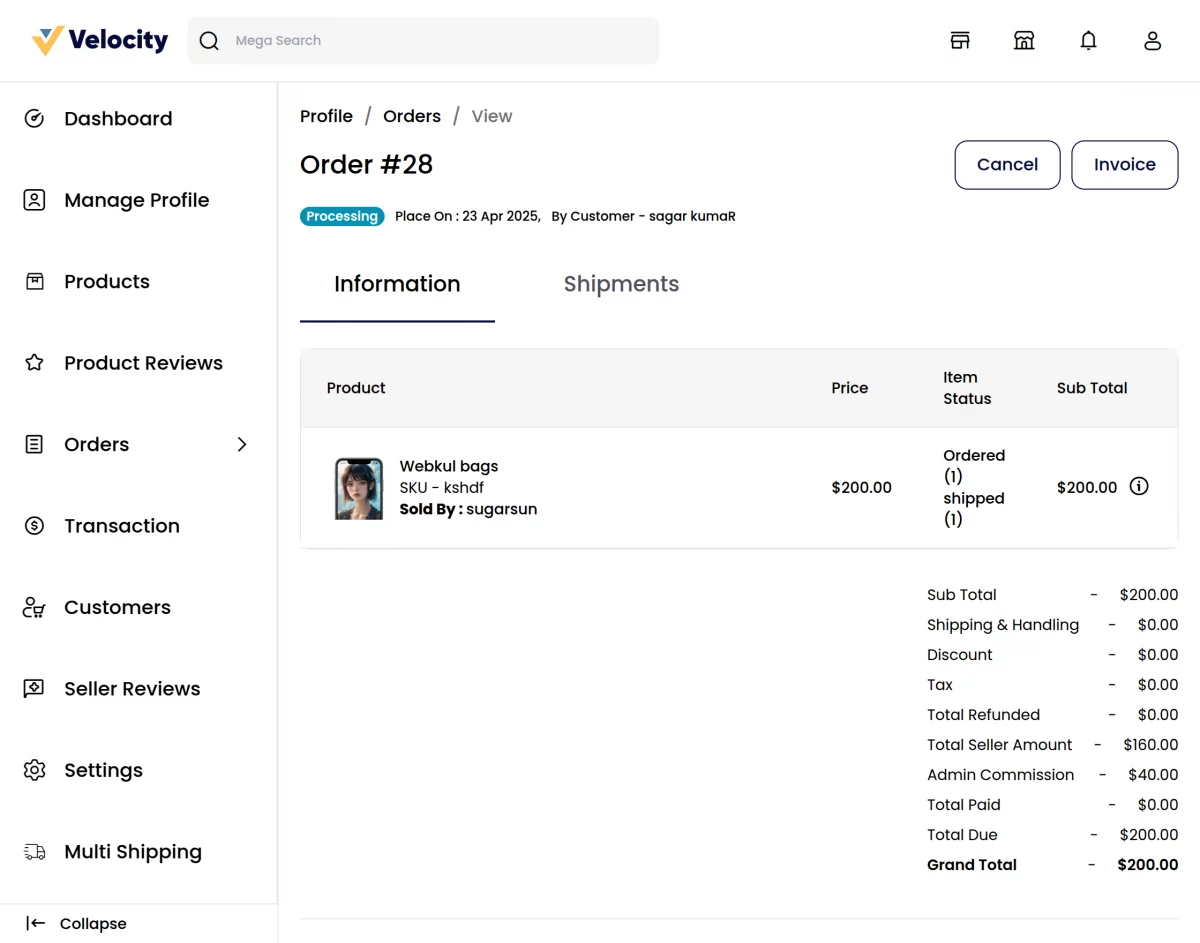
By hitting the invoice button the seller can generate the invoice for the order as shown below:-
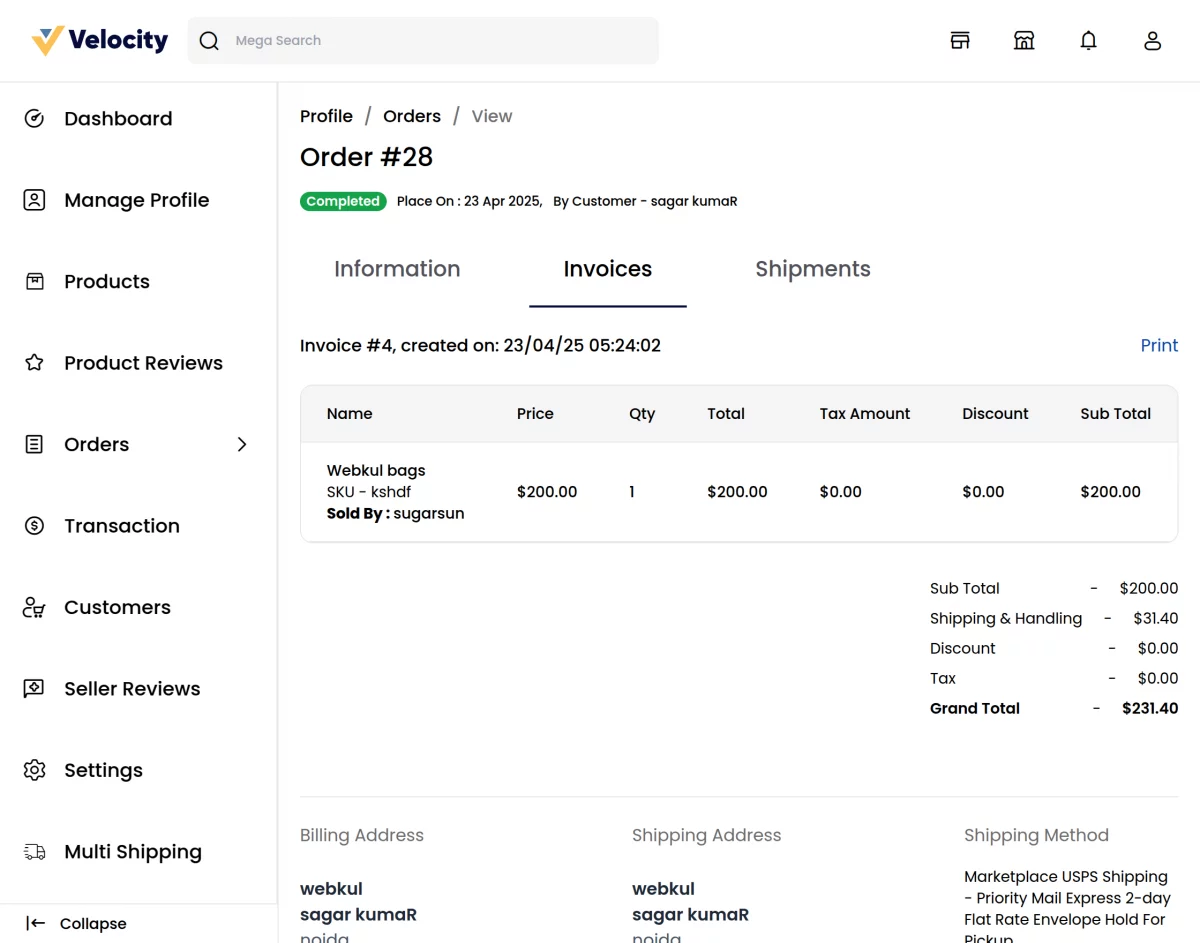
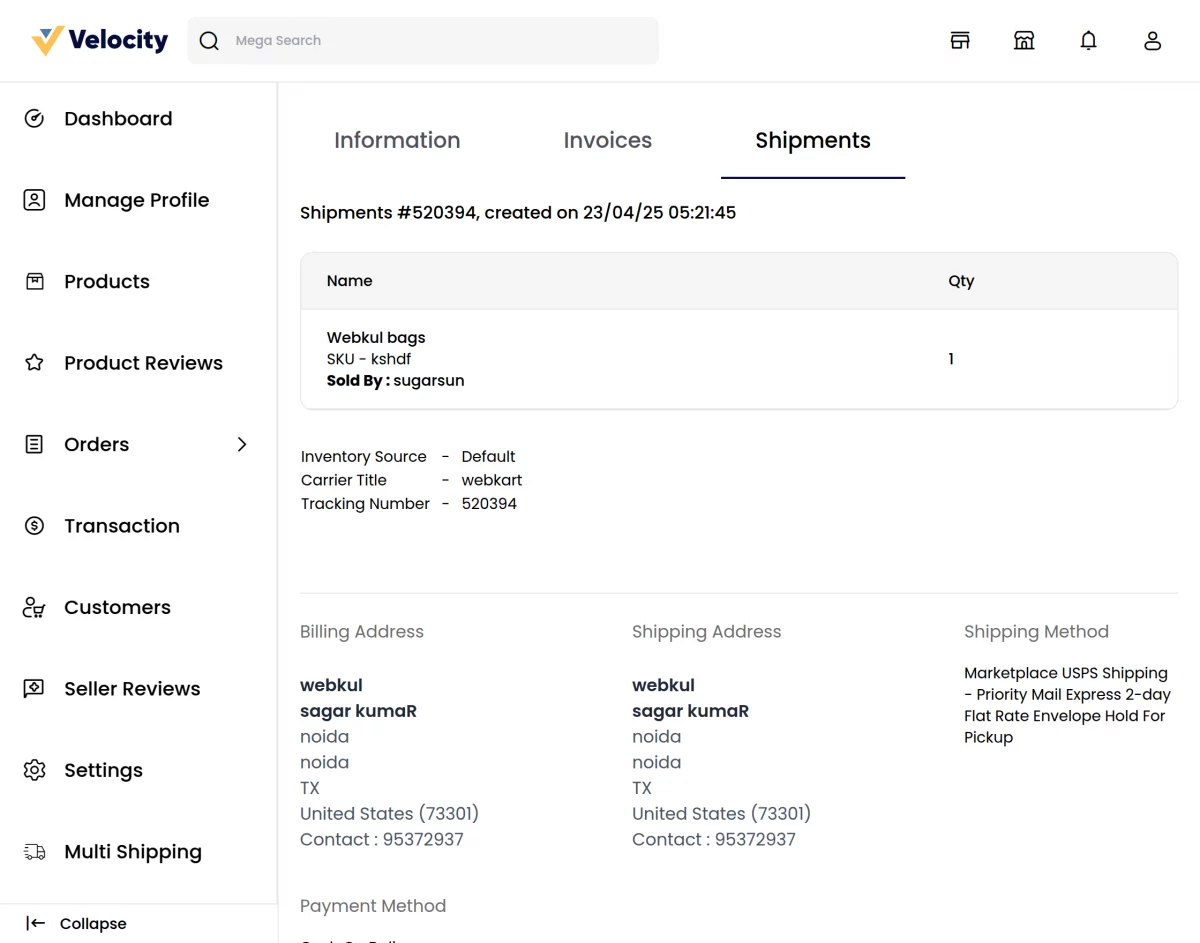
By clicking on the Ship button the seller can also generate the shipment for the order that will also include the tracking number and the carrier title for the order as shown below:-
Support
So, that was much about the User Guide of Laravel Marketplace USPS Shipping for any queries or doubts reach out to us at [email protected]. You can also raise a ticket at our HelpDesk System.
Please explore our Laravel Development Services and Quality Bagisto Extensions.
Current Product Version - v2.4.10
Supported Framework Version - Bagisto v2.4.10

Be the first to comment.