


















Introduction
Our Hotwire Mobile App Builder is the best solution for merchants with an existing responsive Shopify website who want to quickly launch a mobile application.
Hotwire Mobile App Builder for Shopify lets merchants create Android and iOS shopping apps. It syncs with Shopify to display products, collections, categories, and checkout.
Features
Hotwire Mobile App Builder for Shopify turns your Shopify store into an Android app. Users can find items, scan codes, search by image, buy items, sign in, and get alerts.
- Real-time synchronisation of the Shopify store and mobile app
- Convert Your Shopify Store into a Mobile App
- Same Store Experience as Your Website
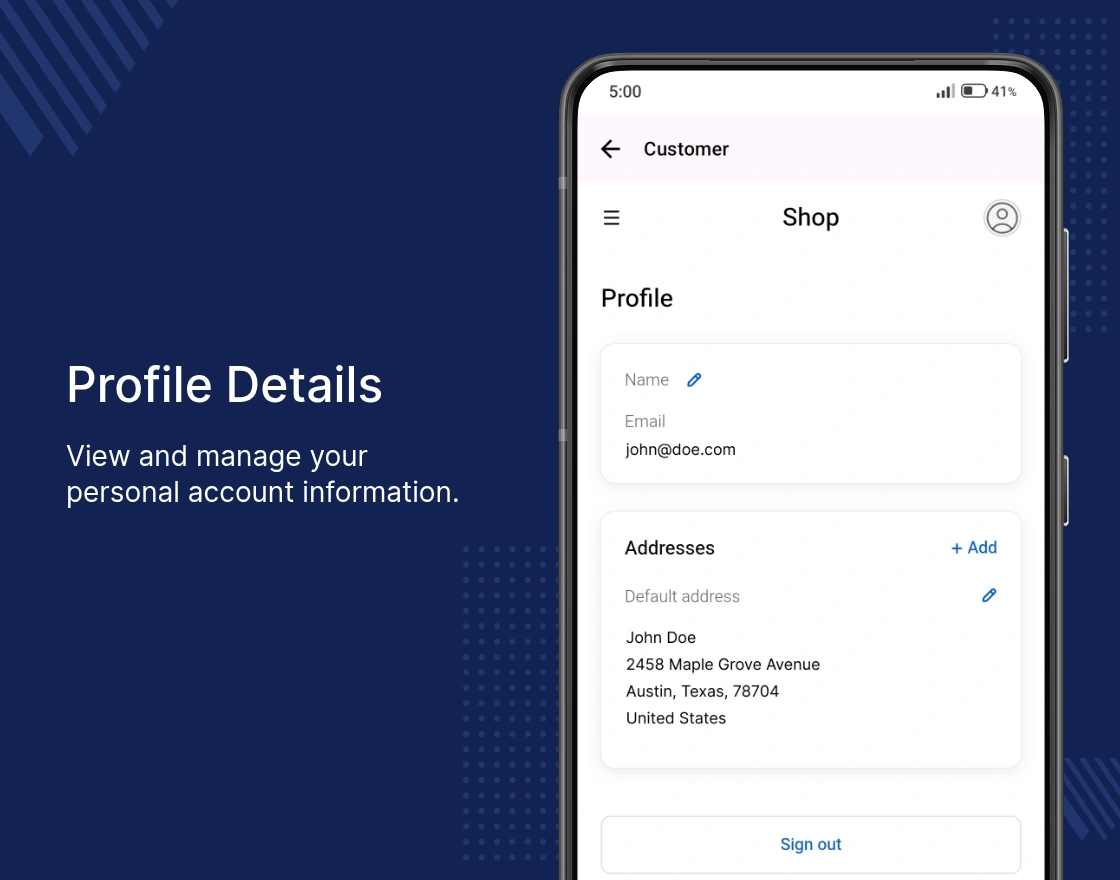
- Customer Account Management
- Scan barcodes to find products quickly and with ease.
- Responsive User Interface
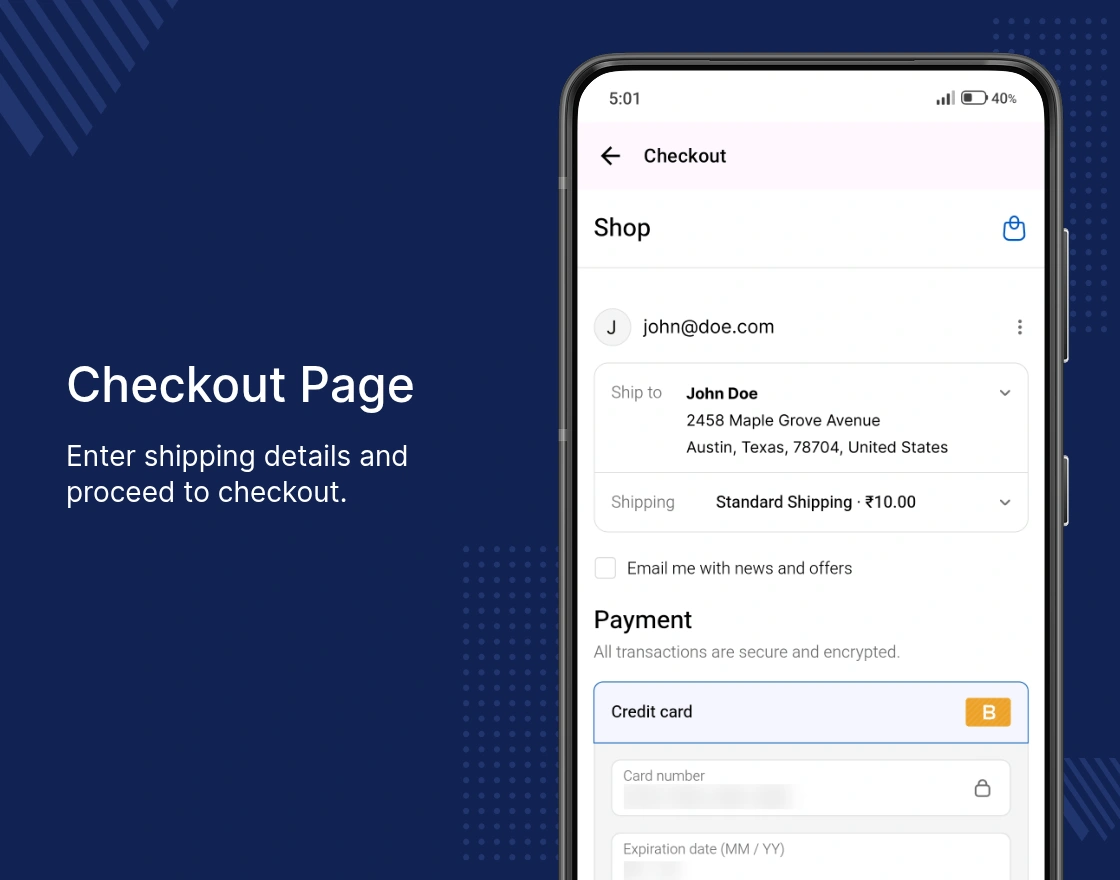
- Let guests and users complete checkout with ease.
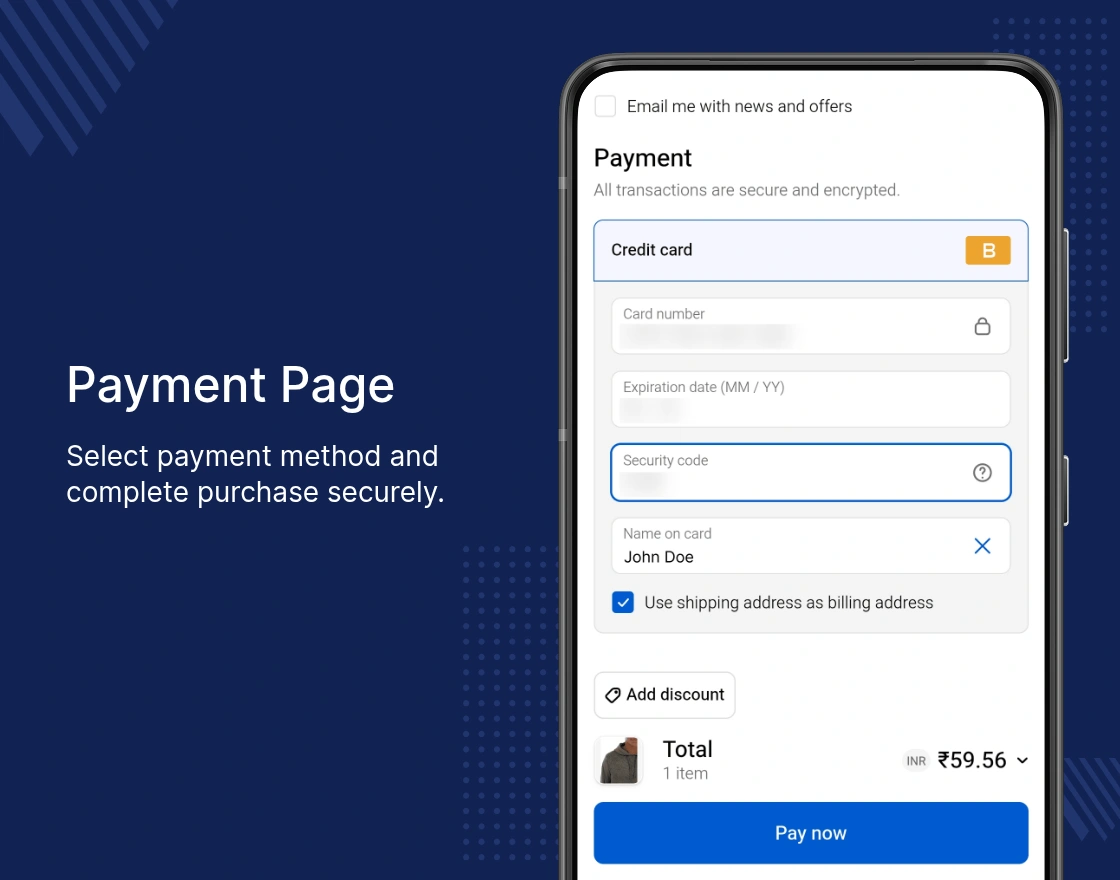
- Support for multiple payment gateways
- Send push alerts to keep customers active and informed.
- One solution for Android and iOS support
- Set your app name and customize your brand appearance.
Hybrid Plan
Subscribe to the latest Hybrid Plan in the Mobikul app. After activation, we’ll convert your Shopify store into a mobile app with no changes to your existing website.
Your mobile app will reflect the same storefront as your Shopify website, including the design, menus, pages, products, collections, customer accounts, and checkout experience.
The Hybrid Plan also includes all the supported features, such as unlimited push notifications, real-time store synchronization, and a seamless shopping experience across both web and mobile.
Hybrid Plan Details
- $99/month membership
- 30 Days Free Trial
- One-Time Initial Setup Cost: $200
- Unlimited Push Notification
- Available for Android and iOS devices
How to enable this plan
Go to the Plans section in the Mobikul app, select the Hybrid Plan, and click Proceed. This activates your subscription and starts the app setup process.
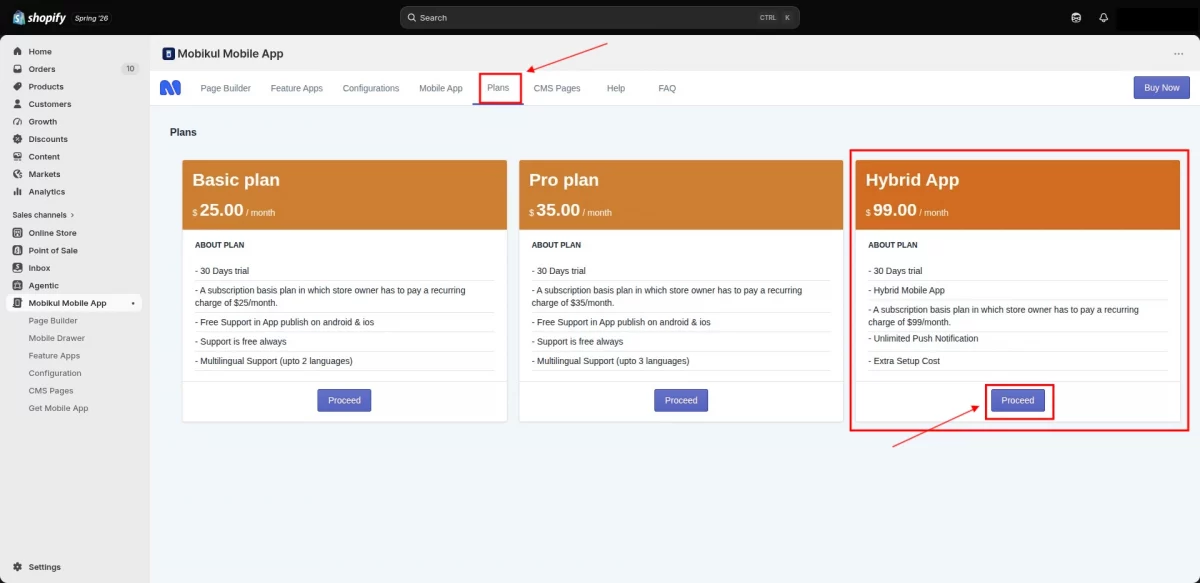
Once the Hybrid Plan has been activated, on the Plans page, click the “Allow Setup Cost” button in red. This authorises the one-time set-up fee and allows our team to begin the app set-up process.
Click on the Allow Setup Cost button. A confirmation pop-up will be displayed that the setup cost has been successfully processed.
Shopify adds the one-time setup fee to your app bill and charges it alongside your app subscription, following Shopify’s standard billing cycle.
Your existing storefront, including products, collections, pages, menus, and checkout, is converted into a branded mobile app while preserving the same shopping experience.
Note: The $200 setup fee applies to the Shopify theme used during the initial setup. If you switch themes later, the same setup fee will be charged again to configure the mobile app for the new theme.
Mobile App Front View
Home Page
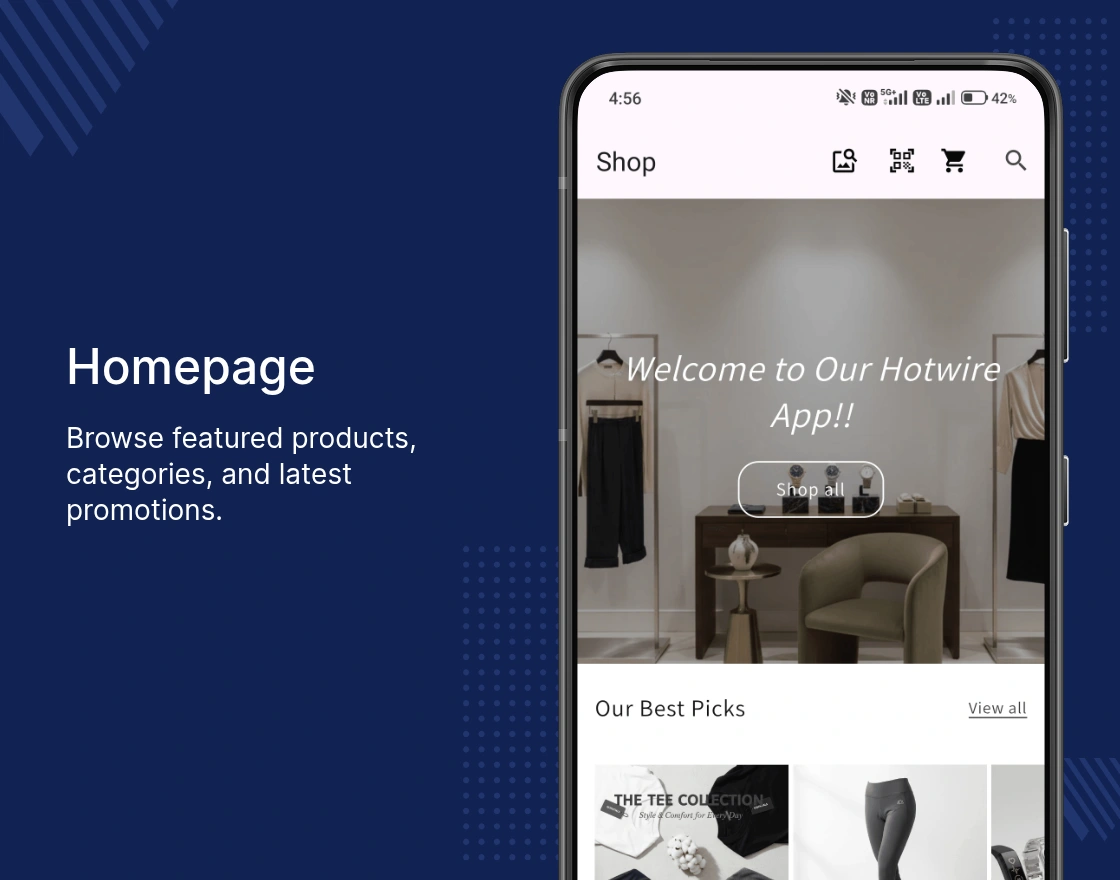
Login Page
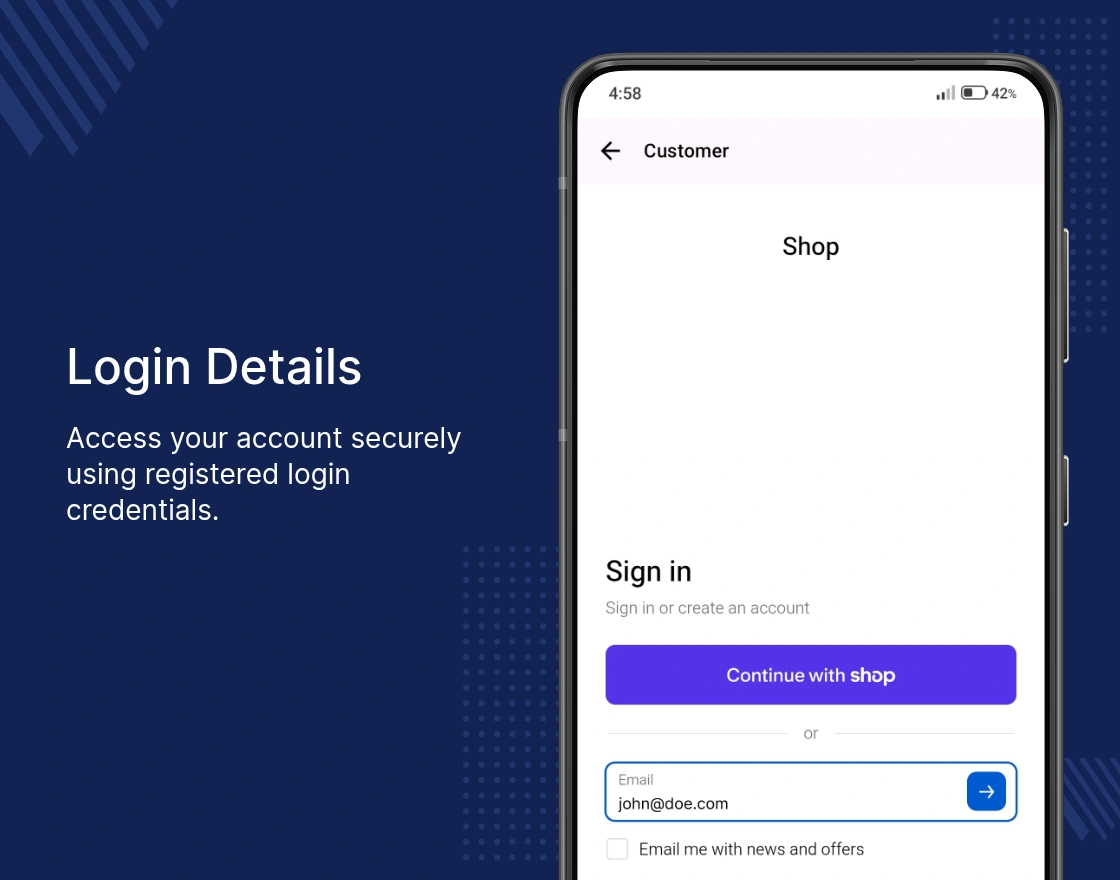
OTP Verification
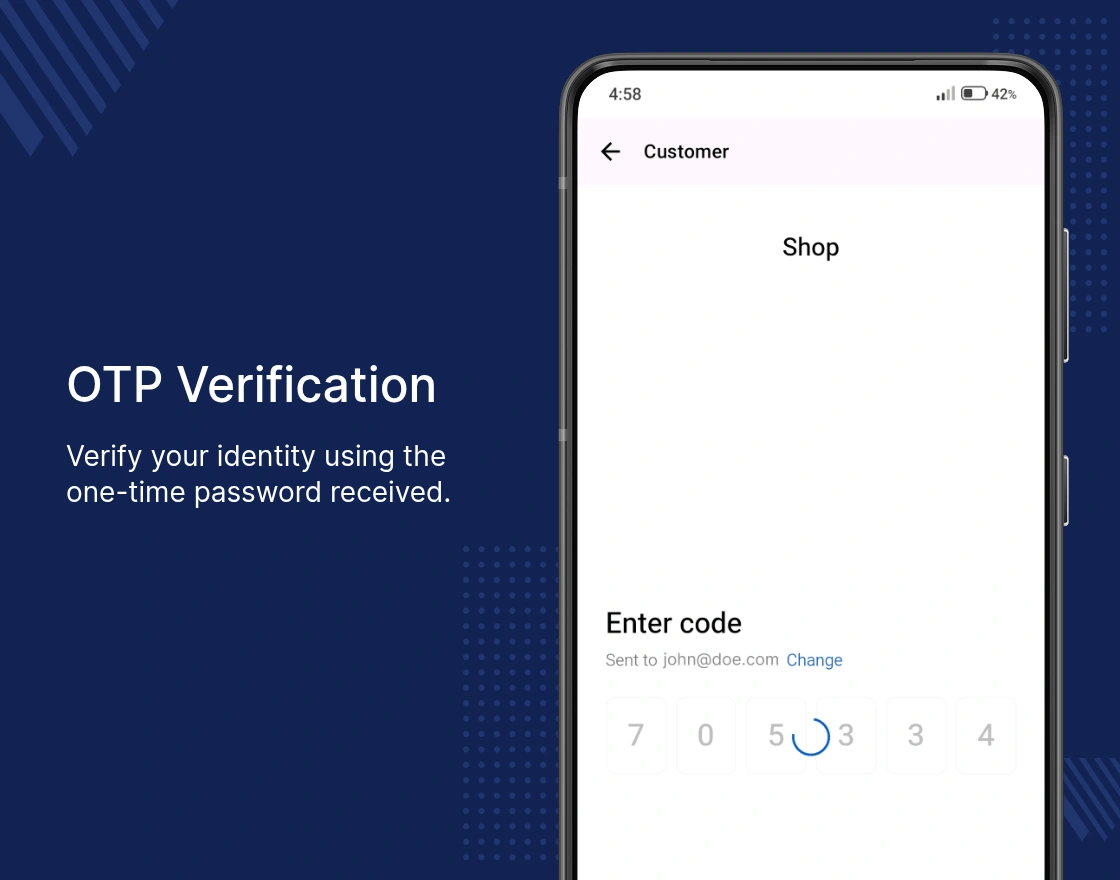
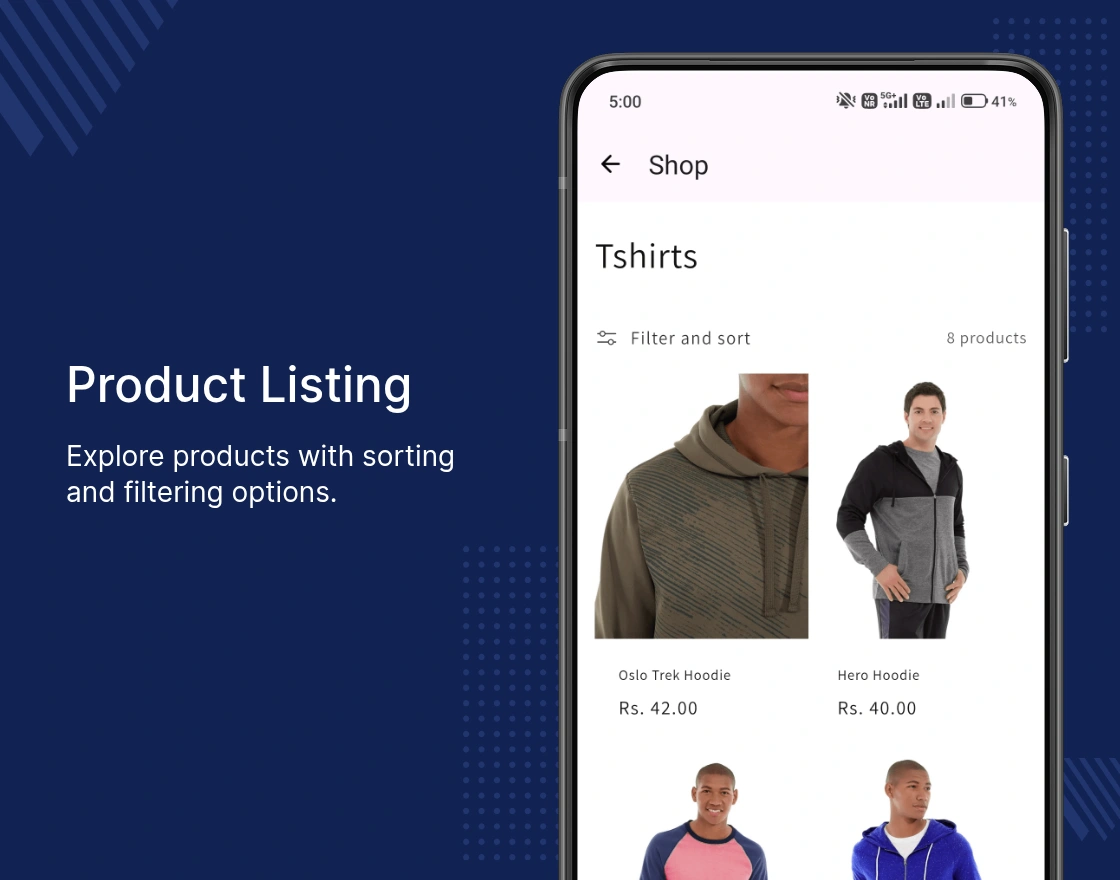
Product Listing
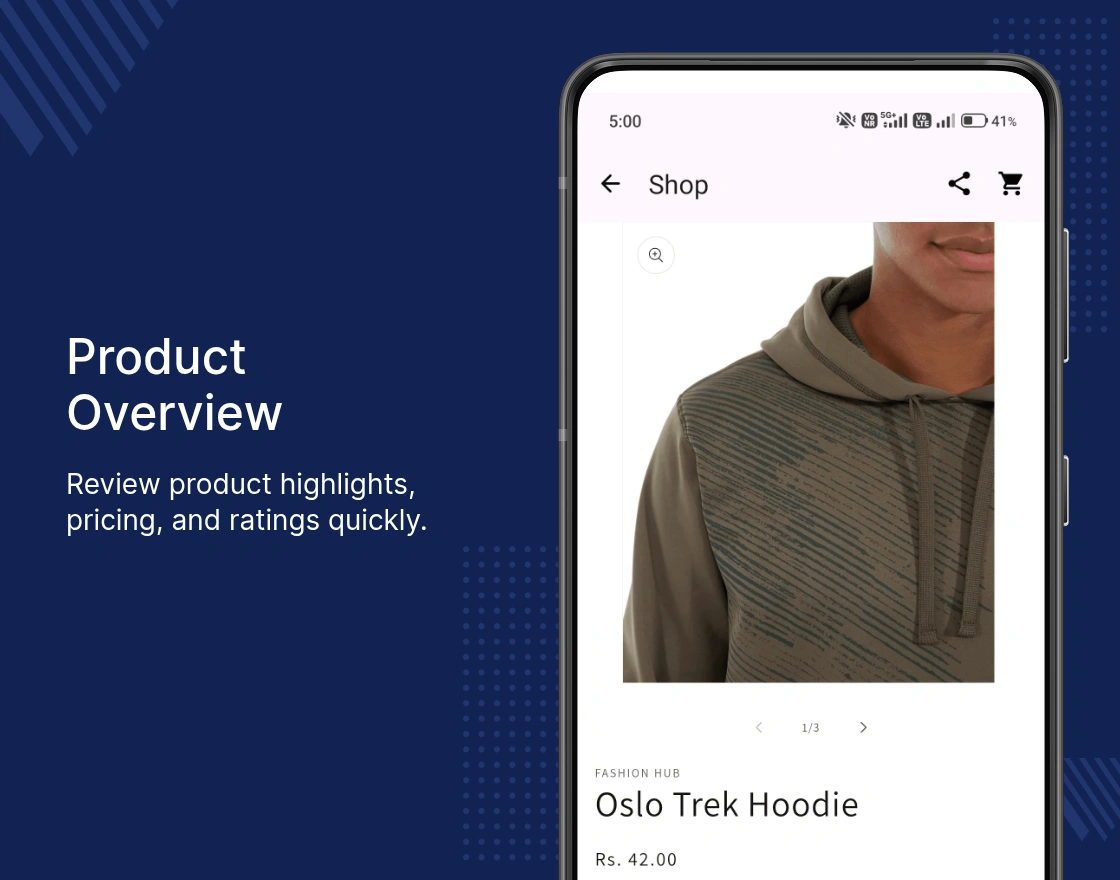
Product Overview
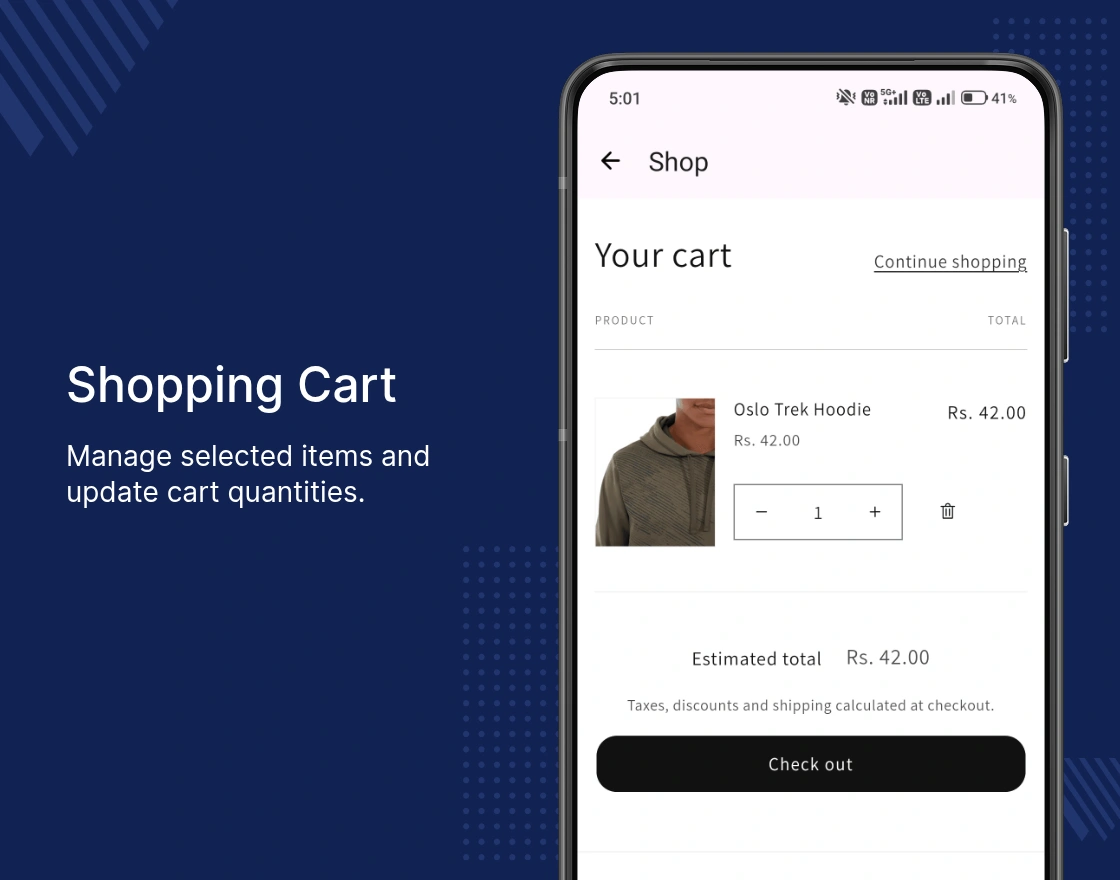
Cart
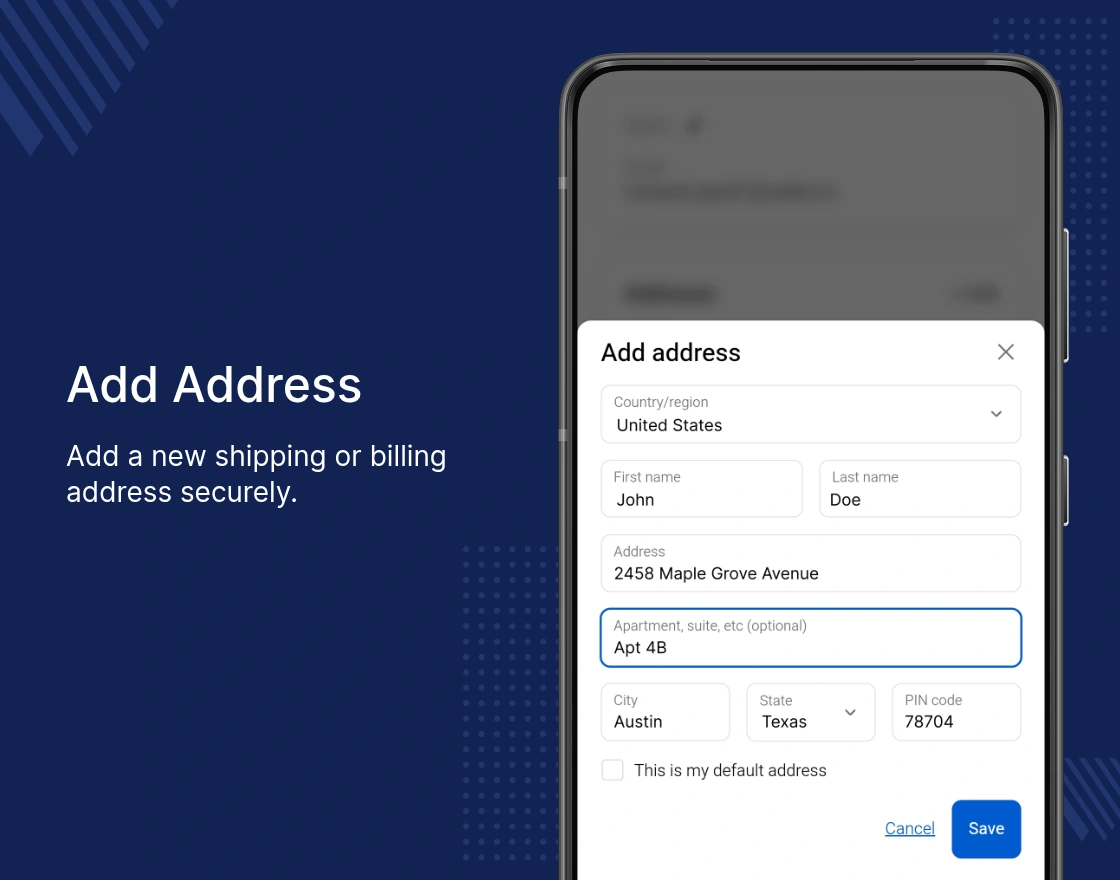
Add Address
Profile Details
Check-out Page
Payment Page
Feature App – Push Notification
With the Hybrid Plan, you get access to the Push Notification feature app.
Install it from the Feature Apps section in the Mobikul app and send unlimited push notifications to promote offers, new products, and important updates.
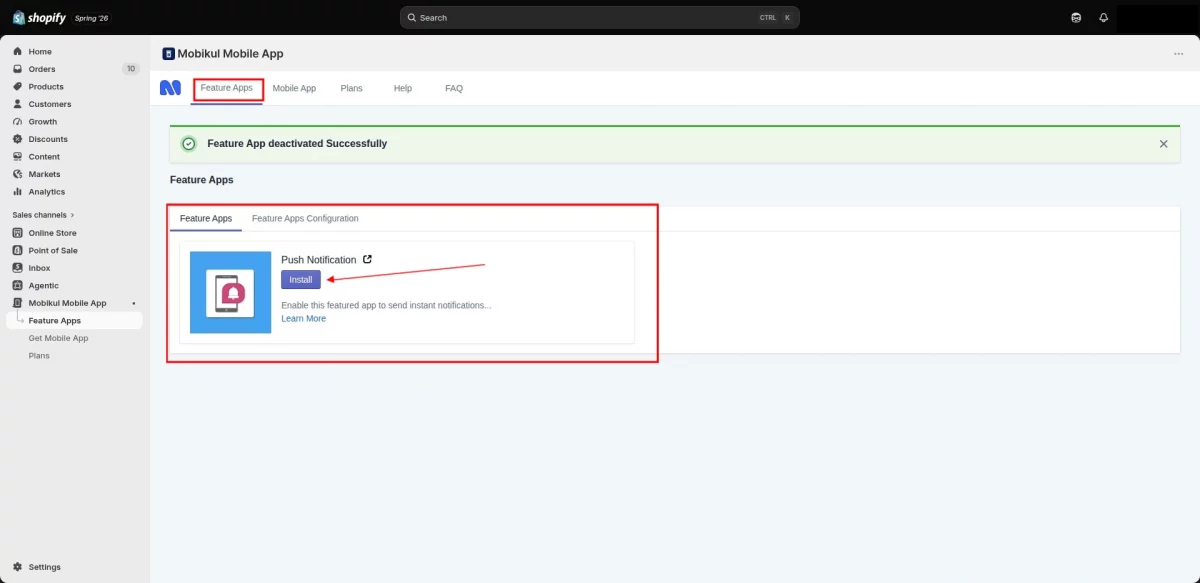
After installing the Push Notification feature app, go to Feature App Configuration. Click Configure App, enable the Enable checkbox, and click Save to activate push notifications.
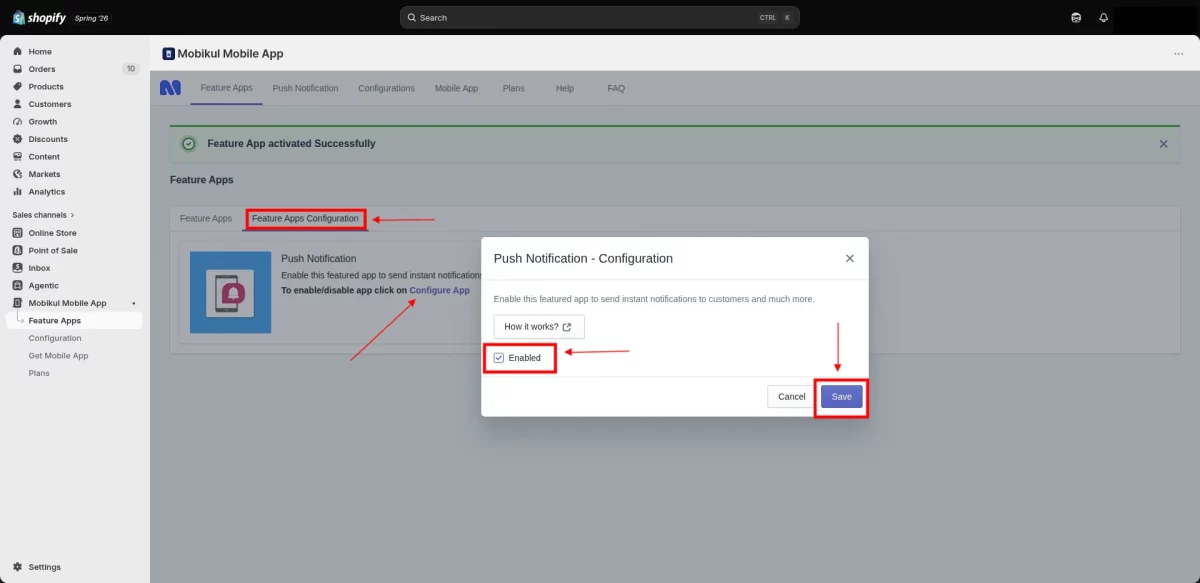
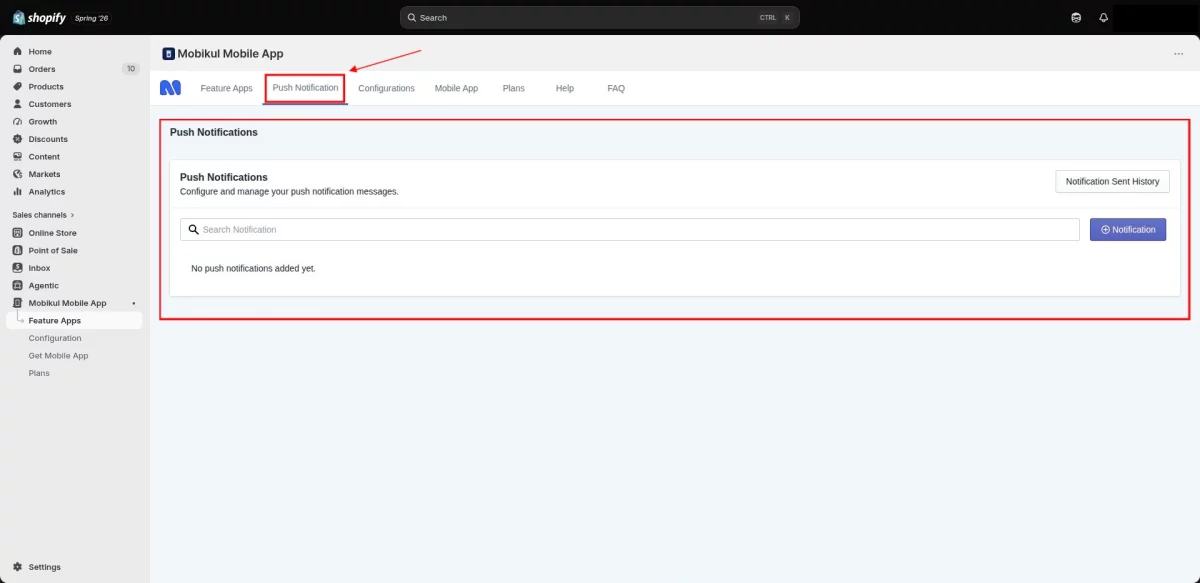
Once you enable and save the Push Notification feature, the Push Notification section appears in the Mobikul app.
From the Push Notification section, click the Notification button to create a new push notification. Enter the required notification details, then click Save.
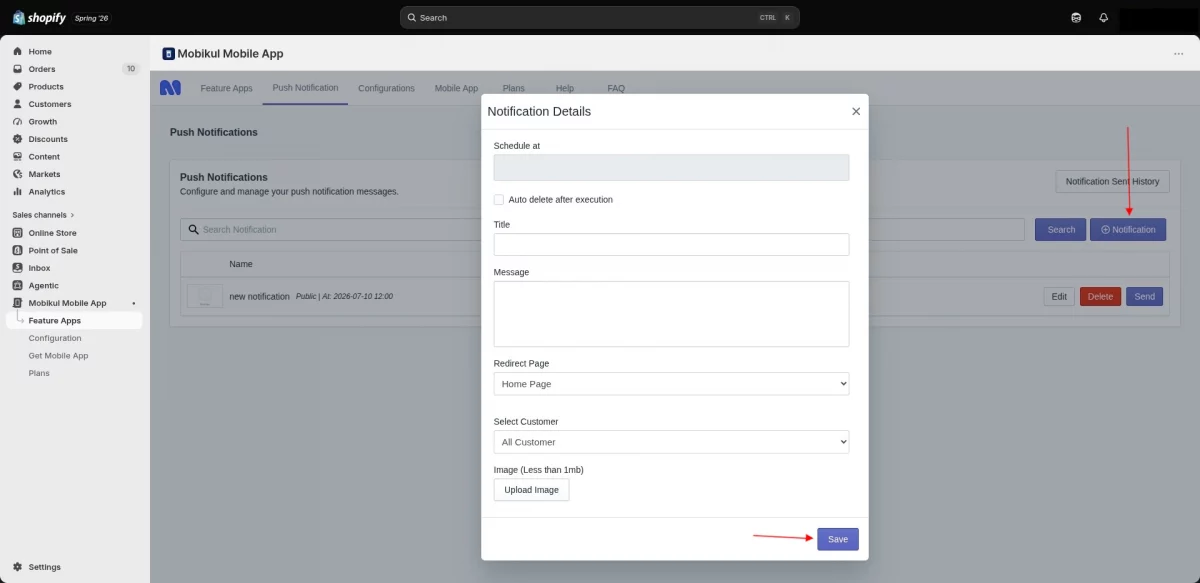
The Push Notification section lists all created notifications. You can view the send history, edit, send, or delete notifications whenever needed.
Need Help?
Hope you like this blog. To get more interesting blogs, keep in touch with us.
If you need any kind of support, just raise a ticket at https://webkul.uvdesk.com/en/. You can also contact [email protected] to get proper assistance.
Thank you for reading this Blog!
Don’t have a Shopify Store? Create Now!!!

Be the first to comment.